
What’s actually slowing this PC down?
Pick the symptom - the matching free tool is one click away.
iTechGuides is reader-supported. When you buy through links on our site, we may earn an affiliate commission. As an Amazon Associate I earn from qualifying purchases. Learn more
There is no single service-menu shortcut that is safe to assume works across TVs. Find the exact model number and year, then check that model’s official manual or manufacturer support page before trying any access procedure. If you only want to adjust the picture or sound, use the TV’s regular Settings menu instead.
Find the exact TV model before looking for a service menu
Service-menu instructions can vary by model and year. LG, for example, says its TV menu settings vary by manufacturing year and points owners to the model’s user guide for the complete settings list. LG USA Support does not provide a universal service-menu sequence.
Look for the model code on the TV’s label or packaging, or in the ordinary Settings/About screen if your TV provides one. The exact location varies, so consult the TV’s normal manual if you cannot find it. Confirm the model and region against the official documentation; do not assume a code found for a similar-looking TV applies to yours.
PC Slower Than It Used to Be?
A free scan shows the junk files, broken settings and background clutter dragging Windows down - then fixes them in one click.Free scan · Windows 10 & 11Crashes, No Sound, or Screen Glitches?
Random freezes, missing sound and display glitches usually trace back to one bad driver. Find and replace yours safely.Free scan · under a minuteUse the regular Settings menu for everyday adjustments
For routine picture or sound changes, open the TV’s standard on-screen settings and follow its model-specific guide. On the LG models covered by its support article, the Settings gear button opens the ordinary menu—not the service menu. LG’s menu guidance describes that regular interface.
Popular on Amazon

- 【Compatible Devices】Universal replacement remote control is compatible with TV brands for Samsung, LG, Vizio, Sony, Hisense, Onn, Sharp, RCA, Element, Westinghouse, Sanyo, Emerson, Philips, JVC, Sceptre, Sansui, Panasonic, Magnavox, Skyworth TV and More Brand Smart TVs. Compatible with of devices, including DVD/Blu-ray players, Media Streaming Players and more!
- 【NOT Compatible Devices】Universal remote is Not compatible with Roku Streaming Sticks, Roku Sound Bar, TLC Sound Bar, Hisense Sound Bar, Anker Sound Bar, Klipsch Sound Bar, All Fire TV, All TV Sticks, All TV Cube, Apple TV, Google Chromecast TV(This product can only be connected and paired via infrared) If you are unsure if our remote control is compatible with your device, please contact us.
- 【Simple Setup】Step 1: Find the device type you need in the code list. Then find and circle all the codes for the brand. Step 2: Press and hold down the (SETUP) button for 3 seconds until the red light on the remote turns on. Step 3: Press and release the (TV/STR/AUD) button on the remote, the red light will blink once and remain on. Step 4: Enter the first 4-digit code from code list. Step 5: Point the remote at the TV, and test the buttons on the remote to see if the TV responds as you would expect. If the buttons don't control the TV, repeat steps 2-4 and enter different code to test. Note:If all the code in the program fails, please check the instructions on page 7 "Automatic Code Search.
- 【Package Included】Package includes 1* Remote Control, 1* User Manual, and 1* Code list. The universal remote control is to use 2 * AAA alkaline batteries(Batteries are not included). Note: Please do not mix old and new batteries or mix different batteries together.
- 【After-Sales Service】We attach great importance to the customer's experience of using remote controls. If you have any questions about your order or product, please contact us and we will get back to you within 24 hours on working days.
Samsung Australia also directs owners to the manual when resetting an individual picture or sound setting. Samsung Australia’s guidance is about ordinary settings, not a service-menu shortcut.
| Route | Best for | What to check |
|---|---|---|
| TV’s regular Settings menu | Everyday picture or sound adjustments | Use the TV’s manual for the relevant setting; the ordinary menu is not the service menu. |
| Exact-model official manual or manufacturer support | Finding a documented service procedure or getting technical help | Match the model, year, and region. If the official guide does not document access, contact the manufacturer or an authorized service channel instead of trying another model’s code. |
Check the official documentation before using any access procedure
- Record the model code. Check the TV label, packaging, or ordinary Settings/About screen, then confirm the model and region in its official guide.
- Search that model’s official manual or support page. Look specifically for a service-menu procedure. A general Settings-button instruction is not a service-menu procedure.
- Follow only a procedure documented for that exact TV. If the manufacturer does not document one, ask manufacturer support or an authorized service provider rather than experimenting with codes or button sequences.
A sequence in a professional-TV manual is not automatically valid for a consumer TV. For example, a Philips professional manual documents a menu-entry procedure for its particular professional setup context, with TV setup and software-related items. That documentation should not be treated as a universal code.
Also popular on Amazon

- 【All In One Remote】 Universal remote control for most TV: It works with most major TV: Samsung, Vizio, LG, Hisense, TCL, Philips, Sony Smart TV and Roku TV, allowing you to conveniently control different TVs with just one remote.
- 【Please note】 This universal remote is NOT compatible with the following devices: Roku Streaming Sticks Any TV Sticks (all brands) All TV Cubes Roku, TCL, Hisense, Anker, or Klipsch Sound Bars All Fi TV Devices This remote connects and pairs via infrared only. If you're unsure whether this remote works with your device, please contact us before purchasing.
- 【One-Click Streaming Access】 Get instant access to your favorite streaming apps like NFLX, Video, Dis+, and Hulu with dedicated hot keys—no more scrolling through menus.
- 【Quick & Easy Setup】 Start using your new remote right away. Designed for most major TVs, setup is a breeze: simply add two AAA batteries (not included), then press and hold the two setup buttons. The included manual will walk you through the rest—no fuss.
- 【Worry-Free 90-Day Warranty】 Your satisfaction is our priority. To ensure a great experience, we stand behind our products with a 90-day return warranty. If you have any questions, please contact us directly. We guarantee a response within 12 hours.
Leave unfamiliar service-menu options unchanged
Service and hospitality menus can include controls beyond routine picture and sound options. Philips hospitality documentation describes hotel features, remote-control commands, and startup source or channel settings. Those examples apply to the documented hospitality context; they do not establish that all TVs have the same controls.
- Do not alter entries you cannot identify, especially those related to calibration, hotel or hospitality configuration, firmware, initialization, or factory reset.
- Do not treat an unfamiliar option as harmless just because it appears in a menu. Its effect depends on the TV and its configuration.
- If you opened a menu by mistake, avoid changing values and use the manufacturer’s instructions or support guidance to exit. Do not use a factory reset as a routine way to get out.
Why a factory reset is not a safe shortcut
A factory data reset can remove more than a picture adjustment. Sony warns that it may erase customized settings and data, including channels, account information, downloaded apps, network settings, and parental locks. Sony’s reset guidance describes these potential losses.
Also popular on Amazon

- 【Package lncluded】 Pack of 2 remote. Two-pack remote control can solve your home backup remote control needs. Infrared remote no pairing or programming needed. Just Insert 2 Pcs*AAA batteries to get it work(Batteries and manual are not included)
- 【Applicable Type】This infrared replacement remote works with all Samsung Smart TV, LED, LCD, HDTV, 3D, Series TV,Compatible with All Samsung Series TVs. We offer you an authentic details same as we advertised.
- 【Key Features】The universal infrared TV remote features 3 shortcut buttons. It is perfect to replace your old or damaged Samsung TV Remote with the Loutoc remote.
- 【Quick Response】This is the updated infrared remote control for Samsung TVs. An outstanding response between TV and remotes, it will respond quickly in 0.5 seconds, available directly use within 10 meters (32 feet).
- 【After-sale Service】We provide 30 days warranty with no condition return or exchange. If you have any query, please contact us and we will get back to you as soon as possible within 24 hours.
Samsung likewise says a reset returns many settings to default and may remove calibration changes. Samsung Australia’s reset guidance covers ordinary picture or sound settings; do not infer that a reset is a harmless service-menu exit.
Independent reader supportYour contribution helps us test, update, and keep practical guides available for everyone.When to contact support
If the exact-model official documentation does not explain service-menu access, or you need the menu for a repair, contact the manufacturer or an authorized service provider. Samsung Australia identifies authorized service centers for repairs. Samsung’s service-center information is one example; use the support channel for your own TV’s brand and region.
Quick Recap
Also popular on Amazon

- PACKAGE INCLUDED: Pack of 2 remote. Two-pack remote control can solve your home backup remote control needs. Infrared remote no pairing or programming needed. Just Insert 2 Pcs*AAA batteries to get it work (Batteries and manual are not included)
- EXACT COMPATIBILITY: Acoyer universal remote control only for Roku Series TVs, Compatible with TCL Roku TVs, Hisense Roku TVs, Onn Roku TVs, Sharp Roku TVs, Element Roku TVs, Westinghouse Roku TVs, Philips Roku TVs, Insignia Roku TVs, JVC Roku TVs, RCA Roku TVs, Hitachi Roku TVs and Sanyo Roku TVs Series.
- NOT APPLICABLE: TV Remote is NOT Compatible with Roku Stick/Streaming Stick/ Box(1/2/3/4(HD/LT/XS/XD))/ Ultra/ Express/ Premiere/ Player. NOT Compatible with TCL TV, Hisense TV, Onn TV, Sharp TV, Element TV, Westinghouse TV, Philips TV, Insignia TV, JVC TV, RCA TV, Hitachi TV and Sanyo TVs.
- SHORTCUT BUTTONS: Get to favorite apps quickly with shortcut buttons and it have 4 shortcuts buttons. Precisely control far from 10 meters/30 feet and it supports over total 160,000 clicks for all buttons via approved tests.
- AFTER SALE SERVICE: Acoyer remote controls with an unlimited return and refund service in 1-year warranty. If you have any questions or concerns regarding your order, please feel to reach out to us.
Also popular on Amazon
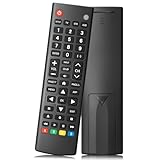
- Compatible TV Brands: Replacement Universal Smart TV Remote Control for TV brands including Samsung, LG, Hisense, TCL, Vizio, Sony, Onn, Toshiba, Philips, Element, Westinghouse, Sharp, Emerson, Sanyo, and RCA
- Compatible Other Devices: Universal Remote Control compatible with DVD, Blu ray Player, Soundbar, Streaming Media Player, Set Top Boxes, DVR, VCR, and Audio Devices including brands such as Sony, LG, Panasonic, Samsung, Bose, and Vizio
- Setup Methods: Find your TV code in the CODE LIST, press and hold down the SETUP button until the remote's red light turns on, press and release the chosen device button on the remote (TV/STR/AUD Button), enter the first 4-digit code for your device, point the remote at the device and test the buttons. If the buttons do not work as expected, repeat steps for the next code of the device until each button is working properly (Automatic pairing method on pages 8-9 of the manual)
- Package Includes: 1 Universal TV Remote Control, 1 User Manual, 1 Code List (batteries not included)
- Design Features: 26 feet long-distance remote control with 0.2 seconds fast response time, 50,000 times presses for durability, and requires 2 AAA batteries (batteries not included in package)

