
iTechGuides is reader-supported. When you buy through links on our site, we may earn an affiliate commission. As an Amazon Associate I earn from qualifying purchases. Learn more
To download an eligible public Instagram Reel, open it in the Instagram mobile app, tap the paper-plane Share button, then tap Download. On iPhone, look in Photos; on Android, check Gallery and your recent media or Downloads locations. The control may be absent when the creator disables downloads, the account is private, or availability differs by account, app version, device, or region. If Instagram does not offer Download, use Save as an in-app bookmark, ask the creator for the original, export your own account data, or make a screen recording only when you have permission.
| Option | What you need | Best for |
|---|---|---|
| Native Instagram Download | Public Reel with downloads enabled; current Instagram app | A local video file with the least effort |
| Save | Any Reel you can view in Instagram | Finding the Reel later without creating a file |
| Accounts Center export | Access to your own Instagram account and export request | Archiving your own account information in bulk |
| Creator-provided original | Permission and a copy from the creator | Best available quality and rights clarity |
| Screen recording | Built-in recorder and permission to keep the content | Personal reference when no download is offered |
How do I use Instagram’s Download button?
The native Instagram download is the preferred method when it appears. It creates a local video without requiring another service.
- Open the Instagram app on your Android phone or iPhone. The computer browser does not currently provide the same mobile Download workflow.
- Find the Reel and open it full-screen.
- Tap the paper-plane Share icon.
- Tap Download. If the button is available, Instagram processes the Reel and saves it to the device.
- Play the saved copy before deleting the Reel or reusing it. A download can include Instagram branding, the creator’s username and audio attribution, and licensed music may be omitted.
Downloaded videos are not guaranteed to be a clean, original export. Instagram can apply branding and audio restrictions, so keep the creator’s original file when quality or editing matters.
Where does a downloaded Reel go on iPhone or Android?
On an iPhone or iPad, open Photos and check Recents or the Videos view. On Android, open Gallery or Google Photos and check recent media; some phones also list the file under Downloads or an Instagram folder in the Files app.
Popular on Amazon

- USB-C 2-in-1 storage OTG: The Lexar JumpDrive Dual Drive D40E features USB Type-A and Type-C connectors in a slim, portable form factor for easy device compatibility
- Transfer speeds up to 100MB/s: Based on internal testing, performance may vary depending upon the host device, interface, and usage conditions. 1MB=1,000,000 bytes
- Plug and Play: Widely compatible with USB Type-C smartphones, tablets, laptops, Macs, and traditional Type-A devices, no software installation required. The 360° swivel design allows for easy switching between connectors without the hassle of losing a cap
- Durable & Compact: The Lexar D40E USB memory stick features a metal enclosure, withstands temperatures from 0° to 50° C (32°F to 122°F), and is lightweight at 26g with dimensions of 70.4 x 16.9 x 11.7mm
- Security & Warranty: Securely protects files using an advanced security software solution with 256-bit AES encryption. Backed by a Lexar 3-year limited warranty
If the file is difficult to find, search the media library by today’s date, open the device’s Downloads category, and check whether Instagram has permission to add photos and videos. Android manufacturers label storage apps differently, so the exact folder varies. On iPhone, review Settings → Privacy & Security → Photos → Instagram and allow the access needed to save media.
Why is the Instagram Download button missing?
A missing Download control usually reflects the Reel’s settings or Instagram’s availability rules, not a fault with your phone. A private account, a creator-disabled download setting, or differences between accounts, app versions, devices and regions can all remove the option.
- Private account: You may be able to watch the Reel while downloads remain unavailable. Do not attempt to bypass the account’s privacy settings.
- Creator disabled downloads: The owner can turn off downloading for eligible public Reels. Ask the creator for the original if you need a copy.
- App or account variation: Update Instagram from your platform’s official app store, sign out and back in, and test another Reel. Features can roll out unevenly, so two accounts on the same phone may show different controls.
- Playback or audio issue: If the Reel itself will not play, force-close Instagram, reopen it, and try a stable connection. A playable Reel can still download without its licensed music.
- Storage error: Free space, grant Photos/Gallery permission, and retry. A nearly full device can make the button appear to work while leaving no usable file.
When the control is not offered, use Save to bookmark the Reel, request the original from the creator, or record the screen only for permitted personal reference. Guidance from Creative Bloq’s current Instagram download guide also notes that Instagram’s labels and behavior can change.
Do these 3 things before closing this tab:
1Repair Windows errors before they cause bigger problems2Fix the driver behind crashes, sound loss and screen glitches3Clear out junk files and repair common Windows errorsWhat is the difference between Save and Download?
Save places a bookmark inside Instagram; it does not create an MP4 in Photos, Gallery or Files and is not an offline backup. Download creates a device copy when Instagram exposes that control.
Also popular on Amazon
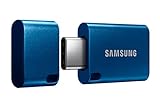
- USB-C STORAGE ON THE GO: This sleek drive is supported by Samsung NAND flash and is incredibly compact to fit in the palm of your hand; Count on reliable performance and fast transfer speeds while staying compact
- PERFORMANCE WITH SPEED: No need to choose between performance and reliability; Experience a fast, powerful flash drive that transfers 4GB files in just 11 seconds with up to 400MB/s USB 3.2 Gen 1 read speeds and is backward compatible with USB 3.0/2.0
- MODERN MEETS ICONIC: The ultra-sleek USB-C drive looks as good as it performs; Featuring a reversible plug, the Type-C inserts into your devices seamlessly every time; Transfer large files with style and ease
- ALWAYS CONNECTED: USB-C is compatible across devices, including laptops, tablets, phones and cameras, with enough space for 63,730 photos or maximum 12 hours of 4K video; With up to 256GB of storage space, this pocket-sized thumb drive comes in handy wherever you go
- TOUGH & TRUSTED: Files stay secure, no matter the terrain; Samsung's flash memory technology makes the Type-C a trustworthy drive to store your valuable data; It's waterproof, shock-proof, magnet-proof, temperature-proof, and X-ray-proof body, plus it's backed by a 5-year limited warranty
To use Save, tap the bookmark icon on the Reel or choose Share → Save where shown. Later, open your profile, tap the menu, and choose Saved. You still need an internet connection to play the bookmarked Reel, and the creator can remove it or make the account private.
How can I download my own Reel?
Keep the camera-roll clip and editing-project file before uploading; that is the only dependable way to preserve the original quality, clean audio and editable layers. For a Reel already published, open it and try Share → Download just as you would for another eligible public Reel.
For a larger archive, use Instagram’s Accounts Center data-export tools to request your own information. The export can take longer and arrives as an archive rather than a one-tap video save, so it is useful for account backup but not a quick replacement for downloading one Reel. Save the resulting archive in a location you control and verify that the expected media is present.
How do I screen-record a Reel on Android?
Android’s built-in recorder is a fallback for your own material or content you have explicit permission to keep. It captures what is on screen, not the source file, so quality, framing and audio can differ.
Also popular on Amazon

- EXPAND YOUR STORAGE. Easily move files off your device, freeing up valuable space so you can store your favorite photos, movies, music, games, and more.
- Say goodbye to emailing photos between devices. Once they’re on your SanDisk Phone Drive, read speeds up to 100MB/s let you transfer files fast. (1 MB/s = 1 million bytes per second. Based on internal testing; performance may vary depending upon host device, usage conditions, drive capacity, and other factors. USB Type-C port with USB 3.2 Gen 1 support required.)
- AUTOMATIC BACKUP. Automatically back up your latest photos, videos, music, documents, and contacts with the SanDisk Memory Zone app. (Download and installation required. Set up automatic backup within app settings. See official SanDisk website for Memory Zone details.)
- DATA RECOVERY. Recover deleted files with the included RescuePRO Deluxe software.(Registration and download required; terms and conditions apply. See RescuePRO page on SanDisk site.)
- CONVENIENT DESIGN. Attach your drive to your keyring to help keep it secure so you can have storage wherever you are, whenever you need it.
- Open the Reel and pause just before the section you may record.
- Swipe down twice to open Quick Settings and find Screen recorder or Screen recording.
- Choose whether to record device audio, microphone audio, or both, then start. If you see a countdown, wait for it to finish before playing the Reel.
- Play the Reel full-screen without touching the display. Unwanted controls or touches can appear if you tap during capture.
- Stop from the notification shade or the recorder control. The result normally appears in Gallery, Google Photos or a Screen recordings folder.
If the screen recording tile is missing, edit Quick Settings and add it from the available tiles. Some Android versions place the control under a pencil or three-dot Edit command; if the manufacturer does not include a recorder, use only a recorder supplied through the official app store and review its permissions carefully.
If recording starts too late, start it before opening the Reel and trim the beginning afterward. If recording will not stop as expected, use the persistent recorder notification, the floating stop control, or lock and unlock the phone; then confirm the file saved. A storage error usually means insufficient free space or a protected destination, so clear space and retry.
How do I screen-record a Reel on iPhone?
On iPhone, use Apple’s built-in Screen Recording control. It is a reference copy rather than an original download.
What’s actually slowing this PC down?
Pick the symptom - the matching free tool is one click away.
- Open Settings → Control Center and add Screen Recording if it is not already listed.
- Open Control Center, tap the circular recording button, and wait for the three-second countdown.
- Return to Instagram, open the Reel full-screen, and play it without touching the screen.
- Tap the red status indicator and choose Stop, or open Control Center and tap the recording button again.
- Find the result in Photos, usually in Recents.
If screen recording is missing, add it in Control Center settings and check whether a work, school or parental restriction blocks it. If there is no screen record tile, the restriction must be removed by the device administrator; do not install a profile that asks for unnecessary device management.
Also popular on Amazon

- [Dual Flash Drive] This 2-in-1 USB flash drive is designed with a Type-C plug and a USB-A plug at each end, working across all your Type-C Android phones, iPhone 15/15 Pro/15 Pro Max, iPhone 16/16Pro/16E, tablets, iPad Pro, Macs and USB-A computers, game consoles, car audios, and more (Not for Lightning iPhone/iPad).
- [Fast Speed] Optimizing the USB 3.0 technology, this USB-C flash drive fast transfers and backs up your high-res photos, videos, music, and heavy files at a read speed of up to 130MB/s and a write speed of up to 35MB/s, 10X faster than USB 2.0 flash drives.
- [Wide Use] This Type-C flash drive supports Windows, Android, Linux, and Mac OS, and is backward compatible with USB 2.0 ports. Plug and play, no need to install any software, working seamlessly with USB-C and USB-A devices.
- [Durable and Reliable] This dual USB 3.0 flash drive adopts superb memory chips thus ensuring extremely reliable performance, plus the premium plastic enclosure offers excellent heat dissipation. The cap protects the connectors from dust and damage, providing extended durability and security.
- [Compact and Portable] Constructed in a mini size of 63.5x17.8x8.4mm/2.5x0.7x0.3inch, this slim USB-C thumb drive can fit into your pocket, letting you enjoy the instant large capacity at any time.
To capture narration, press and hold the Screen Recording button and turn on Microphone. Microphone mode can introduce room noise. With it off, Instagram or iOS may prevent protected audio from being captured, producing no sound or a silent section. Check the recording before deleting the source. If the recording includes the countdown or extra frames, trim the beginning and end in Photos. If unwanted controls or touches appear, discard that take and record again without tapping while playback runs.
Why is there no sound in my downloaded or recorded Reel?
Instagram may omit music that it licenses only for in-app playback. A native download can therefore contain the video but not its soundtrack or may include attribution instead.
For a screen recording, check the chosen audio source, the phone’s media volume and whether Instagram is muted. Android’s recorder may offer device audio, microphone or both; iPhone’s microphone setting records external sound, not a guaranteed internal copy. A playback or audio issue can also be limited to one Reel, so test the saved file in the Photos or Gallery player and in another player before assuming the video is corrupt.
Recommended Free Tools
Can I download a Reel from a computer browser?
The researched guidance describes downloading as a mobile-app feature; computer-browser downloading is not currently supported in that workflow. If you need your own media on a computer, download or export it on the phone and transfer the file, or keep the original project in your normal backup location.
Also popular on Amazon

- USB-C 2-in-1 storage OTG: The Lexar JumpDrive Dual Drive D40E features USB Type-A and Type-C connectors in a slim, portable form factor for easy device compatibility
- Transfer speeds up to 100MB/s: Based on internal testing, performance may vary depending upon the host device, interface, and usage conditions. 1MB=1,000,000 bytes
- Plug and Play: Widely compatible with USB Type-C smartphones, tablets, laptops, Macs, and traditional Type-A devices, no software installation required. The 360° swivel design allows for easy switching between connectors without the hassle of losing a cap
- Durable & Compact: The Lexar D40E USB memory stick features a metal enclosure, withstands temperatures from 0° to 50° C (32°F to 122°F), and is lightweight at 26g with dimensions of 70.4 x 16.9 x 11.7mm
- Security & Warranty: Securely protects files using an advanced security software solution with 256-bit AES encryption. Backed by a Lexar 3-year limited warranty
What should I do when Download is unavailable?
Use this order: ask the creator for an original file; use Save so you can return to the Reel; export your own Instagram information through Accounts Center; or make a screen recording only when you have permission. Screen recording may add interface elements, reduce quality, crop the frame, start late, include countdown or extra frames, and lose audio.
A downloader’s ability to fetch a video would not grant permission to repost it or use it commercially. Respect the creator’s permission, copyright, privacy and music rights. Do not give an app your Instagram password, install packages from outside the official app store or developer site, or accept unnecessary storage, accessibility or device-management permissions.
How we picked these methods
The order prioritizes Instagram’s own Download control, then a creator-provided original, your own Accounts Center export, Save, and finally screen recording for permitted reference. The criteria are whether a method creates a local file, preserves original quality, depends on creator settings, works for another person’s Reel, and carries predictable rights and audio limitations.
Free tools Windows power users keep installed
One-click scans. No signup required.
Frequently Asked Questions
Does downloading a Reel notify the creator?
Instagram’s download control is separate from likes, comments and direct shares, so it does not create a visible engagement event in the Reel’s activity list. The creator can still disable downloads or change the Reel’s audience later.
Can I edit a downloaded Reel and post it again?
Only if you have permission to reuse the video, music and any people shown in it. A downloaded file may contain branding, attribution or reduced audio, and editing it does not transfer copyright or commercial rights to you.
Why does my saved Reel disappear from Saved?
The creator may delete the Reel, switch the account to private, or remove your access. Save is a live bookmark, so it cannot preserve a copy when the original is no longer available.
How do I move an iPhone recording to Android?
Share the video from Photos using a standard file-transfer method, then open it in the Android Gallery or Files app. Keep the original file extension and check that the transfer completed before deleting the iPhone copy.

