
What’s actually slowing this PC down?
Pick the symptom - the matching free tool is one click away.
iTechGuides is reader-supported. When you buy through links on our site, we may earn an affiliate commission. As an Amazon Associate I earn from qualifying purchases. Learn more
The safest crypto-wallet backup is a recovery phrase generated by your wallet, copied by hand or stamped onto a physical backup, checked on the wallet’s own screen, and stored offline in a private, damage-resistant place. Never photograph the words, put them in cloud storage, type them into a computer or phone, paste them into a website, or tell them to support. Anyone who gets the complete phrase can restore the wallet and spend its funds.
This guide explains how to create, verify, store, and use that backup, including what to do if a hardware wallet is lost or damaged.
What a wallet backup actually is
A recovery phrase—also called a seed phrase or wallet backup—is an ordered list of words from which a wallet can recreate its cryptographic keys and accounts. The words are not a password hint or a customer-service credential. They are the master recovery material for the wallet.
Free tools Windows power users keep installed
One-click scans. No signup required.
Order and spelling matter. A phrase with the right words in the wrong order is a different backup and will not restore the intended wallet. Trezor documents three common backup formats: BIP39 phrases of 12 or 24 words and SLIP39 backups of 20 words. The format and word count must match the wallet’s recovery process.
#1 Best Overall

- [Indestructible Seed Phrase Steel] ELLIPAL 316 stainless steel metal seed phrase storage is virtually indestructible and fireproof, making sure your mnemonic is safe no matter what. With our waterproof,you can trust that ELLIPAL Seed Phrase Steel will withstand any condition, from a rainy day to extreme environments. Get peace of mind with our crypto seed storage, the ultimate backup solution for your mnemonic, guaranteed to last a lifetime.
- [Safeguard Your Crypto Assets] Are you looking for a product that can offer you extreme security and complete offline protection for your mnemonic codes? Look no further than our Seed Phrase Steel! Permanently back up your mnemonic on our metal seed phrase storage and keep it safe from hackers and malware. With our crypto seed storage, you can fully control your crypto assets.
- [Easy to Use & Support 24 Words] Designed to comply with the BIP39 principle, this phrase cold storage makes it incredibly easy to generate and store your seed phrase. Supporting 12, 15, 18, 21, and 24-word mnemonic phrases. With the crypto seed storage, you only need to remember the first 4 letters of your mnemonic phrase, making it simple and convenient to access your funds. Experience the peace of mind that comes with secure crypto storage.
- [Compatible with BIP39 Hardware Wallets] Designed to complement all ELLIPAL cold wallets, the metal seed phrase storage is the perfect accessory to ensure the safety of your crypto assets. But don't worry if you don't own an ELLIPAL hardware wallet, as the Seed Phrase Steel is compatible with all BIP39 hardware wallets on the market, including popular brands such as SecuX, Ledger, and Trezor. With ELLIPAL take the first step towards securing your asset's future.
- [Pocket-Sized, Take it Everywhere] The ELLIPAL Seed Phrase Steel is a pocket-sized device that provides unparalleled security and convenience. Unlike traditional storage methods that require specialized tools or third-party involvement, this crypto seed storage allows you to securely store your chosen data without any extra hassle. Its compact size makes it easy to carry with you wherever you go, whether you're attending an important meeting or going on a vacation.
Treat the phrase as equivalent to full control. Bitcoin.org says that anyone who obtains a wallet’s recovery phrase can access the corresponding bitcoins. Ledger likewise warns that losing the phrase can mean losing the cryptocurrency and that anyone who has it can access the associated accounts. A device PIN, app password, or screen lock does not replace the recovery phrase.
Create the phrase on a trusted wallet
Use the wallet’s first-run setup
Start with a new wallet or the manufacturer’s documented initialization process. Let the wallet generate the recovery phrase using its own trusted interface. Do not invent a phrase yourself, select words from a list, or reuse a phrase from another wallet. A phrase created elsewhere may be predictable, already exposed, or incompatible with the wallet’s backup standard.
For a hardware wallet, the words should appear on the device itself rather than only in a companion computer or phone application. Set up the device in a private place where cameras, visitors, smart speakers, and other people cannot see or hear the phrase.
PC Slower Than It Used to Be?
A free scan shows the junk files, broken settings and background clutter dragging Windows down - then fixes them in one click.Free scan · Windows 10 & 11Outdated Drivers Are Slowing You Down
One free scan finds every outdated or missing driver and matches the right update for your exact hardware.Free scan · exact hardware matchCheck that the device is genuine and uncompromised
Follow the manufacturer’s authenticity and initialization checks before accepting a new phrase. If a seller, web page, email, or support agent gives you a pre-generated phrase, stop. A legitimate setup should require the wallet to generate its own backup and should not ask you to send the words to anyone.
Keep the setup session private
Silence screen-sharing and recording software, remove phones and cameras from the workspace, and avoid dictating the words aloud. Do not let another person write the phrase for you. You need to know exactly where the physical record is stored and who could reach it.
Record every word offline, in order
- Use the supplied card or a purpose-made metal plate. Copy the words while reading them from the wallet’s trusted screen. Do not copy them into a notes app, document, email draft, password manager, or browser form.
- Preserve the numbering. Write or stamp word 1, word 2, and so on in the displayed order. Include all words; do not rely on memory, initials, abbreviations, or a reordered list.
- Check spelling and legibility. Compare each entry with the device screen before leaving setup. A smudged, ambiguous, or misspelled word can make recovery impossible.
- Keep the record in view only as long as necessary. When copying is complete, close the setup screen and put the physical backup away before continuing with the wallet.
Never choose replacement words because one of the displayed words looks unfamiliar. Wallet word lists contain ordinary and unusual words, and the exact term is part of the cryptographic data.
Rank #2

- DURABLE AND INDESTRUCTIBLE: Made with grade 304 Steel, it's the long term solution to helping you safely store and backup your wallet’s seed phrase due to its resistance to corrosion. The various screws present in the tablet help protect it against deformation. It is also designed to have a fireproof threshold of house fires.
Verify the backup without exposing it
Use the wallet’s built-in confirmation or recovery-check flow if one is available. The device may ask you to select or enter words in response to prompts. This check is designed to catch transcription errors while the phrase remains on the wallet’s trusted interface.
Do not verify by typing the phrase into a website, desktop utility, phone keyboard, or online “seed checker.” A site that asks for the complete phrase is asking for the keys to the wallet, regardless of its branding or claimed diagnostic purpose.
If the wallet reports an error, compare the physical record with the device one word and one position at a time. Do not create a second phrase or modify the original record until you understand which entry is wrong. If the device cannot complete its verification flow, use the manufacturer’s official offline recovery instructions rather than an unofficial tool.
Choose a physical storage method
The backup must remain offline and protected from both unauthorized discovery and physical destruction. Paper is easy to create and inexpensive, but it can burn, tear, fade, or become unreadable when wet. Metal generally costs more and takes more effort to prepare, but it is intended to withstand common fire and water exposure. The correct choice depends on the hazards at your location and your ability to store it privately.
| Factor | Paper card | Metal backup |
|---|---|---|
| Fire and water resistance | Vulnerable to heat, flames, moisture, and fading; protection depends on the container. | Designed to provide greater resistance to fire and water than ordinary paper; exact performance depends on the material and product. |
| Privacy while creating it | Can be written quickly and quietly with a pen. | May require stamping, engraving, or assembling tiles, which can take longer and make more noise. |
| Transcription | Handwriting is fast, but poor handwriting or ink damage can create ambiguity. | Stamped or engraved characters can remain readable, but an installation mistake is harder to correct. |
| Cost | Usually the lower-cost physical option; the exact price is not stated here. | Typically a higher-cost option; the exact price is not stated here. |
| Second-copy practicality | Easy to duplicate, which also creates more locations that must be secured. | Possible, but each additional plate adds expense and another object that must remain secret. |
Ledger identifies metal backup as protection against the elements. That does not make a plate automatically secure: an exposed metal plate can still be found and used, and a fire-resistant container does not protect against theft if many people can open it.
The Tool Desk
Outbyte Driver Updater FREEFix the driver behind crashes, sound loss and screen glitchesFind Drivers →Outbyte PC Repair FREERepair Windows errors before they cause bigger problemsFix Now →Store the backup where both thieves and accidents are unlikely
Use a private, access-controlled location
Choose a place that casual visitors, cleaners, roommates, contractors, and unauthorized household members cannot access. Keep the phrase separate from the wallet device if someone who finds the device could otherwise find both items together. Do not label the container with words such as “seed phrase,” “crypto,” or “wallet.”
Rank #3

- 【 DURABLE AND INDESTRUCTIBLE 】: Made with grade 304 Steel, the Keystone Tablet is the long term solution to helping you safely store and backup your crypto seed phrase due to its resistance to corrosion. The various screws present in the tablet help protect it against deformation. It is also designed to have a fireproof threshold of 1399 to 1455°C / 2550 to 2651°F (House fires go up to 649℃ / 1200°F).
- 【 SLEEK AND EFFICIENT DESIGN 】: Slightly bigger than a credit card, the Keystone Tablet is very portable. Easily access the contents of the tablet by sliding it open. You also can make use of the built-in keyhole to secure your mnemonics with a physical lock as well. All alphabetical letters come with anti-tampering stickers and are laser engraved to ensure they are resistant to corrosion.
- 【 SEED PHRASE STORAGE 】: Supports 12, 18 or 24 word seed phrases (Only first 4 letters of each word needed).Suitable for all types of cryptocurrencies (Bitcoin, Ethereum, Ripple, Litecoin, Dogecoin, Cardano, B【 HUGE RANGE OF COMPATIBILITY 】: Compatible with all BIP39 hardware and software wallets (Ledger Nano X, Trezor, Bitbox, KeepKey, Coldcard, MetaMask, Coinbase Wallet, Electrum, Mycelium, Exodus, Wasabi Wallet, Opolo, Cobo, ZenGo, CoinSmart etc.). inance Coin, Shiba Inu, Avalanche, Solana, Terra, Polygon, USDC, USDT etc.)
- 【 WHAT YOU GET 】: 1 Keystone Tablet, 4 sheets of metal alphabetical letters (252 letter tiles in total), 2 anti-tampering stickers, spare screws, a screwdriver, and a guide.
Plan for local disasters
Protect the record from the realistic hazards at your location, including fire, water leaks, humidity, accidental disposal, and building damage. A sealed container can reduce environmental exposure, but it should not be treated as a substitute for privacy or access control.
Consider a second secure physical location
A second copy in another secure location reduces the risk that one fire, flood, or burglary destroys the only record. Every copy also increases the number of places that must remain secret and the number of people who might discover it. Make a duplicate only if you can secure both copies to the same standard; do not scatter copies casually.
Do not split words as an improvised security scheme
Separating a phrase into informal fragments can create a recovery problem if you forget how the pieces fit together. If you use a wallet system that formally supports multiple shares, follow that system’s documented standard and recovery procedure. Otherwise, keep one complete, accurate record in each protected location.
Digital copies are not safe backups
Never photograph or screenshot the phrase. Do not store it in iCloud, Google Drive, Dropbox, another cloud service, an email account, a chat, a note-taking app, a password manager, or a file on a computer or phone. Bitcoin.org specifically advises against photos and cloud storage; Trezor lists screenshots, photographs, email, and Dropbox as unacceptable digital copies.
Deleting a file later does not guarantee that it is gone. Photos and documents may be synchronized to other devices, retained in backups, indexed in search, or exposed by malware. A compromised phone or computer can capture the phrase while you type it, even if the destination appears private.
Do not paste the phrase into a block-explorer form, a wallet-import page, a troubleshooting chat, or a “recovery test.” Trezor’s guidance is to enter a wallet backup only when prompted by the Trezor device. Ledger’s security guidance likewise says never to share a 24-word secret recovery phrase in any form with anyone.
Rank #4
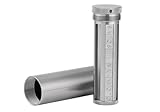
- [Seed Backup] Allows you to securely store your 24-word recovery phrase, providing you with the ultimate protection for your crypto assets. It is compatible with all BIP39 hardware or software crypto wallets, including Ledger, Trezor, KeepKey, and more
- [Durable and Secure] Made from high-quality 304 stainless steel, ensuring durability and resistance to wear and tear. The sturdy design and strong locking mechanism provide added security, making it a reliable tool for protecting your crypto seed phrase
- [Easy to Use] Straight forward setup by just sliding the corresponding letter tiles into the slots, without any third party involvement
- [Portable and Compact] Capsule design, compact and portable, making it convenient to carry with you wherever you go. It is suitable for those who are always on the move and want to ensure that their crypto seed phrase is always safe and secure
- [Gift Option] A thoughtful product for friends, family, or anyone who is interested in cryptocurrency
Operate the wallet without revealing the phrase
Understand what legitimate support will and will not ask for
Customer support may ask for a device model, public address, transaction ID, firmware version, or error message. It should not ask for the recovery words, a photograph of them, or a screen recording of the setup. Anyone requesting the complete phrase is attempting to obtain control of the wallet, even if the request appears in an official-looking support channel.
Do these 3 things before closing this tab:
1Repair Windows errors before they cause bigger problems2Fix the driver behind crashes, sound loss and screen glitches3Clear out junk files and repair common Windows errorsKeep public information separate from private recovery data
Public addresses and transaction IDs can help diagnose a transfer without exposing the keys. The recovery phrase is different: publishing it, even briefly, gives the recipient the ability to restore the wallet. When asking for help, provide only the minimum non-secret information needed to describe the problem.
Beware of urgent recovery messages
Unexpected messages claiming that a wallet is suspended, compromised, or waiting for verification often try to push you toward a fake recovery page. Navigate to the manufacturer’s known documentation yourself instead of clicking a message link, and never enter the phrase into a page opened from an unsolicited request.
What happens if the hardware wallet is lost, damaged, or reset?
Losing the device does not necessarily lose the cryptocurrency. The funds are controlled by the keys derived from the recovery phrase, so recovery is possible when the correct backup still exists and the replacement wallet supports the same recovery standard and account structure.
- Secure the remaining backup. Confirm that the physical record is complete, legible, and still private. If you suspect someone copied it, treat the wallet as compromised rather than assuming the device loss is the only problem.
- Obtain a compatible replacement. Check whether the original used BIP39 (12 or 24 words) or SLIP39 (20 words), and follow the manufacturer’s compatibility documentation. A device that accepts a different standard may not restore the same wallet.
- Use the manufacturer’s recovery flow. Initialize or reset the replacement only as instructed, then enter the words when the compatible wallet device itself prompts you. Do not type them into the companion computer or phone application unless the manufacturer’s documented device flow explicitly requires a secure device-mediated step.
- Confirm the restored accounts. Verify that the expected account types, addresses, and balances appear before sending funds. Different derivation paths or account selections can make a correct phrase appear empty in an incompatible wallet configuration.
- Respond to suspected exposure. If the phrase was photographed, typed into a computer, sent to support, or seen by another person, move assets to a newly generated wallet with a new backup using a trusted setup. Do not continue treating the exposed phrase as secret.
A reset device is not proof that the funds are gone; it is a device state. The decisive question is whether the original recovery material remains available, accurate, private, and compatible with the recovery process.
Quick wins for a faster PC:
Repair Windows errors before they cause bigger problemsFix Now →Fix the driver behind crashes, sound loss and screen glitchesFind Drivers →Clear out junk files and repair common Windows errorsFree Scan →Backup standards and compatibility
| Standard | Documented phrase length | What to verify before recovery |
|---|---|---|
| BIP39 | 12 or 24 words | Use a wallet that supports BIP39 and the same account and derivation configuration used originally. |
| SLIP39 | 20 words | Use a wallet that supports SLIP39 and the required share or recovery arrangement. |
These lengths come from Trezor’s current wallet-backup documentation. Do not infer compatibility from word count alone: two wallets can use different standards, account types, or derivation paths. Before an emergency, read the manufacturer’s documented recovery instructions for the exact wallet family and assets you hold.
Common failure modes and fixes
- The phrase was written in the wrong order: compare every numbered position with the device’s original display. If the original device is still available, use its recovery-check function before changing anything.
- A word is unreadable: do not guess from context. Use the device’s verification flow or the documented recovery process to identify the transcription error.
- The backup was photographed or typed: assume it may be exposed. Create a new wallet and transfer assets using a newly generated phrase from a trusted device.
- A replacement wallet shows no accounts: stop entering random phrases. Check BIP39 versus SLIP39, account type, derivation path, and whether the original wallet used a passphrase feature documented by its manufacturer.
- Someone claiming to be support asks for the words: end the conversation. Legitimate support does not need the recovery phrase to diagnose a device or transaction.
- The only paper copy was damaged: if the wallet still works, use its documented backup-verification or recovery procedure to create a new, legible physical record without making a digital copy.
Final pre-storage checklist
- The wallet generated the phrase during its own trusted setup.
- Every word is recorded exactly once in the displayed order and is readable.
- The built-in confirmation or recovery check completed, if available.
- No photo, screenshot, cloud file, email, message, password-manager entry, or computer file contains the phrase.
- The physical copy is private and protected against likely fire, water, theft, and accidental disposal.
- Any second copy is in another secure physical location, with both copies controlled to the same standard.
- You know whether the wallet uses BIP39 or SLIP39 and where its official recovery instructions are located.
- No support agent, website, app, or other person has received the words.
Keep the complete backup offline, private, and physically resilient. If a device disappears, the phrase is the recovery path; if the phrase disappears or is exposed, the device cannot protect the funds by itself.
Quick Recap
Product prices and availability are accurate as of the date/time indicated and are subject to change. Any price and availability information displayed on Amazon at the time of purchase will apply.

