
iTechGuides is reader-supported. When you buy through links on our site, we may earn an affiliate commission. As an Amazon Associate I earn from qualifying purchases. Learn more
Use the ESP32 as a limited-input client and place Google OAuth on a small HTTPS backend. The device can display a Google authorization URL and one-time code, while the user approves access on a phone or computer. The backend stores the long-lived refresh token, exchanges it for short-lived access tokens, calls Google Calendar, and returns only the event data the ESP32 needs. This keeps Google client secrets, service-account keys, and refresh tokens out of firmware that can be copied or extracted.
Why an API key cannot read a private calendar
A Google API key identifies a Cloud project and can support requests for data that is already public. It does not represent a Google user, grant permission to a private calendar, or authorize changes to events. Google’s credentials guidance states: “API keys do not grant access to any account information, and are not used for authorization.”
Calendar data belonging to a user requires OAuth 2.0. OAuth produces an access token that represents the approved scopes and a refresh token that can be exchanged for new access tokens after the short-lived access token expires. The authorization decision is made by the account owner in Google’s consent screen, not by possession of a project’s API key.
Recommended Free Tools
Putting an API key in ESP32 firmware is therefore both the wrong security model and a poor protection for the project. Anyone who obtains the firmware can extract the key and use it within whatever restrictions you configured. More importantly, the key still cannot authorize a private calendar. The design below uses OAuth for authorization and treats the ESP32 as an untrusted, limited client.
Popular on Amazon
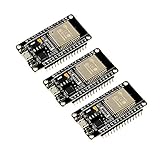
- 2.4GHz Dual Mode WiFi + Bluetooth Development Board
- Support LWIP protocol, Freertos
- SupportThree Modes: AP, STA, and AP+STA
- Ultra-Low power consumption, Compatible with Arduino IDE
- ESP32 is a safe, reliable, and scalable to a variety of applications
The recommended architecture
Separate the system into three roles:
- ESP32: displays a URL and user code, asks your backend for calendar information, and renders the minimum result needed by the product.
- HTTPS backend: owns the OAuth client credentials, completes the authorization exchange, stores the refresh token, refreshes access tokens, calls Google Calendar, and exposes a narrow device API.
- Google authorization and Calendar APIs: authenticate the user, issue OAuth tokens, and return events within the approved scope.
The limited-input-device pattern is useful when the ESP32 has no practical browser. The device shows a Google URL and code on its display or serial console. The user opens the URL on a phone or computer, signs in, reviews consent, and enters or confirms the code. Your authorization component then polls for completion. Once Google approves the request, the backend receives the token response and retains the refresh token; the ESP32 never needs to hold it.
After authorization, the normal data path is:
- The ESP32 authenticates to your backend over TLS.
- The backend checks the device identity and requested operation.
- The backend uses its protected refresh token to obtain a current Google access token when necessary.
- The backend calls the Calendar API with only the selected scope.
- The backend returns a deliberately small response, such as event title, start time, end time, and calendar identifier.
This brokered boundary is generally safer for a personal calendar because ESP32 firmware is distributable and difficult to protect from extraction. A user can copy a binary, inspect flash, or obtain credentials from a compromised device. A server-side secret store gives you a place to revoke or rotate credentials without replacing every board.
Choose the narrowest Calendar scope
Scopes determine what the backend can do after the user grants access. Google’s scope guidance says: “Generally, you should choose the most narrowly focused scope possible and avoid requesting scopes that your app doesn’t require.” Ask for one scope that matches the feature instead of requesting broad calendar access by default.
Windows Errors? Fix Them Before They Spread
Repair common Windows errors and clear accumulated junk for a smoother, more stable PC - no reinstall needed.Free scan · no reinstallOutdated Drivers Are Slowing You Down
One free scan finds every outdated or missing driver and matches the right update for your exact hardware.Free scan · exact hardware match| Scope | Permission | Use it when |
|---|---|---|
https://www.googleapis.com/auth/calendar.events.readonly |
Read calendar events | The ESP32 only displays or checks events and never edits them. |
https://www.googleapis.com/auth/calendar.events |
Read and edit events | The device or its companion interface must create, change, or delete events as well as read them. |
https://www.googleapis.com/auth/calendar.readonly |
Broad read-only calendar access | Event-only read access is insufficient for the calendars or read operations your feature needs. |
Do not silently request calendar.readonly when calendar.events.readonly is enough. A narrower consent request is easier for users to understand and limits damage if the backend is compromised. If the product later gains editing, treat the new scope as a deliberate permission change and send the user through consent again.
Keep every sensitive credential on the backend
Do not ship any of the following in public ESP32 firmware:
- A Google OAuth client secret.
- A service-account private key.
- A long-lived OAuth refresh token.
- A backend credential that would let an attacker impersonate the device without server-side checks.
OAuth client credentials identify your application and must be protected wherever Google expects a confidential client. The refresh token is especially sensitive: it can be used repeatedly to obtain access tokens until it is revoked or invalidated. Store it in a backend secret store or encrypted database, restrict which process and operators can read it, and avoid logging it during authorization, refresh, or error handling.
Also popular on Amazon
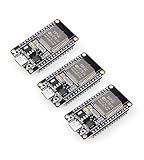
- Dual-Core Performance Up to 240 MHz: Run sensor processing, wireless communication, automation logic and connected-device tasks on a 32-bit dual-core ESP32 platform designed for responsive embedded and IoT projects
- Built-in Wi-Fi and Bluetooth 4.2: Connect to 2.4 GHz Wi-Fi networks or use Bluetooth Classic and BLE for wireless sensors, smart devices, remote controls, home automation and other connected projects
- Flexible Power-Saving Modes: ESP32 power-management features support dynamic clock scaling and low-power operating modes, helping developers reduce energy use in compatible sensing, monitoring and connected-device applications, suitable for battery-powered Internet of Things (IoT) devices.
- USB-C Programming with CP2102: Connect through USB-C for power, sketch uploads and serial monitoring, while GPIO, UART, SPI and I2C interfaces support sensors, displays, motor drivers and other modules (USB-C cable not included)
- Over-the-Air Update Support: Configure OTA functionality through a compatible ESP-32 software framework to update deployed firmware over Wi-Fi without reconnecting the board by USB for every revision
A service account is a server-to-server identity, not a shortcut for personal-calendar authorization. If you use one for a separate server-side scenario, keep its private key on the backend and follow Google’s key-management guidance. Google strongly encourages using Google API client libraries that abstract cryptography instead of manually creating and signing service-account JWTs; hand-written signing code creates serious opportunities for security errors.
Encrypt refresh tokens at rest, protect backups, and separate production secrets from development credentials. Keep the encryption key outside the database that contains the ciphertext, limit administrative access, and make sure application logs redact authorization codes, access tokens, refresh tokens, and authorization headers.
Implementation sequence
1. Create the Google Cloud project
- Create or select a Google Cloud project dedicated to this integration.
- Enable the Google Calendar API for that project.
- Record which environment is production and which is development so test credentials cannot accidentally be deployed to boards in the field.
The API key you may create for project identification is not a replacement for OAuth. Keep API-key restrictions appropriate for any public-data call, but do not rely on the key for private calendar authorization.
2. Configure the OAuth consent screen
- Configure the consent screen with an application name and contact information that users can recognize.
- Declare only the Calendar scope required by the feature.
- Set the testing or production status and add test users if Google’s configuration requires them for your account type.
- Review the consent text from the perspective of someone authorizing a device that may remain installed for months.
Changing scopes later can require a new consent decision. Plan the permission set before putting boards in users’ homes or workplaces.
3. Create an OAuth client for the backend and device flow
Create the OAuth client appropriate for the backend and the limited-input authorization sequence. Keep the client identifier and, where applicable, the client secret in backend configuration or secret storage. The ESP32 needs only the information required to display the authorization instruction and identify the device session; it should not receive the confidential client secret.
Quick wins for a faster PC:
Fix the driver behind crashes, sound loss and screen glitchesFind Drivers →Clear out junk files and repair common Windows errorsFree Scan →Generate a short-lived authorization session on the backend for each setup attempt. Associate it with a device record and an expiration time. The device can poll your backend for status rather than polling Google directly, which keeps the Google client details and token exchange in one controlled component.
Also popular on Amazon

- Powerful ESP-32 Board: Unlock the world of Internet of Things (IoT) and advanced electronics with the heart of this kit: the ESP-32 board. It features a powerful dual-core processor, integrated Wi-Fi and Bluetooth 4.2, making it perfect for building connected, smart devices that communicate with your phone or the cloud. It's fully compatible with the Arduino IDE for easy programming.
- Super Starter Kit: This kit contains over 35 different modules and electronic components, including sensors, displays, motors, and input devices. From LEDs and buttons to an OLED screen, servo motor, and keypad, you have everything needed to explore a vast range of projects in one box.
- Step by Step Online Tutorial: Jump right in with our detailed, beginner-friendly tutorial. Access 30+ projects with complete code, clear circuit diagrams, and step-by-step instructions. Learn the fundamentals of electronics, coding, and how to utilize the ESP-32's unique capabilities without any prior experience.
- Hands-on Learning for All Skill Levels: Perfect for students, makers, engineers, and hobbyists. Start with basic circuits and coding, then progress to intermediate and advanced IoT applications. Build practical projects like weather stations, smart home controllers, remote-controlled devices, and interactive gadgets. The skills you learn are the foundation for real-world innovation.
- Quality & Great Support: Elegoo is committed to quality. We provide a clear, detailed tutorial guide, refined code, and a well-organized component kit. All modules are carefully selected for reliability and ease of use. Our dedicated technical support team and active online community are ready to help you succeed in your learning journey.
4. Show the user the authorization URL and code
- The ESP32 contacts the backend over HTTPS and requests setup.
- The backend creates the limited-input authorization request and returns the displayable URL, user code, and an expiration indication.
- The ESP32 displays the URL and code on its screen or sends them to a local setup console.
- The user opens the URL on a phone or computer, signs in to Google, reviews the requested Calendar scope, and approves it.
- The ESP32 or backend polls for completion only at the interval allowed by the authorization service; do not turn the loop into a tight request storm.
Never ask the user to type a refresh token into the ESP32. A code is a temporary setup artifact; it is not a replacement for server-side token storage.
5. Exchange the authorization result on the backend
When authorization completes, the backend performs the token exchange using the protected OAuth client configuration. Persist the refresh token immediately in encrypted storage, linked to the correct user and device record. Keep the access token in memory or a short-lived cache and set an expiry time so the backend can refresh before making a Calendar request.
Design the exchange to be idempotent for retries. If the device loses power after the user approves but before it receives a success response, the backend should be able to report the existing authorized state instead of forcing an unnecessary second consent cycle.
Do these 3 things before closing this tab:
1Clear out junk files and repair common Windows errors2Scan for outdated or missing drivers - takes under a minute3Repair Windows errors before they cause bigger problems6. Refresh and call Calendar from the backend
For each calendar operation, check whether a usable access token is available. If it is expired or close to expiry, exchange the stored refresh token for a new access token. Send the access token only from the backend to Google’s Calendar API over TLS. Do not forward it to the ESP32.
Limit the Calendar request to what the display needs. For a clock or dashboard, that might be the next few events in a selected time window. Normalize dates and time zones on the backend, then return a compact response with stable field names. Avoid returning descriptions, attendee lists, private locations, or attachments unless the product genuinely uses them.
7. Expose a narrow authenticated endpoint to the ESP32
Create a device-specific endpoint rather than proxying arbitrary Google API paths. For example, an endpoint can return the next events for a preconfigured calendar and time window. Validate the device credential, enforce rate limits, reject malformed parameters, and authorize the device to access only its own linked account.
Also popular on Amazon

- 2.4GHz Dual Mode WiFi + Bluetooth Development Board
- Support LWIP protocol, Freertos;ESP32 is a safe, reliable, and scalable to a variety of applications
- SupportThree Modes: AP, STA, and AP+STA
- Ultra-Low power consumption, Compatible with Arduino IDE
- 1PCS 30Pin ESP32 Development Board 2.4GHz WiFi Dual Cores Microcontroller Integrated with Antenna RF Low Noise Amplifiers Filters
Use HTTPS only. Validate the server certificate on the ESP32 using the certificate or trust material appropriate for your deployment, verify the hostname where the TLS stack supports it, and reject clear-text HTTP. Certificate-validation failures should stop the request, not trigger an automatic downgrade.
Give the ESP32 a credential that is revocable and replaceable independently of Google’s refresh token. A short-lived backend token is preferable when your provisioning model supports it. If a device credential must last longer, scope it to one device, store it in protected ESP32 storage where available, and provide a backend revocation path.
8. Add recovery before deployment
Include a setup or reauthorize action that starts a new limited-input session without reflashing firmware. The backend should be able to revoke its stored refresh token, mark the device unauthorized, and issue a fresh setup code. On the ESP32, show a clear state such as “Authorization expired—open setup” instead of repeatedly retrying a permanently invalid credential.
Direct device OAuth versus a backend broker
| Decision point | OAuth handled directly by ESP32 | Backend-broker design |
|---|---|---|
| Credential exposure | Client secrets or long-lived tokens may be extractable from firmware or flash. | Confidential client data and refresh tokens stay on the server. |
| Implementation complexity | More protocol, TLS, token, clock, and storage work on a constrained device. | OAuth and Google API libraries run on a backend; the ESP32 uses a small device API. |
| Offline operation | The device can use a cached token or cached data, but token refresh still requires connectivity. | The device can display the last backend response; fresh Calendar data still requires backend and Google connectivity. |
| Token storage | Refresh-token protection depends on device flash and firmware security. | Refresh tokens can use encrypted server storage, access controls, and audited backups. |
| Revocation | Recovery may require a device-side reset or firmware procedure. | Revoke the server-side token and device credential, then authorize again. |
| Credential rotation | Rotating embedded secrets can require reflashing distributed boards. | Rotate backend secrets and issue new device credentials without reflashing Google secrets into devices. |
A direct design can be appropriate for a controlled prototype where the board is not distributed and the security consequences are acceptable. For a personal calendar product, the broker is usually the safer operational boundary because it assumes the firmware may be inspected.
Independent reader supportYour contribution helps us test, update, and keep practical guides available for everyone.Designing the ESP32 side safely
Keep the firmware’s role small
The firmware should know how to connect to Wi-Fi, display setup instructions, authenticate to your backend, parse the limited response, and render it. It should not implement a general Google client, hold a Google refresh token, or accept arbitrary URLs and scopes from an untrusted input.
Protect local data
Do not print tokens in serial logs. Clear temporary authorization values after setup, avoid storing calendar payloads longer than the feature needs, and consider what an attacker learns from cached event titles if the board is physically accessible. If the board supports a protected storage mechanism, use it for the device credential and Wi-Fi configuration, while still treating the device as potentially extractable.
Also popular on Amazon

- 2.4GHz Dual Mode WiFi + Bluetooth Development Board
- Ultra-Low power consumption, works perfectly with the Arduino IDE
- Support LWIP protocol, Freertos
- SupportThree Modes: AP, STA, and AP+STA
- ESP32 is a safe, reliable, and scalable to a variety of applications
Handle time and connectivity
OAuth and HTTPS depend on correct time validation. Ensure the ESP32 obtains a trustworthy clock before certificate checks and backend requests. Distinguish Wi-Fi failure, TLS failure, backend authentication failure, and “no events” in the user interface so a harmless empty calendar is not mistaken for a security error.
Token lifecycle, revocation, and rotation
Refresh-token invalidation
A refresh request can fail because the user revoked access, the token was replaced, the consent configuration changed, or the backend record is damaged. Mark the account as requiring authorization, stop sending repeated refresh attempts, and preserve a diagnostic reason that excludes the token value itself. Tell the device to enter setup mode and obtain a new code.
User-initiated disconnect
Provide a backend action to disconnect the calendar. It should revoke or delete the stored refresh token, invalidate device credentials, remove cached event data, and mark the device unlinked. A later setup must require a new consent flow rather than silently reusing stale state.
The Tool Desk
Outbyte PC Repair FREERepair Windows errors before they cause bigger problemsFix Now →Outbyte Driver Updater FREEScan for outdated or missing drivers - takes under a minuteDriver Scan →Credential rotation
Rotate backend encryption keys, OAuth client credentials, and device credentials according to your operational policy. Build the backend so it can accept a controlled overlap during rotation, then retire the old value. Because Google secrets stay server-side, these changes do not require embedding new secrets in every ESP32 image.
Common failure modes and fixes
- “The API key is invalid for this request.” A key cannot authorize private calendar data. Use OAuth with the required Calendar scope.
- The consent screen asks for too much. Replace a broad scope with
calendar.events.readonlywhen the feature only reads events, then obtain consent again. - The device displays a code but setup never completes. Check that the code has not expired, that the user approved the same account intended for the device, and that the backend is polling at the permitted interval.
- Calendar calls work briefly and then fail. Access tokens are short-lived. Implement refresh-token exchange and cache expiry rather than treating the first access token as permanent.
- A refresh-token error loops forever. Stop retries, mark the link invalid, revoke or remove the stored token, and start reauthorization.
- TLS works in development but fails on the board. Verify the ESP32 clock, certificate trust material, hostname validation, and system time. Never “fix” the problem by accepting any certificate or falling back to HTTP.
- Events appear in the wrong time zone. Normalize and format times on the backend with an explicit time-zone policy; return the format the device expects instead of making the microcontroller infer it.
- A leaked device credential exposes too much. Revoke that device credential, issue a replacement, and ensure the endpoint cannot be used to request arbitrary users, calendars, scopes, or Google API paths.
Pre-deployment security checklist
- Google Calendar API is enabled in the intended Cloud project.
- The consent screen requests the narrowest scope that supports the feature.
- No OAuth client secret, service-account private key, or refresh token is present in firmware, source bundles, serial logs, or update images.
- Refresh tokens are encrypted at rest, access-controlled, and excluded from logs and analytics.
- The limited-input setup code expires and cannot be reused after completion.
- The ESP32 accepts only HTTPS and validates the backend certificate and hostname.
- The backend authenticates each device and exposes only fixed, purpose-built operations.
- Access-token refresh, revocation, consent changes, and network failures have separate handling paths.
- A user can disconnect and reauthorize without reflashing the ESP32.
- Cached event data and device credentials are deleted or replaced when a device is retired.
What this design achieves
The ESP32 can show a user’s Google Calendar without becoming a container for Google credentials. OAuth supplies the authorization that an API key cannot provide; the limited-input flow lets a user approve access from a second device; and the backend keeps refresh tokens, client secrets, and service-account keys behind a controlled HTTPS boundary. With narrow scopes, certificate validation, revocation, and a reauthorization path, you can update credentials and recover from failures without reflashing secrets into distributed boards.
Quick Recap
Product prices and availability are accurate as of the date/time indicated and are subject to change. Any price and availability information displayed on Amazon at the time of purchase will apply.

