
Free tools Windows power users keep installed
One-click scans. No signup required.
OtechWorld’s article, last updated October 1, 2026, describes PDF-Compress.ai as a browser-based tool that processes PDFs locally in the browser. Its reported workflow is to select your PDF, choose Light, Balanced, or Strong compression, run the compression, and download the result. The local-processing description means the article says the PDF is not uploaded to a remote compression server for that processing; it is not an independent audit of all traffic to the website.
How to compress a PDF with PDF-Compress.ai
The workflow described by OtechWorld is a short sequence: select a PDF, choose a compression level, process it in the browser, and download the compressed file. The article reports that the tool can handle one or more PDFs in a batch.
- Select the PDF or PDFs. Choose the files you want to process in PDF-Compress.ai. OtechWorld reports a limit of 10 PDFs per batch and a limit of 1 GB for each selected file.
- Choose a compression level. Select Light, Balanced, or Strong. The source names these options but does not specify their technical settings or guarantee a particular output size or quality.
- Run compression and download the result. The article describes compression as happening locally in the browser, followed by a download of the compressed output.
- Check the downloaded PDF. Open it and confirm that text, figures, pages, and other content you need remain legible and intact. If you are submitting it to a portal or sending it by email, check that the resulting file meets the recipient’s size and format requirements.
What Light, Balanced, and Strong mean in practice
OtechWorld identifies three modes but does not publish mode-by-mode settings, expected compression ratios, or quality guarantees. The names alone are not enough to predict how much smaller a particular PDF will become or whether its images and text will remain suitable for your purpose.
For a document where readability or visual detail matters, inspect the output closely before using it. If the first result is not small enough, try another available level and compare the resulting file size and legibility on your own document. Keep the version that meets both needs; do not assume that a stronger-sounding mode will preserve every detail.
#1 Best Overall

- EVERY PDF TOOL UNLOCKED - 30+ tools in one app: edit text and images, convert, merge, split, compress, sign, OCR, redact, watermark, batch process, and more. No feature gates, no upsells, nothing held back.
- PAY ONCE, OWN FOREVER — A one-time purchase, not a subscription. Other apps runs $240/year — Scrivar is yours for life, with free updates included.
- UNLIMITED eSIGN, BUILT IN — Send contracts and forms for signature and track every step. Recipients sign in their browser with no account or app needed. Replace DocuSign and save hundreds a year.
- PC, MAC, AND WEB — Install on any Win 10/11 PC or macOS 11+ Mac (Intel or Apple Silicon), or work in your browser at scrivar.com. Same tools, same account, everywhere you work.
- OCR + FULL OFFICE CONVERSION — Turn scanned documents into searchable, selectable text, and convert PDFs to and from Word, Excel, and PowerPoint with formatting kept intact.
Reported limits and output details
| Item | What OtechWorld reports |
|---|---|
| Batch size | Up to 10 PDFs per batch |
| Selected file size | Up to 1 GB per file |
| Compression options | Light, Balanced, and Strong; precise settings are not stated |
| Registration | Not required, according to the article |
| Watermark | The article reports watermark-free output |
These are details reported by OtechWorld in an article last updated October 1, 2026, not independently verified specifications. Online service limits and behavior can change, so confirm the current options and limits on the service before relying on them for a large batch or file.
What “without uploading to a server” means here
OtechWorld describes the PDF as being processed locally in your browser rather than uploaded to a remote compression server. That is the scope of the privacy claim supported by the article. It does not establish that the website makes no other network requests, nor does it document an independent privacy or security audit, certification, analytics behavior, or data-retention policy.
Rank #2
![PDF Extra 2024| Complete PDF Reader and Editor | Create, Edit, Convert, Combine, Comment, Fill & Sign PDFs | Lifetime License | 1 Windows PC | 1 User [PC Online code]](https://m.media-amazon.com/images/I/41eZq4aiipL._SL160_.jpg)
- EDIT text, images & designs in PDF documents. ORGANIZE PDFs. Convert PDFs to Word, Excel & ePub.
- READ and Comment PDFs – Intuitive reading modes & document commenting and mark up.
- CREATE, COMBINE, SCAN and COMPRESS PDFs
- FILL forms & Digitally Sign PDFs. PROTECT and Encrypt PDFs
- LIFETIME License for 1 Windows PC or Laptop. 5GB MobiDrive Cloud Storage Included.
If your document contains sensitive information, treat the local-processing description as a claim made by the article rather than a comprehensive privacy guarantee. For a document subject to workplace, legal, or regulatory handling rules, follow those rules and verify the service’s current privacy information before using it.
Independent reader supportYour contribution helps us test, update, and keep practical guides available for everyone.When this workflow is useful
A browser-based compressor can be convenient when a PDF is too large for an email attachment or an upload portal and you want to try reducing it without sending the document to a remote compression server for processing, as described by OtechWorld. It is not a substitute for checking the final file: compression may not make every PDF small enough, and the source does not state a guaranteed reduction or device requirements.
The Tool Desk
Outbyte Driver Updater FREEFix the driver behind crashes, sound loss and screen glitchesFind Drivers →Outbyte PC Repair FREERepair Windows errors before they cause bigger problemsFix Now →Quick Recap
Rank #4

- EDIT text, images & designs in PDF documents. ORGANIZE PDFs. Convert PDFs to Word, Excel & ePub.
- READ and Comment PDFs – Intuitive reading modes & document commenting and mark up.
- CREATE, COMBINE, SCAN and COMPRESS PDFs
- FILL forms & Digitally Sign PDFs. PROTECT and Encrypt PDFs
- 1 Year License for 1 Windows & 2 Mobile (Android and/or iOS) devices.
Rank #3
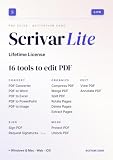
- Pay once, own Forever
- Modern PDF App. Scrivar requires no download. Use scrivar from your browser. Optional Windows/Mac app available.
- Create and edit PDFs. Collaborate with ease. E-sign documents and collect signatures. Get everything done in one app, wherever you go.
- E-sign documents or request e-signatures on any device. Recipients don’t need to log in or have an account to e-sign.
- Make editable PDF forms in just a few steps to quickly and securely capture form data.
Product prices and availability are accurate as of the date/time indicated and are subject to change. Any price and availability information displayed on Amazon at the time of purchase will apply.

