
To compare archived page versions in Versionista, open a comparison link from a Versionista change-summary email or use the comparison tools associated with the monitored page. The viewer presents the versions in a visual split view with a slider, helping you spot what is new, missing, or different. The documented email workflow compares earlier captures with the latest version; the available guidance does not establish a precise route for selecting any two arbitrary captures.
Open a Versionista comparison
- Find the monitored page’s Versionista change-summary email, or open the comparison tools associated with that monitored page.
- Use the relevant comparison link to open the viewer. In the email workflow, the comparison is between a previously captured version and the latest version.
- Check the capture dates or version context shown for the comparison before interpreting the changes.
Versionista’s documentation does not establish a current, exact click sequence for choosing any two arbitrary archived captures. If you need a non-sequential pair, use the controls available in your account rather than relying on assumed button names or navigation steps. Versionista
Versionista says comparison links in summary emails are temporarily public for one week. That access detail applies to those email links; it should not be taken as a statement about access to every account page or comparison viewer.
Read the split-view comparison
The visual viewer overlays or splits the page versions, with a slider to help inspect what is new, gone, or changed. Move the slider across the page to locate differences, then consider each one in context: a detected visual change does not by itself explain whether the change matters.
#1 Best Overall

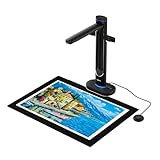
- Design and Speed: Work with Windows XP/7/8/10/11 AND macOS 10.13 or later. Not compatible with Android and iOS. Designed for A3&A4(11.69*16.53 & 8.27*11.75 inch) document, any objects smaller than A3 size can be scanned with Ultra-fast scanning speed, about 1 second per page. Perfect device to scan FLAT papers
- USB Document Camera & Scanner: Work as both a document camera for remote teaching&learning compatible with ZOOM; Goole Meet and a document scanner to scan papers and convert/OCR files. OCR supports 180+ languages for text recognition. Please note that Thai, Hebrew, and Arabic are currently not supported. If you need the complete OCR language support list, please feel free to contact us for more details
- Patented Flattening Curved Book Page Technology: Shine Ultra applies CZUR’s patented technology to flatten the curved surface after pixel transformation to flattening of the book page (Only suitable for thinner books, ET series is recommended for thicker books)
- High Resolution & AI Tech: CMOS 13MP (4160*3120, A4≈340 AND A3≈245 DPI) camera. Smart Paging and Auto Cropping; Combine Sides; Stamp Mode; and Multiple Color Modes
- Height Adjustable & Portable: 2-level height adjustable neck. 90 degree foldable and lightweight 4 lbs with foot pedal for convenient operation
- Additions: Look for content, elements, or page areas present in the newer capture but not the older one.
- Removals: Check for content or elements that appear in the earlier capture but are missing in the later one.
- Edits: Inspect areas that appear in both captures but have changed, including wording or layout.
Use the capture dates and the page’s purpose to distinguish substantive updates from routine changes such as rotating content or other page activity.
Understand keywords and page-area filters
Configured keywords or phrases determine whether Versionista registers a new version. They are a trigger for recording a version, not a limit on what appears in its comparison: when a new version is recorded, the viewer shows all changes in that comparison, not only changes to the configured terms.
Rank #2

- COMPATIBILITY NOTICE: The bundled scanning software OfficeCam supports only x64 and x86 architectures on Windows PCs and macOS. Not compatible with ARM-based devices, such as the Surface Pro X.
- [A2 Large Format Scanner] The S21 scanner is a perfect A2 large format overhead document camera. Large A2 Size scanning at 594x420 mm, ideal for scanning large format journals, manuscripts, newspapers, and maps. Overhead scanner height adjustable (A2/A3) design with a 90-degree foldable hinge. And the S21 allows for taking snapshots, books, documents, business cards, 3D objects, Remote Collaboration, and recording videos
- [Excellent Scanning Quality] When paired with VIISAN’s scanning software, the document scanner can deliver up to 26MP (5888 × 4522 pixels) resolution, and supports Software-Enhanced up to 600 DPI for capturing stunning detail. It features an adjustable height (A2/A3) with a 90-degree foldable hinge, making it easy to adapt to different scanning needs. Ideal for scanning snapshots, books, documents, business cards, 3D objects, and supporting remote collaboration and video recording.
- [Intelligent Scanning Software] You can use the bundled VIISAN scanning software with the smart device to get great results while scanning books. For example, it can automatically digitally flattens curved pages, erases fingers from the scanned photos, repairs the damaged edges of documents, and automatically splits double-page into separate images. and the embedded OCR feature you can convert all the scanned files into PDF or editable Word/Excel/Epub/Txt files
- [Built-in 3-Level LED Light Control] Portable document scanner built-in high brightness LED lamp that allows you to take clear photos even in the dark. (Note: It is not recommended to use the built-in LEDs of the book scanner in bright light. And very glary papers are NOT recommended.)
Filters can include or exclude page areas before keyword matching. If irrelevant or frequently changing areas make monitoring noisy, adjust the filters to fit the page and the terms you care about. Versionista advises that monitoring all changes and filtering out irrelevant areas can be easier than maintaining a list of predictable terms; that is vendor guidance, not a requirement for every monitoring task.
Independent reader supportYour contribution helps us test, update, and keep practical guides available for everyone.Capture a page yourself with ScreenshotNeo
If you need a fresh screenshot of a page rather than a comparison of Versionista’s archived captures, ScreenshotNeo can capture a URL as an image or PDF through one GET request. It is not a way to retrieve Versionista’s archive or render its comparison viewer; use it when you want an independent capture of a page you can access.
Recommended Free Tools
Rank #3
- Scan Large Books and Documents Without Flattening or Damage: The overhead design captures oversized books, bound materials, maps, and documents up to A2 size without pressing on fragile pages or bindings, making it ideal for libraries, schools, offices, and archival work.
- Dual 48MP Cameras for Sharp, Detailed High-Resolution Scans: Dual 48MP sensors capture clear text, fine lines, and accurate color detail at up to 600 DPI, helping preserve books, manuscripts, teaching materials, and professional documents with reliable image quality.
- Built-In AI Simplifies Book Scanning: Smart image processing helps flatten curved pages, remove finger marks, correct edge distortion, and clean backgrounds in real time, reducing manual editing and improving efficiency when scanning bound books.
- OCR and Text-to-Speech for Searchable and Accessible Content: Convert scanned pages into searchable files and audio-ready content for easier document management, reading support, and accessibility, especially useful for digital archives, education, and visually assisted workflows.
- Ready for Teaching, Presentations, and Daily Professional Use: In addition to scanning, S48 can function as a UVC camera for Zoom, Teams, and other live sharing scenarios, making it a practical solution for distance education, training, presentations, and collaborative office work.
Or skip the browser setup
Use cURL to request a screenshot directly. Replace the example URL with the page you want to capture and supply your ScreenshotNeo API key. See the ScreenshotNeo API documentation for options.
Quick Recap
Best Value

- OUR MOST ADVANCED SCANSNAP. Large touchscreen, fast 45ppm double-sided scanning, 100-sheet document feeder, Wi-Fi and USB connectivity, automatic optimizations, and support for cloud services. Upgraded replacement for the discontinued iX1600
- CUSTOMIZABLE. SHARABLE. Select personalized profiles from the touchscreen. Send to PC, Mac, mobile devices, and clouds. QUICK MENU lets you quickly scan-drag-drop to your favorite computer apps
- STABLE WIRELESS OR USB CONNECTION. Built-in Wi-Fi 6 for the fastest and most secure scanning. Connect to smart devices or cloud services without a computer. USB-C connection also available
- PHOTO AND DOCUMENT ORGANIZATION MADE EFFORTLESS. Easily manage, edit, and use scanned data from documents, receipts, photos, and business cards. Automatically optimize, name, and sort files
- AVOIDS PAPER JAMS AND DAMAGE. Features a brake roller system to feed paper smoothly, a multi-feed sensor that detects pages stuck together, and skew detection to prevent paper damage and data loss
Rank #4

- Product Performance: 8MP Camera, 270 DPI, Resolution: 3264*2448
- OCR Recognition: CZUR's software can digitize documents into Word/Excel/PDF/Editable PDF, recognizing 180+ languages. Please note that Thai, Hebrew, and Arabic are currently not supported. If you need the complete OCR language support list, please feel free to contact us for more details
- Fast Scanning & Multi-Targeting: Ultra Fast Scanning Speed 1s/page and catch multiple targets (like business cards)
- Maximal Capture Size A4: CZUR Lens can scan various types of documents; medical forms; certificates; contracts; business cards; letters, etc. up to A4 size (8.27'' *11.69''). Not recommended for very Glossy Paper
- Multifunctional: CZUR Lens can work both as a scanner and webcam. To fold Lens to make it an HD webcam
curl -G "https://api.screenshotneo.com/v1/shot" -d access_key=YOUR_API_KEY --data-urlencode url=https://stripe.com -o shot.webpScreenshotNeo accepts cookie or consent banners like a visitor and removes more than 60 known consent platforms, newsletter popups, and chat widgets before capture; each of those steps can be turned off. Bot checks or CAPTCHAs, blank pages, timeouts, failed loads, and cache hits are not billed, and response headers indicate the page verdict and billing status. Its MCP server provides screenshot, page-info, and PDF-capture tools for AI agents. The free plan includes 1,000 screenshots a month with no card; paid plans start at $5 for 3,000 shots.
Sign up for ScreenshotNeo’s free plan.
Troubleshooting comparison issues
- The email link does not open: Summary-email comparison links are documented as temporarily public for one week. If the link is older, open the monitored page’s comparison tools in your account instead.
- The comparison does not show only the keyword you configured: That is expected. Keywords determine whether a new version is registered; the viewer displays all changes between the compared captures.
- Too many irrelevant differences appear: Review the page-area filters used before keyword matching and exclude noisy areas that do not matter to your monitoring goal.
- You cannot identify the two captures being compared: Confirm their dates or version context in the viewer. The documented workflow covers earlier captures versus the latest version, but does not establish a universal click path for selecting any arbitrary pair.
Product prices and availability are accurate as of the date/time indicated and are subject to change. Any price and availability information displayed on Amazon at the time of purchase will apply.

