
iTechGuides is reader-supported. When you buy through links on our site, we may earn an affiliate commission. As an Amazon Associate I earn from qualifying purchases. Learn more
The right Halloween game passes four checks in order: its official age rating and content descriptors fit the player, it runs on the exact device you own, its specific scare triggers match your comfort level, and the edition is available in your region with suitable parental controls. Use that sequence before comparing prices or trailers. An E10+ spooky adventure and an M-rated horror game can both be marketed as Halloween entertainment, but they are not interchangeable experiences.
This guide shows how to screen a game without relying on a vague “scary” label. You will learn how to interpret ESRB information, identify the kind of fear a game uses, confirm platform and regional support, check solo or shared-play details, and verify the purchase immediately before checkout.
The four-gate method
Make every candidate pass these gates in order. A game that fails an earlier gate should not stay on your shortlist, even if its story or graphics look appealing.
What’s actually slowing this PC down?
Pick the symptom - the matching free tool is one click away.
- Age gate: Find the current ESRB category and read every content descriptor, not just the large letter or number.
- Platform gate: Confirm the exact hardware, operating system, edition, and region. “Available on console” is not precise enough.
- Scare gate: Identify whether the tension comes from atmosphere, jump scares, pursuit, gore, violence, disturbing imagery, language, or sexual themes.
- Purchase gate: Recheck the storefront listing, price, stock, edition, regional classification, and parental-control settings immediately before buying.
This process is faster than returning an unsuitable game, and it gives parents and players a shared vocabulary for discussing content.
#1 Best Overall

- THE ALL-IN-ONE EDITION FOR NINTENDO SWITCH: Embark on a delectably dangerous journey with Six and The Kid to unveil all the secrets of The Maw in two parallel escape stories that will put your cool to the test.
- A SPOOKY PUZZLE PLATFORMER: Trapped in an oversized dollhouse inhabited by monstrous residents, light your way through darkness, hide & sneak to avoid danger and run for your life to find a way out.
- REKINDLE YOUR CHILDHOOD FEARS: Each room is a cell, each resident a threat, and both are puzzles to untangle. Find your inner child and bend your imagination to find the way out.
- TAILORED TO THE DEVICE: Undock your Nintendo Switch and continue your delectably dangerous journey everywhere, anytime with full HD rumble support for the Joy-Con controllers for a more immersive experience.
Start with the official age rating
Use the category as a screening limit
The Entertainment Software Rating Board (ESRB) says its ratings provide information about what is in a video game or app so parents can make informed choices about which are right for their family. Treat the category as a first filter, not as a promise about how frightening the game will feel to one particular person.
For example, Goosebumps: Terror in Little Creek currently carries an E10+ (Everyone 10+) rating with the descriptor Fantasy Violence. That makes it a possible starting point for an older child or a family looking for spooky material within an E10+ boundary, subject to the household’s own rules.
Until Dawn currently carries an M (Mature 17+) rating. Its listed descriptors are Blood and Gore, Intense Violence, Sexual Themes, and Strong Language. The combination matters: a player who can tolerate suspense may still object to one of those specific elements.
Read descriptors word by word
Descriptors tell you what kind of material caused the rating. Do not skip them because the category appears familiar. ESRB uses “Mild” before a descriptor to indicate lower frequency, intensity, or severity for that element. “Mild” does not mean the element is absent, and an unqualified descriptor should be treated as the stronger warning.
Rank #2
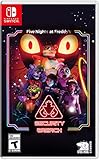
- INCLUDED - Five Nights at Freddy’s: Security Breach will feature an exclusive sticker sheet
- THE HUNTERS AND THE HUNTED - Once nighttime protocols are initiated, the animatronics at Freddy Fazbear’s Mega Pizzaplex will relentlessly pursue all intruders
- ADAPT TO SURVIVE - Access security cameras to survey the environment and plan your route through danger; Distract enemies by knocking over paint cans and toys; Hop into hiding spots and allow danger to pass, or try to outrun your pursuers
- EXPLORE AND DISCOVER - Freddy Fazbear’s Mega Pizzaplex offers a variety of attractions for guests to enjoy - Monty Golf, Roxy Raceway, Bonnie Bowl, the sewers, and… Sewers; The Pizzaplex is vast and has no shortage of goodies to discover
- Fantasy Violence: Ask whether imaginary combat, weapon effects, or threatening scenes are acceptable in your household.
- Blood and Gore: Distinguish the presence of blood from graphic injury detail; the listing confirms the element, while previews and reputable content notes can help clarify presentation.
- Intense Violence: Expect violence to be a central, forceful part of the experience rather than an occasional story beat.
- Sexual Themes: Check whether romance, sexual references, or situations involving sexuality are appropriate for the intended player.
- Strong Language: Decide whether profanity is acceptable even when other horror elements are not.
A rating is a screening tool, not a personal scare guarantee. Two games in the same category can feel very different because one relies on a gloomy setting while another uses sudden attacks or graphic imagery.
Ask the player, not only the parent
For a child or younger teen, review the listing together and ask which elements are comfortable, uncertain, or unacceptable. A player may be fine with fantasy monsters but not with a chase, or comfortable with a dark soundtrack but not with realistic violence. Record the strictest boundary as the decision rule; a game that crosses it is not a good fit simply because its age category is technically allowed.
Describe the scare instead of assigning a single score
“Scary” is too broad to guide a purchase. Break the experience into trigger types and decide which ones matter to the player.
| Scare dimension | What to check | Who may want to avoid it |
|---|---|---|
| Atmosphere | Dark environments, ominous sound, isolation, or a persistent sense of threat | Players who dislike sustained tension even without frequent attacks |
| Jump scares | Sudden visual or audio events that interrupt quiet exploration | Players sensitive to startling noises or abrupt images |
| Pursuit | Being chased, hiding, escaping, or making decisions under time pressure | Players who find loss of control or chase sequences stressful |
| Gore | Blood, injuries, dismemberment, or graphic aftermath | Players with a low tolerance for bodily detail |
| Violence | How often characters fight and how forcefully attacks are depicted | Players who accept spooky fiction but not combat-heavy horror |
| Disturbing imagery | Unsettling creatures, trauma themes, or images that may linger after play | Players who are affected by psychological or disturbing scenes |
| Language and sexual themes | Profanity, sexual references, or situations involving sexuality | Families with content rules independent of the age category |
Use the game’s official descriptors as the confirmed baseline, then look for a detailed, spoiler-light content description when a particular trigger is a deal-breaker. Do not infer a game’s intensity from its cover art, marketing adjective, or a trailer that may omit the strongest scenes.
Rank #3
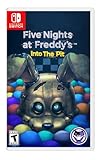
- Experience the heart-pounding adventure of a beloved entry in the Five Nights at Freddy’s franchise, Into the Pit.
- Solve satisfying puzzles intertwined with an adrenaline-fueled story.
- Immerse yourself in a narrative experience where you try to save your friends, your family, and your own life.
- Uncover secrets that span decades and discover different endings, as you escape the clutches of the animatronic creatures wreaking havoc across time.
- Includes a download code for the official game soundtrack.
Three practical tolerance bands
- Light spooky: The player wants a Halloween mood, playful supernatural ideas, or mild suspense and wants to avoid intense violence, graphic gore, and adult themes.
- Moderate suspense: The player accepts darker atmosphere, occasional startling moments, or sustained tension but wants to screen out particular triggers such as pursuit or graphic injury.
- Intense adult horror: The player is comfortable with mature content and deliberately wants strong violence, gore, or other adult themes, while still checking for personal limits.
These bands are planning language, not official classifications. Always replace the band with the actual descriptors and warnings for the title under consideration.
Treat platform as a hard constraint
Confirm the platform before comparing story, graphics, or reviews. A game may have a similar name across systems, but the available edition, rating entry, controls, and performance can differ. Check the exact device family and the region in which the player will buy or download it.
| Example | Current listed platforms | Current age information | Practical implication |
|---|---|---|---|
| Goosebumps: Terror in Little Creek | Windows PC, PlayStation 5, Nintendo Switch, and Xbox Series | E10+ with Fantasy Violence | It can remain on a shortlist for households seeking a younger-player starting point, but verify the particular storefront and edition. |
| Until Dawn | Windows PC and PlayStation 5 | M for Mature 17+ with Blood and Gore, Intense Violence, Sexual Themes, and Strong Language | It belongs in an adult, intense-horror comparison and is not a substitute for an E10+ family selection. |
For a PC purchase, check the operating-system and hardware requirements on the current store page. For a console purchase, confirm the exact generation rather than assuming backward compatibility or a similarly named release. If the household uses a physical disc or cartridge, verify that it matches the console’s region and format; for a download, verify the account region and storage requirement.
Check regional and edition differences
Ratings, product names, language options, censorship, prices, stock, and even platform listings can change by country and by edition. A current listing in one region does not establish availability everywhere. Open the storefront for the account that will make the purchase and inspect the product page there.
Rank #4
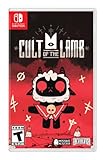
- Start your own cult in a land of false prophets
- Venture out into diverse and mysterious regions to build a loyal community of woodland Followers
- Repay your debt by building a loyal following
- Spread your Word to become the one true cult!
Compare candidates on the questions that change the decision
Once a game passes the age, platform, and scare gates, compare practical details. The following worksheet keeps the comparison focused on the player rather than on marketing claims.
| Question | Why it matters | What to record |
|---|---|---|
| What is the official category? | It sets the initial age boundary. | Category, rating authority, and date checked |
| Which descriptors appear? | They identify content that may violate a household rule. | Every descriptor, including any “Mild” qualifier |
| Which triggers are present? | Fear is personal; a specific trigger predicts fit better than a generic label. | Atmosphere, jumps, pursuit, gore, violence, imagery, language, and sexual themes |
| Does it run on the exact device? | Platform mismatch makes every other comparison irrelevant. | Hardware, operating system, edition, and region |
| How is it played? | Solo play, shared play, pause options, and session demands affect comfort. | Confirmed details from the current product page |
| What will it cost and can you obtain it? | Prices and stock change, and editions may not offer the same content. | Current price, physical or digital format, stock, and included version |
| Can controls enforce the rule? | Parental settings can prevent access to unsuitable categories. | Console or account restriction and its configured level |
If a cell cannot be confirmed, mark it “not stated” and investigate before purchase. Do not fill a gap with an assumption based on another edition or another platform.
Check solo play, shared play, and session comfort
Scare tolerance is affected by how the game is played. Confirm whether the title is designed for solo play, supports multiplayer, or offers a shared viewing experience. A player who is comfortable watching horror with friends may not want to control the character alone.
Do these 3 things before closing this tab:
1Scan for outdated or missing drivers - takes under a minute2Clear out junk files and repair common Windows errors3Fix the driver behind crashes, sound loss and screen glitchesAlso verify whether the game can be paused freely, whether it uses long uninterrupted sequences, and whether difficulty or accessibility options reduce pressure. These details are title-specific and should come from the current product information or manual; do not assume that one platform’s options exist on another.
Best Value

- Includes the 1st three chapters; Chapter 1: A Tight Squeeze, Chapter 2: Fly in a Web, & Chapter 3: Deep Sleep
- Each chapter features engaging new toy characters that can be either friend or foe
- Survive and progress by solving challenging puzzles
- Each game reveals to you a newly discovered area of the massive toy factory
- The Poppy Playtime Triple Pack includes a reversible coversheet and a Poppy Playtime sticker sheet
Build a low-pressure first session
- Play during the day or with another trusted person if the player is uncertain about the intensity.
- Keep the volume at a comfortable level; sudden audio is a common source of startling moments.
- Agree on a stop signal before starting. Stopping is a successful boundary decision, not a failure.
- Save or pause at natural breaks when the game allows it, rather than committing to a long session.
- After the first session, ask which specific trigger felt acceptable and which did not. Use that answer for the next choice.
Verify a game immediately before purchase
Store catalogs and prices are changeable, so perform this check on the day you buy or download.
- Open the official rating entry or current storefront page. Confirm the category and copy every content descriptor exactly.
- Confirm the platform. Match the listing to the physical console model or the PC operating system and hardware.
- Confirm the region. Check the account country, disc or cartridge region, language options, and any local classification.
- Confirm the edition. Distinguish a standard release, remake, bundle, upgrade, or add-on. Do not assume that a similarly titled product has identical content.
- Check price and stock. Record whether the amount is a one-time purchase, a sale price, or a recurring service charge, and whether the physical item is actually available.
- Review parental controls. On Nintendo Switch, Parental Controls can restrict games by ESRB rating. Set the restriction on the child’s console or account before handing over the device.
- Recheck after installation. Confirm that the installed title matches the purchased edition and that any account-level restriction is active.
How to choose for common household situations
A younger player who wants Halloween atmosphere
Begin with an E10+ or lower category that fits the household’s rules, then read the descriptors for fantasy violence and other content. Nintendo describes its family-oriented scary-game selection as “delightfully haunting fun,” which is a useful tone signal for browsing, not a replacement for the individual game’s rating entry. Goosebumps: Terror in Little Creek is an example of an E10+ option with Fantasy Violence and listings across PC, PS5, Nintendo Switch, and Xbox Series. Confirm the specific store listing and ask whether the player is comfortable with the game’s actual atmosphere before buying.
An adult who wants intense horror
Start with the M category and inspect every descriptor rather than stopping at “horror.” Until Dawn illustrates why: its current listing combines Blood and Gore, Intense Violence, Sexual Themes, and Strong Language. An adult player should decide which of those elements are desired, tolerated, or off-limits, then confirm that the Windows PC or PS5 version is the one available in the relevant region.
Outdated Drivers Are Slowing You Down
One free scan finds every outdated or missing driver and matches the right update for your exact hardware.Free scan · exact hardware matchWindows Errors? Fix Them Before They Spread
Repair common Windows errors and clear accumulated junk for a smoother, more stable PC - no reinstall needed.Free scan · no reinstallA mixed-age household sharing one device
Choose according to the youngest person who may access the game, not only the person who plans to play it. Use the console’s rating restriction, create separate profiles where available, and keep mature titles behind the configured control. If adults and children want different experiences, separate games are safer than relying on a verbal warning after installation.
Common mistakes and how to correct them
- Mistake: choosing by genre alone. “Halloween,” “spooky,” and “horror” cover a wide range. Fix: record the exact descriptors and trigger types.
- Mistake: treating the age category as a fear meter. An allowed category does not predict whether a player will dislike jump scares or pursuit. Fix: ask about personal triggers separately.
- Mistake: assuming every version is available everywhere. Platform and regional listings change. Fix: check the buyer’s storefront and account region.
- Mistake: overlooking a single unacceptable descriptor. A player may object to language or sexual themes even when violence is acceptable. Fix: review every descriptor and apply the strictest household rule.
- Mistake: buying before checking stock or edition. A physical listing may be unavailable, while a bundle or remake may carry different information. Fix: verify the exact product page immediately before checkout.
- Mistake: relying on parental controls after the fact. Controls may be unset or applied to the wrong profile. Fix: configure and test the restriction before play.
- Mistake: assuming friends make every horror game easier. Shared play can help some people but does not remove graphic content or sudden scares. Fix: match the trigger profile to the individual player.
A printable decision checklist
- Player’s age and household content rules are written down.
- Current ESRB category has been checked.
- Every ESRB content descriptor has been read, including “Mild” qualifiers.
- Unacceptable triggers are identified: jump scares, pursuit, gore, violence, disturbing imagery, language, or sexual themes.
- Exact platform and edition are confirmed.
- PC operating-system and hardware requirements, if applicable, are confirmed.
- Region, language, and physical-versus-digital format are confirmed.
- Solo or shared-play format, pause behavior, and relevant comfort options are verified.
- Current price, stock, and included content are checked.
- Parental controls are configured on the correct console or account.
- The player has an agreed stop signal and a comfortable first-session plan.
If every item is satisfied, the game is a defensible match for the player’s age, device, and scare tolerance. If one item remains unknown, postpone the purchase until the official listing supplies the answer.
Quick Recap
Product prices and availability are accurate as of the date/time indicated and are subject to change. Any price and availability information displayed on Amazon at the time of purchase will apply.

