
iTechGuides is reader-supported. When you buy through links on our site, we may earn an affiliate commission. As an Amazon Associate I earn from qualifying purchases. Learn more
To check whether Apple AirPods are original with a serial number, enter the primary case serial number at Apple’s official coverage checker, then compare the returned information with the AirPods’ model numbers, case, software, and features. Apple recognizing the serial is useful evidence, but a serial-number lookup alone cannot prove the physical AirPods are genuine.
Use Apple’s official coverage checker first, then perform the hardware and software checks below. The same process works for new, used, discounted, marketplace, and supposedly refurbished AirPods.
Key takeaways
- Apple’s coverage checker can recognize a serial number and display coverage or AppleCare information, but it is not presented as a dedicated counterfeit-authentication service.
- For service purposes, Apple identifies the serial number printed on the underside of the charging-case lid as the primary AirPods serial number.
- AirPods 2, AirPods 3, AirPods 4, AirPods Pro, and some replacement components can have individual serial numbers, so different component numbers do not automatically mean the product is fake.
- A valid serial number can be copied or reused, making model-number, case-compatibility, firmware, feature, and physical checks necessary.
- An invalid serial number is a strong warning sign, but transcription mistakes, the wrong component number, regional issues, or a temporary coverage-site problem can also cause a failed lookup.
How to check Apple AirPods original with serial number
The correct approach is a multi-step verification rather than a single lookup: find the primary serial number, check it on Apple’s website, identify the AirPods model, confirm that the case and earbuds belong together, test the connected-device information and expected features, and escalate to Apple or return the product if the evidence conflicts.
Do these 3 things before closing this tab:
1Clear out junk files and repair common Windows errors2Fix the driver behind crashes, sound loss and screen glitches3Repair Windows errors before they cause bigger problems- Find the serial number in the connected iPhone, iPad, Mac, case, box, or receipt.
- Enter the primary case-lid serial number at Apple’s official coverage page.
- Compare Apple’s result with the seller’s claimed model, condition, and purchase date.
- Check the A-number model identifiers against Apple’s AirPods model-identification list.
- Compare the earbud and charging-case models and inspect the product’s software and features.
- Return, dispute, or arrange an inspection if the serial number, model, hardware, or software does not agree.
Where can you find the AirPods serial number?
Apple provides several official locations for the serial number, but the number shown in the connected device and the primary number printed inside the case are the most useful starting points.
Popular on Amazon

- WORLD’S BEST IN-EAR ACTIVE NOISE CANCELLATION — Removes up to 2x more unwanted noise than AirPods Pro 2* so you can stay fully immersed in the moment.*
- BREAKTHROUGH AUDIO PERFORMANCE — Experience breathtaking, three-dimensional audio with AirPods Pro 3. A new acoustic architecture delivers transformed bass, detailed clarity so you can hear every instrument, and stunningly vivid vocals.
- HEART RATE SENSING — Built-in heart rate sensing lets you track your heart rate and calories burned for up to 50 different workout types.* With iPhone, you will have access to the Move ring, step count, and the new Workout Buddy,* powered by Apple Intelligence.*
- LIVE TRANSLATION — Communicate across language barriers using Live Translation,* enabled by Apple Intelligence.*
- EXTENDED BATTERY LIFE — Get up to 8 hours of listening time with Active Noise Cancellation on a single charge. Or up to 10 hours in Transparency using the Hearing Aid feature.*
On an iPhone or iPad
- Pair or connect the AirPods to the iPhone or iPad.
- Open Settings.
- Tap Bluetooth.
- Find the AirPods in the device list.
- Tap the More Info button next to the AirPods.
- Read and record the serial number.
Apple’s current U.S. instructions use the Settings → Bluetooth → AirPods → More Info path; the exact presentation can vary by iOS version and device state. When connected, some iPhones also show the AirPods’ name at the top of Settings. See Apple’s serial-number location instructions and model-identification instructions.
On a Mac
- Connect the AirPods to the Mac.
- Choose Apple menu → System Settings.
- Select Bluetooth.
- Find the AirPods.
- Click the More Info button.
Inside the charging case
For AirPods and AirPods Pro, the primary serial number is printed on the underside of the charging-case lid. Apple says the AirPods and case share a primary serial number for service purposes, so use the case-lid number first when checking coverage.
On AirPods Max
Detach the left magnetic ear cushion. The AirPods Max serial number is printed underneath the cushion.
Free tools Windows power users keep installed
One-click scans. No signup required.
On the box or receipt
The serial number may be printed next to the barcode on the original packaging and may appear on the original receipt or invoice. Packaging is supporting evidence only: a counterfeit box or label can be copied, and a genuine box can be paired with a different product.
Which AirPods serial number should you check?
Use the primary serial number printed inside the charging-case lid for the Apple coverage lookup, then record any separate component numbers for comparison.
| Location | What it represents | How to use it |
|---|---|---|
| Charging-case lid | Primary serial number used for AirPods service | Use this number first on Apple’s coverage checker. |
| iPhone, iPad, or Mac settings | Serial information reported by the connected AirPods | Compare it with the case-lid number and the physical product. |
| Individual earbuds | Separate component serial numbers on supported models | Record separately; do not assume every AirPods generation has them. |
| Original packaging or receipt | Identifier associated with the item sold or packed | Use only as supporting evidence because packaging can be copied or mismatched. |
Apple states that AirPods 2, AirPods 3, AirPods 4, AirPods Pro 1, and AirPods Pro 2 can have individual serial numbers printed on each earbud. A replacement earbud or case can also create legitimate component differences. Apple’s serial-number guidance identifies the case-lid serial as the primary number for service.
How do you use Apple’s official AirPods serial-number checker?
Apple’s coverage page accepts a serial number and displays device coverage and AppleCare benefits when information is available.
- Open https://checkcoverage.apple.com/ directly in a browser.
- Enter the primary serial number from the charging-case lid.
- Complete any CAPTCHA or sign-in prompt Apple displays.
- Submit the number.
- Record the product, coverage, or AppleCare information returned.
- Compare the result with the physical AirPods and the seller’s description.
Apple recognizing the serial number is a positive signal, but the result does not independently authenticate every physical component. The page is designed to show coverage and benefits after a serial number is entered; it does not promise a simple genuine/counterfeit verdict.
What does an Apple serial-number result actually prove?
An Apple lookup primarily answers whether Apple’s system recognizes the entered identifier and what coverage information is associated with it. Serial validity, product identity, physical authenticity, ownership, and condition are separate questions.
Also popular on Amazon

- REBUILT FOR COMFORT — AirPods 4 have been redesigned for exceptional all-day comfort and greater stability. With a refined contour, shorter stem, and quick-press controls for music or calls.
- ACTIVE NOISE CANCELLATION — AirPods 4 with Active Noise Cancellation help reduce outside noise before it reaches your ears, so you can immerse yourself in what you’re listening to.*
- HEAR THE WORLD AROUND YOU — The powerful H2 chip comes to AirPods 4. Adaptive Audio seamlessly blends ANC and Transparency mode — which lets you comfortably hear and interact with the world around you exactly as it sounds — to provide the best listening experience in any environment.* And when you’re speaking with someone nearby, Conversation Awareness automatically lowers the volume of what’s playing.*
- IMPROVED SOUND AND CALL QUALITY — Voice Isolation improves the quality of calls in loud conditions. Using advanced computational audio, it reduces background noise while isolating and clarifying the sound of your voice for whomever you’re speaking to.*
- MAGICAL EXPERIENCE — Just say “Siri” or “Hey Siri” to play a song, make a call, or check your schedule.* And with Siri Interactions, now you can respond to Siri by simply nodding your head yes or shaking your head no.* Pair AirPods 4 by simply placing them near your device and tapping Connect on your screen.* Easily share a song or show between two sets of AirPods.* An optical in-ear sensor knows to play audio only when you’re wearing AirPods and pauses when you take them off. And you can track down your AirPods and Charging Case with the Find My app.*
| Lookup result | What it means | What it does not prove |
|---|---|---|
| Apple recognizes the serial | The identifier is present in Apple’s system and may return coverage information. | It does not prove that the current earbuds, case, batteries, or electronics are genuine. |
| Apple rejects the serial | A strong warning that the number may be false, mistyped, damaged, or unsuitable for the lookup. | It does not prove counterfeiting until the number and source are rechecked. |
| Coverage is active or expired | The number may have a coverage history or AppleCare information. | It does not prove the AirPods are new, unused, or currently in the same condition as when sold. |
| Returned product information conflicts with the item | A high-risk mismatch requiring further investigation. | It does not identify which component was replaced or mixed without inspection. |
| The box number differs from the case number | The packaging and current product may not belong together. | It does not automatically prove either item is counterfeit; used or repaired products can contain replacement components. |
A counterfeit manufacturer can potentially copy a real serial number from genuine AirPods. A recognized serial number is therefore supporting evidence, not cryptographic proof of authenticity. A product can also be genuine but used, repaired, refurbished, previously activated, out of warranty, or fitted with a replacement case or earbud.
Why can a valid serial number still belong to fake AirPods?
A serial number identifies an entry in Apple’s system; it does not authenticate every physical component currently in front of you. A copied serial can make counterfeit AirPods appear legitimate during an online lookup, while a genuine case can be combined with counterfeit earbuds or a mismatched replacement component.
That limitation explains why the strongest check combines the Apple lookup with model numbers, compatible-case information, software identity, expected features, build quality, and the seller’s evidence. Do not publish a complete serial number online. If you ask for help, obscure most characters and avoid posting clear photos of labels that could be copied.
How do you identify the exact AirPods model?
Find the model number beginning with A, then compare it with Apple’s current AirPods model-identification table. The product name shown in Bluetooth settings is useful, but the A-number is a stronger way to check the claimed generation.
On AirPods or AirPods Pro, inspect the underside of each earbud for the A-number. On AirPods Max, look behind the left ear cushion. You can also open the AirPods’ details in iPhone or iPad Bluetooth settings.
Apple’s model-identification page was published March 31, 2026, and includes the following model numbers:
Recommended Free Tools
| Model | Model number(s) | Introduced |
|---|---|---|
| AirPods 4 with ANC | A3056, A3055, A3057 | 2024 |
| AirPods 4 | A3053, A3050, A3054 | 2024 |
| AirPods Pro 3 | A3063, A3064, A3065 | 2025 |
| AirPods Pro 2 with USB-C MagSafe Case | A3047, A3048, A3049 | See Apple’s current model table |
| AirPods Pro 2 with Lightning MagSafe Case | A2931, A2699, A2698 | See Apple’s current model table |
| AirPods 3 | A2565, A2564 | See Apple’s current model table |
| AirPods Max 2 | A3454 | 2026 |
| AirPods Max with USB-C | A3184 | See Apple’s current model table |
| AirPods Max with Lightning | A2096 | See Apple’s current model table |
| AirPods Pro | A2084, A2083 | See Apple’s current model table |
| AirPods 2 | A2032, A2031 | See Apple’s current model table |
| AirPods 1 | A1523, A1722 | See Apple’s current model table |
Older AirPods should be checked against the complete Apple list rather than judged only against current models. A model number that Apple does not list, a claimed generation that does not match the A-number, or a physical design inconsistent with the claimed model is a serious warning sign.
How do you check whether the charging case belongs with the earbuds?
Compare the earbud model number and case model number with Apple’s compatibility information; a genuine case is not automatically the correct case for the earbuds inside it.
Check the following details:
- Earbud model: Confirm that the A-number matches the claimed AirPods generation.
- Case model: Confirm that the case is listed as compatible with those earbuds.
- Charging port: Check whether the case has Lightning or USB-C and whether that matches the claimed version.
- Status light: Compare its location and design with Apple’s model information.
- External speaker: Check whether the claimed case includes the speaker and whether it operates as expected.
- Lanyard loop: Check for a loop only on models where Apple’s design includes one.
- Feature set: Make sure the claimed generation supports the features advertised by the seller.
Apple documents model-specific charging-case compatibility. For example, AirPods 4 and AirPods 4 with ANC use different cases, and AirPods Pro 3 has its own case model. Different generations and charging-port versions also use different case models. A genuine case paired with counterfeit earbuds, or genuine earbuds placed in a mismatched case, can make a simple serial check misleading.
Also popular on Amazon
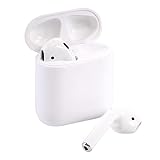
- Automatically on, automatically connected
- Easy setup for all your Apple devices
- Quick access to Siri by saying “Hey Siri”
- Double-tap to play or skip forward
- New Apple H1 headphone chip delivers faster wireless connection to your devices
Which software and hardware features should you test?
Use software and feature tests as supporting evidence, not as a substitute for Apple’s inspection. When connected to an Apple device, inspect the product name, model number, serial number, firmware version, battery information, and available settings.
Apple’s AirPods User Guide says that model name, serial number, and firmware version can be viewed on an iPhone, iPad, or Mac, and that some information is printed directly on the hardware.
Useful supporting checks
- Pairing remains stable with an iPhone or iPad.
- The connected device identifies the expected model.
- Separate left-earbud, right-earbud, and case battery levels appear where supported.
- Find My integration works where supported.
- Automatic switching works where supported.
- Ear detection works where supported.
- Noise Cancellation and Transparency mode work on supported AirPods Pro or AirPods models.
- Adaptive Audio or conversation-awareness features work where supported.
- Spatial Audio and head tracking appear and operate where supported.
- Case speaker alerts work on models that include an external speaker.
- Charging, microphones, and call performance behave normally.
- Firmware information is displayed and the product behaves consistently after pairing and charging.
Feature availability depends on the AirPods generation, paired Apple device, operating-system version, region, and settings. A missing feature is not automatically proof of counterfeiting, but several missing or inconsistent features combined with a suspicious serial or model number should be treated seriously.
What should you do if the serial number is not recognized?
First rule out an incorrect number or a temporary website problem; after careful rechecking, an unrecognized primary serial remains a strong reason to stop the purchase or seek a return.
- Re-enter the number manually rather than relying on an unclear photograph.
- Check commonly confused characters such as 0/O, 1/I, 5/S, and 8/B.
- Use the primary number printed on the case lid rather than an individual earbud number.
- Remove spaces and punctuation.
- Compare the case number with the number shown in the connected iPhone, iPad, or Mac.
- Confirm that the AirPods are actually paired, not merely detected as a nearby Bluetooth device.
- Try again later if Apple’s page, CAPTCHA, or regional service appears unavailable.
- Use Apple’s support or repair flow if the coverage page continues to fail.
- Save screenshots of the result and photograph the case, earbuds, packaging, and listing.
- Contact the seller and use the marketplace’s item-not-as-described or counterfeit process if the seller does not resolve the problem.
Do not treat one failed page load as an authenticity verdict. Distinguish an invalid serial from a temporary coverage-site failure, a regional issue, or a number entered incorrectly.
What’s actually slowing this PC down?
Pick the symptom - the matching free tool is one click away.
What if Apple recognizes the serial number but the AirPods still look suspicious?
Do not keep the product solely because Apple recognizes the serial. Compare the model numbers, case compatibility, software identity, firmware information, features, printing, hinge, charging port, speakers, microphones, and build quality before deciding.
Warning signs include:
- The coverage appears to have started long before a seller’s “brand-new” claim.
- The box serial differs from the case or software serial without a credible explanation.
- The model name and physical A-number disagree.
- The charging case belongs to another generation.
- The item is priced far below comparable products.
- The seller refuses to let you pair or inspect the AirPods.
- The serial is visible only on a box or seller-provided photograph.
- Multiple supposedly new products have the same serial number.
- Expected features, firmware information, or battery reporting do not work.
- The product has obvious printing, hinge, charging-port, speaker, or construction defects.
Apple or an Apple Authorized Service Provider is the most authoritative practical escalation when physical authenticity is disputed. Apple says that Apple and authorized providers use Apple-certified service and genuine Apple parts, and technicians inspect the product before providing a final service determination. Start with Apple’s AirPods repair and service page or general repair information. Provider fees and final estimates can vary by location and inspection.
How should you decide whether to keep, return, or dispute the AirPods?
Use the evidence as a risk decision rather than looking for one magic test.
| Evidence level | Typical findings | Recommended action |
|---|---|---|
| Lower risk | Apple recognizes the serial; software and case numbers agree; Apple lists the model and compatible case; expected features work; the seller offers a credible receipt and return policy. | Keep only if the condition, price, and seller’s claims also match. |
| Investigate | Coverage predates the claimed purchase; packaging differs; a replacement component may be present; one feature or identifier is unclear. | Ask the seller for an explanation, verify the exact model, and use the return window or Apple inspection if needed. |
| High risk | Apple rejects the carefully rechecked serial; the model is not listed; case and earbuds are incompatible; several features are inconsistent; or the seller refuses inspection or return. | Do not complete payment, return the product, or open the marketplace or payment-provider dispute process. |
A genuine product is not necessarily new. Expired coverage, cosmetic wear, a depleted battery, a replacement case, previous activation, or refurbishment can describe a genuine used or repaired product. Authenticity and condition are separate questions.
Quick wins for a faster PC:
Scan for outdated or missing drivers - takes under a minuteDriver Scan →Clear out junk files and repair common Windows errorsFree Scan →Fix the driver behind crashes, sound loss and screen glitchesFind Drivers →Also popular on Amazon

- Active Noise Cancellation blocks outside noise, so you can immerse yourself in music
- Transparency mode for hearing and interacting with the world around you
- Spatial audio with dynamic head tracking places sound all around you
- Adaptive EQ automatically tunes music to your ears
- Three sizes of soft, tapered silicone tips for a customizable fit
How can you check AirPods safely before buying?
The safest purchase is from Apple or an established authorized retailer, but a used purchase can be evaluated if the seller allows a live inspection and provides meaningful buyer protection.
- Pair the AirPods with your own iPhone or iPad before paying.
- Open Bluetooth details and record the model and serial information.
- Read the primary serial from the case lid, not only from a box or photograph.
- Check Apple’s coverage page while the seller is present.
- Compare the A-number model and charging-case compatibility.
- Test battery reporting, charging, microphones, Find My, and model-supported audio features.
- Keep the listing, seller messages, receipt, photographs, and payment record.
- Use a marketplace payment method with an item-not-as-described or counterfeit dispute process.
- Do not send additional money outside the platform to resolve an authenticity dispute.
- Do not publish the complete serial number publicly.
Apple’s official AirPods store is the lowest-counterfeit-risk option for a new purchase, although model availability and regional pricing can change. For a used purchase that cannot be returned, compare the product’s value with the possible cost and inconvenience of an Apple or authorized-provider inspection before authorizing service.
Frequently Asked Questions
Can fake AirPods have a real serial number?
Yes. Counterfeit AirPods can potentially use a copied or reused serial number from genuine AirPods. Apple recognizing the number is useful evidence, but it does not prove that the physical earbuds, case, batteries, and electronics are genuine.
Does Apple’s website confirm that AirPods are genuine?
No. Apple’s coverage checker is designed to recognize a serial number and display coverage or AppleCare information; it is not presented as a dedicated counterfeit-authentication service. Confirm the model numbers, case compatibility, software identity, and features as well.
PC Slower Than It Used to Be?
A free scan shows the junk files, broken settings and background clutter dragging Windows down - then fixes them in one click.Free scan · Windows 10 & 11Crashes, No Sound, or Screen Glitches?
Random freezes, missing sound and display glitches usually trace back to one bad driver. Find and replace yours safely.Free scan · under a minuteShould I check the AirPods case serial number or an earbud serial number?
Start with the primary serial number printed on the underside of the charging-case lid. Some AirPods 2, AirPods 3, AirPods 4, AirPods Pro 1, and AirPods Pro 2 earbuds have individual serial numbers, but Apple identifies the case-lid number as the primary number for service.
Does expired AirPods coverage mean the AirPods are fake?
No. Expired coverage can indicate that genuine AirPods are used, old, previously activated, repaired, or refurbished. Treat an unexpectedly old coverage date as a condition or seller-claim warning, then compare the model and physical hardware.
Can Apple verify suspicious AirPods in person?
Apple or an Apple Authorized Service Provider can inspect the product and provide a service determination. Apple states that technicians inspect products before final service decisions, but estimates and fees can vary by location and provider.
The Bottom Line
Bottom line: Apple’s serial-number lookup is a useful first filter, not proof of authenticity. A trustworthy verdict requires agreement between the Apple lookup, the case-lid and software serial numbers, Apple’s model list, case compatibility, physical construction, and model-supported features. If those checks conflict, return or dispute the AirPods; if returning them is impossible, ask Apple or an Apple Authorized Service Provider to inspect them.
The Tool Desk
Outbyte Driver Updater FREEScan for outdated or missing drivers - takes under a minuteDriver Scan →Outbyte PC Repair FREEClear out junk files and repair common Windows errorsFree Scan →
