
Recommended Free Tools
Capture the Google results page itself before launch and again afterward, using the same query and recorded search conditions. Save timestamped screenshots, then compare what appeared with Search Console performance and indexing data. A screenshot is evidence of one search session—not proof that a migration succeeded or a definitive ranking measurement.
What to capture—and what a screenshot can tell you
Open Google Search in a browser and capture the results page for each query you want to monitor. The screenshot records the listings visible in that session, including URLs, titles, snippets, and page layout. If a relevant result is below the fold, capture the additional scroll position too.
Search Console tools answer different questions. URL Inspection can show how Google renders an individual site page after a successful live test; its screenshot is not an image of Google Search results. The Performance report provides aggregate search metrics over a selected period, rather than a visual record of one results page. See Google’s URL Inspection documentation and Performance report documentation.
Before launch: establish a repeatable baseline
Choose queries that represent the migration
Keep the set small enough to recapture reliably and broad enough to cover what matters. Include brand or site-name searches, important page or product searches, and queries that are likely to surface URLs being moved. Save the exact query text, including punctuation and spelling, so you can repeat it after launch.
Do these 3 things before closing this tab:
1Clear out junk files and repair common Windows errors2Fix the driver behind crashes, sound loss and screen glitches3Repair Windows errors before they cause bigger problems#1 Best Overall

- 1 Full Size Daily Care Format:Designed in a standard 8.5 x 11 Inch layout this caregiver daily sheets set includes 100 double sided sheets totaling 200 pages providing ample space for consistent daily care tracking in home care and assisted living settings
- 2 Structured Caregiver Daily Log Layout:Each caregiver checklist notepad page includes clearly organized sections for date caregiver name time in and out meals and snacks medication and dose physical activity toilet and diaper checks personal care housekeeping behavior notes supplies needed and patient condition tracking
- 3 Three Hole Punched Binder Ready:Side punched with three 5 mm holes and 4.25 Inch spacing this caregiver daily task sheet fits standard three ring binders making it easy to file organize and review daily records as part of a caregiver daily log book system
- 4 Durable Double Sided Paper:Printed on 100 gsm offset paper with double sided printing these caregiver daily sheets offer smooth writing performance and durability suitable for frequent handling in home care nursing facilities and long term care environments
- 5 Versatile Care Documentation Use:Ideal for caregiver daily log book use in home care senior care assisted living rehabilitation centers memory care facilities and family caregiving routines supporting accurate communication and care continuity
Record the conditions
Google results can vary by time, place, device, and recent search history. For each capture, note:
- Exact query and capture date and time, preferably in UTC.
- Country or location, language, device, and browser.
- Viewport dimensions and whether the browser is desktop or mobile.
- Whether you were signed in, and whether you used a clean browser profile.
Keep these conditions as consistent as practical. A clean profile can reduce account and history differences, but it does not make results universal or perfectly static. Google’s Performance report guidance also describes result variability.
Rank #2

- The perfect product for busy offices, walk-in advising centers, call centers, and other high-traffic businesses
- Keep track of activities and follow-ups
- Includes columns for date, time, name of contact, phone number, subject, follow-up action required, initials of individual completing the log, and check box to signal completion
- Spiral bound at left
- 100 pages per book
Capture the page and save the evidence
- Open Google in the browser and set the intended location and language context where available.
- Run the exact query and confirm the browser, viewport, and profile state match your capture plan.
- Capture the visible results page. Capture more scroll positions if a listing of interest is below the fold.
- Save each file with a descriptive query identifier and timestamp, such as
brand-query_2026-10-03T1200Z.png. Keep a companion note with the capture conditions and any deviations. - In Search Console, save baseline Performance report views for the relevant date ranges, queries, and pages. Note clicks, impressions, click-through rate, and average position.
After launch: repeat, then compare observations
- Repeat every query using the same location, language, browser, viewport, and profile state you recorded before launch.
- Save the actual capture time and note any condition that could not be matched.
- Compare whether the expected new URL appears, whether an old URL remains, and whether the visible title, snippet, or result features changed.
- Review Search Console Performance for comparable periods, filtering by query or page as needed. Compare clicks, impressions, click-through rate, and average position.
- For specific new or missing pages, use URL Inspection to check indexed information and, if useful, run a live test. Interpret its rendered-page screenshot as Google-InspectionTool’s view of the page, not as the search results listing.
Do not infer migration success or failure from one screenshot. Results vary with context, and changes in a visible listing do not by themselves explain what caused the change. Use the screenshot as a dated observation alongside Search Console’s trends and page-level diagnostics.
Automating captures with Playwright
For a repeatable set of captures, Playwright can take viewport, element, and full-page screenshots. Its visual-comparison documentation notes that screenshots can vary with operating system, software version, settings, hardware, power source, and headless mode. Keep the capture environment consistent and inspect differences before treating pixel changes as meaningful. See Playwright’s visual comparisons documentation.
Rank #3
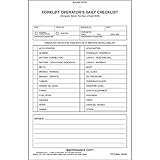
- Form provides forklift operators with a safety and maintenance forklift checklist to be filled out at the beginning of each shift.
- Checklist book can be used for vehicles powered by either electric or internal combustion engines. Forklift inspection forms contain inspection checklist of 27 common forklift parts, and space for additional comments.
- Daily inspection book is 2-ply, carbonless and measures 5.5" x 8.5".
- Document and report needed repairs to help maintain safe forklifts. Convenient to use, documents condition of forklift and advises of maintenance needed.
- This forklift inspection book set comes with 10 books. Each book contains 31 sets of forms. In total, you will receive 310 forms.
For this task, capture the Google results page in a real browser context that reflects the location, language, sign-in state, and viewport you intend to document. A full-page image may help preserve below-the-fold content, but it can also include more page than is useful for comparing the visible results. Record which kind of capture you used and avoid comparing screenshots from different environments as if every pixel difference reflects a search change.
Use Search Console steps that match the move
Domain or subdomain change
For an eligible move to a different domain or subdomain, Google says to submit Change of Address for the old site after the move and after redirects are in place. Verify the old and new properties with the same Google account, and account for all verified old-domain variants, including relevant subdomains and www/non-www versions. Follow the tool’s requirements before submitting it; details are in Google’s Change of Address guidance.
Rank #4

- Effortless Record Keeping & DOT Compliance: Stay ahead of regulations with our comprehensive Driver's Vehicle Inspection Report (DVIR) books. Each book is designed to meet Department of Transportation (DOT) standards, featuring a detailed checklist that ensures all critical components are inspected. The 2-part carbonless format creates an instant duplicate of each report, providing a clear, legible copy for both the driver and the company records without the mess of traditional carbon paper.
- Bulk Supply for Your Entire Fleet: This value pack includes 6 DVIR books, with each book containing 50 two-part sets. With a total of 300 reports, you'll have a long-lasting supply for your daily vehicle inspections. This bulk offering is perfect for small to medium-sized fleets, ensuring you always have a fresh book on hand when you need it.
- Convenient & User-Friendly Design: The 5.5 x 8.3-inch size is compact enough to fit in any glove compartment or driver's logbook pouch, yet large enough for easy writing and reading. The simple, intuitive layout allows drivers to quickly and efficiently complete their pre-trip and post-trip inspections, minimizing downtime and getting them on the road faster.
- Durable Construction for Daily Use: Our DVIR books are built to withstand the rigors of the road. The covers are sturdy, and the pages are securely bound, preventing loss of reports. The high-quality paper ensures that your records are tear-resistant and will remain intact for the required retention period.
- Clear & Legible Copies Every Time: The 2-part carbonless system guarantees a clean transfer of information, producing a crisp, clear copy every time. This is essential for accurate record-keeping, maintenance requests, and should a report be needed for a DOT audit. Say goodbye to smudged, unreadable reports and hello to professional, compliant documentation.
HTTP to HTTPS, www changes, and path moves
Google says not to use Change of Address for an HTTP-to-HTTPS move. It also says the tool is not needed for a www-to-non-www change or a path move within the same domain. Follow the applicable URL-change guidance and maintain redirects, canonicals, and sitemap updates as appropriate.
Hosting or CDN move without a visible URL change
Do not submit Change of Address when URLs have not changed. Monitor server logs, DNS propagation, and Search Console crawl data instead, following Google’s hosting-change guidance.
Crashes, No Sound, or Screen Glitches?
Random freezes, missing sound and display glitches usually trace back to one bad driver. Find and replace yours safely.Free scan · under a minutePC Slower Than It Used to Be?
A free scan shows the junk files, broken settings and background clutter dragging Windows down - then fixes them in one click.Free scan · Windows 10 & 11Best Value
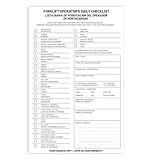
- Designed to Support Daily Forklift Inspection & Recordkeeping:This book provides a structured format for operators to perform and document the pre-shift inspections required by regulations. It supports systematic checks for internal combustion forklifts
- Detailed 27-Point Checklist for Thorough Evaluations:Each form contains an organized checklist covering multiple components and functions, with dedicated space for notes, helping operators conduct comprehensive daily inspections
- Practical Carbonless Duplicate Forms in English & Spanish:Featuring convenient 5.5" x 8.5" carbonless 2-ply forms, this book creates instant copies for record retention. The bilingual (English/Spanish) design accommodates diverse work teams
- Aids in Proactive Maintenance Tracking:Daily use of this inspection log helps in consistently recording equipment condition, which can facilitate the identification of potential issues and communication with maintenance personnel
- Bulk Set for Fleet-Wide Use :This value set includes 20 books, each with 30 forms (600 total), providing a long-lasting supply of ready-to-use inspection logs suitable for managing multiple forklifts
Allow for recrawling and transition time
Google’s general guidance says a small-to-medium site may take a few weeks for most pages to move, while larger sites take longer; it is not a deadline for an individual migration. Google also says Change of Address actions continue for 180 days and recommends keeping redirects for at least 180 days, longer when Search traffic still reaches them. See Google’s site-move documentation and the Change of Address guidance.
Independent reader supportYour contribution helps us test, update, and keep practical guides available for everyone.Troubleshooting misleading or inconsistent evidence
- The result looks different before launch and after. Check whether query text, location, language, device, viewport, browser, or profile state changed. Record the difference; do not treat a single result page as a universal ranking.
- The new URL does not appear in the screenshot. Inspect that page in Search Console and review Performance data over an appropriate period. The screenshot alone cannot diagnose indexing or explain absence.
- URL Inspection shows a screenshot, but it is not the search listing. That screenshot shows a rendered site page from a live test, not Google’s results page. Capture the search page separately in a browser.
- Automated screenshot diffs show widespread pixel changes. Check whether the operating system, Playwright/browser version, settings, hardware, power source, or headless mode differed. Re-run captures in a consistent environment and inspect the changes visually.
- You are unsure whether to use Change of Address. Match the action to the migration type: eligible domain/subdomain changes may qualify after redirects are in place; HTTPS-only, same-domain path or www changes, and hosting changes without URL changes do not call for that tool under Google’s guidance.
Or skip the browser setup
ScreenshotNeo is a screenshot API and MCP server. Its API can capture a URL in one GET request, but it captures the URL you provide; to document search results, use the Google results URL and preserve the query and capture context in your record. Before the screenshot, it accepts consent banners as a visitor and removes more than 60 known consent platforms, newsletter popups, and chat widgets; each step can be turned off. Bot checks, blank pages, timeouts, failed loads, and cache hits cost nothing, and response headers identify the page verdict and whether the request was billed. Its MCP server provides screenshot tools for Claude, Cursor, and other MCP clients. The free plan includes 1,000 shots per month without a card.
Example cURL request (replace the target URL with the Google results URL you want to capture):
curl -G "https://api.screenshotneo.com/v1/shot" -d access_key=YOUR_API_KEY --data-urlencode url=https://stripe.com -o shot.webpSee the ScreenshotNeo API documentation for request options. Sign up for 1,000 free screenshots a month with no card.
What’s actually slowing this PC down?
Pick the symptom - the matching free tool is one click away.
Quick Recap
Product prices and availability are accurate as of the date/time indicated and are subject to change. Any price and availability information displayed on Amazon at the time of purchase will apply.

