
Use Microsoft Edge’s built-in Screenshot tool. Open the page, press Ctrl+Shift+S, select Capture full page, then copy or save the result. Edge captures content below the visible window without manual scrolling and does not require an extension.
Capture an entire webpage in Edge
- Open the page. Start Microsoft Edge and navigate to the webpage you want to capture. Wait for the page to finish loading, including any content that appears as you scroll.
- Open Screenshot. Press Ctrl+Shift+S. You can also open the three-dot Settings and more menu and choose Screenshot (the label may appear as Web capture in some Edge versions), or right-click the page and choose the screenshot command.
- Select Capture full page. Edge captures the complete webpage, including content below the current viewport, in one image. You do not need to drag the scrollbar or take multiple shots.
- Review and annotate. Use the markup or drawing controls if you need to circle an item, add an arrow, or highlight text.
- Copy or save. Choose Copy to place the image on the clipboard, or Save to download it. Select the destination and file name when Edge prompts you.
The result is a webpage capture, not a picture of the entire Windows desktop. Browser chrome, other applications, and areas outside the page are not included.
Capture only part of a page
For a partial result, open Screenshot and choose Capture area. Drag around the section you need, then copy it or open the markup view before saving. This is useful for a table, article excerpt, product panel, or other region that would be unnecessarily large as a full-page image.
Which Windows 11 method should you use?
| Method | What it captures | Best use | Scrolling webpage support |
|---|---|---|---|
| Edge Screenshot > Capture full page | The complete webpage, including content below the viewport | Long articles, dashboards, documentation and receipts opened in Edge | Yes, built in |
| Edge Screenshot > Capture area | A selected rectangle within the webpage | One component or excerpt | Only the selected visible region |
| Windows Snipping Tool | Freeform, rectangle, window, full-screen and video snips | Desktop, application windows, ordinary screen captures and recordings | Microsoft’s support documentation does not list a scrolling webpage-stitch mode |
Open Snipping Tool with Windows logo key + Shift + S or, where configured, the Print Screen key. Choose Freeform, Rectangle, Window, Full screen or Video snip. Use Edge’s full-page command when the target is a webpage that extends beyond the screen.
Quick wins for a faster PC:
Clear out junk files and repair common Windows errorsFree Scan →Fix the driver behind crashes, sound loss and screen glitchesFind Drivers →Repair Windows errors before they cause bigger problemsFix Now →#1 Best Overall

- AI-POWERED PRODUCTIVITY & MOBILITY - Experience next-generation computing with the Samsung Galaxy Book4 Edge, featuring a Qualcomm Hexagon NPU with up to 45 TOPS of AI performance to accelerate on-device AI experiences and unlock powerful Copilot+ PC capabilities. Designed to simplify everyday tasks and enhance productivity, it combines intelligent performance with up to 28 hours of battery life in a slim, lightweight design, making it an ideal companion for work, study, travel, and everyday use.
- POWERFUL PERFORMANCE - Powered by the Qualcomm Snapdragon X processor and integrated Qualcomm Adreno graphics, the Samsung Galaxy Book4 Edge handles everyday productivity, streaming, and entertainment with ease. Equipped with 16GB LPDDR5X 8448MHz RAM and 512GB UFS storage, it keeps apps and browser tabs running smoothly while providing ample space for files, apps, and everyday essentials.
- EXCELLENT VISUAL - Enjoy stunning visuals on the 15.6" FHD (1920 x 1080) IPS Anti-glare LED display with 300-nit brightness. USB4 and HDMI support two external 4K monitors @60Hz (without docking station). The enhanced 1080p FHD camera delivers clear, detailed video, while Windows Studio Effects, including background blur and automatic framing, help you look professional during video calls and virtual meetings.
- VERSATILE CONNECTIVITY - Equipped with two USB-C (USB4) ports, USB-A, HDMI, and a 3.5mm audio combo jack for seamless compatibility with monitors, docks, and essential peripherals. Wi-Fi 7 and Bluetooth 5.4 deliver fast, reliable wireless connectivity to keep you productive wherever you work. A full-size keyboard with a dedicated numeric keypad boosts productivity.
- OPERATING SYSTEM - Windows 11 Home provides built-in Copilot AI to help simplify everyday tasks, organize information, and enhance productivity. Built-in security features help protect your device and data, while an intuitive, user-friendly experience makes it easy to work, study, create, and stay connected throughout the day.
What the full-page capture includes—and what it cannot do
- Included: page content below the visible viewport, as one webpage image.
- Not included: the rest of your desktop, other windows, or a video recording of your scrolling.
- Markup: Edge lets you draw or annotate before copying or saving.
- Dynamic pages: content that appears only after interaction, authentication, a consent choice, or additional loading may not be present unless it has loaded in the page before capture.
- Nested scroll panes: a page’s own full-page capture is different from a chat box, code editor, spreadsheet, or other element that scrolls inside the page. Capture area can select what is visible, but Edge’s documented workflow does not promise to stitch every nested pane.
If Capture full page is missing
Check every entry point
Try Ctrl+Shift+S, the three-dot Settings and more menu, and the page context menu. Edge versions can use the terms Screenshot and Web capture, so look for either label.
Consider an organizational policy
Microsoft’s WebCaptureEnabled policy controls whether the Screenshot option is exposed. When the policy is enabled or not configured, the command is available from the context menu, the Settings and more menu, and the keyboard shortcut. On a managed work or school computer, an administrator may have disabled or restricted it. Contact the administrator rather than attempting to bypass the policy.
Update or restart Edge
Install pending Edge updates, close and reopen the browser, and test a normal public page. If the command appears on one profile but not another, an extension or profile configuration may be interfering; test an InPrivate window if your organization permits it.
Rank #2
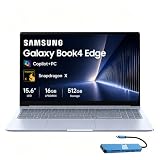
- AI-POWERED PRODUCTIVITY & MOBILITY - Experience next-generation computing with the Samsung Galaxy Book4 Edge, featuring a Qualcomm Hexagon NPU with up to 45 TOPS of AI performance to accelerate on-device AI experiences and unlock powerful Copilot+ PC capabilities. Designed to simplify everyday tasks and enhance productivity, it combines intelligent performance with up to 28 hours of battery life in a slim, lightweight design, making it an ideal companion for work, study, travel, and everyday use.
- POWERFUL PERFORMANCE - Powered by the Qualcomm Snapdragon X processor and integrated Qualcomm Adreno graphics, the Samsung Galaxy Book4 Edge handles everyday productivity, streaming, and entertainment with ease. Equipped with 16GB LPDDR5X 8448MHz RAM and 512GB UFS storage, it keeps apps and browser tabs running smoothly while providing ample space for files, apps, and everyday essentials.
- EXCELLENT VISUAL - Enjoy stunning visuals on the 15.6" FHD (1920 x 1080) IPS Anti-glare LED display with 300-nit brightness. USB4 and HDMI support two external 4K monitors @60Hz (without docking station). The enhanced 1080p FHD camera delivers clear, detailed video, while Windows Studio Effects, including background blur and automatic framing, help you look professional during video calls and virtual meetings.
- VERSATILE CONNECTIVITY - Equipped with two USB-C (USB4) ports, USB-A, HDMI, and a 3.5mm audio combo jack for seamless compatibility with monitors, docks, and essential peripherals. Wi-Fi 7 and Bluetooth 5.4 deliver fast, reliable wireless connectivity to keep you productive wherever you work. A full-size keyboard with a dedicated numeric keypad boosts productivity.
- OPERATING SYSTEM - Windows 11 Home provides built-in Copilot AI to help simplify everyday tasks, organize information, and enhance productivity. Built-in security features help protect your device and data, while an intuitive, user-friendly experience makes it easy to work, study, create, and stay connected throughout the day.
Troubleshooting captures that look wrong
The image stops at the first screen
Confirm that you selected Capture full page, not Capture area. If the full-page option is absent, use the policy and entry-point checks above. A page that is actually an embedded application or a nested scroll container may not behave like a normal document.
The Tool Desk
Outbyte PC Repair FREERepair Windows errors before they cause bigger problemsFix Now →Outbyte Driver Updater FREEFix the driver behind crashes, sound loss and screen glitchesFind Drivers →Images or sections are blank
Wait for the page to finish loading before opening Screenshot. Scroll through the page once if it loads images lazily, allow required consent dialogs, sign in when appropriate, and then run the capture again. Private content can disappear when a session expires or when a site blocks an automated-looking request.
A cookie banner, chat bubble or popup covers the result
Dismiss the banner or popup first, then capture again. Edge records the page state that is visible to the browser at capture time; it does not guarantee removal of every overlay.
The page changes while Edge captures it
Pause auto-rotating carousels, wait for advertisements and live widgets to settle, and capture again. For a stable record, save the file immediately and note the page date or revision in your own filename.
Rank #3

- ★ Outstanding Performance: 14" BrightView glossy screen maintains the vivid colors in your photos and videos. Typical 1366 x 768 HD resolution and Micro-edge display to see more, do more from anywhere with a less than 7 mm micro-edge bezel display, 4GB system memory for basic multitasking, adequate high-bandwidth RAM to smoothly run multiple applications and browser tabs all at once.
- ★ Rapid Connection: Connect to a Wireless-AC router for nearly 3x the speed, more capacity, and wider coverage than Wireless-N (150 Mbps). Backward-compatible with all other Wi-Fi networks and hotspots. Gigabit Ethernet LAN port. Built-in media reader for simple photo transfer
- ★ AMD Radeon Graphics: Integrated graphics chipset with shared video memory provides solid image quality for Internet use, movies, basic photo editing, and casual gaming.
- ★ Complete Configuration: The HP 14 14" HD SVA Anti-Glare Micro-Edge WLED-backlit Laptop covers 1x SuperSpeed USB Type-C 5Gbps signaling rate, 2x SuperSpeed USB Type-A 5Gbps signaling rate, 1x RJ-45, 1x Headphone/microphone combo, 1x AC Smart pin, 1x HDMI. With the Accessory Bundle (USB Extension Cord, HDMI Cable, and Mouse Pad).
- ★ Windows 10 Home in S mode: Experience the most secure Windows ever built with fast boot times, increased responsiveness and added protection against phishing and malware.
The saved file is difficult to read
Full-page images can be very tall. Use Capture area for a focused excerpt, or open the saved image in an editor and crop it into sections. For a document intended to print or share as pages, use the site’s print or PDF function when available instead of forcing one extremely long bitmap.
The shortcut does nothing
Click the webpage first so Edge has focus, then press Ctrl+Shift+S again. Check whether another application or extension has claimed the shortcut. The menu and context-menu commands provide alternatives.
Privacy, permissions and reproducibility
- Only capture pages and account data you are authorized to view.
- Review the image for passwords, personal information, access tokens, internal URLs and customer data before sharing it.
- For a repeatable record, keep the original URL, capture date, Edge version and any state you deliberately set (signed-in account, selected tab, expanded sections or consent choice).
- Do not assume a screenshot proves that hidden, collapsed or off-screen application data existed at that time; it records the rendered page state Edge captured.
Or skip the browser setup
If you need repeatable screenshots from scripts, a build pipeline, many URLs or an AI workflow, ScreenshotNeo is a website screenshot API and MCP server. It accepts a URL in one request and returns PNG, JPEG, WebP or PDF. Cookie and consent banners are accepted like a visitor, then more than 60 known consent platforms, newsletter popups and chat widgets are removed before the shot. Bot checks, CAPTCHAs, blank pages, timeouts, failed loads and cache hits are not billed; response headers identify the page verdict and whether the request was billed.
Basic cURL example (see the ScreenshotNeo documentation for all parameters):
Rank #4

- READY FOR SCHOOL & EVERYDAY USE — Designed for students and everyday users, this HP 14" laptop is great for online classes, homework, web browsing, email, online shopping, streaming, and other daily essentials at home or on the go.
- INTEL 4-CORE PROCESSOR — Powered by the Intel Celeron N4120 4-Core processor with speeds up to 2.6GHz, delivering reliable performance for everyday computing, school assignments, web browsing, video calls, and light productivity.
- LIGHTWEIGHT & READY TO GO ANYWHERE — Compact and lightweight at approximately 3.2 lbs, this 14" laptop is easy to slip into a backpack and carry wherever your day takes you. Stay connected for web browsing, email, online shopping, schoolwork, and everyday tasks at school, at home, in a café, or while traveling.
- STYLISH ROSE PINK DESIGN — Stand out from ordinary laptops with an eye-catching Rose Pink finish. The stylish, modern look makes it a great choice for students and everyday users who want a laptop that combines personality, portability, and practical everyday use.
- ESSENTIAL CONNECTIVITY + WINDOWS 11 — Connect everyday accessories with 1× USB-C, 2× USB-A, HDMI 1.4b, and a headphone/microphone combo jack. Windows 11 provides a familiar, modern experience for learning, browsing, entertainment, and everyday tasks.
curl -G "https://api.screenshotneo.com/v1/shot" -d access_key=YOUR_API_KEY --data-urlencode url=https://stripe.com -o shot.webpPython:
import requests
r = requests.get("https://api.screenshotneo.com/v1/shot", params={"access_key": "YOUR_API_KEY", "url": "https://stripe.com"}, timeout=90)
open("shot.webp", "wb").write(r.content)
Node.js:
const q = new URLSearchParams({ access_key: 'YOUR_API_KEY', url: 'https://stripe.com' });
const res = await fetch(`https://api.screenshotneo.com/v1/shot?${q}`);
Options for production captures
ScreenshotNeo supports full-page captures with lazy images loaded, CSS-selector element capture, dark mode, 12 device presets or a custom viewport, retina scale, PDF paper size/margins/orientation/page ranges, HTML/CSS-to-image, custom CSS and JavaScript, pre-capture clicks, hidden selectors, waits for a selector, delay or network idle, ad/tracker/request/resource blocking, custom headers, cookies, user agent and Authorization, timezone and geolocation, transparent backgrounds, image resizing, selectable cache TTL, signed links for public image tags, asynchronous jobs with signed webhooks, bulk capture of up to 100 URLs per call, a usage API and an OpenAPI specification. Parameter names used by other screenshot APIs also work, which can simplify migration.
Pricing and AI access
Every feature is included on every plan: Free provides 1,000 shots per month with no card; Starter is $5 for 3,000; Growth $15 for 15,000; Pro $39 for 60,000; Scale $99 for 250,000; and Business $249 for 1,000,000. Yearly billing gives two months free. Its MCP server exposes take_screenshot, get_page_info and capture_pdf to Claude, Cursor and other MCP clients, so an AI agent can request captures without you wiring a browser automation stack.
Create a free ScreenshotNeo account to get 1,000 screenshots a month with no card.
Best Value

- Intel Pentium Processor Up to 3.68GHz, 16GB DDR4, 128GB SSD
- 15" Micro-Edge HD(1366x768) IPS Display, Intel UHD Graphics
- 1x USB Type C, 2x USB Type A, 1x HDMI, 1x Headphone/Microphone Combo Jack
- Super-Fast WiFi and Bluetooth Combo, Integrated Webcam
- Windows 11 OS, AC Charger Included, Dale Blue
Frequently asked questions
Can I capture a full webpage without installing an extension?
Yes. Edge’s Screenshot/Web capture feature is built in. Press Ctrl+Shift+S and choose Capture full page.
Does Windows 11 Snipping Tool make a scrolling webpage screenshot?
Microsoft documents Snipping Tool for freeform, rectangle, window, full-screen and video snips, but its support information does not list a scrolling webpage-stitch mode. Use Edge Screenshot for a full webpage.
Why is my work computer missing Screenshot?
The Edge WebCaptureEnabled policy can control whether Screenshot appears. A managed deployment may have disabled it; ask your administrator or use an approved capture service for authorized content.
The Bottom Line
For a one-off webpage, Edge’s Ctrl+Shift+S → Capture full page workflow is the quickest Windows 11 solution. Use Capture area for excerpts, Snipping Tool for ordinary screen or video snips, and ScreenshotNeo when you need automated, clean, repeatable captures.
Quick Recap
Product prices and availability are accurate as of the date/time indicated and are subject to change. Any price and availability information displayed on Amazon at the time of purchase will apply.

