
iTechGuides is reader-supported. When you buy through links on our site, we may earn an affiliate commission. As an Amazon Associate I earn from qualifying purchases. Learn more
Yes, a Japanese-region game can work on a US or European console, but “Japanese version” does not tell you whether English is included. Language support is set separately for each title and release. Before paying, identify the exact platform and regional edition, find its authoritative language list, and confirm how downloadable content (DLC), updates, store credit, and accounts will work.
For Nintendo Switch, most physical game cards are playable across regions, with an important exception for consoles and cards distributed in the Chinese region. That compatibility does not guarantee English, cross-region DLC, or full Nintendo service support. Digital purchases and PlayStation products have their own account and store-region rules.

The three checks that prevent most import mistakes
- Release identity: Confirm whether the product is the Japanese domestic release, an Asian release, or a North American or European edition. Use the platform, publisher, package code, and store region—not a seller’s vague “international” label.
- Language list: Verify that the exact release explicitly lists English text and, if relevant, English voices. “Multi-language” is not enough unless the actual languages are shown.
- Ecosystem match: If you need DLC, expansion passes, subscription content, or digital currency, plan to buy it from the same regional ecosystem as the game. Nintendo states that DLC works only with games released for the same region as that DLC.
Save a screenshot of the language and region information before ordering. Marketplace descriptions can change, and a screenshot gives you a record of what was advertised.
Free tools Windows power users keep installed
One-click scans. No signup required.
Region, language, and store region are different things
Import decisions become clearer when you separate three concepts that sellers often mix together.
#1 Best Overall

- Introducing the Nintendo Switch, an indie game that has recorded the huge hit around the world
- Explore the world of RPG with fun characters in Henteko Whether you defeat or miss your opponents, it's all up to you
- Can the child of carrot fall into the underground world where monsters live with Or will you be trapped forever
Console and game-card region
Nintendo says Switch game cards are not region locked except for consoles and game cards distributed in the Chinese region. In practical terms, a Japanese physical card will generally start in a US or European Switch. Nintendo also warns that it has not tested every combination of overseas software and consoles, so it does not promise complete support for every imported setup.
Language support
A game can run on your console and still contain only Japanese text and audio. Nintendo’s language rule is conditional: “The language for a game or software application will default to the language setting that has been selected on the console, so long as the intended language is supported by the game or software application.” The console preference chooses a language only from the languages built into that particular release.
Store and account region
Digital storefronts, prepaid cards, DLC licenses, and account-country rules are separate from physical-card compatibility. A Japanese cartridge may boot on a US console while a Japanese eShop card remains unusable in your US eShop. Treat every digital entitlement as region-specific unless the platform holder explicitly says otherwise.
How to verify English before buying
1. Identify the exact edition
Write down the title, platform, publisher, release region, and package or product code. Japanese domestic, Asian, North American, and European editions can have different language files even when the cover art and title are similar. On a marketplace, ask the seller for a photograph of the back of the box, the cartridge label, and the product-code area if those details are not visible.
2. Read the package language panel
Physical packaging often lists supported languages in a specifications panel. Look for “English” rather than relying on an icon, a seller’s translation, or the phrase “international version.” Check whether the listing distinguishes text languages from voice languages; a release may offer English menus and subtitles but Japanese-only voices.
3. Check the publisher’s listing for that release
Use the publisher or platform listing that corresponds to the same region and platform. A North American store page cannot prove that a Japanese cartridge contains the same language files. If the listing says only “multi-language,” obtain the complete list before purchase.
Rank #2

- Furious beat-’em-up action for one or two players!
- Stunning pixel-art graphics plus anime and manga cutscenes!
- Fantastic soundtrack featuring NateWantsToBattle, Chipzel, Christina Vee, and Megan McDuffee!
- Six large city regions to fight through, complete with shops and side quests!
- Loads of weapons, items, and abilities to power-up your heroines!
4. Inspect Software Information on Switch
If you can access the game on a Switch, highlight its icon on the HOME menu, press the + or − button, and open Software Information. Review Support Information for the supported-region or language details provided for that release. This is more reliable than assuming the console’s language will be available.
Windows Errors? Fix Them Before They Spread
Repair common Windows errors and clear accumulated junk for a smoother, more stable PC - no reinstall needed.Free scan · no reinstallCrashes, No Sound, or Screen Glitches?
Random freezes, missing sound and display glitches usually trace back to one bad driver. Find and replace yours safely.Free scan · under a minute5. Ask for evidence when buying used
Request a clear image or screen capture showing the language list and regional product information. Keep that evidence with your order details. If the seller cannot identify the edition or provide a language list, treat English support as unconfirmed rather than guaranteed.
A safe buying workflow
- Define your needs. Decide whether you require English interface text, English subtitles, English voices, or all three. Also note whether you expect DLC, an expansion pass, online features, or a digital-only bonus.
- Record the release identity. Capture the platform, publisher, region, product code, and physical-versus-digital format. Do not combine a language statement from one edition with a price or photograph from another.
- Find an authoritative language list. Check the package, the publisher’s regional product page, or Switch’s Software Information → Support Information. Require the actual word “English” when that is your requirement.
- Check content differences documented by the publisher. If two regional releases differ in censorship, age rating, online services, or included bonuses, rely on the publisher’s documented comparison rather than forum assumptions.
- Map the DLC path. Identify which country or region’s eShop or PlayStation account will sell the add-on. For Switch, Nintendo says the DLC region must match the game’s release region.
- Map the payment and account path. Confirm which account can redeem the digital code and whether prepaid store cards are restricted to a country or region. Nintendo eShop cards work only in the eShop country or region where they were sold.
- Check console and service caveats. Physical Switch compatibility is broad but not absolute; Nintendo has not tested every overseas-software and console combination. Consider warranty, customer support, and online-service availability for your console’s market.
- Save the listing evidence. Keep screenshots of the language, region, and DLC statements in case the listing is edited after purchase.
Nintendo Switch: what usually works and what does not
Playing a Japanese physical card on a US or European Switch
A Japanese Switch game card will generally play on a US or European console because Switch cards are broadly region free outside the Chinese-region exception. Insert the card and launch it normally. The game will follow the console’s selected language only if that language is included in the card’s software.
“Generally” matters: Nintendo says it has not tested every overseas-software and console combination. An imported card can therefore work while still falling outside Nintendo’s full support guarantee. Physical compatibility also says nothing about whether the card includes English.
Changing the Switch region
You can change the console’s region through System Settings → System → Region. The Switch asks you to accept the selected region’s end-user licence agreement (EULA). This setting can help you access a different regional storefront or meet a title’s regional requirement, but it cannot add language files that are absent from the game. A Japanese-only release remains Japanese-only after you change the system region.
The Tool Desk
Outbyte Driver Updater FREEFix the driver behind crashes, sound loss and screen glitchesFind Drivers →Outbyte PC Repair FREEClear out junk files and repair common Windows errorsFree Scan →Japanese eShop purchases and prepaid cards
A Japanese eShop card is intended for the Japanese eShop. Nintendo states that eShop cards work only in the country or region where they were sold. Redeeming one therefore requires the matching storefront and account setup; changing the console’s display language is not a substitute for changing the store region.
Rank #3
![Psikyo Shooting Library Vol. 1 - (NSW) Nintendo Switch [Pre-Owned] (Japanese Import)](https://m.media-amazon.com/images/I/51avb9SXJRL._SL160_.jpg)
- Features Strikers 1999's first home release
- Strikers 1999 series: Blockbuster sequel to Strikers 1945, offering intense vertical scrolling action
- Strikers series renowned for its accessible yet challenging gameplay
- Diverse STGs: Magic, dragons, and unique mechanics await
- Action-packed titles: Soldivide's magical attacks, Dragon Blaze's powerful dragon, and ZeroGunner 2's 3D models
Updates and online features
A physical card may launch independently, but updates, patches, and online services can depend on the title’s regional distribution and the account or storefront used. Before importing a game you plan to play online, verify that the publisher lists service availability for your region and that the required account can obtain the update.
DLC, expansion passes, and save data
DLC must match the game’s region
Nintendo’s guidance is explicit: DLC works only with games released for the same region as the DLC. A Japanese cartridge paired with DLC purchased from a US eShop is therefore an unsafe combination, even if both versions share English text. Buy the base game and its add-ons within the same regional release ecosystem.
Expansion passes and bundled bonuses
Apply the same rule to expansion passes, season passes, costume packs, and download codes bundled with a physical edition. A code printed for one country may require that country’s storefront and may not attach to a different regional release.
Recommended Free Tools
Save data is not proof of language or DLC compatibility
Being able to transfer or retain save data does not prove that add-ons will work across regions. Treat language, save compatibility, and DLC licensing as separate checks and verify each one for the exact title.
PlayStation imports: the Japan-only PS5 Digital Edition caveat
Sony’s Japan-only PS5 Digital Edition has stricter platform requirements than the general Switch physical-card case. Sony states that this model supports only Japanese as the console language, requires a Japan-region PlayStation account, and that available game languages vary by title.
Before buying a Japanese digital PlayStation product, confirm all three points independently:
Rank #4
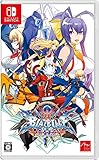
- The final chapter – Find out how the massive story around Ragna the Bloodedge concludes or relive the grand finale!
- Unique character designs – Fan favorites returned and new faces joined with Central Fiction – who will be your fighter of choice?
- Stunning visuals – Iconic and beautifully rendered 3D stages offer a unique contrast to the intricately hand-drawn 2D fighter sprites
- Be the aggressor – Central Fiction introduced Exceed Accel attacks to finish Overdrive mode with a bang and Active Flow that will encourage aggressive play!
- Diverse game modes – Apart from classic modes like Story and Versus, find new challenges in many modes!
- The hardware’s supported console-language list.
- The country or region of the PlayStation account required to buy or redeem the game.
- The language list for that specific game release.
Do not infer English support from the fact that a game has an English-language release elsewhere. Sony’s statement that languages vary by title means the Japanese release must be checked on its own terms.
Quick wins for a faster PC:
Fix the driver behind crashes, sound loss and screen glitchesFind Drivers →Repair Windows errors before they cause bigger problemsFix Now →Comparing two regional releases
When both Japanese and Western editions are available, use the following comparison rather than choosing solely on price.
| Decision point | Questions to answer | Why it matters |
|---|---|---|
| English text and audio | Does this exact product code list English menus, subtitles, and voices? | Console language settings cannot create language support that the release does not contain. |
| DLC and updates | Which storefront distributes add-ons and patches for this release? | Nintendo requires DLC and the game to be from the same region. |
| Account and payment | Which country account and eShop or PlayStation store are required? | Store cards and digital entitlements can be country- or region-restricted. |
| Console support and warranty | Will your console run the imported software, and who supports it? | Nintendo has not tested every overseas-software and console combination; imported hardware may have different service terms. |
| Content differences | Does the publisher document censorship, age-rating, or bonus-content changes? | Regional editions can differ beyond language, but assumptions from community posts are not authoritative. |
Common traps and how to avoid them
“Japanese version” used as a catch-all label
Sellers may use “Japanese version” for a domestic Japanese product, an Asian release, or a cartridge imported through Japan. Ask for the product code and the language panel. If the listing cannot distinguish those editions, do not treat its English claim as verified.
“International” or “multi-language” without a list
Those phrases describe marketing, not a guaranteed language set. Require the actual list and confirm whether it applies to the physical card, download code, or a different edition shown in the seller’s photos.
Assuming a Japanese console setting adds English
Changing System Settings → System → Region or the console language changes preferences and storefront context; it does not install missing translation files.
Buying local DLC for an imported game
This is the most expensive mistake because the base game may run before the add-on fails to recognize it. Match the DLC region to the game before redeeming a code or opening an add-on purchase.
Best Value
Using a local eShop card with a Japanese account—or the reverse
Nintendo eShop cards are restricted to the country or region where sold. Check the account storefront before buying credit, and do not assume a card’s currency can be converted by changing the console’s region.
Relying on a review of another edition
A review can accurately describe the North American release while saying nothing about the Japanese cartridge. Match the review’s platform, product code, and region to the item in your basket.
What to do if the game is already imported
The game boots in Japanese
- Open the console’s system-language settings and select your preferred language.
- Restart the game and check its own language menu, if one exists.
- Open the Switch HOME menu, highlight the title, press + or −, and inspect Software Information → Support Information.
- If English is absent from the supported-language information, the release does not provide English through a setting change.
The game runs but DLC does not appear
- Identify the game’s release region from the package or product code.
- Identify the DLC’s storefront and region from the receipt, code, or account that purchased it.
- Compare the two regions. For Nintendo titles, a mismatch is expected not to work under Nintendo’s DLC rule.
- Contact the seller or platform support before buying another code; purchasing a second region’s DLC can compound the mismatch.
A digital code will not redeem
Check the country or region in which the code was sold and the storefront currently associated with the account. A Nintendo eShop card is limited to its selling region. For the Japan-only PS5 Digital Edition, verify that the account is Japan-region as Sony requires.
A practical checklist for an import listing
- Exact title, platform, and edition identified.
- Japanese domestic, Asian, North American, or European release stated.
- Product or package code visible.
- English text confirmed for this release.
- English audio confirmed separately if required.
- DLC and expansion-pass region identified.
- Update and online-service expectations checked.
- Required Nintendo or PlayStation account region understood.
- Store-card country restriction checked.
- Seller screenshots saved before payment.
- Return policy reviewed in case the listing’s edition is misidentified.
Examples of sound buying decisions
Example: Japanese Switch card, English confirmed, no DLC planned
If the package or Support Information explicitly lists English, the card can be a reasonable import for a US or European Switch. You still accept Nintendo’s caveat that not every overseas combination has been tested, but you avoid the major language and DLC risks.
Example: Japanese Switch card, English confirmed, expansion pass required
Buy the expansion pass from the same regional ecosystem as the card. A cheaper local pass is not a safe substitute because Nintendo requires the DLC and game regions to match.
Example: Japanese listing says only “multi-language”
Pause the purchase. Ask for the full language list or an image of Support Information. Until English is named for the exact release, classify support as unknown.
Example: Japan-only PS5 Digital Edition
Confirm that you can use a Japan-region PlayStation account, accept the console’s Japanese-only system-language limitation, and verify the individual game’s languages. If any one of those conditions conflicts with your setup, choose a different edition or hardware model.
Do these 3 things before closing this tab:
1Repair Windows errors before they cause bigger problems2Scan for outdated or missing drivers - takes under a minute3Clear out junk files and repair common Windows errorsHow to keep the information current
Language, account, and storefront details can change between editions and over time. Re-check the exact title, platform, package code, store region, DLC region, and account requirements immediately before purchase. The guidance summarized here reflects platform information available on October 19, 2026; a later product revision or regional listing can supersede an older one.
The Bottom Line
Buy the release whose language list explicitly includes English, then keep its DLC, store credit, and account in the same regional ecosystem. A Japanese Switch card will usually run on a US or European console, but only the title’s own supported-language list proves English; changing the console region cannot add it.
Quick Recap
Product prices and availability are accurate as of the date/time indicated and are subject to change. Any price and availability information displayed on Amazon at the time of purchase will apply.

