
The Tool Desk
Outbyte PC Repair FREEClear out junk files and repair common Windows errorsFree Scan →Outbyte Driver Updater FREEFix the driver behind crashes, sound loss and screen glitchesFind Drivers →You can build this as three connected parts: an ESP32-C3 runs the firmware and uses Wi-Fi to call Gemini, an e-ink display shows the returned passage, and your program keeps track of the story and player choices. The simplest documented hardware starting point is Seeed’s integrated 7.5-inch monochrome XIAO ESP32-C3 ePaper Panel. The component documentation covers the board, display options, and API separately; it does not establish a tested, turnkey project combining them.
What the project does
The ESP32-C3 is the client, not the language model: its firmware connects over Wi-Fi, sends a request to Google’s remote Gemini API, processes the reply, and draws the text on the display. Espressif lists 2.4 GHz Wi-Fi among the ESP32-C3’s capabilities, while Google describes Gemini API text generation and conversational agents.
That division matters when planning the build. The board needs network access and enough firmware to make and parse a request; the display needs a compatible driver and text layout; the application needs to preserve enough story context to make each turn coherent. The cited product and API documentation does not define a story format, guarantee narrative continuity, or demonstrate this complete application.
Choose the hardware route
| Route | What it combines | What you need to verify |
|---|---|---|
| Integrated panel | Seeed documents a 7.5-inch monochrome ePaper Panel with a XIAO ESP32-C3, 800 × 480 resolution, and a built-in 2000 mAh battery. | Follow the panel’s own Arduino and display guidance for its matching example and driver setup. |
| Separate board and display | A XIAO ESP32-C3 paired with Seeed’s ePaper breakout, which documents support for specific displays and SPI pin mappings. | Match the exact panel, controller, wiring, and driver configuration to the breakout documentation; generic e-ink compatibility is not enough. |
For fewer component-matching decisions, start with the integrated panel described in Seeed’s 7.5-inch ePaper Panel documentation. If you prefer a separate screen, use the supported combinations and pin map in Seeed’s ePaper breakout guide. Do not assume the breakout’s pin assignments or drivers apply to another display.
#1 Best Overall

- Built-in ESP32-S3 Controller & SPI Interface - Comes with ESP32-S3-WROOM-1-N8R8 as the main MCU (up to 240 MHz) and standard 3-/4-wire SPI (default 4-wire) for easy integration. Supports the classic e-ink reader feel and responsive development flow
- Ultra-Low Power & Power-Off Retention - This epaper display only consumes power during refresh. Static content stays visible without a continuous power supply — ideal for battery-powered devices, smart labels and always-on displays
- High-Resolution e-ink Display - This 4.2″ e-paper display with 400x300 resolution delivers sharp black/white contrast and a wide viewing angle. Provides crisp clarity and a paper-like reading experience for smart tags and DIY devices
- Reflective, Sunlight-Readable - The pure reflection mode means no backlight required; the content remains clearly readable even under strong sunlight. Hard-coated anti-glare surface ensures excellent visibility and durability
- Rich Interfaces & Ready for Development - Includes BAT interface (2.2 V-3.7 V), UART0, 2x10 pin GPIO header, back/home/boot buttons, rotary switch, hard-coated anti-glare surface. Compatible with Arduino IDE, and suitable for DIY makers alike
Set up the firmware environment
There are documented framework paths, but the sources do not establish that one is required for this application. Seeed’s integrated panel guide provides an Arduino route. Espressif’s official ESP-IDF getting-started workflow for ESP32-C3 covers setting up the environment, creating and configuring a project, building, flashing, and monitoring firmware.
Choose the route that fits your board and development preferences, then first run the panel-matched example or library guidance. Confirm that text can be rendered and the display refreshed before adding Wi-Fi and API calls. The required display library and driver settings depend on the exact screen.
Rank #2

- Built-in ESP32-S3 Controller & SPI Interface - Comes with ESP32-S3 as the main MCU (up to 240 MHz) and standard 3-/4-wire SPI (default 4-wire) for easy integration. Supports the classic e-ink reader feel and responsive development flow
- Ultra-Low Power & Power-Off Retention - This epaper display only consumes power during refresh. Static content stays visible without a continuous power supply, ideal for battery-powered devices, smart labels and always-on displays
- Reflective, Sunlight-Readable - The pure reflection mode means no backlight required; the content remains clearly readable even under strong sunlight. Hard-coated anti-glare surface ensures excellent visibility and durability
- Rich Interfaces & Ready for Development - Includes BAT interface (2.2 V-3.7 V), UART0, GPIO header, back/menu/reset/boot buttons, hard-coated anti-glare surface. Compatible with Arduino IDE, and suitable for DIY makers alike
- High-Resolution e-ink Display - This 2.13″ e-paper display with 122x250 resolution delivers sharp black/white contrast and a wide viewing angle. Provides crisp clarity and a paper-like reading experience for smart tags and DIY devices
Connect the display and Gemini API in stages
- Confirm the display works locally. Use the example and configuration for the selected panel. Check that the screen refreshes and that text fits its resolution before introducing network failures as another variable.
- Connect the ESP32-C3 to Wi-Fi. The board’s 2.4 GHz Wi-Fi provides the network path to Google’s API. Test connectivity independently from the display code.
- Check Google’s current API guidance. As of the documentation updated September 23, 2026, Google identifies the Interactions API as the default interface, effective June 2026. The documentation considers
generateContentlegacy while still supported. For a new implementation, consult Google’s Gemini API documentation for the current request shape, model availability, and account details rather than treating an example or model identifier as permanent. - Make a compact story request. A practical application design is to send a short premise, recent story context, and the player’s latest action, then request a short passage and a small number of choices. This is a design suggestion for a limited screen and conversational API—not a prompt format or output-length guarantee prescribed by Google.
- Parse and render the reply. Handle the response as data: extract the text your application expects, wrap it to the panel’s dimensions, and refresh the display using the chosen panel’s driver. Keep API/network error handling separate from display-refresh handling so a failed request does not silently advance the story state.
Plan for credentials, failures, and battery use
Protect the API key
Google documents REST authentication with an x-goog-api-key header. Treat that key as a credential: do not commit it to a public firmware repository. The cited material does not establish a hardware-specific secure provisioning method, so choose a provisioning approach appropriate to your device and threat model.
Keep failures from corrupting a turn
- Do not update the saved story state until a valid response has been received and parsed.
- Show a brief error or allow a retry when Wi-Fi or the API request fails; keep this path distinct from display-driver errors.
- Keep output compact enough to lay out on the screen, and decide how your program handles a reply that is empty, malformed, or longer than expected.
These are implementation safeguards, not a tested firmware procedure. The API and hardware documentation cited here does not specify retry behavior or a story-state schema.
Rank #3
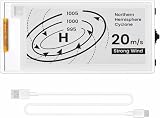
- Built-in ESP32-S3 Controller & SPI Interface: Powered by the ESP32-S3 main MCU running at up to 240 MHz, this e-paper display module integrates powerful processing with standard 3-/4-wire SPI communication (default 4-wire). The built-in controller eliminates the need for an external driver board — simply connect and start developing. Perfect for makers who want a responsive, all-in-one e-ink solution with seamless Arduino IDE support.
- Ultra-Low Power with Power-Off Memory Retention: Consumes power only during screen refreshes — static content remains clearly visible even after power is completely disconnected. This makes it an ideal choice for battery-powered devices, electronic shelf labels, smart tags, wearables, and always-on displays where energy efficiency is critical. No continuous power supply required to maintain your content.
- Sunlight-Readable Reflective Display with Anti-Glare Surface: The pure reflection mode requires no backlight — content stays crisp and highly readable even under direct sunlight. The hard-coated anti-glare surface ensures excellent visibility from any angle while providing enhanced durability. Experience a true paper-like reading experience with sharp black/white contrast and a wide viewing angle.
- Rich Interfaces & Intuitive Controls for Rapid Development: Includes BAT interface (2.2 V–3.7 V), UART0, GPIO header, and dedicated back/menu/reset/boot buttons for easy interaction. Whether you're prototyping a smart home dashboard, an e-book reader, or an electronic business card, this board offers the flexibility and I/O you need. Fully compatible with Arduino IDE for a smooth, maker-friendly development workflow.
- High-Resolution 2.13" E-Ink Screen — 122x250 Pixels: Delivers sharp black-and-white text and graphics with exceptional clarity and contrast. The compact 2.13-inch form factor makes it perfect for space-constrained projects while still providing enough resolution for clear product information, participant details, pricing tags, and status indicators.
Interpret battery claims narrowly
Seeed’s panel documentation specifies a built-in 2000 mAh battery and advertises up to three months in deep sleep under its stated product conditions. That vendor claim is not a measured runtime for a text adventure that wakes, connects to Wi-Fi, calls a remote API, and refreshes the screen. The panel’s retained image needs no power after refresh, according to Seeed, but active network use and refreshes are separate parts of the project’s power budget.
Quick Recap
Best Value

- Built-in ESP32-S3 Controller & SPI Interface - Comes with ESP32-S3-WROOM-1-N8R8 as the main MCU (up to 240 MHz) and standard 3-/4-wire SPI (default 4-wire) for easy integration. Supports the classic e-ink reader feel and responsive development flow
- Ultra-Low Power & Power-Off Retention - This epaper display only consumes power during refresh. Static content stays visible without a continuous power supply — ideal for battery-powered devices, smart labels and always-on displays
- High-Resolution e-ink Display - This 5.79″ e-paper display with 272 × 792 resolution delivers sharp black/white contrast and a wide viewing angle. Provides crisp clarity and a paper-like reading experience for smart tags and DIY devices
- Reflective, Sunlight-Readable - The pure reflection mode means no backlight required; the content remains clearly readable even under strong sunlight. Hard-coated anti-glare surface ensures excellent visibility and durability
- Rich Interfaces & Ready for Development - Includes BAT interface (2.2 V-3.7 V), UART0, 2×10 pin GPIO header, back/menu/reset/boot buttons, hard-coated anti-glare surface. Compatible with Arduino IDE, and suitable for DIY makers alike
Rank #4
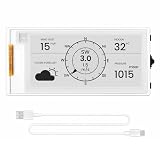
- Powerful ESP32-S3 Performance: The 2.13" ESP32 E-ink display is powered by an ESP32-S3 chip (up to 240 MHz), delivering reliable performance. Supports 3-/4-wire SPI (default 4-wire) for fast, stable integration and a smooth, responsive e-ink development experience
- Ultra-Low Power & Power-Off Retention: Designed for energy efficiency, this epaper display only draws power during screen refresh. Static content stays visible without a continuous power supply, ideal for battery-powered devices, smart tags, electronic shelf labels, and more
- Sunlight-Readable & Anti-Glare: Featuring a reflective display with no backlight, this ESP32-S3 e-paper screen delivers clear readability even in strong direct sunlight. Hard-coated anti-glare surface ensures excellent visibility and durability
- Rich Interfaces & Wide Compatibility: Equipped with BAT interface (2.2 V-3.7 V), UART0, GPIO header, back/menu/reset/boot buttons for flexible wiring and control. The E-ink display is compatible with Arduino IDE, ideal for DIY makers, engineers and IoT projects
- High-Resolution e-ink Display: The 2.13-inch e-ink display with 122×250 resolution delivers crisp black-and-white contrast and a wide viewing angle. Perfect for e-paper readers, smart home dashboards, electronic shelf labels, badges, and other low-power display applications
Before you build
- Choose the integrated panel for a simpler documented starting point, or select a separate display only after confirming its exact compatibility.
- Get a local screen example working before adding networking.
- Use Google’s current API documentation when implementing authentication and requests; its default interface and model offerings can change.
- Design the story turn, response parsing, and error handling yourself: the component documentation does not provide those application details or verify an end-to-end build.
Product prices and availability are accurate as of the date/time indicated and are subject to change. Any price and availability information displayed on Amazon at the time of purchase will apply.

