
The Tool Desk
Outbyte PC Repair FREERepair Windows errors before they cause bigger problemsFix Now →Outbyte Driver Updater FREEScan for outdated or missing drivers - takes under a minuteDriver Scan →Playwright does not automatically add a timestamp when you call page.screenshot(). To timestamp an image, first decide where the timestamp belongs: generate a filename containing the capture time, or render timestamp text into the image pixels. A filename is the simplest and preserves the original screenshot; visible text requires capturing a buffer and post-processing it. Playwright Test, the Playwright CLI, and Playwright MCP have separate artifact and default-naming behavior, so the correct implementation depends on the surface you use.
Choose the timestamp type before writing code
| Goal | Implementation | What changes |
|---|---|---|
| Keep run history separate | Generate a JavaScript timestamp and place it in path |
Only the filename changes; pixels remain untouched |
| Show capture time to viewers | Capture a Buffer, then draw text with an image-processing step | The timestamp becomes part of the image |
| Store Playwright Test artifacts | Use testInfo.outputPath() and optionally testInfo.attach() |
Files are placed in the test’s managed output directory |
| Use CLI or MCP defaults | Use the tool’s documented filename behavior, or provide an explicit name | Defaults are tool-specific and do not change Page API behavior |
The Page API documents path as the destination and infers PNG, JPEG, or WebP from the extension. It does not promise an automatic timestamp. See the Playwright Page API.
Add a timestamp to a screenshot filename
Generate the timestamp immediately before capture and pass the resulting path to page.screenshot(). ISO 8601 is sortable, but colons are inconvenient in some filenames, so replace them with hyphens.
import { chromium } from 'playwright';

const browser = await chromium.launch();
const page = await browser.newPage();
await page.goto('https://example.com', { waitUntil: 'networkidle' });

const timestamp = new Date().toISOString().replaceAll(':', '-');
await page.screenshot({
  path: `screenshots/page-${timestamp}.png`,
  fullPage: true
});

await browser.close();
Create the screenshots directory before running this script, or create it in Node.js with mkdir/mkdirSync. The extension controls the encoded format: use .png for lossless output, .jpeg for a smaller photographic file, or .webp when that format fits your workflow.
#1 Best Overall

- Kaisi 20 pcs opening pry tools kit for smart phone,laptop,computer tablet,electronics, apple watch, iPad, iPod, Macbook, computer, LCD screen, battery and more disassembly and repair
- Professional grade stainless steel construction spudger tool kit ensures repeated use
- Includes 7 plastic nylon pry tools and 2 steel pry tools, two ESD tweezers
- Includes 1 protective film tools and three screwdriver, 1 magic cloth,cleaning cloths are great for cleaning the screen of mobile phone and laptop after replacement.
- Easy to replacement the screen cover, fit for any plastic cover case such as smartphone / tablets etc
Use a filesystem-safe local timestamp
If you want a shorter name without punctuation, build the components yourself. This example uses local time; use UTC when artifacts from different machines must sort consistently.
function filenameTimestamp(date = new Date()) {
  const pad = (n) => String(n).padStart(2, '0');
  return [
    date.getFullYear(),
    pad(date.getMonth() + 1),
    pad(date.getDate()),
    '-',
    pad(date.getHours()),
    pad(date.getMinutes()),
    pad(date.getSeconds())
  ].join('');
}

const name = `page-${filenameTimestamp()}.png`;
await page.screenshot({ path: `screenshots/${name}` });
Do not use a timestamp as a substitute for a stable visual-regression filename. A changing name makes every run look like a new artifact. For comparisons, keep a fixed path such as baseline/home.png and store run metadata separately.
Add milliseconds when captures can collide
Two captures in the same second can receive the same name. The ISO form includes milliseconds, while the compact helper above does not. You can append date.getMilliseconds(), a test worker identifier, or a unique run ID when parallel workers write to one directory.
Put timestamp text inside the image
A filename timestamp is not visible to someone viewing the screenshot. To place text in the pixels, capture without a path so Playwright returns a Buffer, then pass that Buffer through an image-processing library that supports text drawing. Playwright documents Buffer capture and post-processing in its screenshots guide; it does not prescribe one particular image library.
What’s actually slowing this PC down?
Pick the symptom - the matching free tool is one click away.
import { chromium } from 'playwright';
import fs from 'node:fs/promises';
// Replace this import with the image library your project standardizes on.
import sharp from 'sharp';
const browser = await chromium.launch();
const page = await browser.newPage();
await page.goto('https://example.com', { waitUntil: 'networkidle' });
const timestamp = new Date().toISOString();
const screenshotBuffer = await page.screenshot({ fullPage: true });
// Add text with your chosen image-processing API, then write the result.
// The exact overlay call depends on that library's SVG/text support.
const overlay = Buffer.from(
``
);
const output = await sharp(screenshotBuffer)
.composite([{ input: overlay, top: 0, left: 0 }])
.png()
.toBuffer();
await fs.writeFile('screenshots/page-with-timestamp.png', output);
await browser.close();The overlay must fit the image dimensions. For responsive pages, obtain the viewport or image metadata and calculate the text position dynamically. Keep the original Buffer if you need an unmodified artifact for pixel comparisons. Also note that adding text changes the image and can make visual-regression tests fail even when the page itself is unchanged.
Rank #2
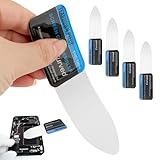
- 【Product Material】Disassembly Screen Opener Tools Constructed from durable stainless steel that resists bending and maintains shape during repeated use.
- 【Product Design】0.1mm ultra-thin pry tool, perfect for prying open and opening phones and computers; lightweight and portable; simple to use and highly practical.
- 【Product Uses】This ultra-thin pry tool is suitable for replacing batteries, touchscreens, LCD screens, back covers, spare parts, etc. Especially suitable for curved screen replacement.
- 【Product Dimensions】The ultra-thin pry tool is 0.1mm thick, with overall dimensions of 123 x 35mm / 4.84 x 1.38 inches.
- 【Product Features】The compact design makes it easy to store and carry, while maintaining professional-grade functionality. The smooth, polished edges will not scratch or damage your phone.
Use a page overlay instead of post-processing
If the timestamp should represent page state and can be included in the DOM, inject a fixed element before capture. This is convenient for debugging, but it intentionally changes the page and should usually be disabled for baseline screenshots.
const timestamp = new Date().toISOString();
await page.evaluate((value) => {
  const badge = document.createElement('div');
  badge.textContent = value;
  Object.assign(badge.style, {
    position: 'fixed', top: '8px', right: '8px', zIndex: '2147483647',
    padding: '6px 10px', background: 'rgba(0,0,0,.75)', color: 'white',
    font: '14px monospace'
  });
  document.body.appendChild(badge);
}, timestamp);
await page.screenshot({ path: 'screenshots/debug.png', fullPage: true });
For a full-page capture, a fixed element can appear according to browser rendering rules and may be repeated or positioned differently than an element in normal document flow. Post-processing gives more predictable control over the final pixels.
Timestamp Playwright Test artifacts
In Playwright Test, use the supplied testInfo object rather than hard-coding a project directory. testInfo.outputPath() returns a path inside the current test’s output directory, and testInfo.attach() can attach a Buffer or file to the report. The API is documented in TestInfo.
Free tools Windows power users keep installed
One-click scans. No signup required.
import { test } from '@playwright/test';

test('timestamped artifact', async ({ page }, testInfo) => {
  await page.goto('https://example.com');
  const timestamp = new Date().toISOString().replaceAll(':', '-');
  const file = testInfo.outputPath(`home-${timestamp}.png`);

  await page.screenshot({ path: file, fullPage: true });
  await testInfo.attach('home-screenshot', {
    path: file,
    contentType: 'image/png'
  });
});
If you do not need a separate file, attach the screenshot Buffer directly:
const buffer = await page.screenshot();
await testInfo.attach('home-screenshot', {
  body: buffer,
  contentType: 'image/png'
});
Use a timestamped attachment name only when the report needs multiple captures of the same logical step. Otherwise, stable names make reports and automated consumers easier to query.
Rank #3

- 0.1mm ultra thin opening card, excellent for prying and opening task.
- Non-slip silicone handle for comfortable grip and better control.
- Polished and smooth edge, will not damage or scratch your phone.
- A nice tool to open LCD screen, back cover housing and battery.
- Material: Stainless steel + Silicone; Size: 123 x 35 mm( L*W)
Locator screenshots and the API surface you are using
For one element, prefer locator.screenshot(). It captures the matching element and avoids the discouraged ElementHandle pattern. Read the Locator API and the ElementHandle API notes when migrating older code.
const timestamp = new Date().toISOString().replaceAll(':', '-');
await page.locator('[data-testid="invoice"]').screenshot({
  path: `screenshots/invoice-${timestamp}.png`
});
The same filename rules apply: the timestamp is in the path, not in the element’s pixels.
Do these 3 things before closing this tab:
1Fix the driver behind crashes, sound loss and screen glitches2Repair Windows errors before they cause bigger problems3Scan for outdated or missing drivers - takes under a minuteCLI and MCP default filenames are different
The Playwright CLI screenshot documentation and Playwright MCP screenshots documentation describe timestamped default filenames when their filename parameter is omitted. Those defaults belong to those tools. They are not evidence that page.screenshot() adds a timestamp. Supply an explicit filename whenever another process, CI job, or script depends on a predictable path. See Playwright Screenshots & PDF and Playwright MCP screenshots.
Common failures and fixes
The timestamp is not visible
Cause: it was added only to path. Fix: capture a Buffer and post-process it, or inject a temporary DOM badge.
Files are overwritten
Cause: the name has insufficient precision or parallel workers share one path. Fix: include milliseconds, a worker ID, or a unique run ID; create separate worker directories.
Rank #4
- Durable Material: Stainless steel material, hard and durable, can be used repeatedly; Ultra-thin design, easier to pry the screen; Light weight, easy to carry; Easy to use and practical. Very thin opening picks.
- 0.1mm Ultra-thin Design: Thin prying tool for opening electronic devices. The screen disassembler pry tool is essential to open any parts for tablet, or smartphone sealed with adhesive. Quick and convenient opens the phone.
- Comfortable Grip: Anti slip silicone handle, comfortable grip, better control. The sharp one can disassemble a small crack easily to guard the screen;Flat skid pallets facilitate shelling and maintain shell opening. A good tool for opening the LCD screen, back cover shell, and battery.
- Multi Functional & Professional: The 0.1mm ultra-thin opening card is very suitable for prying open tasks. The screen opener pry tool can open most mobile phone screens without damage to your phones. Can be used for prying, sliding, separating.
- Essential Tool: This tool was specially designed to give maximum leverage to prize apart most devices including mobile phones, which can pry open the screen without damaging the screen. It also can be used to open all types of screens/ tablets/ PC.
Screenshot fails with a missing directory error
Cause: Playwright does not create every parent directory in your chosen path. Fix: create the directory before capture, or use testInfo.outputPath() in Playwright Test.
JPEG or WebP output is unexpected
Cause: the extension determines the inferred type. Fix: check the extension and set screenshot options appropriate to that format.
Visual tests fail after adding an overlay
Cause: the timestamp changes pixels on every run. Fix: keep timestamped debug captures separate from stable comparison screenshots, or mask the overlay in the comparison workflow.
Parallel runs produce confusing chronology
Cause: local clocks or mixed time zones. Fix: use UTC ISO timestamps and include the run or worker identifier in the filename.
The page is still loading when captured
Cause: navigation completion is not the same as visual readiness. Fix: wait for a selector, an application-ready condition, or an appropriate load state before generating the timestamp and taking the shot. This keeps the timestamp close to the actual capture event.
Quick wins for a faster PC:
Scan for outdated or missing drivers - takes under a minuteDriver Scan →Clear out junk files and repair common Windows errorsFree Scan →Best Value

- PentalobeScrewdriver Set: p5 Pentalobe screwdriver,PH000 Phillips Screwdriver, Pentalobe T5 Pentalobe T6 Screwdrivers Repair Tool Kit for Apple MacBook Mac Retina Pro Air,T5 for Macbook air & pro repair, it can remove fan screws, including SSD or hard disk replacement. The improved T5 has curved corner tip, which are different from the previous straight corner tip, It will not damage the screws and is more durable
- SAFETY: for your personal equipments : fix by yourself with this professional-grade repair kits to protect privacy from strangers; you needn't to ask help from friends or wait for repairing technician or look for a repair center. This electronics repair tools kits can not only save your money and time but protects your personal privacy
- High-quality Handy MATERIAL: Magnetic durable stainless steel tip which is is stable and not easy to stripping and deforming; Plastic handle with rubberized grip; Anti-static ESD tweezers with strong corrosion resistance are used, the tip is not easy to strip and deform. You will found that it's so high performance after compared with ifixit tool kit
- MULTIFUNCTION: disassembly, pry opening, take apart macbook, phone, tablet, computer, pc to replace screen, battery or camera lens, clean the dirt inside with electronics tool set; Portable and fit in pocket/backpack – great for home, office, school, business trip, travel
- MULTIPURPOSE: repair kit set for different digital products, such as Mobile Phones (iPhone6/6s/7/7plus/iphone 8,xs, max, Samsung, LG, HUAWEI, Google, HTC), Computer, PC, laptop, desktop (HP, ASUS, Lenovo, Apple Macbook), Table, iPad, SLR cameras, Game Console (PS4, Xbox, Nintendo), game handle/joystick and other electronic devices. A Great GIFT for IT technician, technical engineer, hacker, electronics enthusiast, fixer, hobbyist, DIYer, student, housewife, ect
Or skip the browser setup
ScreenshotNeo is a website screenshot API and MCP server. It accepts a URL in one request and can return PNG, JPEG, WebP, or PDF. Cookie and consent banners, newsletter popups, and chat widgets are removed before capture; bot checks, blank pages, timeouts, failed loads, and cache hits are not billed, and response headers identify the page verdict and billing result. Its MCP server provides take_screenshot, get_page_info, and capture_pdf for Claude, Cursor, and other MCP clients.
To timestamp the downloaded file, put the current time in your local output filename:
curl -G "https://api.screenshotneo.com/v1/shot" -d access_key=YOUR_API_KEY --data-urlencode url=https://stripe.com -o "stripe-$(date -u +%Y%m%dT%H%M%SZ).webp"See the ScreenshotNeo documentation for authentication and options. The same request in Python is:
import requests
from datetime import datetime, timezone

r = requests.get(
    "https://api.screenshotneo.com/v1/shot",
    params={"access_key": "YOUR_API_KEY", "url": "https://stripe.com"},
    timeout=90,
)
r.raise_for_status()
name = datetime.now(timezone.utc).strftime("stripe-%Y%m%dT%H%M%SZ.webp")
open(name, "wb").write(r.content)
Node.js:
const q = new URLSearchParams({ access_key: 'YOUR_API_KEY', url: 'https://stripe.com' });
const res = await fetch(`https://api.screenshotneo.com/v1/shot?${q}`);
if (!res.ok) throw new Error(`${res.status} ${res.statusText}`);
const stamp = new Date().toISOString().replaceAll(':', '-');
const fs = await import('node:fs/promises');
await fs.writeFile(`stripe-${stamp}.webp`, Buffer.from(await res.arrayBuffer()));
ScreenshotNeo includes full-page and selector captures, device and viewport controls, retina scale, custom CSS and JavaScript, waits, request blocking, headers, cookies, user agents, timezone and geolocation, caching with a chosen TTL, signed links, asynchronous jobs, webhooks, bulk capture for up to 100 URLs per call, usage APIs, and an OpenAPI specification. Every feature is on every plan: 1,000 shots per month are free with no card; paid plans start at $5 for 3,000 shots. Create a free ScreenshotNeo account.
Practical decision checklist
- Use a timestamped filename when you need unique artifacts without changing image content.
- Use a Buffer and post-processing when viewers must read the time in the image.
- Use a DOM badge only for temporary debugging or demonstrations.
- Use stable names for visual-regression baselines.
- Use UTC, sufficient precision, and worker or run identifiers for parallel CI.
- Provide explicit names with CLI and MCP when downstream automation needs predictable paths.
Frequently Asked Questions
Does Playwright automatically timestamp Page API screenshots?
No. The Page API saves to the path you provide. Generate the timestamp yourself and include it in that path.
Can a timestamp be added without changing screenshot pixels?
Yes. Put it only in the filename. Visible timestamp text necessarily changes the image.
What is the recommended API for an element screenshot?
Use locator.screenshot(); Playwright discourages the older ElementHandle screenshot pattern.
Quick Recap
Product prices and availability are accurate as of the date/time indicated and are subject to change. Any price and availability information displayed on Amazon at the time of purchase will apply.

