
What’s actually slowing this PC down?
Pick the symptom - the matching free tool is one click away.
iTechGuides is reader-supported. When you buy through links on our site, we may earn an affiliate commission. As an Amazon Associate I earn from qualifying purchases. Learn more
AI document processing is already delivering measurable results in production, not just demonstrations. The strongest deployments combine OCR or multimodal extraction with document classification, field validation, workflow routing, human review and system integration. Across nine published implementations, organizations processed invoices, claims, medical records and public-service files at scale, reporting outcomes that range from faster retrieval and fewer manual hours to higher extraction accuracy and more touchless processing.
The figures are case-study results reported by vendors or implementation partners, so they are useful benchmarks rather than universal promises. Document mix, baseline quality, geography, review rules and the definition of “accuracy” or “automation” all affect the result you can expect.
What does AI document processing do in a production system?
Production document AI turns unstructured files into verified, routable data. A typical pipeline accepts email attachments, PDFs, scans, images or portal uploads; identifies the document type; extracts fields, tables and entities; validates them against business rules; sends uncertain items to a reviewer; and writes approved data to an enterprise system.
That is materially different from OCR alone. OCR converts pixels into text, but it does not inherently know whether a number is an invoice total, a policy identifier or a handwritten correction. The deployments below use combinations of OCR, machine-learning or multimodal extraction, natural-language processing, rules, confidence thresholds, queue management and audit trails.
Popular on Amazon

- PORTABLE SCANNER FOR USE ON-THE-GO — The fastest and lightest mobile single-sheet-fed compact document scanner in its class¹
- QUICK DOCUMENT SCANNING ― This Epson ultra-fast scanner scans a single page as quickly as 5.5 seconds²; Windows and Mac compatible
- VERSATILE PAPER HANDLING ― Portable scanner scans documents up to 8.5 x 72 in; Also easily digitizes receipts and ID cards to make accounting, bookkeeping, and organizing simpler
- INTUITIVE, HIGH-SPEED SOFTWARE — Epson ScanSmart Software³ is a smart tool allowing you to easily scan, review, and save; Stay organized easily with the help of this Epson scanner
- EASY SETUP — USB-powered connect to your computer for quick and simple scanning; No batteries or external power supply required to operate portable document scanner; Standard Connectivity: USB 2.0
- Ingestion: Email, digital PDFs, scanned PDFs, images and portal submissions enter a controlled queue.
- Classification: The service determines whether a file is an invoice, claim, provider record, form or another supported type.
- Extraction: Key-value pairs, line items, tables, stamps, handwriting and other entities are identified.
- Validation: Values are checked against accounting, clinical, policy or regulatory rules.
- Exception handling: Low-confidence fields and rule failures go to people instead of being silently posted.
- Integration: Approved data is routed, archived, indexed or written to ERP, claims, case-management and analytics systems.
Which nine real deployments show what document AI can achieve?
The table separates the document problem, the reported production evidence and the controls described by each organization. Percentages are not interchangeable: a straight-through rate measures untouched documents, while extraction accuracy measures fields or values that were read correctly.
| Organization and use case | Document and AI work | Production evidence | Reported outcome | Human review, integration or governance |
|---|---|---|---|---|
| Volvo Group — invoices and claims | Emails, digital and scanned PDFs, images, stamps, tables, handwritten overlays and multilingual translation; extraction, routing and archiving | Six-week pilot followed by four months to production | More than 10,000 manual hours saved (Microsoft Customer Stories, 2023) | Microsoft tools including Outlook, Power Automate, Azure Data Factory, SharePoint and Power BI |
| Canon USA — vendor invoices | Machine-learning extraction replaced rigid regular-expression rules; exceptions were handled in workflow | About 40,000 invoices processed in less than nine months, or roughly 4,500 per month | 90% straight-through processing and 6,000 hours saved annually (UiPath case study; publication date not stated) | Exception handling kept nonconforming invoices out of automatic posting |
| US aging-care services company — accounts payable | Agentic extraction and validation for provider invoices | Legacy accuracy was approximately 30–40% | Accuracy above 95%; turnaround under three minutes; provider response time reduced from 48 hours to about 15 minutes (Genpact, undated case study) | Validation and workflow orchestration around accounts-payable operations |
| Global food-and-beverage company — accounts payable | Extraction and validation replacing legacy OCR | Legacy OCR accuracy around 65–67% and 48% touchless processing | Post-go-live extraction around 100%, productivity up about 50%, with a path toward 80% touchless processing (Genpact, vendor-reported case study) | Touchless processing was treated as a target path, not the same metric as extraction accuracy |
| Symbeo, a CorVel company — high-volume automation | Amazon Textract identifies and extracts data from forms and tables | More than 16 million pages processed | Processing time reduced from three minutes to just under one minute; 68% automation (AWS customer page, publication date not stated) | Designed for high-throughput document operations |
| Elevance Health — provider and claims documents | OCR and machine learning extract, index and classify files submitted through a provider portal | Claims documents become available to stakeholders after automated processing | No accuracy or time figure stated in the published account | Portal intake, automatic indexing and classification support downstream access |
| Guardoc — skilled-nursing medical documentation | Amazon Nova models identify documentation problems affecting resident records and reimbursement | Quarterly deployment across two facilities and 200 patients; broader study across seven facilities and 1,618 residents | 847 documentation corrections and 86 PDPM-impact issues in the quarterly deployment; associated 74% reduction in hospital transfers per 100 admissions; broader study identified 10,612 issues (AWS Machine Learning Blog, 2026 case-study page) | Clinical staff remained responsible for correcting and acting on identified issues |
| Government of France / ThinkDeep DeepBrain — public-service retrieval | Search and retrieval across PDFs and scanned images for the Ministries of Economy and Finance and Defense | Millions of files processed; a typical deployment served 100 users, with a scaled deployment for 10,000 Ministry of Finance employees | Retrieval improved from two days to two minutes; 1,000 hours saved per month in the 100-user deployment; €2 million saved at the larger deployment (NVIDIA customer story, publication date not stated) | Enterprise-scale search and access controls were part of the deployment model |
| Government services across 12 agencies — YASHICOM pipeline | OCR, NLP key-information extraction, rule validation and human review | Implementation completed within six months | Processing 73% faster and 99.2% accuracy (YASHICOM case study, publication date not stated) | Role-based access and audit logging; explicit human-in-the-loop controls |
What do the invoice deployments reveal about automation?
Invoice processing is a strong starting point because the document family is repetitive, the business rules are explicit and the volume is high enough to expose edge cases. The four invoice examples also show why “AI accuracy” must be separated from end-to-end automation.
Volvo Group: broad document variety requires orchestration
Volvo’s workflow was not limited to clean, standardized invoices. It accepted email content, digital and scanned PDFs, images, stamps, tables, handwritten overlays and multilingual material. Microsoft’s account describes extraction tied to routing and archiving through Outlook, Power Automate, Azure Data Factory, SharePoint and Power BI. The lesson is architectural: ingestion, translation, extraction and records management must be designed together when inputs vary.
The Tool Desk
Outbyte PC Repair FREEClear out junk files and repair common Windows errorsFree Scan →Outbyte Driver Updater FREEFix the driver behind crashes, sound loss and screen glitchesFind Drivers →“We chose Microsoft Azure AI primarily because of the advanced capabilities offered, especially with AI Document Intelligence.” — Malladi Kumara Datta, RPA Product Owner, Volvo Group.
Canon USA: straight-through processing is a workflow result
Canon replaced brittle regular-expression rules with machine-learning extraction and an exception path. That change matters because invoices differ in layout, supplier terminology and optional fields; a model can generalize better, but only when the workflow stops uncertain values from being posted automatically.
Also popular on Amazon

- FAST SPEEDS - Scans color and black and white documents a blazing speed up to 16ppm (1). Color scanning won’t slow you down as the color scan speed is the same as the black and white scan speed.
- ULTRA COMPACT – At less than 1 foot in length and only about 1. 5lbs in weight you can fit this device virtually anywhere (a bag, a purse, even a pocket).
- READY WHENEVER YOU ARE – The DS-640 mobile scanner is powered via an included micro USB 3. 0 cable allowing you to use it even where there is no outlet available. Plug it into you PC or laptop and you are ready to scan.
- WORKS YOUR WAY – Use the Brother free iPrint&Scan desktop app for scanning to multiple “Scan-to” destinations like PC, Network, cloud services, Email and OCR. (2) Supports Windows, Mac and Linux and TWAIN/WIA for PC/ICA for Mac/SANE drivers. (3)
- OPTIMIZE IMAGES AND TEXT – Automatic color detection/adjustment, image rotation (PC only), bleed through prevention/background removal, text enhancement, color drop to enhance scans. Software suite includes document management and OCR software. (4)
“In less than nine months after deploying the UiPath solution, we processed about 40,000 invoices, or about 4,500 monthly.” — Thomas Earvolino, Director of Financial Systems, Canon USA.
Genpact accounts payable cases: validation closes the gap between reading and posting
The aging-care example pairs agentic extraction with validation, linking invoice fields to operational checks before a result is accepted. The food-and-beverage example likewise shows that a high extraction score and a touchless rate answer different questions: a system may read fields correctly while still requiring review for duplicate invoices, missing purchase orders, tax exceptions or policy violations.
How are claims, provider records and medical documents handled?
Healthcare and claims workflows add classification, indexing and clinical or reimbursement context. The cost of a wrong field can be higher than the cost of a delayed invoice, so production designs generally retain a reviewer for low-confidence or high-impact cases.
Symbeo: throughput is a separate engineering objective
Symbeo’s implementation demonstrates the value of form and table understanding at very high volume. Its stated use of Amazon Textract goes beyond character recognition to identify the structure of forms and tables, which lets downstream systems consume fields rather than a block of text.
“It goes beyond simple optical character recognition (OCR) to identify, understand, and extract data from forms and tables.” — Vijay Agrawal, Vice President, Information Systems, Symbeo.
Also popular on Amazon
Sale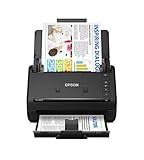 Epson Workforce ES-400 II High-Speed Color Duplex Desktop Document Scanner | For Computers including PC and Mac with Auto Document Feeder and Image Adjustment Tools
- FAST DOCUMENT SCANNING — Document scanner with feeder allows you to speed through stacks with a 50-sheet Auto Document Feeder (ADF); Efficient office scanner to help you scan more productively
- INTUITIVE, HIGH-SPEED SOFTWARE — Quickly scan with this desktop document scanner; Epson ScanSmart Software lets you easily preview scans, email files, upload to the cloud, and more; Plus, automatic file naming saves even more time
- SEAMLESS INTEGRATION — Easily incorporate your data into most document management software with the included TWAIN driver; Office document scanner integrates seamlessly with business workflows
- EASY SHARING — Duplex scanner allows you to scan straight to email or popular cloud storage2 services like Dropbox, Evernote, Google Drive, and OneDrive for simple storage and sharing
- SIMPLE FILE MANAGEMENT — Scanner allows the creation of searchable PDFs with Optical Character Recognition (OCR) and convert scans to editable Word or Excel files effortlessly; Designed for home and office document scanning
Elevance Health: classification and indexing make extracted data usable
For provider and claims documents submitted through a portal, Elevance Health’s workflow extracts data, assigns document categories and indexes files so stakeholders can find processed claims. No accuracy percentage is stated, which is a useful reminder not to infer performance from the presence of an AI component alone.
Guardoc: document AI can surface clinical and reimbursement risk
Guardoc’s deployment used Amazon Nova models to identify documentation corrections and issues affecting the Patient-Driven Payment Model (PDPM) in skilled nursing. Staff still had to review records and make corrections; the model functioned as a detection and prioritization layer rather than an autonomous clinical decision-maker. The associated change in hospital transfers is reported in the AWS case study, but it should not be treated as a universal causal effect without the same patient mix, time period and care processes.
Can public-sector systems search millions of scanned pages?
Yes, when extraction is paired with indexing, permissions and a retrieval interface. Public-sector examples show that the value may come less from automatic form completion and more from making previously slow-to-search archives available to authorized staff.
French ministries: retrieval time is the key measure
The Government of France and ThinkDeep DeepBrain processed PDFs and scanned images for the Ministries of Economy and Finance and Defense. Their reported improvement—from a two-day search process to a two-minute result—illustrates why layout-aware extraction and search indexing matter even when no transaction is automatically approved.
YASHICOM: human review and auditability belong in the design
The YASHICOM pipeline combines OCR, NLP key-information extraction, rule validation and human review across 12 government agencies. Role-based access limits who can view or alter records, while audit logs preserve an evidence trail. Those controls are not optional add-ons when documents contain personal information or decisions must be defensible.
Also popular on Amazon

- Scanner type: Document
- Connectivity technology: USB
- With Auto Scan Mode, the scanner automatically detects what you're scanning
- Digitize documents and images
How accurate is intelligent document processing in production?
There is no single production-accuracy number. The reported cases use different denominators and baselines: field-level extraction, document-level accuracy, straight-through processing, automation rate, processing speed and issue detection are distinct measures.
- Extraction accuracy: The share of fields or values read correctly. It does not show whether the document was posted without review.
- Straight-through processing: The share of documents completed without human touch. A document can be extracted accurately but still require approval.
- Automation rate: A broader operational measure that may include classification, routing or other automated actions.
- Issue detection: The number of corrections or risks surfaced for people to resolve, as in the medical-documentation deployment.
- Speed: Elapsed processing or retrieval time. Faster handling is valuable even when every case is not fully autonomous.
Before comparing a vendor claim with your own pilot, record the document population, language, scan quality, field definitions, confidence threshold, review policy, date range and baseline process. Ask whether the percentage is calculated per field, per page or per document, and whether rejected or manually corrected items are included.
What does it take to move from a pilot to production?
A reliable implementation treats document AI as a controlled business process, not a model experiment. Use this sequence to expose risk early and create a measurable handoff to operations.
- Select a bounded document family. Choose a high-volume, repeatable process such as vendor invoices, claims or a defined government form. Exclude documents whose business meaning is not yet clear.
- Build a representative corpus. Include clean digital files, poor scans, multiple layouts, handwriting, stamps, missing fields, foreign-language pages and known exception types.
- Define the schema and rules. Specify every required field, acceptable formats, cross-field checks, duplicate logic and the conditions that force human review.
- Measure a baseline. Capture current handling time, queue age, error corrections, review rate, retrieval time and cost. Without a baseline, a percentage improvement is difficult to interpret.
- Configure confidence and exception queues. Set field-level thresholds and route low-confidence or rule-failing documents to trained reviewers. Record the reviewer’s correction for later analysis.
- Integrate the surrounding systems. Connect intake channels, workflow orchestration, storage, ERP or claims platforms, search indexes and analytics. Volvo’s use of multiple Microsoft services illustrates the depth often required.
- Add security and audit controls. Apply role-based access, encryption and retention rules; log model output, human changes, approvals and downstream writes. YASHICOM explicitly describes role-based access and audit logging.
- Run a controlled production release. Start with a monitored cohort, compare results with the baseline and expand only when error, review and latency targets remain acceptable.
What are the most common failure modes?
- Optimizing OCR instead of the workflow: Better text recognition does not fix missing validation, duplicate detection or routing.
- Training on easy documents: A clean sample hides the scans, handwriting and supplier variations that drive review volume.
- Confusing confidence with correctness: A model can be highly confident in a wrong value; business rules and sampling are still necessary.
- Automating high-impact decisions too early: Claims, clinical records and regulated forms need escalation paths and accountable reviewers.
- Ignoring integration effort: A model that works in a sandbox may fail operationally if it cannot write to the system of record, preserve the original file or expose a usable queue.
- Publishing incomparable percentages: “99% accurate” is meaningless without the unit of measurement, test population and treatment of exceptions.
- Underestimating change management: Reviewers need clear reason codes, correction tools and training; otherwise they create workarounds that undermine the audit trail.
How should a team choose its first document-AI use case?
Prioritize processes where volume, repetition and measurable delay are high, while the consequences of a temporary manual fallback are manageable. Invoices, standardized claims attachments, provider forms and archive retrieval often meet those conditions.
Do these 3 things before closing this tab:
1Clear out junk files and repair common Windows errors2Scan for outdated or missing drivers - takes under a minute3Repair Windows errors before they cause bigger problemsDefer a fully autonomous design when documents are rare, policy changes weekly, handwriting dominates or an error could directly determine care, payment or legal status. In those cases, use AI to classify, prefill and prioritize work while keeping a person responsible for the decision.
Also popular on Amazon

- OUR MOST ADVANCED SCANSNAP. Large touchscreen, fast 45ppm double-sided scanning, 100-sheet document feeder, Wi-Fi and USB connectivity, automatic optimizations, and support for cloud services. Upgraded replacement for the discontinued iX1600
- CUSTOMIZABLE. SHARABLE. Select personalized profiles from the touchscreen. Send to PC, Mac, mobile devices, and clouds. QUICK MENU lets you quickly scan-drag-drop to your favorite computer apps
- STABLE WIRELESS OR USB CONNECTION. Built-in Wi-Fi 6 for the fastest and most secure scanning. Connect to smart devices or cloud services without a computer. USB-C connection also available
- PHOTO AND DOCUMENT ORGANIZATION MADE EFFORTLESS. Easily manage, edit, and use scanned data from documents, receipts, photos, and business cards. Automatically optimize, name, and sort files
- AVOIDS PAPER JAMS AND DAMAGE. Features a brake roller system to feed paper smoothly, a multi-feed sensor that detects pages stuck together, and skew detection to prevent paper damage and data loss
Finally, write the success criteria before selecting a platform or implementation partner. Include extraction quality by field, straight-through or review rate, end-to-end cycle time, exception backlog, integration latency, security controls and the cost of correcting errors. The nine deployments show that durable value comes from the complete operating model, not from a recognition engine in isolation.
What should procurement teams ask vendors and implementers?
- Which document types, languages, tables, stamps and handwriting are supported, and how were they tested?
- Can confidence thresholds be set per field and routed to different reviewer queues?
- How are model versions, prompts or extraction rules changed and rolled back?
- What logs show the original file, extracted value, validation result, human edit and final system-of-record write?
- Where is data processed and stored, and how are retention, deletion and access permissions enforced?
- How does the platform expose accuracy, review rate, latency and exception metrics over time?
- What happens when a new supplier layout or form version appears?
What is the practical verdict on AI document processing?
Real deployments show that document AI can save labor, accelerate retrieval and improve operational accuracy when it is embedded in a broader pipeline. The most credible designs combine multimodal extraction or OCR with classification, validation, integration, human review and governance. Treat published case-study metrics as directional benchmarks, reproduce them against your own document mix and keep an accountable person in the loop wherever an error carries financial, clinical or legal consequences.
Frequently Asked Questions
What is the difference between OCR and intelligent document processing?
OCR turns an image into machine-readable characters. Intelligent document processing adds classification, field and table extraction, validation, workflow routing, confidence-based review and connections to business systems, so the result can be acted on rather than merely searched.
Quick wins for a faster PC:
Fix the driver behind crashes, sound loss and screen glitchesFind Drivers →Clear out junk files and repair common Windows errorsFree Scan →Scan for outdated or missing drivers - takes under a minuteDriver Scan →Can one document-AI model handle every form and invoice?
Usually not with equal reliability. Production systems commonly use document classification and model or rule routing so each layout, language or business process receives the most appropriate extraction logic, with a fallback queue for unfamiliar files.
How should a pilot measure success beyond accuracy?
Track end-to-end cycle time, percentage of documents needing review, correction rate after posting, queue age, integration failures and the cost of exceptions. Pair every metric with its denominator and document population so results remain comparable as volume changes.
Does human review make document AI pointless?
No. Reviewers concentrate on ambiguous or high-impact cases while the system handles predictable work, and their corrections provide feedback for improving rules and models. In regulated workflows, review is also an accountability and audit mechanism.
Quick Recap
Product prices and availability are accurate as of the date/time indicated and are subject to change. Any price and availability information displayed on Amazon at the time of purchase will apply.
Recommended Free Tools

