
iTechGuides is reader-supported. When you buy through links on our site, we may earn an affiliate commission. As an Amazon Associate I earn from qualifying purchases. Learn more
Solos AirGo V2 is not a self-contained voice computer. It is a connected system: microphones, touch controls, speakers, a camera and notification LED sit in the glasses, while the AirGo app on a paired Android or iOS phone manages permissions, connectivity and phone notifications. Solos documents Bluetooth Low Energy (BLE) for control and Wi-Fi for V2 data, and says its AI applications run on independent Solos servers. That makes the phone and an internet connection central to many features, although Solos has not published the exact boundary between on-glasses wake-word detection, phone speech handling and cloud inference.
The processing chain, from spoken phrase to answer
A useful way to understand AirGo V2 is as a five-part pipeline. The exact implementation of every stage is not publicly specified, so this is a model based on Solos’ documented interfaces rather than a claim that all speech recognition happens in the cloud.
- Activation: You say the documented wake phrase, “Hey Solos,” or use a supported touch gesture. The glasses provide the microphones and user controls that start the interaction.
- Connection and permissions: The glasses communicate with the paired phone and AirGo app. BLE is documented for control, while Wi-Fi carries V2 data. The app supplies the operating-system permissions needed for audio, notifications, calendar access or other phone-mediated functions.
- Input assembly: A request can contain voice, text, a still image or video. Solos describes SolosChat as a multimodal service that combines image, video, audio and text, so a question about something in view can use the camera as well as speech.
- AI service: SolosChat sends the request to the model selected in the AirGo ecosystem. Solos says it operates independent servers for AI applications and lists selectable models including
gpt-4o-mini,claude-3-haikuandgemini-2.0-flash. - Output: The response or action returns through the connected system. Spoken answers and automatic notification readouts play through the glasses’ audio hardware; status can also be indicated by the V2 notification LED.
This explains why AirGo V2 can feel like an assistant in the frame while still depending on a phone, wireless links and, for AI services, network access. Solos’ public material does not state whether a particular speech-to-text model, wake-word detector or language model runs locally on the glasses, on the phone or on a server.
PC Slower Than It Used to Be?
A free scan shows the junk files, broken settings and background clutter dragging Windows down - then fixes them in one click.Free scan · Windows 10 & 11Outdated Drivers Are Slowing You Down
One free scan finds every outdated or missing driver and matches the right update for your exact hardware.Free scan · exact hardware matchWhich voice commands AirGo V2 supports
Hands-free “Hey Solos” commands
The official AirGo app release notes describe hands-free “Hey Solos” voice commands. The FAQ gives concrete media and volume examples: “Volume Up,” “Volume Down,” “Play Music,” “Pause Music,” “Next Song” and “Previous Song.” These are command-and-control requests, not evidence that every conversational operation is processed locally.
#1 Best Overall

- 【AI Real-Time Translation & ChatGPT Assistant】AI glasses break language barriers instantly with AI real-time translation. The built-in ChatGPT voice assistant helps you communicate, learn, and handle travel or business conversations smoothly—ideal for conferences, overseas trips, and daily use.
- 【4K Ultra HD】 Smart glasses feature 4K resolution for clear, detailed visuals, making them suitable for travel, outdoor activities, everyday moments, and daily use.
- 【Bluetooth Music & Hands-Free Calls 】Smart glasses provide Bluetooth music and crystal-clear hands-free calls with an open-ear design. Stay aware of your surroundings while listening—comfortable for long wear and safer for commuting, cycling, and outdoor use.
- 【IP65 Waterproof & Long Battery Life】 AI glasses are designed for daily wear with IP65 waterproof protection against sweat, rain, and dust. The built-in 290mAh battery provides reliable performance for workdays and travel—no anxiety when you’re on the go.
- 【Smart App Control & Object Recognition】Smart glasses connect to the companion app for easy setup, file management, and feature control. They support AI object recognition to help identify items and improve your daily efficiency—perfect for travel exploration and a smart lifestyle.
To use them, pair the glasses in the AirGo app, complete the app’s permission prompts and keep the wireless connection available. Speak the wake phrase followed by the command in a normal voice. If a command fails, first check that the glasses show as connected in AirGo, the phone has not disabled the app’s microphone or Bluetooth access, and any audio app is playing through the expected output.
Activating the phone’s assistant by touch
After the glasses are connected to a phone, the FAQ says that double-tapping the front-frame corner can activate a phone voice assistant such as Siri. This is a different path from “Hey Solos”: the gesture hands the interaction to the phone assistant rather than selecting a SolosChat model. The available assistant and its capabilities therefore depend on the phone’s operating system, account and settings.
Conversational and visual questions
Solos’ launch announcement describes SolosChat 3.0 as a multimodal AI platform. Its examples include identifying an object, translating a sign and answering questions using multiple AI models. In a visual request, the camera captures the relevant image or video, the spoken or typed question supplies context, and the resulting answer is delivered as audio or another app response. The announcement establishes the multimodal capability, but it does not publish a per-request diagram showing which component performs capture, transcription, recognition or generation.
Where the AI runs—and what Solos has not specified
Solos states that it operates independent servers for AI applications “to ensure the best service for each account.” That is a clear indication that Solos-hosted infrastructure is part of the AI offering. It does not, by itself, prove that every stage of every command leaves the glasses. A product can perform a small amount of local wake-word or control processing and still use a phone and server for conversational inference.
Rank #2

- #1 SELLING AI GLASSES* – Tap into iconic style and advanced technology with Ray-Ban Meta, the #1 selling AI glasses*. Capture photos and videos, listen to music, make hands-free calls or ask Meta AI questions on the go. *Based on IDC historical sales data up to Q3’25, released December 2025.
- META AI – Get more done and stay connected without reaching for your phone with AI glasses powered by Meta AI. Capture video recordings, translate languages while traveling and manage nutrition, wellness and everyday tasks hands-free.
- OPEN-EAR AUDIO – Listen to music and more with discreet open-ear speakers that deliver rich, quality audio and Bluetooth connectivity without blocking out conversations or the ambient noises around you.
- BATTERY LIFE – On a full charge, AI glasses can last up to 8 hours with moderate use for everyday activities like listening to audio, video recording and using Meta AI. Plus, the charging case provides an additional 48 hours of charging on the go.
- LENS OPTIONS – Choose from a wide range of lenses for men and women designed to match your style with options ranging from fully tinted sunglasses, fully clear, blue light or Transitions lenses. Experience ultimate adaptability with Transitions lenses on Ray-Ban Meta. Enjoy continuous visual performance in changing light environments, with lenses that darken with sunlight and fade to clear indoors, you'll be ready for whatever your day brings.
The reviewed official documentation does not publish:
- a complete speech-recognition or automatic-speech-recognition architecture;
- the exact division of work among the glasses, AirGo phone app and Solos servers;
- an independent command-latency or transcription-accuracy benchmark;
- a complete speech, image or notification data-retention schedule.
Consequently, claims that AirGo V2 is either “fully offline” or “entirely cloud-based” go beyond the available documentation. Treat the product as a connected service unless Solos provides a more specific architecture for the feature you intend to use.
How WhatsApp and other message notifications are read aloud
Whisper Messages is phone-mediated
Whisper Messages is not a cellular messaging radio inside the frame. The official FAQ describes a phone-mediated workflow: you select supported instant-messaging apps such as WhatsApp, configure those apps and accounts on the phone, grant the requested permissions and leave AirGo running in the background. When a selected message arrives, “Solos Smartglasses will read the message automatically.”
Quick wins for a faster PC:
Fix the driver behind crashes, sound loss and screen glitchesFind Drivers →Clear out junk files and repair common Windows errorsFree Scan →Setup sequence
- Pair the glasses: Connect AirGo V2 to the AirGo app and complete Bluetooth pairing.
- Choose apps: In the Whisper Messages settings, select the instant-messaging applications you want monitored, such as WhatsApp. Make sure each app is signed in and able to display notifications on the phone.
- Approve Bluetooth access: Accept the operating-system Bluetooth-pairing permission so the app can communicate with the glasses.
- Approve notification access: On an iPhone, allow AirGo to receive notifications when iOS prompts you. On either platform, grant any notification permission the app requests.
- Keep AirGo active: Leave the AirGo app running in the background. Force-quitting it or allowing the operating system to suspend it can prevent forwarding.
- Test with a new message: Send a test message to the selected account. The phone receives it first, AirGo forwards the notification through the connected glasses, and the glasses speak the content.
The message therefore originates in the phone’s notification stream. AirGo does not create a second WhatsApp inbox; it relays notifications that the phone is permitted to expose.
Rank #3
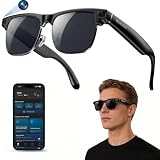
- 【Upgraded & Lightweight Design】The upgraded Blackview AI Smart Sunglasses feature a lightweight design with robust stainless steel hinges and an ergonomic frame, ensuring all-day comfort without pressure on the nose or ears. High-quality metal hinges replace fragile plastic connectors, and after rigorous hinge lifespan testing, the stainless steel hinges can withstand 3-4 times more hinge cycles than plastic hinges, approximately 80,000-100,000 cycles. The high-strength stainless steel hinges provide a smoother opening and closing experience, a longer lifespan, and a comfortable fit suitable for both men and women.
- 【4K HD Photo & Video Recording】The AI smart glasses feature a built-in 800P high-definition camera, capturing lifelike 4K images from a first-person perspective. It supports 1200P video recording and an AI-powered image stabilization algorithm that automatically optimizes image quality, easily recording every moment. The glasses can store up to 6000 photos. They also feature built-in image privacy protection. By connecting to the "Hey Cyan" mobile app, images and videos can be transferred to your phone in real-time via Wi-Fi. After the transfer is complete, photos and videos are automatically deleted from the glasses, ensuring image security for anyone else using the glasses.
- 【ChatGPT & Object Recognition】The Blackview smart glasses have built-in ChatGPT 4.5 AI and support voice wake-up (command "Hey Cyan") or one-click activation by short-pressing the top button on the temple.Voice conversations enable tasks like copywriting and information retrieval, quickly addressing various issues. Built-in AI object recognition accurately identifies dishes, landmarks, plants, and various objects, providing real-time AI analysis and voice commentary—a portable smart encyclopedia.
- 【AI Real-time Translation】These AI smart glasses utilize AI real-time translation, supporting simultaneous interpretation and real-time speech recognition transcription for 139 languages across various scenarios. Through AI logic, they quickly organize meeting content and automatically extract key information, overcoming language barriers. Ideal for meetings, overseas travel, and everyday use, they make your travels, global communication, and business interactions smoother and more seamless.
- 【Bluetooth Calling & ENC Noise Cancellation】The smart glasses feature an open design, supporting Bluetooth music playback and clear hands-free calls. While listening to music, you can also be aware of your surroundings. Enjoy 360° surround sound and up to 6 hours of continuous music playback on a single charge. Equipped with upgraded ENC intelligent noise reduction dual microphones to filter out ambient noise, Bluetooth 6.0 provides a stable, low-latency connection, ensuring clear and uninterrupted hands-free calls. Note: There may be a slight external speaker effect during calls.
How calendar reminders are announced
Whisper Events
Whisper Events follows the same phone-first design for calendars. Enable the feature, grant notification permission and Calendar Access, and keep AirGo connected in the background. The FAQ says that when the phone is not in silent mode and a Google Calendar event is about to start, the glasses read the event title automatically.
- Enable Whisper Events in AirGo.
- Allow the app to receive phone notifications.
- Grant Calendar Access when requested.
- Confirm that the relevant Google Calendar account and event are visible on the phone.
- Keep the phone out of silent mode and AirGo running in the background.
- Create or wait for a near-term test event; the event title should be spoken through the glasses shortly before it starts.
The documented trigger is an approaching Google Calendar event, not an arbitrary calendar database scan. If a reminder never speaks, verify the calendar account, event notification settings and the phone’s silent-mode state before changing the glasses.
Spoken alerts versus the LED
AirGo V2 has a notification LED, but a lit LED is not the same feature as a spoken message or event. The LED can provide a visual status cue, while Whisper Messages and Whisper Events use audio output to read content. Solos’ SDK lists an LED Notification API as “COMING SOON,” so that API status should be treated as time-specific and should not be confused with the hardware specification that says a notification LED is available.
Recommended Free Tools
Wireless links, phone requirements and internet dependence
| Function | Documented link or requirement | Practical consequence |
|---|---|---|
| Glasses control and pairing | Bluetooth 5.2 BLE | The phone must remain paired and within usable Bluetooth range for controls and notification delivery. |
| V2 data such as camera media and higher-bandwidth features | Wi-Fi; the SDK describes Wi-Fi for V2 data and the app listing mentions V2 Wi-Fi/hotspot transfer | Wi-Fi or a phone hotspot may be needed for transfers and some V2 functions; BLE alone is not the documented data path. |
| AI answers | SolosChat service and Solos-operated AI servers | Expect network dependence for conversational or multimodal requests unless Solos explicitly documents an offline mode. |
| Message readout | Phone notifications forwarded by AirGo | The messaging app, account, notification permission and AirGo background operation all matter. |
| Calendar readout | Phone notifications plus Calendar Access | Google Calendar visibility, permission and non-silent phone state are required by the documented workflow. |
AirGo V2 supports Android and iOS according to Solos’ current specification page. No particular phone model is required by the published material, but an up-to-date compatible phone, Bluetooth, Wi-Fi or hotspot capability and the ability to run AirGo in the background are practical prerequisites.
Rank #4

- 【8MP Camera & Pro-Grade Stabilization】 Capture your world in breathtaking detail with the high-performance 8MP camera, generating ultra-smooth 1200P/30fps high-definition video and stunning 4K ultra-clear photos. As high-performance smart glasses with camera, they are equipped with a professional 6-axis G-sensor and advanced EIS stabilization algorithms to eliminate shakes. These are the ultimate camera glasses and recording glasses for hands-free vlogging and adventure recording during high-action activities like cycling or mountain biking. (Note: built-in inner frame for custom optical lenses only; lenses not included; no built-in HUD display)
- 【AI Object Recognition & ChatGPT Voice Intelligence】 Experience the future of hands-free assistance with integrated ChatGPT AI and smart image recognition. Simply say "Hello, Echo" to wake up your AI smart glasses for real-time AI conversations or to identify objects and road signs in front of you. Whether you're brainstorming on the go or navigating unfamiliar streets, these AI sunglasses with camera provide intelligent visual support without you ever touching your phone.
- 【Translation, Fast WiFi Sync & One-Click AI Editing】 Break language barriers with built-in AI translation for global travel. Forget slow Bluetooth transfers; high-speed WiFi synchronization lets you sync a 1-minute video to your phone in just 20–30 seconds. Instantly create ready-to-share content using the app's One-Click Video feature, or use ComicDay to transform photos into stunning comic art. As the ultimate camera sunglasses for men, they ensure your adventures are captured, edited, and shared with zero hassle—with built-in storage and no extra SD card required.
- 【ENC Noise Canceling & Smart OTA Evolution】 Experience crystal-clear communication with a dual-silicon microphone array and ENC (Environmental Noise Cancellation) technology that filters out wind and background noise even at high speeds. Stay at the cutting edge with continuous OTA updates via our dedicated app, bringing new AI features and system enhancements to your Bluetooth glasses. Effortlessly manage calls and media through the intuitive touch slide area on the right temple, ensuring a truly seamless user experience.
- 【Rugged IP64 Design, All-Day Comfort & Smart Connectivity】 Built for the elements, these smart sunglasses with camera feature a lightweight 49.3g PC frame with an IP54 weatherproof rating and adjustable temple ends for a secure, custom fit. The 260mAh battery supports 3C fast charging, reaching full power in just 50 minutes via magnetic charging. With stable Bluetooth connectivity, you can enjoy up to 5 hours of continuous music, hands-free calls, and real-time navigation prompts—keeping you connected while staying focused on your surroundings.
Hardware facts that affect voice and notification use
| Specification | Solos-published figure | Qualification |
|---|---|---|
| Still photography | 16 MP | Current Solos product specification, checked in 2026. |
| Video | 2K FHD recording | Current Solos product specification, checked in 2026. |
| Wireless control | Bluetooth 5.2 BLE | Current Solos product specification, checked in 2026. |
| Notification indicator | LED available | Hardware specification; separate from spoken readouts. |
| Battery estimate | Approximately 16 hours | Solos’ estimate for photo shooting and AI enquiries, not an independent voice-command or notification endurance test. |
The SDK says AirGo V2 adds video, Wi-Fi, voice-activation detection and notification capabilities compared with earlier camera glasses. The app listing also mentions faster Bluetooth reconnection and continuing fixes for SolosChat responsiveness, Wi-Fi, firmware and media synchronization. Those are software-release claims and can change as later app and firmware versions arrive.
What to check when a command or notification fails
“Hey Solos” does nothing
- Check that AirGo shows the glasses as connected, not merely remembered.
- Verify microphone, Bluetooth and nearby-device permissions in the phone’s system settings.
- Move the phone closer and ensure Bluetooth is enabled.
- Try a documented command such as “Volume Up” rather than an unsupported conversational phrase.
- Restart the AirGo app and, if necessary, power-cycle the glasses and reconnect.
A WhatsApp message is not spoken
- Confirm WhatsApp is selected in Whisper Messages and that the account receives ordinary phone notifications.
- Recheck Bluetooth-pairing and notification permissions.
- Open AirGo once, then leave it running in the background instead of force-quitting it.
- Review battery-saver or background-restriction settings that may suspend AirGo.
- Send a new test message; an earlier notification may not be replayed automatically.
A calendar event is silent
- Confirm Whisper Events is enabled and Calendar Access is granted.
- Check that the event belongs to a visible Google Calendar account and has a reminder.
- Take the phone out of silent mode, as specified by the FAQ.
- Make sure AirGo remains connected and allowed to run in the background.
AI answers are slow or unavailable
Solos does not publish a guaranteed response time. Check the phone’s internet connection, Wi-Fi or hotspot path and AirGo’s connection status. A server-side outage, model availability, firmware issue or app update can also affect SolosChat responsiveness; the app listing specifically notes ongoing fixes in these areas.
Privacy and data questions to ask before relying on the feature
The documented design exposes message and calendar content to the phone notification system and to AirGo to the extent needed for spoken forwarding. Multimodal AI requests can include audio, images, video and text. Solos’ statement about independent AI servers explains who operates the AI infrastructure, but the reviewed materials do not provide a complete retention period, deletion schedule, training-use policy or detailed encryption architecture for speech and notification content.
What’s actually slowing this PC down?
Pick the symptom - the matching free tool is one click away.
For sensitive workplaces or private conversations, review the current AirGo privacy policy and the permission screens presented by your phone before enabling automatic readout. Disable individual messaging apps, Whisper Events or notification access when you do not want their content routed through the glasses. Do not assume that selecting a different model changes Solos’ app-level handling of the request; Solos says personal ChatGPT or Gemini accounts cannot be shared within its AI services.
How AirGo V2 compares with a phone-only assistant
| Question | AirGo V2 | Phone-only assistant |
|---|---|---|
| Where the microphone and speaker are used | Glasses provide the wearable audio interface, with the phone and app managing the connection. | Phone microphones and speakers handle the interaction directly. |
| Do messages originate on the glasses? | No. Whisper Messages forwards phone notifications. | No wearable relay is involved; the phone receives and reads its own notifications. |
| Can the user see a status cue? | Yes, the V2 includes a notification LED in addition to audio features. | Usually through the phone display or its own indicators. |
| Is the AI architecture fully disclosed? | No. Solos identifies its servers and supported models but not every local-versus-remote stage. | Depends on the phone assistant and its provider; the phone vendor may publish a different architecture. |
| What happens if the phone or network is unavailable? | Phone-mediated notifications and network-dependent AI functions may stop; documented offline coverage is limited. | Basic local phone functions may remain, depending on the assistant and device. |
Bottom line for prospective users
Solos AirGo V2 processes voice commands and notifications as a connected wearable system, not as an isolated pair of glasses. The frame captures audio and visual input, BLE handles control, Wi-Fi carries V2 data, the AirGo app supplies phone permissions and notification access, and SolosChat can use Solos-operated AI servers and selectable models. WhatsApp messages and calendar reminders begin on the phone and are spoken through the glasses only after the relevant permissions and background operation are enabled.
The most important limitation is architectural transparency: Solos has not published a complete map of local wake-word detection, phone speech handling, server-side recognition and data retention. Buy or deploy AirGo V2 with that qualification in mind, and test the exact phone, app version, permissions and network conditions on which your daily commands and notifications will depend.
Quick Recap
Product prices and availability are accurate as of the date/time indicated and are subject to change. Any price and availability information displayed on Amazon at the time of purchase will apply.

