
Recommended Free Tools
iTechGuides is reader-supported. When you buy through links on our site, we may earn an affiliate commission. As an Amazon Associate I earn from qualifying purchases. Learn more
Picking the right tablet for each use case starts with software, not screen size: iPadOS is the safest general-purpose choice for many US buyers, Samsung Android suits Android owners and multitaskers, Fire OS fits inexpensive media or kids’ use, and Windows is the better route for traditional desktop applications. Prices and models change, so judge complete bundles.
The best tablet depends on what the tablet must replace. A reader who wants ebooks and streaming has different requirements from a student taking handwritten notes, an artist using a pressure-sensitive pen, a traveler needing cellular service, or a worker expecting a detachable tablet to replace a laptop.
Key takeaways
- Apple’s current US iPad families start at $449 for iPad, $599 for iPad mini, $749 for iPad Air, and $1,199 for iPad Pro, according to Apple’s US buying page observed in August 2026.
- Samsung’s 2026 MSRP examples range from $249.99 for the Galaxy Tab A11+ 6GB/128GB to $1,199.99 for the Galaxy Tab S11 Ultra 12GB/256GB.
- For many buyers, 128GB is a practical storage baseline; 256GB or more is safer for games, downloaded video, creative work, and long ownership.
- A tablet intended for writing or laptop replacement should be priced with its keyboard, stylus, case, protection plan, and storage—not only the tablet body.
- Fire OS is not the same as Google-certified Android: Google Play, banking, school, enterprise, and specialized apps must be checked before buying a Fire tablet.
- A Windows tablet is the strongest choice when the buyer needs traditional Windows applications, but a detachable keyboard may be less comfortable on a lap than a conventional laptop.
Which tablet is best for each use case?
There is no universal best tablet. The most useful shortlist begins with the task, the required apps, and the complete ownership cost.
Quick wins for a faster PC:
Clear out junk files and repair common Windows errorsFree Scan →Fix the driver behind crashes, sound loss and screen glitchesFind Drivers →Repair Windows errors before they cause bigger problemsFix Now →| Use case | Best starting point | Minimum sensible specification | Main compromise |
|---|---|---|---|
| Best for most people | iPad Air-class iPad | 10–11-inch class display, 128GB storage, Wi-Fi | Keyboard, pen, and protection can be expensive |
| Lowest-cost media tablet | Current Fire or entry-level Android tablet | 10–11-inch display, adequate storage for downloaded media | App support, performance, and useful life may be limited |
| Reading and travel | iPad mini or compact Android tablet | 7–9-inch class display, light weight, 128GB if keeping offline media | Less room for split-screen work and small-screen typing |
| Students | iPad Air-class iPad or Samsung Tab S10 FE-class tablet | 128GB, reliable stylus support, optional keyboard, strong note-taking apps | School apps and accessory bundles need model-specific checking |
| Drawing and handwritten notes | iPad or Samsung tablet with an active pen | Responsive digitizer, palm rejection, low latency, 128GB or more | The compatible pen may cost extra or be limited to particular models |
| Gaming | High-performance iPad or Android tablet | Fast sustained processor, fast internal storage, suitable game catalog, controller support | Premium price, heat, battery use, and large size |
| Children | Fire Kids variant or ruggedized iPad/Android tablet | Protective case, parental controls, app availability, replaceable or transferable hardware | Fire OS may not support every Google, school, or banking app |
| Traditional desktop software | Windows tablet or 2-in-1 | Keyboard and trackpad, sufficient RAM and SSD storage, compatible Windows processor | Less comfortable as a handheld tablet and often awkward on a lap |
| Large-screen multitasking | Samsung Galaxy Tab S-series or iPad Pro/Air with keyboard | 12–13-inch display, strong multitasking, keyboard, 256GB for heavier work | Weight and portrait ergonomics deteriorate as size increases |
| Field work or travel | Bright, light tablet with cellular option or reliable hotspot plan | Outdoor-readable screen, durable case, long battery life, USB-C, optional GPS | Cellular hardware and service add recurring cost |
Which tablet operating system should you choose?
Operating-system choice determines app availability, accessory compatibility, file handling, updates, and how naturally a tablet works with the devices already in the household.
Popular on Amazon

- POWER YOUR STUDY, FUEL YOUR PLAY – Discover smarter learning with the Lenovo Idea Tab. Stay campus-ready with all-day battery life, AI-powered apps to enhance your work, and sharp graphics for tv marathons with friends.
- SMOOTH, POWERFUL, IMMERSIVE – The MediaTek Dimensity 6300 processor is more powerful than ever, with the AI-enhanced multitasking you need to stay ahead.
- CIRCLE IT, SEARCH IT – Use your Lenovo Tab Pen or fingertip to circle items for instant search results or to translate other languages without switching apps. Circle to Search with Google ensures answers are only a circle away.
- SHARP VIEW, CLEAR SOUND – Experience sharp visuals and immersive sound for study sessions and streaming breaks. With 72% NTSC and quad Dolby Atmos-tuned speakers you can enjoy your study breaks with vivid videos and crystal-clear sound.
- LEVEL UP YOUR STUDY – Write, organize, sketch, and calculate with four learning apps built to match your flow. Lenovo AI Note, Squid, Nebo, and MyScript Calculator help you stay clear, focused, and ready for every study session.
Is iPadOS the safest general-purpose tablet choice?
For many US consumers, iPadOS is the safest general-purpose starting point because tablet-optimized apps, accessories, creative software, and long-term resale are generally strong. iPadOS is especially convenient for households already using an iPhone, Mac, AirPods, or Apple services.
Apple’s current US lineup has four principal families: iPad, iPad mini, iPad Air, and iPad Pro. Apple’s US buying page listed starting prices observed in August 2026 of $449, $599, $749, and $1,199 respectively. These are family starting prices, not the cost of a fully equipped drawing or laptop-replacement bundle.
iPadOS is not macOS. Buyers should verify file-management behavior, external-monitor support, browser extensions, professional applications, and specialized peripherals before assuming that an iPad can replace a MacBook. An iPad is a strong choice for web, email, streaming, notes, illustration, education, and many office workflows; a Mac or Windows laptop remains safer for software that requires a traditional desktop operating system.
Crashes, No Sound, or Screen Glitches?
Random freezes, missing sound and display glitches usually trace back to one bad driver. Find and replace yours safely.Free scan · under a minuteWindows Errors? Fix Them Before They Spread
Repair common Windows errors and clear accumulated junk for a smoother, more stable PC - no reinstall needed.Free scan · no reinstallWhen is Samsung Android better than iPadOS?
Samsung Android is a strong fit for Android-phone owners, Google users, and buyers who value flexible multitasking. Higher-end Galaxy Tab models offer multiwindow workflows and Samsung’s DeX-style desktop-oriented interface, while Samsung’s accessory and ecosystem integration can be valuable for Galaxy-phone households.
Samsung’s tablet comparison page shows a range that includes low-cost Galaxy Tab A-series models, midrange Tab S10 FE and S10 FE+ models, and premium Tab S11 and S11 Ultra models. Android itself is not a guarantee of a consistent tablet experience: app layouts, feature parity, update policies, pen support, and desktop modes vary by manufacturer and model.
Choose Samsung when the buyer wants Android compatibility, expandable-media flexibility where supported, large displays, or desktop-like multitasking. Check every essential app before purchase, especially if the tablet will be used for school, banking, work, or specialized creative software.
Who should buy a Fire tablet?
Fire OS works best for inexpensive video, ebooks, music, web browsing, children’s use, and households already invested in Prime Video, Kindle, Alexa, or Amazon Kids+. A Fire tablet can be an excellent secondary device when the buyer understands its limits.
Fire OS is a forked version of Android rather than standard Google-certified Android. Fire tablets use Amazon’s app store instead of Google Play, and the original Fire Max 11 coverage noted that Fire OS lacks Samsung DeX-style windowed multitasking. Buyers should confirm the availability of Google Classroom, banking apps, enterprise applications, games, video-call tools, and any other essential app before ordering from Amazon’s current Fire tablet range.
Amazon Kids tablets have historically combined a child-focused case, parental controls, content access, and replacement coverage. Those benefits, including the duration and terms of any Kids+ introductory subscription or replacement guarantee, should be checked on the current product page rather than assumed from an older review. Current Fire pricing was not independently verified in the supplied research.
When should you choose Windows?
Choose a Windows tablet or 2-in-1 when the device must run traditional Windows applications, enterprise tools, desktop browser extensions, full versions of office software, or legacy peripherals. Windows is more credible as a laptop replacement than iPadOS, Android, or Fire OS.
Microsoft’s current Surface range should be evaluated as a complete computer: tablet, keyboard, trackpad, pen, charger, dock, storage, and warranty. The previously recommended Surface Pro 9 is an obsolete recommendation for a current buying guide, and the supplied research does not establish current Surface prices.
Also popular on Amazon

- POWER FOR ALL YOU DO: Galaxy Tab A11+ gives your family the optimal performance they need for all their day-to-day activities. Power through tasks, relax with a movie or jump into a game — the upgraded chipset⁴ keeps everything responsive
- CHARGES UP FAST. LASTS FOR HOURS: Galaxy Tab A11+ keeps your family going with a long-lasting battery that’s perfect for browsing, streaming and play. When you finally need a boost, fast charging gets you back to 100% quickly.⁵
- MEMORY AND STORAGE THAT KEEP UP: With up to 8GB of memory and 256GB⁶ of storage, Galaxy Tab A11+ gives your family the space and speed to multitask seamlessly and handle large files.
- BIG SCREEN. FAMILY-SIZED FUN: A bright, engaging 11" screen¹ with a refresh rate up to 90Hz delivers natural, fluid motion, making it easy for every family member to stream, play and do what they love.
- SURROUND YOURSELF WITH RICH AUDIO SOUND: Whether you're watching a movie or listening to your favorite playlist, immerse yourself in a cinema-like audio experience with quad speakers powered by Dolby Atmos on Galaxy Tab A11+
Processor architecture matters. An ARM-based Windows tablet may have different compatibility or performance behavior with legacy applications and accessories than an x86 Windows device. Keyboard stability, kickstand angles, fan noise, battery behavior, repair options, and lap comfort matter just as much as processor specifications. If the device will spend most of its time on a desk, a conventional laptop may be the better purchase.
What screen size is right for your tablet?
Screen size changes how a tablet feels in the hand, not just how much content fits on the display.
| Size class | Works well for | What becomes difficult |
|---|---|---|
| 7–9 inches | Reading, travel, children, one-handed use, casual games | Split-screen work, large documents, comfortable keyboard typing |
| 10–11 inches | General-purpose use, school, streaming, browsing, notes | Serious multitasking and large documents feel constrained |
| 12–13 inches | Drawing, handwriting, documents, video editing, multitasking | Handheld reading, weight, and portability |
| 14 inches or larger | Desk-based productivity, media, and specialized multitasking | Portrait use, travel, lap use, and one-handed handling |
Aspect ratio matters as much as diagonal measurement. A wide landscape display can be excellent for video and side-by-side work but may feel awkward for portrait reading. The 14.6-inch Galaxy Tab S8 Ultra was useful for productivity and media in the original coverage but awkward in portrait orientation; the example remains a warning against equating a larger display with a better tablet.
Also compare brightness and outdoor legibility, refresh rate, color gamut, HDR support, OLED versus LCD, reflections, and the minimum text size that feels comfortable. OLED is valuable for high-contrast HDR video and dark-room viewing, while an LCD can be entirely adequate for documents and schoolwork. Artists should additionally verify the digitizer, palm rejection, pen latency, pressure response, and glare.
What’s actually slowing this PC down?
Pick the symptom - the matching free tool is one click away.
How much performance and storage do you need?
Tablet performance should match the workload rather than the processor’s marketing name. A fast chip cannot compensate for missing apps, weak sustained cooling, insufficient storage, or an uncomfortable keyboard.
| Workload | Performance guidance | Storage guidance |
|---|---|---|
| Streaming, ebooks, email, and browsing | Entry-level modern processor is usually sufficient | 64GB can work for light use but leaves little room for growth |
| School and office | More responsive midrange chip and enough RAM for browser tabs and split screen | 128GB is a practical baseline |
| Notes and drawing | Responsive processor, fast storage, accurate active-pen digitizer | 128GB minimum for many users; 256GB for large art libraries and offline files |
| Gaming | Sustained performance, thermal control, controller support, and a suitable game catalog | 256GB or more for large games and downloadable content |
| Video editing or laptop-style work | High-end processor, ample RAM, fast storage, capable ports, and compatible software | 256GB or more; external storage may still be useful |
Is 64GB enough for a tablet?
64GB is increasingly restrictive once the operating system, applications, games, photos, downloaded video, and offline documents are included. The 64GB configuration used in the older budget-iPad recommendation is therefore a reason to treat storage as a primary buying decision rather than a footnote.
128GB is a practical baseline for general use. Choose 256GB or more for gaming, creative work, downloaded video, large photo libraries, or ownership over several years. MicroSD expansion is useful for media and documents where supported, but microSD may not expand app storage and does not always substitute for fast internal storage. Cloud storage is recurring expenditure, not free capacity.
What does a usable tablet bundle really cost?
The tablet-only price is often misleading. A buyer who wants to type, draw, travel, or protect the device should calculate the tablet, storage tier, keyboard, stylus, case, accidental-damage coverage, cellular service, and subscriptions together.
| Cost item | Why it matters | Questions to ask |
|---|---|---|
| Tablet configuration | Storage and connectivity can change the price substantially | Is the listed price Wi-Fi-only, and is the storage sufficient? |
| Keyboard | Often essential for sustained writing and laptop-style use | Is a trackpad included? Is the keyboard stable on a lap? Is it backlit? |
| Stylus | Required for handwriting, art, annotation, and some accessibility workflows | Does the exact generation support the intended pen, and is the pen included? |
| Case and stand | Protection and viewing angles affect daily usability | Does the case protect corners and still allow charging and camera use? |
| Warranty or accidental damage | A broken screen can make a low-cost tablet uneconomical to repair | What are the exclusions, deductible, and coverage period? |
| Cellular service | Cellular hardware does not provide free connectivity | Is the tablet unlocked, carrier-compatible, and cheaper than using a phone hotspot? |
| Subscriptions | Cloud storage, office software, creative apps, and children’s content add recurring cost | Does the subscription remain useful after the introductory period? |
Samsung’s 2026 MSRP material lists official keyboard accessories ranging from approximately $99.99 for a Tab A11+ Keyboard Slim Cover to $239.99 for a Tab S10 FE+ Keyboard Cover. Samsung’s accessory MSRP document illustrates why a premium tablet should be compared with a laptop using the complete bundle price.
Apple’s keyboard accessories can also materially increase an iPad’s effective price, and keyboard accessories are not automatically included with premium Samsung or Windows tablets. Confirm the exact keyboard, stylus, and case generation: a pen that works with one tablet may not work with another tablet from the same brand.
What are the current tablet families worth shortlisting?
The following are product families and current price signals, not a claim that one model is best for every person. Prices are US figures and configurations vary.
Also popular on Amazon
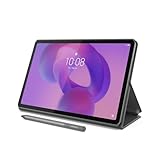
- POWER YOUR STUDY, FUEL YOUR PLAY – Discover smarter learning with the Lenovo Idea Tab. Stay campus-ready with all-day battery life, AI-powered apps to enhance your work, and sharp graphics for tv marathons with friends.
- SMOOTH, POWERFUL, IMMERSIVE – The MediaTek Dimensity 6300 processor is more powerful than ever, with the AI-enhanced multitasking you need to stay ahead.
- CIRCLE IT, SEARCH IT – Use your Lenovo Tab Pen or fingertip to circle items for instant search results or to translate other languages without switching apps. Circle to Search with Google ensures answers are only a circle away.
- SHARP VIEW, CLEAR SOUND – Experience sharp visuals and immersive sound for study sessions and streaming breaks. With 72% NTSC and quad Dolby Atmos-tuned speakers you can enjoy your study breaks with vivid videos and crystal-clear sound.
- LEVEL UP YOUR STUDY – Write, organize, sketch, and calculate with four learning apps built to match your flow. Lenovo AI Note, Squid, Nebo, and MyScript Calculator help you stay clear, focused, and ready for every study session.
| Family or class | Current signal or starting price | Best fit | Do not buy if |
|---|---|---|---|
| Apple iPad | Starts at $449 according to Apple’s US store observed in August 2026 | General use, school, streaming, and Apple households | You need macOS-only software or expandable storage |
| Apple iPad mini | Starts at $599 according to Apple’s US store observed in August 2026 | Reading, travel, portability, and handheld use | You need comfortable split-screen work or sustained typing |
| Apple iPad Air | Starts at $749 according to Apple’s US store observed in August 2026 | Best general-purpose balance, students, drawing, and long ownership | The complete keyboard-and-pen bundle costs more than a suitable laptop |
| Apple iPad Pro | Starts at $1,199 according to Apple’s US store observed in August 2026 | Premium display, demanding creative work, and high-end performance | You mainly stream, read, or browse |
| Samsung Galaxy Tab A11+ | $249.99 for 6GB/128GB in Samsung’s 2026 MSRP material | Budget Android media and basic household use | You need demanding games, advanced creative work, or premium multitasking |
| Samsung Galaxy Tab S10 FE | $499.99 for 8GB/128GB in Samsung’s 2026 MSRP material | Students, Android users, notes, and midrange productivity | Your essential apps have not been checked for tablet support |
| Samsung Galaxy Tab S11 | $859.99 for 12GB/256GB in Samsung’s 2026 MSRP material | Android multitasking, premium notes, and demanding use | A keyboard bundle brings the price too close to a laptop |
| Samsung Galaxy Tab S11 Ultra | $1,199.99 for 12GB/256GB in Samsung’s 2026 MSRP material | Large-screen media and desk-based productivity | You regularly hold the tablet in portrait orientation or travel light |
| Current Fire tablet | Current price not verified in the supplied research | Low-cost media, children, Kindle, Prime, and secondary use | You require Google Play or broad Android app compatibility |
| Current Surface-class Windows tablet | Current price not verified in the supplied research | Traditional Windows software and laptop replacement | You primarily want a light handheld streaming tablet |
Older recommendations such as the fifth-generation iPad Air, ninth-generation iPad, Surface Pro 9, and Galaxy Tab S8 family should be treated as historical reference points from the July 2023 buying guide, not automatic 2026 recommendations. The original Ars Technica guide remains useful for its use-case framing, but its named products are materially dated.
Which tablet is best for students?
Students should begin with the required school apps, then choose a 10–13-inch tablet with 128GB storage, dependable note-taking software, exact stylus compatibility, and an optional keyboard.
An iPad Air-class tablet is a strong default for handwritten notes, textbooks, school portals, and creative applications. A Samsung Tab S10 FE-class tablet is a sensible Android alternative, particularly for a student already using a Galaxy phone. A Fire tablet should be considered only after confirming that the school’s learning-management system, Google Classroom, video-call tools, and document applications work as expected.
Students who type long papers, use specialized desktop software, need multiple external displays, or rely on advanced file management should buy a laptop instead of assuming that a tablet keyboard creates a full laptop experience.
Which tablet is best for drawing and handwritten notes?
The best drawing tablet is the one with the right active pen, digitizer, palm rejection, latency, drawing applications, and storage—not simply the tablet with the fastest processor.
Free tools Windows power users keep installed
One-click scans. No signup required.
Before buying, confirm the exact tablet generation and stylus model, whether the stylus is included, pressure and tilt support, charging requirements, replacement-pen availability, and compatibility with the drawing or note-taking application. A 10–11-inch tablet is easier to carry; a 12–13-inch tablet gives more room for a canvas and reference material. A larger screen becomes less comfortable for handheld sketching and portrait reading.
Which tablet is best for gaming and streaming?
For gaming, prioritize sustained performance, thermal behavior, controller support, display refresh rate, storage, and the availability of the games you actually play. High-end iPads and Samsung tablets can be strong gaming devices, but a large premium tablet, controller, case, and storage upgrade can cost more than a dedicated gaming device or laptop.
For streaming, screen quality and ergonomics matter more than peak processor speed. An inexpensive Fire or entry-level Android tablet can be sufficient for supported services, while an OLED Samsung tablet or premium iPad is more compelling for HDR video, speakers, brightness, and long-term responsiveness. Verify service-app availability on Fire OS before purchase.
Independent reader supportYour contribution helps us test, update, and keep practical guides available for everyone.How should families choose a children’s tablet?
Families should evaluate a children’s tablet by its case, parental controls, app catalog, replacement policy, screen-time tools, and subscription terms rather than by the lowest tablet price.
Check whether the tablet supports the child’s required apps, including school software, Roblox, Minecraft, video calling, and reading services. Consider whether the device supports multiple profiles, whether a parent can restrict purchases and websites, and whether the tablet can be handed down when the child outgrows the restrictions. A rugged case and accidental-damage coverage may matter more than a faster processor.
Amazon Kids offerings can be attractive when a family wants an integrated children’s content and controls package, but Kids+ benefits may be introductory or subscription-dependent. Read the current terms and calculate the cost after the included period.
Also popular on Amazon

- A VIBRANT, SLIMMER BUILD FOR SHARPER MINDS – Engage in AI-powered smart learning on the stylish Lenovo Idea Tab Plus. The svelte tablet packs a powerful punch with quad speakers, sharp graphics, and all-day battery life.
- CARRY LIGHT, FEEL BRIGHT – Weighing just over a pound, the Idea Tab Plus is light enough to carry from morning to night and thin enough to easily slip between your notebooks. The Luna Grey color is soft, fresh, and designed to feel just right anywhere.
- CIRCLE TO SEARCH – Stay focused and use your Lenovo Tab Pen or fingertip to circle items for instant search results or to translate other languages without switching apps. Circle to Search is powered by Google.
- LET YOUR LEARNING CLICK – Write, organize, sketch, and calculate with four learning apps built to match your flow. Lenovo Notepad, Squid, Nebo, and MyScript Calculator help you stay clear, focused, and ready for every study session.
- MORE TO SEE, MORE TO ENJOY – The 12.1″ 2.5K display delivers rich color and sharp detail. With TÜV Rheinland Low Blue Light and up to 800 nits brightness, the display keeps every frame clear in any light.
Is a tablet a laptop replacement?
A tablet is a realistic laptop replacement only for a defined workflow. A Windows tablet is the safer choice for full desktop applications; iPadOS and Android can replace a laptop for many web, office, note-taking, illustration, and media workflows but not every desktop task.
| Need | Tablet suitability | Better choice when the need is central |
|---|---|---|
| Full desktop software | Strongest with Windows; app-specific on iPadOS and Android | Windows laptop or Windows 2-in-1 |
| Long typing sessions | Depends heavily on keyboard, trackpad, and lap stability | Conventional laptop |
| Multiple external displays | Support varies substantially by model and operating system | Laptop or desktop with verified display support |
| Large local storage | Internal storage is expensive; expansion may be limited | Laptop with larger SSD or expandable workflow |
| Handwriting and drawing | Often excellent with the correct active pen | Tablet, unless desktop creative software is mandatory |
| Portable media and reading | Usually better than a laptop | Tablet or compact e-reader, depending on the goal |
Compare the complete tablet bundle with a conventional laptop before spending $900–$1,500 on a large tablet, keyboard, pen, storage, and protection. A detachable keyboard may be excellent at a desk yet unstable or uncomfortable on a lap.
The Tool Desk
Outbyte PC Repair FREERepair Windows errors before they cause bigger problemsFix Now →Outbyte Driver Updater FREEFix the driver behind crashes, sound loss and screen glitchesFind Drivers →What connectivity features should you check?
Choose Wi-Fi-only when the tablet will normally be near home, school, or office Wi-Fi. Choose cellular only when independent connectivity is genuinely useful and the carrier plan, unlocked status, and coverage have been verified.
- Cellular: Check carrier compatibility, unlocked status, region, SIM or eSIM support, GPS availability, and the recurring service price. A phone hotspot may be cheaper.
- USB-C: Charging, external displays, storage, docks, and Thunderbolt support vary by model. Do not assume that every USB-C port has the same capabilities.
- Bluetooth: Verify keyboard, controller, hearing-aid, and audio-device compatibility for the intended workflow.
- Cameras: Tablet cameras are primarily useful for video calls and scanning. Camera placement and automatic framing features matter more than phone-like photography performance.
- Travel: Weight, brightness, battery life, GPS, case durability, and replacement cost may matter more than processor speed.
How should you judge software support and resale value?
Use a model-specific support commitment whenever the manufacturer provides one; do not assume that every tablet receives the same number of years of operating-system or security updates.
Check the vendor’s update policy, the age of the exact model, security-update history, accessory compatibility across generations, repair and battery-replacement options, enterprise-management support, and likely resale value. A discounted older iPad or Galaxy Tab can be good value only when remaining software support, battery condition, storage, and accessories justify the discount. Manufacturer-refurbished hardware should be distinguished from marketplace-refurbished hardware, whose condition and warranty can vary.
Resale value can reduce total ownership cost, but resale is not guaranteed. A tablet with inadequate storage, a worn battery, or an obsolete proprietary keyboard may be difficult to sell even if the processor remains fast.
Do these 3 things before closing this tab:
1Clear out junk files and repair common Windows errors2Scan for outdated or missing drivers - takes under a minute3Repair Windows errors before they cause bigger problemsWhat are the most common tablet-buying mistakes?
- Buying by price alone: Add storage, keyboard, pen, case, warranty, cellular service, and subscriptions before comparing products.
- Assuming Android and Fire are interchangeable: Fire OS uses Amazon’s app store and may not provide the Google Play or app compatibility the buyer expects.
- Choosing the wrong stylus: Pen support is model-specific. Confirm the exact generation and included accessories.
- Underestimating storage: 64GB can become restrictive with games, video, photos, and offline files; 128GB is a safer general baseline.
- Calling any detachable tablet a laptop replacement: Test the required software, file management, displays, browser extensions, keyboard, and lap ergonomics.
- Ignoring large-screen ergonomics: A 13–14.6-inch tablet can be excellent on a desk and unpleasant to hold in portrait orientation.
- Forgetting recurring costs: Cloud storage, office software, creative applications, children’s content, cellular plans, and protection coverage change the real price.
- Overlooking repair economics: A broken screen or battery can make a very inexpensive tablet effectively disposable.
What is the simplest tablet decision tree?
- Need traditional desktop Windows applications? Start with a Windows 2-in-1 or Surface-class device and compare the complete bundle with a laptop.
- Already use an iPhone or Mac? Start with iPadOS, then check whether iPadOS supports every required desktop workflow.
- Already use Android or Samsung devices? Compare Samsung Galaxy Tab models, particularly if multitasking, S Pen support, or Samsung ecosystem features matter.
- Main goal is cheap video, reading, or children’s use? Consider Fire or entry-level Android, but verify essential apps and current support first.
- Need drawing or handwritten notes? Confirm the exact active pen, digitizer, palm rejection, latency, app support, and whether the pen is included.
- Expect the tablet to replace a laptop? Price the tablet, keyboard, storage, protection, and warranty against an actual laptop before buying.
- Use the tablet outdoors or while traveling? Prioritize brightness, weight, battery life, cellular options, GPS, case durability, and replacement cost.
Frequently Asked Questions
Is an iPad or Android tablet better for most people?
An iPad is usually the safer general-purpose choice for buyers who value tablet-optimized apps, Apple ecosystem integration, and resale value. Samsung Android is often better for Android-phone owners and buyers who prioritize flexible multitasking, large displays, or Samsung’s desktop-oriented workflows; the required apps should decide the final choice.
Is 128GB enough tablet storage?
128GB is a practical baseline for many tablet buyers using web, school, office, notes, and streaming apps. Choose 256GB or more for large games, creative work, downloaded video, extensive photos, or long ownership, and remember that cloud storage adds recurring cost.
Can a Fire tablet run Google Play apps?
Fire OS is not standard Google-certified Android and uses Amazon’s app store instead of Google Play. Some apps may be unavailable or work differently, so buyers should verify banking, school, enterprise, communication, and entertainment apps before purchasing.
Should I buy a tablet or a laptop?
Buy a laptop when you need traditional desktop applications, long typing sessions, multiple external displays, large local storage, advanced file management, frequent windowed multitasking, or comfortable lap use. Buy a tablet when portability, reading, streaming, handwriting, drawing, or touch interaction is more important.
Quick wins for a faster PC:
Clear out junk files and repair common Windows errorsFree Scan →Fix the driver behind crashes, sound loss and screen glitchesFind Drivers →Repair Windows errors before they cause bigger problemsFix Now →The Bottom Line
The right tablet is the one that satisfies the required apps and workflow at the complete bundle price. Start with iPadOS for a broad general-purpose choice, Samsung for Android multitasking, Fire OS for inexpensive media or children’s use, and Windows for traditional desktop software. Then verify storage, pen and keyboard compatibility, connectivity, support, repair cost, and the price of every accessory before ordering.

