
iTechGuides is reader-supported. When you buy through links on our site, we may earn an affiliate commission. As an Amazon Associate I earn from qualifying purchases. Learn more
The GeForce RTX 5070 Laptop GPU is faster than the GeForce RTX 5060 Laptop GPU, but the RTX 5060 is often the better buy. Choose the RTX 5070 when its price premium is modest, its TGP and cooling are comparable, and you play at 1600p or use demanding ray tracing; otherwise, spend the money on the better-equipped RTX 5060 laptop.
The decisive comparison is not just RTX 5070 versus RTX 5060. Laptop GPU power limits, cooling, CPU performance, RAM, display resolution, storage, and the complete laptop price can change the result substantially. A high-power RTX 5060 laptop can be a smarter purchase than a thin, power-limited RTX 5070 model.
Key takeaways
- The RTX 5070 Laptop GPU has 4,608 CUDA cores versus 3,328 on the RTX 5060 Laptop GPU, but the difference in game performance is not guaranteed to match the roughly 38.5% CUDA-core advantage.
- Both GPUs officially have 8GB of GDDR7 VRAM, a 128-bit memory interface, 384GB/s of memory bandwidth, Blackwell architecture, DLSS 4, fourth-generation ray-tracing cores, and fifth-generation Tensor Cores.
- NVIDIA lists a 50–100W GPU subsystem power range for the RTX 5070 Laptop GPU and 45–100W for the RTX 5060 Laptop GPU, so laptop-specific TGP and cooling matter more than the badge alone.
- The RTX 5060 is generally the value choice for 1080p or 1200p gaming, while the RTX 5070 is easier to justify for 1600p, external 1440p, demanding ray tracing, and GPU-accelerated creative workloads.
- Do not assume that every RTX 5070 Laptop GPU has 12GB of VRAM: NVIDIA’s current official specification table lists 8GB, the same capacity as the RTX 5060.
RTX 5070 Laptop GPU vs. RTX 5060 Laptop GPU: what is the specification difference?
The RTX 5070 Laptop GPU has more shader and AI resources, but the RTX 5070 Laptop GPU does not have more official VRAM capacity or memory bandwidth than the RTX 5060 Laptop GPU. NVIDIA’s current RTX 50-series laptop specification table lists the following differences and similarities:
Quick wins for a faster PC:
Fix the driver behind crashes, sound loss and screen glitchesFind Drivers →Clear out junk files and repair common Windows errorsFree Scan →Scan for outdated or missing drivers - takes under a minuteDriver Scan →| Specification | RTX 5070 Laptop GPU | RTX 5060 Laptop GPU | Practical meaning |
|---|---|---|---|
| Architecture | Blackwell | Blackwell | Same generation and broad feature set |
| CUDA cores | 4,608 | 3,328 | The RTX 5070 has approximately 38.5% more listed CUDA cores |
| AI performance | 798 AI TOPS | 572 AI TOPS | The RTX 5070 has approximately 39.5% more listed AI throughput |
| Standard VRAM | 8GB GDDR7 | 8GB GDDR7 | No official capacity advantage for the RTX 5070 |
| Memory interface | 128-bit | 128-bit | Same interface width |
| Memory bandwidth | 384GB/s | 384GB/s | Same listed bandwidth |
| GPU subsystem power | 50–100W | 45–100W | Overlapping laptop power ranges make implementation important |
| Boost-clock range | 1,425–2,347MHz | 1,455–2,497MHz | Clock ranges overlap and do not provide a simple performance ranking |
| Ray-tracing cores | Fourth generation | Fourth generation | Same ray-tracing generation |
| Tensor Cores | Fifth generation | Fifth generation | Same Tensor Core generation |
| DLSS | DLSS 4 | DLSS 4 | Both support NVIDIA’s current DLSS feature set |
The RTX 5070’s approximately 38.5% CUDA-core advantage is a hardware comparison, not a promise of 38.5% more gaming performance. Game engines, power limits, CPU bottlenecks, memory configuration, resolution, and cooling determine the result in a particular laptop.
Popular on Amazon
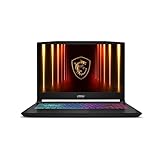
- Intel Core i9 HX Power for Elite Gaming: Dominate demanding titles with the Intel Core i9-14900HX and its 24-core hybrid architecture, delivering fast load times, high FPS, and smooth multitasking.
- GeForce RTX 5070 With Ray Tracing & DLSS 4: Powered by NVIDIA Blackwell, the RTX 5070 delivers stronger ray tracing, higher FPS, faster AI upscaling, and more responsive gameplay—ideal for competitive and cinematic gaming.
- QHD 165Hz, 100% DCI-P3 for Ultra-Clear Combat: The QHD 165Hz display reveals more detail, reduces motion blur, and boosts visibility in fast-paced games while delivering richer, more accurate colors.
- Cooler Boost 5 for Sustained Performance: Dual fans and a 5-heat-pipe share-pipe design keep the CPU and GPU cool, maintaining stable frame rates during long gaming marathons.
- 4-Zone RGB Keyboard + Full Game-Ready Ports: Customize your setup with a 4-zone RGB keyboard and highlighted WASD keys. Includes USB-C Gen 2, HDMI up to 8K, multiple USB-A ports, RJ45, Wi-Fi 6E & Hi-Res Audio.
Why does TGP matter more than the GPU name?
TGP, or Total Graphics Power, describes how much power the laptop allows the GPU subsystem to use. The RTX 5070 Laptop GPU and RTX 5060 Laptop GPU have overlapping official power ranges: 50–100W for the RTX 5070 and 45–100W for the RTX 5060, according to NVIDIA’s specifications.
That overlap means a 100W RTX 5060 in a thick, well-cooled chassis can perform much closer to a low-power RTX 5070 than the model names suggest. A thin RTX 5070 may also reduce sustained clocks when heat or system power becomes a problem. The RTX 5070 remains the faster GPU tier when the implementations are comparable, but the laptop determines how much of that advantage is available.
Dynamic Boost makes comparisons more complicated. Dynamic Boost can shift power between the CPU and GPU, and some product pages emphasize an “up to” combined power figure rather than clearly stating the sustained GPU TGP. PC Gamer’s discussion of laptop TGP disclosure highlights why buyers should not treat every RTX 5070 or RTX 5060 implementation as equivalent.
What’s actually slowing this PC down?
Pick the symptom - the matching free tool is one click away.
What should you check before buying?
- Advertised GPU TGP: Look for a specific wattage, not just an “RTX 5070” or “RTX 5060” label.
- Dynamic Boost wording: Determine whether the listed figure is GPU-only TGP or a marketing maximum that depends on shared system power.
- Performance mode: Check whether the advertised power limit requires a proprietary control-center mode.
- Sustained behavior: Prefer a laptop-specific review that records GPU wattage, temperatures, and clocks during a long gaming session.
- Display routing: A MUX switch or Advanced Optimus can reduce the performance cost of routing frames through integrated graphics.
- Charger capacity: Confirm that the included charger supports the laptop’s high-performance mode while the system is plugged in.
How much faster is the RTX 5070 Laptop GPU for gaming?
The RTX 5070 Laptop GPU should generally be faster, but there is no single FPS percentage that applies to every laptop. Notebookcheck’s cross-laptop comparison database is useful for establishing the direction of the difference, but its results combine different CPUs, chassis, TGP settings, cooling systems, memory configurations, and firmware. The database should not be treated as a guaranteed result for a specific laptop.
| Use case | Likely better choice | Why |
|---|---|---|
| 1080p or 1200p high-refresh gaming | RTX 5060 for value; RTX 5070 for extra headroom | The RTX 5060 is usually sufficient, and CPU limits can reduce the visible benefit of the RTX 5070 |
| 1600p or external 1440p gaming | RTX 5070 | Higher resolution places more load on the GPU and makes additional rendering headroom more useful |
| Ray tracing | RTX 5070 | Extra shader resources help, although both GPUs remain limited by 8GB of VRAM |
| Esports at 1080p | Usually RTX 5060 | CPU performance, cooling, display refresh rate, and latency can matter more than moving from very high to even higher FPS |
| DLSS-supported games | Either, with RTX 5070 advantage retained | Both support DLSS 4, but the RTX 5070 usually has the stronger underlying frame rate |
What difference should you expect at 1080p?
At 1080p, the RTX 5060 Laptop GPU is usually the more sensible value choice for high-refresh gaming. The RTX 5070 provides additional headroom for demanding games and ray tracing, but a faster GPU may not produce a visible improvement on a 144Hz display when the RTX 5060 already exceeds the display’s refresh rate.
At high refresh rates, the CPU can become the limiting component. A laptop with a stronger processor, dual-channel memory, better cooling, or a working MUX path can feel faster than a nominally higher-tier RTX 5070 laptop paired with a weak CPU or restricted power profile.
Is the RTX 5070 better for 1600p and 1440p?
Yes. The RTX 5070 is easier to justify at 1600p or on an external 1440p monitor because the higher resolution increases the workload placed on the GPU. The advantage is most relevant in demanding AAA games, where additional GPU resources can preserve higher settings or a stronger base frame rate.
Neither GPU should be presented as a consistently comfortable native-4K solution for modern AAA games. A 4K external display will usually require DLSS, reduced settings, or both, depending on the game.
Does the RTX 5070 handle ray tracing better?
The RTX 5070 generally has more ray-tracing headroom because its larger shader resource allocation can process more of the surrounding workload. Both GPUs use fourth-generation ray-tracing cores and have only 8GB of VRAM, so demanding ray tracing at high resolution may still require DLSS Super Resolution, lower texture settings, or frame generation.
Also popular on Amazon
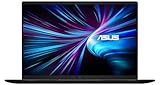
- LIGHTNING FAST POWER FOR PLAY AND PRODUCTIVITY - Unleash next-level performance with an Intel Core 7 240H processor, RTX 5070 graphics, and Windows 11 for seamless gaming, content creation, and multitasking.
- SMOOTH AND STUNNING VISUALS EVERY TIME - Experience lifelike detail on a 16-inch WUXGA 144Hz display with a 16:10 aspect ratio and ultra-slim bezels that make every image crisp and immersive.
- ADVANCED COOLING FOR PEAK PERFORMANCE - Stay cool and focused with ASUS IceCool thermal technology and dual fans that keep your laptop quiet and stable during intensive tasks.
- POWERFUL RAM AND LIGHTNING-FAST STORAGE - Enjoy smooth multitasking and quick load times with 16GB DDR5 RAM and 1TB high-speed PCIe 4.0 NVMe SSD storage that keeps apps, games, and files ready instantly.
- COMFORTABLE AND CONFIDENT TYPING - Type effortlessly with the full-size ErgoSense keyboard featuring 1.5 mm key travel and a Turbo Blue backlight for comfort and clarity in any lighting.
Does DLSS 4 make the RTX 5060 and RTX 5070 equal?
No. Both the RTX 5060 Laptop GPU and RTX 5070 Laptop GPU support DLSS 4, but shared software features do not erase the hardware difference. DLSS Super Resolution renders internally at a lower resolution and reconstructs the image, while frame generation creates additional frames between traditionally rendered frames.
Multi Frame Generation can make the displayed frame-rate number substantially higher, but displayed generated frames are not the same as native rendered frames. Responsiveness still depends heavily on the underlying base frame rate. A game producing a weak base frame rate can remain less responsive even when frame generation reports a much higher output rate.
The Tool Desk
Outbyte Driver Updater FREEScan for outdated or missing drivers - takes under a minuteDriver Scan →Outbyte PC Repair FREEClear out junk files and repair common Windows errorsFree Scan →When comparing two laptops, separate three measurements: native or DLSS Super Resolution base FPS, generated FPS, and input latency. The RTX 5070 is better positioned when the game is GPU-bound because the RTX 5070 can provide a stronger base frame rate before frame generation is applied.
Is 8GB of VRAM enough on either laptop?
Both GPUs officially have 8GB of GDDR7 VRAM and a 128-bit memory interface, according to NVIDIA’s current specification table. The RTX 5070 therefore offers more compute performance, not a larger official VRAM safety margin.
Eight gigabytes remains workable for 1080p and many 1600p games when settings are chosen sensibly. VRAM can become restrictive with ultra texture packs, heavy ray tracing, large mods, poorly optimized PC ports, and future games. Lowering textures or ray-tracing settings can help when VRAM is the constraint, but a faster GPU cannot compensate for a workload that exceeds available memory.
Some newer coverage has discussed RTX 5070 Laptop configurations with 12GB, but buyers should not infer 12GB from the RTX 5070 name. NVIDIA’s current official table lists the RTX 5070 Laptop GPU at 8GB. If a particular laptop advertises 12GB, verify the exact manufacturer model number and configuration before purchasing.
Do these 3 things before closing this tab:
1Scan for outdated or missing drivers - takes under a minute2Repair Windows errors before they cause bigger problems3Fix the driver behind crashes, sound loss and screen glitchesWhich laptop is better for content creation and AI?
The RTX 5070 is the stronger choice for GPU-accelerated rendering, effects, AI image generation, and other compute-heavy workloads when the software scales with additional GPU resources. The RTX 5070 has 4,608 CUDA cores and 798 listed AI TOPS, compared with 3,328 CUDA cores and 572 AI TOPS for the RTX 5060.
According to NVIDIA’s RTX 50-series laptop specifications, both GPUs use Blackwell architecture, fifth-generation Tensor Cores, CUDA capability 12.8, NVIDIA Studio support, one ninth-generation encoder, and one sixth-generation decoder. The RTX 5070’s approximately 38.5% increase in CUDA cores does not automatically translate into a 38.5% improvement in every application, so software-specific benchmarks remain important.
For creators, system memory can matter as much as GPU tier. A 32GB RTX 5060 laptop can be more practical than a 16GB RTX 5070 laptop for large projects, especially when the laptop has soldered RAM or expensive upgrade options.
Also popular on Amazon

- What's In The Box: msi Katana 15 HX Gaming Laptop, 1TB Portable Hard Disk Drive.
- POWERED BY INTEL CORE i7-14650HX: Experience elite gaming and multitasking performance with the 14th Gen Intel Core i7-14650HX processor featuring 16 cores and 24 threads, delivering ultra-fast responsiveness for AAA gaming, streaming, content creation, video editing, and demanding workloads.
- NVIDIA GEFORCE RTX 5070 LAPTOP GPU: Play modern AAA titles at high frame rates with next-generation RTX 5070 graphics featuring advanced ray tracing, DLSS AI acceleration, and 8GB GDDR7 VRAM for immersive visuals, smoother gameplay, and powerful creator performance.
- 15.6" QHD 165HZ DISPLAY: Enjoy ultra-smooth gameplay and sharp visuals on the 2560×1440 IPS-Level display with 165Hz refresh rate and 100% DCI-P3 color gamut, delivering vibrant colors, reduced motion blur, and enhanced competitive gaming accuracy.
- HIGH-SPEED DDR5 MEMORY & PCIe GEN4 SSD: Equipped with DDR5 5600MHz RAM and a NVMe PCIe Gen4 SSD for ultra-fast boot times, rapid game loading, smooth multitasking, and responsive system performance.
How should the display affect the decision?
The display should be evaluated alongside the GPU because resolution, refresh rate, panel quality, and the laptop’s price are inseparable from the gaming experience.
| Laptop display or use | Recommended starting point | Important qualification |
|---|---|---|
| 1080p or 1200p at 144Hz | RTX 5060 | Choose the RTX 5070 if the price premium is small or demanding ray tracing is important |
| 1600p at 165Hz or 240Hz | RTX 5070 | Comparable TGP and cooling are essential |
| External 1440p monitor | RTX 5070 | The higher GPU workload makes extra headroom more useful |
| 4K external display | Neither as a guaranteed native-4K choice | Expect to use DLSS and reduced settings in demanding AAA games |
| High-quality OLED screen | The laptop with the better complete configuration | An OLED upgrade can be more noticeable than a moderate GPU-tier upgrade |
A high-quality 1600p OLED display paired with an RTX 5060 can deliver a better overall experience than a low-quality 1080p panel paired with an RTX 5070. The display can consume much of the price difference, so the GPU should not be assessed in isolation.
Does the RTX 5060 provide better battery life, noise, or portability?
Not automatically. Battery life depends on the CPU, display, battery capacity, firmware, power profiles, and whether the discrete GPU can fully power down. Either laptop generally requires its charger for sustained gaming.
A lower-power RTX 5060 implementation may be easier to cool and quieter in a compact chassis. However, a large RTX 5070 laptop may have a better cooling system and sustain higher performance than a thin RTX 5060 model. Those are properties of the complete laptop design, not guaranteed characteristics of the GPU names.
Portability usually involves a trade-off: thin RTX 5070 systems can provide a higher-tier GPU in a smaller body but may run at a lower TGP, while thicker systems can sustain more power at the cost of size, weight, and noise.
How much should you pay extra for the RTX 5070?
There is no universal dollar premium because the laptop configurations are rarely identical. As editorial guidance, a premium of roughly 10–20% is worth investigating when the RTX 5070 laptop has similar TGP, CPU, cooling, RAM, storage, and display quality. A 25–35% premium is difficult to justify when both laptops have 8GB of VRAM and the RTX 5070 model has a weaker screen, less RAM, or an undisclosed power limit.
Retrieved US retailer and manufacturer pages around August 18, 2026 showed RTX 5060 laptop examples from approximately $1,375 to $1,978 and RTX 5070 examples from approximately $1,800 to $2,439. These are configuration snapshots rather than controlled comparisons: the systems had different CPUs, displays, storage, chassis, and promotions. Best Buy’s filtered RTX 5060 and RTX 5070 listings and Lenovo’s US RTX laptop listings should be treated as live retail pages whose prices, stock, and configurations can change.
For historical context, NVIDIA announced RTX 5060 laptops starting at $1,099 in its RTX 5060 laptop availability announcement. Launch pricing is not a current buying benchmark, particularly when promotions and newer configurations change street prices.
Which one should you buy?
Choose the RTX 5060 Laptop GPU when:
- The RTX 5070 laptop costs several hundred dollars more.
- The RTX 5070 model has a low or undisclosed TGP.
- You mainly play at 1080p or 1200p.
- The RTX 5060 laptop has a better display, CPU, keyboard, battery, chassis, or warranty.
- You prioritize lower noise, lower cost, or a smaller chassis.
- You mostly play esports, older AAA games, or DLSS-friendly titles.
- The RTX 5060 configuration includes 32GB of RAM while the RTX 5070 model includes only 16GB.
Choose the RTX 5070 Laptop GPU when:
- The price premium is modest and the two laptops have similar specifications.
- Both GPUs operate at comparable high TGPs with credible cooling.
- You plan to play at 1600p or drive an external 1440p monitor.
- You want more ray-tracing headroom in demanding games.
- You use GPU-accelerated creative software, rendering, or AI applications.
- The RTX 5070 laptop also includes a stronger CPU, more RAM, better cooling, or a better display.
- You want a higher base frame rate before enabling DLSS frame generation.
Do not pay extra for the RTX 5070 when:
- The manufacturer does not disclose the RTX 5070 laptop’s TGP.
- The RTX 5070 laptop is thinner, hotter, and more power-limited than the RTX 5060 alternative.
- The RTX 5070 costs 25–35% more while both systems have 8GB of VRAM.
- The RTX 5070 is paired with a weak CPU or single-channel memory.
- The higher GPU tier forces a worse display, substantially less RAM, or inadequate storage.
- You mainly play competitive games at 1080p.
How do you compare two specific RTX laptops?
Use the following checklist before comparing prices:
Windows Errors? Fix Them Before They Spread
Repair common Windows errors and clear accumulated junk for a smoother, more stable PC - no reinstall needed.Free scan · no reinstallOutdated Drivers Are Slowing You Down
One free scan finds every outdated or missing driver and matches the right update for your exact hardware.Free scan · exact hardware matchAlso popular on Amazon

- CUTTING-EDGE PERFORMANCE – Experience next-level performance with Windows 11 Home, an AMD Ryzen 9 9955HX Processor, and an NVIDIA GeForce RTX 5070 Laptop GPU powered by the NVIDIA Blackwell architecture and featuring DLSS 4 and Max-Q technologies
- HIGH-PERFORMANCE MEMORY AND STORAGE – Multitask seamlessly with 16GB of DDR5-5600MHz memory and store your game library on 1TB of PCIe Gen 4 SSD.
- DYNAMIC DISPLAY THAT KEEPS YOU IN THE GAME – Immerse yourself in stunning visuals with a smooth 165Hz/3ms display for gaming and entertainment.
- STATE-OF-THE-ART ROG INTELLIGENT COOLING – ROG’s advanced thermals keep your system cool, quiet and comfortable. State of the art cooling featuring Tri-Fan technology, full-width heatsink, and full-surround vents.
- CUSTOMIZABLE RGB LIGHTBAR – Showcase your style with a customizable RGB light bar that syncs with your keyboard and ROG peripherals. In professional settings, Stealth Mode turns off all lighting for a sleek, refined look.
- Write down the exact GPU model and confirmed sustained TGP for each laptop.
- Check whether Dynamic Boost is included in the advertised power figure.
- Compare the CPU class and cooling design, not just the GPU.
- Verify whether the RAM is 16GB or 32GB, whether it runs in dual-channel mode, and whether it is upgradeable.
- Compare display resolution, refresh rate, brightness, panel type, and adaptive-sync support.
- Check SSD capacity and upgradeability.
- Look for a MUX switch or Advanced Optimus.
- Read a laptop-specific review that measures sustained gaming wattage, temperatures, noise, and performance.
- Check the warranty, return policy, charger, and current—not launch—price.
Aggregated benchmark sites can establish that one GPU tier is generally faster, but they cannot replace a review of the exact chassis. A benchmark using a different CPU, memory configuration, TGP, or firmware may not predict the performance of the laptop in your shopping cart.
What alternatives are worth considering?
An RTX 5070 Ti Laptop GPU may be worth evaluating when its price is close to an RTX 5070 laptop, especially for 1600p gaming, but the RTX 5070 Ti is a separate performance tier rather than a guaranteed minor upgrade. Discounted RTX 4060 or RTX 4070 laptops can also be worthwhile when the complete laptop is superior, but compare VRAM, game support, warranty, and actual price rather than assuming an older GPU is automatically a bargain.
A desktop gaming PC can provide better performance per dollar and easier upgrades, but a desktop is not a substitute for a buyer who needs portability. Cloud gaming may suit someone with reliable fast internet, but subscriptions, latency, and the lack of hardware ownership change the trade-off.
Frequently Asked Questions
Is the RTX 5070 Laptop GPU worth the extra money over the RTX 5060?
The RTX 5070 Laptop GPU is worth the extra money when the premium is modest—roughly 10–20% for otherwise comparable laptops—and the RTX 5070 has similar TGP, cooling, CPU, RAM, and display quality. The RTX 5060 is usually better value when the RTX 5070 costs substantially more or has a weaker implementation.
Free tools Windows power users keep installed
One-click scans. No signup required.
Does the RTX 5070 Laptop GPU have 12GB of VRAM?
NVIDIA’s current official specification table lists the RTX 5070 Laptop GPU with 8GB of GDDR7 VRAM, the same capacity listed for the RTX 5060 Laptop GPU. Verify the exact manufacturer SKU if a specific laptop advertises 12GB rather than assuming all RTX 5070 laptops have that capacity.
Is the RTX 5060 Laptop GPU good enough for 1440p gaming?
The RTX 5060 Laptop GPU can handle many 1440p-class or 1600p games with sensible settings and DLSS, but the RTX 5070 provides more headroom for demanding AAA games and ray tracing. Laptop TGP, cooling, CPU performance, and the game itself affect the result.
Does DLSS 4 make the RTX 5060 as fast as the RTX 5070?
No. Both laptop GPUs support DLSS 4, but DLSS and frame generation do not eliminate the RTX 5070’s faster underlying rendering hardware. Compare base FPS and latency separately from generated FPS.
Is a high-power RTX 5060 better than a low-power RTX 5070 laptop?
A high-power, well-cooled RTX 5060 can be a better buy and can perform much closer to a low-power RTX 5070 than the names imply. Compare the exact TGP, Dynamic Boost behavior, cooling, CPU, RAM, and laptop-specific reviews before deciding.
Recommended Free Tools
The Bottom Line
Bottom line: Buy the RTX 5060 Laptop GPU when it saves substantial money or comes in the better complete laptop. Buy the RTX 5070 Laptop GPU when the premium is modest, both systems have comparable high TGP and cooling, and you need extra performance for 1600p, external 1440p, ray tracing, or GPU-accelerated workloads. The best choice is the better-configured laptop—not automatically the laptop with the higher GPU number.

