
Quick wins for a faster PC:
Scan for outdated or missing drivers - takes under a minuteDriver Scan →Repair Windows errors before they cause bigger problemsFix Now →Fix the driver behind crashes, sound loss and screen glitchesFind Drivers →iTechGuides is reader-supported. When you buy through links on our site, we may earn an affiliate commission. As an Amazon Associate I earn from qualifying purchases. Learn more
G-SYNC Pulsar adds variable-frequency backlight strobing to the variable refresh rate (VRR) that standard G-SYNC provides. The strobing is intended to make moving objects look clearer while retaining VRR’s ability to reduce tearing and stutter as frame rates change. That may matter most in fast-moving games, but Pulsar is not a higher native refresh rate, and NVIDIA’s published motion-clarity figure is a company claim rather than an independent measurement. The right choice depends on whether that intended clarity benefit is worth prioritizing over a monitor’s resolution, refresh rate, HDR, price and other specifications.
What is the difference between G-SYNC and G-SYNC Pulsar?
G-SYNC is NVIDIA’s display technology family for variable refresh rate. Rather than refreshing at a fixed cadence regardless of what the GPU is producing, a VRR display adjusts its refresh timing to follow the GPU’s frame output. This can reduce tearing and stutter when frame delivery varies.
G-SYNC Pulsar retains VRR and adds a different way of driving the monitor’s backlight: variable-frequency pulsing, also called backlight strobing. The intended result is improved clarity when the viewer tracks moving objects. NVIDIA describes Pulsar as combining that motion-clarity approach with the benefits of VRR; it is not simply a new name for standard G-SYNC or a claim that the panel refreshes at a thousand times per second.
Do these 3 things before closing this tab:
1Scan for outdated or missing drivers - takes under a minute2Repair Windows errors before they cause bigger problems3Fix the driver behind crashes, sound loss and screen glitches| Feature | Standard G-SYNC | G-SYNC Pulsar |
|---|---|---|
| Variable refresh rate | Yes; refresh timing follows GPU frame output to reduce tearing and stutter. | Yes; Pulsar retains VRR. |
| Variable-frequency backlight strobing | Not part of the standard G-SYNC distinction described here. | Yes; backlight sections pulse in a rolling scan. |
| Adaptive overdrive | NVIDIA describes variable overdrive as a G-SYNC feature. | NVIDIA says adaptive overdrive adjusts pixel transitions in relation to screen location and refresh rate. |
| Operating range stated by NVIDIA | Depends on the display’s specifications. | Default Pulsar operation is stated to begin at 90 FPS and continue to the monitor’s maximum refresh rate. |
The table describes the technology categories, not every feature of every monitor. “G-SYNC” can refer to a certified product tier as well as VRR generally, and actual capabilities vary by model. Check the exact display’s manufacturer specifications before buying.
Popular on Amazon
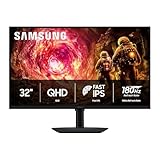
- Samsung’s 32” Odyssey G5 QHD Gaming Monitor delivers brilliant visuals for exhilarating gameplay that’s more immersive than ever before.
- QHD resolution (2560 x 1440) boasts incredibly detailed, pin-sharp images.
- With a wide 178° viewing angle, the IPS panel consistently delivers crisp, clear hues from various viewpoints.
- 180Hz Refresh Rate and 1ms response time (GtG) allow fast reactions for ultra-smooth gaming, plus G-Sync compatibility syncs the GPU and panel to reduce choppiness, screen lag, and image tearing.
- HDR10 provides brighter highlights and nuanced shadows for added depth.
How Pulsar’s backlight strobing is intended to work
On an LCD, moving objects can appear blurred for reasons beyond a game’s own motion-blur setting. NVIDIA’s explanation distinguishes LCD transition time from image persistence: while a viewer tracks an object, the display continues showing each frame for part of the frame interval. Pulsing the backlight is intended to reduce this persistence-related display blur. It does not remove a motion-blur effect rendered by a game.
Rolling backlight pulses
NVIDIA says Pulsar divides the backlight into multiple horizontal sections and pulses them from the top of the screen to the bottom. This rolling-scan arrangement is intended to illuminate pixels after they have had time to settle. NVIDIA states that the backlight pulses occupy 25% of a frame time. That figure describes the pulse duration in NVIDIA’s explanation; it is not a brightness rating or the monitor’s refresh rate.
Adaptive overdrive and pulse modulation
NVIDIA describes two components for adapting the effect as refresh rate changes. Adaptive Overdrive adjusts pixel-transition behavior according to the screen location and refresh rate. Pulse Modulation changes pulse brightness and duration. Together, NVIDIA says, these are intended to preserve motion clarity while controlling flicker as frame rates vary.
The Tool Desk
Outbyte PC Repair FREERepair Windows errors before they cause bigger problemsFix Now →Outbyte Driver Updater FREEScan for outdated or missing drivers - takes under a minuteDriver Scan →These are NVIDIA’s explanations of the design and its goals. The available information does not establish independently measured results across different Pulsar models, games or frame rates. Treat the design description as a guide to what Pulsar is meant to do, not as a guarantee that every player will see the same improvement.
What NVIDIA’s “over 1,000 Hz effective motion clarity” claim means
NVIDIA has described Pulsar as providing “over 1,000 Hz effective motion clarity.” The word effective matters: this is NVIDIA’s characterization of perceived motion clarity, not the panel’s native refresh rate. The debut displays were announced with a native refresh rate of 360 Hz, so the effective-clarity phrase must not be read as a claim that they refresh at more than 1,000 Hz.
NVIDIA’s launch material also showed a pursuit-camera comparison using Counter-Strike 2. That is a company demonstration, not an independent head-to-head test or proof of a universal competitive advantage. A demonstration can illustrate NVIDIA’s intended comparison, but it cannot establish how much benefit a particular person will notice across other games, settings or displays.
For buying decisions, separate three questions: what the display’s native refresh rate is, how well VRR suits the frame rates your system can deliver, and whether backlight strobing makes motion clearer to you. The effective-clarity claim does not answer the first two and is not a substitute for model-specific testing.
Does Pulsar work at high frame rates?
NVIDIA says Pulsar’s default operating range starts at 90 FPS and extends to the monitor’s maximum refresh rate. The upper limit is therefore model-dependent. On the announced 360 Hz debut monitors, the screen’s stated maximum is 360 Hz; the general Pulsar description does not make every supported monitor a 360 Hz display.
Also popular on Amazon
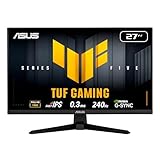
- 27-inch Full HD Fast IPS Display: Features a 1920 x 1080 resolution Fast IPS panel with 240Hz refresh rate for fast paced gameplay
- Ultra-Fast Response Time: ASUS Fast IPS technology enables a 0.3ms (min) response time for sharp gaming visuals with high frame rates
- Adaptive Sync Technology: FreeSync Premium and G-Sync compatible delivers a seamless, tear-free gaming experience
- Advanced Motion Blur Reduction: ASUS Extreme Low Motion Blur Sync (ELMB SYNC) technology enables ELMB together with variable refresh rate, eliminating ghosting and tearing for sharp gaming visuals with high frame rates
- Convenient Monitor Control: DisplayWidget Center enables easy OSD access and monitor settings adjustments with a mouse
That range is relevant if a game’s frame rate regularly reaches 90 FPS or more. If frame output is below the stated default range, the source information does not establish that Pulsar’s strobing operates there by default. Do not assume that a G-SYNC label alone defines the strobing range: confirm support, range and firmware for the exact model.
High refresh capability also does not ensure that a PC will produce matching frame rates in every title. The monitor’s maximum refresh rate is a display specification; game performance depends on the system and the game. Pulsar does not, on the evidence available, imply a faster GPU, higher native resolution or lower game latency.
What Pulsar changes—and what it does not
The defining addition is how the backlight is illuminated during motion. Pulsar does not replace VRR, and it does not turn a 2560 × 1440 panel into a higher-resolution display. A 360 Hz Pulsar monitor is still a 360 Hz monitor even when NVIDIA describes its perceived motion clarity as exceeding 1,000 Hz effective. Native refresh, resolution and HDR remain ordinary monitor specifications that must be compared separately.
Free tools Windows power users keep installed
One-click scans. No signup required.
Pulsar also is not a frame-generation technology, a GPU performance feature or a game setting. It cannot make a system render more frames, and it does not remove motion blur intentionally added by a game. NVIDIA’s description focuses on display persistence blur and on adapting overdrive and pulse behavior as frame timing changes. Any claim about lower latency, higher frame rates or better in-game rendering would require separate evidence.
That distinction helps explain why two monitors with the same Pulsar badge can still be different purchases. Panel characteristics, inputs, HDR implementation, ergonomics, warranty and regional support are determined by the individual manufacturer and model. The feature name identifies the motion system, not the complete quality or value of the display.
How G-SYNC, G-SYNC ULTIMATE and G-SYNC Compatible differ
These labels are not interchangeable. NVIDIA’s product descriptions distinguish displays with an NVIDIA G-SYNC processor from G-SYNC Compatible displays, which are validated for a baseline VRR experience without an NVIDIA processor. G-SYNC and G-SYNC ULTIMATE are different tiers within the processor-based family.
| Label | NVIDIA’s description | What to verify on the monitor |
|---|---|---|
| G-SYNC Compatible | Validated for a basic VRR experience; does not use an NVIDIA processor. | Exact VRR behavior, refresh range and other model specifications. |
| G-SYNC | Uses an NVIDIA processor and offers VRR and variable overdrive. | Resolution, refresh rate, HDR and the exact features of the model. |
| G-SYNC ULTIMATE | Uses NVIDIA’s top G-SYNC processors and emphasizes HDR, contrast, color and low latency. | The manufacturer’s specifications for the particular display and its feature set. |
A G-SYNC-related badge does not mean a monitor includes Pulsar. Nor does it mean that all displays carrying related labels share the same resolution, refresh rate, HDR characteristics or other capabilities. Use the full certification or product label alongside the model number, not the words “G-SYNC” by themselves.
What the first announced Pulsar displays offered
In January 2026, NVIDIA announced four debut Pulsar displays. The company gave them common headline specifications of 27 inches, 2560 × 1440 resolution, 360 Hz and 500 nits peak HDR brightness. These are launch-announcement specifications, not an independent test of their performance.
Also popular on Amazon

- High-Resolution QHD Gaming Display: 27-inch QHD (2560 x 1440) gaming monitor with 180Hz refresh rate designed for professional gamers and immersive gameplay
- ASUS Extreme Low Motion Blur Sync Technology: ELMB Sync technology enables ELMB and variable-refresh-rate technologies to work simultaneously to eliminate ghosting and tearing for sharp gaming visuals with high frame rates
- Advanced Synchronization Technologies: FreeSync Premium, G-Sync compatible and AdaptiveSync technology delivers a seamless, tear-free gaming experience by enabling VRR (variable refresh rate) by default
- High Dynamic Range Support: HDR technology supports HDR-10 format to enhance bright and dark areas for improved visual depth and contrast
- Package Contents: DisplayPort cable, L-shaped Screwdriver, Power cord, Power adapter, Quick start guide, Warranty Card
| Manufacturer | Announced Pulsar model | Common headline specifications stated by NVIDIA in January 2026 |
|---|---|---|
| Acer | Predator XB273U F5 | 27-inch, 2560 × 1440, 360 Hz, 500-nit peak HDR brightness |
| AOC | AGON PRO AG276QSG2 | 27-inch, 2560 × 1440, 360 Hz, 500-nit peak HDR brightness |
| ASUS | ROG STRIX Pulsar XG27AQNGV | 27-inch, 2560 × 1440, 360 Hz, 500-nit peak HDR brightness |
| MSI | MPG 272QR X36 | 27-inch, 2560 × 1440, 360 Hz, 500-nit peak HDR brightness |
NVIDIA said availability at select retailers would begin January 7, 2026, with US launch prices starting at $599. Both statements describe launch-era US terms; they are not current price or stock guidance. Retail pricing and availability can differ by region and date, so check the current listing and the exact model’s regional specifications before making a purchase.
The shared headline specifications make these models a useful starting point for comparing the first announced Pulsar group, but they do not establish that every other specification is identical. Compare each monitor’s manufacturer listing for details beyond the figures NVIDIA announced.
Cost, availability and model-specific checks
The January 2026 launch announcement put the US starting price at $599 and named Acer, AOC, ASUS and MSI as the initial partners. That number is useful context for the position of the first products, but it is not a price promise for October 2026, another country or a different retailer. Taxes, promotions, shipping and regional configurations can all change the checkout total.
Before using a retailer link, match the complete model number, not just the brand or a shortened product name. Confirm that the listing describes the Pulsar version, because a manufacturer may sell several similar displays with different G-SYNC labels. Also check stock status, warranty coverage and the return period. Those commercial terms can be more important than a small difference in headline refresh rate when deciding between otherwise similar monitors.
NVIDIA’s firmware portal currently names the Acer Predator XB273U F5, AOC AGON PRO AG276QSG2, ASUS ROG STRIX Pulsar XG27AQNGV and MSI MPG 272QR X36. A portal entry confirms that NVIDIA provides an update path for the model; it does not confirm that every retailer has inventory or that every unit needs an update.
How to decide whether Pulsar is worth prioritizing
Pulsar is most relevant when motion clarity is a leading concern and the candidate monitor’s VRR range, resolution, refresh rate and other specifications already suit your setup. It is less useful as a shortcut for choosing between otherwise different displays: the label does not tell you whether a particular model is the best fit for your budget, games or desired image characteristics.
Start with the game and frame-rate range
Consider the frame rates you actually expect to reach in the games you play. NVIDIA’s stated default Pulsar range begins at 90 FPS, with the upper end set by the individual monitor’s maximum refresh rate. Check whether the monitor’s stated range fits your use rather than assuming that high refresh alone ensures the strobing feature will operate at every frame rate.
Windows Errors? Fix Them Before They Spread
Repair common Windows errors and clear accumulated junk for a smoother, more stable PC - no reinstall needed.Free scan · no reinstallOutdated Drivers Are Slowing You Down
One free scan finds every outdated or missing driver and matches the right update for your exact hardware.Free scan · exact hardware matchCompare display specifications, not just the badge
- Resolution and refresh rate: Make sure the native resolution and maximum refresh rate fit the balance you want. The first four announced Pulsar models shared 2560 × 1440 and 360 Hz headline specifications, but that does not define all G-SYNC or future Pulsar displays.
- HDR and brightness: Compare the model’s HDR specifications with your priorities. NVIDIA’s 500-nit peak HDR figure applies to the four debut models it announced, not to every G-SYNC display.
- Exact product tier: Determine whether the display is G-SYNC Compatible, G-SYNC, G-SYNC ULTIMATE or a Pulsar model, and check the feature list for that exact model.
- Current purchase terms: Compare current regional price, stock, warranty and return terms. The $599 figure was NVIDIA’s US starting launch price in January 2026, not a present-day quote.
Account for what has not been independently established
The material available for this comparison does not provide independent, model-by-model measurements of Pulsar’s clarity advantage across games, nor a quantified head-to-head result against standard G-SYNC. That means buyers cannot use NVIDIA’s effective-clarity phrase as a neutral benchmark or infer a guaranteed competitive benefit from the feature name. If motion clarity is the deciding factor, consider the distinction between the company’s stated goal and evidence from an independent test of the specific model you are considering.
Also popular on Amazon

- 27” FULL HD IPS DISPLAY: Experience crisp 1920x1080 resolution and vibrant colors on a 27-inch widescreen IPS panel with wide 178° viewing angles and a 16:9 aspect ratio.
- 240Hz Native / 260Hz Overclocked Refresh Rate & 0.5ms MPRT Response Time: Dominate fast-paced games with ultra-smooth motion and razor-sharp visuals, thanks to a 240Hz native refresh rate with up to 260Hz overclocking over both HDMI and DisplayPort, plus an ultra-fast 0.5ms (MPRT) response time.
- ADAPTIVE-SYNC TECHNOLOGY: Enjoy tear-free, stutter-free gameplay with Adaptive-Sync support that keeps visuals fluid and synchronized with your GPU.
- ILT-ADJUSTABLE & VESA COMPATIBLE: Customize your setup with tilt functionality (-3° ~ 21°) and 100x100mm VESA mount support for ergonomic flexibility.
- FLICKER-FREE + LOW POWER USAGE: Flicker-Free technology helps reduce eye strain during long sessions, and Eco Mode keeps power usage efficient (22W typical).
Likewise, Pulsar’s defining addition is motion-oriented backlight pulsing. The available descriptions do not establish that it improves game latency, changes the game’s rendered motion-blur effect, raises native refresh rate or guarantees better performance in every situation. Assess those as separate questions rather than treating them as automatic consequences of Pulsar.
Which Pulsar models appear on NVIDIA’s firmware portal?
NVIDIA’s firmware portal lists the four models below as supported for its update workflow. A portal listing is useful for confirming the named models and update requirements; it does not establish retailer inventory or current prices.
- Acer Predator XB273U F5
- AOC AGON PRO AG276QSG2
- ASUS ROG STRIX Pulsar XG27AQNGV
- MSI MPG 272QR X36
The portal says the update process requires a supported browser and device plus a Micro-B USB data cable. NVIDIA says the cable supplied with the monitor works, so the portal’s cable requirement is not a reason to assume you need to buy an additional one. Follow the model-specific instructions on the portal if an update is needed; the supported-model listing alone does not establish that a particular unit needs a firmware update.
Recommended Free Tools
Practical buying checklist
- Identify the exact model and label. Confirm the full model name and whether it is a Pulsar display or another G-SYNC tier. Similar G-SYNC terminology does not establish that the display has variable-frequency strobing.
- Check resolution, native refresh and HDR. Use the manufacturer’s specifications for the exact model. Treat NVIDIA’s January 2026 figures as common launch specifications for the four debut displays only.
- Verify the frame-rate range. For Pulsar, NVIDIA states a default operating range from 90 FPS to the monitor’s maximum refresh rate. Check the model’s specifications and firmware rather than extending that statement to every G-SYNC display.
- Decide how important motion clarity is. Pulsar is intended to address display persistence blur. NVIDIA’s “over 1,000 Hz effective motion clarity” wording is not native refresh or an independent measurement.
- Check current regional terms. Confirm price, availability, warranty and return policy at the time of purchase. The US $599 starting figure was announced for the January 2026 launch and may not match current or regional retail conditions.
Frequently asked questions
Is G-SYNC Pulsar a replacement for standard G-SYNC?
No. Pulsar keeps the VRR function associated with G-SYNC and adds variable-frequency backlight strobing. Standard G-SYNC remains a VRR and processor-based product family, while Pulsar identifies an additional motion-oriented backlight system.
Does “over 1,000 Hz effective motion clarity” mean a 1,000 Hz monitor?
No. NVIDIA uses “effective” to describe perceived motion clarity. The first Pulsar displays announced by NVIDIA have a native 360 Hz refresh rate. Treat the larger figure as NVIDIA’s marketing characterization, not as native refresh or an independent laboratory result.
Will Pulsar operate below 90 FPS?
NVIDIA states that Pulsar operates by default from 90 FPS to the monitor’s maximum refresh rate. The information does not establish default strobing behavior below 90 FPS, so check the exact model’s specifications and firmware rather than assuming every frame rate is covered.
Is Pulsar automatically better than G-SYNC Compatible?
They describe different things. G-SYNC Compatible is NVIDIA validation for a baseline VRR experience without an NVIDIA processor. Pulsar describes VRR combined with variable-frequency backlight pulsing. Compare the complete monitor specifications, frame-rate range, price and warranty instead of treating either label as a universal quality ranking.
What’s actually slowing this PC down?
Pick the symptom - the matching free tool is one click away.
Does Pulsar reduce input latency?
The available NVIDIA descriptions focus on motion clarity, persistence blur, adaptive overdrive and pulse modulation. They do not establish a quantified latency improvement. Check independent measurements or the manufacturer’s specific latency data if response time is a deciding factor.
Also popular on Amazon
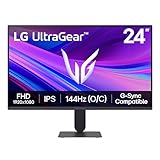
- Vivid Color, Fast Response, Total Control - The 24" UltraGear FHD gaming monitor delivers vivid HDR10 color, ultra-smooth 120Hz speed, and 1ms MBR clarity. G-SYNC compatibility & FreeSync keep gameplay tear-free. The sleek, slim design keep you focused and in control.
- Vivid Color That Puts You in the Action - Step onto the battlefield with HDR10 visuals and up to 99% sRGB color gamut coverage. The IPS display delivers rich, vivid tones, so every explosion, shadow, and landscape appears exactly as the developers intended.
- 120Hz Native Speed (144Hz Overclock) - Enjoy fluid, crystal-clear gameplay with a 120Hz native refresh rate, boosted to 144Hz when overclocked. Minimized motion blur keeps every frame sharp, so you can stay locked in on the action.
- 1ms MBR: Fast-Paced Speed to Victory - 1ms Motion Blur Reduction (MBR) keeps gameplay smooth and sharp, cutting blur and ghosting so fast-moving action stays clear—helping you stay competitive when every millisecond counts.
- NVIDIA G-SYNC Compatible & AMD FreeSync - NVIDIA G-SYNC Compatible and AMD FreeSync deliver smooth, tear-free, low-latency gaming with high refresh rates—so every frame stays sharp.
Do I need to buy a special cable for firmware updates?
NVIDIA’s firmware portal specifies a Micro-B USB data cable and says the cable supplied with the monitor works. An extra cable is therefore not presented as a required purchase. Use the model-specific portal instructions and a supported browser and device.
Are the four first Pulsar monitors identical?
NVIDIA announced common headline figures of 27 inches, 2560 × 1440, 360 Hz and 500-nit peak HDR brightness for the Acer, AOC, ASUS and MSI models. That does not establish identical ports, stands, image modes, warranty terms or other specifications. Compare each manufacturer’s full listing.
Is $599 still the price to expect?
$599 was NVIDIA’s announced US starting price for the January 2026 launch. It is historical launch context, not current retail guidance. Check the retailer, region, stock, taxes, warranty and return terms when you buy.
Bottom line
Standard G-SYNC synchronizes refresh timing with GPU frame output to reduce tearing and stutter. Pulsar keeps that VRR foundation and adds variable-frequency backlight strobing, which NVIDIA intends to improve clarity in motion. Choose based on the exact monitor’s specifications and whether that intended benefit matters to you—not on a marketing equivalence treated as a refresh-rate figure or a universal performance guarantee.
Frequently Asked Questions
What is the main difference between G-SYNC and G-SYNC Pulsar?
G-SYNC provides variable refresh rate that follows GPU frame output. Pulsar retains VRR and adds variable-frequency backlight strobing intended to reduce display persistence blur during motion.
Does Pulsar work at 360 Hz?
The first four announced Pulsar displays were specified at 360 Hz. NVIDIA says Pulsar’s default range starts at 90 FPS and extends to each monitor’s maximum refresh rate, so the exact upper limit is model-specific.
Should I buy Pulsar for competitive gaming?
Only if the exact monitor already fits your resolution, refresh-rate, HDR and budget requirements and motion clarity is a priority. NVIDIA’s demonstrations and effective-clarity claim are not independent proof of a universal competitive advantage.
What does G-SYNC Compatible mean compared with G-SYNC?
G-SYNC Compatible displays are NVIDIA-validated for a baseline VRR experience without an NVIDIA processor. G-SYNC and G-SYNC ULTIMATE are processor-based tiers with different feature priorities. Verify the exact model’s specifications.
Do Pulsar monitors need a separate firmware cable?
NVIDIA’s portal calls for a Micro-B USB data cable and says the monitor-supplied cable works. You should not assume an additional cable is required.
The Bottom Line
G-SYNC Pulsar is G-SYNC VRR plus variable-frequency backlight strobing. It may improve perceived motion clarity, but NVIDIA’s effective-clarity figure is not native refresh or independent testing. Compare the exact model’s frame-rate range, resolution, HDR, current price, firmware support and warranty before buying.
Quick Recap
Product prices and availability are accurate as of the date/time indicated and are subject to change. Any price and availability information displayed on Amazon at the time of purchase will apply.
Recommended Free Tools

