
Choose Freshdesk if your priority is routing Slack activity into tickets and viewing or syncing Salesforce contacts and accounts; choose Zendesk if your team needs more support work inside Slack, such as ticket comments, approvals, or side conversations. The deciding difference is Salesforce sync: Freshdesk’s Connector describes configurable one-way or two-way contact and account recipes, while Zendesk’s documented native sync sends Salesforce records to Zendesk Support only. Neither product is proven faster, more reliable, or cheaper overall by the available vendor documentation, so validate your exact workflows, permissions, and plan eligibility before choosing.
How Freshdesk and Zendesk differ for Slack and Salesforce
| Workflow | Freshdesk | Zendesk |
|---|---|---|
| Slack alerts and ticket creation | Automation rules can post ticket events to public or private Slack channels and message assigned agents. Slash commands can convert Slack conversations into tickets. Freshdesk Slack documentation | Admins can configure trigger-based ticket notifications. Agents can create tickets from Slack and, depending on the method, add comments or internal notes. Zendesk Slack usage documentation |
| Additional Slack support actions | The cited documentation emphasizes alerts, agent direct messages, and ticket creation. | Documents side conversations in Slack threads, approval requests, and Answer Bot article suggestions, in addition to ticket creation and updates. Zendesk Slack integration overview |
| Salesforce context for support agents | The Connector app can display lead/contact and account details, plus related tasks, cases, and opportunities. Agents can create Salesforce records from Freshdesk ticket details. Freshdesk Salesforce Connector documentation | Can surface Salesforce data in a Zendesk ticket sidebar. The integration can also make Zendesk ticket views available to sales representatives in Salesforce. Zendesk Salesforce connection documentation |
| Documented record sync | The paid Connector add-on describes one-way sync in either direction or two-way sync recipes for contacts and accounts, with field mapping. Confirm which objects and recipe fit your configuration. | The documented native sync sends Salesforce accounts to Zendesk organizations and Salesforce contacts/leads to Zendesk users. It is one-way from Salesforce to Zendesk Support; changes made in Zendesk do not flow back through this sync. Zendesk Salesforce data-sync documentation |
These are documented capabilities, not head-to-head performance results. The right fit depends on whether your team mainly needs Slack-to-ticket intake, in-Slack support collaboration, CRM context, or a particular direction of record synchronization.
Which Slack workflows matter most?
Choose Freshdesk when Slack is an intake and alerting channel
Freshdesk’s documented workflow is centered on getting ticket activity into Slack and turning Slack conversations into tickets. Automation rules govern channel messages and agent notifications, and commands can be used in channels or direct messages. The Freshdesk page lists the described integration features across the paid plans it displays, but it was modified on June 27, 2022 and notes that accounts created before December 2025 may have a different Freshdesk Omni experience. Verify the product generation and current entitlement for your account rather than relying on the page’s plan labels. Freshdesk – Slack Integration
Choose Zendesk when agents need to do more support work in Slack
Zendesk documents ticket creation, comments or internal notes, side conversations, approval requests, and suggested help-center articles. Agents can create tickets with a /zendesk shortcut, a Slack message action, or the Zendesk Slack app; in Slack Connect, they can also use an @zendesk mention. Tickets created through the shortcut or message action receive a created_from_slack tag. External users in Slack Connect do not get an Assignee field, and ticket notifications require administrator-configured triggers. Zendesk Slack integration usage
Do these 3 things before closing this tab:
1Fix the driver behind crashes, sound loss and screen glitches2Repair Windows errors before they cause bigger problems3Scan for outdated or missing drivers - takes under a minute#1 Best Overall

- 【16GB RAM + 628GB Storage (128GB UFS+500GB Ext Driver)】Reams of high-bandwidth 16GB DDR4 RAM to smoothly run your games and video-editing applications, as well as numerous programs and browser tabs all at once. Non-volatile 128GB UFS storage handles multiple read and write requests simultaneously; power gating increases power efficiency. Enjoy additional portable storage with 500GB external drive.
- 【 Quad Core Intel Processor N150】Up to 3.6 GHz with Intel Turbo Boost Technology, 6 MB L3 Cache, 4 cores, 4 threads. Save time and increase productivity with powerful performance and smooth multitasking. Access fast web applications, edit photos and videos, and get the responsiveness you're looking for.
- 【14" Display】With virtually no bezel encircling the display, an ultra-wide viewing experience provides for seamless multi-monitor set-ups. HP True Vision 720p HD camera with integrated dual array digital microphones. Online Class, Google Classroom, Remote Learning, Zoom Ready.
- 【Windows 11 Pro】Experience the most secure Windows ever built with fast boot times. Windows 11 Pro delivers a powerful, streamlined user experience that helps you stay focused and get more done – wherever your office might be. Safeguard data and access anywhere with hardware-based isolation, encryption, and malware protection built in.
- 【Authorized MarxsolAccessory with Lifetime Office 2024】Bundle includes 6-in-1 USB-C Docking Station Hub (with USB 3.0, 4K-HDMI, USB-C Connection, SD/TF Card Reader), 500GB external drive, USB extension cord, HDMI cable, mouse pad, and wireless mouse. Free Lifetime Microsoft Office 2024 installed. For Home, Student, Professionals, Small Business, School Education, and Commercial Enterprise.
Zendesk’s setup documentation says each Slack-to-Zendesk connection is installed one at a time. It documents support for multi-workspace Slack channels in Enterprise Grid but not organization-shared channels. When Answer Bot questions are asked in connected workspaces, separate help centers may each return suggestions rather than producing one combined answer. Check whether those behaviors match your workspace structure and help-center setup. Zendesk Slack setup and integration overview
What Salesforce information can each support team use?
Freshdesk: ticket-side CRM detail and record creation
The Freshdesk Salesforce Connector can show contact details matched by email, lead/contact information, account details, and associated tasks, cases, and opportunities. From a ticket’s details page, agents can create Salesforce leads, contacts, tasks, cases, and opportunities. The Connector also describes configurable field mapping and recipes for contact and account sync. Its instructions recommend testing a recipe before enabling it. Freshdesk Salesforce Connector app
Rank #2

- [17.3" HD+ Display] See more on the 17.3 inch diagonal high resolution screen with a narrow bezel. Enjoy your photos, movies, and games with the crisp quality of 1.4 million pixels. Non-reflective and low gloss means you'll get less glare while you're outside. HP True Vision 720p HD camera with integrated dual array digital microphones. Online Class, Google Classroom, Remote Learning, Zoom Ready.
- [16GB RAM + 1TB Storage (500GB SSD + 500GB External Driver)] Substantial high-bandwidth 16GB DDR4 Memory to smoothly run your games and photo- and video-editing applications, as well as multiple programs and browser tabs all at once. Get up to 15x faster performance than a traditional hard drive with 512GB of M.2 NVMe Solid State Drive storage. Enjoy additional storage with portable 500GB external drive.
- [8-Core Intel I3 Processor] Intel Core i3-N305 (Up to 3.8 GHz Max Boost Clock, 6 MB L3 Cache, 8 cores, 8 threads). Get the performance and graphics you need with an Intel processor at the affordability you want to connect, learn, and play anywhere.
- [Windows 11 Pro Operation System] Experience the most secure Windows ever built with fast boot times. Windows 11 Pro delivers a powerful, streamlined user experience that helps you stay focused and get more done – wherever your office might be. Safeguard data and access anywhere with hardware-based isolation, encryption, and malware protection built in.
- [6-in-1 HubxcelAccessory with Lifetime Office 2024] HubxcelAccessory includes wireless earbuds, 500GB external drive, USB extension cord, HDMI cable, mouse pad, and wireless mouse. Free MS Lifetime Office 2024 included Al Powered Copilot. For Home, Student, Professionals, Small Business, School Education, and Commercial Enterprise.
Zendesk: context visible across support and sales
Zendesk’s Salesforce integration can put Salesforce data in the Zendesk ticket sidebar and expose Zendesk ticket views to sales representatives in Salesforce. This is useful when support agents need CRM context and sales staff need to see support activity, but it should not be mistaken for two-way synchronization of ticket and CRM records. Connecting Salesforce to Zendesk
Does Freshdesk sync Salesforce both ways?
Freshdesk’s Connector documentation describes one-way sync in either direction or two-way sync recipes for contact and account information. That is distinct from a general promise that every Salesforce object, ticket, or field will sync both ways: verify the supported record types, mappings, and chosen recipe in your own configuration. The add-on’s task billing also makes usage and task definitions relevant to cost.
Rank #3

- 【17.3" FHD IPS Display】 17.3 Inch FHD display, 1920 x 1080 resolution for clear visuals and full sense of technology. Intel UHD Graphics for regular office work. stream 4K content and play your favorite games. With excellent Intel UHD graphics performance, you’ll see the difference in everything you do.
- 【Storage】16GB high-bandwidth RAM to smoothly run multiple applications and browser tabs all at once; 1TB PCIe NVMe M.2 Solid State Drive allows to fast bootup and data transfer
- 【Processor】Equipped with Intel i3 1215U(6 Cores, 8 Threads, Up to 4.4 GHz at Max Turbo Frequency), this HP 17 laptop brings a perfect combination of functions, allowing you to access data faster and provide more satisfactory responses at work .
- 【Suitable for study and work】 HP 14 laptop includes Microsoft Office Lifetime License, which improves the readability of your writing, the clarity of your data, and the visuals of your presentations, helping you turn your ideas into reality. Now your creativity can be enhanced with Microsoft 365.✅Please ask customer service for the installation method and upgrade code for Microsoft Office Lifetime Licence.
- 【Windows 11 Home】The ultra-secure Windows 11 Home edition gives your laptop fast boot times, improved responsiveness, and enhanced protection. Backed by a 1-year limited hardware warranty, work confidently and stay connected with a reliable combination of Wi-Fi and Bluetooth.
Zendesk’s cited native data-sync documentation is explicit: Salesforce accounts can create or update Zendesk organizations, and Salesforce contacts or leads can create or update Zendesk users. The sync runs from Salesforce to Zendesk Support only, between one Salesforce organization and one Zendesk account. Changes made in Zendesk do not flow back through that sync. Updates can fail when record matching is ambiguous or Salesforce streaming API limits are exceeded. Zendesk data sync configuration
What setup requirements and failure points should you check?
Freshdesk and Salesforce
- Set up the Connector with Salesforce credentials and an administrator Freshdesk API key.
- Decide which contact and account fields should map, and test the recipe before enabling sync.
- Confirm the add-on’s current availability, task definition, and price with Freshdesk before purchase; the published figure is dated, not a guarantee of today’s rate.
Zendesk and Salesforce
- Zendesk’s documentation lists Salesforce Performance, Unlimited, Enterprise, or Developer editions, or another Salesforce edition with API rights, as eligible. Administrator-level setup is required in both systems.
- Check Salesforce session and IP settings. The documentation warns that an IP-locked Salesforce session can disconnect after session expiry.
- Keep the connecting administrator’s role stable: a role downgrade can stop the integration.
- For data sync, test matching behavior and confirm how ambiguous matches and Salesforce streaming API limits will be monitored or handled.
For Slack, confirm workspace and channel access, who can create tickets, where private-channel alerts should go, and which ticket events should trigger notifications. A working connection alone does not establish that the correct people can see the resulting messages or records.
Rank #4
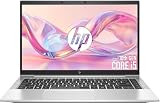
- 【Premium Business Laptop】The HP EliteBook 840 G8 Laptop is a sleek and durable business laptop computer designed for professionals, office work, and remote productivity. This 14-inch laptop combines portability with enterprise-level performance.
- 【Powerful 11th Gen Intel Core i5 Performance】Powered by the Intel Core i5-1135G7 (4 Cores, 8 Threads, up to 4.2 GHz with Intel Turbo Boost), this HP EliteBook laptop 840 G8 handles demanding business applications, data analysis, video conferencing, and multitasking with ease. The 11th Gen Intel Iris Xe graphics provide stunning visuals for presentations and media — making it an exceptional i5 business laptop for modern professionals.
- 【High-Speed Memory & Large SSD Storage】Equipped with 16GB of DDR4 RAM, this HP laptop EliteBook 840 G8 powers through heavy multitasking — run multiple browser tabs, Zoom, Slack, and office suites simultaneously without lag. The 512GB Solid State Drive delivers lightning-fast boot times, near-instant application launches, and ample storage for documents, projects, and media. Perfect for users seeking a renewed Windows 11 Pro laptop that feels fast and responsive.
- 【Comprehensive Connectivity】This HP business notebook features: 2x Thunderbolt 4 / USB-C (Data, Power Delivery, DisplayPort), 2x USB 3.1 Type-A, 1x HDMI 2.0, 1x headphone/mic combo jack, and a side docking connector. With Wi-Fi and Bluetooth , enjoy faster wireless speeds and stable connections — ideal for a flexible office laptop setup with dual monitors and docking stations.
- 【Windows 11 Pro】This renewed HP EliteBook 840 G8 business laptop comes pre-installed with Windows 11 Pro (supporting English, Spanish, and French languages), offering extensive hardware compatibility, enterprise-grade features with enhanced stability, remote desktop, and a suite of business-oriented tools tailored for professional scenarios.
How to compare current plan and add-on costs
Do not decide from a headline subscription price alone. Freshdesk’s Salesforce Connector article, modified November 29, 2024, calls the Connector a paid add-on and gives a published price of $80 per 5,000 tasks; it says tasks align with the billing cycle and purchasing requires an active Freshdesk subscription. Because this is a dated vendor-published figure, confirm the current price, task counting rules, and availability directly before budgeting. Freshdesk Connector pricing and setup
Freshdesk’s Slack article lists features across the displayed paid plans, but its 2022 modification date and Freshdesk Omni caveat make current account-specific confirmation important. The cited Zendesk Slack and Salesforce pages link to plan-check resources but do not establish a complete current plan matrix. Ask each vendor to confirm the specific Slack and Salesforce features included in the exact edition and account configuration you are considering.
The Tool Desk
Outbyte Driver Updater FREEScan for outdated or missing drivers - takes under a minuteDriver Scan →Outbyte PC Repair FREERepair Windows errors before they cause bigger problemsFix Now →Best Value

- Officially Recognized Voice Tech - EMEET OfficeCore M1A USB speakerphone features professional-level voice algorithm optimization and wide platform compatibility, delivering reliable, high-clarity audio performance for business meetings. Apart from mainstream office software, the speaker and microphone work well with Skype for business, Microsoft Lync, Google Hangout, Facetime, Goto meeting, Bluejeans, Webex, etc.
- 360° Smart Voice Pickup - EMEET’s exclusive VoiceIA Tech patent equips the USB speakerphone with excellent microphone performance: noise reduction, echo cancellation, voice amplification, and full duplex. All attendees’ voices are clearly picked due to the USB speakerphone’s 2 omnidirectional microphones which can cover your voice from 360° directions.
- Smart Speaker & 9 Voice Volumes - The computer speaker with microphone has a smart speaker which can play sound in 9 volumes. The 9 volumes can be easily adjusted on the USB conference speaker’s control panel and can be easily judged via the blue LED light on its panel.
- USB-C to USB-A Connection & Privacy Protect - The computer speaker with microphone supports plug-and-play via the built-in USB-C cable, and a USB-C to USB-A adapter is included for extra compatibility. Wired connection delivers ultra-stable audio transmission. During online meetings, you can instantly mute both speaker and microphones at any time to fully protect your privacy.
- Multiple Using Scenes - The laptop microphone and speaker is broadly used in industries of business, education, government affairs, medical treatment and health, law community, etc. Professional computer speakers with microphone ensures effective voice transmission, making online calls smoother and hybrid meetings more efficient.
A practical workflow test before choosing
- List the must-work actions. Include a Slack alert, Slack-to-ticket creation, a ticket reply or internal note, any approval or side conversation, and the CRM lookups or record creation your agents need.
- Test in a sandbox or non-production environment. Connect the intended Slack workspace and Salesforce organization, then exercise each action with representative agent and administrator roles.
- Check access and visibility. Verify private-channel behavior, Slack Connect limitations if relevant, who can see CRM fields, and whether support tickets appear to the intended Salesforce users.
- Validate Salesforce mappings and duplicates. Use realistic matching records, test both directions if required, and observe what happens when a match is ambiguous or an update cannot complete.
- Confirm operations and cost. Identify where failed syncs or missing notifications surface, who owns recovery, and the current plan/add-on terms for the expected usage.
Use the results to choose by workflow fit, not feature-count claims: Freshdesk is a stronger candidate for teams prioritizing Slack ticket intake and configurable contact/account sync; Zendesk is a stronger candidate when support work in Slack and cross-application Salesforce visibility are central. If two-way CRM sync is mandatory, prove the exact Freshdesk recipe or another required integration path rather than assuming Zendesk’s documented native sync provides it.
Quick Recap
Product prices and availability are accurate as of the date/time indicated and are subject to change. Any price and availability information displayed on Amazon at the time of purchase will apply.

