
Do these 3 things before closing this tab:
1Repair Windows errors before they cause bigger problems2Scan for outdated or missing drivers - takes under a minute3Clear out junk files and repair common Windows errorsA useful Microsoft Foundry model ledger tracks the exact model version, deployment, billing basis, lifecycle stage, retirement date, and any proposed replacement. To find out which models are yours, check the resources in your Azure subscription: the public catalog and retirement schedule do not show your personal deployments.
What belongs in a Foundry model ledger?
Record deployment details alongside the model identity. A family name alone is not enough: different versions can have different lifecycle states and retirement dates, while deployment type and region affect availability and billing.
| Field | What to record |
|---|---|
| Model identity | Provider, catalog model name, and exact model version |
| Deployment | Deployment name, Azure subscription, region or data zone, and deployment type |
| Billing | Billing basis, observed price and currency, applicable SKU, usage period, and date checked |
| Lifecycle | Current lifecycle stage, version-specific retirement date, and suggested replacement, if listed |
| Ownership and migration | Migration owner, test status, and source URL for the recorded details |
Keep a price tied to the deployment type, region, SKU, and date on which you observed it. It is not a universal price for a model. Catalog contents, prices, regional availability, lifecycle states, retirement dates, and replacements can change; verify the current details before budgeting or scheduling a migration.
Which models and providers are in the catalog?
Foundry includes Azure-sold models as well as partner and community models. Microsoft’s overview describes a catalog of over 10,000 models and approximately 50 new models published each month; the overview does not state the year for that figure. See the Microsoft Foundry Models overview for the catalog and deployment options.
#1 Best Overall

- Neatly Track & Organize Your Finances: The accounting ledger book is here for you to stay on top of your spendings & income! Clearly & neatly structured, it offers ample space for all crucial information about checks, savings, bills & other expenses or income
- Perfect For Small Business Owners: Keep it simple, yet super effective - the undated income and expense log book is an absolute must-have among small business supplies! Register your financial data and use your debit & credit records to compile a trial balance
- Premium Style With A Sturdy Cover: With the 120-page finance tracker, you can manage your finances conveniently in one place. A solid cover, thick paper and a reliable ring binding ensure maximum durability
- Beautiful Modern Minimalistic Design: A visual highlight just like you can expect from ZICOTO! The sage green cover of the ledger book, look stunning with a modern golden floral on the front - makes bookkeeping simply beautiful!
- Super Handy - Always At Hand: Thanks to its practical size, the 8.6x6.1” ledger book fits into any bag easily and is therefore always by your side. Whether used as a checkbook register or to track other financial flow, with the log book you’ve got it all sorted!
Provider and deployment path matter. For partner and community models, providers define license terms and set prices through Azure Marketplace. Check the terms and price shown for the specific deployment rather than copying a price from another provider or deployment path. Microsoft explains this in its guidance on Foundry Models from partners and community.
At what price is a model billed?
Foundry’s two broad deployment options use different billing bases, so a ledger should record the deployment’s billing method rather than treat price as a portable model attribute.
Rank #2

- EASY TO MANAGE - Use this accounting ledger book to track your payments, deposits, and balances, and develop good bookkeeping habits to meet your financial goals.
- UNDATED ACCOUNT TRACK - Use a ledger book to record every expense you make no matter what day it starts. The accounting book is plenty of space to record each transaction you make, and state its number, date, description, account, payment or deposit amount, and total balance.
- HIGH QUALITY - The A5 expense tracker notebook is used to high quality 100gsm pure white paper, brown elastic band and a back pocket for extra space. A total of 64 sheets(128 pages), it comes with 3480 entry lines (29 lines per page, 60sheets/120pages), 1 page Year Overview, 7 lined notes pages.
- MANAGE YOUR FINANCES & SUCCEED - Use this business expense tracker notebook, You will be able to easily analyze your financial activities and quickly prepare accurate financial statements. Use your records to regularly assess your spending and income and find any unnecessary expenses you can cut to improve your financial performance.
- THE PERFECT GIFT - Use account ledger book for your personal or business finances, give it to your friends, colleagues as a gift for Birthday| Easter|Children's Day|Halloween|Thanksgiving|Christmas|Back to school and New Year's Day.
| Deployment option | Billing basis described by Microsoft | What to capture |
|---|---|---|
| Managed compute | Virtual-machine core hours used by deployments | Relevant VM or SKU, region, observed price and currency, and date checked |
| Serverless deployment | API inputs and outputs, typically measured in tokens; pricing is shown before deployment | Displayed pricing, applicable input/output measures, region, and date checked |
These are billing descriptions, not price quotes. Confirm the displayed price for the deployment you intend to use. The Foundry overview describes the two deployment options and their billing bases.
What does a lifecycle stage tell you?
Microsoft assigns each catalog model to one of five stages. The stage affects whether a model is experimental, suitable for production, or available for new deployments. Read it together with the exact version and its schedule entry. The lifecycle and support policy defines the stages:
Quick wins for a faster PC:
Repair Windows errors before they cause bigger problemsFix Now →Scan for outdated or missing drivers - takes under a minuteDriver Scan →Rank #3

- Adams Columnar Analysis Pads are adaptable ledgers perfect for accounting or other numeric data; 5-column ledger has fill-in headers, numbered columns & rows & 50 double-sided 3-hole punched sheets
- Columnar sheets are printed on green tinted non-glare paper to help prevent eye strain; heavy-duty 75 gsm bond is acid free and archival safe for recordkeeping
- Shaded double columns keep your data straight and your decimals aligned; 5-column columnars are ideal for recording expenses and other transactions for your home, business or side gig
- Each ledger sheet has numbered rows and columns to eliminate the need for hand numbering; increases your accuracy and saves time
- Quality columnars at a stock-up price; Adams columnar pads are sturdy and have a 3 hole punch to fit a standard binder; securely stores your accounting books for tax season
- Preview: Experimental. Weights, runtime, and API schema may change, and general availability is not guaranteed.
- Generally Available (GA): Described as production-ready, with fixed weights and APIs.
- Legacy: A newer model exists, so migration planning is appropriate. This stage may be skipped.
- Deprecated: Existing customers may continue managing deployments, but new customers cannot access or deploy the model. The policy defines an existing customer at the Azure subscription level for the specific model version.
- Retired: The model is removed from service; inference requests return
410 Gone.
The policy describes an 18-month standard lifecycle for GA model versions and a 12-month lifecycle for certain providers, including Anthropic, DeepSeek, Fireworks, and Mistral AI. Check the individual model schedule and policy rather than assuming either period applies to every version. Availability also varies by region and cloud environment; not every model/version combination is available everywhere.
Until when can you use a model version?
Use the retirement date for the exact version, not a date associated with its model family or a different version. The Microsoft model retirement schedule lists lifecycle information and suggested replacements by version, and says details are subject to change.
Rank #4

- Easy To Track Your Finances: HAUTOCO accounting ledger book keeps you on top of your expenses and income! Help you keep your money organized, spend well, and set and achieve financial goals
- Premium Material: The A5 accounting ledger book has a total of 120 pages and 2040 lines of entries. It is made of 100gsm thick paper to reduce ink leakage; it is equipped with a waterproof and sturdy PP cover to protect the inner pages
- Practical Design: Compact 8.3 x 6.2'' expense tracker notebook is easy to carry and features information pages, 2025 calendar, yearly financial goals page, and PVC pocket for storing important tickets and loose items
- Manage Your Finances Effectively: Undated accounting books with number, date, description, account, payment or deposit amount, and total balance. You will be able to easily analyze your financial activities and quickly prepare accurate financial statements
- Ideal For Small Business or Personal Use: An accounting log journal can track your business or personal financial status. With a clear record of transactions, you can find unnecessary expenses or fraudulent charges
For example, the schedule accessed on October 4, 2026, showed gpt-4o version 2024-05-13 as Deprecated, with retirement on 2026-12-09 and gpt-5.6-sol as its replacement. This is a dated schedule entry, not a standing recommendation: verify the live schedule before acting.
How do you find which models are yours?
The public catalog describes available models, and the retirement schedule describes version lifecycle information. Neither identifies which deployments exist in your Azure subscription. Build the “which of mine?” part of the ledger from a subscription-level check of your own deployed resources, recording the subscription and deployment name alongside each model version. The lifecycle policy’s subscription-level definition of an existing customer also makes the subscription relevant when assessing access to a deprecated version.
Recommended Free Tools
Best Value
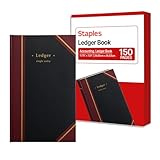
- 150 ruled sheets designed for structured accounting, recordkeeping, and data logs.
- Hardbound black cover offers durability and professional appearance.
- Ledger ruling supports clear entry alignment and consistent tracking.
- Premium paper reduces ink bleed for crisp, permanent records.
- Ideal for finance teams, education, business administration, and archival use.
Keep that inventory separate from public catalog availability. A model listed publicly is not evidence that you deployed it, and a public schedule entry does not establish your deployment’s configuration, region, billing basis, or upgrade behavior.
How should you plan a migration?
A replacement named in the schedule is a candidate to evaluate, not proof of identical behavior in your application. Microsoft recommends testing models with your own application and data, comparing quality, latency, and cost; regional and compliance constraints also affect the shortlist. See the model migration guidance.
Check what happens to your deployment at retirement
Retirement behavior depends on deployment type and configuration. Standard, Global Standard, and Data Zone Standard pay-as-you-go deployments may be auto-upgraded on a rolling, region-by-region schedule according to the deployment’s versionUpgradeOption. If it is set to NoAutoUpgrade, the deployment stops working at retirement. Provisioned deployments are not auto-upgraded and require a customer-led migration. Check the migration guidance for the applicable behavior rather than assuming every deployment upgrades automatically.
Set a practical migration deadline
Plan backward from the version’s retirement date: allow time to validate the replacement and roll it out before retirement, rather than treating the retirement day as the start of migration. Test against the dimensions that matter to your workload:
- Output quality and shape
- Latency and tool use
- Cost under expected usage
- Region and data-zone availability
- Compliance requirements
Record the test status and migration owner in the ledger so the schedule date is connected to an actionable plan.
Quick Recap
Product prices and availability are accurate as of the date/time indicated and are subject to change. Any price and availability information displayed on Amazon at the time of purchase will apply.

