
iTechGuides is reader-supported. When you buy through links on our site, we may earn an affiliate commission. As an Amazon Associate I earn from qualifying purchases. Learn more
For most households that can order genuine fiber-to-the-premises at a reasonable total price, fiber is the safer choice for consistent speed, uploads, latency, and reliability. 5G home internet can be the better practical option when fiber is unavailable, installation is difficult, or the local 5G plan has terms and real-world performance that fit your needs better. There is no universal winner: eligibility, the exact plan, radio conditions, gateway placement, and in-home Wi-Fi all matter.
This comparison uses the United States as its default context. Verify your address first, then compare the current provider labels and contract terms for the specific offers you can actually order.

Start with the address, not the technology name
Availability is the first decision because neither “fiber” nor “5G” is automatically available at every home. The FCC National Broadband Map’s fixed view lets you enter a location and inspect provider-reported technologies, maximum advertised download and upload speeds, and service availability at that fixed address. Use the technology filters, select the exact location, and treat the result as a reported availability record rather than a promise of the speed you will experience.
FCC fixed-map data are submitted through the Broadband Data Collection and updated over time. If the map appears wrong—for example, it shows a provider serving your address when the provider says it does not—you can use the FCC’s challenge process. A map check should be followed by the provider’s own address-qualification page, because an order may still depend on capacity, construction, building type, or an installation review.
Popular on Amazon

- GIGABIT SPEEDS FOR LESS - Supports wifi speeds up to a gigabit, without the premium price tag. eero 6+ is our most affordable gigabit system ever. Backward-compatible with previous-generation eero devices.
- WI-FI 6 GETS A BANDWIDTH BOOST - eero 6+ supports additional wifi bandwidth on the 160 MHz radio channel (that’s just wifi talk for faster connectivity). With the eero 6+, there’s enough bandwidth for the whole family to work, stream, and video chat—all at the same time.
- CONNECTIVITY YOU CAN COUNT ON - eero 6+ gives you all the connectivity with all the reliability. So you can work from home with confidence—and say goodbye to dropped video calls. Or keep your smart home running, even when you’re away.
- EXPERIENCE THE EERO TRUEMESH DIFFERENCE - eero’s patented TrueMesh technology intelligently routes traffic to reduce drop-offs and dead spots.
- SET UP IN MINUTES - The eero app guides you through setup and allows you to manage your network from anywhere.
Why the mobile 5G map is not enough
The FCC mobile map has a different purpose. It represents areas where a consumer should be able to connect outdoors or in a moving vehicle on reported 3G, 4G, or 5G networks. It does not show indoor reception, whether a 5G home plan is orderable at your address, or how a fixed gateway will perform at busy times. A colored 5G area therefore cannot establish that 5G home internet will work well in your living room.
For a 5G home offer, check the provider’s fixed-service eligibility, ask about any trial or return window, and plan to test the gateway in the room where it will be installed. A phone receiving 5G outside does not guarantee that a fixed gateway at a window will receive the same signal.
What “fiber” and “5G home internet” actually mean
| Service | Last-mile connection | What the FCC technology definition covers | Important qualification |
|---|---|---|---|
| Full fiber | A wired optical-fiber cable runs to the premises | Code 50, “Optical Carrier / Fiber to the Premises” | Fiber-to-the-curb is excluded from code 50. Confirm FTTP or FTTH rather than relying on a loose marketing use of “fiber.” |
| 5G home internet | A cellular radio link from a nearby network site to a fixed gateway in your home | Fixed-wireless reporting can include code 71 for last-mile 4G LTE or 5G NR mobile-network service sold as a fixed solution | It is not a fiber cable to the home, even if the provider’s wider network contains fiber. |
The distinction is about the last mile—the connection between the provider’s network and your premises. A 5G provider may use extensive fiber in its backhaul, but the final link to your gateway is radio. Conversely, a provider may advertise “fiber” for a network that uses fiber only part of the way. Ask whether the service is fiber all the way to the premises.
Outdated Drivers Are Slowing You Down
One free scan finds every outdated or missing driver and matches the right update for your exact hardware.Free scan · exact hardware matchWindows Errors? Fix Them Before They Spread
Repair common Windows errors and clear accumulated junk for a smoother, more stable PC - no reinstall needed.Free scan · no reinstallHow the technologies differ in everyday use
Download and upload capacity
Full fiber commonly supports high download speeds and may offer symmetrical tiers, meaning upload and download rates are similar. That is useful when several people upload photos or video, send large work files, back up computers, livestream, or host services. Do not assume symmetry: compare the exact upload figure in the plan’s broadband label.
5G home speeds are plan-specific and location-dependent. Radio conditions, distance and obstruction to the serving site, spectrum used, network load, and gateway placement can all change throughput. A plan advertised with an “up to” download number may deliver less at your address, and its upload capacity may be much lower than its download capacity. The FCC label’s typical download and upload figures are more useful than a headline maximum.
Latency and responsiveness
Latency is the delay before data begins to make a round trip. It affects the feel of video calls, cloud applications, remote desktops, multiplayer games, and other interactive services. Fiber is generally a strong option for responsive use, but the actual route, provider network, and home equipment still matter. 5G can be perfectly usable for calls and many games, yet wireless conditions and congestion can make latency less consistent at some locations or times.
Also popular on Amazon

- 𝐃𝐞𝐜𝐨 𝟕 𝐒𝐮𝐩𝐞𝐫𝐜𝐡𝐚𝐫𝐠𝐞𝐝 𝐰𝐢𝐭𝐡 𝟒-𝐒𝐭𝐫𝐞𝐚𝐦 𝐁𝐄𝟓𝟎𝟎𝟎 𝐃𝐮𝐚𝐥-𝐁𝐚𝐧𝐝 𝐖𝐢𝐅𝐢 𝟕: Delivers up to 4324 Mbps (5 GHz) and 688 Mbps (2.4 GHz) speeds for 4K/8K streaming, AR/VR gaming, and more◇. Performance varies by conditions, distance to devices, & obstacles such as walls.
- 𝐒𝐞𝐚𝐦𝐥𝐞𝐬𝐬 𝐖𝐡𝐨𝐥𝐞-𝐇𝐨𝐦𝐞 𝐂𝐨𝐯𝐞𝐫𝐚𝐠𝐞: Covers up to 6,600 sq. ft. for over 150 devices with the option to expand anytime by adding another Deco router. All Deco routers work together.
- 𝐒𝐢𝐦𝐮𝐥𝐭𝐚𝐧𝐞𝐨𝐮𝐬 𝐖𝐢𝐫𝐞𝐝 & 𝐖𝐢𝐫𝐞𝐥𝐞𝐬𝐬 𝐁𝐚𝐜𝐤𝐡𝐚𝐮𝐥: Wi-Fi 7 and 2.5G Ethernet work together to balance traffic between Deco units for faster, more stable whole-home coverage. Backhaul requires at least two Deco units.§
- 𝐄𝐚𝐬𝐲 𝐒𝐞𝐭𝐮𝐩 & 𝐌𝐚𝐧𝐚𝐠𝐞𝐦𝐞𝐧𝐭: Set up and control your network in minutes with the Deco App. Keep your WiFi performing at its best by keeping the firmware updated through the App. All Wi-Fi routers require a separate modem. ⌂
- 𝐎𝐮𝐫 𝐂𝐲𝐛𝐞𝐫𝐬𝐞𝐜𝐮𝐫𝐢𝐭𝐲 𝐂𝐨𝐦𝐦𝐢𝐭𝐦𝐞𝐧𝐭 - TP-Link is a signatory of the U.S. Cybersecurity and Infrastructure Security Agency’s (CISA) Secure-by-Design pledge. This device is designed, built, and maintained, with advanced security as a core requirement.
FCC broadband labels include typical latency. Compare that number alongside upload and download speeds rather than treating the fastest download figure as the whole product. The FCC’s disclosure framework recognizes latency as relevant to applications in which people, devices, or applications interact, including videoconferencing. It does not require one universal peak-period number, because peak behavior differs across mobile networks and locations.
The Tool Desk
Outbyte PC Repair FREEClear out junk files and repair common Windows errorsFree Scan →Outbyte Driver Updater FREEFix the driver behind crashes, sound loss and screen glitchesFind Drivers →Reliability and consistency
Ofcom’s consumer guidance says full fiber “usually gives faster and more reliable speeds” because the fiber reaches the home. It also notes that wireless services, including 5G and other fixed-wireless products, can vary with location. Those are technology-level tendencies, not guarantees for every provider or address.
Fiber can still experience outages from a cut cable, damaged equipment, power loss, or provider maintenance. 5G can work very well in one neighborhood and poorly in another, or vary when a cell site is busy. Ask what support, outage notification, and service-credit policies apply to the exact plan.
What your household is likely to notice
Basic browsing, email, standard video, and one or two ordinary video calls do not require the highest advertised tier. Multiple simultaneous users, large downloads, UHD streaming, cloud backups, and demanding work make upload capacity and latency more important. A fast access line cannot prevent a weak wireless signal from a gateway to a distant bedroom, and a mesh system cannot repair a congested cellular connection.
Use the broadband label as your comparison sheet
At the point of sale, the FCC consumer-broadband label is intended to show the price, introductory pricing, data allowance, and performance information for the specific plan. Save or print the label for each eligible offer so that you are comparing the same fields.
Quick wins for a faster PC:
Fix the driver behind crashes, sound loss and screen glitchesFind Drivers →Repair Windows errors before they cause bigger problemsFix Now →Scan for outdated or missing drivers - takes under a minuteDriver Scan →| Label item | Question to ask | Why it matters |
|---|---|---|
| Regular monthly price | What will I pay after any promotion ends? | A low introductory price can conceal a substantial recurring increase. |
| Introductory rate and duration | How many months does it last, and what is the post-promotion price? | Lets you calculate the first-year and ongoing cost. |
| Typical download speed | What typical figure is disclosed for this address-qualified tier? | More realistic than an “up to” maximum for planning household use. |
| Typical upload speed | How quickly can the household send data? | Important for video calls, backups, cloud work, livestreaming, and large file transfers. |
| Typical latency | What latency does the label report, and under what measurement method? | Helps assess interactive applications and gaming. |
| Data allowance | Is data unlimited? If not, what happens at the limit? | Overage charges, throttling, or suspension can change the real value. |
| Equipment | Is the ONT, router, gateway, or mesh included? Is there a rental fee? | Hardware charges and return obligations affect total cost. |
| Installation and activation | Is there a one-time setup or construction fee? | Fiber installation may involve a site visit or construction; 5G may still have activation costs. |
| Contract and exit terms | Is there a term commitment, price-change clause, or early-termination charge? | Matters if you may move or want to leave after testing. |
Compare a fiber label and a 5G label line by line. Do not declare a winner from download speed alone, and do not treat a promotional price as the permanent price.
Also popular on Amazon

- WiFi 6E Tri-Band Mesh WiFi – Cover up to 7,200 Sq.Ft with next-gen seamless WiFi and make dead zones and buffering a thing of the past¹ ²
- Brand-New 6 GHz Band – Experience the latest frequency of WiFi, eliminating interference from all legacy devices. The 6 GHz band can work as a backhaul to ensure stable connections between nodes by default. You can switch it to Wi-Fi Network mode and connect your WiFi 6E-compatible devices to 6GHz Network³
- True Tri-Band Speed – All three WiFi bands work together to unleash your network’s total speeds up to 5,400 Mbps for 200 devices(6 GHz: 2402 Mbps (HE160);5 GHz: 2402 Mbps (HE160);2.4 GHz: 574 Mbps)¹ ³
- Our Cybersecurity Commitment - TP-Link is a signatory of the U.S. Cybersecurity and Infrastructure Security Agency’s (CISA) Secure-by-Design pledge. This device is designed, built, and maintained, with advanced security as a core requirement.
- Unlock the Full Potential of WiFi 6 - Opening the 6 GHz band will change the game for WiFi 6. WiFi 6 brings about upgraded performance in network efficiency and capacity. Whereas the advantages of WiFi 6 are not fully realized while competing with transmissions from WiFi 5 (or other radios). The 6 GHz band is available only for WiFi 6 traffic, allowing WiFi 6 to meet its intended potential
Estimate the speed your household actually needs
Ofcom’s consumer guide gives rough planning bands that are useful as a starting point, not as a U.S. regulatory minimum or a performance guarantee:
- Up to 30 Mbit/s: basic browsing, email, and standard video.
- 30–300 Mbit/s: common remote-work tasks, video calls, and streaming for a typical household.
- 300 Mbit/s or more: several simultaneous users, frequent large downloads, online gaming, or multiple UHD streams.
Ofcom uses roughly 30 Mbit/s for one UHD stream and 300 Mbit/s for multiple UHD streams. Actual services adapt their bitrate, and other household traffic shares the connection, so these figures should guide questions rather than dictate a purchase. If your work involves frequent uploads, a high upload figure may be more valuable than moving from one very high download tier to another.
Which service fits common household situations?
Choose fiber when it is available and the total deal is reasonable
- You need predictable performance for remote work, cloud applications, or several concurrent users.
- You regularly upload large files, run backups, livestream, or use a home server.
- Low and consistent latency matters for interactive work or gaming.
- The address qualifies for true FTTP/FTTH and the installation and monthly costs fit your budget.
Verify the actual upload, latency, equipment, and post-promotion price. “Fiber” on a sales page is not enough to establish full fiber to the premises.
Free tools Windows power users keep installed
One-click scans. No signup required.
Consider 5G home internet when wired choices are limited
- No full-fiber service is available, or a fiber build would require an unacceptable wait or construction charge.
- The eligible 5G plan has an acceptable typical upload, download, and latency profile.
- You value quick, low-complexity setup or the ability to avoid a wired installation.
- The provider offers a trial or return arrangement that lets you test the gateway at home.
Check the gateway’s best placement before cancelling another service. A window or exterior wall may perform better than a central cupboard, but that location must still provide usable Wi-Fi or connect to your own router as the provider permits.
For gaming and video calls, compare more than download
Look at typical latency and upload speed, then test at the times you normally play or work. A high download maximum cannot compensate for unstable latency or weak upstream capacity. If a provider offers a trial, run calls, game sessions, and uploads from the rooms where they will actually occur.
For a home with weak Wi-Fi in distant rooms
First separate an access problem from a Wi-Fi coverage problem. If a device near the gateway is fast but a bedroom is slow, the incoming fiber or cellular service may be fine and the local Wi-Fi may need improvement. A compatible Wi-Fi 6 mesh system can extend coverage throughout the home. T-Mobile states that Wi-Fi 6 mesh products are compatible with its 5G gateways, while Google describes mesh as a home-coverage system that still requires an ISP and internet-access equipment.
Also popular on Amazon
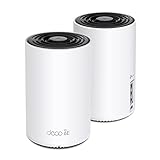
- WiFi 6E Tri-Band Mesh WiFi – Cover up to 5,500 Sq.Ft with next-gen seamless WiFi and make dead zones and buffering a thing of the past
- New 6 GHz Band – The latest Wi-Fi frequency, eliminates interference from legacy devices. The 6 GHz band can work as a backhaul for stable connections between nodes by default. Switch to Wi-Fi mode and connect your WiFi 6E devices to the 6GHz Network³
- True Tri-Band Speed – All three WiFi bands work together to unleash your network’s total speeds up to 5,400 Mbps for 200 devices(6 GHz: 2402 Mbps (HE160);5 GHz: 2402 Mbps (HE160);2.4 GHz: 574 Mbps)
- Our Cybersecurity Commitment - TP-Link is a signatory of the U.S. Cybersecurity and Infrastructure Security Agency’s (CISA) Secure-by-Design pledge. This device is designed, built, and maintained, with advanced security as a core requirement.
- Unlock the Full Potential of WiFi 6E - Opening the 6GHz band changes the game for WiFi 6 bringing upgraded performance in network efficiency and capacity. The 6GHz band is available only for WiFi 6E, allowing WiFi 6 to achieve its full potential
Mesh does not increase the speed arriving over fiber, improve a poor 5G signal to the gateway, or eliminate provider congestion. Check whether your provider already supplies extenders, whether its gateway supports bridge or mesh operation, and whether extra nodes carry a fee before buying anything.
Compare the complete cost, not the advertised monthly number
Build a simple first-year and ongoing-cost calculation for each eligible plan:
- Write down the standard monthly price and the introductory price, including the number of promotional months.
- Add recurring equipment, gateway, router, or mesh rental charges.
- Add one-time installation, activation, construction, shipping, or setup fees.
- Record the data allowance and every consequence of exceeding it.
- Note the contract length, post-promotion price changes, and early-exit charge.
- Check whether equipment must be returned and what happens if it is not returned on time.
- Multiply the resulting monthly cost over the period you expect to keep the service.
Ofcom recommends this style of comparison—monthly price plus one-time setup costs, contract length, specified rises, and early-exit costs. Its contract examples and consumer protections are UK-specific; U.S. customers should rely on the current FCC label and the provider’s U.S. contract. Prices and eligibility change by address, so a national price claim would be misleading.
Independent reader supportYour contribution helps us test, update, and keep practical guides available for everyone.A practical decision process
- Check fixed availability. Enter the service address in the FCC fixed map and in each provider’s eligibility tool. Confirm whether the “fiber” offer is FTTP/FTTH.
- Separate 5G coverage from 5G home eligibility. Use the provider’s fixed-service checker; do not infer orderability from a mobile coverage map.
- Collect the labels. Save the current plan details for the exact tiers you can order.
- Compare performance fields. Record typical download, upload, and latency figures, plus any data policy.
- Calculate total cost. Include promotion expiry, equipment, installation, activation, and possible exit charges.
- Check the household workload. Give extra weight to upload and latency if you work from home, game competitively, livestream, or back up large files.
- Test before committing when possible. For 5G, place the gateway where the provider recommends and test at busy and quiet times. For either service, test from wired or near-gateway devices before diagnosing whole-home Wi-Fi.
- Keep evidence. Save the label, order confirmation, promotional terms, and return deadline.
Troubleshooting after installation
The 5G gateway shows a weak or unstable signal
- Move it to a window or exterior-wall location recommended by the provider, away from metal cabinets and dense obstructions.
- Allow the gateway to complete firmware updates and recheck performance at different times.
- Compare a device near the gateway with one in the usual work or entertainment room.
- Contact the provider during the trial or return period if the service cannot meet your needs.
Fiber is fast near the gateway but slow elsewhere
- Run a test over Ethernet or immediately beside the gateway to isolate the access line.
- Check gateway placement, channel congestion, and whether the provider offers compatible extenders.
- Use a compatible mesh system if the issue is household coverage, understanding that mesh does not raise the access-line speed.
The advertised speed is not what you experience
- Compare your result with the label’s typical figure, not only the maximum advertised rate.
- Test at several times and on a wired connection where possible.
- Check whether multiple devices, a software update, VPN, or weak Wi-Fi is consuming capacity.
- Ask the provider whether the measured result falls outside its support threshold and keep the test details.
Frequently asked questions
Is 5G home internet as reliable as fiber?
It can be reliable at a particular address, but wireless speed and reliability vary with location and network conditions. Full fiber usually provides more consistent performance according to Ofcom’s consumer guidance. Compare the address-qualified plan, test during your normal usage times, and use the return terms if the local result is unsuitable.
Is fiber worth choosing if 5G is cheaper?
Often, yes, when you depend on stable uploads, low latency, or predictable performance and the fiber price remains affordable after promotion. 5G may be the better value when fiber installation is unavailable or expensive and the 5G plan’s typical metrics, data policy, and trial terms meet your needs. Calculate the complete cost rather than comparing promotional prices.
What’s actually slowing this PC down?
Pick the symptom - the matching free tool is one click away.
Can I use my own router or mesh system?
That depends on the provider gateway and its supported operating modes. Check compatibility, bridge or passthrough support, authentication requirements, and whether provider support covers third-party equipment. A mesh system extends local Wi-Fi; it does not change the underlying fiber or cellular last mile.
Also popular on Amazon
Does a mobile 5G signal guarantee 5G home internet?
No. The mobile map describes outdoor or in-vehicle coverage and does not establish indoor reception, fixed-service eligibility, or sustained performance at your home. Use the provider’s fixed address checker and test the gateway under the provider’s trial or return policy.
The bottom line
If true fiber-to-the-premises is available at your address and its total price is acceptable, it is the default choice for households that prioritize consistency, upload capacity, and responsive performance. 5G home internet is a credible alternative—not merely a fallback—when wired service is limited or the local fixed-wireless offer performs well on its own terms. Check the address, read both labels, compare total costs and latency, and test the service in the rooms and at the times that matter to your household.
Frequently Asked Questions
Is 5G home internet as reliable as fiber?
It can be reliable at a particular address, but wireless speed and reliability vary with location and network conditions. Full fiber usually provides more consistent performance according to Ofcom’s consumer guidance. Compare the address-qualified plan, test during your normal usage times, and use the return terms if the local result is unsuitable.
Do these 3 things before closing this tab:
1Fix the driver behind crashes, sound loss and screen glitches2Repair Windows errors before they cause bigger problems3Scan for outdated or missing drivers - takes under a minuteIs fiber worth choosing if 5G is cheaper?
Often, yes, when you depend on stable uploads, low latency, or predictable performance and the fiber price remains affordable after promotion. 5G may be the better value when fiber installation is unavailable or expensive and the 5G plan’s typical metrics, data policy, and trial terms meet your needs. Calculate the complete cost rather than comparing promotional prices.
Can I use my own router or mesh system?
That depends on the provider gateway and its supported operating modes. Check compatibility, bridge or passthrough support, authentication requirements, and whether provider support covers third-party equipment. A mesh system extends local Wi-Fi; it does not change the underlying fiber or cellular last mile.
Does a mobile 5G signal guarantee 5G home internet?
No. The mobile map describes outdoor or in-vehicle coverage and does not establish indoor reception, fixed-service eligibility, or sustained performance at your home. Use the provider’s fixed address checker and test the gateway under the provider’s trial or return policy.
Quick Recap
Product prices and availability are accurate as of the date/time indicated and are subject to change. Any price and availability information displayed on Amazon at the time of purchase will apply.

