
Recommended Free Tools
iTechGuides is reader-supported. When you buy through links on our site, we may earn an affiliate commission. As an Amazon Associate I earn from qualifying purchases. Learn more
There is no single best European email host for everyone. Choose by separating four questions: where the provider and its infrastructure are based, what message content and metadata it can access, how encryption works, and whether your mail apps use standard protocols. A European address or server location is useful information, but it does not by itself establish end-to-end encryption, eliminate metadata access, or make a business GDPR-compliant.
What does “European email hosting” mean?
“European” can describe a provider’s headquarters, the company named in your contract, the countries where it stores or processes data, or the laws that may apply. Those facts can differ. A provider headquartered in one country may use infrastructure or subprocessors elsewhere, so check the contractual entity, storage and backup regions, and processing terms rather than relying on a country label.
Encryption is a separate question. Transport encryption protects a connection while mail moves between systems; encryption at rest protects stored data; zero-access storage aims to prevent the provider from reading stored message content; and end-to-end encryption is designed so only the communicating parties can read the message. These protections are not interchangeable. Mail sent to someone using an outside provider may not receive the same end-to-end protection unless both sides use compatible encryption or a protected-message option.
Metadata also matters. Depending on the service and mail protocols, a provider may be able to see sender and recipient addresses, subject lines, IP addresses, timestamps, or attachment names even when message content is encrypted.
Popular on Amazon

- FIPS 197 with XTS-AES 256-bit Encryption: Provides business-grade security with hardware-based encryption to protect your sensitive data
- Brute Force and BadUSB Attack Protection: Safeguards against unauthorized access attempts and malicious USB attacks with digitally-signed firmware
- Multi-Password Option with Complex/Passphrase modes: Offers flexible password configuration options to meet various security requirements and user preferences
- New Passphrase Mode: Enhanced security feature allowing users to create longer, more memorable password phrases for easier access without compromising protection
- Dual Read-Only (Write-Protect) Settings: Enables write protection functionality to prevent accidental data modification or deletion when needed
Which European email provider supports IMAP?
For an existing desktop mail app, compatibility can be a deciding factor. Proton says its Bridge lets users connect Proton Mail to desktop clients. Tuta, by contrast, does not offer native IMAP, POP3, or SMTP according to Proton’s comparison; it points users to its own apps or a Thunderbird add-on. A Bridge or add-on can enable a familiar workflow, but it adds a provider-specific software dependency. The comparison page says its feature information is current as of June 2026, and it is provider-authored rather than an independent evaluation: Proton Mail vs. Tuta.
| Provider | What the cited material establishes | Compatibility implication |
|---|---|---|
| Proton Mail | Proton describes itself as based in Geneva, Switzerland. Its comparison lists desktop-client access through Proton Mail Bridge and OpenPGP interoperability. | Desktop clients can be used through Bridge; verify supported apps and setup requirements for your device. |
| Tuta | The cited comparison lists Germany as its jurisdiction and says it does not support native IMAP, POP3, or SMTP. | Use Tuta’s apps or its Thunderbird add-on rather than assuming ordinary IMAP setup will work. |
| mailbox.org | Proton’s overview identifies it as Berlin-based and describes OpenPGP support that is not enabled by default. | Secondary material reports standard-protocol support, but confirm current official documentation and plan-level details before relying on a specific client setup. |
| Posteo | Proton identifies it as Berlin-based and characterizes it as an anonymous, sustainable personal email service. | The available material does not establish current custom-domain or protocol limits; verify these for your intended setup. |
| Mailfence | Proton identifies it as based in Brussels and describes browser-integrated OpenPGP and collaboration features. | Check Mailfence’s current documentation for the protocols and plans you need. |
| Runbox | Proton identifies it as based in Oslo and describes IMAP and SMTP support. | Verify current processing locations, terms, and plan details with Runbox. |
| Infomaniak | A March 30, 2026 secondary comparison identifies it as a Swiss option and reports native IMAP support. | Treat this as a lead, not definitive compatibility guidance; confirm directly with Infomaniak. |
The provider descriptions above largely come from Proton’s own overview of European services, so they are useful leads, not an independent audit: Proton’s overview of European email providers. For services whose current protocol or plan details are not established here, confirm them with the provider before choosing: From Europe With Love’s comparison.
Also popular on Amazon

- Dual USB-A & USB-C Bootable Drive – works with almost any PC or laptop (UEFI & Legacy BIOS). Boot Tails directly from the USB for secure, private sessions anywhere.
- Persistent Encrypted Storage Included – securely save documents, browser settings, and encryption keys in a protected area of the USB. Data is accessible only with your password.
- Maximum Privacy & Anonymity – all internet traffic is routed through Tor, preventing tracking, fingerprinting, and censorship while keeping communications private.
- Run Live or Use Persistently – choose a temporary session that leaves no trace, or enable persistence to keep important files and configurations safely between reboots.
- Premium Hardware & Reliable Support – built with high-quality flash chips for speed and longevity. TECH STORE ON provides responsive customer support within 24 hours.
Where is my email data stored?
Ask separately about the company’s legal base, the entity providing the service, primary storage, backups, and other processing. Also read the provider’s terms for subprocessors and any circumstances in which data may be processed outside the named storage countries. A server location is relevant, but it is not a complete account of governing law or access.
Proton describes itself as based in Geneva. Its privacy policy, last modified September 14, 2026, says its servers are in Switzerland, Germany, or Norway and states: “Data is always stored in encrypted format on our servers, which are exclusively located in Switzerland, Germany or Norway, under the protection of some of the world’s strongest privacy laws.” That is Proton’s own description of its practices, not an independent certification. The same policy lists metadata Proton says it can access because of SMTP limitations, including sender and recipient addresses, originating IP, attachment name, subject, and sent or received times. It also distinguishes encrypted from unencrypted correspondence. Read the policy for the full scope and conditions: Proton Mail privacy policy.
Also popular on Amazon
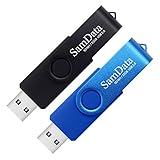
- [Package Offer]: 2 Pack USB 2.0 Flash Drive 32GB Available in 2 different colors - Black and Blue. The different colors can help you to store different content.
- [Plug and Play]: No need to install any software, Just plug in and use it. The metal clip rotates 360° round the ABS plastic body which. The capless design can avoid lossing of cap, and providing efficient protection to the USB port.
- [Compatibilty and Interface]: Supports Windows 7 / 8 / 10 / Vista / XP / 2000 / ME / NT Linux and Mac OS. Compatible with USB 2.0 and below. High speed USB 2.0, LED Indicator - Transfer status at a glance.
- [Suitable for All Uses and Data]: Suitable for storing digital data for school, business or daily usage. Apply to data storage of music, photos, movies, software, and other files.
- [Warranty Policy]: 12-month warranty, our products are of good quality and we promise that any problem about the product within one year since you buy, it will be guaranteed for free.
Does a European email host make my business GDPR-compliant?
No provider’s location or contract alone can establish that a customer’s use of email complies with the GDPR. An organization must assess its own purposes and practices, including controller and processor roles, lawful basis, retention, access controls, breach response, subprocessors, and international transfers. A provider’s technical safeguards and data-processing agreement can support that work, but they do not decide whether the organization’s particular processing is lawful.
Proton says it offers organizations a data processing agreement and advises customers to consult legal counsel for legal advice. Review the agreement and the provider’s current terms against your actual use case: Proton’s GDPR information for organizations.
How should I choose and switch providers?
Start with the requirements that could rule a service out, then verify plan terms directly. A personal account and a managed business mailbox may have different needs, and details such as custom domains or administration can vary by plan.
PC Slower Than It Used to Be?
A free scan shows the junk files, broken settings and background clutter dragging Windows down - then fixes them in one click.Free scan · Windows 10 & 11Crashes, No Sound, or Screen Glitches?
Random freezes, missing sound and display glitches usually trace back to one bad driver. Find and replace yours safely.Free scan · under a minuteQuick Recap
- List your must-haves. Note whether you need a custom domain, IMAP/SMTP, Outlook or Thunderbird, mobile apps, shared addresses, administration, retention controls, or a data-processing agreement.
- Check protection and jurisdiction separately. Identify the contracting entity and stated processing and storage regions. Read what the service says it can access, including metadata, and determine how messages to recipients outside the service are protected.
- Confirm compatibility on your plan. Look for native IMAP/SMTP/POP3 support or identify any Bridge, add-on, or provider app requirement. Confirm the current setup instructions for your exact desktop and mobile clients.
- Plan the move before changing DNS. Verify that you can import or export mail, contacts, and calendars in the formats you need. Check the provider’s MX-record transition instructions and schedule the change so incoming mail is not disrupted.
- Keep your exit path. If using a custom domain, confirm that you control it and can point it to another host later. Preserve an export and document any forwarding or aliases you depend on.

