
Free tools Windows power users keep installed
One-click scans. No signup required.
iTechGuides is reader-supported. When you buy through links on our site, we may earn an affiliate commission. As an Amazon Associate I earn from qualifying purchases. Learn more
The best Epson EcoTank cardstock printer is the EcoTank Photo ET-8550 because Epson explicitly rates it for cardstock and specialty media up to 1.3 mm and borderless output up to 13 × 19 inches. The ET-8500 is the best smaller-format alternative, while the ET-15000 is better for office documents, duplexing, and scanning.
“EcoTank” describes Epson’s refillable-bottle ink system—not a universal cardstock specification. Cardstock performance depends on the individual printer’s paper path, rear-feed design, supported thickness, surface coating, driver settings, and the paper’s compatibility with inkjet printing.
Key takeaways
- Epson EcoTank Photo ET-8550 is the strongest overall choice for cardstock because Epson lists support for specialty media up to 1.3 mm and borderless printing up to 13 × 19 inches.
- Epson EcoTank Photo ET-8500 offers the same six-color Claria ET photo-ink approach and 1.3 mm specialty-media support in a smaller-format printer.
- Epson EcoTank ET-15000 is the better office-and-craft hybrid because it has a 250-sheet tray, automatic duplexing, an automatic document feeder, fax, Ethernet, and rear-feed output up to 13 × 19 inches.
- Epson EcoTank ET-3850 is a practical home-office compromise, but its documented strengths are paper capacity, duplexing, Ethernet, and pigment black—not heavy cardstock or premium photo output.
- Epson EcoTank ET-2800 is the budget pick for occasional light cardstock projects, not a specialist printer for thick, textured, metallic, or high-volume stock.
- Ink-bottle yields do not equal the cost of producing full-coverage cards: paper, color coverage, cleaning cycles, failed sheets, and the printer’s purchase price also affect the real cost per card.
Which Epson EcoTank printer is best for cardstock?
The Epson EcoTank Photo ET-8550 is the best overall Epson EcoTank printer for cardstock. Epson explicitly lists cardstock and specialty-media support up to 1.3 mm, uses a six-color Claria ET photo-ink system, and supports borderless printing up to 13 × 19 inches. Those specifications make the ET-8550 the most convincing choice for invitations, greeting cards, photo cards, art prints, scrapbooking, and other creative work.
The ET-8550 is not automatically the best choice for every buyer. The ET-15000 is more practical when a small business needs an automatic document feeder, fax, Ethernet, a large front paper tray, and automatic two-sided document printing. The ET-2800 costs less and can handle occasional light cardstock more economically at the time of purchase, but it is not documented as a heavy-media specialist.
Popular on Amazon

- INNOVATIVE CARTRIDGE-FREE PRINTING — High-capacity ink tanks mean no more dealing with lots of tiny ink cartridges; Epson’s exclusive EcoFit ink bottles make filling easy to keep you using this home office printer for longer
- CLEAR AND VIBRANT PRINT QUALITY ― Create memorable prints and projects; Unique Micro Piezo Heat-Free Technology allows wireless color printer to produce sharp text and impressive color photos and graphics on virtually any paper type
- ZERO CARTRIDGE WASTE — By using an Epson EcoTank printer you can help reduce the amount of cartridge waste ending up in landfills
- BUILT IN SCANNER AND COPIER ― All-In-One Epson EcoTank is more than a printer; High-resolution flatbed scanner and color display come together for easy document copying and navigation; Boost productivity with this printer, copier, scanner, and fax
- LESS FREQUENT INK REPLACEMENT — Replacement ink bottles don't have to be changed nearly as often as ink cartridges¹; Printer, scanner and copier lets you print up to 4,500 pages black/7,500 color² extra
The ranking below is a use-case comparison based on manufacturer specifications and stated product positioning, not a laboratory ranking. The available research does not establish hands-on feed-reliability results for all five printers.
Top five Epson EcoTank cardstock printers compared
| Rank | Printer | Best for | Maximum output or paper size | Documented cardstock/thickness information | Ink and key features | Observed price signal | Verdict |
|---|---|---|---|---|---|---|---|
| 1 | EcoTank Photo ET-8550 | Premium cards, invitations, art prints, and wide-format work | Borderless up to 13 × 19 inches | Cardstock and specialty media up to 1.3 mm | Six-color Claria ET photo dye inks; automatic duplexing; rear and specialty-media feeding | Epson page showed $749.99; a temporary $599.99 deal was reported August 14, 2026 | Best overall for creative cardstock |
| 2 | EcoTank Photo ET-8500 | Premium cards and photos in letter/A4-size workflows | Smaller formats than the ET-8550; no 13 × 19-inch output | Cardstock and specialty media up to 1.3 mm | Six-color Claria ET photo dye inks; photo-focused output | Epson listing showed $699.99, with a displayed $599.99 promotional price when crawled | Best smaller-format photo option |
| 3 | EcoTank ET-15000 | Small businesses needing cards plus office documents | Up to 13 × 19 inches through the rear feed | Rear specialty-paper feed; a universal cardstock thickness limit was not clearly specified in the reviewed official sources | 250-sheet front tray; automatic duplexing; ADF; fax; Ethernet | Epson list price $699.99; observed promotional variants ranged about $449.99–$549.99 | Best office/cardstock hybrid |
| 4 | EcoTank ET-3850 | Home office printing with occasional cards | Letter/A4-class workflow | Do not treat the rear feed as a universal heavy-cardstock rating | 250-sheet tray; automatic duplexing; Ethernet; pigment black ink; 2.4-inch color display | Epson’s 2021 announcement listed a historical $399.99 MSRP | Best midrange office compromise |
| 5 | EcoTank ET-2800 | Beginners and occasional light-cardstock projects | Everyday home-printing sizes | Rear feed, but no documented heavy-cardstock rating in the reviewed material | Print, copy, and scan; no automatic duplexing, Ethernet, or ADF | Epson page showed $239.99 when crawled | Best budget option |
Prices are volatile observations from the supplied research, not guaranteed current prices. Verify the price, regional availability, included ink, and exact model number before buying.
Why is the ET-8550 the best EcoTank cardstock printer?
The ET-8550 combines the most important features for specialty-media work: an explicit 1.3 mm cardstock and specialty-media claim, a rear or specialty-media path, six-color photo inks, and borderless output up to 13 × 19 inches. Epson’s ET-8550 product information identifies the media support and wide-format capability.
Quick wins for a faster PC:
Fix the driver behind crashes, sound loss and screen glitchesFind Drivers →Clear out junk files and repair common Windows errorsFree Scan →The six-color Claria ET system is particularly relevant to photo cards and art cards. Additional photo-oriented colors can give the ET-8550 a stronger case for smooth gradients, detailed images, and photographic output than a basic four-color document-oriented EcoTank. Epson positions the ET-8500 and ET-8550 as photo-focused models in its EcoTank Photo announcement.
The main disadvantages are price, footprint, and workflow features. The ET-8550 does not include an automatic document feeder, so users who scan or copy multipage documents regularly may prefer the ET-15000. Six-color photo ink is also designed around image quality rather than the simplest possible document-ink setup.
Epson listed the ET-8550 at $749.99 on the researched product page. A TechRadar deal report dated August 14, 2026 recorded a temporary $599.99 price. The sale price should be treated as a dated promotion, not a permanent cost.
What is the difference between the ET-8500 and ET-8550?
The practical difference between the ET-8500 and ET-8550 is output size: the ET-8550 is the wide-format model, while the ET-8500 is better suited to letter/A4 and smaller photo-card workflows.
The Tool Desk
Outbyte PC Repair FREERepair Windows errors before they cause bigger problemsFix Now →Outbyte Driver Updater FREEScan for outdated or missing drivers - takes under a minuteDriver Scan →| Consideration | ET-8500 | ET-8550 |
|---|---|---|
| Photo ink system | Six-color Claria ET photographic dye inks | Six-color Claria ET photographic dye inks |
| Specialty-media thickness | Up to 1.3 mm according to Epson’s product positioning | Up to 1.3 mm according to Epson’s product information |
| Best output range | Letter/A4 and smaller creative projects | Letter/A4 plus 11 × 17, 13 × 19, A3, and A3+ creative work |
| Best buyer | Photographers and crafters who do not need large sheets | Artists, invitation makers, and sellers producing larger cards or prints |
| Trade-off | Less suitable for posters and large-format pieces | Higher purchase cost and larger footprint |
The Epson EcoTank Photo listing showed an ET-8500 price of $699.99 and a displayed promotional price of $599.99 when crawled. Both prices are date-sensitive. Choose the ET-8550 if 13 × 19-inch borderless work matters; choose the ET-8500 if letter/A4 output covers the entire workflow and the smaller format saves space.
Should you choose the ET-15000 instead of the ET-8550?
Choose the ET-15000 instead of the ET-8550 when office productivity matters as much as cardstock printing. The ET-15000 has a 250-sheet front paper tray, automatic two-sided printing, an automatic document feeder, fax, Ethernet, and a rear specialty-paper feed that supports output up to 13 × 19 inches.
Epson’s ET-15000 product page documents the office features and rear-feed wide-format capability. The ET-15000 user guide provides model-specific paper sizes and rear-feed information.
Also popular on Amazon
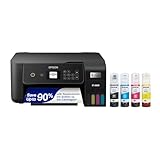
- ECOTANK TECHNOLOGY — This Epson EcoTank ET-2800 wireless all-in-one printer features cartridge-free printing with refillable ink tanks; Delivering up to 4,500 black and 7,500 color pages per ink bottle set for home use
- WIRELESS CONNECTIVITY — Connect seamlessly to your home network with Wi-Fi capability; Allowing you to print, scan and copy from multiple devices including computers, laptops and smartphones throughout your home office
- ALL-IN-ONE FUNCTIONALITY — Combines color printing, flatbed scanning and copying in one compact inkjet printer, making it the multifunction printer scanner for basic home and office needs
- PRINTING INK — Includes up to 2 years of ink in the box; Helps reduce need for replacement ink compared to traditional cartridge printers for families and home offices with regular printing demands
- SUPERTANK DESIGN — Features high-capacity ink tank system that removes the need for frequent cartridge replacements; Providing easy printing with Epson's Micro Piezo Heat-Free Technology for consistent results
| Priority | Better choice | Why |
|---|---|---|
| Premium photo cards and smooth image gradients | ET-8550 | Six-color photo system and photo-oriented design |
| Automatic document feeding and scanning | ET-15000 | Includes an ADF; ET-8550 does not |
| Large front paper capacity | ET-15000 | 250-sheet front tray |
| Clearly documented thick specialty media | ET-8550 | Epson explicitly lists support up to 1.3 mm |
| Wide-format documents and office work | ET-15000 | Rear-feed 13 × 19-inch printing plus duplexing and Ethernet |
| Borderless creative output | ET-8550 | Borderless output up to 13 × 19 inches is explicitly listed |
The ET-15000 has a rear specialty-paper feed, but a rear feed does not prove that every heavy cardstock product will work. The reviewed official sources do not establish a universal ET-15000 thickness limit equivalent to the ET-8550’s 1.3 mm claim. Independent testing also indicates that the two models have different ongoing ink and maintenance economics, so the best choice depends on whether the workload is photo-heavy or document-heavy. See the RTINGS ET-8550 review for independent observations.
When is the ET-3850 a better buy?
The ET-3850 is a better buy when the printer’s main job is everyday home-office work and cardstock is occasional. Epson’s office-model comparison identifies a 250-sheet paper tray, automatic two-sided printing, Ethernet, pigment black ink, and a 2.4-inch color display in the ET-3850’s feature set.
The ET-3850 can make sense for worksheets, invoices, schoolwork, and occasional inkjet-compatible cards. The ET-3850 is not the right model to select for unusually thick stock, premium photo-card output, large borderless artwork, or repeated production where media handling is the central requirement. Epson’s 2021 home-office EcoTank announcement listed a historical $399.99 MSRP; that historical MSRP is not a current street-price claim.
Is the ET-2800 good for cardstock?
The ET-2800 is suitable for occasional, relatively light cardstock when the buyer prioritizes low upfront cost over specialist media handling. Epson describes the ET-2800 as an everyday home printer, and its documented feature set includes a rear feed but no automatic duplexing, Ethernet, or automatic document feeder.
Use smooth, inkjet-compatible stock and test one sheet at a time. Avoid presenting the ET-2800 as suitable for thick board, rough handmade paper, metallic stock, laminated sheets, or repeated production. The Epson ET-2800 product page showed $239.99 when crawled, but the actual price may change.
Crashes, No Sound, or Screen Glitches?
Random freezes, missing sound and display glitches usually trace back to one bad driver. Find and replace yours safely.Free scan · under a minutePC Slower Than It Used to Be?
A free scan shows the junk files, broken settings and background clutter dragging Windows down - then fixes them in one click.Free scan · Windows 10 & 11What cardstock works best in an EcoTank?
The safest starting point is smooth or lightly textured cardstock specifically labeled for inkjet printers and within the printer’s documented thickness range. Inkjet-compatible coatings help the ink adhere and dry more predictably than paper designed only for laser printers or uncoated craft stock.
- Prefer: inkjet-compatible matte, presentation, invitation, or photo cardstock.
- Test carefully: coated, glossy, textured, or heavier third-party stock.
- Avoid unless explicitly supported: metallic or shimmer paper, laminated sheets, adhesive-backed media, heavily fibrous handmade paper, and curled or damp stock.
- Check more than weight: confirm GSM or cover/text classification, actual thickness in millimeters or mil, coating, sheet dimensions, and inkjet compatibility.
“110-lb cardstock,” “300 GSM,” and “cover stock” are not interchangeable guarantees. Paper construction, stiffness, coating, and actual thickness can differ even when two products have similar weight labels. A printer’s 1.3 mm specification applies most clearly to the ET-8500 and ET-8550; it does not establish that every 110-lb or 300 GSM sheet will feed identically.
Epson’s ET-8550 material confirms cardstock and specialty-media support, but Epson’s support does not guarantee identical feeding or color results with every third-party product. Buy a small sample pack before committing to a bulk order.
Does cardstock need to go through the rear feeder?
Thicker or specialty media should generally use the printer’s designated rear or specialty-media path rather than a standard front cassette, but the exact procedure varies by model.
For the ET-8500 and ET-8550, the Epson user guide describes loading specialty paper through the rear paper-feed slot and instructs users not to insert the paper until the printer prompts for it. Epson identifies the ET-15000’s rear path as a specialty-paper feed as well.
Also popular on Amazon
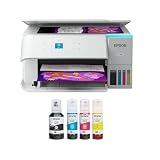
- STRESS-FREE PRINTING — Epson EcoTank comes with enough ink to print up to 6,600 pages black/5,500 color¹⁰ for fewer out-of-ink frustrations. Each replacement ink bottle set is equivalent to about 80 cartridges¹¹
- SIMPLE INK REFILLING — Supersized ink tanks and uniquely keyed EcoFit bottles make refilling ink simple—no mess, no stress and no ink bottle mix-ups
- THE WORLD’S #1 SELLING SUPERTANK PRINTER² — Epson invented EcoTank to revolutionize the way people print; we’ve sold 100 million EcoTanks worldwide⁷ and this is our 7th generation of cartridge-free printers
- ADVANCED PRODUCTIVITY FEATURES — Fast 15 black/8 color ISO ppm print speeds with zero warmup time, built-in scanner, 100-sheet paper tray, auto duplex printing and a 1.44" color display for easy navigation
- STUNNING PRINT QUALITY — High 4800 x 1200 dpi print resolution for exceptional photos and text; enjoy amazing image quality on a wide range of media
- Remove ordinary paper from the relevant path if the model’s instructions require it.
- Confirm the cardstock is flat, clean, and within the model’s documented or tested range.
- Select the actual paper size and the closest appropriate media type in the printer driver or printer panel.
- Load one sheet for the first test, aligning the edge guides without squeezing the cardstock.
- Wait for the printer to finish feeding before adding another sheet.
- Inspect the output for skewing, smearing, missing areas, or color problems.
- Only then start a small batch.
Driver labels differ by operating system, application, model, and driver version. Do not assume that one Epson menu path or paper preset applies to every EcoTank printer.
How should you print on cardstock successfully?
- Verify the paper. Check inkjet compatibility, dimensions, coating, and actual thickness.
- Prepare the printer. Use the rear or specialty feed recommended for the model, and keep the sheet flat.
- Set the media correctly. Match the paper size and choose an appropriate matte, presentation, photo, or other media setting.
- Start with one sheet. A single-sheet test exposes feed, alignment, and ink-absorption problems before a batch wastes paper.
- Check both sides. Automatic duplexing is designed primarily around ordinary paper. Thick cardstock may require manual two-sided printing.
- Allow drying time. Keep freshly printed cards separate until the surface is dry.
- Print the batch gradually. Pause if sheets begin to skew, smear, or stack against one another.
- Store finished cards flat. Protect cards from moisture, abrasion, and pressure while the ink and coating finish drying.
Why is cardstock jamming, smearing, or looking dull?
Cardstock problems usually result from a mismatch between the sheet and the printer’s feed path, ink setting, or surface coating—not simply from the fact that the printer uses EcoTank ink.
Paper jams or skewed sheets
Jams can occur when cardstock is too stiff for the path, several sheets are loaded where one sheet is expected, edge guides are misadjusted, the sheet is curled, the paper-size setting is wrong, or a standard cassette is used for specialty media. Cancel the job, remove paper according to the model’s manual, check for torn fragments, replace warped stock, reload one sheet through the specialty path, and print a small test.
What’s actually slowing this PC down?
Pick the symptom - the matching free tool is one click away.
Smearing or slow drying
Smearing can indicate an incompatible coating, excessive ink deposition, handling before drying, or ink contact during duplexing. Use inkjet-compatible media, allow extra drying time, avoid stacking fresh cards, and test both sides before a double-sided run.
Washed-out or inaccurate color
Washed-out color can result from plain-paper mode, an incorrect media setting, low-quality or non-inkjet cardstock, draft mode, color-management differences, or a surface that does not accept dye ink well. A user report about silver shimmer stock illustrates why anecdotal results on unsuitable media should not be generalized to every cardstock product; see the reported ET-8550 shimmer-cardstock issue as an example rather than a formal test.
Borderless output not appearing
Borderless printing is not available at every size or with every paper type. Even though the ET-8550 supports borderless output up to 13 × 19 inches, the selected size, media type, driver, and application can restrict the borderless option. Epson’s ET-8550 specifications should be checked alongside the selected driver settings.
Can EcoTank printers print double-sided cardstock?
Some EcoTank models provide automatic duplex printing, but automatic duplexing on ordinary paper does not guarantee reliable automatic duplexing at the printer’s maximum cardstock thickness. Thick media may need to be printed manually.
- Print the first side on a test sheet.
- Let the printed side dry completely.
- Confirm which edge and orientation the printer requires.
- Reinsert the sheet carefully.
- Print the second side and check alignment before running a batch.
Manual duplexing is slower, but it reduces the risk of the second pass dragging wet ink against rollers or the opposite side of a thick sheet. Never promise automatic two-sided printing on 1.3 mm cardstock without model-specific testing.
Independent reader supportYour contribution helps us test, update, and keep practical guides available for everyone.Are EcoTank printers cheap to run for cardstock?
EcoTank printers can reduce ink costs for moderate or high volumes because refillable bottles replace conventional cartridges, but a premium cardstock job is not priced like a standard ISO document page.
Epson states that the ET-15000 replacement ink set can produce up to 7,500 black pages and 6,000 color pages under Epson’s stated test methodology. The ET-15000 product page supports that manufacturer yield claim. The yield is not a cardstock-specific figure and should not be converted directly into a cost per invitation.
Also popular on Amazon

- INNOVATIVE CARTRIDGE-FREE PRINTING — No more dealing with tiny, expensive ink cartridges; With this wireless printer each ink bottle set is equivalent to about 80 individual cartridges²
- LESS FREQUENT INK REPLACEMENT — Replacement ink bottles don't have to be changed nearly as often as ink cartridges¹; Color printer lets you print up to 4,500 black and white pages and 7,200 color³
- PRINT FOR LONGER — Up to 2 years of ink in the box⁴ (and with every replacement ink set) for fewer out-of-ink frustrations; This home printer keeps printing longer
- HIGH CAPACITY INK TANKS – Printer, scanner and copier utilizes Epson’s exclusive EcoFit ink bottles, making the refill process easy and worry-free
- ZERO CARTRIDGE WASTE — By using an Epson EcoTank printer you can help reduce the amount of cartridge waste ending up in landfills; Cartridge-free printer utilizes ink bottles for more convenience and less waste
Full-coverage images consume more ink than standardized document testing. Photo-oriented ET-8500 and ET-8550 printers also use six ink colors with different bottle requirements from office-oriented EcoTank models. Include the following in a realistic card budget:
Recommended Free Tools
- Cardstock and envelopes
- Ink used for the design’s coverage
- Failed or misfed sheets
- Nozzle checks and cleaning cycles
- Printer purchase price
- Optional cutting, scoring, or finishing equipment
Low bottle cost is a running-cost advantage, not a guarantee of zero maintenance or the lowest total cost for occasional printing. Infrequent users may notice cleaning cycles and ink consumption more than high-volume users.
Which EcoTank cardstock printer should each buyer choose?
| Buyer or project | Recommended model | Reason |
|---|---|---|
| Professional-looking invitations and greeting cards | ET-8550 | Explicit 1.3 mm specialty-media support, six-color photo inks, and large borderless output |
| Artists and photographers | ET-8550 or ET-8500 | Six-color photo system; choose ET-8550 for larger work |
| Etsy or small-business sellers | ET-8550 for creative quality; ET-15000 for office workflow | The decision is photo-media capability versus ADF, tray capacity, duplexing, and Ethernet |
| Occasional home crafts | ET-2800 | Lower entry cost and rear feed, provided the cardstock is light and inkjet-compatible |
| Home office plus occasional cards | ET-3850 | 250-sheet tray, automatic duplexing, Ethernet, and office-oriented features |
| Large-format cardstock or posters | ET-8550 | Borderless output up to 13 × 19 inches |
| Office documents plus wide-format specialty media | ET-15000 | ADF, fax, Ethernet, duplexing, 250-sheet tray, and rear-feed 13 × 19-inch output |
| Water-resistant or highly durable output | Consider a pigment-ink printer or print service | Dye-ink photo output may not meet durability needs across all paper and storage conditions |
Final buying advice
Buy the ET-8550 when cardstock and creative image quality are the main reasons for purchasing an EcoTank. Buy the ET-8500 when the same photo-oriented approach is desirable but letter/A4 output is sufficient. Choose the ET-15000 when cards are only one part of a small-business or home-office workflow. Choose the ET-3850 for everyday documents with occasional cards, and choose the ET-2800 for light, infrequent cardstock work at the lowest selected entry price.
The most important buying check is not the word “EcoTank” on the box. Confirm the specific model’s documented media path and thickness, then confirm that the cardstock itself is inkjet-compatible. For the clearest manufacturer-backed heavy-media recommendation, the ET-8550 and ET-8500 are the safest choices in this comparison.
Frequently Asked Questions
Can an Epson EcoTank print 110-lb cardstock?
An Epson EcoTank may print 110-lb cardstock, but a 110-lb label alone is not enough to establish compatibility. Check the printer’s documented thickness range, the cardstock’s actual thickness and construction, and whether the paper is designed for inkjet printing; test one sheet before a batch.
Can Epson EcoTank printers print 300 GSM paper?
A 300 GSM rating does not by itself prove that an Epson EcoTank will feed the paper. The ET-8500 and ET-8550 have Epson-listed specialty-media support up to 1.3 mm, but coating, stiffness, curl, dimensions, and feed-path requirements still affect results.
Does cardstock need to go in the rear feeder?
Thicker or specialty cardstock should generally use the printer’s designated rear or specialty-media path rather than a standard paper cassette. Load one sheet first, align the guides, select the correct media setting, and follow the specific model’s manual.
Can an EcoTank print double-sided cards?
An EcoTank with automatic duplexing can automatically print two-sided ordinary documents, but thick cardstock may need manual duplexing. Print one side, let it dry fully, confirm the reinsertion orientation, and test alignment before printing a batch.
Why does cardstock look dull in an EcoTank printer?
Cardstock can look dull when the printer uses a plain-paper setting, the paper is not inkjet-compatible, the coating does not accept the ink correctly, draft mode is enabled, or color-management settings do not match the media. Select an appropriate media type and test a paper designed for inkjet printing.
Do these 3 things before closing this tab:
1Scan for outdated or missing drivers - takes under a minute2Clear out junk files and repair common Windows errors3Fix the driver behind crashes, sound loss and screen glitchesThe Bottom Line
Bottom line: The Epson EcoTank Photo ET-8550 is the best overall cardstock choice because its 1.3 mm specialty-media rating, six-color photo ink system, and 13 × 19-inch borderless capability align directly with creative card and invitation work. The ET-15000 is the better office hybrid, and the ET-2800 is the sensible budget option only for occasional light cardstock.

