
What’s actually slowing this PC down?
Pick the symptom - the matching free tool is one click away.
iTechGuides is reader-supported. When you buy through links on our site, we may earn an affiliate commission. As an Amazon Associate I earn from qualifying purchases. Learn more
For a DIY video link between nearby locations using antennas, choose DVB-T2. Choose DVB-S2 when the signal path is genuinely satellite-based and your system includes the satellite RF equipment, dish and required regulatory permissions. Neither standard is universally faster: they are designed for different transmission paths, so the right choice depends on the channel, hardware and legal conditions—not a headline bitrate.
What DVB-S2 and DVB-T2 are designed to do
DVB-S2: satellite delivery
DVB-S2 is the second-generation DVB standard for satellite transmission. Its flexible input architecture, LDPC/BCH forward-error correction and multiple satellite applications are described by the DVB Project. Its modulation and coding options are intended for satellite links, where system design can account for a satellite path and its link budget. Advanced Coding and Modulation (ACM) is among the capabilities highlighted for DVB-S2.

DVB-T2: terrestrial delivery
DVB-T2 is the second-generation terrestrial television standard defined in ETSI EN 302 755. It uses OFDM, dividing transmission across many sub-carriers, with configurable modes intended to support robust delivery over terrestrial paths. Those characteristics make it the more natural starting point for a local over-the-air link using antennas.
The distinction is about the transmission environment, not simply a different label on a modulator. Satellite and terrestrial links have different propagation conditions and usually require different antennas and RF equipment. A DVB-S2 modulator does not become a terrestrial transmitter because it carries video, and a DVB-T2 transmitter does not provide a satellite link.
Popular on Amazon

- Distribute or Broadcast 2x HDMI video sources
- Encodes to MPEG-2 or H.264 with 8VSB, ASI, & IP out
- Network managed through web browser
- Supports full HD encoding up to 1080p60
- Encoder, Modulator, IPTV Server, & ASI Mux
Which standard fits your DIY link?
| Decision factor | DVB-S2 | DVB-T2 |
|---|---|---|
| Intended transmission path | Satellite links, using dish-side RF equipment | Terrestrial over-the-air links, typically using VHF/UHF antennas |
| Waveform emphasis | Flexible satellite modulation and coding, including ACM | OFDM and configurable operating modes suited to terrestrial multipath |
| Typical DIY system complexity | High: modulator, upconverter or BUC, dish, pointing, compatible receiver and regulatory coordination | Lower for a local link: encoder/modulator, any needed RF filtering or amplification, antennas and a compatible receiver |
| Good-fit examples | Satellite contribution, distribution or a satellite relay | Local campus, workshop, event, test range or other terrestrial coverage |
| First question to answer | Is the actual path satellite-based, and can you build and operate the satellite RF chain legally? | Can the intended terrestrial coverage be achieved on a permitted frequency with suitable antennas and compatible DVB-T2 equipment? |
For a point-to-point video link over the ground, DVB-T2 is generally the closer fit of these two standards. That does not guarantee a particular range or picture quality. Those depend on the actual link budget, channel bandwidth, selected transmission settings, equipment and local conditions. A one-to-many local coverage area, such as a campus or event site, is also a terrestrial use case rather than a reason to choose DVB-S2.
Is DVB-S2 faster than DVB-T2?
There is no universal speed winner. Usable throughput depends on settings and implementation, including modulation, code rate, roll-off, guard interval, pilots and bandwidth. A comparison that quotes a single bitrate without those conditions can mislead: one mode may provide more capacity in a given channel, while another configuration may be chosen to prioritize robustness.
Also popular on Amazon

- HDMI & Component Full HD Input
- USB Storage for Recording and Playback
- Licensed Dolby AC/3 Audio Codec
- MPEG-2 & H.264 Video Codec's
- World Standard DVB-T Out
ETSI’s 2004 DVB-S2 guide gives a specific comparison of 46 Mbit/s versus 33.8 Mbit/s in a 27.5 MHz QPSK comparison, describing a 36% gain. This is a parameterized example in that guide—not a claim that DVB-S2 is always 36% faster than DVB-T2, or that the same figures apply to a DIY terrestrial link.
Do these 3 things before closing this tab:
1Fix the driver behind crashes, sound loss and screen glitches2Clear out junk files and repair common Windows errors3Scan for outdated or missing drivers - takes under a minuteThe design goals help explain why a raw number is insufficient. DVB-S2’s coding and modulation are designed around satellite links and their link budgets. DVB-T2’s OFDM modes address terrestrial delivery, including multipath. To assess a planned link, first establish the permitted channel bandwidth and transmission path, then compare compatible transmitter and receiver modes and the resulting capacity and robustness. Include transport overhead alongside the video bitrate, and retain margin for the chosen code rate and guard interval.
Also popular on Amazon
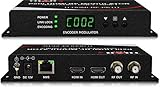
- Cost-effective Networked Digital HDMI RF modulator. Designed to allow any HDMI source like an STB, satellite receiver, HDMI camera, DVD player, Computer, and convert to any RF TV channel of your choice.
- This Thor Broadcast Modulator is an all-in-one device integrating HD MPEG2 encoding with AC3 Dolby Audio with an internal digital modulator. Converts HD audio/video signals from any device into DVB-C/T/ATSC/ISDB-T RF output.
- The unit supports any HD source with the following video resolutions: 720p, 1080i, 1080p
- Simply connect to any PC and control the unit via Thor Broadcast's proprietary GUI
What equipment does each build require?
A terrestrial DVB-T2 prototype
A terrestrial build needs a video source or encoder, a modulator that explicitly supports DVB-T2, suitable RF output and filtering as needed, antennas, and a receiver that also supports DVB-T2. A documented HDMI/CVBS encoder and DVB-T-family modulator offers 6, 7 or 8 MHz bandwidth options, QPSK/16QAM/64QAM, 150–950 MHz RF output and up to 18 Mbps bitrate. Those are specifications for that documented DVB-T-family product; they are not a general DVB-T2 capability or proof that the device supports DVB-T2.
Check both ends of the link by generation and profile. DVB-T-only hardware is not equivalent to DVB-T2 hardware. A product described merely as DVB-T-family should not be assumed to transmit or receive DVB-T2; confirm the standard in the device specifications before buying or designing around it.
Also popular on Amazon

- Distribute or Broadcast 2x HDMI video sources
- Encodes to MPEG-2 or H.264 with 8VSB, ASI, & IP out
- Network managed through web browser
- Supports full HD encoding up to 1080p60
- Encoder, Modulator, IPTV Server, & ASI Mux
A satellite DVB-S2 prototype
A satellite build needs more than a video encoder: the RF chain must match the satellite-side design. One documented example, AdvancedDigital’s ADV-8511, accepts HDMI, SDI, CVBS or YPbPr, outputs 950–2150 MHz DVB-S/S2/S2X RF, supports QPSK through 32APSK and provides 24 V BUC power. These are specifications of that product example, not universal DVB-S2 requirements. The example illustrates why a satellite project must account for the modulator, upconverter or BUC, dish, pointing, receiver and regulatory coordination as a system.
FPGA development and satellite-to-terrestrial conversion
For advanced hardware development, Commsonic documents an EN 302 755-compliant DVB-T2 core with 1K–32K COFDM, QPSK through 256-QAM, LDPC coding and single or multiple PLPs. That is an FPGA development route, not a plug-and-play beginner build; assess the engineering and licensing requirements of the core before selecting it.
Also popular on Amazon
A different option is transmodulation. PROMAX documents a DVB-S/S2-to-DVB-T2 transmodulator for redistributing channels that already arrive by satellite onto a terrestrial DVB-T2 system. This can suit a redistribution job, but it does not turn DVB-S2 into a substitute for a terrestrial transmitter: the output side is DVB-T2.
Independent reader supportYour contribution helps us test, update, and keep practical guides available for everyone.How to choose and plan the link
- Define the path. Decide whether the signal is to travel through a satellite system or over a terrestrial area between antennas. For a local ground-based link, evaluate DVB-T2 first; reserve DVB-S2 for a genuinely satellite-based design.
- Confirm legal operating conditions before transmitting. Check the frequency, permitted power and licensing rules that apply in your jurisdiction. Requirements vary by location, so do not assume that a frequency or power level used in a product specification is legal for your project.
- Select the transmission standard and matching hardware. Verify that both transmitter and receiver explicitly support the same DVB generation and relevant profile. Do not treat DVB-T and DVB-T2 as interchangeable, or assume a DVB-S/S2/S2X product supports every mode just because it lists more than one standard.
- Budget the channel and capacity. Establish available channel bandwidth, video bitrate and transport overhead. Choose settings that leave margin for the selected code rate and, for terrestrial modes, guard interval. Do not infer useful video throughput from a modulation label alone.
- Plan the RF chain and measurement. Account for antennas and the appropriate front end; for satellite, include the dish-side RF chain and pointing. Budget for filtering, shielding and frequency stability, and identify a clean RF measurement method before testing.
- Test the complete link within permitted conditions. Confirm that the intended receiver can acquire the transmission and deliver the video, then evaluate whether the selected settings provide the needed capacity and robustness. A successful encoder or modulator setup by itself does not establish that the end-to-end RF link is suitable.
Common mistakes that derail a DIY transmission
- Choosing by the largest bitrate figure: a published example under a particular bandwidth and modulation does not establish performance for a different standard, channel or implementation.
- Buying DVB-T equipment for a DVB-T2 design: verify the standard on both transmitter and receiver; a DVB-T label is not evidence of DVB-T2 support.
- Planning only the video input: satellite projects need a satellite RF chain, while terrestrial projects still need suitable antennas and any required filtering or amplification.
- Ignoring the RF environment: terrestrial multipath and coverage planning affect the choice of operating mode; satellite designs must account for their satellite link budget and dish-side system.
- Radiating before checking the rules: frequency, power and licensing conditions are jurisdiction-specific. Confirm them before operating a transmitter.
- Treating transmodulation as a shortcut to a different link: converting an existing satellite service to DVB-T2 is redistribution, not a way to make DVB-S2 serve as a terrestrial transmitter.
Practical recommendation
For a DIY campus, workshop, event or test-range video link using terrestrial antennas, start with DVB-T2 and verify DVB-T2 support at both ends. For a satellite contribution or distribution system, choose DVB-S2 only as part of a complete satellite design with the required RF equipment and legal permissions. Compare throughput only after the path, bandwidth and transmission settings are defined; the 2004 ETSI QPSK example is not a general speed ranking.
Quick Recap
Product prices and availability are accurate as of the date/time indicated and are subject to change. Any price and availability information displayed on Amazon at the time of purchase will apply.
Recommended Free Tools

