
iTechGuides is reader-supported. When you buy through links on our site, we may earn an affiliate commission. As an Amazon Associate I earn from qualifying purchases. Learn more
Sometimes it may help, but a phone cooler is not proven to prevent iPhone gaming slowdowns. Cooling can help a phone shed heat during a demanding, extended session, yet the available evidence does not include a controlled test showing that a commercial cooler reliably prevents frame drops or keeps FPS higher in iPhone games. Results depend on the iPhone, game, settings, session length, room conditions and cooler fit.
Why iPhone games can slow down during a long session
Thermal throttling is a device response to heat: during prolonged demanding use, a phone may reduce performance to manage its temperature. That can show up as lower frame rates or other performance changes. A phone feeling warm does not reveal its internal thermal state, prove that throttling is happening, or mean that damage is inevitable.
Peak speed in a short burst and stable performance over time are different measures. In a 2025 Tom’s Guide test, the iPhone 17 Pro Max recorded 68.4% second-run stability and the iPhone 16 Pro Max 67.7% after a 20-minute 3DMark Wild Life Extreme Stress Test was immediately repeated for a 40-minute sustained run. Those results describe that specific benchmark, not how every game or session will behave. Tom’s Guide’s test
The Tool Desk
Outbyte Driver Updater FREEScan for outdated or missing drivers - takes under a minuteDriver Scan →Outbyte PC Repair FREERepair Windows errors before they cause bigger problemsFix Now →What the available cooling evidence shows
Benchmark results are not all comparable
Notebookcheck reported 99.7% stability for its 2025 iPhone 17 Pro 3DMark Wild Life Stress Test. Its game results also varied substantially by game and graphics preset: reported Genshin Impact averages ranged from 86 FPS at the highest 120 FPS preset to 116 FPS at the lowest 120 FPS preset. Different benchmarks, procedures and settings measure different things, so those figures should not be treated as a direct comparison with Tom’s Guide’s results or as a prediction for a particular player. Notebookcheck’s iPhone 17 Pro review
Popular on Amazon
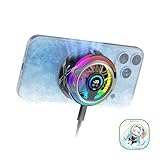
- 【35W Cooling Beast】Magnetic Phone Cooler 6 Pro offers up to 35W power, it achieves up to a 122℉(50°C) drop, and cools down to as low as -13℉(-25°C). Say goodbye to overheating, black screens, and frame drops.(Recommend a 40W+ wall charger; not included.)
- 【Full-Color HD Smart Display】Industry-first 0.71-inch full-color HD smart display with vivid animated visuals and real-time data integration, delivering a strong futuristic tech feel. Real-time power output, cooling level, device temperature, and fan speed are clearly displayed at a glance. Supports custom wallpaper uploads for a fully personalized experience.
- 【Upgraded ICECOLD 2.0 Cooling System】Featuring the all-new ICECOLD 2.0 cooling system with an ultra-thin cold-forged 2.0 thermal architecture. Heat dissipation fins are increased by approximately 40%, spacing is reduced by 20%, and the overall heat dissipation area is expanded by 26%, while the weight is reduced by about 8g for a lighter and more efficient design.
- 【Smooth Performance & Addressable RGB Lighting】This gaming phone cooler fully unleashes your device’s performance, ensuring smooth, lag-free gameplay and low-latency streaming. Whether gaming, live streaming, or watching videos in the car, it delivers a crisp, seamless visual experience. Built-in 16 addressable RGB LEDs enhance the ambient lighting for a more immersive gaming atmosphere.
- 【Wide Compatibility】Black Shark phone cooler comes with a magnetic plate, supporting both magnetic and non-magnetic devices, effectively solving compatibility issues common with magnetic coolers. Compatible with Android phones, iPhones, Switch, iPads, laptops, and more. Package Includes: Cooler x1, USB-C to USB-C cable x1, user manual x1, magnetic ring plate x1.
Lower surface temperature does not prove a gaming benefit
Notebookcheck measured up to 41.2 °C on the tested iPhone 17 Pro’s upper surface under its load conditions. That is a surface measurement from one test setup, not a reading of the phone’s internal thermal state and not evidence that a cooler would improve game performance. Tom’s Guide used a different temperature-measurement setup and reported Fahrenheit values, so the measurements are not directly interchangeable.
An improvised cooling experiment is not a cooler trial
Tom’s Hardware reported that developer Matt Birchler placed a cold can on an iPhone 18 Pro during 20 benchmark runs and observed around 25% higher sustained benchmark performance. The report concerns an improvised benchmark experiment, not a commercial accessory tested during gameplay. Birchler described his motivation this way: “I did some benchmarking today and saw how the newest iPhone thermal throttles, which isn’t severe, but does happen,” as quoted by Tom’s Hardware on September 26, 2026. Tom’s Hardware’s report
Also popular on Amazon

- 【20W Power Ultra-Fast Cooling】The wired magnetic phone cooler utilizes high-performance Peltier element (TEC) with high heat dissipation capacity, and its heat dissipation ability lowers the temperature of the main unit by about 95℉. NOTE: Connection to power supply required for use. Power must exceed 20W for optimal performance. Data cable not included in packag.
- 【Simple Control】The cell phone cooling fan has a built-in Type-C interface, just connect the power cord and it is ready to use. Switch between overclocking mode and silent mode with the click of a button. 12N strong magnetic force holds the phone firmly in place and prevents it from falling off.
- 【Compact and lightweight design】The Magnetic cell phone cooler weighs only 0.18 lb in a small size, leaving more space for hand operation and being without overheavy burden.
- 【Quiet Operation】This smartphone cooler adopts noise reduction design, and the operating noise in silent mode is only 30db, allowing you to play games or watch videos comfortably.
- 【Vertical Air Duct Design】The vertical air duct design of FunCooler 5 smartphone cooling fan focuses on the user's actual experience and innovative ergonomic design, which provides a comfortable grip and does not dissipate heat to the hand.
Newer thermal design can delay, not eliminate, performance decline
A Notebookcheck summary of creator gameplay tests reported that the iPhone 18 Pro Max reached reported thermal states later than the iPhone 17 Pro Max, while performance on both declined over long runs. These are secondary-reported gameplay tests, not a comparison of either phone with a cooler attached. Notebookcheck’s iPhone 18 Pro Max summary
What a phone cooler can—and cannot—promise
Smartphone gaming coolers are available, including magnetic models covered in product reporting, but the cited reporting does not benchmark them against an iPhone gaming baseline. A cooler may help dissipate heat, but there is no established universal FPS gain or evidence here that one will prevent slowdowns on a particular iPhone. Apple has not been shown to make an official claim that an external cooler prevents gaming slowdowns.
Also popular on Amazon

- 【35W Cooling Beast】Magnetic Phone Cooler 5 Pro offers up to 35W power,30% more than the previous generation, drops the temperature to below zero in 25s, it achieves up to a 113℉(45°C) drop, and cools down to as low as -4℉(-20°C). Say goodbye to overheating, black screens, and frame drops.(Recommend a 40W+ wall charger; not included.)
- 【18 Addressable RGB LEDs】 The cooling fan, featuring 480 diamond-inspired facets, comes with 18 addressable RGB LED beads and introduces the first-ever Rubik's Cube lighting mode. Each LED bead can be individually customized for RGB lighting color, delivering enhanced playability.
- 【Smart Temperature Control】The mobile phone cooler uses dual NTC sensors to monitor internal temperature in real time. It auto-shuts off if temps exceed 60°C (140°F) or drop below -20°C (-4°F), enhancing safety and longevity. The Shark Arsenal app enables manual control, smart adjustments, and continuous monitoring to prevent internal condensation.
- 【Smooth Performance】The Gaming Phone Cooler unlocks your device’s full potential, ensuring no frame drops in games or lag during streams—enjoy ultra-clear, seamless visuals whether gaming, streaming, or watching videos in the car. Its top-and-bottom silent airflow design enables efficient heat dissipation, keeping hot air away from your hands.
- 【Wide Compatibility】Black Shark phone cooler with detachable grips supports magnetic/clip-on use, solving magnetic cooler compatibility issues. Works for Android, iPhone, Switch, iPad, laptops, etc. Features a 1/4 nut interface for live broadcast brackets. Package includes: Cooler x1, USB C to C cable x1, Manual x1, Removable Grips x2.
Consider a cooler an optional experiment rather than a guaranteed fix. Compatibility and practical fit matter: check whether it attaches securely to your iPhone, whether you must remove its case, and whether its bulk, noise, power needs and contact point are acceptable during play.
Independent reader supportYour contribution helps us test, update, and keep practical guides available for everyone.How to check whether a cooler helps your iPhone
A useful comparison changes only one thing: whether the cooler is attached. Keep the rest of the setup as consistent as possible so a difference is less likely to come from a changed setting or environment.
Also popular on Amazon

- Rapid Cooling Down: It's the same refrigeration principle as the refrigerator, not the ordinary fan cooling,it can cool down your phone in few minutes to avoid overheat and ensure stabilize your live streaming or gaming experience.
- Universal Compatibility: This phone cooler provides two installation options – magnetic attachment and back clip fixation, making it perfect for most phone sizes. Whether you prefer the convenient magnetic snap-on or the sturdy back clip, it's designed to suit your needs.
- Wired USB-C Powered — Requires 15W+ Adapter for Peak Performance: This is a plug-in phone cooling fan, not wireless. For maximum 32°C cooling and fast frost, use a 5V/3A or 15W+ USB-C power adapter (not included) and a 3A-rated cable. The included 2A cable works for everyday cooling.
- Mute Engine Dissipation: Silent designing fan can efficiently emit wind from all sides, providing a stronger refrigeration effect, no disturbance to your gaming or your Vlog show.
- Large Cooling Area & Plug and Play: About 4.65 sq. Inches extreme thermal conductive cooling area to cover the CPU and battery module, protecting your phone from blackening or sudden shut-off. Use the C-type cable(included), plug and play.
- Choose one iPhone and one game version. Keep the graphics preset and frame-rate cap unchanged.
- Use the same session duration and room conditions for each run. Keep the phone in the same charging state and use the same case configuration; if the cooler requires case removal, test the passive setup without the case too, so the comparison is fair.
- Record frame-rate behavior throughout each session, rather than relying on a brief early impression. Note screen dimming and surface temperature as separate observations; neither one alone establishes the phone’s internal thermal state.
- Repeat the runs under the same conditions, first without the cooler and then with it. Compare sustained frame-rate behavior, not just a single peak or short segment.
If the cooler does not produce a consistent improvement in those like-for-like runs, it may not be solving the cause of the slowdowns in that setup. The available evidence cannot identify a best cooler or predict a result across different iPhones, games, climates and cases.

