
Do these 3 things before closing this tab:
1Repair Windows errors before they cause bigger problems2Scan for outdated or missing drivers - takes under a minute3Clear out junk files and repair common Windows errorsiTechGuides is reader-supported. When you buy through links on our site, we may earn an affiliate commission. As an Amazon Associate I earn from qualifying purchases. Learn more
Different Ethernet cables matter only when the existing cable is damaged, poorly terminated, too long for the desired speed, made from unsuitable material, or below the network’s requirements. A working, standards-compliant Cat5e cable normally handles a 1Gbps home connection, while a Cat8 cable cannot make a 1Gbps router port or ISP plan faster.
The fastest way to find out whether an Ethernet cable is slowing down your internet is to check the negotiated link speed between your device and router. A 100Mbps link when the equipment should support 1Gbps is a strong clue; a 1Gbps link with a slow internet speed test usually means the problem is elsewhere.
Key takeaways
- A standards-compliant Cat5e cable is normally sufficient for an internet connection and wired network up to 1Gbps.
- Cat5e can often carry 2.5Gbps, and sometimes 5Gbps, when both devices support those speeds and the complete cable channel is in good condition.
- Cat6 is the sensible general-purpose choice for new home patch cables, while Cat6A is the appropriate choice for new in-wall cabling intended to support 10Gbps across up to 100 meters.
- A 100Mbps negotiated link often indicates a failed pair, bad connector, incorrect termination, two-pair cable, damaged port, or unsuitable cable.
- Cat7, Cat8, “gaming” labels, gold-plated contacts, and higher prices do not automatically reduce latency or increase internet speed.
- Solid copper, four properly wired pairs, credible category markings, suitable connectors, and good installation matter more than the largest category number on the package.
How can you tell whether an Ethernet cable is slowing down your internet?
Check the negotiated Ethernet link speed before replacing hardware or blaming the ISP. The negotiated speed is the connection established between the two local devices at the ends of the cable, such as a computer and router; the negotiated speed is not the same as the internet speed shown by a browser-based test.
The relevant path is:
ISP plan → modem or ONT → router or gateway port → switch → Ethernet cable → computer, console, TV, or access point.
Popular on Amazon
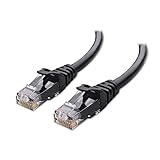
- High-Performance Connectivity: This Cat 6 ethernet cable is designed for superior performance, with a 24 AWG copper wire core. It provides universal connectivity as an ethernet cord for LAN network components such as PCs, servers, printers, routers, and more, ensuring reliable and fast network connections
- Advanced Cat6 Technology: Experience Cat6 performance with higher bandwidth at a Cat5e price. This network cable is future-proof, ready for 10-Gigabit Ethernet and backwards compatible with any existing Cat 5 cable network. It meets or exceeds Category 6 performance according to the TIA/EIA 568-C.2 standard
- Reliable Wired Network Solution: Known variously as a Cat6 network cable, ethernet cable Cat 6, or Cat 6 data/LAN cable, this RJ45 cable offers a more secure and reliable connection than wireless networks. It's ideal for internet connections that demand consistency and security
- Durable and Secure Design: The connectors of this ethernet cable feature gold-plated contacts and strain-relief boots for enhanced durability. Bare copper conductors not only improve cable performance but also comply with communication cable specifications
- High-Speed Data Transfer: With up to 550 MHz bandwidth, this ethernet cord is ideal for server applications, cloud computing, video surveillance, and streaming high-definition video. It also supports Power over Ethernet (PoE, PoE+, PoE++) for powering devices like IP cameras, VoIP phones, and wireless access points, ensuring fast and reliable network performance.
Every component in that path can be a bottleneck. A Cat8 cable cannot turn a 1GbE router port into a 2.5GbE or 10GbE port, and a cable cannot increase the capacity of an ISP plan.
Check the link speed on your device
On Windows, open PowerShell and run:
Get-NetAdapter | Select-Object Name, Status, LinkSpeedThe affected adapter should show a negotiated value such as 100 Mbps, 1 Gbps, 2.5 Gbps, 5 Gbps, or 10 Gbps, if the adapter, port, driver, and cable support that speed.
On Linux, first identify the wired interface:
ip linkThen inspect its negotiated speed, replacing eth0 with the actual interface name:
Free tools Windows power users keep installed
One-click scans. No signup required.
ethtool eth0Look for the Speed: and Duplex: fields. On macOS, list the hardware ports and inspect the media setting:
networksetup -listallhardwareports
networksetup -getMedia en0
Replace en0 with the relevant wired interface if necessary. Adapter names, permissions, and command output can vary by operating-system version and driver.
What does a 100Mbps link mean on a gigabit network?
A 100Mbps link on equipment that should support gigabit Ethernet usually points to a physical-layer problem. Gigabit Ethernet uses all four twisted pairs; Fast Ethernet can continue operating with fewer usable pairs. One failed conductor, bad contact, or incorrect termination can therefore make a connection fall back to 100Mbps instead of failing completely.
Check for:
- a broken conductor or crushed cable;
- bent, corroded, or loose connector contacts;
- a plug with a damaged latch or strain point;
- an incorrectly wired wall jack or patch panel;
- a cheap cable containing only two pairs;
- a damaged router, switch, or computer port;
- a 100Mbps port mistaken for a gigabit port;
- poor-quality copper-clad aluminum cable; or
- auto-negotiation choosing the highest speed it can maintain reliably.
If replacing the cable changes the link from 100Mbps to 1Gbps, the original cable or one of its terminations was probably the limiting component. If the link remains at 100Mbps, inspect both ports, the adapter specification, wall jacks, and any switch or coupler in the path.
Also popular on Amazon

- Cat 6 performance at a Cat5e price but with higher bandwidth
- High Performance Cat6, 30 AWG, RJ45 Ethernet Patch Cable provides universal connectivity for LAN network components such as PCs,computer servers,printers,routers,switch boxes,network media players,NAS,VoIP phones
- Jadaol cat6 standard cable support Cat8 and Cat7 network and provides performance of up to 250 MHz 10Gbps and is suitable for 10BASE-T, 100BASE-TX (Fast Ethernet), 1000BASE-T/1000BASE-TX (Gigabit Ethernet) and 10GBASE-T (10-Gigabit Ethernet)
- UTP(Unshielded Twisted Pair) patch cable with RJ45 gold-plated Connectors and are made of 100% bare copper wire, ensure minimal noise and interference
- The unique flat cable shape allows for a cleaner and safer installation. You can easily and seamlessly make the cable run along walls, follow edges & corners or even make it completely invisible by sliding it under a carpet.
What is the difference between Cat5e, Cat6, Cat6A, Cat7, and Cat8?
Ethernet categories describe electrical performance and cabling characteristics; a category label is not a guarantee that a complete network will operate at the category’s highest advertised data rate. Speed depends on the Ethernet standard, device interfaces, channel length, termination quality, crosstalk, bundling, and installation conditions.
| Category | Practical home use | Relevant speed guidance | Distance guidance | Buying recommendation |
|---|---|---|---|---|
| Cat5 | Legacy networks | Typically legacy 100Mbps Ethernet | Up to 100m for supported legacy Ethernet | Replace if it limits the link; not a sensible new default |
| Cat5e | Existing 1GbE home wiring | 1Gbps at 100m; 2.5Gbps is commonly possible on suitable existing cabling, and 5Gbps may work in appropriate installations | Up to 100m for supported standards and a compliant channel | Keep a working cable; suitable for many homes |
| Cat6 | New patch cables and multi-gigabit networks | 1Gbps, 2.5Gbps, and 5Gbps; 10Gbps on shorter runs | 100m for lower multi-gigabit speeds; shorter for 10Gbps | Best general-purpose new home cable |
| Cat6A | Permanent structured cabling | 10Gbps across the full rated channel when correctly installed | Up to 100m | Best for new in-wall 10GbE-capable wiring |
| Cat7 | Specialized shielded cabling | Do not infer a guaranteed speed from a consumer listing alone | Depends on the cabling system and termination | Usually choose Cat6A for home 10GbE |
| Cat8 | Specialized, short data-center-style links | 25GbE or 40GbE over short copper links | About 30m for the relevant high-speed use case | Overkill unless the equipment specifically requires it |
Cisco’s Catalyst 9200 hardware guidance describes 100Mbps, 1Gbps, 2.5Gbps, and 5Gbps operation over suitable Cat5e cabling and discusses 10Gbps operation over Cat6 and Cat6A subject to reach and installation conditions. Cisco also identifies cable bundling, speed, reach, and termination quality as factors affecting multi-gigabit links.
Is Cat5e or Cat6 better for a home network?
Cat5e is the right choice when a home network is 1Gbps or slower and the existing cable already negotiates at the expected speed. Replacing a working Cat5e cable merely because Cat6 has a higher number is unlikely to improve a 1Gbps internet connection.
Cat6 is the better default when buying new ordinary patch cables. Cat6 is widely available, relatively inexpensive, and provides useful margin for 2.5GbE, 5GbE, and shorter 10GbE links without the extra stiffness and cost that can accompany Cat6A.
Cat6A is preferable for new permanent wiring when full-distance 10GbE is a genuine objective. Netgear’s cable guidance treats Cat5e as suitable for 1Gbps and recommends Cat6 or better for multi-gigabit consumer devices, while Cisco’s 10GBASE-T guidance gives the relevant distance qualifications for higher-speed copper Ethernet.
| Your situation | Most sensible choice | Why |
|---|---|---|
| Existing connection at 1Gbps or less and link is stable | Keep good Cat5e | Replacement is unlikely to change internet speed |
| Short replacement cable for a PC, console, TV, or router | Cat6 | Good availability and useful future margin |
| 2.5GbE or 5GbE equipment | Cat6; good Cat5e may also work | Hardware and channel quality determine the result |
| New in-wall 10GbE wiring | Cat6A | Appropriate for 10GbE across a full 100m channel |
| Short specialized 25GbE or 40GbE copper link | Cat8, only when required by both endpoints | Designed for short, high-speed deployments |
Which cable problems actually reduce speed or reliability?
Two-pair cables and failed pairs
Gigabit and faster copper Ethernet require four properly wired twisted pairs. A cable that contains only two pairs, has a failed pair, or has an incorrect pinout may establish a slower 100Mbps link. A continuity tester can expose an open, short, or wrong pair order, but it cannot prove that a cable meets Cat6A electrical-performance requirements.
Solid copper versus CCA
CCA means copper-clad aluminum. CCA is lighter and cheaper than a proper solid-copper communications cable, but CCA is not equivalent to bare copper and is particularly undesirable for Power over Ethernet because resistance and heating behavior differ.
Also popular on Amazon

- 40 Gbps 2000 Mhz High Speed: The Cat 8 ethernet cable support max. 40 Gbps data transfer and 2000 MHz Brandwith, ideal for gaming and streaming, greatly improving upload and download speed, sound, image and resolution quality
- Excellent Anti-interference: The ethernet cable comes with 4 shielded foiled twisted pairs (F/FTP), pure copper core and gold-plated RJ45 connector, reducing interference, noise and crosstalk, making network speed faster and more stable
- Marvelous Durability: Internet cable wrapped with quality cotton braided cord, which makes the LAN cable stronger and more durable. The test proves that this internet cable can be bent at least 10000 times without broken, very suitable for long-term use
- PoE Supported: All lengths of ethernet cord can support the PoE power supply function except 65ft. You don't need additional power supply when installing a PoE camera, which is very convenient and safe
- Wide Compatibility: With the RJ45 Connector, network cable can be perfectly compatible with computers, laptops, modems, routers, PS5, X-Box and other networking devices. It can also be fully backward compatible with Cat7, Cat6e, Cat6, Cat5e, Cat5
For Ethernet and PoE, look for clearly stated “100% copper” or “bare copper” conductors from an identifiable manufacturer. Copper material alone does not certify Cat6A performance, so also look for a credible category specification, appropriate safety markings, conductor information, and suitable connectors.
The Tool Desk
Outbyte PC Repair FREERepair Windows errors before they cause bigger problemsFix Now →Outbyte Driver Updater FREEFix the driver behind crashes, sound loss and screen glitchesFind Drivers →Connectors and termination
A Cat6A cable with a poor plug or bad crimp can perform worse than a well-made Cat5e cable. For in-wall cable, use compatible keystone jacks and patch panels rather than improvised plugs on solid horizontal cable unless the cable and connectors are designed for that use.
Length, bends, and bundling
The familiar structured-cabling maximum is 100 meters, or 328 feet, for a complete channel that includes permanent cabling and patch-cable allowances. Cat6 10GbE reach is commonly shorter than Cat6A’s full-distance 10GbE reach.
Do not crush cable with staples, create sharp kinks, exceed the cable’s bend radius, untwist pairs excessively at a termination, or coil unnecessary cable tightly inside a wall or cabinet. Large bundles of high-power PoE cable can create heat concerns. Running Ethernet parallel to mains wiring can increase interference risk, although ordinary home installations often do not require shielded cable.
StarTech’s category comparison provides a useful overview of category, bandwidth, and typical distance distinctions, but the complete installed channel—not just the printed label—determines reliable performance.
Does shielding, a flat shape, or gold-plated connectors make Ethernet faster?
Shielding does not automatically make Ethernet faster. Shielded cable can help in a specific electrically noisy environment, but the shield must be used with compatible components and properly grounded. In a typical home patch-cable installation, unshielded twisted pair is usually simpler and adequate.
Flat Ethernet cables are convenient under trim or around furniture, but extreme thinness can leave less room for the geometry and separation required by higher-category specifications. Not every flat cable is defective; demand clear conductor, category, and compliance information rather than judging by shape alone.
Also popular on Amazon
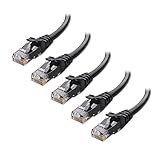
- High-Performance Connectivity: This Cat 6 ethernet cable is designed for superior performance, with a 24 AWG copper wire core. It provides universal connectivity as an ethernet cord for LAN network components such as PCs, servers, printers, routers, and more, ensuring reliable and fast network connections
- Advanced Cat6 Technology: Experience Cat6 performance with higher bandwidth at a Cat5e price. This network cable is future-proof, ready for 10-Gigabit Ethernet and backwards compatible with any existing Cat 5 cable network. It meets or exceeds Category 6 performance according to the TIA/EIA 568-C.2 standard
- Reliable Wired Network Solution: Known variously as a Cat6 network cable, ethernet cable Cat 6, or Cat 6 data/LAN cable, this RJ45 cable offers a more secure and reliable connection than wireless networks. It's ideal for internet connections that demand consistency and security
- Durable and Secure Design: The connectors of this ethernet cable feature gold-plated contacts and strain-relief boots for enhanced durability. Bare copper conductors not only improve cable performance but also comply with communication cable specifications
- High-Speed Data Transfer: With up to 550 MHz bandwidth, this ethernet cord is ideal for server applications, cloud computing, video surveillance, and streaming high-definition video. It also supports Power over Ethernet (PoE, PoE+, PoE++) for powering devices like IP cameras, VoIP phones, and wireless access points, ensuring fast and reliable network performance.
Gold-plated contacts may improve resistance to corrosion, but gold plating is not a speed upgrade. “Gaming,” “high speed,” “future-proof,” and “40Gbps” wording without a recognized category, conductor specification, and credible manufacturer claim should be treated cautiously.
Can a better Ethernet cable improve gaming, streaming, or ping?
A higher-category Ethernet cable normally does not reduce ping when an existing compliant cable is operating correctly at the same link speed. Gaming latency is usually affected more by distance to the game server, ISP routing, bufferbloat, local congestion, Wi-Fi interference, router queue management, and server performance.
Outdated Drivers Are Slowing You Down
One free scan finds every outdated or missing driver and matches the right update for your exact hardware.Free scan · exact hardware matchWindows Errors? Fix Them Before They Spread
Repair common Windows errors and clear accumulated junk for a smoother, more stable PC - no reinstall needed.Free scan · no reinstallA cable replacement can improve gaming indirectly if the old cable is dropping packets, negotiating at 100Mbps, causing retransmissions, or disconnecting intermittently. A stable wired link can also improve streaming consistency compared with unreliable Wi-Fi, but Cat8 does not inherently make video playback smoother than working Cat5e or Cat6.
What Ethernet cable is safest for PoE devices?
For a PoE access point, camera, VoIP phone, or similar device, choose solid-copper cable from a reputable supplier and verify conductor gauge, jacket rating, connector compatibility, temperature considerations, and support for the intended PoE standard and power level. Category alone does not establish safe PoE performance.
For example, StarTech’s 30-foot Cat6A product page advertises 26-AWG copper conductors and support for IEEE 802.3bt/DTE power up to 100W. Those are claims about that specific product, not universal properties of every Cat6A cable. CCA and unusually thin conductors deserve particular caution in PoE installations.
How should you troubleshoot a slow wired connection?
- Record the expected capability. Check the ISP plan, modem or ONT, router WAN port, router LAN port, switch port, and client Ethernet adapter. A 100Mbps or 1Gbps device anywhere in the path sets a hardware limit.
- Check negotiated link speed. Use the Windows, Linux, or macOS commands above. Do not rely only on an internet speed test.
- Bypass intermediate hardware. Connect the computer directly to the router with a short, known-good Cat5e or Cat6 cable. Bypass the switch, wall jack, coupler, patch panel, and powerline adapter.
- Try one variable at a time. Test another router port, test the original cable again, and test the suspect cable on a second known-good device.
- Run a wired speed test. If the negotiated link is 1Gbps but internet throughput is low, investigate the ISP, WAN link, router, test server, VPN, CPU, browser, and congestion.
- Test the local network. Use
iperf3between two wired devices on the same router or switch. Start the server withiperf3 -s, then runiperf3 -c SERVER_IPfrom the second computer. Interpret the result against the negotiated link speed and protocol overhead. - Certify installed cabling when necessary. For in-wall or expensive runs, use a cable certifier and test the complete channel, including patch cords, jacks, and patch panels. A basic continuity tester is not a category or 10GbE certification tool.
| Observed result | Most likely interpretation | Next action |
|---|---|---|
| Link changes from 100Mbps to 1Gbps with another cable | Original cable or termination is defective or unsuitable | Replace the cable or repair the termination |
| Link remains at 100Mbps | Port, adapter, wall jack, switch, or device specification may be limiting it | Inspect each component and verify port capabilities |
| Link is 1Gbps but internet test is slow | Cable is probably not the bottleneck | Investigate ISP, WAN, router, VPN, server, or congestion |
| Link repeatedly disconnects | Damage, connector strain, port failure, interference, or failing NIC | Replace or bypass components and test locally |
| Local transfer is fast but internet test is slow | Problem is probably upstream of the LAN | Check the ISP connection and internet test conditions |
What should you look for when buying an Ethernet cable?
- Choose Cat5e for a cost-effective replacement when the network is 1Gbps or slower and no future multi-gigabit requirement exists.
- Choose Cat6 as the practical default for new home patch cables.
- Choose Cat6A for new in-wall wiring intended to carry 10GbE across a long or complete 100m channel.
- Prefer clearly identified solid or bare copper conductors and four properly wired pairs.
- Check category markings, conductor gauge, jacket rating, connector design, and credible compliance or testing information.
- For PoE, verify the cable’s power suitability rather than relying on category alone.
- Avoid vague marketplace listings, CCA, suspiciously cheap “Cat7e” or “Cat6e” labels, and unsupported 40Gbps claims.
- Do not pay extra for “gaming,” gold-plated connectors, or Cat8 unless the network equipment and installation have a documented reason to need them.
Examples in the supplied manufacturer and retailer information include Monoprice Cat6A pure-copper stranded patch cables and StarTech Cat6A products with published construction and PoE claims. Prices and availability are volatile: the cited research observed a Monoprice 10-foot example at $8.89, a 100-foot example at $53.09, a StarTech 6-foot shielded example at $17.41, and a StarTech 30-foot example at $51.24 on August 18, 2026. Treat those figures as dated observations, not permanent prices or proof that one brand is universally better.
When should you replace the cable, and when should you buy nothing?
Replace the cable when the negotiated link is lower than expected, the connection disconnects, the cable works only when bent or held at an angle, the cable has visible damage, or the cable is CCA, two-pair, counterfeit, mislabeled, or poorly terminated.
Also popular on Amazon

- High Performance Cat6 Cable - The Cat6 ethernet cables 100ft supports frequencies of up to 500 MHz and high-speed 10GB internet connection for LAN network applications such as PCs,computer servers,printers,routers,switch boxes,network media players,NAS,VoIP phones and more, while remaining fully backward compatible with your existing network.
- Outdoor&Indoor Ethernet Cable - The cat 6 ethernet patch cable features 8 solid copper conductors 24 AWG. Each of the 4 unshielded twisted pairs (UTP) are separated by a PE cross insulation to isolates pairs and prevent crosstalk and covered by a 5.8mm PVC jacket with RJ45 connectors and gold-plated contacts. The molded strain relief boots help avoid snags that will damage your cables. They are molded for flexibility and resist common wear and tear.
- Lan Cable with RJ45 - UTP(Unshielded Twisted Pair) patch cable with RJ45 gold-plated Connectors, this cat6 cable support Cat8 and Cat7 network and provides performance of up to 500 MHz 10Gbps and is suitable for 10BASE-T, 100BASE-TX (Fast Ethernet), 1000BASE-T/1000BASE-TX (Gigabit Ethernet) and 10GBASE-T (10-Gigabit Ethernet)
- High Quality Control - are designed with extremely well-matched components for outstanding uniform impedance and very low return loss, providing lower crosstalk, and a higher signal-to-noise ratio. Each Cat 6 internet cable 6 ft goes through rigorous testing to ensure a secure wired internet connection with exceptional speed and reliability.
- Support – Cat6 Ethernet cable with CM grade PVC jacket complies with TIA/EIA 568-C.2, is ETL verified and RoHS compliant. If an item is defective or breaks within a year, we will issue a replacement. For questions or concerns please contact our friendly, USA-based customer Support team.
Buy nothing when a good Cat5e cable negotiates at the speed supported by both devices and local and internet throughput meet the network’s actual requirements. Upgrading a working 1Gbps Cat5e link to Cat6A or Cat8 will not increase an ISP plan’s capacity or produce lower ping by itself.
The practical rule is simple: buy the cable that matches the network, distance, installation, and PoE requirements—not the largest number printed on the package.
Frequently Asked Questions
Will Cat8 make my internet faster than Cat5e?
Cat8 will not make an internet connection faster when the router, client, or ISP plan is limited to 1Gbps. Cat8 is intended for short, specialized 25GbE or 40GbE copper links, so a working Cat5e cable is normally enough for ordinary 1Gbps home internet.
What’s actually slowing this PC down?
Pick the symptom - the matching free tool is one click away.
Can Cat5e support 2.5Gbps Ethernet?
A suitable Cat5e installation can often support 2.5Gbps when both endpoints support 2.5GbE and the cable channel is properly installed. Actual performance depends on cable condition, distance, terminations, crosstalk, and hardware.
Why is my gigabit internet connecting at 100Mbps?
A 100Mbps negotiated link commonly indicates a failed pair, damaged connector, incorrect wall-jack termination, two-pair cable, damaged port, or 100Mbps hardware. Check the negotiated link speed and test directly from the computer to the router with a known-good four-pair cable.
Is Cat6 worth buying instead of Cat5e?
Cat6 is worth buying as a sensible default for new home patch cables because it provides more margin for 2.5GbE, 5GbE, and shorter 10GbE links. Cat6 is unlikely to make a working 1Gbps Cat5e connection faster.
Are shielded Ethernet cables better for gaming?
Shielded Ethernet cables are not automatically better for gaming and do not inherently reduce ping. Shielding can help in particular electrically noisy environments when compatible components are properly grounded, but ordinary home connections usually do not need it.
Quick wins for a faster PC:
Clear out junk files and repair common Windows errorsFree Scan →Fix the driver behind crashes, sound loss and screen glitchesFind Drivers →The Bottom Line
Bottom line: A good Cat5e cable is normally enough for a 1Gbps home connection. Choose Cat6 for most new patch cables and Cat6A for new in-wall 10GbE wiring. Replace a cable when link speed, stability, construction, or installation conditions show that the cable is actually the bottleneck—not because Cat7, Cat8, or “gaming” appears on the package.
Quick Recap
Product prices and availability are accurate as of the date/time indicated and are subject to change. Any price and availability information displayed on Amazon at the time of purchase will apply.

