
iTechGuides is reader-supported. When you buy through links on our site, we may earn an affiliate commission. As an Amazon Associate I earn from qualifying purchases. Learn more
Optical zoom uses a Galaxy phone’s telephoto camera hardware; digital zoom enlarges a crop with software. Optical zoom preserves more genuine fine detail, while digital zoom can make a distant subject fill the frame but may become softer, noisier or more artificial as magnification increases.
Galaxy phones can combine both methods. Samsung also uses the separate label optical-quality zoom for some sensor-assisted distances, so a number shown in the Camera app is not automatically an optical lens setting. The exact zoom stops depend on the model.
Optical zoom, digital zoom and optical-quality zoom are different things
Optical zoom uses another camera and lens
A phone’s main camera sees a relatively wide view. A telephoto camera uses different optics and a narrower field of view, making a distant subject appear larger on the sensor before the image is processed. Because the scene is magnified optically, the camera starts with real detail from the subject rather than inventing enlarged pixels from a crop.
Samsung says only selected Galaxy devices include a telephoto lens. If your model has no telephoto camera, the Camera app must rely more heavily on cropping and processing when you move past the main camera’s native view.
Popular on Amazon

- 100% LIFETIME PROTECTION: Enjoy reliable performance with lifetime coverage, guaranteeing your tripod is always protected against any defects or issues.
- Ultimate Materials & Engineerin: EUCOS's phone tripod utilizes modified Nylon PA6/6 for all-weather durability. The engineered polymer delivers exceptional crush/shear resistance and toughness, achieving optimal rigidity-flexibility balance.
- Rapid Extension Tripod for Phone: Glide the rod in a single, fluid motion to convert it from a compact tripod into a full 62" selfie stick. Achieve instant elevation for dynamic filming.
- Studio-Grade Phone Rig: Safely harness phones from 2.2" to 3.6" wide with pro-level clamping and effortless framing. Built-in cold shoe expands your creative options with lights and mics.
- Hands-Free Control: The Wireless remote enables instant pairing with smartphone and remote capture from up to 33ft/10m. Ensures rock-solid stability for blur-free photography and Start/Stop video recordings effortlessly—all without device contact.
Digital zoom enlarges a crop
Digital zoom takes the pixels captured by a camera, selects a smaller area and enlarges that area to produce the requested frame. Processing can sharpen edges, reduce noise and use information from several frames, but it cannot recover texture that was never recorded by the lens and sensor. Fine hair, writing, foliage and distant building detail are therefore more likely to smear or look painted at high digital magnification.
Digital zoom is not useless. It can improve composition when you cannot move closer, and a well-lit, steady, moderately enlarged crop may look perfectly usable on a phone screen. The important distinction is that the larger number in the interface does not guarantee more optical information.
“Optical quality” is Samsung’s middle category
Samsung uses optical-quality zoom for distances produced with sensor and software assistance rather than a dedicated optical focal length alone. Samsung’s explanation associates this mode with Adaptive Pixel technology. It is intended to look closer to an optical result than a straightforward digital crop, but it should not be shortened to “optical.”
The Tool Desk
Outbyte PC Repair FREERepair Windows errors before they cause bigger problemsFix Now →Outbyte Driver Updater FREEFix the driver behind crashes, sound loss and screen glitchesFind Drivers →That wording matters when you compare specifications. A phone can advertise several optical-quality steps alongside fewer true optical steps. Treat each label as a separate claim instead of assuming every zoom preset uses a telephoto lens.
Also popular on Amazon

- 62" Phone Tripod & Selfie Stick Combo: Extendable phone tripod for iPhone and Android, combining a tripod stand and selfie stick in one lightweight design for selfies, photos, videos, vlogging, live streaming, and family gatherings.
- Adjustable Height & 360° Rotation: The tripod extends up to 62 inches to support standing shots, group photos, video calls, and content creation. The 360° rotating phone holder allows vertical or horizontal shooting.
- Stable Phone Holder for Daily Recording: Designed for hands-free video recording, online meetings, tutorials, livestreams, and social content. The phone holder keeps your device positioned securely for clear, steady shots.
- Wide Compatibility with Phones and Cameras: Fits most smartphones from 2.8" to 5.7" wide and includes a universal 1/4" screw mount for compatible cameras, action cameras, webcams, and camcorders.
- Wireless Remote & Complete Kit: Includes 1 phone tripod/selfie stick, 1 universal phone holder, 1 adapter, and 1 wireless remote shutter. Backed by 12-month after-sales support for everyday shooting needs.
| Zoom label | What creates the magnification | What to expect |
|---|---|---|
| Optical zoom | A telephoto camera and its lens capture a narrower view. | Usually the strongest source of fine distant detail, subject to light, focus and steadiness. |
| Optical-quality zoom | Sensor data combined with Samsung’s Adaptive Pixel and other processing. | Designed to approach optical-looking detail at specified distances, but it is not the same as a dedicated optical focal length. |
| Digital zoom | A crop enlarged by software, including Super Resolution processing on some models. | Useful for framing; detail can deteriorate as magnification rises beyond the phone’s optical or optical-quality range. |
Why one Galaxy phone’s zoom numbers do not describe every Galaxy phone
Galaxy camera systems differ by model, generation and regional specification. A zoom setting available on a premium Ultra model may not exist on a standard or older model, and the same number can be produced by different cameras on different phones. Check the current specification page for your exact model before treating any zoom stop as optical.
Samsung’s current Galaxy S26 Ultra guide provides a clear example, but it is a model-specific illustration rather than a promise about the entire Galaxy range.
| Galaxy S26 Ultra setting described by Samsung | Samsung’s category | How to interpret it |
|---|---|---|
| 3x | Optical zoom | A dedicated optical distance listed by Samsung. |
| 5x | Optical zoom | A second dedicated optical distance listed by Samsung. |
| 2x | Optical-quality zoom | Sensor-assisted output, not a separate 2x telephoto lens claim. |
| 10x | Optical-quality zoom | Sensor-assisted output; Samsung distinguishes it from the 3x and 5x optical distances. |
| Up to 100x | Digital Space Zoom | Samsung says the 100x claim includes 10x optical-quality zoom and digital enlargement with Super Resolution technology. |
Samsung cautions that image deterioration may appear beyond the optical-quality range. It also says results vary with lighting and shooting conditions, including subjects that move or are out of focus. The figures above are product specifications for the Galaxy S26 Ultra, not an independent measurement of image quality and not a general statistic for all Galaxy phones.
Quick wins for a faster PC:
Repair Windows errors before they cause bigger problemsFix Now →Scan for outdated or missing drivers - takes under a minuteDriver Scan →Clear out junk files and repair common Windows errorsFree Scan →What happens when the Camera app changes lenses
High zoom can trigger an automatic camera switch
On applicable Galaxy phones, Samsung says a high zoom setting can automatically select the telephoto camera. This is why the image may suddenly change brightness, color, field of view or focus behavior as you drag the zoom control. The app is choosing the camera it considers appropriate for that distance, rather than merely applying one continuous digital enlargement.
Also popular on Amazon
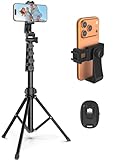
- 【Sturdy and Stable】: Made of premium aluminum alloy and stainless steel, Liphisy phone tripod with remote keeps your device stay securely in place for still shots and video recording.
- 【Multi-angle Shot】: With a max height of 64”, this tripod stand with a 210-degree rotation head and 360-degree rotation holder allows you to capture shots from any angle, catering to different photography needs.
- 【Wireless Remote Included】: Package includes a wireless remote that connects to your cell phone easily, making it a breeze to snap photos or video recordings.
- 【Height Adjustable】: The height of this cell phone tripod with remote can be adjusted from 17” to 64” and the easy lock mechanism makes it really easy to set up. It gives you an excellent vantage point for capturing photos and videos.
- 【Wide Application】: Compatable with different phone and camera, this tripod is great for photography and video recording, perfect for travel and home use.
Telephoto cameras need more working distance
A telephoto lens generally has a longer minimum focus distance than the main camera. At a close subject—such as a label, flower or object on a desk—the phone may switch to a telephoto view that cannot focus as near as the main camera. The result can look blurry even though the lens and sensor are functioning normally.
If the subject is close, move the phone farther away and reframe, or return to a lower zoom that keeps the main camera active. Do not assume that increasing the zoom number will make a nearby object sharper.
Framing can change when the phone selects a different module
Each camera has its own position on the phone. When the app moves from the main camera to a telephoto module, the viewpoint shifts slightly. At close range this can alter the apparent relationship between foreground and background. Leave a little extra space around the subject until you know where the switch occurs on your model.
Do these 3 things before closing this tab:
1Scan for outdated or missing drivers - takes under a minute2Repair Windows errors before they cause bigger problems3Fix the driver behind crashes, sound loss and screen glitchesHow image quality changes as magnification rises
At a true optical stop
Start with the optical distance listed for your phone when distant detail matters. The telephoto sensor records the subject at a larger scale than a crop from the main camera, giving later processing more real information to work with. This does not guarantee a sharp picture: camera shake, subject movement, focus errors or poor light can still ruin the frame.
Also popular on Amazon
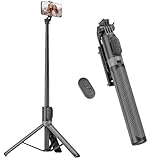
- [Versatile Design] RISEOFLE 71'' Phone Tripod and Selfie Stick combo is the perfect accessory for all your cell phone photography needs.The high-quality aluminum alloy telescopic pole allows you to extend effortlessly and smoothly, and turns into a tripod with just one pull. Its sturdy yet lightweight design provides stability and reliability, ensuring that your phone or camera stays safe during use. Ideal for Selfies/Live/Video Recording/Travel
- [Extra Tall 71" Adjustable Phone Tripod] This selfie stick tripod features a 7-section adjustable aluminum telescoping pole that adjusts from 12.2 in (31 cm) to 70.86 in (180 cm). Provides exceptional flexibility for shooting a variety of shots. Whether you're taking a selfie, a group photo or shooting a video, the adjustable height ensures you get the best angle every time.
- [Compact & Portable Design] The RISEOFLE phone tripod stand With a folded length of only 31cm (12.2 in) and a weight of 264g (0.58 lb), extremely portable and easy to store, it can be effortlessly placed into your backpack or carry-on luggage, making it the perfect companion for your travels. Wherever you go, it allows you to capture amazing footage with ease.
- [360° Rotation & Wide Compatibility] Featuring a 360° rotating phone holder, this selfie stick tripod allows you to easily switch between portrait and landscape modes for the best viewing angle. The universal holder fits smartphones with widths of 2.6''-3.6'' (4''-7'' screen size) and is compatible with most cameras, action cams, and webcams via the 1/4” screw mount (Note: the remote control function only applies to cell phones, the camera cannot use the remote control function).
- [Perfect for Content Creation] Ideal for selfies, vlogging, and social media content creation, the RISEOFLE Tripod comes with a wireless remote control for hassle-free shooting. Whether you're on Instagram, YouTube, TikTok, or Twitter, this phone stand for filming helps you capture professional-quality photos and videos with ease.
Inside the optical-quality range
An optical-quality setting may combine a sensor crop, multiple frames and computational reconstruction. In good conditions it can produce a very detailed result, especially when the requested distance matches the mode Samsung designed. Because it is not a simple lens-only measurement, compare the actual image at that setting with the nearest optical stop rather than judging the label alone.
Beyond the optical-quality range
Past the phone’s optical and optical-quality distances, more of the frame is being enlarged digitally. Fine detail becomes less reliable, edges may show halos, and textures can flatten. Samsung specifically warns that distances past the S26 Ultra’s 10x optical-quality range may show deterioration, even though the interface can reach 100x Space Zoom.
At very high settings, the most useful question is not “Is this really 100x?” but “Is the resulting frame good enough for what I need?” A readable sign, identifiable stage performer or record of an event may justify a softer image when no closer position is available.
Light, motion and lens cleanliness affect every zoom type
Telephoto cameras often receive less light than a main camera because of their narrower optics and smaller physical modules. In dim conditions the phone may raise sensitivity, slow the shutter or combine frames, making blur and noise more visible. Samsung’s support guidance identifies difficult lighting, movement and dirty camera glass as causes of poor photographs and recommends holding the device steady.
Also popular on Amazon

- Rotatable twist with 1/4"screw allows 360° adjustment and 180° flipping, so you can take photos, video call or live broadcast with ease
- Universal compatibility with smartphones up to 3.7 inches wide, GoPros, digital cameras and webcams
- Includes a wireless remote with a range of 30 feet (without obstacle), so you can easily take individual, group and wide-angle shots
- Swaps easily between handheld selfie stick and stand-alone tripod for dual-purpose use
- Whether you're an amateur, enthusiast or professional, this is a must-have accesory for shooting on the go
These limits are separate from the optical-versus-digital distinction. A clean, steady digital crop in bright light can look better than a shaky optical photograph in darkness.
Independent reader supportYour contribution helps us test, update, and keep practical guides available for everyone.A practical workflow for getting the clearest distant Galaxy shot
- Identify your model’s real zoom stops. Open Samsung’s current specifications or camera guide for the exact Galaxy model and region. Mark which distances are labeled optical, which are optical-quality and where digital Space Zoom begins.
- Choose the nearest optical stop first. If your phone lists 3x and 5x optical settings, begin with the one that gives the composition you need. Do not begin at the largest number simply because it is available.
- Check the scene before pressing the shutter. Look for a moving subject, dim light, glare or a dirty lens cover. Wipe the camera glass with a clean, soft cloth and add light or change position when possible.
- Stabilize the phone. Hold it with both hands, brace your arms against a solid surface or use a stable mount or tripod. A mount can reduce framing movement; it does not create optical zoom or add detail.
- Let the phone focus at the selected distance. Tap the subject if focus is uncertain and watch for the app to switch cameras. If a nearby subject will not focus at high zoom, step back or lower the zoom so the main camera can focus.
- Capture an optical and a higher-magnification frame when the moment allows. The optical frame is your detail reference. A second frame at an optical-quality or digital setting may provide a tighter composition, but keeping both avoids gambling everything on the most processed view.
- Inspect fine detail at full size. Check eyes, lettering, edges and repeating textures rather than relying on the small preview. If those details look smeared, reduce the zoom or move closer.
- Choose the frame that serves the purpose. For evidence or text, prioritize legibility. For a social post, a tightly framed but slightly softer image may be acceptable. For later cropping, retain the optical frame whenever possible.
Which zoom approach fits common shooting situations?
| Situation | Best starting point | Reasoning |
|---|---|---|
| Distant sign or presentation slide | An optical stop, then the lowest optical-quality setting that fills the frame. | Letter edges benefit from recorded detail; inspect readability before using stronger digital enlargement. |
| Person or animal that is moving | The shortest zoom that gives acceptable framing. | Longer zoom increases the effect of hand movement and can make it harder to keep a moving subject in view. |
| Close-up object on a table | Main-camera view or a modest zoom. | The telephoto module may have a longer minimum focus distance, so moving closer at high zoom can cause blur. |
| Low-light distant scene | An optical stop with firm support and as much available light as possible. | Digital enlargement cannot compensate for motion blur or noisy source frames. |
| Very distant subject with no way to move closer | Optical-quality range first; digital Space Zoom only as far as the result remains useful. | The largest setting may provide a tighter record but can lose fine detail beyond the supported range. |
Troubleshooting blurry or poor zoom photos
| What you see | Likely explanation | What to try |
|---|---|---|
| The photo becomes soft after a particular zoom number. | You have moved past the phone’s optical or optical-quality range and processing is enlarging a crop. | Return to the nearest optical stop, move closer or accept the lower-detail frame when tighter framing is more important. |
| The subject is sharp at 1x but blurry at a higher setting from close range. | The app may have switched to a telephoto camera whose minimum focus distance is longer. | Step back, lower the zoom or use the main camera’s close-focusing view. |
| The entire frame is smeared, especially in dim light. | Movement, a slow exposure or multi-frame processing is reducing sharpness. | Add light, brace the phone, use a stable mount and capture another frame. |
| Only the subject is blurred while the background is clearer. | The subject moved or focus was placed elsewhere. | Tap the subject, keep it still if possible and shoot several frames rather than relying on one. |
| Contrast looks hazy or detail is uneven across frames. | Camera glass may be dirty, or the phone has selected a different camera module. | Clean the lens cover and compare the view at the neighboring zoom stop. |
| The 100x preview looks impressive but the saved image lacks texture. | The high setting uses digital enlargement and Super Resolution beyond the optical-quality distance. | Use the highest setting only when the framing benefit outweighs the loss of fine detail. |
How to compare Galaxy camera specifications without being misled by the biggest number
When evaluating a Galaxy phone, read the zoom specification as a set of distinct distances, not one headline ratio.
- Count true optical stops. These indicate distances Samsung assigns to a telephoto lens and are the most direct evidence of hardware magnification.
- Separate optical-quality stops. Record them in a different column in your notes. They can be useful, but the label indicates sensor-assisted processing rather than an additional dedicated lens.
- Locate the digital ceiling and its qualification. “Up to” describes the maximum available setting, not a promise that every frame at that distance will retain fine detail.
- Check the model and region. Camera hardware and advertised modes are not universal across the Galaxy line. Use the current page for your exact device.
- Look for shooting-condition cautions. Samsung notes that light, movement and focus affect results, so a specification cannot predict quality in every scene.
A phone with a lower maximum number but a useful telephoto lens may produce more dependable detail than a phone marketed with a much larger digital maximum. The practical comparison is the optical hardware, the optical-quality distances, the camera-switch behavior and how you intend to use the photographs.
What’s actually slowing this PC down?
Pick the symptom - the matching free tool is one click away.
What “100x” does—and does not—mean on the Galaxy S26 Ultra example
Samsung’s current S26 Ultra guide says the phone offers 3x and 5x optical zoom, 2x and 10x optical-quality zoom, and up to 100x digital Space Zoom. Its qualification is important: the 100x claim includes 10x optical-quality zoom plus digital zoom using Super Resolution technology. Therefore, 100x is not a 100x optical lens.
The number can still be useful for locating a very distant subject or recording something that cannot be approached. It should not be interpreted as equivalent to placing a subject 100 times closer with a telescope. Past the 10x optical-quality distance, Samsung warns that image deterioration may occur, and the final result depends on light, steadiness, focus and subject movement.
Bottom line for everyday Galaxy shooting
Use an optical zoom stop when preserving distant detail is the priority. Treat optical-quality settings as a separate, sensor-assisted option and evaluate them under your actual lighting. Use digital zoom when tighter framing is worth accepting softer detail, especially when moving closer is impossible. Keep the lens clean, stabilize the phone and remember that each Galaxy model has its own camera hardware and zoom boundaries.
Quick Recap
Product prices and availability are accurate as of the date/time indicated and are subject to change. Any price and availability information displayed on Amazon at the time of purchase will apply.

