
Free tools Windows power users keep installed
One-click scans. No signup required.
The Dell Pro Max with GB10 is a compact, purpose-built AI workstation for developers and teams who need NVIDIA’s software stack and 128GB of unified memory on a desk. Its $9,007 displayed US configuration price, as seen on Dell’s product page on September 30, 2026, makes it a specialized appliance rather than an obvious value buy for general computing. Independent testing found GB10 performance broadly in line with other systems built on the same platform, but the available results do not establish a universal tokens-per-second rate or prove that every 200-billion-parameter model will run well.
What the Dell Pro Max with GB10 is
Dell’s Pro Max with GB10, model FCM1253, is a compact workstation built around NVIDIA’s GB10 Grace Blackwell Superchip and ConnectX-7 SuperNIC. Dell positions it for local AI development, inference and analytics—not as a conventional mini-PC for gaming or everyday office work.
The system combines Arm CPU cores and NVIDIA GPU compute with 128GB of onboard LPDDR5x unified memory. Dell lists DGX OS, configurable Gen4 NVMe storage, USB-C, HDMI 2.1, Ethernet and QSFP networking; Wi-Fi 7 and Bluetooth 5.4 are optional. The published review specification gives dimensions of approximately 150 × 150 × 51 mm and a weight of 1.2 kg.
What performance do the tests show?
Peak AI capability is not the same as application speed
Dell and NVIDIA specify up to 1 petaFLOP (1,000 teraFLOPS) of sparse FP4 AI performance. That is a platform peak figure for a particular precision and sparsity condition, not a promise that a user’s model will process prompts at that rate. Real inference speed depends on the model, quantization, context length, software and whether the workload is dominated by prompt processing (prefill) or token generation (decode).
#1 Best Overall

- Premium Performance — Intel Core Ultra 7-265X processor delivers high-efficiency multitasking for professional workloads, business software, and productivity applications
- High-Capacity Memory & Storage — 64GB RAM and 512GB SSD enable rapid processing, fast boot, and responsive file handling for demanding creative and productivity workflows
- Pro-Grade Graphics — NVIDIA RTX Pro 1000 Blackwell GPU supports creative rendering, visual workloads, and multi-display environments through modern graphics acceleration
- UHD+ Touch Display — 16" 3840×2400 UHD+ touchscreen provides exceptional detail and clarity for content viewing, editing, and precision touch interaction
- Full Windows 11 Pro Experience — Designed for secure deployment, business use, and productivity with advanced OS security, management, and compatibility features
Independent results
HotHardware measured 10.65 tokens per second in one SparkRun model workload and reported 3,123 single-core and 19,708 multi-core in Geekbench 6. ITPro also reported the Geekbench 6 results. These are review measurements for their tested setups, not guaranteed results across other models or software releases. HotHardware describes setup through NVIDIA’s software tools as straightforward.
StorageReview tested the system with vLLM Online Serving across equal input/output, prefill-heavy and decode-heavy scenarios. It found sustained inference performance tightly grouped with other GB10 Spark systems, with strong prefill scaling and predictable behavior in equal and decode-heavy tests. Dell ran warmer during burst-heavy prefill transitions; temperatures stabilized under sustained decode, with no observed instability or throttling.
Can it run 200-billion-parameter models?
Dell’s brochure says one GB10 system can handle models of up to about 200 billion parameters, and two connected systems can reach about 400 billion. Treat those figures as capacity claims, not a guarantee that any model of that size will fit or perform acceptably in every configuration. Whether a model is usable depends on its format and quantization, runtime overhead, context length and workload; the brochure’s parameter ceiling does not specify those conditions or a throughput target.
Rank #2
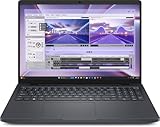
- AI-powered: Yes
- Processor Manufacturer: Intel
- Processor Type: Core Ultra 7
- Processor Model: 255H
- Processor Core: Hexadeca-core (16 Core)
The 128GB unified-memory design is central to the product’s appeal: it gives developers room to work with models that exceed the practical memory limits of many consumer GPU setups, without claiming that all system memory is available to model weights. Buyers evaluating a specific model should confirm its memory requirements and benchmark that model, quantization and intended context length before purchasing.
What’s actually slowing this PC down?
Pick the symptom - the matching free tool is one click away.
How does it compare with NVIDIA DGX Spark and other GB10 systems?
HotHardware found Dell’s system broadly on par with NVIDIA DGX Spark in platform behavior. StorageReview likewise found sustained inference results tightly grouped with other GB10 Spark systems in its tested scenarios. Those findings support the view that the GB10 platform is the main performance reference—not that Dell and every competing GB10 system are identical in all workloads.
The available figures do not provide a same-model, same-quantization throughput table across Dell Pro Max GB10, DGX Spark, ASUS Ascent GX10 and a DIY GPU build. Nor do they establish comparable purchase prices, warranty terms, storage configurations or service levels for all of those options. A fair buying comparison should match the intended model and software, then weigh memory capacity, prefill and decode speed, storage, sustained thermals, networking and support—not rely on peak FLOPS alone.
Rank #3

- The Dell Pro Micro Plus is Dell's latest release, come to replace OptiPlex 7000 MFF family, powered by Intel Core Ultra 7 265, 20C (8P + 12E) / 20T, Max Turbo up to 5.3GHz, 30MB, 13 TOPS NPU desktop processors (Series 2) and three-tier multi-processing architecture combining CPU, GPU and dedicated NPU. Boost productivity with an ultracompact AI-ready desktop with robust performance, this setup ensures AI-driven apps run faster and smoother across any project.
- Expand your screen setup with integrated Intel graphics, allowing you to use up to 4 displays at once via 4 DisplayPorts. Quickly connect your existing peripherals using the 6 USB-A and 2 USB-C ports. Handle heavy workloads with up to two M.2 SSDs. Compact in size, big on sustainability. This small but powerful desktop meets your needs today and for years to come.
- Memory: 64GB DDR5 RAM; Hard Drive: 1TB PCIe SSD; Optical Drive: None. The Dell Pro Micro Plus seamlessly blends style and functionality, offering a versatile design that's efficient in enhancing performance during long workdays. Built for durability, all Dell Pro Plus desktops undergo rigorous military-grade testing to deliver reliable performance you can count on.
- Wireless: MediaTek Wi-Fi 6 MT7920 and Bluetooth. Front: 1 USB 3.2 Gen 2x2 (20 Gbps) Type-C port; 1 USB 3.2 Gen 2 (10 Gbps) port; 1 USB 3.2 Gen 2 (10 Gbps) with PowerShare port; 1 headset (headphone and microphone combo) port. Rear: 1 USB 3.2 Gen 2 (10 Gbps) Type-C port; 2 USB 3.2 Gen 2 (10 Gbps) ports; 1 USB 3.2 Gen 1 (5 Gbps) port with SmartPower On; 1 USB 3.2 Gen 1 (5 Gbps) port; 4 DisplayPort 1.4a (HBR3 support) ports; 1 RJ45 (10/100/1000 Mbps) Ethernet port; 1 power-adapter port.
- Operating system: Windows 11 Professional, English. Wired Keyboard and Mouse included. With versatile mounting options, Dell Pro Micro Plus offers maximum productivity with built-in AI in an ultracompact desktop, Keep your workspace clutter free with a range of optional mounts and stands. Note: No H-D-M-I.
A DIY GPU workstation may offer more component choice and upgrade flexibility, while a high-memory Apple Silicon system or cloud instance may be relevant for particular budgets and workloads. The evidence here does not support a direct performance or value ranking among those alternatives.
Independent reader supportYour contribution helps us test, update, and keep practical guides available for everyone.Is it quiet and suitable for a desk?
HotHardware measured a maximum of 46 dBA at 12 inches during a heavy dual-system SparkRun test. That measurement supports desk-side use for many people, but it is not a universal noise rating: distance, room noise and workload affect how loud a system seems. The test involved two systems, so it should not be read as a single-unit measurement.
Crashes, No Sound, or Screen Glitches?
Random freezes, missing sound and display glitches usually trace back to one bad driver. Find and replace yours safely.Free scan · under a minuteWindows Errors? Fix Them Before They Spread
Repair common Windows errors and clear accumulated junk for a smoother, more stable PC - no reinstall needed.Free scan · no reinstallStorageReview’s testing found warmer behavior during burst-heavy prefill transitions, followed by stable temperatures during sustained decode without observed throttling or instability. This is useful evidence for those tested workloads, not a guarantee for every ambient temperature, enclosure position or long-running task.
What are the main trade-offs?
- Price: Dell’s US product page displayed $9,007 for the shown configuration on September 30, 2026. Configurations and prices can change, so check the configuration you intend to buy.
- Storage: Dell offers configurable Gen4 NVMe storage, but no Gen5 SSD option. StorageReview notes that the tested 2TB configuration uses a Gen4 QLC SSD, which may lag better-equipped peers in storage-heavy workloads.
- Upgrade expectations: Dell lists onboard LPDDR5x memory and a compact integrated design; the provided product and review specifications do not establish user-upgradeable system memory or a discrete GPU upgrade path. Do not buy it expecting the flexibility of a conventional tower workstation.
- Scope: Its strongest case is local AI work with NVIDIA’s supported software environment and substantial unified memory. For gaming, ordinary desktop use or modest local models, the price and specialized design are hard to justify on the evidence available.
Who should buy the Dell Pro Max with GB10?
It makes sense for
- AI developers, researchers and data scientists who need a compact local inference or development system.
- Organizations that value NVIDIA’s software environment and want to process data locally, especially where privacy or repeated cloud data transfer is a concern.
- Teams whose model and workflow genuinely benefit from a large unified-memory pool and whose budget supports a dedicated appliance.
Look elsewhere if
- You want the strongest gaming or general desktop performance for the money.
- You need an upgradeable discrete GPU or broad component-level customization.
- You only run modest local models and can meet their needs with a lower-cost consumer GPU, another workstation configuration or a cloud instance.
Verdict: The Dell Pro Max with GB10 is a credible compact AI workstation whose case rests on 128GB unified memory, NVIDIA’s software stack and local inference—not on a demonstrated across-the-board speed advantage. At the displayed $9,007 US price, it is worth considering when those specific capabilities solve a real workload; otherwise, less specialized alternatives deserve comparison.
Quick Recap
Product prices and availability are accurate as of the date/time indicated and are subject to change. Any price and availability information displayed on Amazon at the time of purchase will apply.

