
What’s actually slowing this PC down?
Pick the symptom - the matching free tool is one click away.
iTechGuides is reader-supported. When you buy through links on our site, we may earn an affiliate commission. As an Amazon Associate I earn from qualifying purchases. Learn more
The Dell Latitude 14 5420 is still a very good used business laptop—but only if you buy the right configuration. An 11th-generation Core i5 model with 16GB or more of RAM, a quality FHD display, and the larger 63Wh battery can deliver strong office performance, extensive connectivity, Windows 11 support, and unusually good upgradeability for the money. A cheaper unit with a 1366×768 TN screen, 8GB of RAM, and a worn 42Wh battery can feel like an entirely different laptop.
That configuration variability is the central issue. The Latitude 5420 is a durable, serviceable workhorse rather than a premium lifestyle notebook. It comes close to a business-laptop crown because of its sustained CPU performance, two RAM slots, replaceable SSD and battery, Thunderbolt 4 connectivity, and optional enterprise security. It falls short because its best features are not standard, the clickpad is mediocre, and its integrated graphics are unsuitable for demanding modern workloads.
Verdict: buy the configuration, not just the model number
The Latitude 5420 is a strong 2026 used-laptop recommendation for professionals, students, developers, administrators, and home-office users who value ports and repairability more than a thin, premium design. The best target is an 11th-generation Core i5-1135G7 or Core i5-1145G7 system with 16GB or 32GB of memory, an FHD panel—ideally the 400-nit/100%-sRGB version—and a healthy 63Wh battery.
It is not the right choice for modern gaming, serious 3D work, demanding video effects, or GPU-heavy AI software. The four-core/eight-thread processors remain capable for productivity, but the integrated Intel graphics are a clear limitation. Buyers who want the most attractive chassis, best touchpad, or widest screen-color coverage should also look at newer premium business laptops.
Popular on Amazon

- 【Measure Your Laptop Internal Dimensions】Internal Dimensions - 14" x 9.84" x 0.61", Fit Maximum Laptop Size -13.4"x9.25". Please measure your laptop less 0.59 inch than the sleeve's internal dimensions in both length and width.
- 【Water Resistant &Slim Lightweight】The 14 inch laptop sleeve made of high-quality waterproof Canvas fabric, which obstructs water and vapor effectively. Don't worry about your laptop and accessories splashing water or rain. Super slim and lightweight, it can easily be transported inside another bag, backpack or briefcase.
- 【Extra Pocket & Smoothly Zipper】Extra pocket in front provides enough space to keep mouse, earphones, pens, iPhone , notepads and other accessories. Zipper glides smoothly and convenient access to your laptops.It’s perfect for anyone looking for 14 inch laptop sleeve,14 inch laptop case, dell laptop case, hp laptop case, or laptop carrying case bag for work or school.
- 【Shockproof Soft Lining & Side Handle】Especially soft and anti-static, the 14 inch laptop sleeve bag of soft lining can effectively absorb impacts and reduce damages caused by accidentally bumping & scratches. The side handle helps you carry easily when you want it as a handbag.
- 【Compatible Devices 】Compatible with MacBook Air 15 inch Case 2023 2024 Release M3 A3114 M2 A2941, MacBook Pro 15, Lenovo Yoga C940 C740 C930,flex 5 14/IdeaPad 14/Thinkpad 14, HP 14 inch laptop/HP chromebook 14/Stream 14, HP EliteBook 840/ Pavilion x360 14/Chromebook x360 14 Inch, Acer Chromebook 14/Acer Spin 3/ Swift 3/Acer spin 5, Asus Zenbook 14/Chromebook/Vivobook flip 14,Dell Inspiron 14/Latitude Vostro 14 and more 14 inch laptop.
What it does well
- Strong sustained CPU performance for a U-series business laptop.
- Two user-accessible DDR4-3200 SO-DIMM slots, supporting up to 64GB.
- Replaceable M.2 storage, battery, WLAN card, WWAN card, and other major components.
- Two Thunderbolt 4 ports, HDMI 2.0, Ethernet, USB-A, microSD, and USB-C docking support.
- Optional fingerprint reader, smart-card hardware, NFC, LTE, and other business features.
- Dell lists the model as tested for Windows 11.
Where it compromises
- The display can range from a poor 1366×768 TN panel to a very good 400-nit FHD option.
- The large clickpad has unsatisfying click feedback, according to independent testing.
- High-performance mode can be very loud.
- Integrated graphics are not suitable for demanding games or GPU-focused applications.
- Used-market battery condition is unpredictable.
- Exact features vary substantially between individual listings.
Latitude 5420 specifications that matter
Dell sold the Latitude 5420 in a broad range of configurations. The 14-inch chassis measures 12.65×8.35 inches, is approximately 0.76 inches high at the front and 0.82 inches at the rear, and has a maximum listed weight of 3.03 pounds. Actual weight varies with the display, battery, storage, and other options.
| Component | Available configurations | What to choose |
|---|---|---|
| Processors | Core i5-10310U; Core i3-1125G4; Core i5-1135G7; Core i5-1145G7; Core i7-1165G7; Core i7-1185G7 | 11th-generation Core i5 is the best balance |
| Graphics | Intel UHD Graphics or Intel Iris Xe | Iris Xe for general flexibility, but not modern gaming |
| Memory | Two DDR4-3200 SO-DIMM slots; up to 64GB | 16GB minimum; 32GB for heavier multitasking |
| Display | 1366×768 TN, or several FHD WVA options | FHD; preferably 400 nits and 100% sRGB |
| Battery | 42Wh three-cell or 63Wh four-cell | 63Wh, especially for mobile work |
| Storage | Replaceable M.2 2280/2230 SSD | Confirm the installed drive and form factor |
| Wireless expansion | Optional M.2 3042 WWAN slot | Useful if the unit includes LTE hardware |
Because the model spans both 10th-generation Comet Lake and 11th-generation Tiger Lake processors, “Latitude 5420” is not enough information to predict performance. The exact CPU, screen, memory, battery, and storage should appear in the listing or be confirmed with the seller before purchase.
Performance: unusually good sustained CPU speed, within limits
Independent testing found the reviewed Core i5 Latitude 5420 unusually strong under sustained load for a U-series business laptop. Notebookcheck observed sustained 40W PL1 behavior and credited the cooling system with helping the processor maintain performance better than many competing business notebooks.
The Tool Desk
Outbyte PC Repair FREERepair Windows errors before they cause bigger problemsFix Now →Outbyte Driver Updater FREEFix the driver behind crashes, sound loss and screen glitchesFind Drivers →That result matters for workloads such as large spreadsheets, browser-heavy research, coding, document production, video conferencing, software administration, and other tasks that run for more than a few seconds. The Latitude is not merely fast in short bursts; the tested configuration can maintain a useful level of performance during longer CPU-heavy work.
The trade-off is fan noise. In the highest-performance mode, the laptop can become very loud. Dell’s quieter power modes reduce noise but also reduce performance. Users who spend most of the day in a library, meeting room, or quiet office may prefer a balanced or quiet profile rather than chasing the last portion of benchmark performance.
Which processor should you buy?
- Core i5-1135G7: the most sensible target for most buyers. It combines a modern 11th-generation platform with Iris Xe graphics and should normally offer the best balance of price and capability.
- Core i5-1145G7: attractive when priced close to the 1135G7, particularly for business buyers who find a better-equipped configuration.
- Core i7-1165G7 and i7-1185G7: faster clocks and more cache, but still four-core/eight-thread chips. Do not pay a large premium for the Core i7 badge if the machine has a worse screen, less RAM, or a weak battery.
- Core i3-1125G4: it uses Intel UHD Graphics rather than Iris Xe, making it less appealing when the price is close to an 11th-generation Core i5 model.
- Core i5-10310U: a legitimate option if inexpensive, but it belongs to the older 10th-generation platform and is not the first choice when a similarly priced Tiger Lake unit is available.
All of these are four-core/eight-thread designs, so the processor tier does not transform the Latitude into a workstation. The sensible buying decision is usually an 11th-generation Core i5 with the better overall configuration.
Also popular on Amazon
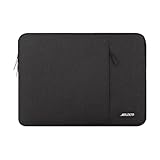
- Internal dimensions: 14.17 x 0.79 x 10.14 inches (L x W x H); External dimensions: 14.76 x 0.79 x 10.73 inches (L x W x H). The front vertical side pocket dimensions: 10 x 9.84 inches (L x W).
- Made with polyester material, a top opening zipper gliding smoothly and allows convenient access to your device. Slim and lightweight, does not bulk your device up and can easily slide into your briefcase, backpack or other bag.
- Extra pocket in front provides enough space to keep mouse, earphone, pens and notepads, offering added convenience. This protective carrying sleeve case cover bag with pocket is ideal for you to take your laptop notebook computer out.
- Features a polyester foam padding layer and fluffy fleece fabric lining for bump and shock absorption and protection of your device against bump, shock and accidental scratches.
- Compatible with HP 14 Laptop/14 Chromebook Laptop/Stream 14/EliteBook 840/Chromebook x360 14/Pavilion x360 14; Compatible with Dell Inspiron/Latitude 14; Compatible with Lenovo IdeaPad Slim 3 2024 14/ThinkPad E14 Gen 5 14/Gen 12 ThinkPad X1 Carbon 14/Chromebook S330/Flex 14/ThinkPad 14/Yoga 930; Compatible with Acer Chromebook 14/Spin 3/Swift 3/Spin 5; Compatible with ASUS Chromebook CM14 14/E410 14/VivoBook 14/ZenBook 14; Compatible with jumper Laptop 14 and most 14 inch notebook computer.
Graphics: fine for business, weak for demanding visual work
Intel Iris Xe is useful for everyday acceleration, video playback, multiple displays, light creative work, and older or undemanding games. It does not turn the Latitude 5420 into a gaming laptop. Notebookcheck described the Iris Xe results as disappointing in its game benchmarks, and the platform has no discrete GPU option.
Quick wins for a faster PC:
Scan for outdated or missing drivers - takes under a minuteDriver Scan →Clear out junk files and repair common Windows errorsFree Scan →Fix the driver behind crashes, sound loss and screen glitchesFind Drivers →For modern games, 3D modeling, advanced video effects, GPU rendering, and current AI workloads, the integrated graphics are the limiting factor. The Latitude makes more sense as a CPU-focused productivity machine than as an inexpensive graphics workstation.
Display: the biggest configuration trap
The screen is the component most likely to change your opinion of the Latitude 5420. Dell offered five display options:
| Panel | Resolution | Brightness and color rating | Assessment |
|---|---|---|---|
| Base TN | 1366×768 | 220 nits; 45% NTSC | Avoid unless the price is exceptionally low |
| FHD WVA | 1920×1080 | 250 nits; 45% NTSC | Acceptable indoors, but not bright or color-rich |
| FHD low-blue-light WVA | 1920×1080 | 400 nits; 100% sRGB | The display to seek |
| FHD touch WVA | 1920×1080 | 300 nits; 72% NTSC | Reasonable if touch is important |
| FHD touch WVA | 1920×1080 | 300 nits; nominally 100% sRGB | Potentially good, but verify the exact panel |
All listed panels are 60Hz and anti-glare. The 250-nit FHD panel is adequate for an indoor office, but it is not equivalent to the 400-nit, wide-color option. The 1366×768 TN display is the obvious model to avoid: it provides less workspace, weaker viewing angles, and a visibly less modern experience.
There is another reason not to rely on the words “FHD” or “IPS” in a listing. LaptopMedia tested an Innolux FHD IPS panel that covered only 53% of sRGB, despite offering comfortable viewing angles, good contrast, and a non-flickering backlight. That result does not mean every Latitude 5420 uses that panel; it demonstrates why the actual display specification matters more than the model name.
Ask the seller for the panel’s brightness and color specification, or request a photograph of the service tag and original configuration. If color-sensitive work or frequent daylight use matters, make the 400-nit/100%-sRGB panel a buying requirement rather than a pleasant surprise.
Also popular on Amazon

- The Laptop Bag Size. Internal dimensions: 14.37 x 9.25 x 0.98 inches (L x W x H); External dimensions: 14.96 x 9.84 x 0.98 inches (L x W x H). Left flapover pocket dimensions: 7.08 x 3.93 inches (L x W). Right small raised pocket dimensions: 7.48 x 2.16 inches (L x W x H). Right big raised pocket dimension: 7.48 x 3.93 inches (L x W x H)
- Large Capacity & Multiple Storage Messenger Bag with Laptop Compartment. The main inner compartment holds your laptop and other important things. 2 raised & 1 flapover & 1 horizontal pockets are convenient for quick-access and store cell phone, pen slots, wallet, keys and other small items. Multifuncional 4 front pockets design laptop shoulder bag enables you to carry your laptop/notebook/ultrabook computer in a uniquely sleek style
- The Laptop Sleeve Case with Padding Layer & Back Trolley Suitcase Belt. Features a polyester foam padding layer and soft fabric lining for bump and shock absorption. The soft fabric lining provides protection against accidental scratches. Considerate design is the back trolley suitcase belt for ease use during business trip. It is really convenient for your happy journey to any where
- The Laptop Sleeve Bag with PU Handle & Padding Shoulder Strap & Versatile Carry. Removable and adjustable padding shoulder strap with a shoulder pad varied from 30.31 inch to maximum 55.12 inch dual sturdy handles for long time comfortably carrying. You can use it as shoulder bag, laptop carrying case, sleeve bag, handle bag, messenger bag, crossbody bag and briefcase in whatever way you like
- Compatible with HP 14 Laptop/14 Chromebook Laptop/Stream 14/EliteBook 840/Chromebook x360 14/Pavilion x360 14; Compatible with Dell Inspiron/Latitude 14; Compatible with Lenovo IdeaPad Slim 3 2024 14/ThinkPad E14 Gen 5 14/Gen 12 ThinkPad X1 Carbon 14/Chromebook S330/Flex 14/ThinkPad 14/Yoga 930; Compatible with Acer Chromebook 14/Spin 3/Swift 3/Spin 5; Compatible with ASUS Chromebook CM14 14/E410 14/VivoBook 14/ZenBook 14; Compatible with jumper Laptop 14 and most 14 inch notebook computer
Keyboard and clickpad: businesslike, but not class-leading
The Latitude retains the practical priorities associated with a business notebook: many ports, optional security hardware, and serviceable internal components. However, the clickpad is a clear ergonomic weakness. Notebookcheck criticized its large clickpad for unsatisfying click feedback and noted that the reviewed configuration lacked dedicated mouse buttons and a TrackPoint.
That criticism will matter most to users coming from a traditional ThinkPad or anyone who prefers physical pointing-stick buttons. The laptop remains usable for normal Windows navigation, but the input experience is not as polished as the best premium business machines. If you dislike the clickpad, a wireless mouse for laptop use is a practical, inexpensive workaround—not a requirement for every buyer.
Battery life: seek the 63Wh version, then check its health
Dell offered a 42Wh three-cell battery and a larger 63Wh four-cell battery. For a used machine, the 63Wh option is the one to prioritize. Dell lists ExpressCharge Boost support for the relevant configurations, with charging from 0% to 35% in approximately 20 minutes under specified conditions.
In LaptopMedia’s controlled testing, a 63Wh configuration lasted 18 hours and 53 minutes in web browsing and 11 hours and 49 minutes in video playback. Those figures are useful for comparing configurations and test results, but they are not a promise for a refurbished laptop. A battery that was excellent when new may have lost substantial capacity after years of charging cycles.
Ask the seller for the battery’s full-charge capacity, design capacity, or a Windows battery report. On Windows, the built-in report can be generated by opening Terminal or Command Prompt and running:
powercfg /batteryreportWindows will save an HTML report, usually in the current user folder. Compare the reported full-charge capacity with the original design capacity. If the seller cannot provide the information, treat battery condition as an uncertainty and value the laptop accordingly.
The battery is replaceable. Dell’s service documentation covers removal and installation of both the three-cell and four-cell batteries, so a worn battery does not automatically make the laptop uneconomical. If you need one, compare the exact Latitude 5420 replacement battery specification, capacity, connector, and part number before ordering; do not assume every 5420 battery listing is interchangeable.
Upgradeability and repairability are major strengths
This is where the Latitude 5420 distinguishes itself from many newer thin laptops. It has two DDR4-3200 SO-DIMM slots and supports up to 64GB using two 32GB modules. Dell’s service manual documents replacement or servicing of the memory, M.2 2280 and M.2 2230 SSD paths, WLAN and WWAN cards, battery, heat sink, speakers, system board, keyboard assembly, and display assembly.
Also popular on Amazon

- Internal dimensions: 13.97 x 9.84 x 0.79 inches (L x W x H); External dimensions: 14.56 x 10.43 x 0.79 inches (L x W x H). Left raised pocket dimensions: 5.31 x 8.07 inches (L x W). Right raised pocket dimensions: 6.69 x 7.48 inches (L x W). Horizontal pocket dimensions: 6.29 x 5.90 inches (L x W). Vertical pocket dimensions: 3.74 x 6.69 inches (L x W)
- 360 degree all around protective reinforced interior edge briefcase carrying case bag protect your laptop from any accidental dropping. Extendable handle design makes it to carry your laptop around in comfort, you can also tuck away the handle. Side opening zipper design, avoid accidental dropping of your laptop while carrying. 4 front zipper pockets provide enough space to keep mouse, earphone, pens and notepads, offering added convenience
- The laptop sleeve with organizer pockets outer polyester fabric of the case enable you to carry your laptop / notebook / Ultrabook computer in a uniquely sleek style. Features a polyester foam padding layer and fluffy cushion for bump and shock absorption and protection of your device against dust, dirt, bump, shock and accidental scratches
- Considerate design is the back trolley suitcase belt for ease use during business trip. It is really convenient for your happy journey to any where. Slim and lightweight; does not bulk your laptop up and can easily slide into your briefcase, backpack, or other bag. This protective carrying sleeve case cover bag with handle and pockets is ideal for you to take your laptop out
- Compatible with HP 14 Laptop/14 Chromebook Laptop/Stream 14/EliteBook 840/Chromebook x360 14/Pavilion x360 14; Compatible with Dell Inspiron/Latitude 14; Compatible with Lenovo IdeaPad Slim 3 2024 14/ThinkPad E14 Gen 5 14/Gen 12 ThinkPad X1 Carbon 14/Chromebook S330/Flex 14/ThinkPad 14/Yoga 930; Compatible with Acer Chromebook 14/Spin 3/Swift 3/Spin 5; Compatible with ASUS Chromebook CM14 14/E410 14/VivoBook 14/ZenBook 14; Compatible with jumper Laptop 14 and most 14 inch notebook computer
The upgrades that are actually worthwhile
- Move to 16GB of RAM. This is the most useful upgrade for a machine that ships with 8GB, especially if you keep many browser tabs, office applications, communication tools, and development environments open. A matched DDR4-3200 SO-DIMM RAM kit is the natural target. Match the module type and speed, and confirm whether the existing memory is one module or two before buying.
- Move to 32GB if your workload justifies it. Developers using virtual machines, analysts handling large datasets, and heavy multitaskers can benefit from the additional headroom. The platform supports up to 64GB, but 32GB is often the more sensible cost-to-usefulness point.
- Replace or enlarge the SSD. Dell documents replaceable M.2 2280/2230 SSD assemblies. An M.2 NVMe SSD can provide more capacity or replace a failing drive, but back up the original drive and verify the physical size and interface before ordering.
- Replace the battery. This is more valuable than buying a large external battery pack if the internal battery has degraded significantly. Confirm the 42Wh or 63Wh specification and connector.
Before opening the chassis, shut the laptop down fully, disconnect the charger, back up important data, and follow Dell’s service documentation. Upgradeability lowers ownership cost, but it does not eliminate the risks of static discharge, damaged connectors, or buying an incompatible component.
Ports and docking: one of the best reasons to choose it
The Latitude 5420 has a practical selection of ports:
- One USB 3.2 Gen 1 port.
- One USB 3.2 Gen 1 port with PowerShare.
- Two Thunderbolt 4 ports supporting DisplayPort Alt Mode, USB4, and Power Delivery.
- One HDMI 2.0 port.
- One universal audio jack.
- One microSD card slot.
- One RJ45 Ethernet port.
- One wedge-shaped security slot.
- A USB-C docking path.
Optional configurations may add a microSIM slot and smart-card reader. This port selection lets the laptop connect directly to wired Ethernet, HDMI displays, USB peripherals, and Thunderbolt accessories without requiring a large adapter collection.
Do these 3 things before closing this tab:
1Scan for outdated or missing drivers - takes under a minute2Repair Windows errors before they cause bigger problems3Fix the driver behind crashes, sound loss and screen glitchesFor desk-based work, a Thunderbolt 4 dock or compatible USB-C dock can provide a one-cable connection to displays, Ethernet, keyboard, mouse, and other peripherals. Check the dock’s power-delivery rating and display support against your monitor setup; the presence of Thunderbolt 4 does not mean every dock will provide identical charging or multi-monitor behavior.
Security and Windows 11 support
The Latitude 5420 was designed for business deployments, so optional security features are an important part of its appeal. Dell lists TPM 2.0, optional fingerprint authentication tied to ControlVault 3, smart-card and contactless smart-card support, NFC, and support for self-encrypting NVMe storage. These features depend on the exact unit and should not be assumed from the model name.
Dell’s Windows-as-a-Service compatibility list marks the Latitude 5420 as tested for Windows 11, and Dell’s operating-system documentation lists Windows 11 support. That is a useful advantage in 2026, but a used buyer should still verify three things:
- The processor and specific configuration meet the intended Windows 11 requirements.
- TPM 2.0 is present and enabled in firmware.
- Windows is activated and the seller is clear about the license and installed edition.
After reinstalling Windows, use Dell’s official support tools and driver pages first. They are the appropriate source for BIOS, chipset, graphics, networking, and device-specific drivers. For users troubleshooting missing or outdated drivers after a clean installation, Outbyte’s optional driver updater may be considered as a third-party convenience tool, but it is not required for routine Dell driver maintenance and should not be treated as a guaranteed fix.
Windows Errors? Fix Them Before They Spread
Repair common Windows errors and clear accumulated junk for a smoother, more stable PC - no reinstall needed.Free scan · no reinstallOutdated Drivers Are Slowing You Down
One free scan finds every outdated or missing driver and matches the right update for your exact hardware.Free scan · exact hardware matchFor users troubleshooting missing or incompatible drivers after a clean installation, Outbyte Driver Updater is an optional third-party convenience tool, while Dell’s official support tools and driver pages remain the first choice.
Independent reader supportYour contribution helps us test, update, and keep practical guides available for everyone.How to evaluate a used or refurbished Latitude 5420
The used market is where this model makes the most sense, but it is also where configuration mistakes are expensive. When comparing a Dell Latitude 5420 listing, use this order of priority:
- Confirm the CPU generation. Prefer an 11th-generation Core i5. A Core i7 is worthwhile only when the price premium is modest and the rest of the configuration is strong.
- Confirm the display. Reject the 1366×768 TN panel for most buyers. Ask whether the FHD display is 250 nits/45% NTSC, 400 nits/100% sRGB, or one of the touch variants.
- Confirm the RAM. Target 16GB or 32GB. An 8GB unit can still be worth buying if the price leaves room for an upgrade.
- Confirm the battery. Seek the 63Wh battery and request a health report or full-charge-capacity figure.
- Confirm storage. Check SSD capacity, health if available, and whether the machine has the expected M.2 drive.
- Inspect the ports. Verify both Thunderbolt 4 ports, HDMI, Ethernet, USB-C charging, USB-A, and the microSD slot if they matter to you.
- Check optional hardware. Confirm LTE, microSIM, fingerprint reader, smart-card reader, NFC, touch, and backlit-keyboard features rather than assuming they are included.
- Check the return policy and warranty. These can matter more than a small price difference when buying a several-year-old laptop.
- Test the input devices. Check the clickpad, keyboard, screen for pressure marks or dead pixels, hinges, speakers, webcam, and charger.
- Verify Windows activation and TPM. A clean-looking refurbished unit is not a good deal if the operating-system status or security hardware is unclear.
Configuration combinations to favor
| Configuration | Recommendation | Why |
|---|---|---|
| 11th-gen Core i5, 16GB RAM, FHD display, 63Wh battery | Best general target | Balances speed, usability, runtime, and upgrade value |
| 11th-gen Core i5, 32GB RAM, 400-nit FHD display, healthy battery | Best for demanding productivity | More multitasking headroom and a substantially better screen |
| Core i7, 8GB RAM, 250-nit FHD display, worn battery | Usually poor value | The CPU badge does not compensate for the weak overall configuration |
| Core i5, 8GB RAM, 1366×768 TN display | Only at a very low price | Memory is upgradeable, but replacing the display may not be economical |
Who should buy the Latitude 5420?
Buy it if you need a practical Windows laptop with Ethernet, HDMI, USB-A, Thunderbolt 4, replaceable storage, expandable RAM, and a replaceable battery. It is particularly compelling for office work, coding, schoolwork, remote administration, business travel, and home-office setups where a dock and wired network connection are useful.
Also popular on Amazon

- 【Measure Your Laptop Internal Dimensions】Our Laptop Sleeve Case ‘s Internal Dimensions: 14.37 x10.24 x1inch(36.5 x 26 x2.5cm).External Dimensions:15 x10.8 x1.2inch(38 x27.5 x3cm). The Small Case’s dimension:9 x 4.7 x 1.98 inch(23 x 12 x 5cm). Please measure your laptop with internal dimensions before your purchase.
- 【Shockproof Soft Lining & Additional Small Case】Especially soft and anti-static, the laptop sleeve bag of soft lining can effectively absorb impacts and reduce damages caused by accidentally bumping & scratches. The additional small case provides enough space to keep mouse, earphones, pens, cell phone , notepads and other accessories.
- 【Water Resistant &Slim Lightweight】The laptop sleeve case made of high-quality waterproof Canvas fabric, which obstructs water and vapor effectively. Don't worry about your laptop and accessories splashing water or rain. Super slim and lightweight, it can easily be transported inside another bag, backpack or briefcase.
- 【Smoothly Zipper & Full Protection】Zipper glides smoothly and convenient access to your laptops. 360°protective soft fluffy padding interior prevents scratches especially around the zipper. Personalize your laptop with its own unique style. Simple but meet your every needs.
- 【Compatible Devices 】Compatible with MacBook Air 15 inch 2023 2024 Release M3 A3114 M2 A2941, MacBook Pro 15, Surface Laptop 6/5/4 15 inch,Lenovo Yoga C940 C740 C930,flex 5 14/IdeaPad 14/Thinkpad 14, HP 14 inch laptop/HP chromebook 14/Stream 14, HP EliteBook 840/ Pavilion x360 14/Chromebook x360 14 Inch, Chromebook 14/ Spin 3/ Swift 3/ spin 5, Asus Zenbook 14/Chromebook/Vivobook flip 14,Dell Inspiron 14/Latitude Vostro 14 and more 14 inch laptop.
Skip it if you need excellent integrated graphics, a premium clickpad, a high-refresh-rate display, a thin-and-light design, or guaranteed long battery life from an older used unit. It is also a poor choice for current AAA gaming, professional 3D workloads, serious GPU-accelerated editing, or demanding AI applications.
Final recommendation
The Dell Latitude 14 5420 comes close to claiming the business-laptop crown because it combines strong sustained CPU performance with the features that matter after the warranty expires: expandable memory, replaceable storage, a replaceable battery, extensive ports, optional enterprise security, and Windows 11 support.
It does not win unconditionally. The display quality is too inconsistent, the clickpad is weaker than the best business rivals, the fans can become loud, and used batteries may be badly worn. A sensibly priced 11th-generation Core i5 model with 16GB of RAM, a good FHD panel, and a healthy 63Wh battery is an excellent productivity purchase. A high-end CPU paired with a dim display and exhausted battery is not.
Frequently Asked Questions
Is the Dell Latitude 5420 still worth buying in 2026?
Yes, if the used or refurbished unit has an 11th-generation Core i5, at least 16GB of RAM, a good FHD display, and a healthy battery. Its upgradeability and port selection remain strong, but its value depends heavily on the exact configuration and the seller’s return policy.
Does every Latitude 5420 have a good FHD display?
No. Dell sold the model with a 1366×768 TN panel, a 250-nit FHD panel with 45% NTSC coverage, a desirable 400-nit/100%-sRGB FHD panel, and several touch options. Verify the actual panel before buying.
Free tools Windows power users keep installed
One-click scans. No signup required.
Can the Latitude 5420 RAM and SSD be upgraded?
Yes. It has two DDR4-3200 SO-DIMM slots and supports up to 64GB of RAM. Dell also documents replaceable M.2 2280 and M.2 2230 SSD paths. Confirm the exact form factor and back up data before replacing a drive.
Does the Dell Latitude 5420 support Windows 11?
Dell lists the Latitude 5420 as tested for Windows 11. On a used unit, verify TPM 2.0 is present and enabled, confirm processor eligibility, and check that Windows is properly activated.
Which battery should I look for?
Prefer the 63Wh four-cell battery over the 42Wh three-cell version, then check its current health. A used laptop’s battery may have lost capacity regardless of its original rating, and replacement batteries must match the exact specification and connector.
The Bottom Line
Bottom line: the Latitude 5420 is one of the better used business-laptop platforms for buyers who prioritize serviceability, ports, and dependable productivity. Choose the screen and battery as carefully as the processor. The right 11th-generation Core i5 configuration remains a smart buy; the wrong display or worn battery can erase most of the value.
Recommended Free Tools

