
Free tools Windows power users keep installed
One-click scans. No signup required.
iTechGuides is reader-supported. When you buy through links on our site, we may earn an affiliate commission. As an Amazon Associate I earn from qualifying purchases. Learn more
In an iPad mini vs Kindle Paperwhite comparison, the Kindle Paperwhite is better for novels, outdoor reading, long battery life, water resistance, and fewer distractions, while the iPad mini is better for PDFs, comics, apps, color, handwritten notes, and general computing. Neither is the universal winner: choose the Paperwhite as a reader and the iPad mini as a small tablet.
This comparison covers the current mainstream U.S. models as of August 16, 2026: the iPad mini with A17 Pro, introduced in 2024, and Amazon’s 12th-generation Kindle Paperwhite, released in 2024. Prices and promotions change, so this article does not present unverified live pricing.
Key takeaways
- The Kindle Paperwhite is the better dedicated e-reader for novels, outdoor reading, travel, water-side use, and distraction-minimized reading.
- The iPad mini has an 8.3-inch color Liquid Retina display, an A17 Pro chip, iPadOS, cameras, and support for tablet apps and Apple Pencil.
- Amazon rates the 12th-generation Paperwhite for up to 12 weeks of battery life, while Apple rates the iPad mini for up to 10 hours of web browsing or video playback under specified test conditions.
- The iPad mini is usually the better choice for technical PDFs, textbooks, comics, magazines, color diagrams, web research, and handwritten annotation.
- The standard Paperwhite has 16GB of storage; the separate Paperwhite Signature Edition has 32GB, auto-adjusting light, and wireless charging support.
What is the difference between the iPad mini and Kindle Paperwhite?
The iPad mini and Kindle Paperwhite are fundamentally different devices: the iPad mini is a general-purpose LCD tablet, while the Paperwhite is a monochrome E Ink e-reader built primarily for books.
What’s actually slowing this PC down?
Pick the symptom - the matching free tool is one click away.
Apple’s current iPad mini uses the A17 Pro chip and runs iPadOS. The device supports apps, video, web browsing, games, cameras, productivity tools, multiple bookstores, library services, and Apple Pencil accessories. Amazon’s 12th-generation Paperwhite concentrates on Kindle books, supported personal documents, adjustable reading controls, synchronization, and long battery life.
Popular on Amazon
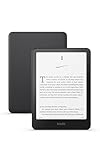
- Kindle Paperwhite – 7“ Paperwhite display with high contrast ratio and fast page turns.
- Ready for travel – The ultra-thin design has a larger glare-free screen so pages stay sharp no matter where you are.
- Escape into your books – Your Kindle doesn’t have social media, notifications, or other distracting apps.
- Battery life for your longest novel – A single charge via USB-C lasts up to 12 weeks.
- Read in any light – Adjust the display from white to amber to read in bright sunlight or in the dark.
That distinction matters more than processor speed or screen size. The iPad mini can do almost everything the Paperwhite does through the Kindle app, but the Paperwhite cannot become an iPad by adding software.
Quick comparison: iPad mini vs Kindle Paperwhite
| Criterion | iPad mini (A17 Pro) | Kindle Paperwhite, 12th generation | What the difference means |
|---|---|---|---|
| Device type | Small general-purpose tablet | Dedicated e-reader | Choose the iPad mini for breadth; choose the Paperwhite for focused reading. |
| Generation | A17 Pro model introduced in 2024 | 12th-generation model released in 2024 | These are the current mainstream generations covered here as of August 16, 2026. |
| Display | 8.3-inch color Liquid Retina LCD | Monochrome E Ink reading display | The iPad handles color and motion better; the Paperwhite is designed to resemble a page. |
| Resolution | 2266 × 1488 at 326 pixels per inch | Exact current display figures should be checked on Amazon’s live product documentation | The iPad’s verified specification is useful for visual and PDF work; do not assume equal display behavior from the two technologies. |
| Lighting | Adjustable screen brightness, True Tone, and antireflective coating | Adjustable warm light and dark mode | The Paperwhite offers reading-focused front lighting; the iPad offers a brighter, more responsive tablet display. |
| Storage | 128GB, 256GB, or 512GB | 16GB standard model; approximately 11.5GB available | Both hold many novels; the iPad has more room for apps, video, photos, games, and large files. |
| Premium model | No separate reading-focused edition in this comparison | Signature Edition: 32GB, approximately 25GB available, auto-adjusting light, and wireless charging support | The Signature Edition is an optional Paperwhite upgrade, not the standard model. |
| Battery claim | Up to 10 hours of web browsing or video playback under Apple’s test conditions | Up to 12 weeks, depending on lighting, wireless use, and settings | The figures measure different workloads; the Paperwhite has the decisive endurance advantage for reading. |
| Water resistance | Do not treat the iPad mini as waterproof without a verified rating for the exact model | Amazon lists IPX8 waterproofing | The Paperwhite is the safer choice around pools, baths, rain, and accidental splashes, subject to Amazon’s limitations. |
| Apps | iPadOS app ecosystem, including Kindle, Libby, Kobo, Apple Books, browsers, and PDF apps | No general-purpose app ecosystem | The iPad supports more reading services and workflows; the Paperwhite creates fewer distractions. |
| Handwritten notes | Supports Apple Pencil Pro and Apple Pencil USB-C | Supports typed notes and highlights in Kindle content, but is not a general handwritten notebook | The iPad mini is substantially better for studying, research, and PDF markup. |
| Connectivity | Wi-Fi 6E; Wi-Fi + Cellular configuration available, depending on market | Wi-Fi for downloads and synchronization | The iPad can provide broader connectivity, especially when paired with a cellular plan. |
| Dimensions and weight | Wi-Fi model: 7.69 × 5.3 × 0.25 inches; 293 grams or 0.65 pound | Check Amazon’s current product documentation for the exact configuration’s dimensions and weight | The iPad remains travel-sized, but a case changes the weight and grip of either device. |
| Price | Varies by storage and Wi-Fi or cellular configuration | Varies by standard or Signature Edition, promotions, and configuration | Check both U.S. product pages on the publication date before comparing total cost. |
Apple’s complete technical specifications support the iPad mini details in this table, including its display, dimensions, storage tiers, chip, connectivity, battery test, and Pencil compatibility. Amazon’s current device documentation supports the Paperwhite generation, storage, lighting, waterproofing, battery, and accessibility details.
Which one should you buy?
Buy the Kindle Paperwhite if you mainly read novels
Buy the Kindle Paperwhite if your main activity is reading reflowable books and you want a quiet, dependable device rather than a small computer.
- You read fiction for hours at a time.
- You want weeks rather than hours between charges.
- You read outdoors, on a beach, beside a pool, or in the bath.
- You prefer a paper-like monochrome display and adjustable warm light.
- You want fewer notifications, games, videos, and social apps competing for attention.
- You already use the Kindle Store and do not need advanced PDF or handwriting tools.
The Paperwhite is not the more powerful device, but power is not the main requirement for ordinary novels. Its narrow software environment, E Ink display, lighting controls, and endurance directly serve the reading use case.
Buy the iPad mini if reading is only one of several priorities
Buy the iPad mini if you want one compact device for reading, web browsing, streaming, games, messaging, note-taking, research, and productivity.
- You read comics, magazines, illustrated books, or color-heavy material.
- You work with technical PDFs, textbooks, scanned documents, or diagrams.
- You want to switch among Kindle, Apple Books, Libby, Kobo, browsers, and publisher apps.
- You take handwritten notes or annotate documents with an Apple Pencil.
- You want cameras, speakers, USB-C accessories, or optional cellular connectivity.
- You accept more charging and more opportunities for distraction in exchange for much greater capability.
The iPad mini is not a poor e-reader. The iPad mini can be an excellent reader for people who value color, quick navigation, interactive content, and access to many reading services.
Should you buy both?
Buy both only if you genuinely need two different reading environments: the Paperwhite for novels and travel, and the iPad mini for PDFs, apps, media, and handwritten work.
The Tool Desk
Outbyte PC Repair FREERepair Windows errors before they cause bigger problemsFix Now →Outbyte Driver Updater FREEFix the driver behind crashes, sound loss and screen glitchesFind Drivers →Many readers do not need both. Someone who mostly reads Kindle novels can use the Kindle app on the iPad mini, while someone who already owns a laptop or tablet may gain much more from adding a Paperwhite. The two-device setup makes the most sense when the advantages of E Ink and iPadOS are both central to the reader’s routine.
Which device is more comfortable for long reading sessions?
The Kindle Paperwhite is usually the better choice for long sessions devoted to novels because E Ink, warm light, a narrow reading interface, and long endurance create a more focused reading environment. The preference is subjective, and E Ink is not a medical guarantee of better eye health.
The iPad mini’s screen is sharper and more fluid for interfaces, images, and page transitions. Apple lists an 8.3-inch Liquid Retina display with 2266 × 1488 resolution, 326 pixels per inch, 500 nits brightness, P3 wide color, True Tone, full lamination, and an antireflective coating in the iPad mini technical specifications. Those traits make the iPad mini attractive for content that is not simply black text on a page.
The Paperwhite’s strengths are different. Amazon confirms adjustable warm light and dark mode for the current Paperwhite in its current Kindle device documentation. Warm light can make the display more comfortable for readers who prefer a warmer nighttime appearance, while dark mode reverses the reading presentation for supported content.
Quick wins for a faster PC:
Scan for outdated or missing drivers - takes under a minuteDriver Scan →Clear out junk files and repair common Windows errorsFree Scan →Fix the driver behind crashes, sound loss and screen glitchesFind Drivers →Also popular on Amazon

- Kindle Paperwhite – 7“ Paperwhite display with high contrast ratio and fast page turns.
- Ready for travel – The ultra-thin design has a larger glare-free screen so pages stay sharp no matter where you are.
- Escape into your books – Your Kindle doesn’t have social media, notifications, or other distracting apps.
- Battery life for your longest novel – A single charge via USB-C lasts up to 12 weeks.
- Read in any light – Adjust the display from white to amber to read in bright sunlight or in the dark.
How do the displays differ outdoors and at night?
The Paperwhite is the safer recommendation for direct sunlight and water-side reading because its E Ink display is designed for outdoor readability and Amazon lists the device as IPX8 waterproof. The iPad mini’s antireflective coating helps, but the iPad remains a bright LCD tablet with a more reflective glass surface and no Paperwhite-equivalent water-use position.
At night, both devices can be used with the lights reduced, but they create different experiences. The Paperwhite uses adjustable reading light and warm light; the iPad mini uses an illuminated LCD with system and app display controls. Neither display should be described as universally superior for every reader, and neither device removes the need to set a comfortable brightness and take breaks.
Which device is better for travel, beaches, and outdoor reading?
The Kindle Paperwhite is better for travel and outdoor reading when low charging frequency, water resistance, and a focused book experience matter more than apps.
| Travel situation | Better choice | Reason | Important limitation |
|---|---|---|---|
| Long flight or train journey | Paperwhite for novels; iPad mini for mixed media | The Paperwhite is easier to dedicate to books and lasts much longer; the iPad handles video, browsing, and games. | Download content before traveling and carry the appropriate charging cable. |
| Beach or pool | Paperwhite | Amazon lists IPX8 waterproofing and the E Ink display suits outdoor reading. | Water resistance does not make the device immune to sand, salt, heat, drops, or a contaminated charging port. |
| Rainy commute | Paperwhite | The stated IPX8 rating provides a meaningful advantage over treating the iPad as a dry-environment device. | Use a case and follow the manufacturer’s water and charging guidance. |
| Airport work trip | iPad mini | It supports email, documents, browsers, PDF tools, messaging, and multiple reading apps. | Expect more charging and protect the tablet in transit. |
| Minimal luggage | Depends on existing devices | The iPad mini can replace several small devices; the Paperwhite is simpler if reading is the only goal. | Cases and accessories can materially change size and weight. |
Apple lists the Wi-Fi iPad mini at 293 grams and 0.25 inches thick before adding a case. The iPad mini remains easy to carry, but portability alone does not make it equivalent to a dedicated e-reader.
Do these 3 things before closing this tab:
1Repair Windows errors before they cause bigger problems2Scan for outdated or missing drivers - takes under a minute3Clear out junk files and repair common Windows errorsHow do battery life and charging compare?
The Kindle Paperwhite has the stronger battery proposition by a wide margin, but Amazon’s “up to 12 weeks” and Apple’s “up to 10 hours” are not directly comparable measurements.
Amazon rates the 12th-generation Paperwhite for up to 12 weeks, with battery performance affected by lighting, wireless use, and reading settings. Apple rates the iPad mini for up to 10 hours of web browsing or video playback under specified test conditions. The claims come from different manufacturers and describe different workloads: weeks of relatively light e-reader use versus hours of active tablet use. See Amazon’s Paperwhite documentation and Apple’s iPad mini specifications.
In practical terms, a Paperwhite can spend a trip in a bag without demanding the same charging attention as an iPad mini. The iPad mini uses its battery for a processor, color display, apps, wireless activity, video, games, and background tasks. The iPad mini also charges more quickly in many everyday situations and supports a much wider range of power-intensive tasks.
Both devices use USB-C charging. The Paperwhite Signature Edition additionally supports wireless charging, but Amazon states that the compatible charging dock is sold separately.
Crashes, No Sound, or Screen Glitches?
Random freezes, missing sound and display glitches usually trace back to one bad driver. Find and replace yours safely.Free scan · under a minutePC Slower Than It Used to Be?
A free scan shows the junk files, broken settings and background clutter dragging Windows down - then fixes them in one click.Free scan · Windows 10 & 11Which device handles books, EPUB, PDFs, and library loans better?
The iPad mini is the more flexible document and bookstore device, while the Paperwhite is the more focused Kindle book device.
| Content or task | iPad mini | Kindle Paperwhite | Best choice |
|---|---|---|---|
| Purchased Kindle books | Read through the Kindle app and Kindle ecosystem | Read directly through the Kindle Store and Kindle library | Paperwhite for dedicated Kindle reading; iPad mini if other apps matter too |
| EPUB files | Use compatible reading apps and services, subject to DRM | Send through Amazon’s Send-to-Kindle workflow, where Amazon processes delivery and conversion | iPad mini for openness and app choice; Paperwhite for integrated Kindle delivery |
| PDFs | Full-featured PDF apps, zooming, markup, links, and multitasking | Can receive and display supported PDFs, but complex layouts are less convenient | iPad mini for technical, scanned, or heavily formatted PDFs |
| Comics and magazines | Color, animation, zooming, and app support | Monochrome display and more limited navigation | iPad mini |
| Library books | Use the library’s supported app, browser, or delivery method | May support Kindle delivery for eligible loans, depending on country, library, title, and current compatibility | Check the specific library before buying |
| Personal documents | Use file-management and document apps | Send to Kindle supports formats including PDF, EPUB, DOC, DOCX, TXT, RTF, HTML, and common images | iPad mini for document work; Paperwhite for converted reflowable reading |
| Audible | Use supported Audible or other audio apps | Amazon lists Audible support where available | Depends on service, country, Bluetooth audio, and preferred interface |
Amazon’s Send to Kindle documentation lists supported formats including EPUB, PDF, DOC, DOCX, TXT, RTF, HTML, and common image formats, with files up to 200MB each. EPUB support through Send to Kindle does not mean that the Paperwhite is an open, unrestricted EPUB reader: Amazon may convert and deliver the file through its own system, and DRM restrictions still apply.
Kindle books can be purchased through Amazon’s website and delivered to a Kindle, according to Amazon’s buying and delivery instructions. App purchasing behavior can vary, so readers should not assume that every ebook store permits checkout inside every reading app.
Also popular on Amazon

- Kindle Paperwhite – 7“ Paperwhite display with high contrast ratio and fast page turns.
- Ready for travel – The ultra-thin design has a larger glare-free screen so pages stay sharp no matter where you are.
- Escape into your books – Your Kindle doesn’t have social media, notifications, or other distracting apps.
- Battery life for your longest novel – A single charge via USB-C lasts up to 12 weeks.
- Read in any light – Adjust the display from white to amber to read in bright sunlight or in the dark.
Can the iPad mini replace a Kindle?
The iPad mini can replace a Kindle for readers who accept an LCD screen, more frequent charging, a higher device cost, and a more distracting operating system. The iPad mini cannot fully replace the Paperwhite’s E Ink reading environment, long endurance, and IPX8 water-resistance advantage.
The Kindle app gives iPad mini owners access to Kindle books, synchronization, highlights, notes, search, dictionary tools, and typography controls through Amazon’s cross-device reading ecosystem. Amazon describes these capabilities on its Kindle reading platform.
Choose the iPad mini as a Kindle replacement when your priority is reducing the number of devices you carry. Do not choose it as a replacement if the reason you want a Kindle is specifically to escape notifications, read in bright outdoor conditions, or go for weeks without charging.
Which device is better for PDFs, textbooks, comics, and study?
The iPad mini is usually the better tool for PDFs, textbooks, comics, magazines, and study because color, rapid zooming, app support, multitasking, and handwriting make visual and interactive documents easier to use.
Why the iPad mini works better for study
- Color diagrams, maps, charts, and illustrations remain meaningful.
- PDF apps provide more capable search, navigation, markup, and page management.
- Split-screen workflows allow a document and browser, notes app, or reference source to appear together.
- Apple Pencil Pro and Apple Pencil USB-C support handwritten notes and document annotation.
- Web links, embedded media, and interactive educational material behave more like they do on a computer.
When a Paperwhite is still useful for documents
The Paperwhite can be useful for long, mostly text-based documents sent through Send to Kindle. The Paperwhite becomes a weaker choice when a document contains small tables, multi-column layouts, scans, color diagrams, dense footnotes, or frequent cross-references.
The practical distinction is “reading reflowable text” versus “working with a document.” A Paperwhite can display supported PDFs, but the iPad mini is generally the better document workspace.
How do notes and annotation compare?
The iPad mini is the clear choice for handwritten annotation, while the Paperwhite is sufficient for readers who only highlight passages or type occasional notes.
Apple lists compatibility with Apple Pencil Pro and Apple Pencil USB-C for the current iPad mini. A Pencil is not automatically included with the tablet, so the complete purchase may cost more than the iPad mini alone. A student can use the iPad mini for handwritten lecture notes, PDF markup, diagrams, flashcards, and research organization.
The Paperwhite supports highlights, typed notes, search, dictionary lookups, and synchronization for Kindle content. Those tools work well for remembering passages in novels and nonfiction, but the Paperwhite should not be treated as a general-purpose handwritten notebook or full PDF annotation workstation.
Recommended Free Tools
What software and connectivity does each device provide?
The iPad mini provides the broader software and connectivity platform by a decisive margin; the Paperwhite provides a deliberately limited environment centered on reading.
| Capability | iPad mini | Paperwhite |
|---|---|---|
| Operating environment | iPadOS with a broad app ecosystem | Kindle reading interface and Amazon services |
| Web browsing | Full web browser support | Not a general-purpose web-browsing experience |
| Video and games | Supported through apps | Not a general-purpose media or gaming device |
| Camera | Front and rear cameras | Not a camera tablet |
| Speakers and audio | Built-in speakers, Bluetooth, and broad audio-app support | Bluetooth audio for supported features such as VoiceView and Audible where available |
| Cellular | Wi-Fi + Cellular configuration available, with market and network qualifications | Wi-Fi-based synchronization and downloads |
| USB-C | Yes | Yes |
| Reading services | Kindle, Apple Books, Libby, Kobo, browsers, newspapers, and publisher apps, subject to each service’s rules | Kindle Store, Kindle library, supported personal-document delivery, and selected Amazon reading features |
Apple’s technical specifications identify the iPad mini’s A17 Pro chip, USB-C port, cameras, speakers, Wi-Fi 6E, and optional cellular configuration. Amazon’s current Paperwhite information identifies VoiceView over Bluetooth and the device’s narrower reading-oriented feature set.
Also popular on Amazon

- 7“ Paperwhite display with high contrast ratio and fast page turns.
- Upgrade your reading experience – The Signature Edition features an auto-adjusting front light, wireless charging, and 32 GB storage.
- Ready for travel – The ultra-thin design has a larger glare-free screen so pages stay sharp no matter where you are.
- Escape into your books – Your Kindle doesn’t have social media, notifications, or other distracting apps.
- Adapts to your surroundings – The auto-adjusting front light lets you read in the brightest sunlight or late into the night.
The Paperwhite’s limited software can be an advantage. A reader who repeatedly opens social media or video instead of a book may find that the Paperwhite’s constraints make reading easier, even though the iPad mini is technically more capable.
Which device has better accessibility features?
Both devices provide adjustable text and accessibility features, but the exact experience depends on the content, operating-system version, and the reader’s preferred input method.
Amazon lists font enlargement, dark mode, VoiceView over Bluetooth, and assistive-reader resources for current Kindle devices. The Paperwhite can therefore work well for readers who need larger text and a simpler reading interface.
The iPad mini provides the broader platform for system-level accessibility, screen magnification, spoken content, contrast adjustments, touch accommodations, and third-party reading tools. Apple’s accessibility labels and menu paths can change with iPadOS updates, so check the current Apple documentation before giving readers a version-specific setup path.
Readers should test the exact books or documents they use. A reflowable Kindle novel, a scanned PDF, a library loan, and a comic can behave very differently under the same accessibility settings.
What are the standard Paperwhite and Signature Edition differences?
The standard 12th-generation Paperwhite and the Paperwhite Signature Edition are separate 2024 models. The Signature Edition adds storage, auto-adjusting light, and wireless charging support; it should not be silently substituted for the standard Paperwhite.
| Feature | Standard Paperwhite | Paperwhite Signature Edition |
|---|---|---|
| Storage | 16GB, approximately 11.5GB available | 32GB, approximately 25GB available |
| Light | Adjustable warm light | Adjustable warm light plus auto-adjusting light |
| Water resistance | Amazon lists IPX8 | Amazon lists IPX8 |
| Wireless charging | Not listed for the standard model | Supported; charging dock sold separately |
| Best reason to upgrade | Lower-cost dedicated reading | More audiobooks or image-heavy content, automatic light adjustment, or a convenient wireless charging setup |
For a reader who mainly downloads ordinary novels, 16GB is generally a large amount of storage. The Signature Edition becomes more compelling when the price difference is small, the reader stores many audiobooks or comics, or wireless charging solves a real daily inconvenience. Amazon documents the Signature Edition’s wireless-charging requirements in its setup and device information.
Independent reader supportYour contribution helps us test, update, and keep practical guides available for everyone.How much do the iPad mini and Kindle Paperwhite cost?
The exact U.S. price comparison must be checked on the publication date because Apple and Amazon prices vary by storage, connectivity, edition, promotions, and seller. A meaningful comparison should include the complete setup rather than the base device alone.
| Configuration | Costs to check | Why the total matters |
|---|---|---|
| Standard Paperwhite | Device, case, and any promotional-status difference shown on the live Amazon listing | The case may be important for grip and travel protection. |
| Paperwhite Signature Edition | Device, case, and compatible wireless charging dock or pad | Wireless charging is an added convenience, not necessarily a saving. |
| iPad mini Wi-Fi | Storage tier, device case, and optional Apple Pencil | Accessories can turn a reading tablet into a study setup while increasing the total cost. |
| iPad mini Wi-Fi + Cellular | Cellular configuration, case, and recurring cellular service | The hardware price is only part of the connectivity cost. |
| Either ecosystem | Books, subscriptions such as Kindle Unlimited, and app-specific purchases | A lower device price does not guarantee a lower long-term reading cost. |
Use Apple’s official iPad mini buying page and Amazon’s live Kindle Paperwhite listing to record the U.S. prices, storage, configuration, and promotion status on the day of publication. Do not recycle a historical price into a current recommendation.
Which device is better for each type of reader?
| Reader type | Recommendation | Reason |
|---|---|---|
| Novel-focused reader | Kindle Paperwhite | The dedicated E Ink environment, warm light, long battery life, and reduced distractions fit the main task. |
| Student | iPad mini | Better PDF handling, research, color, handwriting, and note organization. |
| Researcher or professional | iPad mini | Faster document navigation, browser access, multitasking, and annotation matter more than minimalism. |
| Frequent traveler | Paperwhite for book-only travel; iPad mini for mixed work and entertainment | The Paperwhite lasts longer and is simpler; the iPad replaces more devices. |
| Beach or pool reader | Kindle Paperwhite | Amazon lists IPX8 waterproofing, although sand, salt, heat, and charging still require care. |
| Comic or magazine reader | iPad mini | Color, zooming, faster rendering, and app support are substantially more useful. |
| Kindle power user | Paperwhite | It provides the most direct Kindle experience and avoids using a multipurpose tablet for every book. |
| Parent buying for a child | Depends on the goal | Choose Paperwhite for reading focus and simplicity; choose iPad mini for educational apps, video, communication, and broader supervision needs. |
| Reader reducing screen distractions | Kindle Paperwhite | The restricted interface makes it easier to avoid unrelated apps, although “distraction-free” is a use-case judgment rather than a guarantee. |
How should you set up a new Paperwhite?
Amazon’s documented Paperwhite setup sequence is language selection, choosing setup on the Kindle or with a phone, connecting to Wi-Fi, registering the Kindle to an Amazon account, and completing the device-specific prompts.
Recommended Free Tools
- Select the device language.
- Choose whether to set up on the Kindle or with a phone.
- Connect the Paperwhite to Wi-Fi.
- Register the Paperwhite to an Amazon account.
- Complete any remaining prompts, updates, and reading preferences.
After setup, Kindle books can be bought on a supported Kindle by opening the Store, searching or browsing, opening a title page, and completing the purchase with an approved payment method. Books can also be purchased on Amazon’s website and delivered to the Kindle. Amazon’s official buying instructions are the right reference if the screen labels differ.
Also popular on Amazon
- Light and compact - With adjustable brightness, high contrast ratio, and fast page turns.
- Effortless reading in any light - Read comfortably with a 6“ glare-free display, adjustable front light—now 25% brighter at max setting—and dark mode.
- Escape into your books - Tune out messages, emails, and social media with a distraction-free reading experience.
- Read for a while - Get up to 6 weeks of battery life on a single charge.
- Take your library with you – 16 GB storage holds thousands of books.
How do you send personal documents to a Paperwhite?
Use Amazon’s Send to Kindle workflow for supported personal documents rather than assuming that every file will appear unchanged on the Paperwhite.
- Choose a supported file such as EPUB, PDF, DOC, DOCX, TXT, RTF, HTML, or a common image format.
- Use an available Send to Kindle delivery method associated with the Amazon account.
- Submit the file, observing Amazon’s documented limit of up to 200MB per file.
- Connect the Paperwhite to the internet and allow the document to synchronize.
- Review the result before relying on the document for a class, trip, or work deadline.
Amazon may convert a file during delivery. Reflowable text generally suits the Paperwhite better than a scanned, image-heavy, or complex PDF. For a document that needs extensive markup, rapid cross-referencing, or color, use the iPad mini instead.
What are the main failure points before buying?
- Assuming they are equivalent e-readers: The Paperwhite is a dedicated reader; the iPad mini is a tablet that can run reading apps.
- Comparing battery figures as if they use the same test: “Up to 12 weeks” and “up to 10 hours” describe different workloads and cannot be converted into a direct winner by arithmetic.
- Assuming EPUB means open EPUB support on Kindle: Send to Kindle accepts EPUB, but Amazon’s delivery and conversion process and DRM still apply.
- Assuming every library loan works on every device: Country, library system, title licensing, delivery method, and current app compatibility determine the result.
- Buying the Signature Edition accidentally: Compare the standard Paperwhite and Signature Edition separately because storage, auto-adjusting light, and wireless charging differ.
- Calling E Ink medically better for eyesight: E Ink may look less reflective or more paper-like to many readers, but the comparison does not establish a medical advantage.
- Forgetting accessories: An iPad mini may need a case and Pencil; a Signature Edition may need a separate charging dock; either device can become less portable in a heavy case.
- Using an old price: Check the live U.S. listings and record the date, configuration, seller, and promotional status.
Final verdict by use case
The Kindle Paperwhite is the better reader. Choose it for novels, long reading sessions, outdoor use, water-side reading, travel, warm light, long battery life, and a deliberately narrow interface.
Do these 3 things before closing this tab:
1Repair Windows errors before they cause bigger problems2Fix the driver behind crashes, sound loss and screen glitches3Clear out junk files and repair common Windows errorsThe iPad mini is the better small computer that can also be an excellent reader. Choose it for color, comics, magazines, PDFs, textbooks, handwritten notes, web research, streaming, games, productivity, multiple reading services, cameras, and optional cellular connectivity.
The iPad mini is not a direct upgrade from the Paperwhite, and the Paperwhite is not a cheaper iPad mini. The correct choice depends on whether the device’s primary job is reading books or whether reading is one task among many.
Frequently Asked Questions
Is the Kindle Paperwhite better than the iPad mini for reading novels?
The Kindle Paperwhite is generally better for novels because it provides a dedicated E Ink reading environment, adjustable warm light, IPX8 waterproofing, fewer distractions, and Amazon-rated battery life of up to 12 weeks. The iPad mini is better if the reader also needs apps, color, web access, or other tablet functions.
Can an iPad mini replace a Kindle Paperwhite?
An iPad mini can replace a Kindle Paperwhite for readers who accept an LCD display, more frequent charging, and a multipurpose interface because the Kindle app provides access to Kindle books. An iPad mini does not fully reproduce the Paperwhite’s E Ink display, long endurance, water-resistance advantage, or dedicated reading focus.
The Tool Desk
Outbyte Driver Updater FREEScan for outdated or missing drivers - takes under a minuteDriver Scan →Outbyte PC Repair FREERepair Windows errors before they cause bigger problemsFix Now →Can the Kindle Paperwhite read PDFs and EPUB files?
The Kindle Paperwhite can receive supported PDFs and EPUB files through Amazon’s Send to Kindle workflow, which may convert the files during delivery. The Paperwhite is best for reflowable text; the iPad mini is usually better for complex PDFs, textbooks, scans, color diagrams, and documents that need extensive annotation.
Is the Paperwhite Signature Edition the same as the standard Paperwhite?
No. The Paperwhite Signature Edition is a separate 12th-generation 2024 model with 32GB of storage, approximately 25GB available, auto-adjusting light, and wireless charging support. The standard Paperwhite has 16GB, approximately 11.5GB available, and does not list wireless charging support.
Which is better for handwritten notes, the iPad mini or Kindle Paperwhite?
The iPad mini is substantially better for handwritten notes because the current model supports Apple Pencil Pro and Apple Pencil USB-C. The Paperwhite supports highlights and typed notes in Kindle content but is not a general-purpose handwritten notebook or full PDF annotation workspace.
The Bottom Line
Bottom line: Buy the Kindle Paperwhite for book reading; buy the iPad mini for a compact tablet that also reads books exceptionally well. Choose based on the work you need the device to do, not on a search for one universal winner.

