
Quick wins for a faster PC:
Repair Windows errors before they cause bigger problemsFix Now →Scan for outdated or missing drivers - takes under a minuteDriver Scan →Clear out junk files and repair common Windows errorsFree Scan →iTechGuides is reader-supported. When you buy through links on our site, we may earn an affiliate commission. As an Amazon Associate I earn from qualifying purchases. Learn more
When TikTok comments are not showing, the cause is usually one of four things: the creator turned comments off or limited them, TikTok is holding them behind a comment filter, your account has an age or commenting restriction, or the app is failing to load the comments. The fastest way to narrow it down is to check whether the problem affects one video, one creator, LIVE only, or every video.
If the comments button is missing or disabled, start with the creator’s settings, the post’s privacy settings, age controls, and Restricted Mode. If the button opens but the list is blank or keeps loading, troubleshoot the app, connection, account status, and possible service outage.
Start with the scope of the problem
Before changing settings, compare a few different situations. This often identifies the cause faster than reinstalling TikTok.
| What you see | Most likely explanations |
|---|---|
| Comments are missing from one video | The creator disabled comments, limited who may comment, filtered them, deleted them, or the post has a specific audience restriction. |
| Comments are missing from videos by one creator | That creator may have disabled or filtered comments across their posts, or your account may not meet the permitted audience. |
| The comments button is absent or disabled | Comments may be turned off, the post or account may have age restrictions, or your account may be in a restricted experience. |
| The button opens, but comments are blank or spin indefinitely | The app may not be loading comment data because of a connection, cache, app, account, or TikTok service problem. |
| Comments are missing everywhere | Check account restrictions, age controls, Restricted Mode, the app and network, and whether TikTok is experiencing a broader incident. |
| Only LIVE comments are affected | LIVE has separate creator, moderator, viewer-mute, keyword-filtering, and temporary commenting-suspension controls. |
Also test the same video on another network or, if possible, in a browser at TikTok.com. If another account can see comments on the same post while yours cannot, the problem is more likely account- or age-related than a general outage.
Popular on Amazon
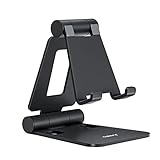
- Universal Compatbility: This phone stand works with all 4-8" Smartphones and e-readers, such as iPhone 18 17 16 15 14 13 12 11 Pro Max Xs Xr X 8 7 6, Switch, Samsung Galaxy S10 /S10+/S9 /S9+/S8 /S8+, Google Nexus, Kindle.
- Adjustable & Portable: The phone cradle is fully collapsible, it can be easily adjusted to ideal position, which is a good desk accessories while watching video, playing games, making phone call, viewing recipes, using Facetime.
- Sturdy & Protective: The cell phone stand is made of high quality premium aluminum, it stays firmly in place, hold your phone steadily, no worry any wobble at all. The rubber pads can protect your phone from any scratching and sliding.
- Case Friendly: The hook width of the stand is 18mm, no need to remove your phone case, which is long enough to hold your device with HEAVY CASE on, please make sure the thickness of your device is no more than 18mm (0.71").
- Warm Tips: Please set your device(4"-6") in landscape or portrait mode, and set the device (6"-8") in landscape mode, which will provide more stability.
If you own the TikTok video: check comment permissions
TikTok has both account-wide comment permissions and a separate setting for each post. Check both.
Check the account-wide setting
- Open TikTok and select Profile.
- Tap the Menu ☰ button.
- Open Settings and privacy.
- Tap Privacy, then Comments.
- Review Allow comments from.
Depending on the account’s privacy status and eligibility, TikTok may offer Everyone, Followers, or Friends. TikTok describes Friends as followers whom the creator also follows back. The Everyone option is available only for public accounts; Followers applies to private accounts. See TikTok’s official comment-management instructions for the current options.
Check the affected post
- Open the video from your profile.
- Tap More options (…) .
- Choose Privacy settings.
- Confirm that Allow comments is enabled.
A post-level setting can prevent comments even when the account-wide setting appears correct. Menu names can vary slightly by app version, account type, location, and TikTok’s feature rollout.
Review TikTok’s comment filters
Comments that are not visible have not necessarily been deleted. TikTok can hold them for approval under several moderation settings.
From Profile → Menu ☰ → Settings and privacy → Privacy → Comments, inspect these options:
- Filter all comments: hides comments until you approve them.
- Creator Care Mode: can filter comments TikTok considers inappropriate, offensive, or otherwise unsuitable for the creator’s comment area.
- Filter unwanted comments: screens comments that may be spam or unwanted.
- Filter keywords in comments: holds comments containing words or phrases you have added.
To review comments that were held, open Review filtered comments. Approve a legitimate comment or delete it if it should not appear. TikTok explains these controls in its comment-management documentation.
If only some comments are absent, filtering is more plausible than a loading failure. Review the filter list before disabling every protection. Turning off all filtering may restore legitimate comments, but it can also expose the creator and viewers to spam, harassment, or unwanted language.
Also popular on Amazon
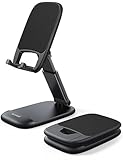
- Height & Angle Adjustable - The universal adjustable phone stand can be titled to vertical, and height can be extended up to 3.2 inches. It allows you to get a more comfortable viewing angle and height. Reduce the frequency of looking down at the phone screen to avoid hurting your back and neck. A perfect desktop accessory that frees your hands to watch online class, do live stream.
- Thick Case Friendly - This cellphone stand work for phone with thick case up to 0.71 inches thick. The enlarged & thickened anti-slip & anti-scratch silicone mats on the backrest, hooks and base feet protect your moilephone from sliding and scratching. Durable materials and the high-precision smooth surface prevent this phone stand from scratch and break even after long-term use.
- Full Foldable & Portable - This portable phone stand is easy to carry by anyone. Bi-folding design allows this foldable mobile stand to be pocket-sized. Simply fold it up to a small size anytime and carry around into a handbag, backpack wherever you travel or business trip. Necessary office desk accessories & workspace organizers, office supplies, cell phone accessories.
- Weighted Metal Base - As to ensure the stability, the telescopic rod and the base of this mobile phone stand are made of weighted excellent metal. The exquisite groove design of the base match with the strong adjustable rod allows your mobilephone to rest steadily on it, even with a thick case. It’s the best Thanksgiving Day, Christmas gift.
- Wide Compatibility - Universal table phone holder works for telephones and tablets between 4 - 8 inches, such as Apple iPhone Duo, iPhone 18 Pro, iPhone 18 Pro Max, iPhone 17, iPhone 17 Pro, iPhone 17 Pro Max, iPhone 17 Air, iPhone 16, iPhone 16 Pro, iPhone 16 Pro Max, iPhone 16 Plus, iPhone 15, iPhone 15 Pro, iPhone 15 Pro Max, iPhone 15 Plus, iPhone 14, 14 Pro, 14 Pro Max, 14 Plus, 13, 13 Pro, 13 Pro Max, 13 Mini, 12, 12 Pro, 12 Pro Max, 12 Mini, 11, 11 Pro, 11 Pro Max, XS, XS Max, XR, X, 8, 7, 7 Plus,SE, SE2, android, Galaxy S22, S22 Ultra, S21 Ultra, S21, S20, A72, A71, A52, A5. Compatible for Nintendo Switch 1 2. Best Christmas Gift.
Viewer-side age and privacy controls
Age-based settings
TikTok limits some commenting capabilities for younger users. The exact experience depends on age, country, account privacy, and applicable TikTok policies. TikTok states that accounts for users aged 13–15 have more restricted comment settings, including Friends as the default audience and no broadest comment option. TikTok’s U.S. Under 13 Experience does not allow users to comment.
If a child or teen cannot comment, this may be an intentional safety control rather than an app fault. TikTok’s privacy and safety guidance for users under 18 describes the age-related limits.
Family Pairing
Family Pairing can affect which safety and privacy settings are available. If a parent or guardian manages the account, the younger user may not be able to change the relevant control independently. Check the paired account and its safety settings rather than repeatedly changing the app or reinstalling it.
Restricted Mode
Restricted Mode can make some TikTok features unavailable and can limit content containing mature or complex themes. It is managed through Settings and privacy → Content preferences → Restricted Mode.
The Tool Desk
Outbyte PC Repair FREEClear out junk files and repair common Windows errorsFree Scan →Outbyte Driver Updater FREEScan for outdated or missing drivers - takes under a minuteDriver Scan →Restricted Mode is more likely to affect access to a post or the surrounding interaction than to selectively remove ordinary comments from an otherwise fully visible video. Still, if an entire commenting experience seems unusually limited, check it. The setting is account-specific when multiple TikTok accounts are used, so verify it on the account experiencing the problem. TikTok’s Restricted Mode help page has the current control information.
Check whether your account is restricted from commenting
Do not assume that missing comments mean you have been “shadowbanned.” That term is often used without evidence and does not identify the specific restriction.
Use TikTok’s first-party Account check instead:
- Profile → Menu ☰ → TikTok Studio → More tools → Account check, or
- Profile → Menu ☰ → Settings and privacy → Support → Safety Center → Account check.
Account check can show whether TikTok has restricted your account from commenting or identified another account-status issue. The available path may differ by account and app version. TikTok’s account-status instructions are the appropriate reference.
Also popular on Amazon
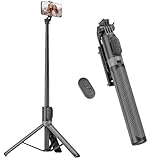
- [Versatile Design] RISEOFLE 71'' Phone Tripod and Selfie Stick combo is the perfect accessory for all your cell phone photography needs.The high-quality aluminum alloy telescopic pole allows you to extend effortlessly and smoothly, and turns into a tripod with just one pull. Its sturdy yet lightweight design provides stability and reliability, ensuring that your phone or camera stays safe during use. Ideal for Selfies/Live/Video Recording/Travel
- [Extra Tall 71" Adjustable Phone Tripod] This selfie stick tripod features a 7-section adjustable aluminum telescoping pole that adjusts from 12.2 in (31 cm) to 70.86 in (180 cm). Provides exceptional flexibility for shooting a variety of shots. Whether you're taking a selfie, a group photo or shooting a video, the adjustable height ensures you get the best angle every time.
- [Compact & Portable Design] The RISEOFLE phone tripod stand With a folded length of only 31cm (12.2 in) and a weight of 264g (0.58 lb), extremely portable and easy to store, it can be effortlessly placed into your backpack or carry-on luggage, making it the perfect companion for your travels. Wherever you go, it allows you to capture amazing footage with ease.
- [360° Rotation & Wide Compatibility] Featuring a 360° rotating phone holder, this selfie stick tripod allows you to easily switch between portrait and landscape modes for the best viewing angle. The universal holder fits smartphones with widths of 2.6''-3.6'' (4''-7'' screen size) and is compatible with most cameras, action cams, and webcams via the 1/4” screw mount (Note: the remote control function only applies to cell phones, the camera cannot use the remote control function).
- [Perfect for Content Creation] Ideal for selfies, vlogging, and social media content creation, the RISEOFLE Tripod comes with a wireless remote control for hassle-free shooting. Whether you're on Instagram, YouTube, TikTok, or Twitter, this phone stand for filming helps you capture professional-quality photos and videos with ease.
If the account check reports a commenting restriction, review the notice and any appeal or policy information TikTok provides. Creating additional accounts to evade a restriction can create further account problems and will not fix a creator-side filter.
Crashes, No Sound, or Screen Glitches?
Random freezes, missing sound and display glitches usually trace back to one bad driver. Find and replace yours safely.Free scan · under a minutePC Slower Than It Used to Be?
A free scan shows the junk files, broken settings and background clutter dragging Windows down - then fixes them in one click.Free scan · Windows 10 & 11Fix comments that are not loading
Use these steps when the comments button is present but the list is empty, incomplete, or stuck loading.
1. Reopen TikTok and restart the device
Force-close TikTok, open it again, and restart the phone or tablet. This clears a temporary app state without changing your account settings.
2. Test the connection
Switch from Wi-Fi to cellular data, or from cellular data to a reliable Wi-Fi connection. If comments appear on one connection but not another, the issue may involve the network, DNS filtering, a VPN, or a temporary routing problem.
3. Update TikTok
Install the latest TikTok version available from your device’s official app store. An outdated build can have loading or compatibility problems, especially after TikTok changes its backend or interface.
Recommended Free Tools
4. Clear the app cache carefully
Use TikTok’s available storage or cache-clearing control, or the operating system’s app storage settings where appropriate. Clearing a cache can remove temporary files, but it is not a guaranteed fix.
Be careful with options labelled Clear data, Delete app data, or similar. They may sign you out or remove locally stored information. Make sure you know your login details, and understand how your drafts are stored, before using them. Do not delete the app simply as a first step if you have important drafts whose backup status is uncertain.
Also popular on Amazon

- 【Set of 2 Phone Stand】 The mechanical design makes the phone stand stable and sturdy, ideal for you to place your phone on it when watching video anytime & anywhere. Meetuo cares about your life quality, so we pack 2 stands together in case of need. This set of phone stand allows you to use in the office and at home. Take it and enjoy your comfortable life!
- 【Foldable & Adjustable】 -The cell phone stand can be adjusted from 5’’ to 6.4’’, easily extendable in height.Also,it allows you to customize the angle of your device flexibly to find the most comfortable viewing angle. Considerate Design - This phone stand reserved charging port, you can play while charging, make your life easier.
- 【Sturdy & Non-Slip Silicone Pad】 - This desktop phone stand adopts sturdy aluminum with a strong solid construction, assuring your phone stay firmly in place. The silicone covered pads and metal weighted anti-slip base well protect your devices from scratches and sliding, easily tap the screen without worrying the phone will tip over or fall off.
- 【Wide Compatibility】 - Universal cell phone stand suitable for iPhone and Android smart phones from all 4-6.4" Smartphones. Can be placed on the desktop Phone stand firmly, device thickness under 1/2inch, compatible with iPhone 17/16/15/14/13/12/12 Mini/12 Pro MAX/SE 2020/11/X/Xs/Xs Max, Samsung Galaxy S21/S20/S10/Note 10, and more.
- 【Simple & Practical】 The small size and light weight make the phone holder easy to carry. You can liberate your hands to enjoy face-to-face time calling with family or friend, to take a record in video conference, to snack while watching YouTube video etc. If there is any problem with the product you received, don't worry, please let us know and we will solve it for you!
5. Compare the app with a browser
Try the same video on TikTok’s website. If comments work in the browser but not in the app, the problem is more likely local to the app installation, cache, or device. If they fail in both places, investigate account settings, account status, the network, and a possible TikTok-side incident.
Check for a TikTok service problem
If comments fail across unrelated videos, multiple creators, more than one network, and more than one account—or fail in both the app and browser—the issue may be on TikTok’s side.
Free tools Windows power users keep installed
One-click scans. No signup required.
Outage-monitoring services can help establish whether other people are reporting the same symptom. For example, Downdetector’s TikTok status page separates reports into categories such as Comments/Messaging, App, Feed/Timeline, LIVE Stream, and Website. These reports are user-submitted indicators, not official confirmation from TikTok, so treat a spike as supporting evidence rather than proof.
During a service incident, changing comment permissions, clearing data, or repeatedly reinstalling the app is unlikely to help. Record when the failure started and try again after TikTok’s service recovers.
Independent reader supportYour contribution helps us test, update, and keep practical guides available for everyone.Why TikTok LIVE comments may be missing
LIVE comments use controls that are separate from ordinary video comments. A LIVE creator or moderator can:
- Turn LIVE comments off.
- Filter comments.
- Block specific keywords.
- Mute or block a viewer.
TikTok can also temporarily suspend a viewer’s ability to comment in LIVE after reported comments that violate its rules. TikTok says these suspensions are typically 24–48 hours. A viewer who cannot comment in one LIVE may have been muted or blocked by that creator or moderator; a viewer who cannot comment across LIVE sessions should check Account check and any TikTok notice.
What’s actually slowing this PC down?
Pick the symptom - the matching free tool is one click away.
When troubleshooting LIVE, compare a different LIVE hosted by another creator. If comments work elsewhere, the original host or moderator is the more likely cause. TikTok’s LIVE troubleshooting guidance covers the separate controls and restrictions.
Also popular on Amazon

- 1.【Suitable all the phone】: suitable for all the smartphone with case and under 8 inch tablets without a case. For example iphone, ipad, Samsung galaxy, Google Nexus,HTC One, Blackberry, Oneplusone,Motorola Droid,Nokia Lumia.
- 2.【Portable everywhere】: perfect for travel, Portable, just simply put it in a pocket or wallet, purse, backpack, bag, you can use it everywhere, cafe, coffee shop, dining table, airplane tray table...ect. Easy Storge and Carrage.
- 3.【6 Angles Viewing】: 6 different adjustable Multi angles for viewing to meet different needs of watching movies. Free hands to reduce cervical and arm pain. Supporting portrait and landscape modes, offer you the best viewing point.
- 4.【Lightweight but sturdy】: The material is engineering plastic ABS. Small pocket size: (3.3 * 2.8 * 0.5 inches) and lightweight (0.8 ounces) are also strong and durable.
- 5.【What You Get】: 2 Pcs Kemoxan office adjustable cell phone stand holder, black and white.
Do not confuse Comment insights with the comment list
Comment insights is an AI feature that summarizes or organizes topics in comments. It is not the ordinary comments feed and is not a substitute for comments that fail to load. TikTok says its availability varies by location and age. A creator may be able to see Comment insights while the normal comment list is affected, or may not have the insights feature at all. See TikTok’s Comment insights information for availability details.
Report the problem to TikTok
Report the issue after checking settings, filters, account status, and basic app troubleshooting. Go to Settings and privacy → Report a problem, then choose the closest category. TikTok provides separate reporting routes for comments, LIVE comments, posts, accounts, and other problems.
Include enough detail for TikTok to distinguish a creator setting from a loading failure:
- The affected video URL or creator username, if available.
- Whether the comments button is missing, disabled, empty, or continually loading.
- Whether the issue affects one video, one creator, LIVE, or every video.
- Your device model and operating-system version.
- Your TikTok app version.
- The network tested, such as Wi-Fi and cellular data.
- The approximate date and time the problem began.
- A screenshot or screen recording that does not expose private information.
Do not include passwords, authentication codes, or unnecessary personal information. If the problem is caused by a creator’s settings or a legitimate filter, TikTok Support may not restore those comments; the creator controls that part of the experience.
A practical decision tree
- Is the problem limited to one video? Ask the creator to check Allow comments, comment filters, and the post’s privacy settings. If you are only a viewer, you may not be able to change anything.
- Is the comments button missing? Check creator permissions, age-related controls, Family Pairing, and Restricted Mode.
- Does the button open but never load? Restart TikTok and the device, test another connection, update the app, and clear only temporary cache data.
- Does it happen on every video? Run Account check, test the browser and another network, and check for a service incident.
- Is it LIVE only? Compare another LIVE and account for creator moderation, viewer muting, keyword filters, or a temporary LIVE-commenting suspension.
- Does nothing explain it? Report the issue with the video, account, device, app, network, timing, and screenshots.
Frequently Asked Questions
Why do TikTok comments show zero when I know people commented?
A zero-comment display can result from comments being filtered or held for approval, comments being turned off, a post-specific restriction, deleted comments, or a failure to load the comment data. If you own the video, check Review filtered comments under Privacy → Comments. If the list is blank and keeps loading, test the app, network, browser, and Account check.
Are hidden TikTok comments deleted?
Not necessarily. TikTok can hold comments behind Filter all comments, Creator Care Mode, unwanted-comment filtering, or keyword filtering. A creator can review held comments under Profile → Menu ☰ → Settings and privacy → Privacy → Comments → Review filtered comments. Comments can also have been deleted by the commenter or the creator.
Why can I see a TikTok video but not comment on it?
The creator may have disabled comments or limited them to a particular audience. Your age, account privacy, Family Pairing, Restricted Mode, or account status may also limit commenting. Check Account check and compare another video before treating it as an app fault.
Do these 3 things before closing this tab:
1Clear out junk files and repair common Windows errors2Scan for outdated or missing drivers - takes under a minute3Repair Windows errors before they cause bigger problemsHow long can a TikTok LIVE commenting restriction last?
TikTok says a temporary suspension of LIVE commenting after reported comments that violate its rules is typically 24–48 hours. A creator or moderator can also mute or block a viewer, which is a separate, LIVE-specific action.
Will clearing TikTok’s cache restore comments?
It may help when temporary app data prevents comments from loading, but it is not a guaranteed fix. Restart TikTok, restart the device, test another network, and update the app first. Avoid clearing app data or deleting the app until you understand the effect on login state and locally stored drafts.
The Bottom Line
The quickest diagnosis is scope: one video usually points to the creator or post; a missing button points to permissions or restrictions; an empty, endlessly loading list points to the app, network, account, or service; and LIVE has its own moderation controls. Check TikTok’s documented settings and Account check before relying on vague “shadowban” explanations.

