
iTechGuides is reader-supported. When you buy through links on our site, we may earn an affiliate commission. As an Amazon Associate I earn from qualifying purchases. Learn more
Cloud storage puts camera footage off-site for remote access and can preserve clips if a camera or memory card is stolen. Local storage records to a card or home recorder, reducing reliance on a cloud archive and recurring storage fees—but footage can be lost if the camera or recorder is damaged or taken. Which is better depends on what your cameras record, how long you need footage, and what happens during outages.
How cloud and local camera storage differ
Cloud storage uploads footage to a provider’s service, where you retrieve it through an account or app. It can provide an off-site copy, but usually depends on internet access and may require a paid plan for saved history.
Local storage saves video to a microSD card in a camera or to a home hub or network video recorder (NVR). It can avoid a cloud-storage subscription, but you need compatible hardware and must manage storage capacity, retention, and equipment upkeep.
These categories are not mutually exclusive: a system may support both. Also, a camera having some internal memory does not necessarily mean it maintains a continuous local archive.
Popular on Amazon
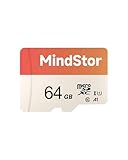
- Fast Read up to 90MB/s — Open photos, transfer files, and browse galleries faster; ideal for daily shooting and quick backups. The read and write speed is based on internal testing conducted under controlled conditions. The actual speed may vary depending on the device, interface, usage conditions, and other factors used
- A1 App Performance — Optimized random IOPS for smoother app installs and faster launches on Android devices. (1GB = 1,000,000,000 bytes. Actual user storage less.)
- Full HD Ready — Stable 1080P recording for phones, dashcams, and security cameras without frame drops. Temperature, shock, water, and X-ray resistant; keeps your data safe on the move.
- Built for Daily Use — Due to different measurement standards, the actual storage capacity shown by the device's operating system may be less than the capacity shown on the product label. Available storage capacity is higher than 58GB.
- Wide Compatibility — Works with phones, tablets, dash cams, action cams, laptops; includes adapter. Check if your device is compatible with MicroSD capacity. The SD logo is a trademark of SD-3 C, LLC.
What happens when the camera, internet, or service fails?
| Situation | Cloud storage | Local storage |
|---|---|---|
| Camera is stolen | An already-uploaded copy may remain available through the provider. Reolink says its Cloud footage can be viewed in its app or website if a camera is stolen, subject to model and regional availability (Reolink Cloud). | A card inside the stolen camera may go with it. A separate recorder may remain, unless it is also stolen or damaged. |
| Internet connection is lost | Uploads and remote access can stop. Google says some Nest models temporarily buffer events internally during an outage and upload them after reconnecting; this model-specific behavior is not a persistent local archive (Google Nest Help). | A camera or recorder may continue recording locally if it has power and the system is designed to do so. Check the exact model’s offline behavior; local recording does not automatically mean remote access remains available. |
| Cloud plan or service ends | Saved history and features depend on the provider’s plan and service terms. Check what remains accessible after cancellation and how long existing clips are retained. | Recordings already stored locally may remain accessible, but only while compatible hardware and storage remain functional. Retention depends on capacity and recording settings. |
| Recorder or storage device fails | An uploaded copy may remain available, depending on plan and service. | Footage on the failed card or recorder may be unavailable. A local-only setup does not create an off-site backup by itself. |
How long does footage stay available?
Retention is determined by the camera, recording mode, storage capacity, and plan—not simply by whether a system is cloud-based or local. Event clips and continuous recording also use storage differently, so compare the kind of history you need rather than a headline number alone.
For eligible devices in the United States, Google Home Premium’s current listing gives these examples, checked in 2026:
Also popular on Amazon

- Compatible with Nintendo-Switch (NOT Nintendo-Switch 2)
- Ideal for dash cams and home monitoring systems
- Designed for high endurance so you can record for up to 10,000 hours with no worries (Actual hours of video saved less. Full HD (1920x1080) video only; total hours less for 4K UHD (3840 x 2160) video.)
- Built for and tested in harsh conditions; temperature proof, water proof, shock proof, humidity proof and magnet proof (Card only. See product packaging and official SanDisk website for more information and limitations.)
- Save more videos with capacities up to 128GB (1GB = 1,000,000,000 bytes. Actual user storage less.)
| Google Home Premium plan | U.S. price | Listed video history |
|---|---|---|
| Standard | $10 per month or $100 per year | 30 days of event-based history |
| Advanced | $20 per month or $200 per year | 60 days of event-based history and 10 days of 24/7 history for eligible cameras and wired doorbells |
Prices and features are from the Google Store U.S. listing; eligibility varies by device and region, and battery cameras or doorbells may have different capabilities. Google announced Google Home Premium on October 1, 2025, as the subscription replacing Nest Aware (Google’s announcement). Check the live listing before subscribing.
What’s actually slowing this PC down?
Pick the symptom - the matching free tool is one click away.
What does local-first recording look like?
Local storage varies by ecosystem. Ubiquiti says UniFi Protect stores recordings on a UniFi OS Console by default and does not provide cloud backup by default. Its support documentation states: “All video recordings are stored locally on your UniFi OS Console, such as the UNVR or Cloud Gateway Max.” This describes UniFi Protect, not all security cameras (Ubiquiti UniFi Protect documentation).
Also popular on Amazon

- Compatible with Nintendo-Switch (NOT Nintendo-Switch 2)
- Ideal for dash cams and home monitoring systems
- Designed for high endurance so you can record for up to 20,000 hours with no worries (Actual hours of video saved less. Full HD (1920x1080) video only; total hours less for 4K UHD (3840 x 2160) video.)
- Built for and tested in harsh conditions; temperature proof, water proof, shock proof, humidity proof and magnet proof (Card only. See product packaging and official SanDisk website for more information and limitations.)
- Save more videos with capacities up to 256GB (1GB = 1,000,000,000 bytes. Actual user storage less.)
A local-first system can suit someone who wants recordings held on equipment they control rather than routinely uploaded to a cloud archive. It also means the user must consider recorder capacity, replacement drives, power, and what happens if the console is stolen or fails.
How to compare the real cost
There is no universal break-even point: the answer changes with camera count, hardware, recording mode, retention target, plan, and ownership period. Compare costs over a period you expect to keep the system, and compare equivalent capabilities rather than subscription price against hardware price alone.
Also popular on Amazon

- [4K Ultra HD] Read/Write up to 95/40 MB/s. 4K Ultra HD video displaying/recording
- [Compatibility] Storage for Camera, Security Camera, Action Camera, Sports Camera, Laptop, Tablet, PC, Smartphones. IMPORTANT DEVICE COMPATIBILITY: This 128GB card is natively formatted to exFAT. If using with older security cameras, dash cams, or Android phones, you must format the card to FAT32 using your device settings prior to use.
- [Environment] Waterproof, shockproof, temperature-proof and X-Ray proof
- [Support] Gigastone 5-year limited warranty
- Set the scenario. Write down the number of cameras, whether you need event clips or continuous recording, how many days of history you need, and how often you expect to retrieve footage remotely.
- Add local equipment costs. Include cameras, a compatible NVR or hub if required, cards or recorder drives, and likely storage replacement. Verify compatibility and supported capacity for each camera or recorder.
- Add recurring cloud fees. Multiply the plan price by the number of months or years in your comparison period. Confirm the plan covers the devices and recording features you need.
- Compare the same outcome. Check camera coverage, recording type, retention, remote retrieval, and offline behavior. A cheaper option that stores fewer days or only event clips is not equivalent to a continuous archive.
- Account for failure and upkeep. Consider the likelihood and consequences of losing local hardware, the effort of managing it, and whether an off-site copy is worth the subscription.
For example, the listed U.S. Google Home Premium Standard price is $100 per year, so its subscription component over three years would be $300 if that annual price remained unchanged. That is not a total-system comparison: it excludes camera costs and does not establish what a comparable local setup would cost. Use the same period and capabilities when calculating your own figures.
Do these 3 things before closing this tab:
1Repair Windows errors before they cause bigger problems2Scan for outdated or missing drivers - takes under a minute3Clear out junk files and repair common Windows errorsPrivacy and security depend on the exact system
Local storage reduces routine dependence on a provider’s cloud archive, but it does not make footage automatically private or secure. A camera, card, recorder, account, or home network can still be exposed through theft, hardware failure, weak account access, or network compromise.
Also popular on Amazon

- EXTREME ENDURANCE FOR MONITORING DEVICES: Capture your crucial moments in high-resolution, even in harsh conditions; Engineered to deliver long lasting performance, the Samsung PRO Endurance SSD is a perfect fit for CCTV, dash cams and body cams
- BUILT TO LAST UP TO 140K HOURS OF RECORDING: With capacities up to 256GB*, the PRO Endurance records and rewrites up to 140K hours (over 16 years)**; Plus, with a warranty up to 5 years***, you can rest assured that your data endures
- RECORD & PLAY IN FHD/4K: PRO Endurance simplifies large file transfers with read/write speeds up to 100/40MB/s;**** Plus, FHD & 4K resolution support ensures that crucial moments are recorded in high-res so every detail is documented when it matters most
- CRITICAL DATA, SAFEGUARDED: After rigorous testing, it stands up against magnets¹, X-rays², water³, drop⁴, wearout⁵ and stays cool under pressure with operating temperatures ranging from -25°C to 85°C⁶
- WORLD'S #1 FLASH MEMORY BRAND: Experience the performance and reliability from the world's #1 brand for flash memory since 2003;****** All firmware & components, including Samsung's world-renowned DRAM & NAND, are produced in-house
Cloud storage enables off-site access and a copy that may survive camera theft, but it involves uploading footage to a provider and relying on the provider’s account and service controls. Google says Nest video is uploaded to its service and points users to its privacy materials; that does not establish a cross-brand privacy ranking (Google Nest Help: video storage; Google Nest privacy information).
- Check where footage is stored and processed, including whether detection features run on the camera or in the cloud.
- Review account protections, remote-access controls, encryption claims, retention terms, and deletion procedures for the specific product.
- Ask who can access recordings and what happens to stored footage if you cancel a service or close an account.
Security claims should stay specific to the vendor and product. For example, Ubiquiti describes encrypted remote and stream connections for UniFi Protect; that claim should not be generalized to other camera systems (Ubiquiti UniFi Protect documentation).
Choose based on the footage you need to keep
Cloud is a stronger fit when
- You want an off-site copy that may remain available if a camera or card is stolen.
- You value remote access and are comfortable with a recurring fee and provider account.
- Your required retention period and recording mode are supported by the plan for your camera model and region.
Local storage is a stronger fit when
- You want to avoid a cloud-history subscription and are willing to buy and maintain compatible storage hardware.
- You prefer a local-first architecture, such as a system that records to a home console by default.
- You have a plan for recorder theft or failure, power loss, storage capacity, and footage retrieval.
A hybrid setup may help when
- You want local recording for day-to-day history and an off-site copy of selected footage or events.
- You need to balance a local archive against the resilience of remote copies, while checking that the camera supports both and understanding any plan limits.
Before buying or relying on a camera, verify the exact model’s supported card or recorder, whether it records continuously or only buffers events, what it does without internet or power, how many days it retains, and what remains accessible after a service cancellation. The details differ by product: Google’s temporary outage buffer is model-specific, UniFi Protect uses its own local-console architecture, and Reolink Cloud is limited by model and region.
Quick wins for a faster PC:
Repair Windows errors before they cause bigger problemsFix Now →Fix the driver behind crashes, sound loss and screen glitchesFind Drivers →Clear out junk files and repair common Windows errorsFree Scan →
