
iTechGuides is reader-supported. When you buy through links on our site, we may earn an affiliate commission. As an Amazon Associate I earn from qualifying purchases. Learn more
Cloud gaming runs a game on remote hardware and streams its video and audio to you; a locally executed browser port runs the game code on your own device inside a browser. Both may look like “a game in a browser,” but they have different performance limits, compatibility requirements, and data flows. Neither is automatically faster or more private: the result depends on the specific game or port, service, device, browser, network path, account setup, and privacy policy.
What is the difference between cloud gaming and a browser game port?
In cloud gaming, the browser is a client. A remote server renders the game, then streams the audiovisual output to your device while sending your controls back to the server. Microsoft’s developer documentation describes Xbox sessions being assigned a server from a pool in Azure data centers, followed by sign-in and game-save synchronization. That is Xbox’s architecture, not a description of every cloud-gaming provider.
A locally executed browser port runs the game in the browser on your device. Web games may use JavaScript or compiled C/C++, WebGL for graphics, Web Audio, touch or gamepad input APIs, and browser storage such as IndexedDB. They may also connect to remote services for multiplayer, accounts, saves, analytics, or other features. MDN’s web-game overview describes these capabilities; it does not establish which ones a particular commercial port uses.
What’s actually slowing this PC down?
Pick the symptom - the matching free tool is one click away.
So the browser is a delivery surface, not an execution model. A cloud stream in a browser still relies on remote game hardware; a locally executed browser port relies on your device to run the game.
Popular on Amazon

- Compatible with Windows and Android.
- 1000Hz Polling Rate (for 2.4G and wired connection)
- Hall Effect joysticks and Hall triggers. Wear-resistant metal joystick rings.
- Extra R4/L4 bumpers. Custom button mapping without using software. Turbo function.
- Refined bumpers and D-pad. Light but tactile.
Which is better for performance, cloud gaming or browser games?
There is no category-wide winner. Cloud gaming shifts the game’s rendering workload to a remote server, but depends on the live connection between your device and the service. A locally executed browser port avoids streaming the rendered frames over the internet, but its frame rate and visual quality depend on the device, browser, graphics path, and quality of the port.
| Comparison | Cloud stream in a browser | Locally executed browser port |
|---|---|---|
| Where rendering runs | Remote service hardware; Xbox’s developer documentation describes session assignment to servers in Azure data centers. | On your device, using the browser’s supported web and graphics capabilities. |
| Internet and latency | Needs a live network path to carry game video and audio to you and input back to the service. Connection quality, location, and route affect the experience. | Does not need a live stream for local rendering, but the game may still need a connection for multiplayer, accounts, cloud saves, or other online features. |
| Local hardware and GPU | The client receives a stream, so the game’s main rendering workload is remote; the device must still support the service and decode and display the stream. | Local device and browser performance constrain the game. The requirements vary with the port and the APIs it uses. |
| Browser, device, and controls | For Xbox browser play, Microsoft lists Edge, Chrome, and Safari; supported devices, regions, games, and control options also apply. | Compatibility depends on the port’s web APIs, browser implementation, operating system, and input support. WebGPU is not available in all widely used browsers, according to MDN. |
| Visual quality, frame pacing, and input lag | Depends on service behavior and the reader’s device and network path. Assess it in the specific game and setup rather than infer it from a speed requirement. | Depends on the port, browser, device, graphics implementation, and game. A browser API’s availability does not by itself establish a particular frame rate. |
| Offline play and saves | Gameplay requires the live cloud session. Xbox’s documented session flow includes sign-in and save synchronization; exact save behavior depends on the service and game. | Offline play is possible only if the port supports it and does not need online features. MDN identifies both browser storage and cloud storage as options; a port’s actual save behavior depends on its implementation. |
| Accounts, data, and privacy | Session handling and account processing occur at the service, alongside whatever data collection is described in its policy. | Game code runs locally, but the title may still send data through accounts, networking, cloud storage, or analytics. Review the game’s policy and settings. |
| Cost and access | Check whether the specific game requires a subscription, an owned game, an account, or other access conditions; the applicable terms vary by service and region. | Check the port’s access and purchase terms, if any. No category-wide price or access model applies. |
For a practical comparison, try the exact game on the device, browser, and input method you plan to use. Look for stable frame pacing, clear image quality, and responsive controls. In a cloud session, network throughput alone cannot tell you whether the route has low latency or whether the stream will remain stable.
What comparative testing does—and does not—show
An IFIP Networking 2024 study tested GeForce NOW through Chrome and Safari and through its native application on mobile and PC, and tested Xbox Cloud Gaming through mobile and PC browsers and Xbox hardware. Researchers selected games including CS:GO, Cyberpunk 2077, Monster Hunter, Flight Simulator, GTA V, FIFA 23, and Sword & Fairy 7 across service-appropriate sets, then shaped bandwidth, latency, and packet loss in a lab.
Also popular on Amazon
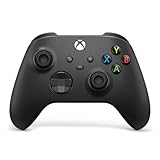
- MODERNIZED DESIGN — Experience the modernized design of the XBOX Wireless Controller with sculpted surfaces and updated geometry that enhances comfort and control during long gaming sessions.
- PRECISION PERFORMANCE — Stay on target with a hybrid D-pad and textured grips on triggers, bumpers, and back case for improved accuracy and handling.
- SHARE BUTTON: Seamlessly capture and share content such as screenshots, recordings, and more with the new Share button.
- VERSATILE CONNECTIVITY — Connect via USB-C for plug-and-play on console and PC, or quickly pair and switch between supported devices with XBOX Wireless and Bluetooth support.
- BUILT-IN AUDIO SUPPORT — Plug in compatible headsets using the 3.5mm audio jack for direct voice chat and immersive in-game sound.
In those tests, GeForce NOW adjusted throughput to selected frame-rate and resolution settings and favored frame rate over resolution under bandwidth constraints. It handled high latency better in its native app than in a browser. In one high-latency comparison, Xbox browser sessions performed better than Xbox’s proprietary console; Xbox did not adapt streaming throughput to client settings in the same way. The authors also observed title-related low frame rates on Xbox for some selected games. These results describe the study’s tested services, clients, games, and lab conditions. They do not compare cloud gaming with locally executed browser ports, and they are not a universal verdict for current users.
How much internet speed does cloud gaming need?
For Xbox Cloud Gaming, Microsoft’s current requirements page gives minimum download speeds of 10 Mbps on mobile and 20 Mbps on consoles, PCs, and tablets. It suggests 5 GHz Wi-Fi and says streaming performance is affected by internet connection, user location, device, and other factors. These are Microsoft’s figures for its service, not general cloud-gaming standards or a guarantee of smooth play.
Separately, an Xbox Wire guide published December 19, 2025 recommends at least 20 Mbps for a stable Xbox Cloud Gaming connection and recommends Ethernet where possible; it also names 5 GHz Wi-Fi or capable 5G as alternatives. That guidance is broader than the device-specific minimums on Microsoft’s requirements page, so keep the source and context attached to each figure. A connection that meets a download-speed threshold can still have a poor route, congestion, or latency for a particular session.
Also popular on Amazon

- Multi-Platform PC Gaming Controller: Working with Switch, PC, Android, and iOS devices via Bluetooth, wired, and wireless dongle connections.
- Hall Effect Joysticks: Delivering enhanced recentering performance for smoother control and superior anti-drift capability. Plus, with anti-friction rings.
- 2-Way Trigger Lock: With trigger stops, gamers can toggle between short and long pull positions. Additionally, gamers can activate hair trigger mode by pressing M+LT/RT (triggers must be in the long pull position).
- 1000Hz Polling Rate: This ensures that your inputs are registered almost instantaneously, minimizing lag and maximizing your performance during competitive play.
- Mechanical Circular D-pad: Designed for quick reactions and accuracy in every direction, this D-pad elevates your gaming experience with superior responsiveness.
Do browser games need a powerful computer?
Not necessarily, but there is no single hardware requirement for locally executed browser ports. A lightweight port may run acceptably on modest hardware, while a demanding game may need a stronger CPU or GPU, more memory, or a browser with the right graphics support. The game’s implementation matters as much as the fact that it runs in a browser.
PC Slower Than It Used to Be?
A free scan shows the junk files, broken settings and background clutter dragging Windows down - then fixes them in one click.Free scan · Windows 10 & 11Crashes, No Sound, or Screen Glitches?
Random freezes, missing sound and display glitches usually trace back to one bad driver. Find and replace yours safely.Free scan · under a minuteMDN says WebGPU can let web developers use the system GPU for high-performance computation and graphics. MDN also marks WebGPU as having limited availability: it is not Baseline across widely used browsers, and where supported it requires a secure context. WebGPU support alone does not guarantee better performance for every title; engine, assets, device, drivers, and implementation remain relevant.
For cloud gaming, the client does not do the game’s main rendering, but it still needs to be a supported device and handle the stream. That can make a cloud stream usable on hardware that cannot run the same game locally, but it does not make every device or browser compatible.
Also popular on Amazon
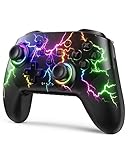
- RGB Cool Lightning Bolt & Long Battery Life: Switch controller with lightening bolt style and 9-color LED looks really cool; 4 light modes: solid lights, breathing lights, RGB strobe led light and led off; Fully charged: 3-4 hours, Runtime: 10-15 hours
- Widly Compatible & One-key Pairing/Wake Up: The switch pro controller is compatible with Switch/Lite/OLED/PC Windows 7/8/10 (only wrok for pc under wired connection); 2 pairing ways; Support one key to wake up your switch console
- Programmable Button & 3 Speeds Turbo: Switch controllers has simplify complex skill operations with M1/M2 key; Support single and multiple mapping; 3 adjustable burst: 5 shots/s, 12 shots/s and 20 shots/s; Programming and Turbo will maximize game play
- Sensitive Motion Control & 4-Level Nice Vibration: 6-axis gyro sensor help you react quickly, enhance experience in sports games; Buttons and joysticks are responsive, no lag; Dual vibration motors with 4-level feedback: Strong, Medium, Weak and None
- Great Gift For All People: This cool switch controller will be great gifts for women, men, girl, boy, family and friends; Packing list: 1 X Wireless switch controller, 1 X Type-C cable, 1 X Detailed user manual, 1 X Cool gift box
Does cloud gaming work on my browser?
For Xbox Cloud Gaming in a browser, Microsoft lists Microsoft Edge, Google Chrome, and Safari. Browser choice is only one part of compatibility: the service also requires a supported device and region, and the game must be available for cloud play. Microsoft says most games need a compatible Bluetooth or USB controller, though selected games offer touch controls. Streamed play can also have limits in resolution, audio output, cloud-save storage, companion-app support, or peripherals.
A locally executed browser port has a different checklist. The game must support the browser’s required APIs and the device’s operating system and input method. MDN documents web-game technologies such as WebGL, input APIs, networking, and storage, but a port may use only some of them. Check the exact game’s compatibility information and test the browser version you intend to use; API availability does not guarantee the port has full feature parity with a native release.
Quick wins for a faster PC:
Repair Windows errors before they cause bigger problemsFix Now →Scan for outdated or missing drivers - takes under a minuteDriver Scan →Which is more private, cloud gaming or browser gaming?
Neither architecture is inherently more private. A cloud session necessarily involves a service handling the session and game stream. Microsoft’s Xbox developer documentation says its flow includes server assignment, sign-in, save and persistent local-storage synchronization, and uploading or synchronizing state when a session ends. It also says users may receive different servers across sessions and that server infrastructure may serve multiple users at different times. This explains aspects of Xbox’s session architecture; it is not a complete consumer privacy inventory and does not establish a data-retention period.
Also popular on Amazon

- Platform Compatibility: This PC controller is designed for Windows PC, Steam, Switch, Android, and iOS. Xbox-style asymmetric stick layout for PC gamers. Three modes cover all your devices. Please check your device compatibility before purchase
- Three Connection Modes: 2.4G wireless, Bluetooth, wired USB-C. PC gets native XInput/DirectInput. Switch pairs via Bluetooth, no adapter. This gaming PC controller switches devices seamlessly. Stable wireless minimizes random disconnects during gaming
- Hall Effect Precision: Hall effect joysticks and triggers eliminate stick drift. This gaming controller for PC delivers smooth, responsive input with no dead zones. Built for FPS, racing, and action games. Long-term precision for competitive PC gaming
- Back Buttons & Battery: Two programmable back buttons map combos and shortcuts. Textured grips with dual vibration. 1000mAh battery delivers up to 20H playtime. RGB can be turned off. A solid PC controller for gaming with custom back buttons
- ABXY Layout Switch: Press B + Minus + Plus to swap between PC and Switch modes. Features: 1000Hz polling rate, RGB lighting, turbo. Note: designed without mic jack or gyro sensor
Local execution does not mean no data leaves your device. MDN lists IndexedDB and cloud storage as possible game-state options and notes that developers can choose analytics tools. Depending on the title, multiplayer, accounts, advertising, crash reports, cloud saves, or analytics may involve network processing.
To compare privacy meaningfully, read the current policy for the exact game and cloud service. Look for what data is collected, why it is used, whether accounts are linked, which third parties receive it, how long it is retained, how deletion works, and what controls you can use. The available evidence does not establish a category-wide privacy winner.
Quick Recap
How to choose for your setup
- Choose a cloud stream in a browser when the service offers the game in your region and browser, your connection to the service is suitable, and you prefer remote rendering over installing or running the game locally.
- Choose a locally executed browser port when the specific port supports your browser and device and you want gameplay rendered locally. Confirm whether it needs a connection for saves, multiplayer, or other features.
- Test the input method. Check the game’s individual support for controller, touch, mouse, and keyboard rather than assuming an input works because the browser supports it. If you already own a compatible controller, try it before buying another; a wireless Xbox controller is one option, not a requirement for every setup.
- Compare actual play, not labels. For cloud gaming, observe image stability and control responsiveness on your own network. For a local port, observe frame pacing and input response on your own device and browser.
- Check the access terms and privacy notices. Confirm the current game catalog, region, subscription or ownership requirement, account setup, and data practices for the named service or port.

