
PC Slower Than It Used to Be?
A free scan shows the junk files, broken settings and background clutter dragging Windows down - then fixes them in one click.Free scan · Windows 10 & 11Outdated Drivers Are Slowing You Down
One free scan finds every outdated or missing driver and matches the right update for your exact hardware.Free scan · exact hardware matchiTechGuides is reader-supported. When you buy through links on our site, we may earn an affiliate commission. As an Amazon Associate I earn from qualifying purchases. Learn more
Choosing a server/chassis for GPU workload starts with the GPU architecture and workload topology, not rack height. PCIe servers suit flexible inference, rendering, VDI, and independent jobs; HGX/SXM platforms suit tightly coupled multi-GPU training; OAM and rack-scale systems require purpose-built designs. Power, cooling, PCIe topology, networking, and support determine the final chassis.
A server that physically accepts eight GPUs may still fail to power or cool eight high-wattage accelerators, provide each card a full PCIe link, or fit the facility’s electrical and thermal limits. Use the selection process below to derive the chassis from the workload, GPU count, interconnect, and deployment environment.
Key takeaways
- PCIe GPU servers are the flexible starting point for inference, rendering, VDI, media, mixed workloads, and many smaller training deployments.
- SXM/HGX platforms are purpose-built for tightly coupled multi-GPU workloads that can benefit from NVLink or NVSwitch; an SXM module is not a drop-in PCIe card.
- Eight 700 W GPUs consume approximately 5.6 kW before CPUs, memory, storage, networking, fans, and PSU losses are included.
- A 2U chassis is often appropriate for one to four GPUs, while 4U systems usually provide more room for multiple double-width PCIe GPUs, airflow, storage, and expansion.
- PCIe slot width, CPU-socket locality, PCIe switches, NIC placement, NVMe placement, and BIOS configuration can matter as much as the advertised GPU count.
- The safest purchase is the least complex vendor-validated platform that meets the workload’s memory, interconnect, throughput, power, cooling, and support requirements.
What is the fastest way to choose a GPU server chassis?
Use this decision sequence:
- Need one GPU or several mostly independent GPUs? Start with a workstation, 1U/2U PCIe server, or 4U PCIe server depending on card size, power, and expansion.
- Need frequent GPU-to-GPU communication? Compare PCIe peer-to-peer, supported NVLink bridges, NVSwitch/HGX, and multi-node InfiniBand or RoCE networking before choosing the enclosure.
- Need more than roughly two high-power double-width GPUs in 2U? Evaluate a 4U or larger system, then verify the exact GPU SKU, slot spacing, PSU, riser, and cooling kit.
- Does the planned system exceed air-cooled rack power or thermal capacity? Consider a liquid-cooled platform, hosted infrastructure, or a lower-density design.
- Is downtime expensive? Prefer a vendor-certified configuration with documented firmware, GPU support, replacement parts, and a support contract.
The decision is not simply “1U versus 4U.” Rack height is an outcome of GPU form factor, accelerator count, sustained power, cooling, interconnect, storage, networking, and serviceability.
Which GPU platform does the workload require?
The GPU form factor determines which server families are even eligible. A “GPU server” is not one interchangeable hardware category: Dell’s current reference material covers NVIDIA SXM, AMD Instinct OAM, and Intel Gaudi OAM configurations, among other GPU-server designs. See the Dell PowerEdge GPU reference guide for examples.
Popular on Amazon
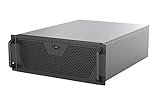
- Engineered for High-Performance Computing: Supports E-ATX motherboards for multi-GPU setups and top-tier hardware, making it a solid foundation for rendering, AI training, and virtualization servers
- Ready for 360mm AIO Liquid Cooling: Directly supports a 360mm radiator for extreme CPU cooling, enabling sustained performance under heavy computational loads without modification
- Triple 120mm PWM Fans for Effective Airflow: Three pre-installed, quiet PWM fans work with the AIO to ensure optimal airflow, keeping GPUs and other critical components cool and stable
- Front-Access 10Gbps USB-C for Fast Transfers: A front-panel USB 3.2 Gen Type-C port delivers up to 10 Gbps transfer speeds, drastically improving efficiency when working with large files
- Versatile Storage Configuration: Accommodates up to 2 x 3.5-inch hard disk drives and 4 x 2.5-inch solid state drives, providing flexible storage options for your server needs
| Platform family | Typical strengths | Important constraint |
|---|---|---|
| PCIe GPU server | Broad accelerator choice, replaceability, flexible AI, inference, visualization, rendering, VDI, and media configurations | GPU-to-GPU communication depends on PCIe and only supported bridge or fabric options |
| HGX/SXM server | Tightly coupled multi-GPU training and HPC with an integrated high-speed GPU fabric | Requires a matching baseboard, power design, cooling system, firmware, and purpose-built chassis |
| OAM accelerator platform | AMD Instinct or Intel Gaudi systems designed around accelerator modules and their interconnects | Mechanical compatibility alone is insufficient; the complete platform must be validated |
| Workstation or tower | Development, experimentation, rendering, visualization, and low-density inference | May lack the airflow, power distribution, rack integration, and remote management needed for production |
| Rack-scale system | Very high GPU density and tightly integrated compute, switching, power, and cooling | Requires rack-level infrastructure and specialized deployment and service procedures |
When is a PCIe GPU server the right choice?
A PCIe server is usually the best starting point when GPUs run independent jobs, when the buyer wants to replace or mix supported cards over time, or when the workload includes inference, rendering, VDI, transcoding, visualization, or media processing. Current Supermicro GPU server families illustrate the range of PCIe platforms, from lower-power accelerator configurations to high-density systems.
PCIe cards may be single-width or double-width, full-height or low-profile, active-cooled or passive-cooled, and equipped with different auxiliary power connectors. Check the exact card dimensions, connector position, airflow direction, and supported wattage rather than treating “PCIe GPU” as a sufficient specification.
When does an HGX or SXM platform make sense?
HGX/SXM makes sense when the application repeatedly exchanges large tensors, partitions a model across GPUs, or performs tightly synchronized multi-GPU computation. SXM modules are integrated into a specialized baseboard and cooling and power architecture; an SXM GPU cannot simply be inserted into a standard PCIe server.
What’s actually slowing this PC down?
Pick the symptom - the matching free tool is one click away.
SXM/HGX is not automatically faster for every job. Independent inference requests, rendering tasks, and other embarrassingly parallel workloads may gain little from a tightly coupled fabric. The additional acquisition cost, reduced module interchangeability, and greater platform dependence should be justified by the application’s communication pattern.
For a detailed distinction between PCIe and SXM designs, consult the Supermicro PCIe GPU server guide. The guide describes PCIe systems as generally lower-power and lower-cost than comparable SXM-based systems, while noting that PCIe systems do not provide the same NVLink switch capability.
What are OAM accelerator modules?
OAM modules are platform-specific accelerators used in designs such as AMD Instinct and Intel Gaudi systems. The motherboard, module carrier, power distribution, firmware, cooling, and accelerator interconnect must be treated as one validated design. A chassis cannot be approved merely because an OAM module fits in the available space.
Which workload should determine the server architecture?
Document the workload before comparing server models. Record the GPU model or class, GPU memory requirement, accelerator count now and in 12–24 months, duty cycle, latency, throughput, concurrency, dataset movement, storage pattern, network traffic, and acceptable downtime.
Free tools Windows power users keep installed
One-click scans. No signup required.
| Workload | Usually appropriate starting platform | What can change the decision |
|---|---|---|
| Development and experimentation | Workstation or 2U/4U PCIe server | Multiple developers, passive GPUs, remote management, or a production-like topology |
| Single-GPU or small-batch inference | 1U/2U PCIe server | High concurrency, large model memory, storage throughput, or strict latency targets |
| Multi-tenant inference or VDI | PCIe server with replaceable GPUs and strong management | Partitioning, isolation, memory oversubscription, user density, and GPU scheduling requirements |
| Rendering, visualization, media, or transcoding | PCIe chassis with graphics-capable accelerators | Display outputs, video encoders, local storage, network storage, or workstation acoustics |
| Distributed training | 4U multi-GPU PCIe server or HGX/SXM system | Synchronization intensity, GPU memory distribution, NVLink/NVSwitch, and multi-node fabric |
| Tightly coupled large-model training or HPC | HGX/SXM/NVSwitch or rack-scale platform | Model size, inter-node scaling, facility power, liquid cooling, and software validation |
| Mixed AI, graphics, VDI, and rendering | Flexible PCIe platform with qualified graphics-capable accelerators | Card compatibility, partitioning, encoding, display, and workload interference |
NVIDIA distinguishes single-node workloads, which allocate resources within one server, from clustered workloads, which distribute resources across servers connected by high-speed networking or NVLink/NVSwitch. The NVIDIA Certified Configuration Guide is useful for checking the reference assumptions behind a proposed topology.
How do 1U, 2U, 4U, and 6U chassis compare?
Chassis height affects slot spacing, airflow, power distribution, storage, service access, and expansion, but it does not by itself define GPU capacity.
| Chassis size | Where it works well | Typical risks |
|---|---|---|
| 1U | Low-power single-GPU or specialized accelerator deployments where rack density is important | Restrictive airflow, limited slot spacing, less room for redundant power and storage, and poor suitability for high-wattage double-width cards |
| 2U | One to four GPUs, moderate storage, conventional server components, and better service access than 1U | May only fit two double-width cards side by side, limiting four-way groupings or bridge arrangements |
| 4U | Four to ten double-width PCIe GPUs depending on the model, larger fan systems, more PSUs, storage, NICs, and PCIe switches | Consumes more rack space and can still require major facility upgrades |
| 6U or larger | Very large cards, unusual accelerator counts, specialized power distribution, or platform-specific cooling | More difficult deployment and service, lower density in some designs, and greater facility constraints |
Is 1U suitable for a GPU server?
A 1U GPU server can suit a low-power, single-GPU, or specialized accelerator deployment, but 1U height leaves little margin for large passive cards, high-static-pressure airflow, redundant storage, and expansion. Confirm the card’s width, length, wattage, cooling mode, and vendor-approved fan configuration.
When should you choose 2U?
A 2U chassis is a practical compromise for one to four GPUs, but a 2U label does not guarantee four double-width cards. The Supermicro 2025 PCIe GPU guide specifically notes that a 2U enclosure may fit only two double-width GPUs side by side, which can limit GPU groupings and four-way NVLink configurations.
Also popular on Amazon

- AI-Optimized: Designed to support up to 4 GPUs, it is perfect for handling intensive AI and machine learning tasks, ensuring high performance and scalability for advanced computational needs.
- Intelligent Storage: Equipped with 8 hot-swappable 3.5" SATA/SAS drives (12Gbps), featuring SGPIO and temperature control, it ensures efficient data management and reliable storage performance.
- Robust Cooling: The system includes 3x 12038 hot-swap PWM fans and 2x 8038 rear fans, providing advanced thermal management to maintain optimal temperatures and ensure stable operation under heavy workloads.
- Rack-Ready: Comes with a pre-installed rail kit, allowing for quick and easy installation in standard 19-inch server racks, making it ideal for data center environments and enterprise setups.
- Versatile Connectivity: Offers USB 3.0 and the latest USB 3.2 Type-C ports, ensuring high-speed data transfer and compatibility with a wide range of peripherals and devices for enhanced connectivity options.
Why is 4U common for multi-GPU PCIe servers?
Four rack units provide more room for double-width cards, fan walls, cable routing, redundant PSUs, storage, NICs, and PCIe switches. A 4U server is often a sensible starting point for four or more high-power PCIe GPUs, but the exact maximum depends on card width, spacing, power, risers, and airflow.
What makes a rack-scale system different?
A rack-scale system is a coordinated infrastructure assembly rather than an oversized standalone server. NVIDIA’s current GB documentation describes compute trays, NVLink switch trays, power shelves, bus bars, management switches, and liquid-cooling infrastructure; the documented NVL72 architecture uses 18 1RU compute trays and nine NVLink switch trays for a 72-GPU NVLink domain. See the NVIDIA DGX GB hardware guide.
How should you check PCIe topology and NUMA?
Check the electrical topology, not just the physical slot count. A full-length x16 slot can operate at a narrower link width, share lanes, sit behind a PCIe switch, or attach to a different CPU socket than the NIC or NVMe device serving the GPU.
Balanced placement across CPU sockets and root ports is generally preferable. NICs and NVMe drives should usually be close to the GPUs that use them, under the same PCIe switch or root complex where the vendor topology supports that arrangement. Cross-socket NUMA traffic can add avoidable latency and consume bandwidth.
The Tool Desk
Outbyte PC Repair FREEClear out junk files and repair common Windows errorsFree Scan →Outbyte Driver Updater FREEScan for outdated or missing drivers - takes under a minuteDriver Scan →NVIDIA’s current H200 NVL reference guidance recommends one Gen5 x16 link per GPU where possible. The same guidance identifies one Gen5 x16 link per maximum two GPUs as a lower-bound configuration, so the GPU count alone does not describe the available bandwidth. NVIDIA’s general configuration guide also distinguishes GPU-specific PCIe requirements: its guidance specifies Gen5 x16 for RTX PRO 6000 and H200 NVL while listing Gen4 x16 or above for L40S. These are reference requirements, not universal rules for every accelerator.
After installation, inspect the system with:
nvidia-smi
nvidia-smi topo -m
lspci -tv
lspci | grep -i -E 'nvidia|amd|ethernet|nvme'
numactl --hardware
These commands expose installed devices and relationships, but they do not replace the vendor’s slot map. AMD systems require the relevant ROCm and platform topology tools rather than assuming NVIDIA utilities apply.
Does the workload need NVLink, NVSwitch, or high-speed networking?
The required interconnect follows the amount and frequency of data exchanged between GPUs. PCIe peer-to-peer can be sufficient for independent jobs; workloads that repeatedly exchange large tensors or model partitions may justify NVLink/NVSwitch inside a node or InfiniBand or RoCE between nodes.
| Communication pattern | Likely starting point | Selection concern |
|---|---|---|
| Independent inference requests | PCIe | Prioritize memory, concurrency, storage, and scheduling over an expensive GPU fabric |
| Independent rendering or transcoding jobs | PCIe | Check graphics, encoder, storage, and client-network requirements |
| Tensor exchange among a small GPU group | PCIe peer-to-peer or supported NVLink bridges | Pairing, CPU-socket locality, bridge support, and software compatibility |
| Large synchronized multi-GPU training | HGX/SXM/NVSwitch or a validated multi-node fabric | Topology, collective communication, NIC locality, and network bandwidth |
| Distributed training across servers | InfiniBand or RoCE Ethernet with RDMA-capable NICs | Switches, transceivers, cables, congestion control, GPUDirect support, and lane allocation |
Current H200 NVL reference configurations support NVL2 and NVL4 bridging, and NVIDIA recommends placing bridged GPUs under the same CPU socket where possible. See NVIDIA’s H200 NVL compute-node reference.
Do these 3 things before closing this tab:
1Scan for outdated or missing drivers - takes under a minute2Repair Windows errors before they cause bigger problems3Fix the driver behind crashes, sound loss and screen glitchesDo not assume that eight GPUs form one automatically pooled memory space. Eight cards with 96 GB each do not automatically behave like a single 768 GB memory pool; memory visibility and movement depend on the interconnect, software model, framework, and application.
How much power does a multi-GPU server need?
Size power for the complete sustained system and its operating mode, not GPU board power alone. The estimate must include GPUs, CPUs, memory, storage, NICs, motherboard components, fans, PSU conversion losses, startup behavior, and transient load.
Illustrative calculation: eight 700 W accelerators require approximately 5.6 kW of GPU power alone:
Also popular on Amazon

- Supports up to SSI-EEB motherboards
- Supports 360mm radiators and 2x 80mm fans.
- Supports hard drive mounting on expansion card retainer
- 8 PCI expansion slots
- Includes one USB Type-C interface
8 GPUs × 700 W = 5,600 W = 5.6 kWThe 5.6 kW figure excludes CPUs, memory, storage, networking, fans, PSU overhead, and headroom. Dell’s PowerEdge Rack Quick Reference Guide lists eight-GPU SXM configurations with 700 W GPUs and system-level power in the multi-kilowatt range.
Before ordering, verify:
- Maximum GPU power per slot and maximum GPU power for the complete system.
- PSU count, wattage, input voltage, and usable capacity in the selected redundant mode.
- Power-cable quantity, connector type, routing, and vendor approval.
- Branch-circuit capacity, rack power distribution, and connector compatibility.
- Inrush and transient behavior during startup or workload changes.
- Whether power caps would reduce the performance target.
- Power-shelf or bus-bar limits for rack-scale systems.
As one platform-specific example, the HPE ProLiant Compute DL380a Gen12 QuickSpecs requires 2400 W or 3200 W PSUs for configurations using H100 NVL, H200 NVL, or RTX PRO 6000 GPUs and limits RTX PRO 6000 configurations to eight GPUs. Those specifications apply to that HPE platform and should not be generalized to every server.
How do you choose air cooling versus liquid cooling?
Air cooling is appropriate when the GPU density, sustained power, inlet temperature, and facility airflow remain within the vendor’s validated design. Liquid cooling becomes relevant when the rack cannot remove the sustained heat load through air without excessive density, noise, or inlet-temperature constraints.
Air-cooled GPU servers
Air-cooled servers need front-to-back airflow, high-static-pressure fans, unobstructed intake paths, correct blanking panels, GPU-specific ducts or fan kits, and a validated inlet-temperature range. Passive data-center GPUs depend heavily on chassis airflow and should not be installed in a lightly ventilated workstation-style enclosure.
Common air-cooling failures include blocked drive cages, poorly routed cables, missing fan modules, adjacent cards installed where spacing is required, insufficient static pressure, and room temperatures above the vendor’s qualification range.
Quick wins for a faster PC:
Fix the driver behind crashes, sound loss and screen glitchesFind Drivers →Clear out junk files and repair common Windows errorsFree Scan →Scan for outdated or missing drivers - takes under a minuteDriver Scan →Liquid-cooled GPU servers
Liquid-cooled designs can use direct-to-chip cold plates, rack manifolds, coolant distribution units, facility water, leak detection, and specialized service procedures. Hybrid systems may liquid-cool CPUs and GPUs while leaving storage and networking air cooled. NVIDIA’s GB hardware documentation describes this kind of split cooling arrangement.
Liquid cooling is not simply a better server accessory. It is a facility decision involving coolant quality, water availability, manifolds, maintenance, leak response, rack service clearances, and trained technicians.
How should CPU, memory, storage, and networking be sized?
GPU specifications do not determine the whole system’s performance. CPU preprocessing, data decoding, feature extraction, orchestration, storage reads, and network transfers can starve otherwise capable accelerators.
CPU and system memory
Check CPU cores per GPU, socket count, memory channels, NUMA-local memory, PCIe lane availability, and the CPU’s role in preprocessing and orchestration. NVIDIA’s general certification guidance recommends at least two CPU sockets, at least six physical CPU cores per GPU, and system memory of at least twice total GPU memory for its reference guidance. NVIDIA’s H200 NVL AI Enterprise reference instead specifies at least seven physical CPU cores and 128 GB of system memory per GPU. These figures are architecture-specific guidance, not universal laws of GPU computing. Compare the NVIDIA certification configuration guidance with the H200 NVL reference architecture.
Storage
Determine whether the dataset is local or shared, how many NVMe drives are required, whether endurance matters, and whether RAID or a separate data-protection layer is needed. Confirm that NVMe devices do not consume lanes needed by GPUs or NICs and that their placement is close to the relevant CPU or PCIe switch.
Networking
Separate north-south traffic to clients and storage from east-west traffic among training nodes. Check NIC-to-GPU locality, RDMA support, switch compatibility, transceiver and cable cost, and the number of PCIe lanes consumed by NICs.
Also popular on Amazon

- Spacious Chassis: This huge 4U server case comes with 7 internal 3.5" HDD bays. It only supports HDD drives with three screw holes on each side, allowing for a secure, 3-point connection on each side. IT DOES NOT Support HDD drives with two screw holes on each side
- Expandable & ATX/CEB Compatible: 7 PCI expansion slots and ATX and CEB motherboard compatibility give you growth options for all of your needs
- Quiet Cooling: 3 pre-installed cooling fans provide excellent airflow and heat protection at reduced noise. 1 front 120mm PWM fan and 2 rear 80mm PWM fans ensure your drives and chassis avoid overheating
- Front Panel Features: Front panel LED indicators for power and HDD monitoring allows quick, easy visual assessment. Additional utility with 2x USB 3.0 ports and a built-in front panel lock provides extra security for your server case
- Rackmount Design: Standard 4U rackmount form factor allows for easy installation in server racks and data center environments, providing professional mounting solutions for enterprise and home server applications
NVIDIA’s current configuration guidance lists a minimum 200 Gbps network for multi-node inference and up to 400 Gbps per GPU in relevant configurations. The H200 NVL reference design specifies four BlueField-3 SuperNICs per server with up to 400 Gbps capability. These numbers describe NVIDIA reference configurations, not a requirement for every inference or training deployment.
What should you ask a server vendor to validate?
Request an exact, written configuration rather than relying on a product page that says “supports up to eight GPUs.” The request should identify the exact accelerator SKU, card width, wattage, riser, PSU, fan kit, and topology.
Recommended Free Tools
Copyable RFQ checklist
Server model and chassis revision:
GPU model and exact part number:
GPU count now and planned expansion count:
GPU width, length, height, and cooling mode:
GPU power per card and system GPU-power limit:
PSU count, wattage, input voltage, and redundancy mode:
GPU slot map and electrical link width:
CPU socket and NUMA locality for every GPU:
PCIe switch model and fan-out topology:
GPU-to-NIC locality:
GPU-to-NVMe locality:
GPU bridge, NVLink, NVSwitch, or OAM interconnect:
Cooling option, fan kit, ducting, and inlet-temperature limit:
Rack depth and rear cable clearance:
Supported firmware, BIOS, drivers, Linux distribution, and container runtime:
BMC, remote console, monitoring, and secure-boot features:
Warranty, response time, spare parts, and GPU replacement procedure:
Acceptance-test support and documented performance configuration:
Ask the vendor to confirm the complete configuration under sustained load. “Up to eight GPUs” may describe eight low-power single-width cards rather than eight 600–700 W double-width accelerators.
How should you validate a GPU server after installation?
Run a sustained acceptance test using the real framework, storage pattern, and network traffic. A short benchmark can pass before the room, rack, fans, and power system reach steady state.
- Confirm that every GPU is detected and has the expected memory and driver.
- Run
nvidia-smi topo -m,lspci -tv, andnumactl --hardware; compare the results with the vendor topology diagram. - Apply full-GPU load for several hours, not just a brief benchmark.
- Run the actual training, inference, rendering, simulation, or transcoding framework.
- Generate storage reads at the expected dataset rate.
- Generate east-west network traffic at the expected bandwidth when the deployment is clustered.
- Log power, inlet temperature, GPU clocks, utilization, errors, and throttle reasons.
- Test restart and recovery, BMC alerts, and remote management.
- Where supported, test one-fan and one-PSU failure scenarios.
For AMD systems, use ROCm and the platform vendor’s diagnostics and topology tools. NVIDIA command output alone cannot validate a non-NVIDIA accelerator platform.
Independent reader supportYour contribution helps us test, update, and keep practical guides available for everyone.Which server vendors and deployment models are worth comparing?
The right vendor depends on whether the buyer values a single support channel, component flexibility, validated AI software, or facility outsourcing.
| Option | Best for | Main advantage | Main drawback |
|---|---|---|---|
| Dell PowerEdge GPU server | Enterprise standardization | Support, management, procurement, and broad GPU-server form factors | Often quote-driven and less flexible for unusual component combinations |
| HPE ProLiant GPU server | Organizations standardized on HPE | Integrated HPE management, support, and procurement | Platform-specific GPU limits and compatibility rules |
| Supermicro GPU server | Custom, high-density, and integrator-led builds | Broad PCIe, HGX, MGX, AMD, and NVIDIA platform choice | More configuration responsibility for the buyer or integrator |
| NVIDIA DGX or HGX partner system | Large-scale AI and tightly coupled training | Validated architecture and enterprise software support | Higher cost, tighter configuration, and lower interchangeability |
| Cloud GPU | Bursty, experimental, or short-term demand | No rack power, cooling, hardware replacement, or depreciation | Ongoing usage cost, capacity variability, and possible data-transfer costs |
| Managed GPU or colocation | Teams without suitable data-center facilities | Outsourced operations with dedicated or hosted hardware | Recurring cost and provider dependence |
Useful official starting points include Dell PowerEdge servers, HPE ProLiant Compute DL380a, Supermicro NVIDIA-certified systems, and NVIDIA DGX platforms.
NVIDIA says its certified systems are tested for performance, functionality, scalability, and security across accelerated workloads. Certification reduces configuration risk, but it does not guarantee an application-specific result; the buyer still needs an acceptance test using the intended software and data path. See NVIDIA’s certification scope.
Should you buy new, used, dedicated, or cloud GPU hardware?
New vendor-certified hardware
New certified hardware is usually the lowest-risk choice for production workloads because GPU, firmware, power, cooling, and support combinations have been documented together. The trade-off is higher acquisition cost, fewer substitutions, and frequent quote-based purchasing.
White-box or self-built hardware
White-box systems can reduce acquisition cost and allow more component choice, especially for labs and development. The buyer assumes responsibility for passive-GPU airflow, risers, cable ratings, BIOS behavior, BMC compatibility, firmware, replacement parts, and workload validation.
Recommended Free Tools
Used hardware
Used hardware can work when the GPU generation remains supported and fans, risers, PSUs, cables, bridges, and replacement GPUs are available. Treat used SXM assemblies and proprietary liquid-cooled platforms with particular caution because missing carrier boards, cooling components, or discontinued firmware can erase the apparent saving.
Also popular on Amazon

- JONSBO N5 12+4 Drive bay NAS EATX Pc case, home server-NAS Network Storage/High Performance Computing Home/Office/Enterprise,Easier to build your PC + Personal/Home Server,More convenient 【Solid wood decoration】: North American black walnut venee.
- 【12+4 Drive Bay】: Supports 12x3.5 hotswap HDD disk front installation and 4x2.5 SSD which is Side installation. If full 12pcs HDD disk used,Pls have a note on the PSU condition,GPU HP Host: Supports 4 GPU in the case.Pls have a note on the AIO condition
- 【Convenient installation structure】 :With One-piece top cover removable/easy to install the removable 4-bay HDD cage.Suitable for building a home server
- 【Hard Drive 】2.5 "SSD*2 or 2.5 "SSD*4/3.5 "HDD*12 【Compatible MB】: ITX/M-ATX/ATX/E-ATX 【PSU support】 : ATX170mm-240mm ,ATX power supply ≤ 170mm (front can install 12 disk slots) ATX power supply ≥ 170mm (front can install 8 disk slots) 【CPU cooler support】 <160mm 【GPU support】 <325mm-350mm
- 【Cooling system】: Front 120mm*2 or 140mm*2 /Right 120mm*3/Rear 120mm*3 (Built-in)/Left 120mm*3 【AIO】 support : 240/280 【PCI expansion slot 】: 8 slots 【Front Interface】 : USB3.2 Gen2 Type-C*1/USB3.0*(2IN1)
Dedicated server versus cloud
A dedicated server is attractive when utilization is high and predictable, data control matters, or the hardware will be used for several years. Cloud or hosted GPU infrastructure is often better for bursty demand, short-term access to newer accelerators, or organizations that cannot support rack power and cooling.
Compare total cost of ownership rather than purchase price. Include GPUs, server support, electricity, cooling, rack space, network equipment, transceivers, spares, software licensing, depreciation, utilization, cloud egress, and the cost of engineering time.
Official cloud starting points include AWS EC2 accelerated computing, Microsoft Azure GPU virtual machines, Google Cloud GPU, CoreWeave GPU cloud, Lambda GPU Cloud, and NVIDIA DGX Cloud. Cloud GPU prices vary by region, instance, commitment, and availability, so use the provider’s current calculator or product page instead of relying on an unqualified static price.
What are the most common GPU server selection mistakes?
- Choosing by GPU count: eight low-power single-width cards are not equivalent to eight high-power double-width accelerators.
- Choosing by rack height: U count does not reveal GPU wattage, topology, cooling method, memory bandwidth, interconnect, or PSU redundancy.
- Installing a passive GPU in a workstation case: passive data-center cards require validated chassis airflow and static pressure.
- Assuming Gen5 means Gen5 x16 everywhere: verify the slot, riser, switch, CPU lane map, BIOS settings, and motherboard routing.
- Ignoring NUMA: an unbalanced placement can force GPU, NIC, NVMe, and CPU traffic across sockets.
- Buying NVLink without a matching workload: independent jobs may not benefit from the extra fabric.
- Assuming GPU memory pools automatically: aggregate capacity depends on the interconnect and software model.
- Ignoring facility limits: rack power, cooling, floor loading, noise, rear clearance, and liquid-cooling capability can constrain an otherwise compatible server.
- Mixing GPU models casually: mixed cards complicate scheduling, memory assumptions, thermal behavior, firmware, and support. HPE’s current DL380a Gen12 specifications explicitly state that different GPU models cannot be mixed on that platform; see the HPE QuickSpecs.
How should the final decision be made?
Choose the least complex validated platform that meets the actual workload’s GPU memory, interconnect, throughput, power, cooling, storage, networking, and support requirements. Add expansion headroom for the GPUs, NICs, NVMe drives, memory, and second node that the deployment plan genuinely supports—not an optimistic upgrade path that the chassis cannot power or cool.
For a development box or independent inference, that usually means a workstation or PCIe server. For flexible production inference, VDI, rendering, and mixed workloads, choose a validated PCIe platform with replaceable GPUs and adequate management. For tightly synchronized training or HPC, evaluate HGX/SXM/NVSwitch and high-speed networking. For extreme density, treat the rack, liquid cooling, power shelves, and service model as part of the product.
Frequently Asked Questions
Can an SXM GPU be installed in a normal PCIe server?
No. An SXM GPU is a platform-specific module that normally requires a compatible HGX baseboard, power architecture, cooling system, firmware, and interconnect. An SXM module is not a drop-in PCIe card.
Is a 4U server always better than a 2U GPU server?
No. A 4U server usually offers more room for double-width GPUs, airflow, storage, and expansion, but a 2U server may be the better choice for one or two supported GPUs when rack density, power, and workload requirements favor it. The exact GPU SKU and validated configuration matter more than chassis height alone.
The Tool Desk
Outbyte Driver Updater FREEScan for outdated or missing drivers - takes under a minuteDriver Scan →Outbyte PC Repair FREEClear out junk files and repair common Windows errorsFree Scan →Do eight GPUs with 96 GB each provide one 768 GB memory pool?
No. Eight GPUs with 96 GB each do not automatically behave as one 768 GB memory pool. Whether GPU memory can be accessed collectively depends on the GPU interconnect, software framework, and application design.
Is liquid cooling necessary for every high-performance GPU server?
No. Air cooling can work when GPU density, sustained power, inlet temperature, and airflow remain within the vendor’s validated design. Liquid cooling is most relevant when air cooling cannot remove the sustained heat load within the facility’s power, density, noise, or temperature limits.
Should a GPU server be bought new or used?
New certified hardware usually reduces configuration and support risk for production workloads. Used hardware can be sensible for labs or mature GPU generations, but only when compatible fans, risers, PSUs, cables, firmware, cooling components, and replacement parts remain available.
The Bottom Line
Bottom line: Choose the GPU platform and workload topology first, then choose the chassis. PCIe is the flexible default; HGX/SXM is for tightly coupled multi-GPU work; OAM and rack-scale systems require complete platform validation. Before purchase, confirm the exact GPU SKU, slot and NUMA topology, PSU and cooling limits, network locality, facility capacity, and support terms.
Quick Recap
Product prices and availability are accurate as of the date/time indicated and are subject to change. Any price and availability information displayed on Amazon at the time of purchase will apply.

