
Free tools Windows power users keep installed
One-click scans. No signup required.
iTechGuides is reader-supported. When you buy through links on our site, we may earn an affiliate commission. As an Amazon Associate I earn from qualifying purchases. Learn more
This Carrd Review [2026] – Some Users Love It, but Not Everyone reaches a simple verdict: Carrd remains excellent for an attractive, lightweight one-page website at a very low annual cost, but it is a poor replacement for a blog, full online store, membership site, or growing multi-page business website.
Carrd’s appeal is not that it does everything. Carrd is valuable because it does a narrower job with less setup, fewer moving parts, and unusually low pricing. A freelancer can publish a service page, a founder can launch a waitlist, and a creator can build a portfolio or link-in-bio page without managing plugins, themes, hosting dashboards, or a large content-management system.
The same narrow focus explains the divided feedback. Users who need one focused page often love Carrd’s simplicity and price. Users who expect pages, posts, product catalogs, advanced SEO structure, user accounts, or sophisticated team workflows eventually experience Carrd’s simplicity as a constraint.
The Tool Desk
Outbyte PC Repair FREERepair Windows errors before they cause bigger problemsFix Now →Outbyte Driver Updater FREEScan for outdated or missing drivers - takes under a minuteDriver Scan →Key takeaways
- Carrd is strongest for focused landing pages, portfolios, profiles, link-in-bio pages, waitlists, events, and small brochure sites.
- Pro Standard costs $19 per year in the August 2026 pricing snapshot and is the practical choice when you need a custom domain, forms, embeds, analytics, and custom meta tags.
- Pro Lite costs $9 per year and improves presentation, but it does not include custom-domain publishing, forms, widgets, or analytics.
- Pro Plus costs $49 per year and is mainly justified by advanced forms, automation, export, redirects, password protection, and developer controls.
- Carrd can support lightweight payments and external commerce widgets, but it is not a native store platform for catalogs, inventory, shipping, customer accounts, or complex subscriptions.
- A long Carrd page with section links is still not equivalent to a conventional multi-page website or CMS.
What is Carrd?
Carrd is a focused website builder for creating simple, responsive pages rather than a general-purpose website-management system. Typical Carrd projects include landing pages, personal profiles, portfolios, link-in-bio pages, event pages, coming-soon pages, product waitlists, digital resumes, small service-business pages, and campaign microsites.
Popular on Amazon

- Ergonomic Posture Correction: Designed to elevate your laptop to the perfect eye level, this adjustable laptop stand significantly reduces neck, shoulder, and spinal fatigue. Transform your desk into a healthier workstation, ideal for long hours of typing, Zoom meetings, or gaming.
- Unshakable Dual-Rod Stability: Unlike single-hinge models, our stand features a highly engineered dual-support rod mechanism. It perfectly distributes weight to ensure a 100% wobble-free typing experience, safely supporting heavy-duty devices up to 22 lbs (10kg).
- Advanced Thermal Cooling Panel: Maximize your device's performance. The unique geometric heat-vent design on the upper panel provides superior airflow compared to standard solid stands. This continuous heat dissipation prevents your laptop from thermal throttling and hardware damage during intensive tasks.
- Universal 10-16” Compatibility: A versatile computer riser that seamlessly fits all 10 to 16-inch laptops. Broadly compatible with MacBook Pro/Air, Dell XPS, HP, Lenovo, ASUS, Chromebook, and large gaming laptops. The anti-slip silicone pads firmly grip your device and protect it from scratches.
- Foldable, Portable & Ready to Go: Maximize your productivity anywhere. The dual-foldable design allows the stand to collapse completely flat in seconds. Easily slip it into your backpack or briefcase, making it the ultimate portable office accessory for business trips, cafes, or hybrid work setups.
Carrd’s product-market fit is deliberately narrow. The service gives you a visual page-building workflow, templates, publishing, and selected paid features such as forms, embeds, analytics integrations, and custom code. Carrd does not aim to provide the full native CMS, store administration, membership system, or publishing workflow found in larger platforms.
That distinction matters more than a feature checklist. If the objective is one page with one clear action—join a waitlist, contact a consultant, view a portfolio, book a conversation, follow social profiles, or buy one simple product—Carrd’s limitations are often advantages. If the objective is a site that will accumulate articles, products, locations, authors, customers, or content types, Carrd is a less durable foundation.
Is Carrd worth using in 2026?
Yes, Carrd is still worth using in 2026 when the project is small, focused, and mostly single-page. Carrd is not the best choice when the project’s requirements already point toward a conventional multi-page website, blog, store, membership platform, or advanced marketing system.
The strongest case for Carrd combines four characteristics:
- The page has one primary purpose.
- The page does not need a native blog or structured content database.
- You value a low annual platform cost more than extensive built-in functionality.
- You are comfortable connecting separate tools for email, payments, analytics, scheduling, or automation when needed.
Carrd’s official plans page lists Pro Lite at $9 per year, Pro Standard at $19 per year, and Pro Plus at $49 per year in the pricing snapshot checked in August 2026. Carrd’s official plan documentation should be checked again at publication because taxes, promotions, renewal terms, and regional pricing can change.
The best overall recommendation is Pro Standard for a serious personal or small-business page. Pro Standard is the first plan in the documented lineup that combines custom-domain publishing with forms, signup integrations, widgets, custom code and embeds, analytics integrations, and custom meta tags. Casual users can stay on Free or Lite; power users should choose Plus only when its specialized features solve a real requirement.
How much does Carrd cost?
Carrd uses annual pricing for its paid Pro plans. The figures below are USD prices observed in August 2026, not a promise that taxes, regional pricing, promotions, or renewal pricing will be identical for every customer.
Quick wins for a faster PC:
Repair Windows errors before they cause bigger problemsFix Now →Fix the driver behind crashes, sound loss and screen glitchesFind Drivers →| Plan | Annual price | Sites included | Custom domain | Best for |
|---|---|---|---|---|
| Free / Basic | Free option; verify current feature limits | Use for testing or a basic page | No | Experiments, temporary pages, and low-stakes personal projects |
| Pro Lite | $9/year | 3 sites | No | Unbranded personal pages that do not need forms or a custom domain |
| Pro Standard | $19/year | 10 sites | Yes, with SSL support | Freelancers, creators, consultants, waitlists, and small commercial pages |
| Pro Plus | $49/year | 25 sites | Yes, with SSL support | Advanced workflows, agencies, developers, export, redirects, and protection |
For current feature details, compare the plan rows in Carrd’s official Pro plan documentation before purchasing. Carrd also publishes its paid-product information on the official Carrd Pro page.
What does the free Carrd option include?
The free Carrd option is useful for testing the editor, experimenting with a layout, publishing a basic personal page, or creating a temporary project. The free experience is not the practical choice for a branded business presence if it leaves Carrd branding or a Carrd URL visible and does not provide the paid business features you need.
Do not treat Free as a complete business stack. A commercial page may still need a separately registered domain, an email-marketing service, payment processing, analytics, scheduling, or privacy and cookie tools.
Is Pro Lite worth $9 per year?
Pro Lite is worth considering when the main goal is a cleaner, more professional page without a custom domain or lead-capture system. The documented Pro Lite features include three sites, unbranded Carrd URLs such as .crd.co, premium templates, unlimited elements, larger image and video uploads, favicons, social-share images, custom templates, and site-transfer or sharing features.
Crashes, No Sound, or Screen Glitches?
Random freezes, missing sound and display glitches usually trace back to one bad driver. Find and replace yours safely.Free scan · under a minutePC Slower Than It Used to Be?
A free scan shows the junk files, broken settings and background clutter dragging Windows down - then fixes them in one click.Free scan · Windows 10 & 11Pro Lite does not include custom-domain publishing, forms, widgets, or analytics. A creator building a personal profile may find that sufficient; a freelancer collecting inquiries will usually need Standard instead.
Is Pro Standard worth $19 per year?
Pro Standard is the likely sweet spot for most serious Carrd users because it adds the features that turn a basic page into a credible business or campaign site. Pro Standard includes up to 10 sites, custom domains with SSL support, forms, signup integrations, third-party widgets, custom code and embeds, analytics integrations, custom meta tags, local fonts, and everything in Lite.
Also popular on Amazon

- 【Adjustable & Ergonomic】:This laptop stand can be adjusted to a comfortable height and angle according to your actual needs, letting you fix posture and reduce your neck fatigue, back pain and eye strain. Very comfortable for working in home, office and outdoor.
- 【Sturdy & Protective】 :Made of sturdy metal, it can support up to 17.6 lbs (8kg) weight on top; With 2 rubber mats on the hook and anti-skid silicone pads on top & bottom, it can secure your laptop in place and maximum protect your device from scratches and sliding. Moreover, smooth edges will never hurt your hands.
- 【Heat Dissipation】 :The top of the laptop stand is designed with multiple ventilation holes. The open design offers greater ventilation and more airflow to cool your laptop during operation other than it just lays flat on the table.
- 【Portable & Foldable】:The foldable design allows you to easily slip it in your backpack. Ideal for people who travel for business a lot.
- 【Broad Compatibility】:Our desktop book stand is compatible with all laptops from 10-15.6 inches, such as MacBook Air/ Pro, Google Pixelbook, Dell XPS, HP, ASUS, Lenovo ThinkPad, Acer, Chromebook and Microsoft Surface, etc.Be your ideal companion in Home, Office & Outdoor.
The $19 platform fee is not the total cost of a business workflow. You must register a domain separately, and an email provider, payment processor, advanced analytics service, CRM, scheduling service, or automation tool may charge separately.
When is Pro Plus worth $49 per year?
Pro Plus is justified when you need capabilities that Lite and Standard do not provide, rather than simply because it is the highest tier. Pro Plus adds advanced or custom forms, Zapier, Make, n8n, and Airtable integrations, Stripe Checkout payment-enabled forms, advanced element settings, downloadable unminified HTML, CSS, JavaScript, and images, redirects, password protection, variables, custom robots.txt and ads.txt, canonical URL controls, and other developer-oriented settings.
Pro Plus is a strong fit for an agency publishing multiple lightweight microsites, a developer needing export or advanced controls, or a project that requires custom workflows. Pro Plus is difficult to justify for a normal one-page brochure site that only needs a domain and a contact form.
What does Carrd do well?
Why is Carrd so appealing for small websites?
Carrd reduces the number of systems involved in publishing a small page. A user does not need to assemble a plugin ecosystem, maintain a large theme system, configure a complex CMS, or manage a separate hosting dashboard for the basic page-building experience.
Third-party G2 feedback generally praises Carrd’s ease of use, affordability, templates, and suitability for one-page sites. Those are review-platform observations rather than independent performance testing, and review selection can introduce bias. The same G2 pros-and-cons review summary also contains complaints about limited subpages, editor depth, and reliance on integrations.
Why is Carrd good for focused pages?
Carrd works best when the page has one clear goal. A strong Carrd page can present a concise offer, explain who it is for, show proof or examples, and direct visitors to one primary action without forcing them through a large navigation system.
| Project | Why Carrd fits | What to watch |
|---|---|---|
| Freelancer or consultant | One service, one introduction, testimonials, and a contact or booking action | Move to a larger platform if the service list and content keep expanding |
| Portfolio | Images, selected work, biography, and contact links can fit on one page | Large portfolios may need categories, project pages, or a CMS |
| Waitlist or coming-soon page | A short pitch and signup form can be published quickly | Email storage and automation usually belong to an external provider |
| Link-in-bio page | Compact links, social profiles, and a visual identity are a natural fit | Do not expect a full content or commerce system |
| Campaign or event microsite | A focused page can explain the event and direct visitors to registration | Recurring events or large information structures may outgrow one page |
Does Carrd support multiple websites?
Yes, paid plans include multiple sites: Lite includes three, Standard includes ten, and Plus includes 25 according to Carrd’s plan documentation. Multiple-site allowances make Carrd particularly attractive to freelancers, agencies, creators testing ideas, and users who need several small campaign pages.
Multiple sites do not mean unlimited complexity within each site. The allowance helps you publish more focused pages; it does not turn Carrd into a multi-site enterprise CMS.
Carrd supports custom-domain publishing on Pro Standard and higher, but Carrd does not include the domain registration itself. You must own or register a domain separately, then configure DNS records at the registrar.
The documented setup is: buy or use an existing domain, choose Publish in Carrd, set the publishing action to a custom domain, enter the root domain or www version, add the DNS records Carrd supplies at your registrar, and wait for DNS propagation and SSL activation. Carrd’s custom-domain instructions state that Carrd supports full SSL through Let’s Encrypt and that the unused root or www version forwards to the selected version.
Common failures include an unregistered domain, incorrect DNS records, conflicting existing records, choosing the wrong root or www version, propagation delays, registrar-specific interface differences, or a domain that is already connected elsewhere.
What are Carrd’s biggest limitations?
Can Carrd make a conventional multi-page website?
Carrd can create a long page divided into sections and can use navigation links or anchors, but those sections are not the same as conventional separate pages in a full website hierarchy. The practical single-page constraint is Carrd’s central limitation.
A one-page layout can work beautifully for a concise offer. A business that needs separate About, Services, Case Studies, Resources, Locations, and Contact pages may find that one long page becomes difficult to navigate and maintain. G2 user feedback repeatedly identifies the lack of subpages or multi-page expansion as a drawback.
Also popular on Amazon

- 【Adjustable & Ergonomic】:This laptop stand can be adjusted to a comfortable height and angle according to your actual needs, letting you fix posture and reduce your neck fatigue, back pain and eye strain. Very comfortable for working in home, office and outdoor.
- 【Sturdy & Protective】 :Made of sturdy metal, it can support up to 17.6 lbs (8kg) weight on top; With 2 rubber mats on the hook and anti-skid silicone pads on top & bottom, it can secure your laptop in place and maximum protect your device from scratches and sliding. Moreover, smooth edges will never hurt your hands.
- 【Heat Dissipation】 :The top of the laptop stand is designed with multiple ventilation holes. The open design offers greater ventilation and more airflow to cool your laptop during operation other than it just lays flat on the table.
- 【Portable & Foldable】:The foldable design allows you to easily slip it in your backpack. Ideal for people who travel for business a lot.
- 【Broad Compatibility】:Our printer stand is compatible with all laptops from 10-15.6 inches, such as MacBook Air/ Pro, Google Pixelbook, Dell XPS, HP, ASUS, Lenovo ThinkPad, Acer, Chromebook and Microsoft Surface, etc.Be your ideal companion in Home, Office & Outdoor.
Plan for a migration instead of assuming that a future upgrade will add a native blog or ordinary page tree. Moving from Carrd later may involve rebuilding the site on another platform.
Do these 3 things before closing this tab:
1Scan for outdated or missing drivers - takes under a minute2Clear out junk files and repair common Windows errors3Fix the driver behind crashes, sound loss and screen glitchesDoes Carrd include a CMS or blog?
Carrd is not a natural choice for blogs, news sites, documentation libraries, frequently updated editorial content, user-generated content, dynamic databases, large service catalogs, or large product inventories. Carrd can embed external content and custom code, but an embedded service does not turn Carrd into a native CMS.
A blog or publication needs a repeatable authoring workflow, structured posts, categories or tags, search, archives, internal links, and often multiple contributors. Carrd’s strength is a controlled page, not a growing content library.
Can Carrd run a full online store?
Carrd can support lightweight payments and third-party widgets, including integrations involving Stripe, PayPal, and Gumroad, but Carrd is not a full native e-commerce platform. The Carrd Pro feature page describes payment-enabled forms and third-party widgets rather than a complete store-management system.
Carrd is suitable for a donation button, a simple product, an external checkout link, a payment-enabled form, or a small number of transactions. Carrd is a poor fit for a large catalog, product variants, shipping rules, tax automation, customer accounts, extensive order management, inventory workflows, or complex subscriptions.
What’s actually slowing this PC down?
Pick the symptom - the matching free tool is one click away.
Payment processing, taxes, refunds, fulfillment, and customer records may remain the responsibility of Stripe, PayPal, Gumroad, or another connected provider. Connecting a payment service adds another account, pricing model, privacy consideration, and possible failure point.
Is Carrd good for SEO?
Carrd can handle basic SEO for a focused page, but its limited site architecture makes Carrd less suitable for content-heavy or highly competitive search strategies. Pro Standard provides custom meta tags and analytics integrations; Pro Plus adds canonical URL controls and custom site files such as robots.txt.
Those controls can help a branded landing page or low-competition page communicate its topic to search engines. They do not automatically create the content depth, internal-link structure, publishing workflow, page hierarchy, or technical control of a larger platform.
The accurate distinction is between ranking one focused page and building a large organic-search site. Carrd may be adequate for the first objective and a poor foundation for the second.
What are the Carrd editor and collaboration trade-offs?
User feedback describes Carrd as easy to learn, quick to edit, attractive from a standing start, and useful for responsive pages. Other reviewers report a less robust editor than larger WYSIWYG platforms, interface friction, limited global editing across sections, awkward direct HTML modification, and a need for custom code for some advanced effects.
Sharing and site-transfer features exist, but those features should not be confused with sophisticated enterprise CMS roles, editorial approvals, or large-team publishing workflows. Carrd is more comfortable for an individual, a small team, or an agency producing lightweight sites than for a complex content operation.
Can you export a Carrd site?
Pro Plus allows users to download unminified HTML, CSS, JavaScript, and images, which improves portability for users who need the site files. The export does not necessarily reproduce every hosted feature: Carrd documents that server-side code is excluded.
As a result, exporting files does not automatically reproduce hosted forms, analytics, payment workflows, or external integrations on another server. Treat export as a useful asset and code option, not a guarantee of a complete one-click migration.
Recommended Free Tools
Also popular on Amazon
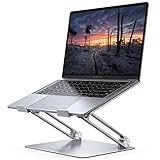
- Wide Compatibility: The laptop stand for desk is compatible with all laptops from 10" up to 17.3", including popular models like MacBook, MacBook Air, MacBook Pro, Surface Laptop, Dell XPS, Google Pixelbook, HP, ASUS, Acer, Chromebook, Alienware, etc.
- Adjustable & Portable Design: The laptop riser can be easily adjusted to comfortable height and angle based on your actual need. Besides, you also can fold the laptop stand up to carry around for travel and business trips or store it in your laptop bag.
- Upgrade Large Base: Made of high-quality aluminum alloy, the larger heavier base greatly improves the stability of the notebook stand. The laptop stand will never shaking, sliding and falling when you type on your laptop with this notebook holder.
- Ergonomic Design: The MacBook air pro stand holder works as a raiser to elevate the laptop screen to your eye level. The office computer stand let you fix posture and relieves neck, shoulder and spinal pain, it's very comfortable for working at home, office and outdoor, make typing more easier.
- Heat Dissipation: The multiple ventilation holes offers better ventilation and more airflow to cool your laptop and prevent from overheating and crashes. Anti-skid silicone and smooth edge can protects your laptop from sliding and scratches.
How do Carrd forms and integrations work?
Carrd can provide the page and form interface, while a third-party service may store leads, send email, process payments, or automate a workflow. Pro plans support contact forms, signup integrations, widgets, embeds, custom code, and—on Plus—advanced form workflows.
Carrd’s listed email and lead-capture connections include services such as Mailchimp, Kit, beehiiv, Brevo, EmailOctopus, GetResponse, HubSpot, MailerLite, SendGrid, ActiveCampaign, Klaviyo, and Resend. Availability and provider requirements can change, so verify the current integration documentation before selecting a service.
When a form does not work, check the plan first: Free or Pro Lite may not provide the required form capability. Then check whether the integration account is connected, whether the provider has sending or subscriber limits, whether spam filtering is blocking submissions, and whether the form is collecting data without automatically creating a CRM record. A Carrd signup form is not the same thing as a native newsletter system.
Which Carrd plan should you choose?
| Your requirement | Recommended plan | Reason |
|---|---|---|
| Test the builder or publish a low-stakes page | Free / Basic | No paid commitment is needed while validating the idea |
| Remove branding and use better media and templates | Pro Lite | Three sites and presentation upgrades, without a custom domain or forms |
| Use your own domain and collect inquiries | Pro Standard | Custom domain, SSL support, forms, integrations, embeds, analytics, and meta tags |
| Build custom workflows or connect automation tools | Pro Plus | Advanced forms, Zapier, Make, n8n, Airtable, redirects, and developer controls |
| Download site files | Pro Plus | Unminified HTML, CSS, JavaScript, and images are downloadable; server-side code is excluded |
A simple rule covers most decisions: choose Free to test, Lite to remove branding, Standard for a real domain and lead capture, and Plus only for advanced workflows, export, redirects, password protection, or developer-level settings.
Do these 3 things before closing this tab:
1Repair Windows errors before they cause bigger problems2Scan for outdated or missing drivers - takes under a minute3Clear out junk files and repair common Windows errorsWho should use Carrd?
Choose Carrd if you need a lightweight, attractive, mostly single-page site and you would rather pay a small annual platform fee than manage a larger website system.
- Freelancers and consultants: Carrd is a good fit for one core service, proof of work, testimonials, and a contact or booking action.
- Creators, musicians, artists, and writers: Carrd can combine a short profile, selected work, social links, and one call to action.
- Startup founders: Carrd works well for a launch page, coming-soon page, or waitlist, especially when the product itself is not yet ready.
- Newsletter creators: Carrd can present the value proposition and connect a signup form to an external email provider.
- Small businesses: Carrd may be sufficient for a single-page brochure site with a local service, contact details, and a focused offer.
- Agencies and designers: Multiple sites per paid account make Carrd useful for lightweight microsites and campaigns.
Use Carrd conditionally for a simple digital product, donation page, booking funnel, or small transaction flow when external checkout is acceptable. Use Carrd as a temporary launch site only if you have considered how a later rebuild will work.
Who should avoid Carrd?
Choose another platform if the project needs several of the following from the start: multiple pages, a blog, search, large navigation menus, structured content, a product catalog, user accounts, advanced SEO architecture, native CRM or marketing tools, multilingual publishing, or sophisticated team permissions.
- Bloggers and publishers: choose a CMS with structured posts, archives, search, and editorial workflows.
- Online stores: choose a commerce platform when inventory, variants, shipping, taxes, customer accounts, or order management matter.
- Membership communities and SaaS products: Carrd can be a marketing landing page, but not the complete authenticated application or membership system.
- Multi-location companies: separate location pages, local search strategy, and structured content will quickly challenge a one-page model.
- Growing teams: sharing and transfer do not equal detailed roles, approvals, and enterprise publishing controls.
- Content-led businesses: a page builder with a CMS is a better starting point when organic search and regular publishing are central to the business.
How does Carrd compare with Framer, Wix, Squarespace, and WordPress?
Carrd wins on focused simplicity and low annual cost; the alternatives win when the site needs more structure or native functionality. The correct comparison is the point at which the project’s requirements change, not which platform has the longest feature list.
| Platform | Best fit | Where it exceeds Carrd | Trade-off versus Carrd |
|---|---|---|---|
| Carrd | Focused one-page sites and small microsites | Low annual price, quick setup, simple page-building workflow | Limited page architecture, CMS depth, native commerce, and growth path |
| Framer | Design-led multi-page sites with room to grow | Genuine multi-page support, CMS collections, SEO controls, staging, branching, and previews | Higher recurring cost; the August 2026 pricing snapshot listed Basic at $10/month and Pro at $30/month |
| Wix | Broad all-in-one business websites | More native business features, hosting, marketing tools, and multi-page support | More interface and platform breadth; pricing varies by location and subscription term |
| Squarespace | Polished multi-page business and content sites | Templates, content publishing, SEO tools, analytics, hosting, contributors, video hosting, CSS, and extensions | More expensive and more platform than a simple landing page requires |
| WordPress | Blogs, memberships, complex publishing, and extensible sites | Large plugin ecosystem, content management, and long-term extensibility | More setup, hosting and security decisions, maintenance, and plugin compatibility concerns |
When should you choose Framer instead of Carrd?
Choose Framer when you need a design-oriented, genuine multi-page site with CMS collections and more room for structured growth. Framer’s official pricing page listed a Free plan, Basic at $10 per month, and Pro at $30 per month in the August 2026 snapshot; Basic included custom-domain support, 30 site pages, two CMS collections, 50 GB bandwidth, and built-in SEO, while Pro added larger limits, redirects, staging, branching, and previews. Check the current Framer pricing page before purchase.
Choose Carrd instead when a monthly subscription and broader design system would solve problems you do not have.
When should you choose Wix or Squarespace instead?
Choose Wix when you want a broader all-in-one business platform with native marketing features and a larger ecosystem. Wix states that prices and currency vary by location and that displayed prices are for yearly subscriptions paid in full; consult the Wix pricing page for the price in your region.
Choose Squarespace when polished multi-page templates, content publishing, analytics, hosting, contributors, extensions, and business-site features matter more than Carrd’s minimal cost. Squarespace lists mobile-optimized websites, SEO tools, basic metrics, SSL security, contributors, video hosting, code blocks, CSS editing, and extensions among its capabilities on its official pricing page.
PC Slower Than It Used to Be?
A free scan shows the junk files, broken settings and background clutter dragging Windows down - then fixes them in one click.Free scan · Windows 10 & 11Crashes, No Sound, or Screen Glitches?
Random freezes, missing sound and display glitches usually trace back to one bad driver. Find and replace yours safely.Free scan · under a minuteWhen should you choose WordPress instead?
Choose WordPress when maximum extensibility, blogging, memberships, structured content, or a large plugin ecosystem is central to the project. WordPress does not have one meaningful comparable price because hosting, themes, plugins, and maintenance vary widely; the trade-off is greater setup and ongoing responsibility than Carrd.
Also popular on Amazon

- ✔️[Foldabe & Protable] - Foldable laptop stand for desk & Protable computer stand, It combines the advantages of market brackets, convenient travel laptop stand. Easy to use. Suitable for working at home, office and outdoor, improve comfort.
- ✔️[360°Rotation] - The computer stand with 360° rotating base, 360° rotation connected with the base is more flexible, the computer stand allows you to rotate the laptop to any angle.
- ✔️[Stable & Durable] - The Computer stand is made of one-piece fiber metal material, which is more durable and stable than ordinary aluminum alloy computer stands. The upgraded rotating base makes the stand performance more stable, and the non-slip silicone protects the laptop from sliding.Only supports laptops up to 16 inches.
- ✔️[Ergonmic Desing] - You can freely adjust the height and angle of the laptop stand to keep it at eye level, which helps to reduce the pressure on your body while working. Whether sitting or standing, there is a comfortable angle.
- ✔️[Wide Compatibility] - Our laptop stand is compatible with all laptops from 10-16 inches, such as MacBook Air/Pro, Google PixelBook, Dell XPS, HP, ASUS, Lenovo ThinkPad, Acer, Chromebook and Microsoft Surface, etc. It is an ideal companion for computer workers.
What does a Carrd site cost in total?
A Carrd site’s total cost is usually higher than the plan price because Carrd’s annual fee covers the builder, not every service around the website. A typical commercial setup may include Pro Standard at $19 per year, a separately registered domain, an email-marketing or CRM account, payment processing if applicable, analytics, scheduling, and privacy or cookie tools.
The domain must be registered separately. Carrd’s custom-domain documentation names providers including Cloudflare Registrar, Namecheap, and Porkbun as examples of domain providers, but domain prices, renewal costs, privacy policies, and available extensions vary. Verify the exact extension and renewal price before buying.
The low Carrd price remains a genuine advantage, but calling $19 a complete business stack would be misleading. The right calculation is the annual cost of the page builder plus the tools required by the particular workflow.
What should you check before publishing a Carrd site?
- Confirm the site model: decide whether one focused page will still make sense after the next planned stage of the project.
- Select the plan based on a requirement: use Standard for a custom domain, forms, embeds, analytics, or meta tags; do not buy Plus without needing its advanced features.
- Register the domain separately: make sure the spelling, extension, renewal price, and ownership details are correct.
- Configure DNS carefully: enter the records supplied by Carrd, remove conflicts only when you understand what another record does, and allow for propagation.
- Test the selected domain: check both the chosen root or
wwwversion and the forwarding behavior described in Carrd’s documentation. - Test every form: submit real test data, verify delivery and storage, check spam handling, and confirm what provider receives the information.
- Test payments separately: verify checkout, confirmation, refunds, fulfillment, tax handling, and customer records in the connected payment service.
- Review mobile layouts: check text size, spacing, buttons, images, section navigation, and forms on a phone before sharing the URL.
- Set realistic SEO expectations: use clear page content and available metadata, but do not expect one page to replace a structured content strategy.
- Keep an exit plan: if the project may need a blog, store, accounts, or many pages, document content and assets so a later rebuild is less painful.
Final recommendation: should you use Carrd?
Carrd is a standout value in 2026 for one attractive, lightweight website—or several small ones. Carrd’s low price, templates, focused editor, custom-domain support on Standard and Plus, and integrations make Carrd a particularly strong choice for freelancers, creators, consultants, founders launching waitlists, and small campaigns.
Choose Carrd if simplicity is the requirement. Choose another platform if simplicity is merely the starting point for a blog, full store, advanced SEO program, native business management system, membership service, multilingual operation, or growing multi-page site.
The divided verdict is therefore reasonable: some users love Carrd because Carrd solves exactly the small-page problem they have. Other users dislike Carrd because they are asking a focused-page builder to behave like Wix, Squarespace, WordPress, Framer, or a full commerce platform. Carrd is excellent within its lane and frustrating outside it.
Frequently Asked Questions
Is Carrd free?
Carrd has a free option for testing the builder or publishing a basic page, but paid Pro plans remove branding and add features such as custom domains, forms, integrations, and analytics. Pro Lite costs $9 per year, Pro Standard costs $19 per year, and Pro Plus costs $49 per year in the August 2026 pricing snapshot.
Free tools Windows power users keep installed
One-click scans. No signup required.
Does Carrd support custom domains?
Carrd supports custom-domain publishing on Pro Standard and Pro Plus, but the domain must be registered separately. You publish to the selected root or www version, add the DNS records Carrd supplies at the registrar, and wait for DNS propagation and SSL activation.
Can Carrd make multi-page websites?
Carrd is designed primarily for focused, single-page websites. Carrd pages can be long and can use section navigation or anchors, but sections are not the same as a conventional multi-page site hierarchy.
Can Carrd accept payments?
Carrd can support lightweight payments through payment-enabled forms and third-party tools such as Stripe, PayPal, and Gumroad. Carrd is not a full native store platform for catalogs, inventory, shipping, customer accounts, or complex subscriptions.
Which Carrd plan should I choose?
Choose Free to test, Pro Lite to remove branding and improve presentation, Pro Standard for a custom domain and forms, and Pro Plus for advanced forms, automation, export, redirects, password protection, or developer controls.
Quick wins for a faster PC:
Clear out junk files and repair common Windows errorsFree Scan →Scan for outdated or missing drivers - takes under a minuteDriver Scan →Repair Windows errors before they cause bigger problemsFix Now →The Bottom Line
Bottom line: Carrd is still worth using in 2026 when you need a polished, low-cost, mostly single-page site. Pro Standard is the practical default for a real domain and lead capture. Move to Framer, Wix, Squarespace, WordPress, or a dedicated commerce platform when your project needs structured pages, publishing, accounts, advanced SEO, or full store management.

