
Yes. A short sound effect loop can lead to a YouTube copyright strike if the livestream is removed after a copyright takedown request. YouTube scans live streams for matches to third-party content; it does not describe an exemption for audio that is brief, quiet, or looped. The key question is whether you have the rights for the use—not how many seconds the sound lasts.
How a short loop can affect a livestream
YouTube says all live streams are scanned for matches to third-party content. If its systems detect a match, YouTube may warn you, replace the stream with a placeholder, and interrupt or terminate the stream if the content continues. YouTube’s guidance sets no minimum duration for audio matches and gives no special exception for sound effects or repeated loops. YouTube’s live-stream copyright guidance describes the platform process; it does not determine whether a particular sound is protected or whether your use is lawful in your jurisdiction.
| # | Preview | Product | Price | |
|---|---|---|---|---|
| 1 |

|
Authentic Sound Effects, Vol. 1 | $3.63 | Buy on Amazon |
| 2 |

|
101 Digital Sound Effects: Sounds of Nature | $11.74 | Buy on Amazon |
| 3 |
|
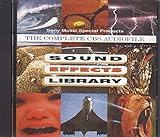
Sound Effects Library | $7.85 | Buy on Amazon |
| 4 |

|
75 Spectacular Sound Effects, Vol. 2 | $9.99 | Buy on Amazon |
A loop being short, quiet, credited, or labeled “free” does not by itself establish permission. Original creative audio may be protected by copyright, and credit is not a substitute for a license or permission. Whether a specific sound is protected, properly licensed, or matched depends on the audio and circumstances.
Interruption, Content ID claim, and copyright strike are different
- Live interruption: YouTube may warn you or interrupt a live stream when it detects third-party content. An interruption is not, by itself, the same as a copyright strike.
- Content ID claim: If you archive the stream, a Content ID claim may be made after the stream ends. YouTube says such a claim typically does not itself result in a strike.
- Copyright strike: A strike follows a valid copyright removal request. YouTube says an active livestream removed for copyright results in a strike. Disputing a claim without a valid basis can lead the claimant to submit a removal request.
See YouTube’s guidance on copyright issues with live streams and its explanation of copyright strikes for the distinction and current platform process.
Do these 3 things before closing this tab:
1Scan for outdated or missing drivers - takes under a minute2Clear out junk files and repair common Windows errors3Fix the driver behind crashes, sound loss and screen glitches#1 Best Overall
- Vol.
- Sound
- 1 US
What to check before using a sound effect
- Confirm the source and rights. Prefer audio you created yourself or content for which you have permission. A copy you bought, a “free” label, or an attribution requirement alone does not establish that your planned livestream use is permitted.
- Read the license for the actual uses. Check whether it covers live streaming, keeping an archived video or VOD, monetization, and the territories where viewers may watch. Keep a copy of the license and any permission.
- Ask about Content ID allowlisting. If you have licensed third-party content, ask the rights holder to add your channel to its Content ID allowlist. YouTube notes that a licensed stream may still be interrupted if the channel is not allowlisted.
- Review the platform’s audio options and their terms. YouTube points creators to its Audio Library and, where available and appropriate, Creator Music. Review the terms for the specific track or sound. No source or license guarantees that automated matching will never trigger a claim or interruption.
YouTube’s tips to find safe music caution that even online music labeled “free” may be flagged by Content ID. That is a reason to verify rights and keep documentation, not proof that every flag is correct.
What happens if a livestream is removed for copyright
YouTube says removal of an active livestream for copyright gives the channel a copyright strike and restricts live streaming for 7 days. A further strike brings a 14-day live-streaming restriction. A strike expires after 90 days if Copyright School is completed and the channel has fewer than three strikes. Three strikes within 90 days make the channel subject to termination. These are YouTube policy periods, so check the current copyright-strike guidance if enforcement consequences are at issue.
If YouTube flags or interrupts your stream
- Stop using the sound if you cannot verify that your rights cover the livestream.
- Check the YouTube notification to determine whether the event was a live interruption, a Content ID claim after archiving, or a copyright removal request.
- If you have a license, confirm that it covers the live and archived uses involved, then contact the rights holder about allowlisting your channel.
- Keep the license, permission, and relevant correspondence. Dispute a claim only when you have a good-faith basis; a claim dispute can escalate to a removal request.
Or let it run in the cloud
StreamNeo is a YouTube-only cloud service for keeping uploaded videos live; it does not provide rights to the audio in them or determine whether a sound effect is permitted. Upload a recording or build a playlist, add your YouTube stream key, and go live. Nothing has to stay on at home; each slot streams the uploaded file as made, up to 4K 60fps, at one price per slot, and StreamNeo automatically recovers if YouTube drops the stream. The first day is free with no card. Monthly pricing is $9.99 per month. Check the audio rights before uploading, then start your free StreamNeo day.
Quick Recap
Rank #3
Product prices and availability are accurate as of the date/time indicated and are subject to change. Any price and availability information displayed on Amazon at the time of purchase will apply.
Free tools Windows power users keep installed
One-click scans. No signup required.

