
A reliable iPhone game-box scanner should combine three things: VisionKit for camera capture and on-device text and barcode observations, GPT-5.6 Luna to interpret the photographed box and propose candidates, and IGDB to look up and compare game metadata. Keep the original image and extracted evidence, and ask the user to confirm when platform, region, or edition is uncertain. The model can help identify a box; it should not be treated as the source of truth for game facts.
How the scanner should work
Use each component for the job it is best suited to. The scanner gathers evidence, the multimodal model interprets the image, IGDB supplies catalog metadata for comparison, and the user resolves cases the evidence cannot distinguish.
| Component | Role | What it cannot establish alone |
|---|---|---|
| VisionKit and Vision | Capture a live view or analyze a still image; extract text and barcode observations, including recognized text, confidence, and normalized locations. | That a recognized title or barcode uniquely identifies the particular edition in the photograph. |
| GPT-5.6 Luna | Interpret the box image alongside OCR and barcode evidence; return structured candidate titles, platform clues, edition markers, and uncertainties. | Authoritative catalog metadata or a guaranteed-correct match. |
| IGDB | Enrich and compare candidates using fields such as platform, release date, cover art, publisher, developer, and regional clues. | A certain match when editions share artwork or relevant catalog details are missing or ambiguous. |
| User confirmation | Choose among plausible matches and correct poor captures or extraction errors. | It should not be bypassed when conflicting evidence or edition ambiguity remains. |
Capture the useful parts of the box
Choose live scanning or a still image
Use DataScannerViewController for a live camera experience that surfaces text and machine-readable codes. For a still-photo flow, use ImageAnalyzer with ImageAnalysisInteraction. Apple’s VisionKit documentation describes camera pass-through scanning and analysis of text, URLs, and barcodes. Vision’s recognition pattern is to create a request, perform it on an image or frame, then read the resulting observations.
Capture more than the front cover
When practical, capture separate crops of the front, spine, and barcode area. The front image may show the artwork and title while omitting a platform or region identifier. A clear barcode crop can be useful, but a missing or unreadable code should not prevent a scan: the title and other visible markings can still generate candidates.
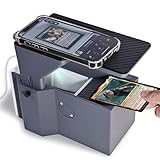
#1 Best Overall

- All-New Upgraded Design: Engineered through multiple rounds of rigorous testing, our latest version delivers an incredibly smooth and ultra-fast scanning experience.
- Effortless, Jam-Free Scanning: Introducing the all-new TCG Card Scanner Phone Holder! Just place your cards naturally — no special technique required. Even after feeding 100+ cards continuously, they glide smoothly into the tray without any jams or interruptions.
- Optimized for MTG and Standard Trading Cards: Specifically designed to fit MTG and standard-size trading cards perfectly, helping you scan, sort, and manage your collection with maximum efficiency.
- Seamless ManaBox App Compatibility: Fully optimized to work flawlessly with the ManaBox card scanning app. Quickly scan cards, check real-time prices, and organize your collection with ease.
- Built for Durability and Ease of Use: crafted with PLA+ filament using 3D printing, featuring a stable, durable, and eco-friendly structure that ensures a hassle-free experience whether you’re a beginner or an experienced collector.
Retain the recognized strings, their confidence values, and their normalized locations as evidence. Showing where OCR found a title or code makes it easier to explain a proposed match and to spot when a reflection or damaged print produced a misleading observation.
Interpret the image without losing the evidence
Send GPT-5.6 Luna the minimum material needed for interpretation: a suitable box image or crops plus the OCR and barcode text. Keep VisionKit and Vision analysis on-device where practical, but do not equate that with an entirely on-device or private workflow: sending an image to a cloud model transmits that material for inference. Apple’s cited API documentation describes local analysis APIs; it does not promise a particular privacy configuration for the complete application.
Rank #2
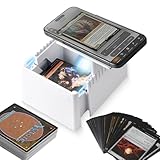
- SMOOTHER ONE-BY-ONE FEED — The sloped tray and added rollers help unsleeved standard-size cards glide into the scan area with less friction, keeping your hands free to move through a collection with a repeatable phone-camera setup.
- MORE CONSISTENT LIGHTING — Side LED illumination helps reduce dim spots and uneven brightness around the card. Align your phone camera before scanning; recognition can still vary with the app, phone, card finish, and room lighting.
- FOR MTG COLLECTION WORKFLOWS — Use the stand with a compatible phone scanning app such as ManaBox to add cards, check available price references, and organize a collection. It is not designed for sleeved cards, toploaders, or graded slabs.
- SET UP, ALIGN, AND SCAN — Place the stand on a level surface, adjust the stand height, and position your phone so the camera frames the card. Then feed one unsleeved card at a time.
- STURDY & LIGHTWEIGHT DESIGN — Crafted from lightweight PLA material, this 3D-printed trading card scanner stand combines portability with stability through a reinforced structure. The layering process may result in slight textures, but this does not compromise its functionality or quality. To maintain its integrity, avoid prolonged exposure to high temperatures.
Ask the model for candidate interpretations and uncertainty rather than a single definitive game record. A useful response contract includes:
candidate_titles: a bounded list of possible game titles.platformandregion: extracted clues, or an explicit unknown value when evidence is absent.edition_markers: visible edition, bundle, or packaging text that may distinguish releases.barcode: the detected value, when present.confidence: a validated value in the agreed range.uncertainties: conflicts, unreadable text, or other reasons the match may be ambiguous.
OpenAI lists image input, function calling, and structured outputs for GPT-5.6 Luna. Structured Outputs can constrain a response to a JSON Schema, but schema compliance is not proof that the interpretation is true. Validate required fields, enum values, confidence ranges, and candidate count before using the response to make a lookup. Handle refusal and incomplete-output cases explicitly; do not silently treat either as a valid empty match.
Windows Errors? Fix Them Before They Spread
Repair common Windows errors and clear accumulated junk for a smoother, more stable PC - no reinstall needed.Free scan · no reinstallOutdated Drivers Are Slowing You Down
One free scan finds every outdated or missing driver and matches the right update for your exact hardware.Free scan · exact hardware matchRank #3
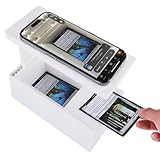
- 【2025 Precision MTG/TCG Card Scanner Stand】 Made of high-quality ABS material Card Scanner Stand for ManaBox App, Quick Pricing & Collection Tracking. The unique tilting base design allows cards to slide smoothly vertically into the scanning slot, ensuring faster and smoother operation. The card holder has a draggable design; after scanning, the cards can be neatly placed in the card holder. The phone holder has anti-slip pads to prevent the phone from slipping during scanning.
- 【Wide Compatibility】: Adjustable stand, compatible with various mobile phone models. Supports various game cards such as MTG and TCG, Baseball Cards, Sports Card,Trading Cards and supports a maximum size of 2.5*3.5 inches.(NOT fit sleeved cards, Please remove the card sleeve before use)
- 【Card Scanner Holder with LED Light】This card scanner stand with rechargeable LED light strip and a built-in 300mAh rechargeable battery that can last for 3 months on a single charge, making it ideal for scanning in various situations and providing optimal scanning results under any lighting conditions.
- 【Durable and Sturdy】: Made of high-quality ABS material, not 3D printed, making it more durable, lightweight, portable, drop-resistant, and less prone to breakage. The workmanship is more refined. The design is stylish and beautiful. An excellent gift.
- 【Easy to Use】: Simply place the holder on the card slot, point your phone's camera at the slot, and you're ready to scan. Please ensure you are using the latest version of the ManaBox app. Updates typically include general improvements to the scanning functionality and bug fixes.
Resolve candidates against IGDB
Use the model’s candidate names to query IGDB, then compare the returned metadata with the physical evidence. Prefer matches that agree across independent clues: platform text on the box, release timing, cover art, publisher or developer, and regional markers. A title-only match is not enough to distinguish editions if several releases share the same name or artwork.
IGDB’s API documentation exposes game metadata fields and image endpoints. Normalize and cache responses with the request timestamp and geography so that a later review can distinguish the catalog result that was shown from a newer lookup. Metadata and availability can change, so a cached result is useful for auditability, not a promise that the catalog will never be updated.
Rank #4
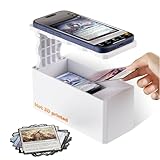
- 【Effortless DualMode Scanning】Scans sleeved/unsleeved MTG cards in seconds. Natural light optimization minimizes glare for accurate pricing. Plastic bottom strip in tray guides cards forward automatically, aligning multiple cards for precision scanning.
- 【Military-Grade】The Card Scanner stand made with ABS Construction:Impact-resistant textured body prevents card scratches. CNC-smoothed edges + jamming-proof slide tray.
- 【Smart App Sync】Auto-recognizes cards via ManaBox app. Real-time price updates while building your collection.
- 【Universal Phone Alignment】Adjustable base fits all iOS/Android cameras. Left-right sliding ensures perfect scan framing.
- 【Pro Lighting Setup】Position scanner near light sources to reduce sleeve glare. For best results, use the Card Scanner stand in well-lit areas with natural or ambient lighting.
When to ask for confirmation
- More than one IGDB candidate fits the title or cover.
- Several editions share artwork, or the packaging does not show a distinguishing marker.
- OCR and barcode evidence point to different candidates.
- The platform or region remains unknown but matters to the user’s catalog.
- The image is too reflective, worn, or incomplete to support a confident match.
Show the leading candidate alongside the evidence that supports it, such as recognized title text, platform marking, barcode, and the matching catalog cover. Let the user select another candidate, edit extracted text, or retake the image. Do not let a later low-confidence scan overwrite a title the user has already confirmed.
Design for errors and recovery
Glare, shrink-wrap, worn printing, oblique angles, and obscured labels can degrade both OCR and visual interpretation. Provide an obvious retake path and manual correction rather than presenting a failed scan as a definitive no-match. If the barcode is missing, continue with text and image evidence; if the text is unclear, request a closer crop or let the user enter the title. No accuracy percentage is established by the cited Apple and OpenAI technical references, so do not advertise a numerical recognition rate based on those documents.
Quick wins for a faster PC:
Scan for outdated or missing drivers - takes under a minuteDriver Scan →Clear out junk files and repair common Windows errorsFree Scan →Fix the driver behind crashes, sound loss and screen glitchesFind Drivers →Best Value
- 【Durable & Stable】Crafted from high-quality ABS injection-molded material, this card scanner stand offers superior durability and stability compared to 3D printed models that often crack or wobble. Built to last through continuous trading card scanning sessions, ideal for TCG/ MTG
- 【Fast & Accurate Card Scanning】Engineered for precision and speed, the card scanning holder allows for quick, jam-free recognition when paired with the ManaBox card scanner or other scanning apps. Perfect for sorting, pricing, and organizing your Magic: The Gathering and trading card collections
- 【Adjustable Angle & Height】The adjustable scanning stand supports both horizontal and vertical angle adjustments, as well as height customization to match different phone camera positions. Compatible with most iOS and Android devices, ensuring accurate alignment for every scan
- 【Magnetic Base for Quick Card Removal & Stable Operation】The magnetic card holder base makes it easy to remove cards instantly after scanning—no more struggling to lift or reposition. Combined with a widened base and anti-slip pads, your phone remains rock-solid during every scan
- 【Best Scanning Tips】For the most accurate results, avoid scanning cards directly under sunlight or harsh reflections. Natural light scanning is recommended. This stand is not compatible with sleeved cards, ensuring precise recognition and flawless scanning every time
Keep the original image, extracted Vision observations, model JSON, and IGDB response associated with an idempotent request ID. This record makes it possible to diagnose mismatches, correct an extraction, and explain which evidence led to the selected game. Preserve the user-confirmed choice as a separate state from subsequent automatic guesses.
Independent reader supportYour contribution helps us test, update, and keep practical guides available for everyone.Account for latency, privacy, and API limits
| Approach | Benefits | Trade-offs |
|---|---|---|
| On-device VisionKit and Vision | Capture and initial text or barcode analysis can happen locally, and observations can be available without first asking a cloud model to interpret the image. | Local analysis does not by itself identify every edition or provide catalog enrichment. Capture quality still affects the observations. |
| Cloud multimodal inference | Can interpret visual context together with OCR and barcode text and return candidate information in a structured format. | Requires sending the selected image material to a cloud service, adds a network-dependent step, and produces probabilistic interpretations. |
| IGDB lookup | Provides catalog fields and images for comparing candidate games. | Requires a separate metadata request; the API documentation cited here does not establish a particular rate limit or current referral arrangement. |
Keep image payloads and prompts focused: crop the relevant box panels and send only the text needed for interpretation. OpenAI’s vision guide documents image patch accounting and a 30,000-patch rejection limit for an image request; image size and patch use therefore matter to request handling and image-token accounting. Treat that as a documented API limit, not as a recommended image size.
OpenAI’s GPT-5.6 Luna model page lists input pricing of $0.20 per 1 million tokens and output pricing of $1.20 per 1 million tokens, a 1,050,000-token context window, and a 128,000-token maximum output. These are figures listed by the model page, not a guarantee of the price or availability applicable to every account or future request; check the provider’s current terms when planning deployment. A typical box identification task should keep its prompt and output focused rather than using a large context or response budget unnecessarily.
Handle service throttling and transient failures with bounded retries and clear user feedback. The cited IGDB API documentation does not establish a specific rate-limit figure here, so an implementation should not hard-code an assumed quota from this article. Cache normalized metadata and distinguish a failed lookup from a genuine no-match.
What’s actually slowing this PC down?
Pick the symptom - the matching free tool is one click away.
Quick Recap
Practical request sequence
- Capture: present a live scanner with
DataScannerViewController, or accept a still photo for analysis withImageAnalyzerandImageAnalysisInteraction. - Extract: run text and barcode recognition, retaining recognized strings, confidence, and locations.
- Interpret: send a focused image and the extracted evidence to GPT-5.6 Luna under a JSON Schema that specifies candidate titles, platform, region, edition markers, barcode, confidence, and uncertainties.
- Validate: reject malformed, incomplete, out-of-range, or refused responses as appropriate; do not convert them into a confident candidate.
- Enrich: query IGDB for valid candidate names and compare returned platform, release date, cover, publisher/developer, and regional clues.
- Confirm: show the best-supported candidate and evidence; ask the user to decide when matches remain ambiguous or evidence conflicts.
- Record: retain the original image and raw evidence, model response, catalog response, request ID, timestamp, and the user’s confirmed selection.
Product prices and availability are accurate as of the date/time indicated and are subject to change. Any price and availability information displayed on Amazon at the time of purchase will apply.

