
Quick wins for a faster PC:
Fix the driver behind crashes, sound loss and screen glitchesFind Drivers →Repair Windows errors before they cause bigger problemsFix Now →Scan for outdated or missing drivers - takes under a minuteDriver Scan →iTechGuides is reader-supported. When you buy through links on our site, we may earn an affiliate commission. As an Amazon Associate I earn from qualifying purchases. Learn more
The best Wi-Fi analyzer for an iPhone or iPad depends on what you are trying to measure. AirPort Utility is the strongest choice for nearby Wi-Fi networks, channels, BSSIDs, and signal strength. Fing and Network Analyzer are better for finding devices and testing a network you are already connected to. NetSpot can map real-world performance, while WiFiman is particularly useful on UniFi networks.
There is one important iOS limitation: ordinary App Store apps cannot perform the same unrestricted passive radio scanning or spectrum analysis available to many Android and desktop tools. On iPhone and iPad, “Wi-Fi analyzer” often means either a nearby-network scanner or a network troubleshooting toolkit.
Quick recommendations
| What you need to do | Best app | Why |
|---|---|---|
| See nearby SSIDs, channels, BSSIDs, and RSSI | AirPort Utility | The most useful free nearby-network scanner on iPhone and iPad |
| Find devices connected to your Wi-Fi | Fing | Clear device discovery with IP, MAC, hostname, and manufacturer information |
| Run ping, traceroute, DNS, WHOIS, and port tests | Network Analyzer | A broad collection of traditional network tools |
| Map Wi-Fi performance around a home or office | NetSpot WiFi Analyzer | Creates active download- and upload-speed heat maps |
| Manage or diagnose a UniFi network | Ubiquiti WiFiman | Strong device discovery, speed testing, and UniFi integration |
| Inspect the current connection in detail | Network Analyzer: WiFi Scanner | Shows current-network addressing and security details alongside diagnostic tools |
1. AirPort Utility: best for nearby Wi-Fi channels
AirPort Utility is Apple’s free app, and it remains the best starting point when “Wi-Fi analyzer” means checking the wireless networks around you. Its scanner can display nearby SSIDs, BSSIDs, RSSI, channels, and the last time a network was detected. You do not need an Apple AirPort base station to use the scanning feature.
Free tools Windows power users keep installed
One-click scans. No signup required.
It presents results as a list rather than the channel graphs found in many desktop utilities, but that is enough to identify crowded channels, compare signal levels, and see which access point your device can hear from a particular room.
Popular on Amazon

- All-in-One Detection: RT-100S 3-in-1 EMF Reader measures Electric (EF), Magnetic (MF), and Radio Frequency (RF) fields to monitor radiation in your home, office, or outdoors.EF (Electric Field): Detects radiation from appliances like microwaves, refrigerators, and power lines.MF (Magnetic Field): Measures magnetic radiation from devices like motors, microwaves, and refrigerators.RF (Radio Frequency): Monitors radiation from Wi-Fi routers, cell phones, and 5G signals.It’s also great for paranormal investigations, detecting EMF changes linked to ghostly activity.
- Easy to Use: ERICKHILL Radiation Detector ready to measure instantly upon powering on—no complicated setup required. All three field strengths display directly on the screen, letting you see electric, magnetic, and RF readings at a glance. Ideal for users of all experience levels.
- Clear Color-Coded Screen: The large display features a three-color backlight indicator (green, orange, and red) that changes based on radiation levels, giving you instant visual feedback on EMF exposure to easily assess low, moderate, and high radiation zones.
- Triple Alarm Modes: Equipped with sound, screen, and light alerts that help you identify areas with higher radiation levels, this EMF meter ensures you’re always aware of your environment. You can easily turn off the sound alerts if preferred, while the visual and light indicators will still highlight areas with higher radiation, making it ideal for both indoor and outdoor use.
- Convenient and Energy-Saving Design: Our emf detector equipped with unit switching for customized readings, a Type-C charging port for fast, easy charging, and an automatic shutoff feature to save battery, this EMF detector is portable, energy-efficient, and made for frequent use.
How to enable the scanner
- Install AirPort Utility from the App Store.
- Open Settings.
- On recent iOS versions, tap Apps, then AirPort Utility. On some versions, the app appears directly in Settings.
- Turn on Wi-Fi Scanner.
- Open AirPort Utility and tap Wi-Fi Scan.
- Tap Scan. If a duration is offered, choose one, then tap Stop and Done when finished.
Run the scan in the room where the connection is poor. A network that looks weak beside the router may be strong enough in a distant room to interfere with your access point, while a different network may dominate near the router. Hidden networks can appear as Network name unavailable.
What AirPort Utility cannot tell you
- It is not a full spectrum analyzer.
- It does not measure non-Wi-Fi interference from devices such as microwaves or Bluetooth equipment.
- It does not continuously monitor the radio environment like specialist desktop hardware and software.
- Results reflect what that particular iPhone or iPad can hear at that location.
For a basic channel check without paying for an app, AirPort Utility is the clear recommendation.
2. Fing: best for finding devices on your network
Fing – Network Scanner App is designed primarily for local-network discovery, not nearby-channel analysis. It scans the Wi-Fi or LAN to which the iPhone or iPad is connected and can often identify devices by IP address, MAC address, hostname, manufacturer, and device type.
It is useful when the question is, “What is connected to my Wi-Fi?” rather than, “Which wireless channel is congested?” Fing also includes ping, traceroute, DNS lookup, port scanning, and internet speed tests. Some features and monitoring options may require in-app purchases.
Why a connected device may not appear
A missing device is not automatically evidence that it is disconnected or unauthorized. Fing may not discover it when:
Also popular on Amazon
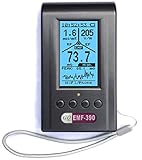
- Multiple high sensitivity sensors installed for detecting Power line, Smart meter, Cell phone, Microwave etc.
- Identify/recognize the common possible sources, such as Power line, Cell Tower, Microwave, Static etc.
- Safety suggestion lets you understand current situation instantly.
- Detects 5G network signal and RF up to 10Ghz
- Built-in RF Spectrum analyzer and GQ RF Browser for real time RF monitoring.
- The device is asleep or has stopped responding to discovery traffic.
- The router has client or AP isolation enabled.
- The device is on a guest network, another VLAN, or a different access point network segment.
- The device firewall blocks local probes.
- iOS Local Network permission was denied.
Device names and manufacturers are also estimates based on available responses and vendor data. Treat them as clues, not definitive identification.
3. Network Analyzer: best all-purpose diagnostic toolkit
Network Analyzer: net tools by Techet combines local-network discovery with the tools commonly needed to troubleshoot reachability and internet problems. The free version includes Wi-Fi and device discovery, IP information, ping, traceroute, port scanning, DNS lookup, and WHOIS; a Pro edition is also available.
Use it to answer practical questions such as:
- Can the iPhone reach the router?
- Does a hostname resolve to an IP address?
- Where does a traceroute stop responding?
- Is a service listening on a particular port?
- Which devices are visible on the current subnet?
Network Analyzer is not a replacement for AirPort Utility when you need a list of nearby access points and their channels. Its strength is IP, routing, DNS, and LAN troubleshooting rather than radio-frequency surveying.
4. NetSpot WiFi Analyzer: best for performance heat maps
NetSpot WiFi Analyzer takes a different approach. Its iPhone and iPad version can create heat maps based on active measurements such as download and upload speed. That makes it useful for finding rooms where the connection performs poorly, even when the Wi-Fi signal appears acceptable.
Heat-map and Wi-Fi Survey features require the paid tier, while the free version includes functions such as device discovery, ping tests, and internet-speed testing. NetSpot’s iOS manual lists iOS 15.5 or later for the current iOS version.
Also popular on Amazon

- ✅【Rechargeable EMF Detector】TEMIRUP radiation meters are compact and portable, allowing users to carry them conveniently. This portability enhances their usability, making them suitable for travel, outdoor activities, or simply moving around different areas within a home or office. TEMIRUP EMF devices empower users to assess and mitigate potential risks associated with prolonged exposure to electromagnetic fields, It helps you with room layout and avoids placing you in high-radiation environments
- ✅【Accurate Measures All Emfs】Emf Meter measures magnetic with optional units mG/µT, electric with unit V/m, and radio frequency radiation with unit uW/cm²; RF mode can detect WiFi signals, 5G signals (30MHz ~8GHz), and microwave radiation from appliances like microwave ovens. ELEC and MAG modes can measure electromagnetic radiation emitted by household appliances such as televisions, induction cookers, rice cookers, refrigerators, computers, and power lines. If you care about EMF radiation in your home, you need to be able to measure all types of radiation
- ✅【User-Friendly & Versatile Utility】EMF Meter equipped with a built-in electromagnetic radiation sensor, which can display the radiation value on an Large Colour LCD Screen after processing by the micro-control chip; Auto Power Off after 15 minutes without operation; Unit switch (℃/℉); The meter can test average or peak value (Maximum) reading and Hold the data for a view with a single key;Low Battery Indication so you never accidentally run out of juice
- ✅【Informative Display & Audio Alarm】Sound and the analog display warnings to remind you of the safe range, you can determine actual EMF radiation levels of certain things and locate EMF radiation sources; 3 Colors analog display Alarm Reminder, Hold the instrument in hand, and slowly close the probe to the radiation source. When the radiation value is displayed on the screen and the analog display reaches the yellow area, the instrument starts to give an audible alarm prompt, indicating that the radiation exceeds the standard, please take protective measures or keep it away from the radiation source
- ✅【What you get】1 * EMF Meter, 1 * charging cable, 1 * Emf meter carry bag and 1 * User manual; If you have any questions, please feel free to contact us, our professional team will solve your problem in time
How to create a heat map
- Open NetSpot and tap WiFi heatmaps.
- Tap the + button to create a project.
- Load a floor plan from Photos or take a picture of one.
- Calibrate the map using a known real-world distance.
- Move to measurement points around the property and collect readings.
- Review the download- or upload-speed map to find poor-performance areas.
Do not confuse this with a desktop passive RF survey. NetSpot for iOS does not provide the same full inspector mode, noise measurements, planning functions, or advanced reporting available in the Mac and Windows versions. Its heat map primarily shows measured network performance, not every source of radio interference.
Do these 3 things before closing this tab:
1Fix the driver behind crashes, sound loss and screen glitches2Clear out junk files and repair common Windows errors3Scan for outdated or missing drivers - takes under a minute5. Ubiquiti WiFiman: best for UniFi networks
Ubiquiti WiFiman is free and ad-free, and it is especially useful if your home or office uses UniFi networking equipment. Its iOS feature set includes local device discovery, subnet scanning, download and upload speed tests, performance history, and remote access to UniFi networks through Teleport VPN. The current App Store listing requires iOS or iPadOS 17.6 or later.
WiFiman can use discovery methods such as Bonjour, SNMP, NetBIOS, and Ubiquiti discovery to build a useful view of the local network. UniFi users can also use it alongside their controller and gateway tools when investigating client performance.
It should not be described as a full Android-style channel graph or spectrum analyzer on iOS. If your immediate goal is to compare nearby channels, use AirPort Utility. Choose WiFiman for UniFi integration, topology-related discovery, and speed testing.
6. Network Analyzer: WiFi Scanner: best for current-connection details
Network Analyzer: WiFi Scanner by SETUP TECH focuses on information about the network currently connected to the device. Depending on the network and iOS permissions, it can show the SSID, BSSID, vendor, IP address, IPv6 address, subnet mask, broadcast address, and Wi-Fi security type.
Also popular on Amazon

- PRECISE MEASUREMENT:ERICKHILL EMF Meter is an electric field (EF), magnetic field (MF), and RF 3-in-1 multifunctional meter. It is equipped with a built-in electromagnetic radiation sensor, which can display the radiation value on an LCD screen after processing by the micro-control chip. You can make reasonable processing or take effective prevention measures toward electromagnetic radiation according to the test result.
- SCENES TO BE USED:RF function can detect 5G signal and RF up to 10Ghz, EF, and MF functions can measure electromagnetic radiation emitted by household appliances such as TV, induction cooker, rice cooker, refrigerator, computers, wires, etc.
- APPLICABLE CROWD:Can be used for ghost hunting, a must-have for anyone interested in paranormal phenomena. As well as office workers, pregnant women and the elderly who need to detect electrical radiation for their health.
- MULTIFUNCTION:Testing average, peak value, and Maximum reading, and one key hold the data for a view. Large and back-light LCD is clear for viewing. Auto power off after 15 minutes without operation.Black and white two-color display mode. Sound and light warnings to remind you of the safe range.
- WHAT YOU GET:1 * EMF Meter, 1 * charging cable, and 1 * User manual; If you have any questions, please feel free to contact us, our professional team will solve your problem in time.
It also includes LAN discovery, ping, traceroute, port scanning, DNS tools, Bonjour and UPnP browsing, Bluetooth Low Energy scanning, and speed tests. It is a useful choice when you need a detailed snapshot of the current connection in one app.
The name is easy to overread. Despite terms such as “WiFi analyzer” and “WiFi scanner” in its listing, its documented functionality is primarily current-network inspection and diagnostics. It is not the same as passively surveying all nearby access points, channel occupancy, and RF noise.
iPhone Wi-Fi analyzer limitations
Apple’s public networking APIs expose selected information about the currently connected network, including data such as SSID, BSSID, and security type when the app has the required permissions and entitlements. They do not give ordinary App Store apps unrestricted access to the Wi-Fi radio for passive scanning or spectrum analysis.
That is why an iPhone app may be able to show the BSSID of the current connection yet be unable to produce the same detailed channel and interference graph as a desktop analyzer. The distinction matters when comparing app descriptions: “network scanner,” “speed test,” and “Wi-Fi analyzer” are not interchangeable terms.
Permissions and settings to check
Local Network permission
Fing, Network Analyzer, WiFiman, and similar tools need local-network access to discover devices. If discovery returns almost nothing, open Settings → Privacy & Security → Local Network and enable the affected app. The permission prompt normally appears the first time an app attempts to access local-network information.
Also popular on Amazon

- [Durable and Portable Design] Crafted from aluminum alloy, this wifi analyzer is both lightweight and robust. its compact size and durable construction make it perfect and tech enthusiasts who need a reliable tool for optimizing home or office networks.
- [Real-time Wifi Signal Analysis] This advanced wifi analyzer allows you to monitor and analyze both 2.4g and 5g wifi signals in real time. identify crowded frequency points and switch to less congested channels to significantly improve your wifi communication quality and reduce interference for a smoother online experience.
- [Fast and Efficient Charging] Featuring a built-in lithium battery charging management circuit, this wifi signal scanner recharges in just about 1.5 hours. the modern type c charging interface ensures quick and convenient with a red light indicating charging and a green light signaling a full charge.
- [Long-lasting Battery Life] The built-in 750mah lithium battery offers impressive performance with a working current of approximately 160ma. enjoy up to 4 hours of continuous usage on a single charge, making it ideal for extended network troubleshooting sessions or on-the-go diagnostics.
- [Crystal Clear Color Display] Equipped with a vibrant 2.4-inch tft color display, this wifi signal usage analyzer provides easy-to-read visual data. the screen clearly shows signal strength, frequency usage, and battery level in the upper right corner, ensuring you always have the information you need at a glance.
Location permission
Some Wi-Fi information APIs require location authorization, including precise location in relevant cases. If an app cannot identify the current network, review its permissions under Settings → Privacy & Security → Location Services. Also check that Location Services is enabled globally.
Private Wi-Fi Address
Apple’s Private Wi-Fi Address feature can cause a router to see a different MAC address from the device’s permanent hardware address. A changed MAC address by itself is therefore not proof that an unknown device has joined your network. Check the device name, IP address, connection time, and router records before drawing conclusions.
How to choose the right app
- Need nearby channels? Install AirPort Utility and run its Wi-Fi Scan from several locations.
- Need to identify clients? Use Fing, WiFiman, or Network Analyzer while connected to the relevant LAN or VLAN.
- Need to diagnose latency or DNS? Use Network Analyzer and compare ping, traceroute, and DNS results.
- Need to locate weak rooms? Use NetSpot’s performance heat map, remembering that it measures active throughput rather than raw RF noise.
- Use UniFi equipment? Start with WiFiman, then use AirPort Utility if you need nearby-channel information.
FAQ
What is the best Wi-Fi analyzer app for iPhone?
AirPort Utility is the best choice for nearby Wi-Fi networks, channels, BSSIDs, and RSSI. It is free and does not require an Apple AirPort base station for its scanner.
The Tool Desk
Outbyte Driver Updater FREEScan for outdated or missing drivers - takes under a minuteDriver Scan →Outbyte PC Repair FREEClear out junk files and repair common Windows errorsFree Scan →Can iPhone Wi-Fi apps show all nearby channels like Android apps?
Only to a limited extent. AirPort Utility can list nearby networks and channels, but iOS does not give ordinary App Store apps unrestricted passive radio or spectrum-analysis access. iPhone apps generally cannot reproduce the full channel graphs and interference measurements of desktop tools.
What app shows who is connected to my Wi-Fi?
Fing is the simplest general recommendation. It can discover devices on the current local network and may show their IP addresses, MAC addresses, hostnames, and manufacturers. A device may be missing if it is asleep, isolated, on another VLAN, or blocked by firewall or permission settings.
Is NetSpot on iPhone the same as NetSpot on Mac or Windows?
No. NetSpot for iOS can create performance-based heat maps using measurements such as download and upload speed, but it does not provide the desktop versions’ full passive inspector, noise measurement, planning, and reporting capabilities.
The Bottom Line
Choose AirPort Utility if you want to inspect nearby Wi-Fi channels, BSSIDs, and signal levels. Choose Fing for connected-device discovery, Network Analyzer for ping and DNS-style troubleshooting, and NetSpot for active performance heat maps. UniFi owners should add WiFiman to that shortlist.
What’s actually slowing this PC down?
Pick the symptom - the matching free tool is one click away.
The key qualification is that none of these iPhone and iPad apps should be treated as a complete desktop spectrum analyzer. AirPort Utility is the closest match for basic channel checking; the other apps solve different network problems.

