
iTechGuides is reader-supported. When you buy through links on our site, we may earn an affiliate commission. As an Amazon Associate I earn from qualifying purchases. Learn more
You can use an Android tablet as a second monitor by sending a Windows PC’s display to it with Samsung Second Screen or spacedesk, or by using Duet for a desktop-to-tablet setup that may suit Mac users. Start by checking your tablet model, computer operating system, and the app’s current compatibility: a USB-C cable alone does not make a tablet a universal monitor.
Choose a method that matches your tablet and computer
This setup sends a computer’s desktop to an Android tablet. That is different from connecting an Android device to an external monitor, which is the connected-display workflow described in Google’s Android Help. Support for Android connected displays varies by device.
| Method | Best fit | What it supports | Check before setup |
|---|---|---|---|
| Samsung Second Screen | A compatible Galaxy Tab with a Windows PC | Extend, duplicate, or use second-screen-only mode; Samsung also describes touch and pen input. | Confirm the tablet model and One UI version. Wireless use depends on PC hardware and drivers; the USB option has newer OS requirements. |
| spacedesk | An Android tablet and Windows primary computer | Install Driver on Windows and Viewer on the tablet; use the tablet to extend or duplicate the display. | Install software on both devices and choose a supported connection path. Direct USB has a setting that affects other USB cable applications while active. |
| Duet | A desktop-to-mobile display workflow, including Mac-to-Android | The vendor lists desktop clients for Mac and Windows and a mobile app for the display device. | Check the current Android app listing, tablet compatibility, and terms; the product page does not provide a full Android model matrix. |
For a listed Galaxy Tab and Windows PC, try Samsung’s built-in option first. For other Android tablets on Windows, spacedesk is a documented alternative. Duet is a possible route for Mac users, but confirm Android compatibility before relying on it.
Use Samsung Second Screen with a compatible Galaxy Tab
Samsung documents Second Screen for selected Galaxy Tab models. Its support page, dated August 5, 2021 and displaying current model and OS details, describes extending or duplicating a Windows display and lists tablet requirements: Samsung Galaxy Tab Second Screen use, compatibility, and setup.
Popular on Amazon

- Full HD Portable Monitor - MNN 15.6inch portable laptop monitor with 1920*1080 resolution, advanced IPS glossy screen support 178° full viewing angle, it renders accurate and bright color, draws you into the video or game with lifelike colors and amazing detail.It can effectively reduce blue light radiation damage, no flickering, eye-care, and make it easier to watch for a long time.A second monitor for working from home.
- Double Type-C Port -For Plug & Play, the MNN monitor provides 2 Full Feature Type-C ports. Only One USB Type-C Cable is required to connect to the power supply & display signal transmission. NOTE: Your device should support thunderbolt 3.0 or USB 3.1 Type C DP ALT-MODE.which supports multiple connect ways to your laptops, PC, Phones, Macbooks, PS5/PS4, Xbox, and Switch.
- Lightweight Ultra Slim for Travel - As a portable external monitor,MNN portable laptop monitor easily accommodate to every suitcase and backpack and stress-free when you are holding it for a long time. They are truly portable computer monitors for travelers, students, gamers,engineers, and everyone.
- Give consideration to work and games - through multiple display modes [Copy Mode/Extended Mode/Second Screen Mode/Portrait Mode], we can bring you a clear second screen in the meeting, and expand the screen anytime and anywhere to improve work efficiency and improve the quality of life. Adjusting to HDR mode can upgrade the image to a new level, providing you with brighter highlights,deeper and more realistic colors, more realistic images, and amazing viewing/gaming experience.
- Powerful Smart Cover - MNN portable external monitor can work in both landscape and portrait mode, can be used as a gaming monitor, screen extender for laptop or phone. Comes with a scratch-proof smart cover made of durable PU leather exterior, doubles as a stand, provides comprehensive protection for this portable computer monitor.
- Check Samsung’s support page for your tablet model and required One UI version.
- On the tablet, open the Quick Panel and tap Second Screen.
- On the Windows PC, open the Second Screen app and select the discovered tablet.
- Choose extension, duplication, or second-screen-only mode in the PC app.
- For wireless use, make sure the PC’s Wi-Fi adapter, graphics hardware, and drivers support Wireless Display.
Samsung says the feature is optimized for Samsung computers, and behavior can vary by model and manufacturer. Do not assume every Windows PC will work wirelessly just because the tablet appears on the compatibility list.
Samsung’s experimental USB mode
Samsung describes USB connection as an experimental Labs feature. It requires Windows 11 24H2 and One UI 7.0 or later. If either device is on an earlier version, use the wireless path if the PC supports Wireless Display or choose another method.
Also popular on Amazon

- [Portable Monitor Laptop] InnoView laptop screen extender is no need of app and drivers! 15.6 in is a more suitable size for traveling or remote work. Suitable for traveler, student, gamer, engineer, and white-collar worker to connect HP laptop, Lenovo laptop, Dell laptop, Asus laptop, Macbook, iPhone, game console, tablet, PS, Xbox, etc. The laptop screen can expand the viewing area and be more efficient when playing games, working, meeting and studying
- [Plug and Play] The travel monitor for laptop provides 2 full-function Type-C ports and 1 HDMI port to connect most devices. Only one USB-C cable is needed to connect the external display to computer, and it supports power pass-through reverse charging. Note: Your device should support Thunderbolt 3.0/4.0 or USB 3.1 Type-C DP ALT-MODE. If not, you can connect via HDMI and power cable(NOT INCLUDE IN THE PACKAGE)
- [IPS FHD USB C Monitor] 15.6 inch portable screen with a resolution of 1920*1080P, made of A+ IPS screen, supports 178° full viewing angle, can present accurate and vivid colors. Combined with HDR, images and videos present realistic colors and amazing details. Low blue light can effectively reduce blue light radiation damage, no flicker, eye protection, making it easier for you to work and perform multiple tasks at the same time
- [Versatile Cover and Stand] Equipped with a scratch-resistant smart protective cover made of durable PU leather, it can also be used as a stand when working. Two grooves are used to adjust the angle and fix the external monitor. It can also provide all-round protection for the 1080p monitor when going out or traveling, suitable for putting in a backpack to avoid squeezing. Optional landscape and portrait modes, save more desktop space
- [Worry-free Purchase] Since the output power of each device is different, the screen may flicker or restart. You can power the laptop monitor to solve it. Provide a 30-day return policy and 18-month warranty (excluding external force damage). If you have any concerns, please let us know (displayed on the back of the monitor)
Set up spacedesk on Windows and Android
spacedesk uses two components: Driver on the Windows computer acting as the primary display host and Viewer on the Android tablet. The vendor’s Introduction and Setup manual describes extension and duplication. Get the current software from the spacedesk Download page; versions can change.
Quick wins for a faster PC:
Clear out junk files and repair common Windows errorsFree Scan →Scan for outdated or missing drivers - takes under a minuteDriver Scan →Repair Windows errors before they cause bigger problemsFix Now →- Install spacedesk Driver on the Windows primary computer.
- Install and open spacedesk Viewer on the Android tablet.
- Connect the devices over a supported network path, or configure the separate direct USB feature as described below.
- Choose whether to extend or duplicate the display using the app workflow or Windows display settings.
Choose a connection path
spacedesk classifies its connection options by expected performance in its own manual. These are vendor categories, not independent benchmark results or guarantees for a particular home network.
Also popular on Amazon
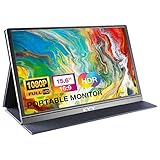
- [ FHD 1080P PORTABLE MONITOR ]: KYY using a 15.6''(8.8"x14.2") advanced IPS screen with 178° wide viewing angle, Delivers 1920*1080 breathtaking viewing quality and HDR technology, KYY portable gaming monitor has excellent color rendering ability, provide you the clearer, smooth, excellent performance in gaming/multimedia. It can effectively reduce blue light radiation damage, no flickering, eye-care, and make it easier to watch for a long time
- [ WIDE COMPATIBILITY ]: KYY portable monitor for laptop equipped with 2 Full Function Type-C ports and Mini-HDMI port, easy access to your favorite devices with 1 cable solution as long as your device support Thunderbolt 3 or 3.1 USB-Type-C, compatible with most laptop, smartphone, PC, PS4, XBOX and more.
- [ ULTRA-SLIM PORTABLE DISPLAY ]: KYY USB C portable monitor features a 0.3inch ultra-slim profile(1.7lb), it is easy to slides into your bag, allows you to carry it everywhere, ideal for a simple on-the-go dual-monitor setup or extend your phone screen for movies or games. No driver needed and equipped with 3.5mm audio inputs and 2 built-in stereo speakers to enhance entertainment experience
- [ DURABLE SMART COVER ]: Comes with a scratch-proof smart cover made of durable PU leather exterior, doubles as a stand, provides comprehensive protection and frameless magnetic design for this portable computer monitor. There are two grooves in the cover base to give at least some choice of viewing angle for your comfort for less cumbersome installation
- [ LIGHTWEIGHT BUT POWERFUL ]: KYY portable external monitor can work in both landscape and portrait mode, can be used as a gaming monitor, screen extender for laptop or phone. It has a unique designed Premium gray metal appearance, 2 built-in speakers to play audio, a friendly menu control wheel for setting, and 24/7 professional support team
| Connection path | spacedesk’s classification |
|---|---|
| Direct Ethernet cable | Best performance |
| Ethernet through a router or switch | Good |
| Direct Wi-Fi access point | Intermediate |
| USB tethering or USB-to-Ethernet | Intermediate |
| Wi-Fi through a router or switch | Worst among the listed options |
Actual responsiveness depends on the devices, software, and connection. If wireless performance is poor, changing the connection path may help, but the manual’s categories should not be read as measured latency figures.
Direct USB with spacedesk
For a cable connection, follow the vendor’s separate Android USB Cable Connection procedure and enable the Android USB option in Driver Console. The manual says that while this mode is active, other USB cable applications—including file transfer—are disabled. Switch the option off when you need those USB functions again.
Also popular on Amazon

- 15.6" FHD Portable Monitor - Featuring a 1920*1080P resolution, 178°FULL viewing angle, HDR, and Low Blue Light Super Clear IPS A-grade screen, this Anyuse portable screen for laptop enhanced visual experience, reduces eye strain and fatigue.
- Double Type-C Port -For Plug & Play - Anyuse portable monitor features 2 full-featured Type-C ports and 1 MINI HDMI port. You can easily access your favorite devices with just one USB Type-C or MINI HDMI cable. NOTE: Your device should support Thunderbolt 3.0/4.0 or USB 3.1 Type C DP ALT-MODE.
- Portable & Light Weight - At just 1.37lbs and 0.04 inch thin, this portable laptop monitor is ultra-portable and perfect for on-the-go productivity or gaming. flexible to use anywhere you need a second screen for laptop. bringing you efficiency for meetings, work from home, and presentations.
- Able to Balance Work and Play - With multiple display modes [copy mode/extension mode/second screen mode]. During meetings,it can copy your laptop's content as a second screen to share with others.At work, it can be used as a second extended screen to increase productivity. In life, adjusting to HDR mode can upgrade the image to a new level, providing you with brighter highlights, more realistic colors and images.Two built-in speakers provide an amazing viewing and gaming experience.
- Wide Compatibility - Enjoy hassle-free plug-and-play functionality with the portable monitor. it is compatible with all devices equipped with HDMI and USB Type-C ports like laptops, PS, XBOX, SWITCH game consoles, No app or driver installation required.
Consider Duet for a Mac-to-Android setup
Duet’s product page describes installing desktop software on the computer and its app on the tablet or phone used as a display. It lists macOS 12.3 or later and Windows 10 or later for desktop downloads, and says Android devices are supported. Because the page does not enumerate a complete Android tablet compatibility matrix, check the current app listing and support information before paying or depending on it.
What a cable can—and cannot—do
A USB-C data cable is useful only when the tablet, computer, operating system, and chosen software support a wired display mode. The Samsung USB route has the stated Windows 11 24H2 and One UI 7.0 requirements; spacedesk has its own USB procedure and limitation. A cable by itself does not provide generic video input to an Android tablet. A stand can make a tablet easier to position, but it does not enable the connection.
Quick Recap
Also popular on Amazon

- Experience Unrivaled Visuals: Get the ultimate viewing experience with the VILVA Professional Portable Monitor! With its incredibly sharp 15.6 inch FHD IPS Screen, you'll get a 1920 x 1080 resolution that viewing experience. Get it now and start working smarter, not harder and get yourself the professional portable monitor today.
- Truly Wide Compatibility: Lets you connect your laptop, PC, MAC, tablet, phone, XBOX, PS3/PS4/PS5, switches, and more via USB-C or HDMI Port-- deliver a stable connection and steady data transmission. Enjoy great sound with the built-in dual stereo speakers, perfect for your business trip, travel, or home entertainment gaming setup.
- Durable Smart Cover: VILVA portable monitor has a high quality and durable metal material, which makes it shows a fine metal texture and high strength. Has magnetic leather smart cover that provides protection for the entire screen and easy to stand the portable monitor.
- Look no further!: Get this portable monitor right Now, complete with magnetic cover, USB-C to USB-C cable, Mini HDMI to HDMI cable.
Troubleshoot the common setup problems
- The tablet does not appear in Samsung Second Screen: verify the tablet is a supported model, the required One UI version is installed, and the PC’s Wi-Fi, graphics hardware, and drivers support Wireless Display.
- The Samsung USB option is unavailable: check that the PC runs Windows 11 24H2 and the tablet runs One UI 7.0 or later; Samsung identifies this as an experimental Labs feature.
- spacedesk cannot find the tablet: confirm Driver is installed on the Windows host, Viewer is open on Android, and both devices are connected through a supported path.
- USB file transfer stops working with spacedesk: turn off the Android USB option in Driver Console; the manual says other USB cable applications are disabled while it is active.
- Duet compatibility is uncertain: verify the current Android app listing and support documentation for the exact tablet before purchasing or planning around the setup.

