
Outdated Drivers Are Slowing You Down
One free scan finds every outdated or missing driver and matches the right update for your exact hardware.Free scan · exact hardware matchWindows Errors? Fix Them Before They Spread
Repair common Windows errors and clear accumulated junk for a smoother, more stable PC - no reinstall needed.Free scan · no reinstalliTechGuides is reader-supported. When you buy through links on our site, we may earn an affiliate commission. As an Amazon Associate I earn from qualifying purchases. Learn more
Short answer: The SofaBaton X2 is the best universal remote for a complex home theater, the SofaBaton U3 is the best fit for most ordinary living rooms, and the GE 4-Device Rechargeable Backlit Universal Remote is the best inexpensive replacement for basic infrared equipment. The SofaBaton X1S is the value hub-based option, while the BroadLink RM4 Pro is better for phone, voice-assistant, and smart-home automation than for families wanting a conventional handheld remote.
There is no genuinely universal choice in 2026. Before buying, identify whether each device uses infrared (IR), Bluetooth, radio frequency (RF), Wi-Fi/IP, or HDMI-CEC. A remote that controls a Roku television may not control a Roku Streaming Stick; one that navigates Fire TV may not provide Alexa voice search; and a remote that turns on a smart TV may not control its Bluetooth menu interface.
Free tools Windows power users keep installed
One-click scans. No signup required.
Quick comparison: the best universal remotes
| Remote | Best for | Control methods | Hub required? | Voice search | Hidden equipment | Listed U.S. price | Main limitation |
|---|---|---|---|---|---|---|---|
| SofaBaton X2 | Complex home theaters and Harmony-style activities | IR, Bluetooth, Wi-Fi/local IP, selected RF | Yes; included hub | No built-in microphone; Alexa and Google Assistant integration | Excellent | $329.99–$349.99 | Expensive, app-based setup, and careful configuration required |
| SofaBaton U3 | Most ordinary living rooms | IR, Bluetooth, selected 315/433-MHz RF | No separate hub | Conditional Google voice functionality; no general built-in voice replacement | Only with optional IR repeater | $129.99 | RF and Bluetooth compatibility is device-specific |
| SofaBaton X1S | Value-oriented hub-based activities | IR, Bluetooth, Wi-Fi, RF as supported by the system | Yes; included hub | Through Alexa or Google Assistant, not a remote microphone | Yes | $179.99 | Older display and interface; less advanced than X2 |
| GE 4-Device Rechargeable Backlit | Cheap replacement for basic IR systems | IR | No | No | No | $21.99 | Not for RF devices such as Roku Streaming Sticks or Fire TV Sticks |
| BroadLink RM4 Pro | Smart-home enthusiasts and automation | IR, Wi-Fi, selected 433-MHz RF | It is the hub | Alexa and Google Assistant | Yes, if positioned correctly | Varies by retailer | No physical handheld remote |
The product prices above are manufacturer-listed U.S. figures, not guaranteed sale prices. SofaBaton’s X2 product page currently shows $349.99, while its comparison page shows $329.99. Treat that difference as a price-check warning.
Popular on Amazon

- 【Compatible Devices】Universal replacement remote control is compatible with TV brands for Samsung, LG, Vizio, Sony, Hisense, Onn, Sharp, RCA, Element, Westinghouse, Sanyo, Emerson, Philips, JVC, Sceptre, Sansui, Panasonic, Magnavox, Skyworth TV and More Brand Smart TVs. Compatible with of devices, including DVD/Blu-ray players, Media Streaming Players and more!
- 【NOT Compatible Devices】Universal remote is Not compatible with Roku Streaming Sticks, Roku Sound Bar, TLC Sound Bar, Hisense Sound Bar, Anker Sound Bar, Klipsch Sound Bar, All Fire TV, All TV Sticks, All TV Cube, Apple TV, Google Chromecast TV(This product can only be connected and paired via infrared) If you are unsure if our remote control is compatible with your device, please contact us.
- 【Simple Setup】Step 1: Find the device type you need in the code list. Then find and circle all the codes for the brand. Step 2: Press and hold down the (SETUP) button for 3 seconds until the red light on the remote turns on. Step 3: Press and release the (TV/STR/AUD) button on the remote, the red light will blink once and remain on. Step 4: Enter the first 4-digit code from code list. Step 5: Point the remote at the TV, and test the buttons on the remote to see if the TV responds as you would expect. If the buttons don't control the TV, repeat steps 2-4 and enter different code to test. Note:If all the code in the program fails, please check the instructions on page 7 "Automatic Code Search.
- 【Package Included】Package includes 1* Remote Control, 1* User Manual, and 1* Code list. The universal remote control is to use 2 * AAA alkaline batteries(Batteries are not included). Note: Please do not mix old and new batteries or mix different batteries together.
- 【After-Sales Service】We attach great importance to the customer's experience of using remote controls. If you have any questions about your order or product, please contact us and we will get back to you within 24 hours on working days.
Our verdict in one sentence per buyer
- Choose the SofaBaton X2 if you have a receiver, projector or television, streaming box, cable box, sound system, and equipment hidden in cabinets, and you want activities, macros, network control, or Home Assistant integration.
- Choose the SofaBaton U3 if you mainly want one physical remote for a television, soundbar, streaming device, and perhaps a few other compatible components without installing a hub.
- Choose the SofaBaton X1S if you want hub-based one-touch activities and cabinet control at a lower price than the X2, and can accept an older interface.
- Choose the GE remote if every important device is ordinary IR equipment and you want inexpensive physical buttons rather than automation.
- Choose the BroadLink RM4 Pro if your phone, Alexa, Google Assistant, or Home Assistant is the intended control surface and you do not need a handheld remote.
What does universal mean in 2026?
Universal is a product-category label, not a guarantee that one remote can replace every original remote. The word may describe several unrelated control technologies:
- Infrared (IR)
- IR is common on televisions, AV receivers, soundbars, DVD and Blu-ray players, cable boxes, and older equipment. It normally requires the remote or an IR blaster to have a clear path to the device. IR is the technology used by inexpensive code-based remotes such as the GE four-device model.
- Bluetooth
- Bluetooth is common on Apple TV, Fire TV, Google TV, game consoles, and newer smart-TV interfaces. Pairing is required, and a remote may support only particular Bluetooth command profiles. Bluetooth navigation does not automatically mean that voice search, app launching, power, or volume will work.
- RF
- RF means radio frequency, but it is a broad category rather than one compatibility standard. Frequency, modulation, fixed versus rolling codes, encryption, pairing, and regional hardware all matter. A remote that learns a fixed 433-MHz signal cannot necessarily operate a protected garage-door opener or modern motorized shade.
- Wi-Fi or IP control
- Network control sends commands to a compatible device or service over the local network. It can avoid line-of-sight problems and support sophisticated automation, but it depends on the device’s API, network configuration, firmware, and sometimes a manufacturer account.
- HDMI-CEC
- HDMI-CEC allows compatible devices connected by HDMI to share selected commands. It may let a TV or receiver remote control basic playback or power on a streamer. It rarely provides the complete device switching, volume assignment, macro timing, and recovery behavior of a dedicated activity remote. Apple explains the differences between IR remotes, HDMI-CEC, and network-based control for Apple TV.
- Smart-home integrations
- Alexa, Google Home, Matter, Philips Hue, Sonos, Roku, Home Assistant, and other integrations vary by product. “Works with” may mean direct control, a cloud skill, a hub requirement, or a third-party integration with limited commands.
This is why a $22 IR remote and a $350 hub-based smart remote should not be judged by the same definition of universal. The right first question is not how many brands appear on the box. It is: which protocol does each of my devices use, and does this remote support the commands I actually need?
1. Best overall for complex home theaters: SofaBaton X2
The SofaBaton X2 is the strongest consumer choice for a system with several components and activity-based routines. Its handheld remote combines a 2.4-inch color touchscreen with physical backlit buttons, a charging dock, and USB-C charging. The included hub extends control to equipment inside cabinets or positioned away from the seating area.
Why the X2 stands out
- Broad control mix: SofaBaton lists IR, Bluetooth, Wi-Fi/local IP, selected RF learning, Alexa, Google Assistant, and Home Assistant support.
- Activities and macros: A Watch TV or Watch Projector activity can combine power, input selection, receiver volume, and device-specific navigation rather than forcing the user to change modes repeatedly.
- Hidden-equipment support: The hub, built-in IR emitter, and optional extender can send commands without aiming at every component.
- Physical controls remain available: The screen is useful for device selection and less-common commands, while buttons handle navigation, volume, and everyday use.
- Network and smart-home options: It is the best pick in this group for readers who want local IP control or a Home Assistant-connected entertainment setup, subject to the exact integration and device.
The X2 is not a magic automatic replacement for Harmony. Setup is entirely app-based, and the official X2 manual requires the phone and hub to be connected to the same 2.4-GHz Wi-Fi network during setup. You should expect to add devices, test commands, create activities, adjust delays, and correct input or power behavior.
Important X2 limitations
- No built-in microphone: It cannot directly replace the microphone in an Apple Siri Remote, Amazon Alexa Voice Remote, Google TV Voice Remote, or Roku voice remote. Alexa or Google Assistant integration through another device is not the same as pressing a microphone button on the handheld remote.
- RF is selective: The manual says encrypted or rolling-code RF learning is not supported. Do not buy it expecting guaranteed control of garage doors, security equipment, modern shades, or every proprietary RF cable or satellite remote.
- Setup can take time: Independent reviews from Tom’s Guide and TechTwo reported setup and synchronization friction, smart-home limitations, or shorter real-world battery life than manufacturer expectations.
- Price: It costs dramatically more than an IR remote, and the official U.S. pages do not currently agree on whether the price is $329.99 or $349.99.
Buy the X2 if: you want one remote for a projector or TV, AV receiver, streaming box, cable box, sound system, and hidden equipment, and you are willing to configure it carefully.
Do not buy it if: you only need volume and channel control, you insist on built-in voice search, or you do not want an app, hub, Wi-Fi setup, and ongoing software dependency.
2. Best for most living rooms: SofaBaton U3
The SofaBaton U3 is the more approachable recommendation for a typical television, soundbar, cable box, Blu-ray player, and streaming device. Unlike the X2 and X1S, it does not require a separate hub for ordinary direct control. Its current official U.S. price is shown as $129.99, discounted from $139.99.
What it does well
- Controls compatible IR, Bluetooth, and 315/433-MHz RF devices.
- Uses a 2.4-inch LCD and physical buttons instead of making the phone the primary remote.
- Supports macros and up to three simultaneous Bluetooth devices.
- Includes Air Mouse functionality for Bluetooth devices that accept mouse input.
- Offers Google built-in voice functionality where the Bluetooth pairing and target device support the relevant behavior.
- Uses a rechargeable 1,200-mAh battery.
The U3 is a good compromise when you want a real handheld remote but do not need local IP control, Home Assistant integration, or a hub for cabinet-installed equipment. IR commands still require line of sight; SofaBaton lists an optional repeater for situations where the equipment is hidden.
Where the U3 can disappoint
Bluetooth features are conditional. A Bluetooth connection may provide navigation but not every power, volume, app, or voice command. Air Mouse works only when the target device accepts mouse input. Its Google voice feature should not be treated as a universal replacement for the microphone remote supplied with a streaming platform.
RF learning is also not equivalent to universal RF compatibility. An independent hands-on U3 review reported inconsistent RF learning and at least one IR power-command failure. That does not prove every U3 will fail with a particular device, but it is a reason to keep the original remote until the complete setup has been tested.
Battery claims are inconsistent across SofaBaton’s own pages: one page says up to three weeks, the comparison page lists approximately 50 days, and another official comparison article lists approximately 15 days. Treat these as usage-dependent manufacturer estimates rather than a dependable runtime. Independent testing also found battery performance can be shorter in practice.
Buy the U3 if: you want a physical remote for a normal living room and your devices are confirmed to use supported IR or Bluetooth profiles.
Choose something else if: your equipment is inside cabinets, you need reliable network control, you need Home Assistant automation, or your essential device uses protected or unknown RF.
3. Best value hub remote: SofaBaton X1S
The SofaBaton X1S remains a sensible middle ground for a traditional home theater. Its hub lets the handheld remote control a television or projector, AV receiver, streaming box, cable box, and other components without direct aiming. One-touch activities can handle the common Watch TV, Watch Movie, or Listen to Music sequences.
Also popular on Amazon

- 【All In One Remote】 Universal remote control for most TV: It works with most major TV: Samsung, Vizio, LG, Hisense, TCL, Philips, Sony Smart TV and Roku TV, allowing you to conveniently control different TVs with just one remote.
- 【Please note】 This universal remote is NOT compatible with the following devices: Roku Streaming Sticks Any TV Sticks (all brands) All TV Cubes Roku, TCL, Hisense, Anker, or Klipsch Sound Bars All Fi TV Devices This remote connects and pairs via infrared only. If you're unsure whether this remote works with your device, please contact us before purchasing.
- 【One-Click Streaming Access】 Get instant access to your favorite streaming apps like NFLX, Video, Dis+, and Hulu with dedicated hot keys—no more scrolling through menus.
- 【Quick & Easy Setup】 Start using your new remote right away. Designed for most major TVs, setup is a breeze: simply add two AAA batteries (not included), then press and hold the two setup buttons. The included manual will walk you through the rest—no fuss.
- 【Worry-Free 90-Day Warranty】 Your satisfaction is our priority. To ensure a great experience, we stand behind our products with a 90-day return warranty. If you have any questions, please contact us directly. We guarantee a response within 12 hours.
The official U.S. price currently displays $179.99, discounted from $199.99. That is substantially below the X2, but the X1S has a 2-inch LCD and scroll-wheel design rather than the X2’s newer 2.4-inch color touchscreen. It is also more dependent on app setup and has less advanced smart-home positioning.
X1S versus X2
| Choose X1S when… | Choose X2 when… |
|---|---|
| You mainly need traditional IR/Bluetooth activities and hidden-equipment control. | You want the newer touchscreen and broader listed IP, Home Assistant, or smart-home capabilities. |
| The lower price matters more than interface refinement. | You are willing to pay more for a more modern handheld interface. |
| You can tolerate more setup and an older navigation design. | You want more flexibility for complex macros and network-connected devices. |
The X1S still is not a voice-search remote: voice control is through Alexa or Google Assistant integration rather than a microphone built into the handset. It also lacks the kind of Harmony-style recovery workflow that would guide you through correcting an activity after one device misses a command. What Hi-Fi’s X1S coverage identified that recovery gap as a meaningful usability difference for former Harmony users.
Buy the X1S if: you need a hub and activities but do not need the X2’s newer interface or deeper smart-home feature set.
4. Best cheap conventional remote: GE 4-Device Rechargeable Backlit Universal Remote
The GE 4-Device Rechargeable Backlit Universal Remote, sold by Jasco, is the right answer when the problem is simple: several conventional IR devices, a small budget, and a preference for physical buttons. Jasco lists it at $21.99.
It controls up to four compatible devices and includes a rechargeable battery, full backlighting, master volume control, automatic code search, direct code entry, and shortcut buttons for Netflix, Disney+, Prime Video, and YouTube. That makes it useful for many televisions, soundbars, cable boxes, Blu-ray players, and compatible streaming boxes.
What’s actually slowing this PC down?
Pick the symptom - the matching free tool is one click away.
Critical limitation: Jasco explicitly says this remote is not for RF devices such as Roku Streaming Sticks and Amazon Fire TV Sticks. This is not a minor footnote. A remote can control the power and volume of a television while failing to navigate the streaming stick, so confirm the exact device before purchase.
The GE remote is best understood as an IR replacement, not a modern activity-control system. It does not provide a hub for cabinet equipment, Bluetooth pairing, Wi-Fi/IP commands, platform voice search, or advanced multi-device macros. For a basic IR setup, those omissions are advantages because they keep the price and setup simple. For a streaming-heavy or hidden-component system, they are deal-breakers.
5. Best app-based smart-home hub: BroadLink RM4 Pro
The BroadLink RM4 Pro is not a handheld universal remote. It is a Wi-Fi-connected control hub intended to be operated through a phone, Alexa, Google Assistant, or automation platform.
BroadLink lists IR control for televisions, set-top boxes, air conditioners, DVD/Blu-ray players, and audio equipment, along with 433-MHz RF control for certain fixed-code devices. It also provides a cloud IR database and learning functionality. Place the hub where its IR transmitter has a clear path to the equipment; a network connection does not remove the need for the hub’s IR signal to reach the target.
Do these 3 things before closing this tab:
1Clear out junk files and repair common Windows errors2Fix the driver behind crashes, sound loss and screen glitches3Repair Windows errors before they cause bigger problemsRM4 Pro is a strong choice for a smart-home enthusiast who wants a scene such as turning on the television, setting an input, adjusting lights, or triggering an automation. It is a poor choice for a household that wants a familiar physical remote available on the sofa. Its RF support is frequency- and protocol-dependent, so the product’s RF capability must not be read as compatibility with every RF remote.
Choose BroadLink over SofaBaton when: automation and voice control matter more than a handheld interface.
Choose SofaBaton over BroadLink when: family members need buttons, a display, and direct control without opening a phone app.
Other worthwhile alternative: SwitchBot Universal Remote
The SwitchBot Universal Remote is a lower-cost option for SwitchBot households and simpler IR/Bluetooth arrangements. SwitchBot’s U.S. product page currently shows $59.99 and lists support for IR appliances, Apple TV, Fire TV, and SwitchBot Bluetooth devices. The company claims a database of more than 80,000 remote models and says the remote can operate offline after setup.
Recommended Free Tools
SwitchBot lists a 2,000-mAh battery and up to five months of battery duration. That is a manufacturer estimate, not an independent battery test. Also note that Matter functionality requires a SwitchBot Hub 2 or Matter-enabled Hub Mini. The remote is more compelling for existing SwitchBot users than for a complex AV receiver/projector installation, and it should not be treated as a general replacement for every Bluetooth or RF streaming remote.
The claimed 80,000-plus models describe a manufacturer database, not a guarantee that every command on every model will work. The same caution applies to SofaBaton’s claims of more than 6,000 brands and 500,000 devices.
Also popular on Amazon
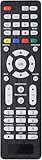
- All-In-One Universal Remote: This universal remote is compatible with a wide range of TV brands, including Samsung, LG, Sony, Sharp, Vizio, Philips, Toshiba, Hitachi, Sanyo, JVC, TCL, Hisense, Vestel, Seiki, Insignia, Magnavox, Haier, Panasonic, and more. It’s the perfect solution for replacing old or damaged remotes.
- Lightweight and Compact Design: Designed for easy handling, this remote is lightweight and compact, making it comfortable to hold. It offers a comprehensive set of functions, ensuring you have everything needed at your fingertips.
- Easy Brand Setup: Setting up your remote is simple! Just press the corresponding brand button for 5 seconds until the LED flashes three times, indicating that the setup is complete. An instruction manual is included for your convenience.
- Durable and High-Quality Construction: Made from high-quality ABS material, this remote is built for longevity and durability. It features a long transmission range, and the soft, easy-to-press buttons make for a smooth user experience.
- Fluorescent Button Visibility: Equipped with fluorescent buttons, this remote provides excellent visibility in dark environments, allowing you to easily operate the remote at night.
Streaming-device compatibility: the details that matter
Apple TV
Apple TV 4K can be controlled by a supported television or receiver remote, a network-based home-control remote, or an IR universal remote. For IR control, open Settings → Remotes and Devices → Learn Remote on Apple TV and teach it the commands from the third-party remote. Apple documents this process in its guide to using other remotes with Apple TV 4K.
An IR universal remote may handle navigation and playback after learning, but it will not automatically provide Siri voice search. HDMI-CEC may also allow the television or receiver remote to control basic Apple TV functions. If voice search is central to your routine, keep the Siri Remote alongside the universal remote.
Quick wins for a faster PC:
Fix the driver behind crashes, sound loss and screen glitchesFind Drivers →Clear out junk files and repair common Windows errorsFree Scan →Roku
Roku distinguishes between simple IR remotes and paired voice remotes. Roku’s simple remote documentation describes the line-of-sight behavior of IR remotes, while its voice-remote requirements explain model-specific compatibility.
A universal remote may control a Roku television’s power, volume, and sometimes its interface while failing to control a Roku Streaming Stick fully. Roku voice remotes add paired communication and voice features that an ordinary IR universal remote does not reproduce. Roku’s current documentation says voice remotes are supported on all Roku devices shipped since 2017, plus some older models, but exact compatibility still varies by model.
Amazon Fire TV
Amazon’s Alexa Voice Remote uses a microphone button for voice commands. A universal remote without a microphone may provide navigation and playback through Bluetooth or another supported method, but it will not fully replace Alexa voice search. Amazon’s Fire TV documentation identifies the microphone button on the Alexa Voice Remote as the voice-command mechanism.
When a product says it works with Fire TV, ask four separate questions: Does it pair over Bluetooth? Does it control navigation? Does it control television or receiver power and volume? Does it provide voice search? The answer is often different for each question.
The Tool Desk
Outbyte PC Repair FREERepair Windows errors before they cause bigger problemsFix Now →Outbyte Driver Updater FREEScan for outdated or missing drivers - takes under a minuteDriver Scan →Google TV and Chromecast with Google TV
Google’s Voice Remote uses Bluetooth and includes a Google Assistant/microphone button. The current Google TV Streamer Voice Remote can control the streamer as well as a TV, soundbar, or receiver. Google describes its functions in the Google TV Voice Remote guide.
A remote such as the SofaBaton U3 may offer Google voice functionality, but that feature depends on Bluetooth pairing and on the target device accepting the relevant Google Assistant behavior. Similarly, U3 Air Mouse works only on Bluetooth devices that accept mouse input. Do not treat either feature as guaranteed merely because the words Google or Air Mouse appear in the specification.
Game consoles, projectors, and AV receivers
Game consoles frequently use Bluetooth or proprietary wireless controllers. A universal remote may operate media playback or power functions without replacing the controller for games or every console menu. Test the exact console model and command set.
Projectors and AV receivers are where hub-based remotes become valuable. Their equipment is often behind the seating position or inside a cabinet, and a Watch Movie activity may need to power several devices, select the receiver input, select the projector input, and wait between commands. X1S and X2 are better suited than a basic IR remote, but you should test the complete startup and shutdown sequence.
Cable and satellite boxes often use IR, but their channel, guide, DVR, and proprietary shortcut buttons vary. Soundbars are usually straightforward for power and volume, although a universal remote must be configured so volume goes to the soundbar or receiver rather than the television.
How to choose: a compatibility-first checklist
Before buying, write down the exact model number of every device you want to control. Then answer these questions:
- What is the exact model? Record the television, streamer, receiver, projector, soundbar, cable box, and any RF accessory model numbers. Brand-level compatibility is not enough.
- What protocol does the original remote use? IR remotes generally need line of sight. Bluetooth remotes pair with the device. RF remotes may use fixed, rolling, encrypted, or proprietary signals.
- Do you need voice search? If yes, keep the platform remote or select a solution with a genuinely compatible microphone. Alexa or Google integration through a speaker is not the same as a microphone in the handset.
- Is equipment hidden? If components are inside a cabinet or behind the sofa, choose a hub-based remote, an IR repeater, or a correctly positioned IR hub.
- Do you need activities? For one television and one soundbar, a basic remote may be enough. For a receiver, projector, streamer, and cable box, look for macros, input configuration, power sequencing, delays, and a way to recover from missed commands.
- Do you need Home Assistant, Matter, or another smart-home platform? Verify whether the integration is official, requires a hub, depends on custom configuration, or comes from a third-party integration.
- Must it work without a phone or internet? Direct handheld remotes are generally easier for daily use. Hub and app systems add setup, account, network, firmware, and possible cloud-service dependencies.
Do not discard the original remotes until every important button, activity, voice function, and recovery procedure has been tested.
How these picks were evaluated
The ranking prioritizes compatibility over the size of a manufacturer’s code database. Our decision framework gives the following weights:
Do these 3 things before closing this tab:
1Clear out junk files and repair common Windows errors2Fix the driver behind crashes, sound loss and screen glitches3Repair Windows errors before they cause bigger problems| Criterion | Weight | What it measures |
|---|---|---|
| Protocol compatibility | 30% | IR, Bluetooth, RF, Wi-Fi/IP, and HDMI-CEC support, with exact device-model verification |
| Daily usability | 20% | Button layout, backlighting, navigation, device switching, and whether the family can use it without an app |
| Activity and macro reliability | 15% | Power sequencing, input switching, volume assignment, delays, and recovery after a missed command |
| Hidden-device and room coverage | 15% | Hub, IR blasters, repeaters, and network control |
| Setup and support | 10% | App quality, code database, learning mode, firmware, and cloud dependence |
| Price and ownership risk | 10% | Purchase price, battery or dock replacement, required accessories, and long-term software support |
This weighting explains why the GE remote can be the best answer for a simple IR system even though it has fewer features than the X2, and why BroadLink is useful for automation but not a substitute for a physical remote.
Remote versus hub: which arrangement do you need?
A direct handheld IR remote sends its signal from the handset to the device. You normally point it at the television or receiver. This is inexpensive and dependable when the equipment is visible.
Also popular on Amazon

- 【Package lncluded】 Pack of 2 remote. Two-pack remote control can solve your home backup remote control needs. Infrared remote no pairing or programming needed. Just Insert 2 Pcs*AAA batteries to get it work(Batteries and manual are not included)
- 【Applicable Type】This infrared replacement remote works with all Samsung Smart TV, LED, LCD, HDTV, 3D, Series TV,Compatible with All Samsung Series TVs. We offer you an authentic details same as we advertised.
- 【Key Features】The universal infrared TV remote features 3 shortcut buttons. It is perfect to replace your old or damaged Samsung TV Remote with the Loutoc remote.
- 【Quick Response】This is the updated infrared remote control for Samsung TVs. An outstanding response between TV and remotes, it will respond quickly in 0.5 seconds, available directly use within 10 meters (32 feet).
- 【After-sale Service】We provide 30 days warranty with no condition return or exchange. If you have any query, please contact us and we will get back to you as soon as possible within 24 hours.
A hub-based remote sends the command to a hub, which emits IR or communicates through Wi-Fi or Bluetooth. The hub is useful when equipment is inside cabinets, spread across the room, behind the seating position, or combined into multi-device activities. X2 and X1S use this arrangement. U3 is primarily a direct handheld remote, with an optional IR repeater for hidden equipment.
The trade-off is additional complexity. A hub needs power, placement, setup, and often a network and mobile app. It introduces another component that can fail and may rely on an account, cloud code database, firmware server, or continuing manufacturer support. BroadLink RM4 Pro takes this approach further: the hub is the product, and the phone or voice assistant is the interface.
Windows Errors? Fix Them Before They Spread
Repair common Windows errors and clear accumulated junk for a smoother, more stable PC - no reinstall needed.Free scan · no reinstallOutdated Drivers Are Slowing You Down
One free scan finds every outdated or missing driver and matches the right update for your exact hardware.Free scan · exact hardware matchSetup guide: make the remote reliable
1. Add devices by exact model
Use the manufacturer, product category, and exact model number rather than accepting the first approximate match. Test power, volume, navigation, input, playback, guide, menu, and any special buttons before creating an activity.
2. Learn missing IR commands
Place the original and replacement remotes facing each other as directed by the product’s learning procedure. Teach only the commands that are missing or incorrect, then test them at normal seating distance. Learning an IR signal will not solve a Bluetooth pairing requirement or protected RF protocol.
3. Pair Bluetooth streamers separately
Put the streamer into its remote-pairing mode, start Bluetooth pairing from the universal remote or its app, and test navigation, playback, power, volume, app shortcuts, and voice behavior separately. A successful pairing does not prove that every command is supported.
4. Create the activity only after individual devices work
Configure the activity’s power commands, input source, primary navigation device, and volume device. Avoid trying to troubleshoot five devices at once. First make each device reliable, then combine them.
What’s actually slowing this PC down?
Pick the symptom - the matching free tool is one click away.
5. Configure input switching and delays
Some equipment has discrete HDMI input commands; other devices cycle through inputs. Use discrete commands when available. Add a startup delay when a receiver or projector needs time before accepting another command. Specify whether a component has separate on and off commands or one toggle button.
The X2 manual specifically documents input-source configuration, startup commands, delays, and power-sequence setup. Those controls are important for any activity-based system, not just the X2.
6. Test from a fully powered-off state
Test each activity several times with all devices off, then test switching from one activity to another. A routine that works only when the devices happen to be in the expected state is not reliable yet.
7. Keep a recovery path
Store the original remotes in an accessible place. If a universal remote cannot provide voice search, a proprietary shortcut, or an unsupported RF command, using two remotes is often better than forcing an unreliable replacement.
Quick wins for a faster PC:
Clear out junk files and repair common Windows errorsFree Scan →Fix the driver behind crashes, sound loss and screen glitchesFind Drivers →Repair Windows errors before they cause bigger problemsFix Now →Common failure modes and fixes
The remote turns on the device but cannot control menus
Power may use IR while the smart interface uses Bluetooth. Other possibilities include an incomplete code profile, the wrong device mode, or HDMI-CEC handling only a subset of commands.
- Test the device in its dedicated mode.
- Remove and add the exact model again.
- Try a neighboring profile from the same manufacturer.
- Learn the missing IR commands from the original remote.
- Pair over Bluetooth if the remote supports the device’s profile.
- Keep the original remote for unsupported voice or proprietary functions.
The activity powers on devices but selects the wrong input
Input names may not match the receiver’s actual input behavior. The device may cycle inputs, require a startup delay, or use separate on and off commands.
- Configure the actual input order.
- Use discrete input commands where available.
- Add a delay after powering on the receiver or display.
- Set separate power-on and power-off commands when the equipment supports them.
- Test from a completely powered-off state.
The equipment is inside a cabinet
A basic IR remote may fail because the signal cannot reach the device. Use the X1S or X2 hub, a supported U3 IR repeater, or a BroadLink hub placed with a clear IR path. Bluetooth can avoid line-of-sight for some devices, but pairing and command-profile support still apply.
An RF device will not learn
Confirm the frequency and determine whether the signal is fixed-code, rolling-code, encrypted, or paired to a particular device. The X2 manual excludes encrypted and rolling-code RF learning. BroadLink’s RM4 Pro supports particular 433-MHz fixed-code use cases, not every RF remote. Modern garage-door openers, security devices, shades, and some cable remotes commonly use protected or rolling systems. In those cases, use the manufacturer’s remote or a purpose-built compatible accessory.
The Tool Desk
Outbyte Driver Updater FREEScan for outdated or missing drivers - takes under a minuteDriver Scan →Outbyte PC Repair FREERepair Windows errors before they cause bigger problemsFix Now →Also popular on Amazon
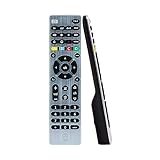
- Multi-device control – Operate up to four audio and video devices such as your TV, Blu-ray player, DVD player, cable or satellite receiver, soundbar, streaming media player or other compatible devices
- Best remote code library – Universal remote works with all major brands and supports thousands of the latest audio and video devices (not for use with radio frequency devices like Roku Streaming Sticks and Amazon Fire TV/Sticks)
- Preprogrammed for Samsung TVs – Universal remote’s TV button is preprogrammed for immediate use with Samsung TVs – simply add two AAA batteries (not included)
- Simple setup – Enjoy easy automatic code search and direct code entry programming, as well as master volume control to adjust the audio no matter which device is being used
- Designer finish and ergonomic design – The universal remote’s silver finish adds an extra touch of elegance to any decor while its ergonomic design fits comfortably in hand
Should you buy a used Logitech Harmony?
Harmony is now a legacy option, not our current recommendation. Logitech’s current Harmony support notice says phone support ended June 1, 2025, while live chat remains. Logitech is not presenting Harmony as an actively sold current product line.
A used Harmony may continue to work for an owner whose configuration is already established. However, buyers face uncertainty around used hardware condition, software and database access, replacement parts, account setup, and future support. Harmony historically had a strong activity model and a useful Help workflow for recovering when one component missed a command, but those historical strengths do not remove the ownership risk of buying discontinued hardware.
For a new purchase, the X2 is the closer modern alternative for complex activities, while the X1S offers a less expensive hub-based route. Neither should be described as a guaranteed full Harmony replacement: their setup, interfaces, recovery behavior, and integrations differ.
App, cloud, and ownership risks
Before buying a smart remote or hub, identify which features work locally after setup and which depend on an app, account, network, or cloud service. Potential dependencies include:
Free tools Windows power users keep installed
One-click scans. No signup required.
- A mobile app for adding devices and configuring activities.
- Account login for device databases or integrations.
- A cloud code database for finding commands.
- Firmware-update servers.
- A 2.4-GHz Wi-Fi network during setup or operation.
- Alexa, Google Assistant, Home Assistant, Matter, or another platform.
Offline operation is not the same as independence from the manufacturer. SwitchBot says its Universal Remote supports offline control after setup, but Matter features require a SwitchBot hub. A hub-based SofaBaton may execute configured commands locally while still requiring the app for changes or firmware. BroadLink is designed around Wi-Fi and app or voice control. Check the current manual and support documentation before assuming a product will remain fully usable if the company changes its servers or account requirements.
Alternatives to buying one universal remote
- Keep the platform voice remote: For Apple TV, Fire TV, Google TV, or Roku, retain the original Siri, Alexa, Google TV, or Roku voice remote if voice search is important. Use the universal remote for television, receiver, volume, and activities.
- Use HDMI-CEC: A simple television-and-streamer setup may need no universal remote beyond the devices’ own remotes if CEC reliably handles power and basic navigation.
- Use a mobile app: Roku, Apple TV, Google TV, and Fire TV apps can provide a temporary or secondary control path, although they are less convenient for a family than a physical remote.
- Use BroadLink or Home Assistant: This suits automation-first homes where lighting, blinds, HVAC, and entertainment should participate in scenes. It is not the simplest solution for ordinary sofa use.
- Choose a professional control system: URC, Control4, Savant, and Josh.ai can be appropriate for an installed, multi-room theater with professional configuration. These are expensive custom-install alternatives, not direct consumer replacements for a $20 universal remote.
Bottom-line buying advice
For the broadest consumer home-theater use, buy the SofaBaton X2—but only after checking your exact models and accepting app-based setup, hub dependency, no built-in microphone, and the current price. For most living rooms, the SofaBaton U3 is the more sensible balance of physical usability, device support, and cost. Buy the GE four-device remote when everything is IR and budget matters. Pick the X1S when you need hub-based activities at a lower price than X2. Pick BroadLink RM4 Pro when the objective is smart-home automation rather than a universal handheld remote.
The most important purchase decision is not the number printed in a compatibility claim. It is whether the remote supports the protocol, exact device model, hidden-equipment arrangement, input behavior, and voice features your room actually uses.
Frequently Asked Questions
What is the best universal remote for most people in 2026?
For most ordinary living rooms, the SofaBaton U3 is the best fit because it provides a physical remote without requiring a separate hub and supports compatible IR, Bluetooth, and selected RF devices. Confirm the exact device models first, especially for streaming sticks and voice functions.
What is the best universal remote for a complex home theater?
The SofaBaton X2 is the strongest consumer choice for a television or projector, AV receiver, streaming box, cable box, sound system, hidden equipment, and activity-based control. It is expensive and requires app-based configuration, and its handheld remote has no built-in microphone.
Can a universal remote replace an Apple TV, Roku, Fire TV, or Google TV remote?
Sometimes, but the answer depends on the exact model and the required features. Navigation and playback may work through IR or Bluetooth, while voice search normally requires the platform’s microphone remote or a compatible voice integration. Roku Streaming Sticks and Fire TV Sticks are particularly important exceptions for inexpensive IR remotes.
Will a universal remote control RF devices?
Only if it supports the device’s particular RF frequency and protocol. RF is not one universal standard. Fixed-code 315- or 433-MHz devices may be learnable by some remotes, while rolling-code, encrypted, paired, garage-door, security, and many modern shade systems generally require their original or purpose-built remote.
Are Logitech Harmony remotes still worth buying used?
They may remain useful for an existing configuration, but they are a legacy purchase with uncertain software, database, replacement, and future-support prospects. Logitech ended Harmony phone support on June 1, 2025, although live chat remains. A new SofaBaton X2 or X1S is a more current starting point for activity-based control.
The Bottom Line
Best overall: SofaBaton X2 for complex, hub-based home theaters. Best for most living rooms: SofaBaton U3. Best budget option: GE 4-Device Rechargeable Backlit Universal Remote for IR-only systems. Best value hub: SofaBaton X1S. Best automation hub: BroadLink RM4 Pro.
Check protocol and exact model compatibility before purchasing, and keep the original voice or proprietary remote until the replacement has passed a full test.

