
iTechGuides is reader-supported. When you buy through links on our site, we may earn an affiliate commission. As an Amazon Associate I earn from qualifying purchases. Learn more
The best TV for seniors in 2026 is usually a 55-inch Roku smart TV with a simple home screen, voice control, captions, clear dialogue, and private headphone listening; the leading candidate is the 2026 Roku 55-inch Select Series 4K QLED Smart RokuTV, model 55R5D5, although vision, hearing, viewing distance, and cable setup can change the choice.
That recommendation is a practical usability judgment, not a claim that one television is best for every older adult. A senior who mainly watches cable may need simpler input switching, while a viewer with hearing loss may benefit more from captions and headphones than from a premium display panel. Selected LG, Samsung, and Fire TV models are credible alternatives when their accessibility controls or household ecosystems fit better.
Key takeaways
- A 55-inch Roku TV is the strongest default for many seniors because it combines a relatively simple home screen with voice control, captions, clear-speech features, and private listening.
- The 2026 Roku 55-inch Select Series 4K QLED Smart RokuTV, model 55R5D5, is the leading researched candidate, but the included remote and headphone features should be confirmed before purchase.
- Roku’s accessibility platform includes a screen reader, caption customization, voice search or control on supported remotes, automatic updates, and Headphone Mode; features can vary by model, software, app, and content.
- Selected LG TVs offer a broader set of built-in accessibility controls, including audio guidance, audio description, dialog enhancement, high contrast, and supported simultaneous TV-speaker and headphone output.
- Selected Samsung TVs support Voice Guide, closed captions, high contrast, and grayscale, while Fire TV models offer VoiceView spoken feedback for screen navigation.
- Captions, headphones, and dialogue enhancement can help more with television comprehension than a more expensive picture panel, but Bluetooth support alone does not prove compatibility with hearing aids.
Which TV is best for seniors in 2026?
The best overall candidate for many older viewers is the Roku 55-inch Select Series 4K QLED Smart RokuTV, model 55R5D5. The 2026 retailer listing identifies a simple Roku interface, an enhanced voice remote, voice control, automatic updates, clear-speech features, and headphone listening. The recommendation is not universal: a viewer who mainly uses cable, needs advanced visual guidance, or has specific hearing-device requirements may be better served by a carefully selected LG, Samsung, or Fire TV model.
The phrase senior-friendly TV is not a standardized technical category. A useful recommendation therefore starts with observable tasks: can the viewer find live TV, switch inputs, launch favorite apps, read captions, understand speech, operate the remote, and recover when something goes wrong?
Why the Roku 55R5D5 leads
The Roku candidate has the combination most likely to help a broad group of older viewers: a 55-inch display, a straightforward Roku home screen, streaming and live-TV access, an enhanced voice remote, voice search or control, clear-speech processing, private headphone listening, and automatic software updates. Roku’s wider accessibility tools add a screen reader and caption customization, although not every capability is identical on every model or remote.
Popular on Amazon

- Breathtaking picture: Sharp 4K brings out rich detail on our 55" flat screen TV, while the QLED screen and HDR10 create bright, accurate colors. Roku Smart Picture cleans up incoming TV signals, optimizes them, and chooses the right picture mode.
- Seamless streaming: With fast Wi-Fi and apps that launch in a snap, Roku Select Series TVs get you to your entertainment quickly. You get excellent picture quality, clear sound, automatic updates, and more. It’s simple to use. Hard to outgrow.
- TV, simplified: With setup that only takes minutes, a simple-to-navigate Home Screen, and an uncluttered remote control that does all you need—Roku makes it easier to watch the TV you love.
- A world of free entertainment: Enjoy a huge selection of free live TV, news, sports, movies, shows, and much more—all just a click away.
- More streaming, less searching: With personalized picks right on your Home Screen, quick access to the sports and entertainment you watch most, and fast and easy search in one place—the days of endless scrolling are over.
Best Buy’s 2026 product listing showed an observed price of $249.99 for the Roku 55-inch Select Series 4K QLED Smart RokuTV, model 55R5D5, during the research access period. The $249.99 figure is a dated retail observation rather than a guaranteed current price; check price, stock, seller, exact model number, included remote, and return policy before publication or purchase.
The Roku 55-inch Select Series 4K QLED TV is best suited to a senior who wants streaming and live-TV access without a heavily layered smart-TV interface. A family member should still configure Wi-Fi, accounts, favorite apps, captions, and inputs before handing the remote to the viewer.
The Tool Desk
Outbyte Driver Updater FREEFix the driver behind crashes, sound loss and screen glitchesFind Drivers →Outbyte PC Repair FREERepair Windows errors before they cause bigger problemsFix Now →How do the leading senior-TV choices compare?
The following comparison separates a specific researched Roku model from platform-level alternatives. LG, Samsung, and Fire TV features apply only to selected models and software versions, so a product page or manual for the exact television must be checked.
| Choice | Interface and remote | Accessibility and hearing support | Best use case | Main caution |
|---|---|---|---|---|
| Roku 55R5D5 | Simple Roku home screen; enhanced voice remote; voice search or control | Clear-speech features and headphone listening on the researched listing; Roku screen reader and caption tools | Best overall candidate for many seniors who mix streaming and live TV | Verify the 2026 model, remote generation, headphone method, price, and stock |
| Roku TV with current accessibility support | Roku interface; supported remotes can provide voice search or control; Roku mobile app can act as a companion remote | Screen reader, caption styling, voice features, and Headphone Mode on supported setups | Viewers who benefit from spoken menus, captions, or private listening | Captions depend on supplied program data, and app controls can override TV settings |
| Selected LG TV | LG smart-TV interface with model- and webOS-dependent menu layout | Audio guidance, audio description, captions, high contrast, dialog enhancement, and supported simultaneous speaker/headphone output | Households that need more granular built-in accessibility controls | Do not assume every LG model supports every listed feature |
| Selected Samsung TV | Samsung smart-TV interface; remote and menu complexity should be tested for the individual viewer | Voice Guide, captions, high contrast, and grayscale | Samsung-device households or viewers comfortable with Samsung’s interface | Voice and visual settings do not automatically make the complete interface simple |
| Fire TV model with VoiceView | Fire TV interface with Alexa-related voice features on supported equipment | VoiceView provides spoken feedback for screen objects and navigation | Alexa-centered households or viewers already familiar with Amazon’s ecosystem | Voice-assistant familiarity is not proof that menus and input switching will be easiest |
Is Roku the easiest smart-TV platform for seniors?
Roku is a strong simplicity default, but Roku is not automatically easiest for every older adult. Roku’s home-screen design, voice features, captions, screen reader, and private-listening options reduce several common barriers, while a person who mainly watches cable may care more about one-button input switching and a familiar cable remote.
Roku describes its screen reader as follows: “The screen reader is a text-to-speech feature that assists customers with navigation of the Roku user interface and onscreen menus.” Roku states that the screen reader is available on Roku TV models currently sold in the United States and Canada. The exact menu behavior and availability of related features can still vary by television model, software version, and application.
Roku also supports voice search or control on supported remotes, Headphone Mode, a Roku mobile-app companion remote, and automatic updates. A caregiver can make Roku easier by placing the most-used apps near the front of the home screen, removing unnecessary sources from the routine, and teaching only the few remote actions the viewer actually needs.
Recommended Free Tools
Which TV platform is best for specific accessibility needs?
The best platform depends on whether the main obstacle is menu navigation, visual legibility, hearing dialogue, or managing a cable box. No researched platform is the best choice for every accessibility need.
Best for captions and spoken menus: supported Roku TVs
Roku is especially compelling when the viewer benefits from a screen reader, captions, voice search, or private listening. Roku’s official accessibility documentation covers navigation assistance, while Roku’s caption documentation explains that captions can be customized on supported content.
Also popular on Amazon

- Breathtaking picture: Sharp 4K brings out rich detail on our 50" flat screen TV, while the QLED screen and HDR10 create bright, accurate colors. Roku Smart Picture cleans up incoming TV signals, optimizes them, and chooses the right picture mode.
- Seamless streaming: With fast Wi-Fi and apps that launch in a snap, Roku Select Series TVs get you to your entertainment quickly. You get excellent picture quality, clear sound, automatic updates, and more. It’s simple to use. Hard to outgrow.
- TV, simplified: With setup that only takes minutes, a simple-to-navigate Home Screen, and an uncluttered remote control that does all you need—Roku makes it easier to watch the TV you love.
- A world of free entertainment: Enjoy a huge selection of free live TV, news, sports, movies, shows, and much more—all just a click away.
- More streaming, less searching: With personalized picks right on your Home Screen, quick access to the sports and entertainment you watch most, and fast and easy search in one place—the days of endless scrolling are over.
Roku states, “Closed captioning helps people who are d/Deaf or hard-of-hearing by displaying text on the television screen to provide transcription of the audio within a movie or TV show.” Captions are not generated for every program automatically: the service, broadcaster, or program must supply caption data, and an individual streaming app may use its own caption control instead of the TV-wide setting. See Roku’s closed-captioning documentation for the platform’s current guidance.
Best for more built-in controls: selected LG TVs
Selected LG televisions may be preferable when the viewer needs a wider range of accessibility settings than a simple remote provides. LG documents audio guidance for menu navigation, audio description for supported programming, closed captions, high contrast, sign-language zoom, dialog enhancement, and simultaneous sound through the internal speakers and headphones on supported models.
LG’s television accessibility and on-screen-menu documentation makes the important qualification clear through its model-dependent support: the exact television and webOS version determine which controls are present and where they appear. LG can be a better fit for advanced accessibility, but the family should test the menus rather than assume that all LG televisions offer the same settings.
Best for Samsung households: selected Samsung TVs
Samsung is a credible alternative for a viewer who already uses Samsung devices or understands Samsung’s interface. Samsung documents Voice Guide, closed captions, high contrast, and grayscale options in its TV accessibility guidance.
Samsung’s accessibility controls can help with spoken navigation and visual contrast, but the remote layout, home screen, advertisements or recommendations, and input-switching process should be evaluated for the particular viewer. A familiar brand may be more valuable than a theoretically simpler platform if the viewer already knows how to use it.
Best for Alexa households: Fire TV with VoiceView
Fire TV can be a reasonable alternative when a household already uses Alexa devices and the viewer is comfortable with Amazon’s ecosystem. Amazon describes VoiceView as follows: “VoiceView: Enable a blind user to interact with objects on the screen via speech output and either touch or keyboard input.” The feature provides spoken feedback for screen objects and navigation.
Quick wins for a faster PC:
Repair Windows errors before they cause bigger problemsFix Now →Scan for outdated or missing drivers - takes under a minuteDriver Scan →Amazon’s Fire TV assistive-technology documentation supports the VoiceView description, but VoiceView should not be confused with a guarantee of simple overall operation. Test the remote, live-TV path, streaming-app navigation, and input switching on the exact Fire TV model.
What features should I look for in a TV for seniors?
Look for a TV that makes the viewer’s most frequent actions obvious: turning the television on, watching live TV, opening one or two favorite services, changing volume, switching inputs, enabling captions, and getting help. Picture specifications matter, but usability, accessibility, audio, remote design, and setup support usually deserve priority.
Also popular on Amazon

- Breathtaking picture: Sharp 4K brings out rich detail on our 65" flat screen TV, while the QLED screen and HDR10 create bright, accurate colors. Roku Smart Picture cleans up incoming TV signals, optimizes them, and chooses the right picture mode.
- Seamless streaming: With fast Wi-Fi and apps that launch in a snap, Roku Select Series TVs get you to your entertainment quickly. You get excellent picture quality, clear sound, automatic updates, and more. It’s simple to use. Hard to outgrow.
- TV, simplified: With setup that only takes minutes, a simple-to-navigate Home Screen, and an uncluttered remote control that does all you need—Roku makes it easier to watch the TV you love.
- A world of free entertainment: Enjoy a huge selection of free live TV, news, sports, movies, shows, and much more—all just a click away.
- More streaming, less searching: With personalized picks right on your Home Screen, quick access to the sports and entertainment you watch most, and fast and easy search in one place—the days of endless scrolling are over.
Remote simplicity
A senior-oriented remote should have clearly separated volume, channel, power, home, back, and input controls. Large, tactile, well-spaced buttons are generally easier to identify than a crowded flat surface. A voice button can reduce typing, but it should not be the only workable way to operate the TV.
Check the exact remote included with the television. Voice control, shortcut buttons, Bluetooth capability, headphone functions, and lost-remote-finder features are not identical across every Roku model or remote generation. A compatible Roku replacement voice remote can help when the original remote is lost or its small buttons are difficult to use, but compatibility must be checked against the exact TV model and remote type.
Menu simplicity and input switching
A simple home screen helps only if the viewer can reach the desired content without passing through several confusing layers. During setup, identify the path to live TV, favorite streaming services, HDMI inputs, captions, accessibility settings, and network recovery.
Cable and satellite users need special attention. The cable or satellite box may be the device that controls channels, captions, audio description, and the program guide. A television with a simple menu can still feel difficult if the viewer must use one remote for the TV and another remote for the set-top box. Test the complete chain, not just the television’s home screen.
Screen size and viewing distance
A 55-inch screen is a practical default for many living rooms, not a medical rule or universal senior preference. A larger display can improve legibility, but the correct size depends on viewing distance, eyesight, furniture, room layout, and budget. Best Buy’s senior-TV buying guidance emphasizes larger screens and easy-to-read controls, but no authoritative senior-specific evidence establishes one universally preferred screen size.
Measure the seating distance before buying. Place the TV where the viewer can see captions without leaning forward, avoid strong window reflections, and use a stable stand or wall mount at a comfortable height. A larger screen does not solve poor contrast, tiny captions, glare, or a viewing position that is too far away.
Do these 3 things before closing this tab:
1Clear out junk files and repair common Windows errors2Scan for outdated or missing drivers - takes under a minute3Repair Windows errors before they cause bigger problemsVision accessibility
Prioritize readable menus, adequate contrast, caption customization, screen-reader or audio-guidance support where needed, and a display that fits the room. Roku documents a screen reader and caption customization; LG documents audio guidance, high contrast, and sign-language zoom on supported models; Samsung documents Voice Guide, high contrast, captions, and grayscale.
Test the television with the actual viewer in the actual room. Ask the viewer to find the home screen, read a caption, identify the selected menu item, and return to live TV. A specification sheet cannot show whether the font, contrast, remote labels, and screen reflections work for one person’s eyesight.
Hearing support and dialogue clarity
For hearing difficulty, prioritize understandable dialogue, captions, dialogue enhancement, and private listening before paying more for HDR or a higher refresh rate. Louder audio is not necessarily clearer audio; dialogue enhancement or headphones may be more useful than simply increasing the volume.
Also popular on Amazon

- Breathtaking picture: Mini-LED backlighting brings out the rich detail on this 55" flat screen 4K TV, while the QLED screen and Dolby Vision technology create striking color and vivid highlights.
- TV, simplified: With setup that only takes minutes, a simple-to-navigate Home Screen, and an uncluttered remote control that does all you need—Roku makes it easier to watch the TV you love.
- A world of free entertainment: Enjoy a huge selection of free live TV, news, sports, movies, shows, and much more—all just a click away.
- More streaming, less searching: With personalized picks right on your Home Screen, quick access to the sports and entertainment you watch most, and fast and easy search in one place—the days of endless scrolling are over.
- Play before you press play: Experience TV’s biggest moments, find special collections across your favorite genres and interests, or add friendly competition to movie nights with interactive games. With Roku, TV is a lot more fun.
The researched Roku listing advertises clear-speech features and headphone listening. Roku’s platform documentation covers captions and Headphone Mode. LG documents dialog enhancement and simultaneous TV-speaker and headphone output on supported models. A wireless TV headphone or compatible Bluetooth headphone can support private listening, but the exact television’s connection method and the headphone or hearing device’s protocol must be verified.
Free tools Windows power users keep installed
One-click scans. No signup required.
Bluetooth support alone does not establish hearing-aid compatibility. Hearing aids may require a particular Bluetooth profile, a manufacturer accessory, a transmitter, or a television specifically documented to support that device. Confirm whether the TV can send audio to headphones while keeping its speakers active if other household members also need to hear the program.
Content source and streaming services
Choose based on how the viewer watches television rather than on the number of advertised apps. A streaming-first viewer may value a simple home screen, voice search, captions, and quick access to favorite services. An antenna or cable viewer may value reliable live-TV access, a clear input label, and a remote that does not require navigating the smart-TV interface for every channel change.
Streaming-app availability can change by region, platform, service agreement, and software version. Confirm that the viewer’s specific services are available on the exact TV, and remember that a smart TV still needs an internet connection for streaming.
Which features matter most for each type of viewer?
| Viewer situation | Prioritize | Best researched direction | Do not assume |
|---|---|---|---|
| Wants simple streaming and live TV | Simple home screen, favorite-app access, voice remote, clear input path | Roku 55R5D5 or another Roku TV whose exact remote is suitable | Every Roku remote has the same buttons or headphone functions |
| Has difficulty understanding dialogue | Clear speech, dialogue enhancement, captions, and private headphones | Roku with documented clear-speech and headphone features, or selected LG with dialog enhancement | A louder TV or Bluetooth label alone guarantees clearer speech or hearing-aid support |
| Needs spoken menu feedback | Screen reader or audio guidance, voice control, and a caregiver-configured interface | Supported Roku screen reader, selected LG audio guidance, Samsung Voice Guide, or Fire TV VoiceView | Accessibility features are identical across all models, apps, or software versions |
| Has limited vision but can hear menus | Large enough screen, contrast, caption styling, audio guidance, and low glare | Selected LG or Samsung for broader documented visual controls; Roku for simpler routine navigation | A larger screen fixes glare, low contrast, or unreadable captions |
| Mostly watches cable or satellite | Simple input selection, familiar cable remote, labeled HDMI connection, and caregiver setup | The platform that makes the cable box easiest for that household; Roku is not automatically best | The TV controls channels, captions, or audio when the set-top box controls them |
How should a family member set up the TV?
A family member can prevent many support calls by completing the first setup and documenting the few actions the viewer needs. The exact menu path varies by brand, model, and software version, so use the television’s own Settings labels rather than assuming that instructions for another model will match.
Windows Errors? Fix Them Before They Spread
Repair common Windows errors and clear accumulated junk for a smoother, more stable PC - no reinstall needed.Free scan · no reinstallOutdated Drivers Are Slowing You Down
One free scan finds every outdated or missing driver and matches the right update for your exact hardware.Free scan · exact hardware match- Confirm the physical setup. Check the viewing distance, screen height, glare, power connection, antenna or cable connection, and HDMI input used by any set-top box.
- Complete network and account setup. Connect Wi-Fi, install required updates, sign in to only the services the viewer uses, and record account-recovery information somewhere secure.
- Configure the home screen. Put the most-used streaming services and live-TV option where the viewer can find them quickly. Remove or ignore unnecessary apps and inputs where the platform permits.
- Configure accessibility. Turn on captions if needed, test caption size and contrast, enable a screen reader or audio guidance when appropriate, and test clear-speech or dialog-enhancement options.
- Test private listening. Pair or connect the intended headphones only after confirming the exact TV’s supported connection method. Test whether the TV speakers remain active when headphones are connected.
- Label the routine. Use large-print labels for the cable-box remote, TV remote, and important HDMI input if the household uses multiple devices. Keep a short instruction card with power, volume, channel, home, back, and input actions.
- Practice recovery. Show how to return to the home screen, exit an app, restore sound, change inputs, and find the remote. Do not assume voice control will work when the TV is offline, the microphone is muted, or the viewer’s wording is misunderstood.
Roku’s Roku TV support documentation also identifies the Roku mobile app as a companion-remote option. A phone-based remote can be useful as a backup for a caregiver, but it should not replace a physical remote that the viewer can operate independently.
Independent reader supportYour contribution helps us test, update, and keep practical guides available for everyone.What can go wrong after installation?
| Problem | Likely reason | Practical response |
|---|---|---|
| Captions appear in one app but not another | The app or program provider controls caption data or settings | Check the app’s own caption menu, then verify that the program actually supplies captions; Roku documents this limitation in its caption guidance |
| Headphones produce no sound | The TV, remote, headphones, or connection method is incompatible or paired incorrectly | Confirm the exact model’s supported Headphone Mode, Bluetooth, or wired connection and test with another compatible device |
| The viewer cannot find cable channels | The TV is on the wrong HDMI input or the set-top box remote controls channels | Label the correct input and teach the viewer which remote changes channels |
| Voice control does not respond | The remote may not support voice control, the microphone may be unavailable, or the network may be disconnected | Check the included remote and network, then provide a button-based fallback |
| The menu is difficult despite accessibility features | Too many apps, inputs, recommendations, or unfamiliar remote buttons remain visible | Simplify the home screen and routine, and test the exact sequence with the viewer rather than relying on the specification list |
How much does the recommended senior TV cost?
According to Best Buy’s 2026 product listing accessed during research, the Roku 55-inch Select Series 4K QLED Smart RokuTV model 55R5D5 had an observed retail price of $249.99. The observation is useful for judging the model’s value, but retail price, stock, seller, included remote, and availability are volatile and must be rechecked at publication and before purchase.
The dossier does not establish comparable current prices for the LG, Samsung, or Fire TV alternatives. Do not treat the Roku observation as a permanent sale price, and do not compare it with an unverified price for another model. Longevity also depends on software support, warranty, hardware condition, and whether the viewer’s required streaming services continue to support the platform.
Also popular on Amazon
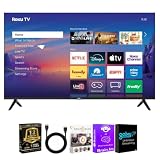
- CHOOSE YOUR SCREEN SIZE – Available in 55-inch and 75-inch Roku Select Series 4K QLED Smart TVs. Every bundle includes a premium HDMI cable, streaming bundle, and a 12-Month CPS Protection Plan.
- 4K QLED PICTURE QUALITY – Quantum Dot QLED technology and 4K Ultra HD resolution deliver brilliant color, sharp detail, excellent contrast, and lifelike images for movies, sports, gaming, and everyday entertainment.
- ROKU SMART TV EXPERIENCE – Roku OS provides quick access to Netflix, Disney+, Prime Video, YouTube, Hulu, Apple TV, Max, Peacock, Paramount+, and thousands of additional streaming channels through an intuitive interface.
- HDR ENTERTAINMENT – Enjoy compatible Dolby Vision, HDR10+, HDR10, and HLG content with enhanced brightness, richer colors, and greater contrast for a more immersive viewing experience.
- RESPONSIVE GAMING FEATURES – Auto Low Latency Mode (ALLM), Variable Refresh Rate (VRR), and Game Mode deliver smoother, more responsive gameplay with compatible gaming consoles.
Senior-TV buying checklist
- Identify whether the viewer mainly uses streaming apps, an antenna, cable, satellite, or a mixture.
- Measure the seating distance and choose a screen large enough for comfortable captions without overwhelming the room.
- Inspect the actual remote for button spacing, tactile differences, voice-button placement, shortcut buttons, and input controls.
- Confirm the exact model’s captions, screen-reader or audio-guidance, high-contrast, audio-description, and dialogue-enhancement options.
- Confirm the exact headphone connection method; do not infer hearing-aid compatibility from Bluetooth support alone.
- Check whether captions and audio settings are controlled by the TV, the streaming app, the cable box, or the broadcaster.
- Verify the viewer’s required streaming services, account requirements, software support, warranty, current price, and stock.
- Arrange setup help so Wi-Fi, accounts, favorite apps, inputs, captions, audio, and a backup remote are ready on day one.
For a broad audience, start with the Roku 55R5D5 candidate and compare the actual remote and accessibility requirements before buying. Choose selected LG when more built-in controls are important, selected Samsung when the household benefits from Samsung familiarity and visual-accessibility settings, and Fire TV when VoiceView and an Alexa-centered setup fit the viewer. The correct TV is the one the individual can operate confidently, not necessarily the one with the most advanced picture specification.
What’s actually slowing this PC down?
Pick the symptom - the matching free tool is one click away.
Frequently Asked Questions
What features should I look for in a TV for seniors?
Look for a simple home screen, clearly separated remote buttons, easy input switching, captions, voice control or spoken menus where useful, clear dialogue, private headphone listening, and a setup process a family member can complete. Screen size should match the viewer’s eyesight, room distance, furniture, and budget rather than follow a universal rule.
Are there TVs with voice command options suitable for seniors?
Yes. Supported Roku remotes offer voice search or control, and Roku TVs include accessibility tools such as a screen reader. Selected LG, Samsung, and Fire TV models also provide audio guidance, Voice Guide, or VoiceView, but the exact feature set depends on the model and software version.
Can I connect hearing aids or soundbars to these TVs?
A TV can connect to headphones or a soundbar when the exact model supports the required connection method, but Bluetooth support alone does not prove hearing-aid compatibility. Check whether the TV supports the headphone or hearing-device protocol and whether the TV speakers can remain active for other listeners.
Are there TVs with larger buttons or universal remotes for easier use?
The TV itself may not have larger buttons, but a compatible replacement or universal remote can provide a simpler layout. Compatibility must be checked against the exact television, and a cable or satellite box may still require its own remote.
What is the best TV for a senior who mostly watches cable?
For a senior who mainly watches cable, choose the TV and remote combination that makes the correct HDMI input and cable-box controls easiest to understand. The television platform matters less than whether the viewer can reliably switch inputs, change channels, adjust volume, and recover from an accidental menu change.
The Bottom Line
Bottom line: The 2026 Roku 55-inch Select Series 4K QLED Smart RokuTV, model 55R5D5, is the best overall candidate for many seniors because its simple Roku interface, voice remote, captions, clear-speech features, and private-listening options address everyday usability. Confirm the exact remote, audio connection, current price, and the viewer’s cable, vision, and hearing needs before choosing it over a selected LG, Samsung, or Fire TV model.

