
The Tool Desk
Outbyte Driver Updater FREEFix the driver behind crashes, sound loss and screen glitchesFind Drivers →Outbyte PC Repair FREERepair Windows errors before they cause bigger problemsFix Now →iTechGuides is reader-supported. When you buy through links on our site, we may earn an affiliate commission. As an Amazon Associate I earn from qualifying purchases. Learn more
Hubitat Elevation C-8 Pro is the clearest subscription-free choice when you want one box with built-in Zigbee and Z-Wave radios, local automations, and support for newer Matter and Thread devices. Choose Home Assistant Green if you prefer an open, highly configurable platform and do not mind adding radio adapters. Choose the Aeotec Smart Home Hub only after confirming that the exact listing is the Z-Wave-capable model used in your region.
Quick comparison
These three products can run a smart home without a mandatory monthly software fee, but they are not equivalent. The key distinction is whether the radios you need are inside the hub or must be added as USB or network accessories.
| Hub | Built-in protocol coverage | What you may still need | Best fit | Price snapshot |
|---|---|---|---|---|
| Hubitat Elevation C-8 Pro | Zigbee, US-frequency Z-Wave, Matter 1.5, Thread, Z-Wave Long Range and Bluetooth, according to Hubitat’s product information | Verify the regional Z-Wave frequency; optional services cover backups, remote administration or extended warranty | Mixed Zigbee/Z-Wave households wanting local processing in one appliance | $194.95 on Amazon when checked October 16, 2026; price and stock are volatile (AEMind) |
| Home Assistant Green | Home Assistant software runs locally, but Green does not provide every radio in the base appliance | Connect ZBT-2 for Zigbee, Thread and Matter; a separate compatible Z-Wave USB stick or controller for Z-Wave | People who want an open platform, deep integrations and full control over hardware choices | $219.00 on Amazon when checked October 16, 2026; price and stock are volatile (AEMind) |
| Aeotec Smart Home Hub | Aeotec documents Zigbee, Z-Wave, Matter, Thread and Wi-Fi for the cited model | Confirm the exact model, Z-Wave radio and regional compatibility before purchase | Existing SmartThings users who want the SmartThings ecosystem and verified Z-Wave hardware | $159.99 on Amazon when checked October 16, 2026; price and stock are volatile (AEMind) |
A price shown here is a dated snapshot, not a guaranteed current price, sale, or long-term ownership cost. Check the retailer listing and model number immediately before ordering.
What “subscription-free” means in practice
A subscription-free hub lets the core controller and local automations continue without a required recurring payment. It does not mean that every feature is free forever. Remote access through a vendor cloud, encrypted off-site backups, voice-assistant services, extended warranties and some premium integrations can remain optional paid services.
Popular on Amazon

- Echo Hub — An easy-to-use smart home control panel redesigned for your home. Arrange controls on your dashboard to quickly adjust devices, view cameras, start routines, and more.
- Customize your dashboard — Arrange smart home devices into sections and resize them to focus on what matters most. Create a personalized layout that matches how your family uses their connected devices.
- Reimagined for your home - With an Alexa+ and compatible Ring subscription (sold separately), get Ring camera event summaries to stay in the know. Search your Ring footage using simple voice commands. Create routines by voice, activate modes to manage multiple devices at once, and chat with Alexa to easily control your smart home.
- Home security for the whole family — Use Echo Hub to easily arm and disarm your compatible security system, making it easy for everyone in your family to manage home security. Use the Alexa app and compatible cameras, locks, alarms, and sensors to check in while you're out.
- Works with thousands of Alexa compatible devices — WiFi, Bluetooth, Zigbee, Matter, Sidewalk, and Thread devices sync seamlessly with the built-in smart home hub.
Home Assistant is unusually explicit: its official FAQ says, “The full software is free, forever.” Home Assistant Cloud is optional, so a Green installation can stay local without that service. Hubitat likewise describes local protocol support while noting that optional subscriptions can add an extended warranty, secure cloud backups or remote administrative access (Hubitat Hubs). Plan your purchase around the no-subscription feature set, not around an optional cloud bundle.
1. Hubitat Elevation C-8 Pro: best single-box fit for Zigbee and Z-Wave
The C-8 Pro is the most straightforward answer to “Which hub supports Matter, Zigbee and Z-Wave?” when you want those radios integrated rather than assembled from accessories. Hubitat lists an internal Zigbee radio and a US-frequency Z-Wave radio, alongside Thread, Matter 1.5, Z-Wave Long Range and Bluetooth capabilities (Hubitat Products).
Why it leads this category
- One appliance for the two legacy mesh networks: Zigbee and Z-Wave devices can be paired directly, avoiding separate USB coordinators.
- Local automation: Rules execute on the hub, so lighting, sensors and other routines can continue when the internet is unavailable, provided the devices and hub remain powered.
- Newer protocol path: Matter 1.5 and Thread support give you a route to newer devices without abandoning existing Zigbee or Z-Wave equipment.
- Optional cloud rather than mandatory billing: Hubitat identifies backups, remote administration and extended warranty as optional subscription services, not prerequisites for local operation.
Important regional limitation
Z-Wave uses regional radio frequencies. The cited product information specifies a US-frequency radio; that does not make the same hardware suitable for every country. Before buying, match the hub’s regional SKU to the frequency used by your local Z-Wave devices. A device imported from another region can fail to pair even when the product name appears identical.
Free tools Windows power users keep installed
One-click scans. No signup required.
Who should buy it
Choose the C-8 Pro when you are starting or migrating a mixed network and want the least hardware assembly. It is particularly practical for households with existing Z-Wave locks, thermostats or sensors plus Zigbee bulbs and buttons. It is less attractive if your priority is unlimited software customization or if you already own a computer and several radio adapters for Home Assistant.
2. Home Assistant Green: best open platform, with adapters planned up front
Home Assistant Green is an official appliance for running Home Assistant locally. The software itself has no subscription requirement, and the project’s free-forever policy is documented in its FAQ (Home Assistant FAQ).
What Green includes—and what it does not
Green is the computing appliance, not an all-protocol radio box. Home Assistant’s hardware guidance recommends adding Connect ZBT-2 for Zigbee, Thread and Matter. Z-Wave requires a separate compatible USB stick or another controller accessory. The result can cover all three protocols, but the final system is a Green appliance plus the specific radios you select.
Also popular on Amazon
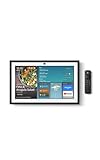
- MEET ECHO SHOW 15 - A stunning 15.6" Full-HD (1080p) smart display that's perfect for your kitchen and ready to show you more. Use customizable widgets to keep your day on track, manage other Alexca devices, watch your favorite shows with Fire TV and powerful vibrant sound, and enjoy natural video calling, with 3.3x zoom and wide field of view.
- YOUR FAMILY HUB - See your top widgets at a glance, like your family’s digital calendar and to-do lists, local weather, smart home, and more.
- THE PERFECT KITCHEN TV - Built-in Fire TV unlocks endless entertainment, so you can enjoy your favorite content from thousands of apps like Prime Video, Netflix, YouTube, Apple TV, and more (subscription may be required). Fire TV remote included.
- BUILT-IN SMART HOME HUB - Set up and control smart home devices with your voice or a few taps using the smart home dashboard. Easily turn on all your living room lights at once or check live camera feeds to see what's happening around your home.
- YOUR FAVORITE MEMORIES ON DISPLAY - Brighten your space (and your day) by turning your home screen into a photo slideshow that displays your favorite memories. Auto curate your images and show off your favorite family memories.
| Need | Home Assistant Green arrangement |
|---|---|
| Zigbee | Add Connect ZBT-2 or another supported Zigbee coordinator. |
| Thread | Use Connect ZBT-2 as the Thread radio, following Home Assistant’s current hardware guidance. |
| Matter | Matter controller capability depends on the supported radio and network configuration; Connect ZBT-2 is the recommended accessory for Green. |
| Z-Wave | Add a separate compatible Z-Wave USB adapter or controller. Green does not make Z-Wave available by itself. |
Why choose it
- Maximum flexibility: Home Assistant supports a broad integration model and lets you choose coordinators, device brands and automation logic.
- No required cloud account for core use: Local dashboards, automations and integrations can run on your own hardware.
- Expandable radio strategy: You can start with one protocol and add another later instead of replacing the hub.
Trade-offs
Green is not the quickest route to a three-protocol network. You must select compatible adapters, place them to avoid USB interference, and maintain the software and radio integrations. If your goal is simply to pair Zigbee and Z-Wave devices with minimal configuration, the C-8 Pro’s integrated radios are simpler.
Quick wins for a faster PC:
Fix the driver behind crashes, sound loss and screen glitchesFind Drivers →Clear out junk files and repair common Windows errorsFree Scan →Scan for outdated or missing drivers - takes under a minuteDriver Scan →Do you need a Zigbee or Z-Wave dongle?
For Zigbee, Thread and Matter, Home Assistant’s current Green guidance points to Connect ZBT-2. For Z-Wave, yes: you need a separate compatible adapter or controller. That answer is independent of whether you pay for Home Assistant Cloud; the subscription does not add a missing Z-Wave radio to Green.
3. Aeotec Smart Home Hub: a conditional SmartThings choice
Aeotec’s documentation for the cited Smart Home Hub lists Zigbee, Z-Wave, Matter, Thread and Wi-Fi support (Aeotec Smart Home Hub; technical specifications). That combination makes it relevant to readers who already use the SmartThings ecosystem and want a compact hub with both legacy mesh radios.
Verify the model before paying
SmartThings hardware names and availability have changed, and not every current-looking listing is interchangeable. Confirm all of the following in the seller’s specification sheet:
- The exact Aeotec model number, not merely “SmartThings-compatible.”
- That the unit includes a Z-Wave radio; some similarly named or newer devices may not.
- The Z-Wave frequency for your country and the certification of your existing devices.
- Whether the listing is new, refurbished or an imported regional version.
This verification is more important here than the headline feature list. A hub that lacks the required regional Z-Wave radio cannot be fixed with a software update.
When it makes sense
Pick Aeotec when your household already depends on SmartThings automations, device integrations or scenes and you want continuity. If you are building a platform-neutral system from scratch, Hubitat offers a clearer documented local mixed-radio path, while Home Assistant offers greater architectural freedom.
Also popular on Amazon
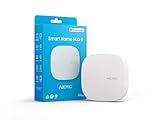
- Powered by SmartThings: Connect, monitor, and automate your home through the SmartThings app. Build a reliable, unified smart home using Samsung's proven ecosystem
- Matter + Zigbee Smart Home Hub: Supports the newest Matter standard plus Zigbee for lighting, sensors, plugs, switches, thermostats, and more - thousands of compatible devices. PLEASE NOTE: Z-Wave not supported
- Easy Setup with Wi-Fi or Ethernet: Get started in minutes using Wi-Fi or a wired Ethernet connection for apartments, houses, and expanding smart home systems - Z-Wave not supported
- Automations That Work for You: Create custom routines for security, lighting, comfort, and energy savings. Many local automations continue working even if your internet goes offline
- Wide Device Compatibility: Connect compatible smart devices from Aeotec and many other brands to build a unified system for lighting, voice control, energy management, and climate settings
Built-in radios versus adapters
The radio decision affects reliability, cost and setup effort more than the advertised protocol count. Integrated radios reduce cables and coordinator configuration. Adapter-based systems let you replace one radio without replacing the computer, but each adapter introduces another compatibility and placement decision.
| Approach | Advantages | Costs and risks |
|---|---|---|
| Integrated radios (Hubitat C-8 Pro or cited Aeotec hub) | Fewer components, one enclosure, simpler pairing and power management | Regional SKU matters; replacing or upgrading one radio may mean replacing the hub |
| Home Assistant Green plus adapters | Choose each coordinator independently, add protocols over time, and keep the computing appliance separate | Extra hardware cost, USB placement concerns, compatibility checks and more maintenance |
Matter and Thread: avoid a common misunderstanding
Matter is the application standard that lets compatible devices interoperate across ecosystems. Thread is a low-power mesh network that many Matter devices use; it is not the same thing as Matter. A Matter controller and a Thread border-router function may both be needed, depending on the device and network design.
Hubitat lists Matter 1.5 and Thread for the C-8 Pro. Home Assistant recommends Connect ZBT-2 for Thread and Matter on Green. Aeotec documents both protocols for the cited Smart Home Hub. In every case, check the device’s commissioning method and whether your chosen hub is acting as the Matter controller, Thread border router, or both. A “Matter” label alone does not guarantee that a hub can provide every underlying network service.
Do these 3 things before closing this tab:
1Scan for outdated or missing drivers - takes under a minute2Repair Windows errors before they cause bigger problems3Fix the driver behind crashes, sound loss and screen glitchesHow local control behaves during an internet outage
Local control means the automation engine is on the hub or your local Home Assistant server rather than solely in a vendor cloud. With a powered hub, local network and radio links, basic rules such as motion-triggered lights can continue during an internet outage. Cloud-dependent actions—remote access from outside the home, cloud voice processing, weather data or integrations hosted elsewhere—will not necessarily work.
Prepare before the outage
- Pair critical locks, lights and sensors while the hub is online and confirm that their automations run without opening a vendor app.
- Give the hub a stable wired network connection where the product guidance supports it, and connect it to a UPS if an outage is likely to interrupt power.
- Document local fallback controls: physical switches, keypad codes and manual thermostat operation.
- Test by disconnecting the internet while leaving local power and Wi-Fi or Ethernet running. Trigger representative sensors and confirm the expected local action.
This test distinguishes genuinely local automations from routines that only appear local while the cloud is reachable.
Setup checklists for a subscription-free installation
Hubitat Elevation C-8 Pro
- Confirm the regional Z-Wave frequency and buy the matching C-8 Pro listing.
- Connect the hub to your network and update its firmware before pairing a large number of devices.
- Pair Zigbee devices first, then include Z-Wave devices within reliable radio range; mains-powered devices can help build their respective meshes.
- Add Matter or Thread devices only after checking their commissioning requirements and the hub’s current support.
- Create one simple local rule, such as a motion sensor turning on a light, and test it with the internet disconnected.
- Decide separately whether optional remote administration, backups or extended warranty justify a subscription.
Home Assistant Green
- Install Green and complete the local Home Assistant setup.
- Add Connect ZBT-2 when you need Zigbee, Thread or Matter; position it away from noisy USB 3 hardware and large metal enclosures.
- Attach a supported Z-Wave adapter if Z-Wave devices are part of the plan. Green alone cannot provide that radio.
- Set up each coordinator and give it a clear channel and stable USB connection before pairing devices.
- Build automations locally and verify that dashboards and rules work without Home Assistant Cloud.
- Back up your configuration to storage you control; optional cloud backup is a convenience, not a prerequisite for local control.
Aeotec Smart Home Hub
- Verify the exact model and regional Z-Wave frequency before opening the package.
- Check that the SmartThings account and app version support the hub you purchased.
- Pair one Zigbee and one Z-Wave device first to confirm that both radios are present and operating.
- Update the hub, then migrate or add the rest of the network in small groups.
- Test a local automation and a cloud-dependent feature separately so you know what remains available offline.
Costs beyond the sticker price
The dated prices below are the only concrete market figures available for these models. They were checked on Amazon on October 16, 2026 by AEMind and can change with stock, seller, region and promotions.
Also popular on Amazon
- More viewing area: The 11“ smart display features a vibrant Full-HD touchscreen, built-in smart home hub, AZ3 Pro chip for powerful performance, and Omnisense technology for highly personalized experiences.
- Content looks and sounds incredible: Watch shows on Prime Video, Netflix, and more on the vibrant screen and enjoy room-filling spatial audio, crisp vocals, and wide sound stage. With Alexa+, find the name of that song you love and discover new shows based on your preferences.
- Your everyday home assistant: The 11" display makes it easy to see recipes and your digital calendar and clock at a glance, find meal inspo, and manage your shopping lists. With Alexa+, set kitchen timers, find recipes based on foods you love, make reservations, order groceries, and more.
- Simple Smart Home control: Pair and control thousands of smart home devices that work with Alexa without needing a separate smart home hub. Easily view your camera feeds. Manage lights, thermostats, and more using the display or your voice. With Omnisense technology, you can activate routines via temperature, presence, or visual ID detection.
- Crystal-clear video calls: Video calls feel natural on the vibrant 11" screen with a centered, auto-framing camera, 3.3x zoom, and noise reduction technology. Use live view to check in on your family, pets, and more while you're away.
| System | One-time hardware snapshot | Additional hardware for all three protocols | Recurring-cost boundary |
|---|---|---|---|
| Hubitat C-8 Pro | $194.95 | Not necessarily required for the cited Zigbee, Z-Wave, Matter and Thread capabilities; verify regional hardware | Core local use does not require a subscription; optional services include backups, remote administration and extended warranty |
| Home Assistant Green | $219.00 | Connect ZBT-2 for Zigbee/Thread/Matter and a separate Z-Wave adapter | Software is free forever; Home Assistant Cloud is optional |
| Aeotec Smart Home Hub | $159.99 | Not stated for the cited model, but exact model and regional radio must be verified | Check current SmartThings service terms for any cloud features you plan to use |
For Green, the total system cost is the appliance plus the adapters, not the appliance price alone. For any hub, include the cost of a UPS, replacement batteries and compatible devices if uninterrupted operation matters.
Which hub should you choose?
Choose Hubitat when…
- You want Zigbee and Z-Wave radios inside one box.
- Local automations during an internet outage are a priority.
- You accept checking the US-frequency or other regional Z-Wave SKU before purchase.
- You want Matter, Thread and Z-Wave Long Range listed alongside the legacy radios.
Choose Home Assistant Green when…
- You value an open, highly configurable platform more than a one-box installation.
- You are comfortable adding and maintaining radio adapters.
- You want the core software free forever and do not need a paid cloud service.
- You expect to combine many integrations or change coordinators over time.
Choose Aeotec when…
- Your existing home is already organized around SmartThings.
- You have verified the exact Aeotec model, Z-Wave radio and regional frequency.
- You prefer an integrated Zigbee/Z-Wave hub over assembling Home Assistant adapters.
Troubleshooting and buying pitfalls
A Z-Wave device will not pair
First check regional frequency and model identity. A US-frequency hub cannot be assumed compatible with an EU- or other-region device. Move the device close enough for initial inclusion, exclude it from any previous controller, and retry inclusion after confirming the hub firmware is current.
Matter pairing fails even though the hub says “Matter”
Confirm that the hub has the required Thread or local-network capability for that device, that the phone used for commissioning is on the same network, and that the device has not already been commissioned to another fabric. Matter support is not a guarantee that every Matter transport or device type is supported identically.
Home Assistant sees Green but no Zigbee or Z-Wave devices
Green is the computer, not an automatic Zigbee/Z-Wave coordinator. Add Connect ZBT-2 for the Zigbee/Thread/Matter roles and a separate compatible Z-Wave controller. Check that the adapter is detected, connected directly or through a suitable extension, and assigned to the intended integration.
Automations stop when the internet is unplugged
Separate local device control from cloud integrations. Test the automation with the hub powered and the local network intact but internet disconnected. Replace cloud-only triggers with local sensors or schedules when offline operation is essential.
What’s actually slowing this PC down?
Pick the symptom - the matching free tool is one click away.
The listing appears to be the right hub but has a different name
Do not rely on photographs or a generic “Smart Home Hub” title. Compare the model number, radio list, regional certification and seller details with the manufacturer’s documentation. This is especially important for Aeotec and SmartThings-related listings, where hardware generations and availability vary.
Bottom line
For a subscription-free system that combines Zigbee and Z-Wave without extra radio hardware, buy the region-correct Hubitat Elevation C-8 Pro. For maximum openness and long-term customization, Home Assistant Green is the stronger foundation, but budget for Connect ZBT-2 and a separate Z-Wave controller. Aeotec Smart Home Hub is sensible mainly for SmartThings households that verify the exact Z-Wave-capable model before purchase.

