
iTechGuides is reader-supported. When you buy through links on our site, we may earn an affiliate commission. As an Amazon Associate I earn from qualifying purchases. Learn more
For the clearest documented support horizon, choose an eero Pro 6E or eero 6+. eero lists guaranteed software-security updates for both models through August 31, 2031. If you prefer a Wi-Fi 7 single-router design, the ASUS RT-BE58U has a published UK PSTI security-support date of December 31, 2028. NETGEAR’s lifecycle policy is valuable for avoiding unsupported hardware: after a product reaches End of Service, it receives no firmware, maintenance, or security updates.
Security is not determined by a Wi-Fi 6 or Wi-Fi 7 label alone. The decisive questions are how long the manufacturer supports the exact model, how updates are delivered, whether the router can use WPA3, and whether you can isolate guests and smart-home devices. The comparison and setup guidance below focuses on those factors rather than unverified speed or coverage claims.
What makes a home Wi-Fi router secure for the long term?
A router is the gateway between every device in your home and the internet. Its firmware controls the wireless encryption, firewall, administration interface, automatic update process, and many of the services exposed to the public internet. Newly discovered vulnerabilities can therefore remain serious even when the router still delivers excellent wireless performance.
Long-term security has four separate parts:
- A published support horizon: the vendor identifies how long the exact model or product group will receive security fixes.
- Reliable update delivery: patches must reach the device through a process you can actually run, preferably with clear notifications or automatic installation.
- Modern network protection: WPA3, disabled remote administration, and separate guest or IoT networks reduce the damage from a stolen password or compromised device.
- A replacement trigger: an End-of-Service date is a hard boundary for planning, not a suggestion to keep using unsupported equipment indefinitely.
Advertised wireless generation and theoretical speed do not establish any of these points. A newer radio standard can still be attached to a short-lived firmware program, while an older supported model may remain the safer choice for a family network.
#1 Best Overall

- EERO’S FIRST Wi-Fi 6E ROUTER - eero Pro 6E supports fast speeds and direct access to the new 6 GHz band when using Wi-Fi 6E devices, resulting in lower latency. Backward-compatible with previous-generation eero devices.
- WIRED SPEEDS, WITHOUT THE WIRES - Game, work, or stream reliably with eero Pro 6E.*
- EASILY EXPAND YOUR SYSTEM - Use any single eero as a gateway to replace your current router, or add it to your existing eero network to extend wifi coverage.
- MORE BANDWIDTH, GIGABIT+ SPEEDS - Supports network speeds up to 2.3 Gbps — including wired speeds of up to a gigabit and wireless speeds of up to 1.6 Gbps. Enables gigabit+ internet plans when using the 2.5 Gb Ethernet port.
- MORE WIFI FOR MORE DEVICES - Network coverage up to 2,000 sq. ft. (a 25 foot radius) and support for 100+ connected devices.
Best documented choices at a glance
| Router or family | Topology and wireless generation | Published security-support information | Region or qualification | Security details established here |
|---|---|---|---|---|
| eero Pro 6E | Mesh router; Wi-Fi 6E | Guaranteed software-security updates through August 31, 2031 | Model-specific date published by eero; confirm availability and date for your market | eero supports WPA2, hybrid WPA2/WPA3, and WPA3-only modes; 6 GHz requires WPA3 |
| eero 6+ | Mesh router; Wi-Fi 6 | Guaranteed software-security updates through August 31, 2031 | Model-specific date published by eero; confirm availability and date for your market | Same eero security-mode options; use WPA3 for 6 GHz-capable clients where applicable |
| ASUS RT-BE58U | Single router; Wi-Fi 7 | Security support through December 31, 2028 | Date comes from ASUS’s UK PSTI support table | Model-specific WPA3 and update-delivery details are not stated in the supplied vendor information |
| NETGEAR Orbi 770 family (RBE770 variants) | Orbi family; exact wireless specification and topology for each SKU should be checked before purchase | August 1, 2029 End-of-Service date listed for multiple RBE770 variants | Date comes from NETGEAR’s Singapore lifecycle page; verify the exact regional SKU | NETGEAR recommends current firmware, WPA3 where available, disabled remote management, and separate guest or IoT networks |
“Guaranteed” does not mean that every future feature will be added. It means the vendor has stated a minimum security-support horizon. Dates are tied to models, product groups, regions, and policy versions, so check the support page for the exact part number sold where you live.
eero Pro 6E: the clearest long-horizon mesh option
The eero Pro 6E is the strongest documented choice when your priority is a mesh system with a long, model-specific security commitment. eero lists guaranteed software-security updates through August 31, 2031. That date gives a household a concrete planning point instead of a vague promise that the router is “supported for years.”
Why it fits a security-first home
- Its support date is attached to the named model rather than inferred from the Wi-Fi generation.
- It can use WPA2, hybrid WPA2/WPA3, or WPA3-only security modes under eero’s documented options.
- Because 6 GHz requires WPA3, a WPA3-capable configuration is necessary for 6 GHz operation.
- As a mesh router, it is suited to homes that need several coordinated access points rather than one centrally placed unit.
Important qualification
The August 31, 2031 date is a vendor-published guarantee, not a promise of uninterrupted internet service, unlimited feature additions, or identical support in every country. Confirm that the model is still sold and supported in your region, and keep the purchase record and hardware label so you can identify the exact unit if eero changes its product catalog.
Do these 3 things before closing this tab:
1Scan for outdated or missing drivers - takes under a minute2Repair Windows errors before they cause bigger problems3Fix the driver behind crashes, sound loss and screen glitcheseero 6+: a Wi-Fi 6 mesh alternative with the same stated date
The eero 6+ is the direct Wi-Fi 6 mesh alternative in this comparison. eero lists its guaranteed software-security updates through August 31, 2031, the same published date as the eero Pro 6E. That makes the 6+ notable for buyers who value a long support horizon but do not need to select a Wi-Fi 6E model.
Choosing it over the Pro 6E
The evidence here establishes the support date and eero’s security-mode behavior, but it does not establish independent throughput, coverage, latency, or price differences. Choose between the two according to your home’s topology, client-device requirements, and local availability rather than assuming that a higher wireless-generation number automatically provides better security.
Do not confuse current models with first-generation eero
eero’s first-generation eero reached the end of its guaranteed-update period on September 30, 2022. That historical date illustrates why the model name matters: an older eero unit should not be treated as having the same horizon as an eero 6+ or eero Pro 6E. Record the exact model before relying on a support date.
Rank #2

- EERO’S FIRST Wi-Fi 6E SYSTEM - eero Pro 6E supports fast speeds and access to the new 6 GHz band when using Wi-Fi 6E devices, resulting in lower latency across your network, even for non Wi-Fi 6E devices. Backward-compatible with previous-generation eero devices.
- WIRED SPEEDS, WITHOUT THE WIRES - Game, work, or stream reliably with eero Pro 6E.*
- EERO TECHNOLOGY OPTIMIZES YOUR WIFI - Supports blazing-fast gaming across your whole-home network.
- MORE BANDWIDTH, GIGABIT+ SPEEDS - Supports network speeds up to 2.3 Gbps—including wired speeds of up to a gigabit and wireless speeds of up to 1.6 Gbps. Enables gigabit+ internet plans when using the 2.5 Gb Ethernet port.
- MORE WIFI FOR MORE DEVICES - Network coverage up to 6,000 sq. ft. and support for 100+ connected devices.
ASUS RT-BE58U: a documented Wi-Fi 7 single-router choice
The ASUS RT-BE58U is the Wi-Fi 7 option in this set and uses a single-router design rather than a documented mesh designation. ASUS’s UK PSTI support table places the product group containing this model at December 31, 2028 for security support.
Free tools Windows power users keep installed
One-click scans. No signup required.
What the date does—and does not—tell you
The UK PSTI date is useful because it is an explicit regulatory-style support statement attached to a product group. It is not a worldwide guarantee. Buyers outside the UK should look for the equivalent ASUS listing for their market and confirm that the regional model number matches RT-BE58U.
ASUS lists newer product groups with dates extending to December 31, 2029 and December 31, 2030, but those later dates should not be transferred to the RT-BE58U unless ASUS places the exact model in one of those groups. The supplied product information does not establish this model’s detailed WPA3 modes, update automation, coverage, or throughput, so those should be verified in the regional manual before purchase.
When a single router is the better fit
A single router can be simpler when the home has one practical placement point and no dead zones. It also avoids managing multiple nodes. If walls, floors, or a large layout require several access points, a mesh design may provide a more predictable arrangement; that is a topology decision, not proof that one wireless generation is inherently safer.
NETGEAR Orbi 770 family: use the lifecycle date as a warning signal
NETGEAR’s Singapore lifecycle page lists an August 1, 2029 End-of-Service date for multiple consumer RBE770 variants in the Orbi 770 family. The exact regional SKU must be checked before treating that date as applicable to a unit sold elsewhere.
Outdated Drivers Are Slowing You Down
One free scan finds every outdated or missing driver and matches the right update for your exact hardware.Free scan · exact hardware matchWindows Errors? Fix Them Before They Spread
Repair common Windows errors and clear accumulated junk for a smoother, more stable PC - no reinstall needed.Free scan · no reinstallWhat End of Service means
NETGEAR states that an EOS product will no longer receive firmware updates, maintenance releases, or security updates. Once that date has passed, a router may continue routing traffic, but newly discovered vulnerabilities will not be fixed by the manufacturer. The practical response is to replace the device before or at the EOS boundary, not to wait for a failure.
Rank #3

- EERO’S FIRST Wi-Fi 6E SYSTEM - eero Pro 6E supports fast speeds and access to the new 6 GHz band when using Wi-Fi 6E devices, resulting in lower latency across your network, even for non Wi-Fi 6E devices. Backward-compatible with previous-generation eero devices.
- WIRED SPEEDS, WITHOUT THE WIRES - Game, work, or stream reliably with eero Pro 6E.*
- EERO TECHNOLOGY OPTIMIZES YOUR WIFI - Supports blazing-fast gaming across your whole-home network.
- MORE BANDWIDTH, GIGABIT+ SPEEDS - Supports network speeds up to 2.3 Gbps—including wired speeds of up to a gigabit and wireless speeds of up to 1.6 Gbps. Enables gigabit+ internet plans when using the 2.5 Gb Ethernet port.
- MORE WIFI FOR MORE DEVICES - Network coverage up to 4,000 sq. ft. and support for 100+ connected devices.
Security controls NETGEAR recommends
NETGEAR’s security guidance says to keep router, device, and browser firmware up to date; use WPA3 if the router supports it; disable remote management; and maintain separate guest or IoT networks. These are operational controls that apply regardless of the Orbi family’s advertised wireless capabilities.
How to compare support promises without being misled
1. Find the exact model and regional SKU
Record the model number printed on the router, packaging, or administration screen. Similar names can represent different hardware revisions or countries. A support date for an RBE770 variant on a Singapore page should not automatically be assigned to every Orbi 770 unit worldwide.
2. Separate guaranteed dates from general policy
eero’s policy says a device receives guaranteed software-security updates until at least five years after it is last available for purchase on eero’s websites. Its model list supplies the more useful concrete dates for the eero Pro 6E and eero 6+. ASUS provides dates through UK PSTI support groups. NETGEAR’s EOS list identifies when updates stop. These are different policy formats; compare the date attached to your exact model, not just the wording of the policy.
Quick wins for a faster PC:
Fix the driver behind crashes, sound loss and screen glitchesFind Drivers →Clear out junk files and repair common Windows errorsFree Scan →3. Check what happens at the endpoint
A support endpoint should answer whether security updates stop, whether maintenance releases stop, and whether the vendor still provides technical assistance. NETGEAR explicitly answers all three for EOS products: firmware, maintenance, and security updates end.
4. Examine update delivery
Look for automatic updates, an in-app update check, release notes, and a way to confirm the installed firmware version. If the vendor does not explain delivery or notification, treat the support promise as harder to operate in practice and plan manual checks.
5. Verify security features separately from support length
A long date does not automatically mean WPA3, 6 GHz support, remote-management controls, or network isolation. Confirm each feature in the model’s documentation. In the information available here, eero’s WPA2, hybrid WPA2/WPA3, and WPA3-only modes are documented; NETGEAR’s guidance recommends WPA3 where available but does not establish identical settings for every model.
Rank #4
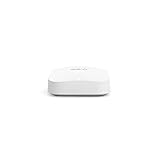
- Like-New Amazon eero Pro 6E mesh Wi-Fi router is refurbished, tested, and certified to look and work like new and comes with the same limited warranty as a new device. Like-New Amazon devices may be packaged in generic Amazon-branded boxes.
- EERO’S FIRST Wi-Fi 6E ROUTER - eero Pro 6E supports fast speeds and direct access to the new 6 GHz band when using Wi-Fi 6E devices, resulting in lower latency. Backward-compatible with previous-generation eero devices.
- EERO’S FASTEST ROUTER YET - Supports network speeds up to 2.3 Gbps — including wired speeds of up to a gigabit and wireless speeds of up to 1.6 Gbps. Enables gigabit+ internet plans when using its 2.5 Gb Ethernet port.
- MORE WIFI FOR MORE DEVICES - Network coverage up to 2,000 sq ft and support for 100+ connected devices.
- EXPERIENCE THE EERO TRUEMESH DIFFERENCE - eero’s patented TrueMesh technology intelligently routes traffic to reduce drop-offs and dead spots.
WPA3, 6 GHz, and compatibility choices
WPA3 is the preferred security option when all important clients support it. eero documents three modes: WPA2, hybrid WPA2/WPA3, and WPA3-only. Hybrid mode is the practical transition setting when older phones, printers, cameras, or smart-home devices cannot join a WPA3-only network.
The Tool Desk
Outbyte PC Repair FREEClear out junk files and repair common Windows errorsFree Scan →Outbyte Driver Updater FREEScan for outdated or missing drivers - takes under a minuteDriver Scan →6 GHz operation requires WPA3. If a 6 GHz-capable system is configured with a mode that does not permit WPA3, clients cannot use that band. Before switching to WPA3-only, list every device that must connect, update its operating system or firmware where possible, and keep a recovery path through the router’s app or wired connection.
- Use WPA3-only when every required client supports it and you want the strictest compatibility boundary.
- Use hybrid WPA2/WPA3 during migration when older equipment still has to connect.
- Avoid leaving legacy security enabled indefinitely for convenience; replace or isolate devices that cannot be updated.
Secure setup checklist for any supported router
- Identify the model and support date. Photograph the label, record the hardware revision, and save the vendor page that states the support or EOS date for your region.
- Install the newest firmware before connecting household devices. Use the router’s official administration app or web interface, then confirm the installed version and reboot only when the interface reports that the update completed.
- Change the administrator credentials. Use a unique, long password that is not reused for Wi-Fi, email, or another service. Store it in a password manager.
- Set a strong Wi-Fi password and select WPA3 where practical. Choose WPA3-only if every required client supports it; otherwise select the documented hybrid WPA2/WPA3 mode.
- Disable remote management unless you have a specific, controlled need. NETGEAR explicitly recommends disabling it. Manage the router from the local network or through the vendor’s documented secure application instead.
- Create a guest network. Give visitors a separate SSID and password rather than sharing the primary network. Confirm that guest clients cannot reach local administration pages or household devices.
- Place smart-home and other low-trust equipment on an IoT network. Cameras, plugs, televisions, and appliances often receive updates less consistently than computers and phones. Isolation limits what a compromised device can access.
- Review connected devices. Remove unknown clients, rename devices so alerts are recognizable, and delete old access credentials when a device leaves the home.
- Turn on update notifications and schedule checks. Review the router app or administration page monthly and after a major vulnerability announcement. Note the firmware version and release date.
- Plan replacement before the support endpoint. Set a calendar reminder several months before the published EOS or guaranteed-support date so migration does not happen during an emergency.
Mesh or single router: which secure layout fits your home?
Choose a mesh system when placement is the problem
Mesh systems coordinate multiple nodes under one network name, which can simplify roaming in a home with several floors or difficult walls. The eero Pro 6E and eero 6+ are the mesh candidates here, and both have the same listed security-support date. Their advantage in this comparison is a documented horizon combined with a multi-node topology, not a measured coverage ranking.
Choose a single router when simplicity is the priority
The ASUS RT-BE58U is presented as a single-router Wi-Fi 7 candidate. A single box means fewer nodes to update and troubleshoot. It works best when the router can be placed near the area that needs reliable service; adding range through improvised repeaters can create separate management and security concerns.
Do not mix support dates across nodes
If you build a network from several products, track the support endpoint of every node. Replacing only the main router does not remove an unsupported satellite or access point. Use one documented lifecycle date per device and retire any node that reaches EOS.
Common mistakes and how to recover
Buying by Wi-Fi generation alone
Wi-Fi 7, Wi-Fi 6E, and Wi-Fi 6 describe radio capabilities, not the length of security maintenance. Start with the support table, then evaluate wireless needs.
Best Value

- EERO’S FIRST Wi-Fi 6E ROUTER - eero Pro 6E supports fast speeds and direct access to the new 6 GHz band when using Wi-Fi 6E devices, resulting in lower latency. Backward-compatible with previous-generation eero devices.
- WIRED SPEEDS, WITHOUT THE WIRES - Game, work, or stream reliably with eero Pro 6E.*
- EERO TECHNOLOGY OPTIMIZES YOUR WIFI - Supports blazing fast gaming across your whole-home network.
- MORE BANDWIDTH, GIGABIT+ SPEEDS - Supports network speeds up to 2.3 Gbps — including wired speeds of up to a gigabit and wireless speeds of up to 1.6 Gbps. Enables gigabit+ internet plans when using the 2.5 Gb Ethernet port.
- MORE WIFI FOR MORE DEVICES - Network coverage up to 8,000 sq ft and support for 100+ connected devices.
Assuming a policy applies globally
The ASUS date cited here is from the UK PSTI table, and the NETGEAR EOS date is from a Singapore lifecycle page. If your unit was purchased in another market, recheck the regional support listing and exact SKU.
Leaving remote management enabled “just in case”
Remote administration expands the router’s exposure. Disable it unless you have a documented reason to use it, and remove any unused remote-access account.
Forcing WPA3-only too early
An older client may disappear from the network after a mode change. Revert to hybrid WPA2/WPA3, update or replace the incompatible device, and then retry WPA3-only after testing every required client.
Continuing to use an EOS router
An EOS router can appear normal while missing fixes. Export configuration details, buy a supported replacement, change the Wi-Fi and administrator passwords, and reconnect devices rather than treating continued operation as evidence of safety.
Confusing a failed update with a dead router
If an update appears interrupted, keep the router powered, reconnect through Ethernet if possible, and use the vendor’s documented recovery process. Do not install firmware intended for a different regional SKU or hardware revision.
How long will these routers receive security updates?
The strongest dates documented here are August 31, 2031 for both the eero Pro 6E and eero 6+, December 31, 2028 for the ASUS RT-BE58U product group in the UK PSTI table, and August 1, 2029 as the listed Singapore EOS date for multiple NETGEAR RBE770 variants. eero also states a policy of at least five years after a device is last available for purchase on its websites. Because availability, geography, and SKU determine the applicable promise, verify the date at purchase and again before the endpoint.
Final recommendation
For a home buyer who wants the longest clearly documented horizon in this comparison, the eero Pro 6E and eero 6+ are the leading choices, both listed through August 31, 2031. Select between them based on your device mix and whether you need the 6E model, not on an assumed speed ranking. The ASUS RT-BE58U is the documented Wi-Fi 7 single-router alternative, with UK support through December 31, 2028. Treat the NETGEAR Orbi 770 family’s August 1, 2029 Singapore EOS listing as a lifecycle checkpoint and verify the exact regional SKU before buying. Whichever router you select, keep firmware current, use WPA3 where compatible, disable remote management, isolate guests and IoT devices, and replace the hardware before its support endpoint.
Quick Recap
Product prices and availability are accurate as of the date/time indicated and are subject to change. Any price and availability information displayed on Amazon at the time of purchase will apply.

