
Do these 3 things before closing this tab:
1Fix the driver behind crashes, sound loss and screen glitches2Clear out junk files and repair common Windows errors3Scan for outdated or missing drivers - takes under a minuteiTechGuides is reader-supported. When you buy through links on our site, we may earn an affiliate commission. As an Amazon Associate I earn from qualifying purchases. Learn more
Start with Google Lens for broad discovery, then use TinEye to trace exact and edited copies. Add Yandex or Bing when those searches miss results. Using two or more independent indexes is more reliable than trusting one result, but a match proves only that an image appeared somewhere—not who created it, when the depicted event occurred, or whether the pixels were altered.
Which reverse-image-search tool should you use?
The best choice depends on what you are trying to establish. If you have an unfamiliar photograph and need to identify its subject, wording, location or likely source, Google Lens is the strongest first pass because it combines visual matching with object, text and scene recognition. If you already suspect that a photograph has been copied, cropped or edited, TinEye is the most purpose-built option for tracing those versions. Yandex and Bing are valuable second opinions when the first engines return only similar pictures or no useful source.
| Tool | Best use | What it can reveal | Important limitation |
|---|---|---|---|
| Google Lens | Broad discovery and identification | Related pages, visually similar images, objects, landmarks, extracted text and possible captions | Results are not a complete record of every copy and may emphasize similarity over earliest appearance |
| TinEye | Tracing exact and modified copies of a known image | Crops, resizing, colour changes, rotation, heavier edits, source candidates, higher-resolution versions and result dates | A no-result search means no match in TinEye’s index, not that no online copy exists |
| Yandex | Complementary visual search, especially for pages missed elsewhere | Visually related results and additional indexed pages | The cited 2022 experiment reported a study-specific precision score, not a current guarantee |
| Bing Visual Search | Another independent index and object-oriented search | Similar images, recognised objects and pages that may not appear in other engines | Coverage varies by region and query; no engine indexes the whole web |
These tools answer different questions. A broad engine can help you discover what a picture depicts; a copy-tracing engine can help establish where a particular file or its derivatives have appeared. Running both types gives you a better chance of finding older, regional or differently indexed pages.
What reverse image search can—and cannot—prove
A result is evidence of appearance or reuse
A reverse-image result links your submitted pixels to a page or another image in an engine’s index. That can document that a photograph was published, reused or modified by a particular date shown by the engine or page. It is useful evidence when investigating an uncredited upload, a misleading caption or a suspected stock-photo misuse.
Popular on Amazon
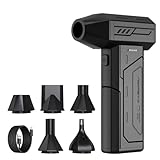
- Powerful Turbo Fan:CAGIWIRU Electric Air Duster have reached speed up to 130000RPM,Can efficient remove dust and debris.With LED light and Three Adjustable Speed to meet with different cleaning tasks.
- With Attached USB C Fasting Charging cable.Charing 3 hours,Enjoy up to 240 minutes of use on the lowest setting, For third speed can use for 25mins.with four charging options to meet with your needs.
- Wide Application: attached 5 different nozzles,making it suitable for a variety of scenes, such as car,pet, pc, keyboards, and other electronic devices. It also serves for office and home clean duster.
- Handy Design & Portable:Cordless air duster electric nozzle is Light weight and small size, design and comfortable to hold and space saving, convenient to carry around. You can put it in your room or inside the car without taking up space.
- Economical &Reusable: Built durable materials with a long-lasting battery,our CAGIWIRU air duster it's a sustainable alternative to disposable air cans.
A result is not automatic proof of authorship
The first page returned is not necessarily the original. A scraper may have copied a photographer’s work, and a later page may have a clearer caption or a larger file. Check the linked page for a photographer or agency credit, an accompanying story, publication date and contact information. Compare several independent pages before deciding which account is credible.
A result does not authenticate the depicted event
Finding an old photograph attached to a new claim shows that the image was reused; it does not establish that the event in the new caption happened as described. Confirm the date, location and context through independent reporting or primary records where the stakes are high.
A result does not by itself identify synthetic or manual edits
Reverse search can expose an earlier version that differs from the circulating file, which is a strong clue that the newer image was changed. It cannot, by itself, tell you whether an alteration was made in an image editor, by an automated system or by generative software. Inspect the files and their provenance separately, and describe the evidence precisely rather than calling an image fake solely because a search found an older version.
How to run a defensible reverse-image investigation
- Preserve the original. Keep an untouched copy of the file. Record its filename, the page or message URL where you obtained it, the download date and any available metadata. Work from copies so your evidence is not overwritten.
- Run a full-frame search in Google Lens. Submit the complete photograph first. Note recognised subjects, text, landmarks, visually similar results and pages that provide a caption or date. Save useful result URLs and screenshots with the date of your search.
- Search distinctive crops. Make separate crops around a face, sign, logo, unusual object or background detail. Cropping removes borders, social-media interfaces, collages and text overlays that can distract a visual matcher. Keep each crop labelled so you can tell which region produced a result.
- Submit the original and useful crops to TinEye. TinEye uses image recognition rather than keywords, metadata or watermarks. Its documentation says it can match exact and partial copies, including resized, colour-adjusted, cropped, slightly rotated and heavily edited versions.
- Sort and filter the TinEye results. Where the interface offers them, inspect oldest, newest, biggest and most-changed views. Open the linked pages rather than relying on thumbnails. Compare the pixels, captions, credits, publication dates and file dimensions.
- Run a second independent engine. Try Yandex or Bing when Google and TinEye provide no clear source, only near-duplicates or results concentrated in one region. A result repeated across independent indexes is more persuasive than a single isolated hit.
- Build a source timeline. Put the earliest credible page, later copies, edits and captions in chronological order. Distinguish the date an engine discovered a result from the date a page says it was published; those are not necessarily the same.
- Report only what the evidence supports. State that the image matches an earlier file, appears on a particular page or differs from a documented version. Do not upgrade that finding into a claim about ownership, event authenticity or the editing method without additional evidence.
TinEye: the strongest tool for tracing copied photographs
What makes TinEye different
TinEye is designed around image recognition rather than a text query. According to its documentation, it can locate exact matches and partial matches after cropping, resizing, colour adjustment, rotation or substantial editing. That makes it especially useful when a stolen photograph has been compressed for social media, placed in a new layout or altered to remove a watermark.
Also popular on Amazon

- Screen Cleaner is Your Screen’s New Bestfriend! - EVEO is proud to present a screen cleaner that’s perfectly suited for your TV. Meet your new screen cleaner, computer screen cleaner, laptop cleaner, iPad cleaner, Macbook,tv cleaner or any other electronic device. Our screen cleaner spray and wipe along with the included plush microfiber cloth, easily removes dust, fingerprints & other smudges on the screen’s surface. Clean effectively for a streak-free screen
- Gentle on your Screens - Our screen cleaner spray and wipes is compatible to be used even for the most sensitive LCD, LED, CRT, and OLED screens in proper use. Be at ease knowing that this product is compatible with all the major brands: LG, SONY, Samsung, Sharp, iPad, iPhone, Android screens, Kindle, PC monitors - we’ve got you covered! Can be used as LCD screen cleaner, tv cleaner, smart tv screen cleaner, and more
- Premium Super Soft Plush Microfiber Cloth - Included in this efficient screen cleaning kit. This screen cleaner spray and wipe has our signature plush microfiber cloth specially designed to comply with screens and monitors and leave them streak-free. Has been shown to effectively absorbs stubborn stains, zero streaks, and no fiber shedding. Always use this together with our screen cleaner for the best results
- Easy-to-Use Screen Cleaner Kit + microfiber cleaning cloth - The EVEO Screen Cleaning Kit will easily be your new favorite tool when it comes to taking care of the things you love most, quick and easy solution for a streak-free screen. Simply screw on the sprayer gun on the screen cleaner bottle. Spray the cleaning liquid onto the microfiber cloth, then wipe the screen until desired cleanliness & shine is achieved.
- Quality Screen Care Kit Worth Purchasing - Enjoy a convenient Screen Cleaner anytime, anywhere you need it. Your satisfaction is our top priority. We stand behind the quality of our products and that’s why, you shouldn’t be worrying at all. We manufacture the Best Screen Cleaner. and can be used for laptop cleaning kit, laptop screen cleaner, tv screen cleaner for smart tv. MacBook screen cleaner, monitor cleaner or screen cleaner spray for electronic devices with microfiber cleaning cloth
TinEye describes its index as constantly growing and containing billions of images. Its result view lets you compare your submitted image with a match, see when results were found and use sorting or filtering tools. Those functions support practical tasks such as locating a larger file, finding modified copies, investigating attribution and tracking online use.
How to interpret TinEye’s dates
A date shown by a search engine is an index or discovery date unless the linked page independently confirms publication. Treat it as a useful clue for ordering results, not as proof that the image was created or first published on that day. Open the page, inspect its own date and look for earlier versions elsewhere.
Why a no-result search is inconclusive
TinEye explicitly warns that no results mean no match was found in its index. A copy may still be on a page TinEye has not crawled, behind a login, blocked by technical restrictions or stored under a materially different file. TinEye also says it generally does not index images from Facebook, Instagram and Twitter because those services commonly restrict crawling. Search the open web and other engines before concluding that an image has no online history.
Free tools Windows power users keep installed
One-click scans. No signup required.
Privacy and commercial questions
TinEye documents private searching and says submitted images are not saved or shared. Policies, free-use limits, API access and commercial terms can change, so check the current terms before using the service for a monitoring workflow or submitting confidential material. Do not upload an image whose handling requirements you have not cleared with its owner or organisation.
Also popular on Amazon

- 【Large size】:Measuring 800 x 300 mm/ 31. 5×12 inches, which is wider and taller than others. Large mouse pad can perfectly fit your keyboard and mouse of any size, and there is also ample space for peripherals such as phones, tablets, etc.
- 【LED backlight mouse pad】:Blade Hawks RGB mouse pad provides 7 static modes and 7 dynamic modes will give you the options you are looking for. Power-off memory function remembers the last lighting mode you selected. The super glow fiber Chroma will give you a colorful gaming setup that you want.
- 【Anti-slip rubber base】:Made from Natural rubber, this gaming mousepad will firmly grip your desktop, allowing you to enjoy the ultimate precision in the games you are most passionate about. It also comes with a texture that enhances this ability even further.
- 【Smooth and waterproof surface】: Micro-textured cloth surface, for extremely precise mouse control and a smooth movement. When liquid splashes on the gaming mouse pad, it forms water droplets and slides down. Will not delay your work or gameplay.
- 【Plug and play】: This mouse and keyboard pad is powered by USB, plug and play, no driver required. One button control light modes. Press one time to change the lighting mode, press twice to change the brightness, press and hold about 3 seconds turn ON/OFF.
Google Lens: the best first pass for unknown images
Google Lens is broad rather than narrowly focused on duplicate detection. It can identify objects and landmarks, read text in a screenshot, find products and surface pages containing visually similar imagery. Those capabilities are valuable when you do not yet know the subject, language, location or likely caption.
Use Lens to discover context
Begin with the complete image so Lens can use the overall scene. If the frame includes a headline, subtitle or social-media controls, crop those elements and search the photograph itself as a second query. Then crop a distinctive object, sign or background feature. Record which crop generated each lead; a page found from a logo may explain the scene without being the source of the photograph.
Do not confuse similarity with a copy
Lens may return pictures with the same subject, colour pattern or composition even when they are different photographs. Open the result and compare details such as people, shadows, reflections, building damage and background objects. A visually similar image is a lead for investigation, not evidence that the files are the same.
What’s actually slowing this PC down?
Pick the symptom - the matching free tool is one click away.
Yandex and Bing: why a second index matters
Yandex
Yandex can expose pages and visually related images that do not appear in Google or TinEye. An academic evaluation of image retrievability reported precision of 0.8297 for Yandex and 0.8191 for Google in its 2022 experiment. Those figures describe that study’s collection, definitions and test conditions; they are not universal, current performance guarantees and should not be used to rank every query.
Also popular on Amazon

- 【Softer and More Comfortable】Vaydeer wrist rest has unique diamond pattern, which is the combination of softness and aesthetics. The materials of wrist rest are improved into higher quality memory foam and covered with silky smooth lycra. The computer wrist rest makes you as comfortable and cushiony as like rest your wrists on clouds.
- 【Ergonomic Wrist Saver】The wrist rests for keyboard and mouse comes with a 17.32×3.15×0.83 inch keyboard wrist pad and a 5.94×3.15×0.83 inch mouse wrist support. Based on ergonomic design, the unique concave shape is the perfect fit for your wrist joints. The wrist rest pad fits most computer keyboards and laptops, improve hand and wrist posture, release your wrist and arm stress.
- 【Non-Slip Rubber Bottom】Featuring an anti-skid silicone base on the bottom, this wrist keyboard support stays firmly in place on your desk, preventing the padding from sliding around, ensuring stable and consistent wrist support during extended computer sessions.
- 【Better Experience & Pain Relief】Our keyboard arm rest is beneficial to alleviate the soreness caused by direct contact and friction between your arm and a hard desk surface, reducing the risk of wrist fatigue or carpal tunnel. The soft texture of memory foam can evenly distribute the pressure around your wrists and provide good support with just enough give.
- 【Helpful in Multiple Scenarios】Whether you're working, studying, writing, typing, gaming, this keyboard and mouse rest combo is an essential accessory to add comfort and support to your hands and wrists. It’s also a great gift for men, women, family, friend, coworker, gamer, teacher, etc.
Bing Visual Search
Bing is useful as another independent crawl and for object-oriented searches. Try it when the first engines return only generic similarity results, when the likely source is regional or when you need an additional check against an apparently earliest page. As with every service here, regional coverage and indexing can change.
When the engines disagree
Disagreement is normal. One service may index a page that another cannot crawl, or may treat a crop as a different image. Compare the underlying pages and pixel details rather than counting result totals. A credible source supported by a clear credit, an earlier publication date and matching image details is stronger than a high-ranking but anonymous repost.
Comparison by investigation task
| Investigation task | Recommended sequence | Why this sequence works |
|---|---|---|
| Unknown subject or location | Google Lens, then Yandex or Bing | Lens can identify objects, text and landmarks; a second index can add regional pages |
| Suspected stolen photograph | TinEye, Google Lens, then a second index | TinEye targets exact and edited copies while broad engines discover credits and surrounding context |
| Possible crop, colour change or rotation | TinEye with the full file and several crops | Its documented matching is designed for these transformations |
| Misleading viral caption | Google Lens crops, TinEye, independent reporting | Lens can reveal older context; TinEye can locate prior files; reporting can test the claim about the event |
| Finding a higher-resolution version | TinEye sorted by biggest, then inspect page ownership and credits | The largest file may be a useful lead, but size alone does not establish the legitimate owner |
| Monitoring repeated unauthorised use | TinEye searches plus a documented page timeline | Copy-focused matches and dated records help track reuse; current API and commercial terms must be checked separately |
How to compare a suspected original and a copy
Check invariant visual details
- Compare faces, hands, signs, window edges and other fine details that compression does not normally move.
- Look for identical dust marks, lens flare, reflections, cloud shapes and background objects.
- Check whether a crop removes a credit, watermark or edge detail while preserving the same central pixels.
- Note colour, contrast and sharpening changes separately from geometric changes such as rotation or stretching.
Check the page, not just the image
- Read the caption and byline exactly as published.
- Look for a photographer, agency, archive or licensing credit.
- Record the page’s publication or update date and distinguish it from the engine’s result date.
- Check whether the page is an original report, a repost, an image board or an automatically generated gallery.
- Save enough context to let another person reproduce your conclusion without relying on a disappearing thumbnail.
Common failure modes and fixes
Only the full image returns nothing
Remove borders, captions, interface elements and collaged panels, then search several distinctive crops. A crop can also help when the original is a screenshot or has been heavily compressed.
Quick wins for a faster PC:
Scan for outdated or missing drivers - takes under a minuteDriver Scan →Clear out junk files and repair common Windows errorsFree Scan →Fix the driver behind crashes, sound loss and screen glitchesFind Drivers →Results are all visually similar but not identical
Switch from a broad Lens query to TinEye, and compare the pixels at full size. Search a unique object or background detail separately. Similarity results are useful discovery aids but do not establish copying.
Also popular on Amazon

- 【No Drill Mounted】Cable management tray can be assembled in as little as 3 minutes or less-simply. Side clips easily clampe the edge of desk, pass through the holes on the sides, and secure excess cables with baskets. Desk cable management supports inward or outward installation to meet your needs in different scenarios, and provides you with great convenience when collecting and organizing wires.
- 【Rubber Pad Protects Desk】Wire organizer under desk built-in soft rubber pads on the clamp protect your desk from scratches, so you will not damage your furniture or office.
- 【Sturdy and Beautiful】Cord management under desk is made of high-quality carbon steel and holds about 15 lbs. The wire basket has 2 holes on each side of the tray to enable your cables to pass freely. Cable baskets are suitable for desk thickness use from 0.4" to 2.4".
- 【Space Saving & Keep Organized】Desk cable management tray holds all your power cords, outlet strips, USB hubs and computer transformers hidden from your feet, and the data cables will not enter the vacuum cleaner to keep your desk clean and tidy. Desk wire organizer is also suitable for use in the kitchen and outdoors.
- 【Reduce Safety Risks】Cable tray under desk keeps all plugs away from your kids, no more worry about tripping. Using 2 holes wire tray saves extra space, helps you easily cabling and wire protection. The mesh design is not easy to accumulate dust, but avoids safety accidents caused by messy wires.
The apparent earliest result is a scraper
Follow its outgoing credit, inspect page metadata and search the credited photographer, agency or caption text. Then compare dates on several independent pages. Search-engine order is not a verified chronology.
The image came from a social network
Expect incomplete coverage. TinEye says it generally does not index Facebook, Instagram and Twitter because of crawling restrictions. Use the network’s own post history where available, search public reposts in Google, Yandex and Bing, and preserve the original post URL and date.
A manipulated image has no earlier match
Try crops and unrelated visual clues such as signs or landmarks. A completely new composite, a private image or an unindexed page may have no match. Lack of a hit is not proof that the file is authentic or original.
Different engines show different dates
Label each date by its meaning: page publication, page update, engine discovery or your own download. Do not merge those categories into a single “first seen” claim.
Privacy, safety and evidence handling
Upload only material you are allowed to process. Personal photographs, unpublished work, client images and images containing children or sensitive locations can create privacy risks even when a service says it does not retain submissions. Remove unnecessary identifying material from test crops, keep the original offline and review each provider’s current policy before using confidential files.
For a serious attribution or misinformation case, preserve the original URL, file, download date, metadata snapshot, search queries, result pages and screenshots. Hashing the original file can help you demonstrate that your working copy did not change, although a hash does not establish who created the photograph. Keep notes that separate observations (“the same sign appears in both files”) from conclusions (“this is a stolen image”).
A practical decision checklist
- Need to identify the scene? Start with Google Lens and crop text, objects and landmarks.
- Need to find copies of a known photograph? Use TinEye with the original and distinctive crops.
- No useful result? Run Yandex and Bing; try regional captions, text and object crops.
- Need to claim an image was stolen? Establish a credible earlier page and compare pixels, dates and credits.
- Need to claim manipulation? Show the difference from an earlier version and describe the observable edit; do not infer the software or method without evidence.
- Need to claim authenticity? Treat a no-result search as inconclusive and seek independent provenance.
Bottom line
For most investigations, use a two-stage workflow: Google Lens to discover what the image depicts and where related pages may be, followed by TinEye to trace exact and altered copies. Add Yandex or Bing when coverage is incomplete, especially for regional pages or social-media gaps. Preserve the original, search meaningful crops, verify page dates and credits, and report matches as evidence of appearance or reuse rather than automatic proof of ownership, event context or authenticity.

