
iTechGuides is reader-supported. When you buy through links on our site, we may earn an affiliate commission. As an Amazon Associate I earn from qualifying purchases. Learn more
Before agents handle live customer messages in a shared inbox, make four things clear: who owns each conversation, what state it is in, what happens next, and when it must be escalated. A shared view of email is not an ownership system by itself. Define the workflow first, train agents on handoffs and approved responses, then confirm that the mailbox or support platform can meet the team’s access, security, and scale needs.
What a shared inbox onboarding process needs to establish
Onboarding is successful when agents can consistently answer four operational questions for every active conversation:
- Who owns it? Assign one named owner, even when several people can see the message.
- What state is it in? Use workflow states that show progress, not just whether someone opened or read an email.
- What happens next? Record the next action, such as replying, gathering information, or following up.
- When does it escalate? Explain which issues need a lead, specialist, or urgent response and how to route them.
These rules apply whether the team uses a basic shared mailbox or a dedicated team inbox. The controls available to enforce them differ by product, so do not assume that every mailbox offers assignment, routing, status tracking, or role-based permissions.
Recommended Free Tools
Choose the inbox model before training agents
Match the tool to the work. A Microsoft 365 shared mailbox can suit a team that needs delegated access to one support email address. A Microsoft 365 Group adds shared group resources and guest collaboration. A dedicated support inbox may provide explicit team assignment or tiered routing, depending on the product and plan.
Popular on Amazon

- Padded Comfort: Headphones wired with adjustable headband feature swivel-mounted, leatherette ear cushions for hours of comfort and is easy to clean
- Rotating Noise Canceling Mic: Headset with mic minimizes unwanted background noise for clear conversations; the rotating boom arm can be tucked out of the way when you’re not using it
- Responsible Packaging: H390 Logitech Headset uses FSC-certified paper for responsible packaging
- Handy In-line Controls: Simple in-line controls on the wired headphones with microphone cable let you adjust the volume or mute calls without disruption
- Digital Stereo Sound: Fine-tuned drivers provide enhanced digital audio within this computer headset with microphone for music, calls, meetings and more
| Option | Useful when | Checks before adopting |
|---|---|---|
| Microsoft 365 shared mailbox | Several internal users need access to one support address, and delegated email access is enough. | Check user count, storage and licensing, direct sign-in blocking, deletion behavior, and encryption requirements. Microsoft documents up to 50 GB without a license and a maximum of 25 users; the mailbox has no independent security context for encryption. |
| Microsoft 365 Group | The team needs shared group resources or collaboration that includes guests. | Define owners and members, guest access, deletion and settings permissions, and whether the group model suits the message workflow. Microsoft recommends having at least two owners where possible. |
| Dedicated team inbox or support platform | The team needs explicit assignment, routing, or tiered handling. | Check assignment rules, role permissions, escalation paths, reporting, and plan-specific capabilities. Intercom, for example, documents team and tiered inbox organization; that capability is vendor-specific. |
Compare the models on access and guest support, ownership and assignment, statuses and closure, routing and escalation, administrator and agent permissions, security and retention, scale, and the ability to monitor response commitments. Microsoft’s figures are product specifications, not benchmarks for how quickly a support team should respond.
Define the workflow before the first live shift
Set the inbox’s purpose and boundaries
Document the address the team is covering, which customer issues belong there, coverage hours, and where out-of-scope requests should go. Define what counts as urgent and name the person or team to contact for an escalation. If the team handles multiple addresses, clarify which issues belong at each one.
Make ownership explicit
Require one named owner for every active conversation. The owner remains accountable until the issue is resolved or the conversation is explicitly reassigned. A group of people having access does not establish who is responsible.
The Tool Desk
Outbyte PC Repair FREERepair Windows errors before they cause bigger problemsFix Now →Outbyte Driver Updater FREEScan for outdated or missing drivers - takes under a minuteDriver Scan →For a handoff, the current owner should identify the new owner or destination and leave useful internal context: the customer’s issue, what has already been checked or promised, what remains to be done, and any deadline or risk. The receiving agent should acknowledge ownership according to the team’s procedure. Do not treat forwarding or mentioning a colleague as a completed handoff unless responsibility is clear.
Also popular on Amazon

- IN THE BOX: Amazon Basics Wired On-Ear Computer Headset in Black with 3.5mm audio cable (45 inches), 1 USB to 3.5mm 4-pin jack adapter (20 inches) with in-line volume & mute control, & User Manual
- AUDIO QUALITY: 32mm speaker drivers deliver clear sound quality & an immersive listening experience for calls, meetings, online learning & everyday audio playback on this wired headphones
- COMFORT FIT: On-ear compact design with soft padded earcups & adjustable headband; measures 6.1" W x 7.2" H with 2.8" ear cups; fits small to medium heads — wear 30-60 minutes daily for 1-2 weeks for optimal comfort, take 10-minute breaks during extended use
- MICROPHONE CONTROLS: Flexible 4.4" unidirectional boom mic adjusts to any angle & reduces background noise for crisp conversations; in-line control box with 1-touch mute/unmute & volume +/-
- DUAL CONNECTIVITY: Plug & play via 3.5mm jack or USB adapter; compatible with PCs, laptops, tablets, smartphones & other devices — select headset as audio device in system settings if needed
Use states that describe work
Choose states the selected tool actually supports, then give each one a shared meaning. A simple workflow can use:
- New: Not yet triaged or assigned.
- In progress: Owned by an agent who is actively working on it.
- Waiting: A response or action is pending from the customer or another party. Record what is awaited and when to follow up.
- Done: The request is resolved and any required follow-up is complete.
Specify when an agent may close or archive a conversation. An opened or read message is not necessarily in progress, and neither state means it is resolved. If the selected mailbox lacks formal statuses, define an agreed alternative that agents can use consistently rather than relying on unread status as the sole progress signal.
Set triage and response expectations
Decide when the inbox is reviewed, who is on triage duty, how that duty rotates, and how messages are prioritized. Set first-response expectations for each address or service tier based on actual staffing and customer commitments. Any time target is a team policy—not a universal industry standard.
Windows Errors? Fix Them Before They Spread
Repair common Windows errors and clear accumulated junk for a smoother, more stable PC - no reinstall needed.Free scan · no reinstallOutdated Drivers Are Slowing You Down
One free scan finds every outdated or missing driver and matches the right update for your exact hardware.Free scan · exact hardware matchExplain how agents flag urgent messages and aging conversations, who monitors them, and what to do if the owner is unavailable. Review response and resolution performance periodically so the team can spot missed coverage or expectations that staffing no longer supports.
Also popular on Amazon

- Digital Stereo Sound: Fine-tuned drivers provide enhanced digital audio for calls, meetings, music, and more
- Rotating Noise-Canceling Mic: Minimizes unwanted background noise for clear conversations; the rotating boom arm can be tucked out of the way when not in use
- Handy Inline Controls: Simple inline controls on the headset cable let you adjust the volume or mute calls without disruption
- USB-C Plug-and-Play: Simply plug the USB-C cable into your computer, including MacBook Neo laptops, and you're ready to talk or listen without installing software.
- Padded Comfort: Comfortable USB C headphones with adjustable headband feature swivel-mounted, leatherette ear cushions for hours of comfort
Prepare approved answers and tone guidance
Collect recurring questions and maintain reviewed response templates for them. Explain the desired tone and require agents to personalize templates, verify customer-specific details, and remove irrelevant text before sending. A template can improve consistency, but it does not replace judgment or the escalation process.
Onboard agents in a practical sequence
- Explain the inbox and its boundaries. Walk through the supported issues, coverage hours, out-of-scope destinations, urgent criteria, and escalation contacts.
- Demonstrate assignment and handoffs. Show how an agent becomes the named owner, how to reassign work, and what context to leave for the next person.
- Teach states and closure rules. Demonstrate the team’s definitions of New, In Progress, Waiting, and Done—or the closest states the chosen tool supports. Explain when to close or archive and what follow-up must happen first.
- Practice triage and prioritization. Show who is on duty, how the rotation works, what takes priority, and how to flag urgent or aging items.
- Review approved responses. Work through templates and examples, including when an answer needs personalization, verification, or escalation rather than a standard reply.
- Train access and security procedures. Explain what access each role needs, who administers it, how to report access problems, and how access is removed during offboarding.
- Start with observation and supervised practice. Have new agents observe experienced staff, review examples of good replies and handoffs, then practice with sample or supervised messages before taking full responsibility. This is a rollout recommendation, not a claim based on a controlled training study.
- Review the first weeks of use. Look for unassigned conversations, stale waiting items, duplicate responses, unclear escalations, and coverage gaps. Update the handbook and templates when recurring confusion appears.
Configure access and security for the chosen platform
Microsoft 365 shared mailboxes
Microsoft says shared mailbox members access the mailbox through their own accounts; the shared mailbox account should not be used for direct sign-in. Use delegated access and keep direct sign-in blocked. Microsoft’s documentation, updated March 13, 2026, lists up to 50 GB of storage without assigning a license and a maximum of 25 users. Microsoft also warns that too many users accessing a shared mailbox at the same time can cause connection failures or duplicate messages.
Before launch, designate an accountable administrator and a backup, grant only the access each person needs, and decide how membership is removed when someone leaves the team. Review deletion behavior and encryption requirements: Microsoft notes that a shared mailbox has no independent security context, which limits encryption options. See Microsoft’s shared mailbox guidance for the documented access and capacity details.
What’s actually slowing this PC down?
Pick the symptom - the matching free tool is one click away.
Microsoft 365 Groups
For a Group, determine who owns it, who belongs to it, whether guests can participate, and which members can change settings or delete the group. Microsoft’s administrator guide to Microsoft 365 Groups in Outlook recommends having at least two owners where possible. A Group is a distinct collaboration model; do not assume its membership and message workflow behave like a shared mailbox.
Also popular on Amazon
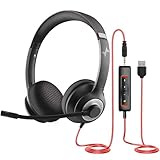
- ✅【Outstanding Noise cancelling Microphone】 The headphones with unidirectional boom 270°microphone that only picks up your voice and block out unwanted background noises. Also, you can wear it on the left or right ear as you like.
- ✅【All-Day Comfort for All Head Shape】 Eaglend always designed for all-day comfort using, there will be no restraint pressure, with the adjustable headbend fit adult and kids easily.The soft protein memory foam earpads is made of high-level breathable materials,ROHS certified materials prevent your ears from heat and sweat.
- ✅【Enhanced sound performance & 40mm audio driver】:Corded phone headset with built-in audio sound card, Eaglend sound lab tested thousands of times for your daily conversation/music/movie/gaming, bringing you extra clear and bass for pleasant experience.
- ✅【USB/3.5mm Connection】 The headphone is designed for multiple use, 3.5mm audio cable with USB In-line audio volume control (cord length 5+4 feet),with mic mute &indicators /speaker mute.Compatible with PC/Tablet/Mac/iOS/laptop /Android phone and other devices."
- ✅【Global warranty &multi-purpose】24 months warranty by eaglend. Great ideal for online courses, Skype chat, call center, Webinars Presentations, Office, Business, Rosetta Stone, Dragon Speaking, Conference Calls and more.
Dedicated team inboxes
In a support platform, map permissions to responsibilities: agents, team leads, and administrators may need different powers. Check who can assign or reassign work, change routing, manage users, and edit inbox settings. Intercom documents team inbox organization and tiered structures in its team inbox guidance; its documentation also describes custom roles and recommended permissions. These are product-specific controls, not features to expect from every shared mailbox.
Independent reader supportYour contribution helps us test, update, and keep practical guides available for everyone.Monitor the workflow and know when to change models
During the first weeks, check whether the process is working in practice, not just whether agents completed training. Review for unassigned work, conversations left waiting without a follow-up plan, duplicate replies, unclear handoffs, missed escalations, and gaps in duty coverage. When a pattern appears, clarify the rule, update examples or templates, and make sure the relevant agents know about the change.
Reassess the mailbox choice when workload, security, routing, or collaboration needs outgrow the current model. A basic mailbox may remain appropriate when delegated email access is sufficient. A Group may suit work that also relies on shared resources or guest collaboration. A dedicated support platform may be a better operational fit when the team needs explicit assignment, routing, roles, or tiered handling. Confirm that the product and plan actually provide the controls the team intends to use.
Do these 3 things before closing this tab:
1Scan for outdated or missing drivers - takes under a minute2Clear out junk files and repair common Windows errors3Fix the driver behind crashes, sound loss and screen glitchesFrequently Asked Questions
How many people can use a Microsoft 365 shared mailbox?
Microsoft documents a maximum of 25 users for a shared mailbox and warns that excess simultaneous use may cause connection failures or duplicate messages. This limit is specific to Microsoft’s shared mailbox guidance updated March 13, 2026.
Also popular on Amazon

- Noise-Canceling headphones with microphone: Our headset with mic features a unidirectional, rotatable microphone that picks up only your voice, effectively blocking out background noise. Whether you're in a bustling office or a noisy home environment, your voice will come through clear and loud from this headset with microphone noise cancelling.
- All-Day Comfort: Designed for those who work from home, this headset offers all-day comfort. The adjustable headband fits various head shapes, eliminating any sense of constriction. The earpads, made of soft protein memory foam and high-grade breathable materials, prevent overheating and sweating, ensuring you stay comfortable even during long work sessions.
- Enhanced Stereo Sound Quality: With a built-in 40mm audio driver unit, our headset delivers enhanced sound quality. Whether you're on a daily call, listening to music, watching a movie, or gaming on your laptop or PC, expect clear audio and rich bass for an immersive experience.
- Convenient Connectivity: As a wired USB headset, it connects via a USB-A port for easy plug-and-play functionality. The inline controls include volume adjustment, microphone mute with an indicator light, and speaker mute, making operation straightforward. The 6.56-foot (2-meter) extension cord gives you plenty of room to move around while you work.
- Long-lasting and Stylish Design: The headsets' exterior and earpads are crafted from Long-lasting, comfortable materials like soft PU leather and breathable fabric. This not only ensures a long lifespan but also provides a luxurious feel. The design is sleek and modern, making it suitable for both professional and casual settings.
Should agents use the shared mailbox account to sign in?
No. Microsoft instructs teams to grant delegated access through each person’s own mailbox and says the shared mailbox account should not be used for direct sign-in.
Is read or unread status enough to track support work?
No. Read status only indicates that a message was opened; it does not identify an owner, show whether work is underway, or establish that the request is resolved. Use explicit ownership and workflow states, or an agreed alternative if the mailbox lacks formal status controls.
What should a good handoff include?
Make the receiving owner or team clear and provide the issue, checks already completed, commitments made to the customer, remaining action, and any deadline or risk. The handoff is incomplete if no one knows who is responsible next.
What response-time target should a support team set?
Set expectations by address or service tier according to staffing and customer commitments. There is no single target established here as an industry-wide standard.

