
Recommended Free Tools
iTechGuides is reader-supported. When you buy through links on our site, we may earn an affiliate commission. As an Amazon Associate I earn from qualifying purchases. Learn more
Azahar is the best default emulator for Pokémon X and Y on a PC. It is a free, open-source Nintendo 3DS emulator with current Windows, macOS and Linux desktop builds, modern controller support and higher-resolution rendering. Its published requirements also make it easier to check compatibility before installing. RetroArch is a reasonable second choice if you already use one frontend for several consoles, while Panda3DS is better treated as an experimental fallback.
At a glance
| Name | Best for | Key spec | Free plan / price | Checked |
|---|---|---|---|---|
| Azahar | Most Pokémon X and Y players | Actively developed; OpenGL 4.3 or Vulkan 1.1; 64-bit desktop builds | Free and open-source | Nov 2026 |
| RetroArch with the Citra core | One frontend for several systems | More setup; Citra core is no longer actively developed | Free | Nov 2026 |
| Panda3DS | Experimenting or troubleshooting | Early development; graphical, loading and audio problems reported | Free | Nov 2026 |
Why is Azahar the best Pokémon X and Y emulator for PC?
Pokémon X and Pokémon Y are Nintendo 3DS games, so you need software that emulates Nintendo 3DS hardware rather than a general handheld or console emulator. Nintendo’s manual describes the 3DS as compatible with Nintendo 3DS, Nintendo DSi and Nintendo DS software, and identifies Nintendo 3DS Game Cards as the system’s game format (Nintendo 3DS Operations Manual).
| # | Preview | Product | Price | |
|---|---|---|---|---|
| 1 |

|
Pokémon X | $66.99 | Buy on Amazon |
| 2 |
|
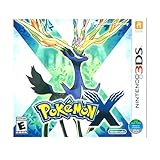
3DS Pokemon X -- World Edition | Buy on Amazon | |
| 3 |

|
Pokemon X 3DS | $63.00 | Buy on Amazon |
| 4 |
|
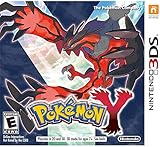
Pokémon Y | $69.99 | Buy on Amazon |
| 5 |

|
Pokémon X (Nintendo 3DS) | $109.99 | Buy on Amazon |
Azahar’s project describes itself as “a free and open-source high level Nintendo 3DS emulator for PC and mobile devices.” It continues the legacy of Citra and is actively developed by community contributors. That current maintenance, documented desktop requirements, modern-controller support and higher-resolution rendering make it the practical starting point for a complete X or Y playthrough.
Outdated Drivers Are Slowing You Down
One free scan finds every outdated or missing driver and matches the right update for your exact hardware.Free scan · exact hardware matchPC Slower Than It Used to Be?
A free scan shows the junk files, broken settings and background clutter dragging Windows down - then fixes them in one click.Free scan · Windows 10 & 11No emulator can promise a particular frame rate on every computer. Performance depends on the game, drivers, operating system and your processor and graphics hardware, so treat the requirements below as a compatibility check rather than a guaranteed speed result.
Popular on Amazon
- Fully 3D Pokémon world on Nintendo 3DS – Experience mainline Pokémon gameplay with fully 3D characters, battles, and environments for the first time in the series.
- New region & starters – Journey through the Kalos region and begin with one of three new starters: Grass-type Chespin, Fire-type Fennekin, or Water-type Froakie.
- New battle types & training options – Try Sky Battles and Horde Encounters, and improve your team with features like Super Training and other new training tools.
- Powerful new Pokémon & Mega Evolution – Encounter the majestic Legendary Xerneas and discover Mega Evolution, which temporarily powers up certain Pokémon in battle.
What does Azahar require?
Check these items before downloading:
- Operating system: Windows 10 (64-bit), macOS 13.4 (Ventura) or newer, or a modern 64-bit Linux distribution. If you use Windows 11, verify the current release notes because the published minimum is stated as Windows 10 64-bit.
- CPU architecture: x86-64 or ARM64. Windows for ARM is not supported.
- CPU instruction set: x86-64 processors need SSE4.2.
- CPU performance: a single-core PassMark score above 1,800.
- Graphics API: OpenGL 4.3 or Vulkan 1.1.
- Memory: 2 GB RAM minimum; 4 GB is recommended.
The CPU test is specifically single-core performance, not the total score for all cores. A newer low-power processor can therefore be a better match than an older desktop chip with more cores but weaker single-thread performance. Update your graphics driver and confirm that your GPU exposes OpenGL 4.3 or Vulkan 1.1 before troubleshooting the emulator.
How do I download Azahar safely?
- Open the official Azahar project and release page.
- Choose the build for your operating system and CPU architecture. On a typical Intel or AMD Windows computer, that means the 64-bit x86-64 build; do not choose a Windows ARM build, because that platform is not supported.
- Read the release notes for that version and confirm that it still lists your operating system and graphics requirements.
- Use only the official project page or the developer’s own distribution channel. Azahar is not affiliated with or endorsed by Nintendo.
You must provide your own legally obtained Pokémon game and, when the emulator requests it, your own system data from compatible hardware. The emulator download does not include Pokémon X, Pokémon Y or Nintendo system files.
How do I install or extract the Windows build?
- Close other copies of Azahar, then download the Windows 64-bit package from the official release page.
- If the release is an archive, extract the complete folder to a location you control, such as a dedicated emulation folder. If it is an installer, run it and accept the destination you want to use.
- Keep the emulator’s files together. Do not launch an executable directly from inside a compressed archive.
- Start Azahar from its executable or Start-menu shortcut. On first launch, allow it to create its user-data and configuration folders.
Windows security may display a warning for a newly downloaded open-source executable. Check that the file came from the official Azahar release, then use the Windows option to allow or run that verified file; do not obtain a replacement from an unrelated download site.
What’s actually slowing this PC down?
Pick the symptom - the matching free tool is one click away.
Also popular on Amazon
- USA NTSC version game with World Edition packaging as pictured.
- Fully 3D Pokémon world on Nintendo 3DS – Experience mainline Pokémon gameplay with fully 3D characters, battles, and environments for the first time in the series.
- New region & starters – Journey through the Kalos region and begin with one of three new starters: Grass-type Chespin, Fire-type Fennekin, or Water-type Froakie.
- New battle types & training options – Try Sky Battles and Horde Encounters, and improve your team with features like Super Training and other new training tools.
- Powerful new Pokémon & Mega Evolution – Encounter the majestic Legendary Xerneas and discover Mega Evolution, which temporarily powers up certain Pokémon in battle.
How do I install an Azahar update?
When a newer release is available, close Azahar, download the new official build and install it or extract it to the same application location. Keep your user-data folder, configuration and saves; make a backup before replacing files so you can restore them if a release changes behavior. After updating, launch Azahar once, check the graphics backend and controller settings, and then open Pokémon X or Y.
Release availability and requirements can change. Recheck the official release page each time you update instead of assuming an older build’s requirements still apply.
How do I start Azahar and launch Pokémon X or Y?
- Start Azahar from the installed executable.
- Open the emulator’s game-directory or add-game control and select the folder containing your legally obtained Pokémon X or Pokémon Y game data. Menu names can vary slightly between builds.
- Let Azahar scan the folder, then double-click the Pokémon title in the game list or use the main window’s open-file command.
- Choose a graphics backend your computer supports. Vulkan 1.1 can be a good first test when your driver exposes it; OpenGL 4.3 is the other supported choice.
- Connect a USB gamepad or another modern controller if you prefer physical controls. A controller is optional; Azahar lists modern-controller support as an improvement over original 3DS hardware.
- Start the game and test a short session before changing advanced settings. If the title opens and input responds, leave enhancements at their defaults until you know the baseline is stable.
Transfer system files only when Azahar specifically requires them for a feature or title. Use system data obtained from your own compatible 3DS and follow Azahar’s current documentation; copying unrelated files can create authentication or startup errors.
Also popular on Amazon
What should I do if Pokémon X or Y runs poorly?
- The game does not appear: confirm that you selected the directory containing the game, that the file is complete and that Azahar supports the format shown in the current release notes.
- Black screen or immediate crash: switch between Vulkan and OpenGL, update the graphics driver and retest with enhancements disabled.
- Slow or uneven performance: close heavy background applications, use a high-performance power profile on a laptop and check single-core CPU performance against the 1,800 PassMark guidance.
- Controller input is missing: reconnect the controller, choose it in Azahar’s input settings and verify each button mapping before launching the game.
- System-data prompt: provide only the required files from your own system and place them where the current Azahar documentation specifies. Do not copy a random file set from another installation.
There is no controlled Pokémon X/Y benchmark in available sources, so avoid judging an installation by a promised frame-rate number. A stable game with correct audio, input and saves is a more useful success test than a specific on-screen counter.
Is RetroArch a better choice than Azahar?
RetroArch makes sense when you want one interface for several console systems and already understand its core-and-content workflow. For 3DS games it uses the Citra core, so setup involves installing or selecting that core, loading it and then loading the game. The Citra core is no longer actively developed, which makes RetroArch less attractive as a new, Pokémon-only installation.
A typical sequence is: install RetroArch from its official distribution, install the Citra core through RetroArch’s core manager when available, select that core, then use the content browser to open your game. Expect more menus and more opportunities for a mismatch between frontend settings and core settings than with Azahar.
Also popular on Amazon
- All-new Pokemon and past favorites come to life with detailed graphics and intense 3D battles.
- Become a Pokemon Trainer and set out for adventure in a vast and wondrous new region filled with new Pokemon to catch, trade, and battle.
- In Pokemon-Amie, you can pet, feed, and play with your Pokemon to form a deeper bond, which may benefit you in future battles.
- Connect and communicate with players around the world at any time. Challenge them to a battle, trade Pokemon, and much more.
What about Panda3DS?
Panda3DS is an experimental alternative rather than the first choice for a full Pokémon X or Y playthrough. The current comparison reports graphical errors, games that may fail to load and audio problems while development remains early. It can be useful for testing a particular issue or observing progress, but Azahar is the safer starting point for reliability.
Keep a separate configuration when trying Panda3DS so an experiment does not disturb a working Azahar setup. If a title fails or audio is broken, return to Azahar rather than repeatedly changing settings in an immature build.
Is Azahar better than Citra for Pokémon?
For a new PC installation, yes: Azahar is the actively developed continuation of the Citra project, while the original Citra project is no longer the current recommendation. Existing Citra users may find familiar concepts in Azahar, but they should download Azahar from its own official release channel and verify current requirements rather than assuming old Citra instructions still apply.
Also popular on Amazon
- The world of Pokémon takes a breathtaking 3D turn in Pokémon X, challenging players to visit the mysterious Kalos region
- Start off with grass-type chespin, fire-type fennekin, or water-type froakie
- Discover mega evolution, the mystery of Pokémon
- Check out a method of Pokémon training: Super training
- Many features including Player search system, photo spots, the fairy-type and much more
How we picked
The ranking weighs current maintenance, compatibility maturity, setup complexity, desktop platform coverage, graphics and controller features, and the clarity of published hardware requirements. Azahar leads because it scores best across those practical criteria; RetroArch follows for its multi-system frontend; Panda3DS is listed for experimentation despite its documented early-stage limitations.
Which emulator should you choose?
Choose Azahar for the clearest path to playing Pokémon X or Y on Windows, macOS or Linux, provided your computer meets its 64-bit CPU, SSE4.2, single-core performance, graphics API and memory requirements. Choose RetroArch only when a unified multi-system frontend is more important than simple setup, and use Panda3DS mainly as an experimental fallback. In every case, use your own game and system data and verify the official project’s current release notes before installing.
Frequently Asked Questions
Can I use a laptop with integrated graphics for Pokémon X and Y emulation?
Integrated graphics can work if the driver exposes OpenGL 4.3 or Vulkan 1.1 and the processor meets Azahar’s single-core guidance. Check the API version in your graphics-driver information rather than relying on the GPU brand alone.
Will updating Azahar delete my save data?
An update should leave the separate user-data area intact, but you should back up that folder before replacing the application files. If a release changes configuration behavior, restoring the backup gives you a recovery path.
Do I need a controller to play Pokémon X and Y in Azahar?
No. Keyboard input can be configured, while a USB gamepad is an optional comfort upgrade. Azahar specifically supports modern controllers, so you are not limited to original 3DS hardware.
Does Azahar include Pokémon X or Pokémon Y?
No. The emulator is the software layer only; you supply your own legally obtained game and any system data Azahar legitimately requires. Downloading the emulator does not grant game ownership or provide Nintendo files.

