
Quick wins for a faster PC:
Clear out junk files and repair common Windows errorsFree Scan →Fix the driver behind crashes, sound loss and screen glitchesFind Drivers →Repair Windows errors before they cause bigger problemsFix Now →iTechGuides is reader-supported. When you buy through links on our site, we may earn an affiliate commission. As an Amazon Associate I earn from qualifying purchases. Learn more
For work that must continue without an internet connection, start with LibreOffice, KeePassXC, and Joplin. LibreOffice handles documents, spreadsheets, presentations, diagrams, databases, and formulas entirely on the desktop. KeePassXC keeps a password vault in a local encrypted file. Joplin keeps notes and tasks on your computer and phone, with synchronization left optional. Bitwarden is the better choice when encrypted synchronization or self-hosting matters more than being completely local. Signal is excellent for private conversations, but messaging requires a network connection, so it is not an offline replacement for email or notes.
The important distinction is not simply whether a project is open source. It is where your primary data lives, whether the application remains useful without a network, how synchronization is implemented, and who is responsible for backups and account recovery.
Quick comparison
| App | Best for | Offline behavior | Storage and synchronization | Desktop platforms documented by the project |
|---|---|---|---|---|
| LibreOffice | Documents, spreadsheets, presentations, diagrams, databases, and formulas | Core work remains available without a network after installation | Files are handled locally; no web subscription is required for the desktop suite | Linux, macOS, Windows |
| KeePassXC | A password vault controlled by the user | Designed around an offline encrypted database file | You choose where the database and backup copies are stored | Windows, macOS, Linux |
| Joplin | Notes, notebooks, and to-do lists | Offline-first: data is kept on the computer or phone | Synchronization is optional; supported synchronization can use a provider selected by you, with end-to-end encryption available | Windows, macOS, Linux; portable Windows build also documented |
| Bitwarden | Credential management across several devices | Less purely offline than KeePassXC because synchronized use is its main advantage | Data is encrypted or hashed on the local device before being sent to cloud servers; the entire stack can be self-hosted | Desktop application and self-hosted service documented by the project |
| Signal Desktop | Private messaging | Reading existing local content may be possible, but sending and receiving messages requires connectivity | Communication depends on Signal’s network service | Official desktop downloads, including an AppImage for many 64-bit Linux distributions |
These are complementary tools rather than five interchangeable replacements. A privacy-conscious setup might use LibreOffice for files, KeePassXC for credentials, Joplin for notes, and Signal for conversations. Bitwarden can replace KeePassXC when multi-device synchronization is the priority.
What “privacy and offline access” should mean
Local control
Local control means that the working copy of your information is on a device you manage instead of existing only inside a vendor’s web account. KeePassXC is the clearest example: the vault is an encrypted file that can be stored in any location. Joplin also keeps data on the computer or phone and does not send it to a service without your authorization. LibreOffice works with files on your own storage rather than requiring a browser subscription.
Popular on Amazon
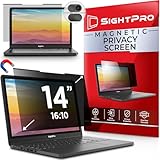
- 【Instant Snap-on Magnetic Attachment】- The Patented Magnetic Privacy Screen – Protected by U.S. Patents 9,829,669 and D844,012. Simply place the privacy screen along the top of your MacBook and let the magnets attach along the top. No need for tricky placement, messy tape, or damaging adhesive. Easily remove and reattach when you need it.
- 【Filter Dimensions】: Width: 11 15/16" (304 mm), Height: 7 1/2" (190 mm), Diagonal: 14.1" (358.14 mm) - SightPro Blackout Privacy Filter is engineered to be compatible with Lenovo, HP, Dell, Acer, Asus, Samsung, and other laptop brands. Please verify your screen's width and height measurements before ordering. It's not recommended to make your selection based solely on your screen's diagonal size. [Not optimized for touchscreens.]
- 【Superior Privacy】- Our advanced multi-layered film filter blacks out your screen when viewing from the side, while maintaining a crystal clear screen straight-on. It also protects your eyes from harmful UV and blue light. [Note: It does not block visibility directly behind you, regardless of the distance.]
- 【Perfect for Travel and Open Workspaces】- The Laptop Privacy Screen Filter is the ideal solution for healthcare providers, mobile workers, commuters, students, and business travelers. Now you can stay compliant and safeguard sensitive corporate information while working in airplanes, subways, airports, and public areas.
- 【Package Contents】- Each package includes a magnetic privacy screen filter, magnetic stickers, a webcam privacy cover, a storage folder, and a cleaning cloth. Buy with confidence – located in the US, Sight Pro specializes in providing best-in-class privacy solutions to individuals, small businesses, corporations, government, and educational institutions. Our privacy screens are Section 889 and TAA compliant.
Local control does not mean that a file is automatically safe. A laptop can be lost, a disk can fail, and an unencrypted backup can expose the same information you were trying to protect. Privacy therefore includes both the application’s storage design and the way you copy, unlock, and recover your data.
Offline usefulness
An application is genuinely offline-friendly when its main job continues without a network connection. LibreOffice can open and edit local office files. KeePassXC can open its local database. Joplin is explicitly described as “offline first,” meaning that users always have their data on their computer or phone. Signal belongs in a different category: it is a private communications tool, and communication necessarily requires a connection to send and receive messages.
Synchronization is a choice, not a synonym for backup
Synchronization makes the same working data available on several devices, but it also introduces another service, account, or server to manage. Joplin lets you leave synchronization disabled or select a provider and use end-to-end encryption. Bitwarden encrypts or hashes data on the local device before cloud storage and also offers self-hosting. KeePassXC leaves the location and copying of the encrypted database entirely to you.
Free tools Windows power users keep installed
One-click scans. No signup required.
A backup is a recoverable copy made for failure or loss. If a synchronization service propagates an accidental deletion, every synchronized copy may reflect that change. Keep at least one separate backup for information that would be difficult to recreate.
LibreOffice: the broadest offline productivity suite
LibreOffice is free and open-source software from The Document Foundation. Its desktop suite includes Writer, Calc, Impress, Draw, Base, and Math, covering the common office tasks as well as diagrams, databases, and formulas. Official desktop downloads are available for Linux, macOS, and Windows, and the project publishes offline help packages.
Also popular on Amazon

- Filter Dimensions: Width: 11 15/16" (304 mm), Height: 7 1/2" (190 mm), Diagonal: 14.1" (358.14 mm) - SightPro Blackout Privacy Filter is engineered to be compatible with Lenovo, HP, Dell, Acer, Asus, Samsung, and other laptop brands. Please verify your screen's width and height measurements before ordering. It's not recommended to make your selection based solely on your screen's diagonal size. [Not optimized for touchscreens.]
- Two Attachment Options - Installs in minutes. Option 1 uses clear adhesive strips that securely attach to any screen. Option 2 uses slide mount tabs that easily stick to the display frame, allowing you to slide the filter on and off the screen as needed.
- Superior Privacy and Anti Glare - Our advanced multi-layered film filter blacks out your screen when viewing from the side, while maintaining a crystal clear screen straight-on. It also protects your eyes from harmful glare, UV, and blue light. [Note: It does not block visibility directly behind you, regardless of the distance.]
- Perfect for Travel and Open Workspaces - Our computer screen privacy filter is the ideal solution for healthcare providers, mobile workers, commuters, students, and business travelers. Now you can stay compliant and safeguard sensitive corporate information while working in airplanes, subways, airports and public areas.
- Package Contents - Each package includes one privacy screen shield filter, two sets of clear adhesive strips, two sets of slide mount tabs, and a microfiber cleaning cloth. Buy with confidence – located in the US, Sight Pro specializes in providing best-in-class privacy solutions to individuals, small businesses, corporations, government, and educational institutions. Our privacy screens are Section 889 and TAA compliant.
Why it is the default office recommendation
The suite does not make a web subscription a prerequisite for drafting a document, building a spreadsheet, preparing a presentation, drawing a diagram, maintaining a small database, or working with formulas. That makes it the strongest choice in this list for people who need a general-purpose workstation that remains useful during travel, an outage, or a deliberate period without internet access.
A privacy-conscious installation
- Download the desktop build for your operating system from LibreOffice’s official project channels while you have a connection.
- Install only the components you need. Writer, Calc, and Impress cover many users; Draw, Base, and Math are available when diagrams, databases, or formulas are part of the workflow.
- Add the offline help package. This keeps documentation available when the computer is disconnected.
- Keep working files in a location you control. A local folder, encrypted system volume, or managed removable drive is more predictable than relying on an online account that may be unavailable.
- Back up finished files separately. Copy important documents to a second storage location and verify that the copies open before deleting the originals.
Trade-offs
LibreOffice solves the offline editing problem, not every collaboration problem. If several people need simultaneous browser editing, a cloud service may be more convenient, but that convenience changes where data is processed and stored. For private or intermittent work, local files plus deliberate sharing provide a clearer boundary.
Recommended Free Tools
KeePassXC: the strongest local-only password option
KeePassXC is a modern, secure, open-source password manager for Windows, macOS, and Linux. The project describes its design plainly: “It saves many different types of information, such as usernames, passwords, URLs, attachments, and notes in an offline, encrypted file that can be stored in any location.” The database file is the central object, so you decide where it lives and where copies are kept.
How to use the local encrypted-file model
- Create one database on a device you control. Treat this file as the authoritative vault rather than scattering credentials across browser profiles and text documents.
- Choose a master password you can recover. KeePassXC cannot make a forgotten master password disappear; losing it can mean losing access to the vault.
- Use the available record types deliberately. Usernames, passwords, URLs, secure notes, and attachments can stay together in the encrypted database, which is useful for recovery codes and account instructions.
- Make a second encrypted copy. A removable USB drive is a practical place for an offline backup, provided the database itself remains encrypted and the drive is stored securely.
- Test recovery. Open the copy on a separate occasion and confirm that the master password works before you depend on it during an emergency.
The responsibility KeePassXC does not remove
Local storage gives you control, but it also gives you custody. There is no service operator to restore a deleted database or reset a forgotten master password. Keep the database file backed up, protect the devices and removable media that contain it, and avoid leaving unencrypted exports in downloads folders or email attachments.
When KeePassXC is the right choice
Choose KeePassXC when maximum independence from an account or hosted service matters most, when you primarily use one computer or can manage your own file copies, or when you want a portable encrypted vault. It is less convenient than a cloud-synchronized manager if you regularly add credentials on several devices and expect every change to appear automatically.
Also popular on Amazon

- 【Instant Snap-on Magnetic Attachment】- The Patented Magnetic Privacy Screen – Protected by U.S. Patents 9,829,669 and D844,012. Simply place the privacy screen along the top of your MacBook and let the magnets attach along the top. No need for tricky placement, messy tape, or damaging adhesive. Easily remove and reattach when you need it.
- 【Filter Dimensions】: Width: 13.56" (344.5 mm), Height: 8.49" (215.6 mm), Diagonal: 16" (406 mm) - SightPro Blackout Privacy Filter is engineered to be compatible with Lenovo, HP, Dell, Acer, Asus, Samsung, and other laptop brands. Please verify your screen's width and height measurements before ordering. It's not recommended to make your selection based solely on your screen's diagonal size. [Not optimized for touchscreens.]
- 【Superior Privacy】- Our advanced multi-layered film filter blacks out your screen when viewing from the side, while maintaining a crystal clear screen straight-on. It also protects your eyes from harmful UV and blue light. [Note: It does not block visibility directly behind you, regardless of the distance.]
- 【Perfect for Travel and Open Workspaces】- The Laptop Privacy Screen Filter is the ideal solution for healthcare providers, mobile workers, commuters, students, and business travelers. Now you can stay compliant and safeguard sensitive corporate information while working in airplanes, subways, airports, and public areas.
- 【Package Contents】- Each package includes a magnetic privacy screen filter, magnetic stickers, a webcam privacy cover, a storage folder, and a cleaning cloth. Buy with confidence – located in the US, Sight Pro specializes in providing best-in-class privacy solutions to individuals, small businesses, corporations, government, and educational institutions. Our privacy screens are Section 889 and TAA compliant.
Joplin: offline-first notes with optional encrypted sync
Joplin is a free, open-source note-taking and to-do application. Desktop builds are available for Windows, macOS, and Linux, and a portable Windows option is documented. Its “offline first” design keeps data on the computer or phone. Joplin’s privacy policy says its applications do not send data to any service without the user’s authorization.
Outdated Drivers Are Slowing You Down
One free scan finds every outdated or missing driver and matches the right update for your exact hardware.Free scan · exact hardware matchWindows Errors? Fix Them Before They Spread
Repair common Windows errors and clear accumulated junk for a smoother, more stable PC - no reinstall needed.Free scan · no reinstallLocal notebooks and tasks
Joplin fits research notes, meeting records, checklists, drafts, and personal to-do lists that must remain readable without a connection. You can create and edit locally, then decide later whether another device needs the same notebook. This is different from a browser-only notes service where the local application may be only a window onto a remote account.
Adding synchronization carefully
- Start with a local notebook structure. Create the notebooks and notes you need before adding a remote provider.
- Choose synchronization only when portability justifies it. Joplin documents providers selected by the user rather than forcing one service.
- Enable end-to-end encryption before synchronizing sensitive material. Joplin says this prevents eavesdroppers, including telecom providers, internet providers, and Joplin developers, from accessing synchronized data.
- Protect and document the encryption keys. Encrypted synchronization adds a key-management obligation; a lost key or incomplete recovery plan can make synchronized notes inaccessible.
- Keep an independent export or backup. Sync is for keeping devices aligned, while a separate copy protects against deletion, corruption, or a mistaken configuration.
The central trade-off
Joplin offers a useful middle ground: local data by default, optional portability, and end-to-end encryption for synchronized content. The price of that flexibility is more configuration than a purely local notebook and more recovery responsibility than an unencrypted cloud account.
Bitwarden Desktop: encrypted synchronization or self-hosting
Bitwarden is aimed at people who want desktop credential applications and synchronized access across devices. Its documentation states that data is encrypted or hashed on the local device before it is sent to cloud servers. The project also documents self-hosting the entire Bitwarden stack.
Choose the operating model first
- Hosted synchronization: the service handles availability across devices, while the client protects data before transmission to the cloud.
- Self-hosting: you operate the complete service yourself, gaining control over where the server runs and how it is maintained.
- Local-only priority: if you do not need synchronized use, KeePassXC has the simpler model because its primary vault is a local encrypted file.
What self-hosting changes
Self-hosting is not a one-time privacy switch. You become responsible for the server, updates, network exposure, backups, and recovery procedures. It can be appropriate for an experienced operator or a household that already maintains infrastructure, but it is not automatically safer than a well-managed hosted service. A server that is neglected, publicly exposed, or backed up poorly can undermine the control self-hosting was meant to provide.
Do these 3 things before closing this tab:
1Fix the driver behind crashes, sound loss and screen glitches2Repair Windows errors before they cause bigger problems3Scan for outdated or missing drivers - takes under a minuteAlso popular on Amazon

- 【Filter Dimensions】: Width: 13 9/16" (345 mm), Height: 7 5/8" (194 mm), Diagonal: 15.6" (396.24 mm) - SightPro Blackout Privacy Filter is engineered to be compatible with Lenovo, HP, Dell, Acer, Asus, Samsung, and other laptop brands. Please verify your screen's width and height measurements before ordering. It's not recommended to make your selection based solely on your screen's diagonal size. [Not optimized for touchscreens.]
- 【Two Attachment Options】- Installs in minutes. Option 1 uses clear adhesive strips that securely attach to any screen. Option 2 uses slide mount tabs that easily stick to the display frame, allowing you to slide the filter on and off the screen as needed.
- 【Superior Privacy and Reduce Glare】- Our advanced multi-layered film filter blacks out your screen when viewing from the side, while maintaining a crystal clear screen straight-on. It also protects your eyes from harmful glare, UV, and blue light. [Note: It does not block visibility directly behind you, regardless of the distance.]
- 【Perfect for Travel and Open Workspaces】- Our computer screen privacy filter is the ideal solution for healthcare providers, mobile workers, commuters, students, and business travelers. Now you can stay compliant and safeguard sensitive corporate information while working in airplanes, subways, airports and public areas.
- 【Package Contents】- Each package includes one privacy screen shield filter, two sets of clear adhesive strips, two sets of slide mount tabs, and a microfiber cleaning cloth. Buy with confidence – located in the US, Sight Pro specializes in providing best-in-class privacy solutions to individuals, small businesses, corporations, government, and educational institutions. Our privacy screens are Section 889 and TAA compliant.
When Bitwarden is the better fit
Select Bitwarden when the ability to use a credential vault on several devices is central, when client-side protection before cloud storage matters, or when you are prepared to operate a self-hosted deployment. Select KeePassXC instead when an offline encrypted file and minimal service dependence are more important than automatic synchronization.
Signal Desktop: private conversations, not offline messaging
Signal provides an official desktop download and an AppImage for many 64-bit Linux distributions. It belongs on a privacy-focused desktop because it is designed for private messaging, but its purpose imposes a hard limit: messages must travel over a network to be sent and received.
Use it for the right problem
Signal is suitable for conversations where private transport matters. It is not a replacement for an offline notes application, a document editor, or an email archive that must remain usable during a prolonged outage. Existing local conversation data does not change the fact that new communication requires connectivity.
Linux distribution choice
On Linux, the documented AppImage can be useful when your distribution is among the many supported 64-bit environments. Use the official desktop distribution for your operating system and keep the installation process separate from the question of whether the application can work without a network; installation availability does not make messaging offline.
Which combination should you choose?
| Your priority | Recommended choice | Reason |
|---|---|---|
| Write and edit files during travel or outages | LibreOffice | Its desktop suite covers the widest set of productivity tasks without requiring a web subscription. |
| Keep passwords under direct local control | KeePassXC | The primary vault is an offline encrypted file whose location and backups you control. |
| Maintain notes on a computer and phone, with sync as an option | Joplin | It is offline-first and supports user-authorized synchronization with end-to-end encryption. |
| Use credentials across many devices with encrypted cloud transfer | Bitwarden | Client-side encryption and a self-hosting option address different levels of service dependence. |
| Exchange private messages | Signal Desktop | It is designed for private conversations, provided the devices have connectivity. |
| Minimize network dependence across all categories | LibreOffice + KeePassXC + local Joplin | These three cover files, credentials, and notes while leaving synchronization optional rather than mandatory. |
A practical setup order
- Secure the computer first. Use a device account and storage protection appropriate to the operating system, because local applications cannot compensate for an exposed machine.
- Install LibreOffice and its offline help. Confirm that a sample document, spreadsheet, or presentation opens with the network disconnected.
- Create the KeePassXC vault. Save it in a controlled location, make an encrypted second copy, and test opening that copy.
- Install Joplin and build local notebooks. Decide whether your notes truly need another device before enabling synchronization.
- Choose a synchronization model explicitly. Keep Joplin local, use its optional encrypted synchronization, or select Bitwarden when synchronized credential access is the main requirement.
- Add Signal for communication. Install the official desktop build or the documented Linux AppImage, understanding that conversations require a network.
- Write down recovery instructions. Record where encrypted databases and backups are stored, which master passwords or keys are required, and who should be able to recover them.
Common failure modes and fixes
“I installed an offline app, but my data is still only on one disk.”
Offline access and redundancy are different properties. Make a second copy of important LibreOffice files, the KeePassXC database, and Joplin data. For KeePassXC, keep the database encrypted even on removable media.
Also popular on Amazon

- 【Instant Snap-on Magnetic Attachment】- The Patented Magnetic Privacy Screen – Protected by U.S. Patents 9,829,669 and D844,012. Simply place the privacy screen along the top of your MacBook and let the magnets attach along the top. No need for tricky placement, messy tape, or damaging adhesive. Easily remove and reattach when you need it.
- 【Filter Dimensions】: Width: 12 3/16" (310 mm), Height: 6 7/8" (175 mm), Diagonal: 14" (355.6 mm) - There are two different 14 inch screen sizes, please select the correct one. SightPro Blackout Privacy Filter is engineered to be compatible with Lenovo, HP, Dell, Acer, Asus, Samsung, and other laptop brands. Please verify your screen's width and height measurements before ordering. It's not recommended to make your selection based solely on your screen's diagonal size. [Not optimized for touchscreens.]
- 【Superior Privacy】- Our advanced multi-layered film filter blacks out your screen when viewing from the side, while maintaining a crystal clear screen straight-on. It also protects your eyes from harmful UV and blue light. [Note: It does not block visibility directly behind you, regardless of the distance.]
- 【Perfect for Travel and Open Workspaces】- The Laptop Privacy Screen Filter is the ideal solution for healthcare providers, mobile workers, commuters, students, and business travelers. Now you can stay compliant and safeguard sensitive corporate information while working in airplanes, subways, airports, and public areas.
- 【Package Contents】- Each package includes a magnetic privacy screen filter, magnetic stickers, a webcam privacy cover, a storage folder, and a cleaning cloth. Buy with confidence – located in the US, Sight Pro specializes in providing best-in-class privacy solutions to individuals, small businesses, corporations, government, and educational institutions. Our privacy screens are Section 889 and TAA compliant.
“Synchronization deleted the change everywhere.”
Synchronization mirrors state; it is not automatically a historical archive. Retain a separate backup or export that is not continuously synchronized, and test restoring it.
“I forgot the password to my local vault.”
KeePassXC’s local model gives you control but does not provide a remote reset. Use a master password you can reliably recall and maintain a documented recovery plan that does not expose the password casually.
“Joplin is asking for encryption details I do not understand.”
Do not rush to synchronize sensitive notebooks. End-to-end encryption improves privacy in transit and at the provider, but key management becomes your responsibility. Finish the recovery plan before moving irreplaceable notes.
The Tool Desk
Outbyte PC Repair FREEClear out junk files and repair common Windows errorsFree Scan →Outbyte Driver Updater FREEFix the driver behind crashes, sound loss and screen glitchesFind Drivers →“Signal does not send messages on a flight or during an outage.”
That behavior is expected. Signal protects communication when a network is available; it is not an offline transport. Draft information in LibreOffice or Joplin and send it when connectivity returns.
“Self-hosting feels private, but maintenance is becoming a burden.”
Reassess the operating model. Self-hosting Bitwarden can provide control over the service location, but only if you can maintain the server, backups, updates, and access controls. A simpler model that you maintain consistently is preferable to an abandoned private server.
Bottom line
For the most independent desktop setup, use LibreOffice for office work, KeePassXC for an encrypted local password vault, and Joplin for offline-first notes. Add Joplin’s encrypted synchronization or choose Bitwarden when multi-device access is worth operating another service. Use Signal for private conversations, while planning around its unavoidable network requirement. The best choice is the one whose storage, synchronization, backup, and recovery responsibilities you can explain and maintain.
Quick Recap
Product prices and availability are accurate as of the date/time indicated and are subject to change. Any price and availability information displayed on Amazon at the time of purchase will apply.
What’s actually slowing this PC down?
Pick the symptom - the matching free tool is one click away.

