
iTechGuides is reader-supported. When you buy through links on our site, we may earn an affiliate commission. As an Amazon Associate I earn from qualifying purchases. Learn more
For most nontechnical teams, n8n Cloud is the best n8n hosting option in 2026 because n8n operates the instance, upgrades and core infrastructure. Choose a self-hosted VPS instead when you need lower infrastructure cost, regional placement or complete control and can take responsibility for HTTPS, backups, encryption keys, updates and troubleshooting. Among self-hosted choices, OVHcloud and Hetzner are the lowest-cost do-it-yourself options in the September 2026 comparison, DigitalOcean fits teams already using its platform, and managed services such as Selfhost.dev and Elestio reduce server work.
What is the best n8n hosting option in 2026?
There is no single best provider for every n8n installation. The decisive choice is between two operating models:
- Managed n8n Cloud: n8n runs the instance for you. You avoid server provisioning, operating-system maintenance and most infrastructure decisions.
- Self-hosted n8n: you rent or operate the server and control the environment, but you also own security, updates, persistence, monitoring, backups and availability.
For a team that wants workflows running quickly and does not have an infrastructure owner, Cloud is usually the safer default. A technically confident operator may spend less on a VPS, but only if the value of their maintenance time, backup storage and incident response is included in the budget.
Compare providers on more than CPU and RAM. Management effort, billing commitment, execution limits, public HTTPS, webhook setup, credential persistence, backup restoration, update responsibility, support scope, scaling, data-center geography and collaboration or compliance requirements all affect the real choice. A cheap server that loses credentials after a rebuild is not a cheap production system.
Popular on Amazon
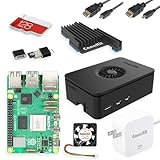
- Includes Raspberry Pi 5 with 2.4Ghz 64-bit quad-core CPU (8GB RAM)
- Includes 128GB Micro SD Card pre-loaded with 64-bit Raspberry Pi OS, USB MicroSD Card Reader
- CanaKit Turbine Black Case for the Raspberry Pi 5
- CanaKit Low Noise Bearing System Fan
- Mega Heat Sink - Black Anodized
How much does n8n Cloud cost in 2026?
n8n Cloud bills by workflow executions rather than by a conventional server size. The following prices are the vendor’s 2026 annual-billing figures; monthly totals can differ when billed on another schedule.
| Plan | Price on annual billing | Included executions | Concurrency | Hosting model |
|---|---|---|---|---|
| Starter | 20€/month | 2,500 | Five concurrent executions | Managed Cloud |
| Pro | 50€/month | 10,000 | Up to 50 concurrent executions | Managed Cloud |
| Business | 667€/month | 40,000 | Not stated in the plan figures | Self-hosted only |
Count every scheduled run, webhook-triggered run and chatbot or event-driven execution when estimating demand. A workflow that runs several times per hour can consume an allowance much faster than its number of visible workflows suggests. Compare your expected monthly executions with the allowance, then leave room for retries, manual runs and growth.
When is Starter enough?
Starter is appropriate for a small number of low-frequency automations, prototypes and personal projects that fit within 2,500 executions per month. Its five-execution concurrency limit also matters if several webhooks arrive together. For example, a campaign that triggers many form submissions at once may hit concurrency even when its monthly total remains below the allowance.
When should you choose Pro?
Pro is aimed at busier workloads needing up to 10,000 executions and as many as 50 concurrent executions. The higher concurrency is useful when independent webhook or scheduled jobs must run at the same time, but it does not remove the need to monitor total executions. Include retries and manual test runs in the estimate rather than treating them as exceptional events.
What does Business mean?
The 667€/month Business figure is for annual billing and 40,000 executions. The 2026 plan information identifies Business as self-hosted only, so it should not be treated as a larger n8n-managed Cloud tier. A business buyer should therefore compare the plan with the cost of operating an equivalent production environment, including staff time and support.
How should you calculate executions?
Start with a normal month of schedules and webhook events. Add expected retries, imports, manual replays, chatbot conversations and seasonal peaks. A workflow that processes many items can create repeated executions if it is triggered frequently or loops through separate events. Keep a buffer for growth and test traffic; selecting a plan solely from today’s average can create an avoidable upgrade during a launch.
Which VPS is best for self-hosted n8n?
For do-it-yourself hosting, the September 2026 comparison puts OVHcloud first on price, Hetzner close behind, and DigitalOcean higher in cost but convenient for teams already using its ecosystem. These are comparison figures for specified server configurations, not guaranteed checkout prices.
| Provider and configuration | Reported price | Resources | What you must operate | Best fit |
|---|---|---|---|---|
| OVHcloud VPS-1, US | $5.85/month, including a required backup in the comparison | 2 vCPU, 4 GB RAM | Configuration, public HTTPS, webhook address, persistence and recovery | Lowest-cost DIY deployment |
| Hetzner CX23 | $7.09/month | 2 vCPU, 4 GB RAM | HTTPS, webhook URL, data persistence, backups and updates | Low-cost operators comfortable with Docker Compose |
| DigitalOcean droplet | $24/month | 2 vCPU, 4 GiB RAM | Upgrades and separately priced backups | Developers already using DigitalOcean |
The comparison’s prices were published in September 2026 and can change with region, taxes, storage, backup selection and billing term. Treat them as planning numbers and verify the provider’s current checkout total.
Is OVHcloud the cheapest n8n VPS?
In that dated comparison, OVHcloud VPS-1 was the cheapest listed configuration at $5.85 per month in the United States. The plan included 2 vCPU, 4 GB RAM and a required backup. The low price does not include the value of your own setup, patching, monitoring or recovery work. Confirm the backup scope and retention, because a backup that cannot restore the database and n8n data directory is not a complete recovery plan.
Also popular on Amazon

- CanaKit Raspberry Pi 5 Essentials Starter Kit
Why choose Hetzner Cloud?
Hetzner’s n8n deployment guide uses Docker Compose and Caddy as a reverse proxy. The guide says CPX11 is sufficient for most use and recommends at least 4 GB RAM and 2 vCPU when n8n Assistant is added. The comparison’s CX23 figure is $7.09 per month for 2 vCPU and 4 GB RAM. You still need to configure the webhook URL, HTTPS, persistent data and backups. Docker Compose makes the deployment reproducible, but it does not automatically supply monitoring, disaster recovery or safe update procedures.
Do these 3 things before closing this tab:
1Fix the driver behind crashes, sound loss and screen glitches2Repair Windows errors before they cause bigger problems3Scan for outdated or missing drivers - takes under a minuteWhen does DigitalOcean make sense?
n8n documents DigitalOcean as an official self-hosting path. The comparison lists $24 per month for a 2-vCPU, 4-GiB server and notes that backups cost extra. It is a practical choice when your team already has DigitalOcean networking, monitoring, access controls and billing processes, because familiarity can outweigh the higher listed server price. If you are new to the platform, include the time to learn its firewall, volume and backup controls before comparing only the droplet price.
What should a VPS buyer verify?
- That the selected region meets latency, residency or internal policy needs.
- That public inbound HTTPS traffic and DNS records can be configured for webhook providers.
- That backup storage and retention are clear, including whether backups are charged separately.
- That the plan has enough memory for the database, n8n process and any queue workers you add.
- That you can recover administrator access without depending on a single employee.
Are managed self-hosting services worth the extra cost?
Managed self-hosting sits between n8n Cloud and a bare VPS. The provider prepares more of the server, while you retain a self-hosted deployment and usually more infrastructure control than Cloud.
| Service | Reported configuration and price | Operational features reported | Important qualification |
|---|---|---|---|
| Selfhost.dev | Dedicated 2-vCPU, 4-GB Europe server at $15.18/month | HTTPS, webhook configuration, encryption-key persistence and one-click updates reported as already set up | Figures come from the provider’s own September 2026 comparison |
| Elestio | 2 vCPU, 4 GB in Germany at $16.06/month | Managed updates and daily backups | The comparison warns that automatic updates should be tested before relying on them |
These services can be economical when your alternative is paying an engineer to perform routine server work. Confirm data-center location, backup retention, restoration procedure, support boundaries and whether encryption keys survive a rebuild before committing production workflows. Ask how you receive access to backups and how quickly a failed instance can be restored. A “one-click” update should still have a rollback path and a maintenance window.
What must you configure when self-hosting n8n?
A server with enough CPU and RAM is only the beginning. Reliable n8n hosting depends on the following operational controls.
Free tools Windows power users keep installed
One-click scans. No signup required.
Use the right database
- PostgreSQL: the official hosting repository recommends it for production deployments.
- SQLite: suitable for development and small, single-instance installations.
- Redis 7 or newer: recommended for queue mode.
- MySQL and MariaDB: marked as unsupported n8n backends in the official hosting guidance.
Choose the database before production data accumulates. Migrating later is possible but adds downtime and backup-validation work. Keep database credentials separate from workflow credentials and restrict database access to the n8n host or private network where possible.
Publish HTTPS for webhooks
External webhook providers need a publicly reachable HTTPS address. A reverse proxy terminates TLS and forwards traffic to n8n; it must advertise the correct webhook URL to n8n. A deployment that works for browser access over an internal address can still fail when a payment service, form provider or chat platform attempts its callback. Test both the public URL and a real provider callback, not just a local browser request.
Persist the encryption key and data directory
Keep n8n’s encryption key and its data directory on persistent storage. If a rebuild generates a new key or starts with an empty data directory, stored credentials may no longer be readable and workflow state can disappear. Document where these values live and include them in a protected backup plan. Do not paste keys into tickets or ordinary logs, and limit access to the people who administer the instance.
Make backups restorable
A backup is useful only if it can be restored. Schedule backups for the database and n8n data, keep at least one copy separate from the server, record retention periods, and perform controlled restoration exercises before a failure occurs. Include encryption keys in the recovery design without exposing them in ordinary logs or shared tickets. Record the restore steps so another operator can execute them if the primary administrator is unavailable.
Also popular on Amazon

- All-in-One Complete Kit: This SANOOV RPi 5 bundle comes with Raspberry Pi 5 4GB RAM single board, active cooler, durable ABS case and screwdriver. No extra parts needed, ready to use right out of the box for beginners and hobbyists
- Powerful Single Board Computer: Equipped with 4GB RAM and high-performance processor, delivers fast running speed for 4K playback, AI projects, programming and daily computing tasks. SANOOV for raspberry pi 5 4GB is equipped with broadcom 64 quad-core Arm Cortex A76 processor with gigabit ethernet and upgraded with IEEE 802.11ac Wi-Fi, Bluetooth 5.0 dual-band 2.4Ghz and 5Ghz and Power Over Ethernet (POE). Upgrading delivers 2-3 x speed vs Pi 4, redefining the experience
- Efficient Active Cooler: Effectively lowers operating temperature and prevents performance throttling. Runs quietly even under long-time heavy load, ensures stable operation all day long. SANOOV RPi 5 4GB kit offer an active cooler, which combines an aluminium heatsink with a high-performance PWM fan. Active cooler is fully compatible with the Pi OS, which can effectively reduce the temperature of RPi5 and ensure its good performance during long-term high load operation
- Sturdy ABS Protective Case: Well-fitted for Raspberry Pi 5 board, can be secured with 4 screws to effectively protect the Pi 5 motherboard from damage, reserves full access to all ports and buttons. SANOOV uses ABS material to produce the case, which has a softer texture and feel. Meanwhile, SANOOV case adopts a layered design for easy disassembly and installation. (Tip: The Case cannot install M.2 HAT Add on Board and Solid State Drive!)
- Wide Application & Full Compatibility: Seamlessly compatible with official OS and mainstream peripheral accessories for Raspberry Pi 5. Whether you are a beginner, student, electronics hobbyist or professional developer, this all-in-one kit meets your diverse needs. It excels in IoT projects, robotics design, retro gaming devices, home media servers and other DIY creations. Backed by a large global community, you can easily find guides, technical support and shared projects online
Plan updates and uptime
Cloud users receive infrastructure management from n8n. Self-hosted operators must schedule n8n, operating-system, reverse-proxy and database updates, then check workflows and webhooks afterward. Decide how downtime is communicated and whether a second instance or queue-mode architecture is justified by the workload. Test updates on a nonproduction copy when possible, especially when a managed service applies automatic updates.
Separate development and production
Use SQLite and a small instance for development when appropriate, but keep production credentials and webhook endpoints separate. A test workflow should not accidentally call a live payment, customer or messaging system. Maintain a documented promotion process and a list of critical workflows to verify after every update or restore.
How do I choose between n8n Cloud and self-hosting?
Use the decision points below rather than comparing server prices alone.
- Estimate executions. Add scheduled runs, webhook events, retries, manual tests and chatbot interactions for a typical month.
- Assign an operator. If nobody owns patching, access recovery, HTTPS certificates and backup restoration, prefer n8n Cloud or a managed self-hosting service.
- Check data requirements. Identify required country or region, retention rules, secret-handling practices and whether your organization needs self-managed infrastructure.
- Price the complete system. Include server, backup storage, database, monitoring, domain or TLS requirements and engineering time, not only the VPS headline price.
- Test recovery before production. Verify that credentials remain usable after restoring the database, data directory and encryption key.
- Review support ownership. Decide who handles n8n product questions and who handles operating-system, networking, performance and provider-billing incidents.
Choose n8n Cloud when
- You need the shortest path from account creation to a working workflow.
- Your team does not maintain Linux servers, reverse proxies or databases.
- Execution-based billing is predictable for your workload.
- You prefer n8n to handle instance operations.
Choose a DIY VPS when
- You have an operator comfortable with Docker Compose, DNS, TLS and backups.
- You need control over the operating system, region or network.
- The complete cost remains lower after labor and backup storage are included.
- You accept responsibility for upgrades and outages.
Choose managed self-hosting when
- You want self-hosted control but less initial configuration.
- Preconfigured HTTPS, webhook settings, persistence or one-click updates reduce risk.
- You have confirmed the provider’s backup and restore behavior rather than assuming automation is sufficient.
Who supports a self-hosted n8n installation?
n8n’s self-hosted support policy covers licensing and n8n product-functionality issues. It does not cover server access, password resets, operating-system configuration, networking, performance, workflow logic or provider billing. Those issues belong to the person or company managing the server and its hosting account.
| Problem | Likely owner |
|---|---|
| n8n license or product behavior | n8n support |
| SSH access, account lockout or operating-system settings | Server operator or hosting provider |
| DNS, TLS certificate or unreachable webhook | Server operator, DNS provider or host |
| Slow workflow caused by sizing or database load | Server operator |
| Unexpected VPS charge or backup billing | Hosting provider |
Write these boundaries into your runbook. When a webhook fails, collect the public URL, DNS result, certificate status, reverse-proxy logs and n8n execution details before escalating. This avoids sending a server-networking incident to the product vendor without the information needed to diagnose it.
Can you host n8n for free?
A permanently free production installation is not established by the options compared here. A self-hosted deployment requires compute, storage, network access and usually backups; a provider may offer a temporary trial or credit, but that is different from a no-cost production guarantee. Free tiers also often impose sleep, quota or reliability limits that can break webhooks.
If cost is the priority, compare the complete monthly bill and the time required to maintain the instance. The $5.85 OVHcloud and $7.09 Hetzner figures are low-cost paid configurations, while n8n Cloud starts at 20€ per month on annual billing for the stated Starter allowance. A low monthly invoice is not a saving if an outage, lost credential or failed restore interrupts revenue-producing workflows.
Recommended Free Tools
What is the practical recommendation for 2026?
Start with n8n Cloud for a nontechnical team or any project where operational simplicity matters more than infrastructure control. Select Starter or Pro only after estimating execution volume and concurrency. For self-hosting, choose OVHcloud or Hetzner for a hands-on low-cost deployment, DigitalOcean when ecosystem familiarity is valuable, and a managed service when you want someone else to prepare HTTPS, persistence and routine updates. Whichever model you choose, treat public HTTPS, persistent encryption keys, restorable backups and clear support ownership as launch requirements rather than optional extras.
Frequently Asked Questions
How many n8n executions do I need each month?
Add every scheduled, webhook, retry, manual and chatbot run, then include headroom for growth. A single workflow can create many executions if it loops over items or is triggered frequently, so count runs rather than the number of workflows.
Also popular on Amazon

- 【What you Get】You will get 1*Pi 5 8GB Single Board,1*RasTech Case,1*Active Cooler,1*Screwdriver,1*Installation instructions,12-month free warranty, lifetime service, 24-hour prompt and friendly response.
- 【More Connectors】There are two USB 3.0 ports(5Gbps simultaneously) and two USB 2.0 ports, which triple total bandwidth ,support any combination of up to two cameras or displays. Peak SD card performance is doubled through support for the SDR104 high-speed mode. It provides a smooth desktop experience for you. Offer Gigabit Ethernet and a PCIe interface, along with dual-band Wi-Fi and Bluetooth 5.0/BLE wireless capability. The RasTech Pi 5 Kit use the new 27W 5.1V 5A USB-C power connector.
- 【 Support Dual 4Kp60 Display 】Each of the two microHDMI sockets can control a 4K display at 60 Hertz, now support HDR, offering super HD video for media streaming projects. RPi 5 is the first RPi model that comes with a PCI Express port (PCIe 2.0 x1 with 500 MB/s) to attach SSDs (requires separate M.2 HAT).
- 【 Excellent Chips And Applications】Pi 5 is a full-size Pi computer using silicon built in-house at Pi. The RP1 “southbridge” provides the bulk of the I/O capabilities for Pi 5. Pi 5 is more friendly and convenient in the development of Internet of Things, Web development, machine identification, automatic control and other electronic equipment applications and network.
- 【 Faster CPU, Better GPU 】 Pi 5 features a Broadcom BCM2712 64-bit quad-core Arm Cortex-A76 processor running at 2.4GHz, it delivers a 2–3× increase in CPU performance relative to RaspberryPi 4. The 800MHz VideoCore VII GPU is compatible to OpenGL ES 3.1 and Vulkan 1.2, substantial uplift in graphics performance. Pi 5 Offers lightning-fast CPU speed, a PCI Express interface, a Real Time Clock (RTC) and a power button and runs significantly cooler than Pi 4.
Does n8n Cloud include database and server maintenance?
The managed model means n8n runs the instance, so you do not provision the underlying server or maintain its operating system. You still remain responsible for workflow design, credentials and choosing an execution allowance that fits your workload.
What happens if my self-hosted n8n server is rebuilt?
Without the original persistent encryption key and n8n data, saved credentials may become unreadable and workflow state may be missing. Keep those items in protected backups and verify a restoration procedure before rebuilding production.
Crashes, No Sound, or Screen Glitches?
Random freezes, missing sound and display glitches usually trace back to one bad driver. Find and replace yours safely.Free scan · under a minuteWindows Errors? Fix Them Before They Spread
Repair common Windows errors and clear accumulated junk for a smoother, more stable PC - no reinstall needed.Free scan · no reinstallShould I use SQLite or PostgreSQL for n8n?
SQLite is intended for development and small single-instance setups. The official hosting guidance recommends PostgreSQL for production, particularly when the installation must grow or support more demanding operational patterns.
Who fixes a failed webhook on self-hosted n8n?
The server operator normally investigates DNS, TLS, reverse-proxy routing, firewall rules and the configured webhook URL. n8n support covers product and licensing questions, not your server’s networking or provider account.
Is n8n Cloud priced by workflow count?
No. The listed Cloud allowances are based on workflow executions. Estimate scheduled, webhook, chatbot, retry and manual runs, and account for concurrency as well as the monthly total.
What is the minimum server size for self-hosted n8n?
The compared Hetzner guidance says CPX11 is enough for most use and recommends at least 2 vCPU and 4 GB RAM when n8n Assistant is added. Actual sizing depends on execution volume, database load and whether you add queue workers.
Quick wins for a faster PC:
Repair Windows errors before they cause bigger problemsFix Now →Scan for outdated or missing drivers - takes under a minuteDriver Scan →Are automatic updates safe for managed self-hosting?
Treat them as a convenience, not proof of safety. Test updates, confirm backups and keep a rollback or restoration procedure. The Elestio comparison specifically advises testing automatic updates before relying on them.
Which n8n hosting option is best for a developer team?
A DIY Hetzner or OVHcloud VPS can minimize infrastructure cost if the team already manages Docker, HTTPS and backups. DigitalOcean is attractive when your monitoring, networking and billing processes are already there; managed self-hosting reduces routine server work.
The Bottom Line
Bottom line: choose n8n Cloud for the simplest managed experience, a low-cost OVHcloud or Hetzner VPS when you can operate Linux infrastructure, DigitalOcean when its ecosystem matters, and managed self-hosting when you want control with less setup. Budget for HTTPS, persistent keys, restorable backups, updates and support ownership in every option.
Quick Recap
Product prices and availability are accurate as of the date/time indicated and are subject to change. Any price and availability information displayed on Amazon at the time of purchase will apply.
The Tool Desk
Outbyte PC Repair FREERepair Windows errors before they cause bigger problemsFix Now →Outbyte Driver Updater FREEScan for outdated or missing drivers - takes under a minuteDriver Scan →
