
What’s actually slowing this PC down?
Pick the symptom - the matching free tool is one click away.
iTechGuides is reader-supported. When you buy through links on our site, we may earn an affiliate commission. As an Amazon Associate I earn from qualifying purchases. Learn more
The best multi-device charging stations for home and office in 2026 are not one universal product: choose a Qi2/MagSafe 3-in-1 stand for an iPhone, Apple Watch, and AirPods; a wired USB-C desktop charger for laptops and mixed devices; or a USB-C/Thunderbolt dock when displays, Ethernet, and storage matter.
For US buyers, the shortlist below separates wireless personal-device stations from wired office power hubs and workstation docks. The distinction matters: a wireless stand optimizes convenience and alignment, while a 300W or 500W desktop charger optimizes wired power density. Product specifications, compatibility, and availability can change, so verify the current model listing before purchase.
Key takeaways
- A Qi2 or MagSafe 3-in-1 stand is the tidiest choice for an iPhone, Apple Watch, and AirPods, but it is not a substitute for a high-output laptop charger.
- Qi2 launched at up to 15W, while the Wireless Power Consortium recorded Qi2 25W as a 2025 specification update; actual speed still depends on the phone, adapter, temperature, and power allocation.
- The Anker Prime A25N1 and Belkin UltraCharge Pro WIZ040 are premium 25W wireless options, while the Anker A2557 and Belkin WIZ009 v2 are Qi2 15W alternatives.
- The UGREEN Nexode 300W and 500W desktop chargers are designed for several USB-C devices, but their advertised total wattage is shared across active ports.
- Belkin SRZ001 and SRZ002 are better suited to desks that need AC outlets as well as USB charging.
- A USB-C or Thunderbolt dock is the correct category when charging must be combined with displays, Ethernet, card readers, storage, and other workstation connections.
Which type of multi-device charging station should you buy?
Choose a wireless 3-in-1 station when convenience, alignment, and a clean nightstand matter most. Choose a wired USB-C desktop charger when the device list includes laptops, tablets, cameras, handheld consoles, or several USB-C accessories. Choose a docking station when the desk also needs monitors, Ethernet, storage, card readers, or legacy peripheral connections.
Free tools Windows power users keep installed
One-click scans. No signup required.
| Need | Best category | Why | Main limitation |
|---|---|---|---|
| iPhone, Apple Watch, and AirPods in one compact unit | Qi2 or MagSafe 3-in-1 stand | One tidy charging location with magnetic phone alignment | Usually not suitable for charging laptops |
| Phone, tablet, laptop, and accessories | USB-C desktop charger | Higher wired power density and more flexible cable connections | Port output is shared when several devices are connected |
| Monitors, lamps, speakers, and USB devices | AC and USB charging station | Combines wall-power outlets with USB-A and USB-C ports | USB-C wattage is dynamically allocated across active ports |
| Laptop plus displays, Ethernet, and cards | USB-C or Thunderbolt dock | Centralizes desk connectivity and laptop power pass-through | Compatibility depends on the laptop’s USB-C or Thunderbolt capabilities |
What are the best multi-device charging stations for home and office?
The following shortlist is divided by use case rather than forced into one universal ranking. A foldable wireless stand and a 300W desktop charger solve different problems, so the best choice depends on the devices and connections that must be powered.
Popular on Amazon
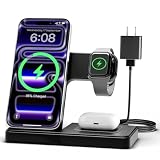
- 3 in 1 Wireless Charger Station: This 3-in-1 wireless charger is designed to work seamlessly with a variety of devices, including iPhone 16 15 14 13 12 11 8 Pro Max Mini Plus X XR XS Max SE Plus Series, Apple Watch Series 10 9 8 7 6 5 4 3 2 SE and Ultra, AirPods 2 3 4 Pro 2 (Note: for Airpods 2 3 4, needs work with a MagSafe charging case). A perfect Christmas present for couple (to husband or wife), son, daughter, or any loved ones.
- Fast Charging Power: Ensure your devices are efficiently charged with up to 7.5W for phones, 3W for earbuds, and 2.5W for watches. The charger is versatile, making it ideal for company work desk, window sills, living room or bedside, providing quick and reliable power delivery.
- Portable and Foldable Design: Featuring a foldable, lightweight design, this charging station is ideal for home, office, travel or trip. Manufacturer designed it to fit easily into bags, it makes a thoughtful present for loved ones who need reliable charging on the go. It's convenient for working remotely or on traveling.
- Safe Charging Base: Built with multiple safety features, including overcurrent, overvoltage, and overheating protection. This charger has worked reliably for customer. The LED indicators offer clear charging status, making it a reliable accessory for any desk or nightstand.
- Customer Friendly Features: It is equipped with a non-slip surface and case-friendly compatibility, which supports cases with a thickness of ≤ 0.16 inches (4mm). Please avoid cases with metal rings, pockets, or magnets. It helps to keep devices organized and charged while enhancing any room or office with its sleek appearance.
| Product and model | Best for | Charging format | Phone charging claim | Watch and earbud support | Wired ports or AC outlets | Form factor | Adapter status | Important limitation |
|---|---|---|---|---|---|---|---|---|
| Anker Prime Wireless Charging Station, 3-in-1 MagGo AirCool Foldable A25N1 | Premium Apple travel or desk setup | Qi2 wireless | Up to 25W advertised by Anker | Apple Watch and AirPods positions | None | Foldable with active AirCool cooling | 45W-or-higher adapter required for full 25W output | 25W depends on receiving hardware, adapter, temperature, and allocation |
| Anker MagGo Wireless Charging Station A2557 | Compact travel 3-in-1 charging | Qi2 wireless | Up to 15W | Apple Watch and AirPods positions | None | Foldable | Verify what the current package includes | It is a Qi2 15W model, not the newer 25W tier |
| Belkin BoostCharge Pro 3-in-1 with Qi2 WIZ009 v2 | Stable Apple nightstand or desk setup | Qi2 wireless | Up to 15W magnetic phone charging | Dedicated Apple Watch and AirPods positions | None | Stationary stand with portrait and landscape phone positioning | Verify what the current package includes | Prioritizes Qi2 15W rather than maximum 25W phone output |
| Belkin UltraCharge Pro 3-in-1 Magnetic Charging Dock WIZ040 | Premium foldable 25W Apple setup | Qi2 or MagSafe wireless | Up to 25W advertised for the phone position | Apple Watch and AirPods positions | None | Foldable | Verify adapter requirement and package contents | 25W applies to the phone position, not every charging position |
| Belkin 3-Outlet Charging Station SRZ001 | Home-office desk equipment | Wired AC and USB charging | USB-C Power Delivery up to 70W | No dedicated watch or earbud pucks | Three AC outlets, two USB-A, and two USB-C | Stationary desktop unit | Built-in desktop power unit; verify package details | USB-C power is shared across active ports |
| Belkin 2-Outlet Charging Station SRZ002 | Compact workstation or travel office | Wired AC and USB charging | USB-C port or integrated cable up to 70W when used alone | No dedicated watch or earbud pucks | Two AC outlets, two USB-A, one USB-C, and an integrated USB-C cable | Stationary unit with attached cable | Verify package details | 70W is dynamically shared when multiple ports are active |
| UGREEN Nexode 300W 5-Port Desktop Charger | Mixed-device home office or creator desk | Wired USB-C Power Delivery | USB-C charging; no wireless phone position | No dedicated watch or earbud pucks | Four USB-C and one USB-A; up to 300W total | Stationary desktop charger | Verify package contents and cable ratings | 300W total does not mean 300W on each port simultaneously |
| UGREEN Nexode 500W 6-Port Desktop Charger | Several high-load laptops or shared office desk | Wired USB-C Power Delivery | USB-C charging; no wireless phone position | No dedicated watch or earbud pucks | Five USB-C and one USB-A; up to 500W total and up to 240W from one port | Stationary desktop charger | Verify cable ratings for high-wattage devices | Actual multi-port output depends on the charger allocation and connected load |
| Belkin Connect USB-C 11-in-1 Multiport Dock INC004 | Office laptop workstation | USB-C dock with power pass-through | Not a wireless phone charger | No dedicated watch or earbud pucks | HDMI, DisplayPort, VGA, USB-A, Ethernet, SD, microSD, audio, and USB-C PD | Stationary workstation hub | Verify host cable and package contents | Up to 100W pass-through is advertised, but the dock can use up to 15W itself |
| OWC 11-Port Thunderbolt Dock | Professional or creative workstation | Thunderbolt dock with charging | Not a wireless phone charger | No dedicated watch or earbud pucks | Multi-display, SD card, Ethernet, and other workstation connections | Stationary workstation dock | Verify host and display cable requirements | Up to 96W charging does not replace checking the laptop’s requirements |
Specifications and availability can change, particularly for newer Qi2 25W products and high-output desktop chargers. The recommendations above are based on documented features and use-case fit, not independent hands-on testing.
What is the best 3-in-1 wireless charging station for an iPhone, Apple Watch, and AirPods?
For an Apple household, a 3-in-1 wireless charging station is the most convenient format because one stand can hold an iPhone, Apple Watch, and AirPods. The Belkin BoostCharge Pro WIZ009 v2 is the sensible Qi2 15W choice for a stable desk or nightstand, while the Anker MagGo A2557 is the more travel-oriented foldable option.
The Belkin Qi2 charging station is a strong fit when portrait and landscape phone positioning matter and the buyer prefers a stationary stand. Belkin documents a 15W Qi2 magnetic phone position alongside dedicated Apple Watch and AirPods positions in its BoostCharge Pro Qi2 support documentation.
Quick wins for a faster PC:
Repair Windows errors before they cause bigger problemsFix Now →Fix the driver behind crashes, sound loss and screen glitchesFind Drivers →Clear out junk files and repair common Windows errorsFree Scan →The Anker 3-in-1 charger options divide into two clear tiers. The A2557 is a foldable Qi2 15W model, while the Prime A25N1 adds advertised Qi2 25W phone charging, active AirCool cooling, and Made for Apple Watch certification. Anker says the A25N1 needs a 45W-or-higher adapter for full 25W output; the A25N1 product specifications should be checked for current compatibility and package details.
Belkin’s UltraCharge Pro WIZ040 is the other premium 25W option. The WIZ040 product page describes simultaneous charging for the iPhone, Apple Watch, and AirPods, with a foldable design and Qi2 or MagSafe 25W phone charging. The 25W claim applies to the phone position; it does not mean the Apple Watch and AirPods positions also deliver 25W.
Is Qi2 25W better than Qi2 15W?
Qi2 25W can be faster than Qi2 15W when the phone, charger, power adapter, thermal conditions, and power allocation all support the higher rate, but Qi2 25W is a capability rather than a universal charging guarantee.
According to the Wireless Power Consortium’s Qi specification history (2025), Qi2 launched with up to 15W power transfer and Qi2 25W was recorded as a later specification update. Magnetic alignment is central to Qi2’s Magnetic Power Profile: the phone and charger align more consistently instead of relying only on placing a device somewhere on an ordinary charging pad.
Also popular on Amazon

- Charge 3 Devices at Once:Charge your iPhone, Apple Watch, and AirPods at the same time with one compact 3-in-1 wireless charging station—keeps your nightstand or desk clean with a single USB-C cable setup.
- Fast, Safe, and Reliable Charging – ✔Comes with an 18W adapter for stable, high‑speed power delivery. Smart chipset protects against overcharging and automatically switches to trickle mode when fully charged. For maximum efficiency, remove cases thicker than 2.5mm and center your device on the pad.
- Non-MagSafe, Center-Place Charging:This charger stand does not have magnetic alignment (non-MagSafe). Compatible with iPhone 8 and newer (wireless charging models). Supports cases up to 5mm(0.2 in); remove metal/magnets/credit cards to avoid charging interruption.
- Cool-Running, Bedside-Friendly Indicator:ABS housing supports heat dissipation for daily use. A soft blue LED shows charging status, and foreign object detection can pause charging when metal accessories are detected—comfortable for bedside charging without harsh light.
- Wide Compatibility + What You Get:Works with iPhone 18/17/16e/16/15/14/13/12/11/XS/XR/X/8, Apple Watch Ultra 2/1 & Series 10/9/8/7/6/5/4/3/2/SE, and AirPods Pro/4/3/2 with a wireless (MagSafe) charging case. In the box: charging station, 18W adapter, 3.3ft USB-C cable, user manual, and support.
| Term | What it means | What to verify |
|---|---|---|
| Qi | Wireless charging standard that can work with compatible devices | Whether the phone and charger support the desired speed and alignment |
| Qi2 15W | Mature magnetic Qi2 tier with up to 15W charging | Phone compatibility, case fit, adapter capacity, and heat conditions |
| Qi2 25W | Newer Qi2 capability supporting up to 25W power transfer | Whether the receiving phone supports 25W and whether the supplied adapter can provide it |
| MagSafe | Apple’s proprietary magnetic charging ecosystem | Whether the accessory is MagSafe-licensed, Qi2-certified, or merely described as compatible |
Qi2 and MagSafe should not be treated as interchangeable labels without checking the product’s exact certification and advertised compatibility. A charger can support ordinary Qi without offering Qi2’s magnetic alignment, and a phone can support Qi2 charging without having built-in magnets.
Which phones support the faster wireless charging options?
Phone support determines the result more than the number printed on the charging stand. An iPhone, Android phone, case, and charger must be considered as one compatibility combination.
Apple’s iPhone 17 technical specifications (2025) list Qi2 wireless charging up to 25W under specified conditions. That makes 25W wireless charging a real device-dependent capability in the iPhone 17 generation, not a promise that every older iPhone or every charging position will reach 25W.
Samsung’s Galaxy S25 announcement (2025) lists Fast Wireless Charging 2.0 and says that Qi wireless charging is supported. Samsung’s charging troubleshooting guidance also explains that fast wireless charging depends on device and charger certification and that incompatibilities can occur with some MPP or Qi2 implementations.
Android buyers should not assume that every Qi2 station is magnetically compatible with every Android phone. An Android phone may support Qi or Qi2 charging while lacking built-in magnets; a compatible magnetic case or ring may be needed to keep the phone aligned. Confirm the exact phone model, case, and charger combination before buying.
Can a third-party 3-in-1 station fast-charge an Apple Watch?
A third-party 3-in-1 station can support Apple Watch fast charging only when the station uses an appropriate certified charging solution and the watch, cable, and power adapter meet Apple’s requirements. A dedicated watch position alone does not prove fast-charge support.
According to Apple Support’s fast-charge guidance (2026), fast charging requires a compatible Apple Watch, an Apple USB-C Magnetic Fast Charging Cable, and an 18W-or-greater USB-C power adapter. Under Apple’s stated testing conditions, Series 10 and later are listed at approximately 0–80% in 30 minutes; Series 7–9 and SE 3 at approximately 45 minutes; Ultra 3 at approximately 45 minutes; and Ultra and Ultra 2 at approximately one hour.
Also popular on Amazon
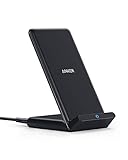
- Up to 10W Wireless Charging: Delivers up to 10W for Samsung Galaxy and 7.5W for iPhone models. Requires a 9V / 2A adapter (not included) for best performance. Charges an iPhone 15 in approximately 3 hours and 47 minutes.
- Wide Compatibility: Compatible with all Qi-certified devices. Works with Apple, Samsung, and other major brands for reliable wireless charging.
- Flexible Viewing: Watch videos comfortably in landscape mode or charge in portrait mode for easy messaging and Face ID.
- Case Requirement: Charges through cases up to 2.5 mm thick made of plastic, rubber, or TPU. Magnetic attachments, metal plates, or credit cards may interfere with charging.
- What You Get: Anker 313 Wireless Charger (Stand) / PowerWave Stand, 3 ft Micro-USB cable, welcome guide, 18-month warranty, and our friendly customer service.
The model generations, cable, adapter, and testing conditions matter. Look for a Made for Apple Watch charger or equivalent official certification instead of assuming that every third-party puck charges every watch at the same rate. Apple also recommends authentic or MFi-certified Apple Watch chargers and warns in its charger certification guidance that counterfeit or uncertified chargers may charge slowly or reduce battery life.
What is the best wired charging station for a mixed-device home office?
The UGREEN Nexode 300W is the best fit in this shortlist for a mixed-device desk that needs several USB-C connections for laptops, tablets, phones, and accessories. The UGREEN 300W charger has four USB-C ports, one USB-A port, up to 300W total output, and support for protocols including USB PD 3.1, PD 3.0, PPS, and other fast-charging standards, according to the official Nexode 300W specifications.
The UGREEN Nexode 500W is the power-user alternative. It provides five USB-C ports and one USB-A port, advertises up to 500W total output, and supports up to 240W from one port. The official Nexode 500W listing positions it for office setups, gaming laptops, and other high-load environments.
Neither total rating should be read as a simultaneous guarantee for every port. The charger distributes power according to the connected load and its allocation logic. A desk with two demanding laptops may benefit from the 500W model, but the buyer still needs to verify each laptop’s USB-C Power Delivery requirement and use cables rated for the intended power level.
For a power user, a USB-C desktop charger is usually more practical than several small wall chargers because the power hub can remain on the desk while one cable runs to each device. The trade-off is that a wired charger does not provide the effortless drop-and-charge experience of a magnetic stand.
The Tool Desk
Outbyte Driver Updater FREEScan for outdated or missing drivers - takes under a minuteDriver Scan →Outbyte PC Repair FREERepair Windows errors before they cause bigger problemsFix Now →Which charging station is best when the desk needs AC outlets?
The Belkin SRZ001 is the better AC-and-USB choice for a full home-office desk because it combines three AC outlets with two USB-A and two USB-C ports. Belkin says the unit can power or charge up to seven devices, with USB-C outputs providing up to 70W Power Delivery; the SRZ001 specifications also make clear that power is shared across active ports.
The SRZ002 is more compact. It has two AC outlets, two USB-A ports, one USB-C port, and an integrated USB-C cable, for up to six connected devices. Belkin’s SRZ002 support documentation states that up to 70W is available from the USB-C port or attached cable when used alone and that output is dynamically shared when multiple ports are active.
Also popular on Amazon
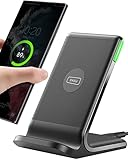
- 15W Fast Charge for the Morning Rush: Save up to 45 minutes with the INIU Wireless Charger. Powered by AirFuel tech, it’s ideal for commuters needing a rapid power boost before leaving, eliminating the frustration of slow charging.
- Sleep-Friendly for Nightstands: The self-adaptive LED dims in the dark and brightens by day. Perfect for light sleepers, it keeps you informed of your charging status without harsh glare disturbing your rest.
- Dual Coils for Desk & Entertainment: A wider charging area means no more finding the "sweet spot." A must-have office desk setup, letting you FaceTime in portrait or watch videos in landscape without losing power.
- NTC Temp°Guard for Battery Health: Smart, real-time temperature control prevents overheating. Heavy users can safely leave phones charging overnight, solving the pain of heat-induced battery damage.
- Perfect for Every Household: Auto-adapts up to 15W for compatible iOS and Android phones, making it the ideal shared wireless charger for families and guests.
A desktop charging station with AC outlets is the right answer when a monitor, lamp, speaker, camera charger, or other desk equipment would otherwise occupy separate wall sockets. These units are not wireless 3-in-1 chargers: they centralize power delivery, but they do not create dedicated magnetic phone, watch, and earbud positions.
When should you buy a USB-C or Thunderbolt dock instead?
Buy a dock when the charging station must also connect a laptop to displays, Ethernet, storage, memory cards, audio, and USB peripherals. A dock is a workstation expansion device with power pass-through, not simply a battery charger.
Crashes, No Sound, or Screen Glitches?
Random freezes, missing sound and display glitches usually trace back to one bad driver. Find and replace yours safely.Free scan · under a minutePC Slower Than It Used to Be?
A free scan shows the junk files, broken settings and background clutter dragging Windows down - then fixes them in one click.Free scan · Windows 10 & 11The Belkin Connect INC004 is suited to a general office laptop workstation. Its documented connections include HDMI, DisplayPort, VGA, USB-A, Ethernet, SD, microSD, audio, and USB-C Power Delivery pass-through up to 100W. Belkin notes that the dock itself can use up to 15W, so the computer may receive less than the nominal pass-through maximum; check the INC004 support specifications and the laptop’s display capabilities before buying.
The OWC 11-Port Thunderbolt Dock is the more workstation-focused option when Thunderbolt connectivity, multi-display support, SD cards, Ethernet, and other professional connections are central to the setup. OWC lists up to 96W of charging power in its 11-Port Thunderbolt Dock specifications. Laptop port capabilities, display requirements, and cable support still need to match the dock.
Use a USB-C docking station for a conventional office laptop and a Thunderbolt dock with charging when the host computer and peripherals need Thunderbolt-class bandwidth and connectivity. Neither dock replaces a wireless 3-in-1 station for an Apple Watch or AirPods.
How should you choose between the shortlisted models?
| If your priority is… | Shortlist | Why | Check before purchase |
|---|---|---|---|
| One tidy Apple charging home base | Belkin WIZ009 v2 or Anker A2557 | Both provide Qi2 15W phone charging with Apple Watch and AirPods positions; the Anker folds for travel | Watch certification, phone case fit, and adapter contents |
| Premium wireless speed and portability | Anker A25N1 or Belkin WIZ040 | Both advertise Qi2 or MagSafe 25W phone charging and foldable designs; Anker adds active cooling | 25W-capable phone, sufficient adapter, temperature, and the difference between phone and watch output |
| Several laptops and USB-C devices | UGREEN Nexode 300W | Four USB-C and one USB-A port with up to 300W total output | Per-port allocation, laptop PD needs, and cable ratings |
| Maximum desktop USB-C capacity | UGREEN Nexode 500W | Five USB-C and one USB-A port, up to 500W total, and up to 240W from one port | Whether the desk actually needs the extra capacity and how output is shared |
| Wall outlets plus USB charging | Belkin SRZ001 or SRZ002 | AC outlets and USB ports in one desk unit; SRZ002 adds an integrated USB-C cable | Number of outlets, cable reach, and shared USB-C output |
| Displays, networking, and cards with laptop power | Belkin INC004 or OWC 11-Port Thunderbolt Dock | Both add workstation connectivity as well as laptop charging | Host-port standard, displays, cables, operating-system support, and pass-through limits |
There is no meaningful single winner across these rows. The Belkin WIZ009 v2 or Anker A2557 is the practical starting point for an Apple 3-in-1 setup; the Anker A25N1 or Belkin WIZ040 makes sense when 25W wireless capability is specifically supported; UGREEN is aimed at wired power density; and Belkin or OWC is better when the desk is also a workstation.
Recommended Free Tools
What should you check before buying a multi-device charging station?
- Count the real devices. List the phone, watch, earbuds, tablet, laptop, camera, gaming handheld, monitor, lamp, and other equipment that must be powered. A wireless stand may cover three personal devices but leave a laptop and monitor unserved.
- Choose wireless convenience or wired power density. Magnetic charging is tidy and easy to use; USB-C Power Delivery is more appropriate for high-load devices and multiple laptops.
- Identify the phone’s wireless standard. Check whether the phone supports ordinary Qi, Qi2 15W, Qi2 25W, MagSafe, or a proprietary system. Do not infer support from the charger’s marketing name alone.
- Check Android magnetic alignment. An Android phone may need a compatible magnetic case or ring even when the phone supports Qi or Qi2 charging.
- Verify Apple Watch certification. Confirm that the station uses an officially certified watch charging solution and supports the watch generation and fast-charge combination you own.
- Confirm the wall adapter. The Anker Prime A25N1 specifically requires a 45W-or-higher adapter for full advertised 25W phone output. For every other model, check whether the required adapter is included and whether its output matches the station’s claims.
- Read the power-allocation table. A 300W or 500W total rating, or a 70W USB-C rating, does not guarantee that every active port receives its maximum output at the same time.
- Check cable ratings. High-power USB-C charging requires cables suitable for the intended wattage. A capable charger cannot make an under-rated or unsuitable cable deliver a higher safe rate.
- Consider heat and noise. Active cooling can help a high-output wireless station manage heat, but a fan may be undesirable on a quiet bedroom nightstand. Leave ventilation space around wired desktop chargers and docks.
- For an office, check connections beyond charging. Decide whether the desk needs AC outlets, display outputs, Ethernet, SD or microSD readers, audio, and USB peripherals. If those connections matter, a dock may be more useful than a charger.
What problems commonly prevent a charging station from reaching its advertised speed?
Most speed problems come from a mismatch between the receiving device, the adapter, the cable, the case, or the station’s shared power budget.
Also popular on Amazon

- Our 3-Year Promise to You:🛡️ 3-Year Coverage – Full protection against manufacturing defects.💰 Free Replacement – We send you a new one, completely free.📦 No Return Needed – Keep the old one. No wasting time at post offices.
- 【Customizable Blue Night Light & On/Off Control】 Unlike ordinary chargers, our wireless charging station features a soothing blue ambient light built into the base. It creates a cool, modern aura on your desk or nightstand without being intrusive. You are in full control—simply tap the sensor to turn the night light ON/OFF or adjust brightness. Use it as a gentle guide to find your phone at night or turn it off completely for total darkness. It's the perfect bedside charger for sleep lovers and tech enthusiasts.
- 【15W Fast Charging & Advanced Safety】 Experience high-speed wireless charging (up to 15W for iPhone). Our advanced smart chip provides temperature control, over-current protection, and short-circuit prevention. The blue indicator light confirms your phone is perfectly aligned and charging at peak speed. It charges your phone from 0% to 100% efficiently without overheating your device.
- 【3-in-1 Fast Charging Station】 Replace multiple cables with just one dock. This magnetic charging stand powers up your iPhone, Apple Watch, and AirPods simultaneously. It eliminates desktop clutter and organizes your space. Whether you need a charging station for multiple devices for home or office, this dock delivers seamless power to your entire Apple family.
- 【Powerful Magnetic Snap & Viewing Angles】 Equipped with upgraded N52 strong magnets, this MagSafe charger snaps perfectly to your iPhone (Requires magnetic case/iPhone 12+). The sturdy vertical stand supports both Portrait and Landscape modes, allowing you to use StandBy Mode as a alarm clock, calendar, or watch videos hands-free while charging. Never worry about misalignment or slow charging again
- The phone charges slowly or loses alignment: remove an incompatible or unusually thick case, check whether the phone has magnetic alignment, and confirm whether the station is Qi, Qi2, or MagSafe compatible rather than assuming the labels are equivalent.
- A Qi2 25W station does not reach 25W: verify that the phone supports Qi2 25W, that the adapter meets the station’s requirement, and that heat or other active charging positions are not reducing the allocation.
- The Apple Watch charges but does not fast-charge: check the watch model, Apple USB-C Magnetic Fast Charging Cable requirement, adapter rating, and official certification. A generic watch puck is not automatically a fast charger.
- A laptop stops charging after another device is connected: inspect the desktop charger’s power-allocation table. The charger may be reallocating a shared 300W, 500W, or 70W budget rather than failing.
- A dock powers the laptop but not every monitor: verify the laptop’s USB-C or Thunderbolt display support, host cable, display outputs, and the dock’s compatibility documentation. A dock’s connector count does not guarantee that every computer can drive every output.
- A charger becomes uncomfortably hot: reduce the load, improve ventilation, and use the manufacturer’s specified adapter and cables. Do not cover a desktop charger or place a cooling-equipped wireless stand where airflow is blocked.
Bottom line
For an iPhone, Apple Watch, and AirPods, start with a certified Qi2 or MagSafe 3-in-1 station. Choose the Anker Prime A25N1 or Belkin WIZ040 only when the phone, adapter, and conditions support their 25W claims; choose the Anker A2557 or Belkin WIZ009 v2 for simpler Qi2 15W charging.
For mixed-device offices, prioritize USB-C port count and power allocation, with the UGREEN Nexode 300W or 500W serving progressively higher-load desks. Choose Belkin SRZ001 or SRZ002 when AC outlets are essential, and choose Belkin INC004 or the OWC Thunderbolt Dock when displays, networking, storage, and laptop charging belong in the same workstation.
Frequently Asked Questions
Is Qi2 the same as MagSafe?
No. Qi2 is the Wireless Power Consortium standard with magnetic alignment, while MagSafe is Apple’s proprietary magnetic charging ecosystem. A product may be Qi2-certified, MagSafe-licensed, compatible with one system, or compatible with both, so check the exact certification and phone support.
Can a 300W USB-C charger deliver 300W to every port?
No. A 300W or 500W desktop charger refers to the unit’s total advertised output, not a guaranteed amount for every port at the same time. The charger distributes available power according to the connected devices and its allocation logic.
Will every Android phone work magnetically with a Qi2 charging station?
Not necessarily. An Android phone may support Qi or Qi2 wireless charging without having built-in magnets, so a compatible magnetic case or ring may be needed for reliable alignment on a magnetic stand.
Can any third-party 3-in-1 charger fast-charge an Apple Watch?
No. Apple Watch fast charging requires a compatible watch, an Apple USB-C Magnetic Fast Charging Cable, and an 18W-or-greater USB-C adapter under Apple’s stated requirements. A third-party 3-in-1 station should also use an officially certified Apple Watch charging solution.
Do I need a docking station or a desktop charger?
A dock is better when the desk needs displays, Ethernet, storage, card readers, audio, USB peripherals, and laptop power pass-through. A desktop charger is better when the main requirement is delivering power to several USB-C devices without workstation connectivity.
Do these 3 things before closing this tab:
1Fix the driver behind crashes, sound loss and screen glitches2Clear out junk files and repair common Windows errors3Scan for outdated or missing drivers - takes under a minuteThe Bottom Line
The right multi-device charging station depends on the job: Qi2 or MagSafe for a tidy Apple 3-in-1 setup, USB-C desktop charging for laptops and mixed devices, AC-and-USB power for office equipment, and a USB-C or Thunderbolt dock for a connected workstation.

