
The Tool Desk
Outbyte Driver Updater FREEFix the driver behind crashes, sound loss and screen glitchesFind Drivers →Outbyte PC Repair FREERepair Windows errors before they cause bigger problemsFix Now →iTechGuides is reader-supported. When you buy through links on our site, we may earn an affiliate commission. As an Amazon Associate I earn from qualifying purchases. Learn more
The best MU-MIMO wireless access point depends on the deployment: choose the Ubiquiti UniFi U7 Pro for a UniFi network, the TP-Link Omada EAP773 for a 10-GbE Omada network, the Aruba Instant On AP25 for simple small-business Wi-Fi 6, and the Grandstream GWN7664 for dense dual-band business use. None is universally best.
MU-MIMO helps an access point serve multiple compatible clients using separate spatial streams, but MU-MIMO is not a magic speed multiplier. Client capability, airtime, interference, AP placement, wired backhaul, PoE, channel width, and the management ecosystem can matter just as much.
The recommendations below are based on current manufacturer specifications and listed prices where available, not independent throughput, latency, roaming, or range testing. Price, availability, firmware features, and regulatory support can vary by country and product revision.
What’s actually slowing this PC down?
Pick the symptom - the matching free tool is one click away.
Key takeaways
- Ubiquiti UniFi U7 Pro is the strongest general-purpose choice for buyers already using, or willing to adopt, UniFi; Ubiquiti lists Wi-Fi 7, six spatial streams, 6-GHz support, and a U.S. store price from $189 when checked on August 18, 2026.
- TP-Link Omada EAP773 is the better shortlist choice for a multi-gigabit Omada deployment because it combines Wi-Fi 7, tri-band operation, a 10-GbE port, 320-MHz 6-GHz channels, and 802.3at PoE.
- Aruba Instant On AP25 is a practical Wi-Fi 6 business AP with 4×4 5-GHz MU-MIMO, a 2.5-GbE uplink, WPA3, and simplified Instant On management, but it has no 6-GHz radio.
- Grandstream GWN7664 is a strong dual-band high-density candidate with 4×4:4 MU-MIMO, downlink and uplink OFDMA, 2.5-GbE connectivity, and a manufacturer-listed capacity of 750+ concurrent Wi-Fi clients.
- Vendor client counts are not comparable performance benchmarks: a claimed maximum or concurrent-client figure does not mean that the same number of users can simultaneously receive high-throughput service.
- A wired access point normally provides more consistent capacity than wireless mesh because a mesh backhaul also consumes radio airtime; a good AP cannot compensate for poor placement, an inadequate Ethernet uplink, or insufficient PoE.
Best MU-MIMO wireless access points: quick comparison
The following table is a specification-based buying shortlist, not an independent ranking. “Best” means best suited to the stated use case.
Popular on Amazon

- Free Omada Essentials Cloud Management: Free cloud management with no additional fees, everything is managed in the cloud without the need for hardware or software controllers. Simply launch the Omada app, scan the S/N code on the package, and you're ready to deliver
- Ultra-Fast True Wi-Fi 6 Speeds For Your Business: Designed with the latest wireless Wi-Fi 6 technology featuring 1024-QAM and Long OFDM Symbol, the EAP610 boosts dual-band Wi-Fi speeds up to 1800 Mbps. With 4 Spatial streams, multi-user throughput is incredibly increased to drive more applications
- Ultra-Slim Design: Compact design ensures simple installation while saving space. The elegant appearance makes EAP610 V2 blend seamlessly into any modern office, hotel, classroom, or cafe
- Integrated into Omada SDN: Omada Software Defined Networking (SDN) platform integrates network devices including access points, switches and gateways with multiple control options offered - Omada Hardware controller, Software Controller or Cloud-based controller. Standalone mode also applies
- Cloud Access Omada Compatibility: Remote Cloud access and the Omada app enable centralized management of your entire network across multiple sites. Control everything from a single interface, anywhere and anytime. Please verify device compatibility with SDN firmware in the product documentation or manufacturer's technical specifications
| Model | Wi-Fi and bands | MU-MIMO / capacity information | Ethernet and PoE | Management | Best for | Main drawback | Price status |
|---|---|---|---|---|---|---|---|
| Ubiquiti UniFi U7 Pro | Wi-Fi 7; 2.4, 5, and 6 GHz | Six spatial streams; Ubiquiti specifications list 2×2 downlink/uplink MU-MIMO for the relevant radio specification | Check the current technical specification for the exact interface and power requirements before purchase | UniFi ecosystem | Best overall for a UniFi-managed network | May require additional UniFi management infrastructure; compatible clients are needed for Wi-Fi 7 and 6 GHz | From $189 in the U.S. store on August 18, 2026 |
| TP-Link Omada EAP773 | Wi-Fi 7; tri-band 2.4, 5, and 6 GHz | Six-stream design; MLO, 320-MHz channels, 4K-QAM, Multi-RU, OFDMA, and MU-MIMO require compatible clients | 10-GbE; 802.3at PoE | Omada SDN / controller ecosystem | Multi-gigabit Omada networks | Requires compatible switching, PoE, and possibly controller hardware; no reliable current public U.S. price was verified | Contact vendor |
| Aruba Instant On AP25 | Wi-Fi 6; dual-radio 2.4 and 5 GHz | 4×4 MU-MIMO on 5 GHz; datasheet lists up to 4.8-Gbps 5-GHz physical-layer rate and 100 recommended devices | 2.5-GbE; 802.3at PoE | Aruba Instant On cloud/mobile management | Small businesses wanting simpler Wi-Fi 6 administration | No 6-GHz radio; power adapters may be separate depending on bundle SKU | Contact vendor |
| Grandstream GWN7664 | Wi-Fi 6; dual-band 2.4 and 5 GHz | 4×4:4 MU-MIMO; downlink and uplink OFDMA; 750+ concurrent Wi-Fi clients claimed by manufacturer | 1-GbE and 2.5-GbE; PoE/PoE+ | Embedded controller, GWN.Cloud, or GWN Manager | Dense dual-band business deployments | No 6-GHz radio; “750+ clients” is not a high-throughput capacity test | Official page showed Contact Sales |
| Grandstream GWN7660 | Wi-Fi 6; dual-band 2.4 and 5 GHz | 2×2:2 MU-MIMO; 500+ concurrent-client claim on the product page | Two Gigabit Ethernet ports | Embedded controller or Grandstream management platforms | Budget or secondary AP when discounted | Older 2×2 design and Gigabit Ethernet are less suitable for dense multi-gigabit use | $129 was a historical launch MSRP, not a current verified price |
| Ubiquiti U7 Pro Outdoor | Wi-Fi 7; outdoor design | Ubiquiti comparison information lists six spatial streams | Verify current model-specific PoE and Ethernet requirements | UniFi | Outdoor Wi-Fi 7 coverage | Needs weather-aware mounting, cabling, grounding, PoE, and regulatory planning | $279 shown on Ubiquiti comparison page on the supplied check date |
| Grandstream GWN7664ELR | Wi-Fi 6; outdoor long-range design | Manufacturer-positioned for weatherproof long-range deployments | Verify current port and PoE details before purchase | Grandstream ecosystem | Outdoor Wi-Fi 6 coverage | Actual range depends heavily on building materials, antenna orientation, power limits, and client radios | Contact vendor |
What does MU-MIMO actually do?
MU-MIMO, or multi-user multiple-input multiple-output, allows a compatible access point to communicate with multiple clients using separate spatial streams instead of serving every client strictly one at a time. MU-MIMO is most useful when several clients are transferring data simultaneously, the AP and clients have multiple antennas, and the radio environment is reasonably clean.
MU-MIMO is not the same as giving every phone a private full-speed lane. The AP still shares channel airtime, clients have different signal quality and antenna counts, and many everyday devices support fewer spatial streams than the AP. A four-stream access point does not make four ordinary 2×2 phones operate at the AP’s maximum aggregate rate.
SU-MIMO, downlink MU-MIMO, and uplink MU-MIMO
- SU-MIMO serves one client at a time using one or more spatial streams.
- Downlink MU-MIMO allows the AP to transmit to multiple clients at once when the clients and radio conditions support the operation.
- Uplink MU-MIMO allows multiple clients to transmit toward the AP simultaneously under compatible conditions.
- Spatial streams are independent data streams created by multiple antennas and signal-processing paths. More streams can improve aggregate multi-client capacity, but more streams do not guarantee a proportionally faster individual client.
MU-MIMO does not increase the internet speed supplied by an ISP, eliminate interference, guarantee higher speed for one client, make weak-signal devices perform like nearby devices, or replace good AP placement and wired backhaul.
Free tools Windows power users keep installed
One-click scans. No signup required.
Why does OFDMA matter alongside MU-MIMO?
Wi-Fi 6 adds OFDMA, which divides a channel into smaller resource units. OFDMA is particularly useful when many devices send small amounts of data, such as phones, sensors, voice clients, and IoT devices. MU-MIMO primarily addresses simultaneous spatial streams, while OFDMA improves the way channel resources are assigned to multiple transmissions. The mechanisms complement each other rather than compete with each other, as Grandstream explains in its Wi-Fi 6 access-point material.
Other modern features can be equally important: BSS coloring can help distinguish overlapping networks, beamforming can improve useful signal transmission, and roaming assistance can help compatible clients find a better AP. None of these features removes the need for RF planning.
How were these access points chosen?
The shortlist weighs multi-client radio capability, Wi-Fi generation, spectrum, wired uplink, PoE, management, security, physical deployment, lifecycle support, ecosystem lock-in, and total deployment cost. The strongest AP on paper can be a poor purchase if the switch cannot power it, the gateway cannot carry its VLANs, or the client fleet cannot use its headline features.
| Criterion | What to check | Why it matters |
|---|---|---|
| Wireless generation | Wi-Fi 6, Wi-Fi 6E, or Wi-Fi 7 | Determines available efficiency and spectrum features |
| MU-MIMO configuration | 2×2, 3×3, or 4×4; downlink and uplink support | Indicates potential spatial-stream capacity, not guaranteed client performance |
| Bands | 2.4/5 GHz or 2.4/5/6 GHz | 6 GHz adds capacity but has shorter practical reach and requires compatible clients |
| Wired uplink | 1, 2.5, 5, or 10 GbE | Prevents Ethernet from becoming the aggregate bottleneck |
| PoE | 802.3af, 802.3at, or 802.3bt; per-port and total wattage | Determines whether the existing switch can power the AP |
| Management | Standalone, local controller, cloud, and subscription requirements | Affects setup, recurring cost, privacy, monitoring, and multi-AP operation |
| Roaming | 802.11k/v/r and vendor implementation | Can assist transitions between APs, but clients still commonly make the final decision |
| Security | WPA3, VLAN-aware SSIDs, RADIUS, guest isolation, ACLs, and firmware policy | Separates staff, guest, and IoT traffic and determines business suitability |
| Physical deployment | Ceiling, wall, in-wall, outdoor, and IP rating | Placement and environmental suitability often matter more than peak rate |
| Total cost | AP, PoE, switch, controller, gateway, cabling, mounting, and possible subscription | The AP’s list price is rarely the complete deployment cost |
Which access point is best for each type of deployment?
Ubiquiti UniFi U7 Pro: best overall for a UniFi-managed network
The Ubiquiti UniFi U7 Pro is the best overall pick for buyers who want a modern tri-band AP inside a broader UniFi deployment. Ubiquiti lists the U7 Pro as a Wi-Fi 7 access point with 2.4-, 5-, and 6-GHz support and six spatial streams; the supplied U.S. store check showed a starting price of $189 on August 18, 2026.
Recommended Free Tools
The U7 Pro makes sense for a home office, small business, or multi-AP site that already uses UniFi gateways and switches or is intentionally standardizing on UniFi. The UniFi ecosystem can make centralized configuration, monitoring, VLANs, guest networks, and multi-AP administration more convenient than managing unrelated standalone devices.
The main limitation is ecosystem dependence. A UniFi AP may require additional UniFi management infrastructure depending on the deployment, and the cost of the AP does not necessarily include a PoE switch, injector, gateway, controller, mounting hardware, or cabling. Six spatial streams also describe AP capability, not six guaranteed full-speed client connections.
Ubiquiti’s technical specification should be checked for the exact Ethernet interface and power requirements before purchase. Do not infer that a Wi-Fi 7 label automatically means that the U7 Pro requires a 10-GbE uplink.
TP-Link Omada EAP773: best for a 10-GbE Omada network
The TP-Link Omada EAP773 is the strongest choice for buyers building a multi-gigabit network around TP-Link’s Omada platform. The EAP773 is a tri-band Wi-Fi 7 AP with a six-stream design, a 10-GbE Ethernet port, 320-MHz 6-GHz channel support, Multi-Link Operation, 4K-QAM, Multi-RU, OFDMA, and MU-MIMO.
TP-Link’s 2025 catalog lists the EAP773 at 380+ concurrent clients and 802.3at PoE. The manufacturer’s current product information describes a 10-GbE port that can operate at 10, 5, 2.5, or 1 GbE link speeds. Those figures describe product capability and vendor-defined client capacity, not independent application throughput.
Also popular on Amazon
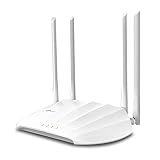
- Superior Speeds with MU-MIMO: Outfitted with the latest 802.11ac Wave 2 MU-MIMO technology, the TL-WA1201 easily delivers dual-band Wi-Fi speeds of up to 1200 Mbps to multiple devices at the same time
- Multi-Mode 4 in 1: Supports Client, Multi-SSID, Range Extender, and AP operation modes to enable various wireless applications to give users a more dynamic and comprehensive experience when using your AP
- PoE for Easy Installation: TL-WA1201 supports Passive PoE power supplies, can be powered by the provided PoE adapter, making deployment effortless and flexible
- Boosted Wi-Fi Coverage: Four external antennas equipped with Beamforming technology concentrate Wi-Fi signals towards your devices to extend reliable Wi-Fi to every corner of your home or office, even over long distances
- Gigabit Ethernet Port: Features a Gigabit Ethernet port that provides high-speed wired connectivity for devices requiring stable and fast network connections
The EAP773 is particularly attractive when the AP connects to a 10-GbE switch and serves fast Wi-Fi 7 clients or substantial local traffic to servers and storage. TP-Link describes Omada as a centralized SDN platform for managing network devices through one interface, which is useful when the deployment includes multiple APs, switches, and gateways.
Choose another model if the network is limited to ordinary 1-GbE switching, the client fleet is mostly older Wi-Fi equipment, or the buyer does not want controller infrastructure. TP-Link explicitly warns that Wi-Fi 7 features such as MLO, 320-MHz bandwidth, 6 GHz, 4K-QAM, Multi-RU, OFDMA, and MU-MIMO require compatible clients and appropriate regional support. The reviewed official sources did not provide a reliable current U.S. retail price.
Aruba Instant On AP25: best simplified Wi-Fi 6 business AP
The Aruba Instant On AP25 is a good fit for a small business that wants mature Wi-Fi 6 features and straightforward management rather than 6-GHz or Wi-Fi 7 capability. The AP25 provides dual-radio Wi-Fi 6, 4×4 MU-MIMO on 5 GHz, a 2.5-GbE uplink, WPA2/WPA3 support, and 802.3at PoE.
Crashes, No Sound, or Screen Glitches?
Random freezes, missing sound and display glitches usually trace back to one bad driver. Find and replace yours safely.Free scan · under a minuteWindows Errors? Fix Them Before They Spread
Repair common Windows errors and clear accumulated junk for a smoother, more stable PC - no reinstall needed.Free scan · no reinstallThe AP25 datasheet lists up to 4.8 Gbps as the 5-GHz wireless data rate. That is a physical-layer maximum, not measured application throughput. Aruba’s broader Wi-Fi 6 datasheet lists 100 as the recommended number of devices for the AP25. The 100-device recommendation should not be compared directly with Grandstream’s 750+ concurrent-client claim because vendors can use different definitions, traffic mixes, and test conditions.
Instant On is appealing for offices, classrooms, small retail sites, and hospitality locations where an administrator wants cloud or mobile-oriented management without building a complex enterprise WLAN system. The AP25 is less suitable when 6-GHz capacity, Wi-Fi 7 client support, or very high aggregate local throughput is a central requirement.
Check the bundle SKU before ordering because Aruba’s datasheet notes that power sources may be sold separately. The existing switch must provide 802.3at PoE and enough total power budget.
Grandstream GWN7664: best dual-band high-density business candidate
The Grandstream GWN7664 is a serious Wi-Fi 6 option for dense dual-band environments. Grandstream lists dual-band 4×4:4 MU-MIMO, downlink and uplink OFDMA, 1-GbE and 2.5-GbE ports, PoE/PoE+ support, and an aggregate wireless throughput of 3.55 Gbps.
Grandstream also lists support for 750+ concurrent Wi-Fi clients. That number is useful as a vendor positioning signal, but it does not mean 750 users can simultaneously stream high-bitrate video with equal performance. Active airtime, application mix, channel width, signal strength, interference, and client radio capabilities determine the practical limit.
The GWN7664 has an embedded controller that can manage up to 50 local GWN APs, and Grandstream supports GWN.Cloud and GWN Manager for centralized administration. That flexibility can reduce the need for a separate controller in a small deployment. The official product page showed “Contact Sales,” so a current public street price was not verified.
Choose a Wi-Fi 7 or Wi-Fi 6E AP instead if the deployment specifically needs 6-GHz spectrum, MLO, or 320-MHz channels. Choose a different vendor if the organization already standardizes on UniFi, Omada, or Aruba and wants one management ecosystem.
Grandstream GWN7660: value-oriented older Wi-Fi 6 alternative
The Grandstream GWN7660 is worth considering as a budget or secondary AP when available at a substantial discount. The model provides dual-band Wi-Fi 6, 2×2:2 MU-MIMO, two Gigabit Ethernet ports, an embedded controller, and a current product-page claim of 500+ concurrent clients.
Quick wins for a faster PC:
Fix the driver behind crashes, sound loss and screen glitchesFind Drivers →Repair Windows errors before they cause bigger problemsFix Now →Scan for outdated or missing drivers - takes under a minuteDriver Scan →Grandstream’s launch announcement published a $129 suggested retail price, but that price is historical and must not be treated as the current retail price. Verify current availability and pricing before buying.
Also popular on Amazon
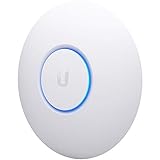
- Four stream 802.11AC Wave2 technology
- Supports 200+ concurrent users
- 802.3af PoE compatibility
- Optional covers (sold separately) allow the Unifi nanohd AP TO discreetyly blend into its setting
The GWN7660 is not the best choice for a dense multi-gigabit deployment. Its 2×2 radio design is less capable than 4×4 alternatives under heavy simultaneous use, and Gigabit Ethernet can limit aggregate performance. The GWN7660 remains reasonable for a moderate office, a secondary wired AP, or a cost-sensitive network whose switches are already Gigabit-only.
Outdoor options: Ubiquiti U7 Pro Outdoor and Grandstream GWN7664ELR
The Ubiquiti U7 Pro Outdoor and Grandstream GWN7664ELR belong on an outdoor shortlist because both are designed for outdoor or long-range deployments. Ubiquiti lists IP67 protection and six spatial streams for the U7 Pro Outdoor, while Grandstream positions the GWN7664ELR as a weatherproof long-range Wi-Fi 6 access point.
Ubiquiti’s supplied comparison page showed $279 for the U7 Pro Outdoor on the August 18, 2026 check. That is a dated listed price, not a guaranteed current price. The official product page should be checked for the exact regional SKU, included mounting hardware, Ethernet interface, and PoE requirement.
Do these 3 things before closing this tab:
1Clear out junk files and repair common Windows errors2Scan for outdated or missing drivers - takes under a minute3Repair Windows errors before they cause bigger problemsOutdoor range claims are especially difficult to compare. Mounting height, line of sight, walls at the edge of the building, antenna orientation, lightning protection, cable routing, local transmit-power rules, and the client device’s weaker transmit capability can all determine the usable result. Outdoor APs require weather-appropriate mounting, outdoor-rated cabling and protection, suitable grounding, and a PoE switch or injector that meets the device specification.
What is the difference between Wi-Fi 6, Wi-Fi 6E, and Wi-Fi 7?
Wi-Fi 6 is the 802.11ax generation primarily used on 2.4- and 5-GHz bands. Wi-Fi 6 adds OFDMA and improves multi-client scheduling and MU-MIMO efficiency.
Wi-Fi 6E extends Wi-Fi 6 features into the 6-GHz band. Wi-Fi 6E can provide cleaner nearby spectrum, but 6-GHz clients must support Wi-Fi 6E or Wi-Fi 7, and regional rules determine available channels, transmit power, and features such as automated frequency coordination.
Wi-Fi 7, based on 802.11be, adds features including Multi-Link Operation, 320-MHz channels where permitted, Multi-RU, and 4K-QAM. TP-Link states that these features require compatible client devices and appropriate regional support. A Wi-Fi 7 AP remains useful with older clients, but older clients cannot use Wi-Fi 7-only features.
| Choose | When it makes sense | When it may not be worth the upgrade |
|---|---|---|
| Wi-Fi 6 | Cost-conscious deployments, mature client fleets, 2.4/5-GHz coverage, and networks where reliable multi-client efficiency matters more than newest peak rates | The network needs 6-GHz capacity, MLO, 320-MHz channels, or a large fleet of new Wi-Fi 7 clients |
| Wi-Fi 6E | Nearby compatible clients need cleaner 6-GHz spectrum and the building can support closer AP spacing | Most clients are Wi-Fi 5 or Wi-Fi 6 without 6E support, or the AP must cover several walls |
| Wi-Fi 7 | New multi-gigabit networks, compatible client fleets, high local traffic, and a willingness to pay for current-generation features | The real problem is poor placement, interference, inadequate backhaul, insufficient PoE, or an ISP connection that does not need the extra capacity |
Does a 6-GHz access point automatically improve coverage?
No. A 6-GHz access point can improve nearby capacity and reduce congestion, but 6 GHz generally penetrates walls less effectively than lower frequencies. A 6-GHz radio is excellent for compatible clients in the same room or nearby area, but it may not be the best sole AP for a large house or a building with dense walls.
Six-gigahertz availability also depends on the client device, country, channel rules, transmit-power limits, and the AP’s supported regulatory configuration. Buyers should treat 6 GHz as an additional capacity layer rather than assume that a tri-band AP automatically covers a larger area.
Is a 10-GbE uplink necessary for an access point?
A 10-GbE uplink is usually unnecessary for a basic home internet connection, but it can be justified when an AP serves many active clients, connects to a multi-gigabit NAS or server, aggregates with several APs, or serves Wi-Fi 7 clients capable of substantial local throughput.
The TP-Link EAP773’s 10-GbE port can operate at 10, 5, 2.5, or 1 GbE. That flexibility allows the EAP773 to work with slower existing infrastructure while leaving room for a later multi-gigabit upgrade.
A 1-GbE uplink does not make a Wi-Fi 7 AP useless. The AP can still provide strong wireless service, but total traffic crossing the Ethernet link is constrained by the negotiated wired rate. Check the whole path: client → AP radio → Ethernet uplink → PoE switch → router/firewall → internet or LAN service.
Also popular on Amazon

- Flexible Power Supply Options: Supports both 802.3af PoE and passive PoE power supply, can be powered by a PoE switch or the provided PoE adapter for effortless and flexible deployment
- High-Speed Dual Band Connectivity: AC1350 Gigabit wireless access point delivers maximum wireless transmission rates derived from IEEE standard 802.11 specifications for reliable business WiFi performance
- Advanced MU-MIMO Technology: Multi-user MIMO capability enables simultaneous data transmission to multiple devices, improving network efficiency when paired with compatible client devices
- Seamless Roaming Support: Enables uninterrupted connectivity as users move throughout coverage areas when both access point and client devices support 802.11K and 802.11V protocols
- Omada SDN Integration: Cloud access and app management through Omada Software Defined Networking platform provides centralized control and monitoring of your business wireless network
What are the power and installation requirements?
PoE is one of the easiest specifications to overlook. Confirm the AP’s IEEE power standard, per-port wattage, total switch budget, injector compatibility, included power adapter, mounting method, and cable requirements before ordering.
| Model | Power information from supplied research | Installation implication |
|---|---|---|
| TP-Link Omada EAP773 | 802.3at PoE | Use an 802.3at-capable switch or compatible injector with adequate power budget |
| Aruba Instant On AP25 | 802.3at PoE; power source may be separate depending on bundle SKU | Confirm whether the selected package includes the adapter or use suitable PoE |
| Grandstream GWN7664 | PoE/PoE+; maximum consumption listed as 17 W | Check both switch power budget and the exact regional product specification |
| Ubiquiti U7 Pro and outdoor models | Verify current model-specific power details on the official technical page | Do not infer PoE requirements from the Wi-Fi generation alone |
For 1- and 2.5-GbE links, use properly installed Cat5e or better cabling and verify the negotiated speed. Higher rates and longer runs require closer attention to cable category, termination quality, length, and the capabilities of every device in the path.
How should a dedicated AP connect to an ISP router?
A dedicated access point normally connects by Ethernet to an existing router, firewall, or switch. A wireless router commonly combines routing, firewall, DHCP, switching, and Wi-Fi, while a dedicated AP primarily provides wireless LAN connectivity.
Before buying an AP, confirm that the existing router or firewall can provide routing and DHCP, carry VLANs if multiple SSIDs are needed, and support the intended multi-AP design. If the AP connects to a simple unmanaged switch, separate staff, guest, and IoT networks may not work as intended because VLAN tagging requires compatible switching and gateway configuration.
Use wired backhaul whenever practical. Wireless mesh can extend coverage where Ethernet cannot be installed, but the wireless backhaul consumes airtime unless the system has a dedicated backhaul radio. A wired AP generally provides more predictable capacity and lower dependence on the radio environment.
How do management and roaming differ between ecosystems?
Management is a buying decision, not an afterthought. UniFi, Omada, Aruba Instant On, and Grandstream can all support multi-AP administration, but they differ in controller location, cloud dependence, hardware requirements, account model, monitoring, and migration effort.
| Ecosystem | Management model | Best fit | Important qualification |
|---|---|---|---|
| UniFi | UniFi management ecosystem | Buyers standardizing on Ubiquiti gateways, switches, and APs | Additional UniFi hardware or management components may be required depending on the deployment |
| Omada | Centralized Omada SDN | Networks using TP-Link APs, switches, routers, and multi-gigabit infrastructure | Advanced centralized functions may require an Omada controller or compatible management infrastructure |
| Aruba Instant On | Simplified cloud/mobile administration | Small businesses prioritizing ease of setup and administration | Verify the current feature, firmware, and account requirements for the chosen model |
| Grandstream | Embedded controller, GWN.Cloud, or GWN Manager | Small and medium deployments, especially where Grandstream equipment is already used | The GWN7664 embedded controller can manage up to 50 local GWN APs according to Grandstream |
Fast roaming is not the same as seamless roaming. Standards such as 802.11k, 802.11v, and 802.11r can help a client discover and transition between APs, but the client device commonly makes the final roaming decision. Operating-system behavior, wireless drivers, signal thresholds, channel planning, and network configuration all affect whether a device leaves a distant AP promptly.
Cloud management can simplify remote administration, but cloud-managed systems may introduce account dependence, internet dependence for some functions, privacy considerations, subscription or support concerns, and migration difficulty if the organization later changes ecosystems. Check whether local management and local operation remain available when the internet connection is down.
Independent reader supportYour contribution helps us test, update, and keep practical guides available for everyone.Which security features should a business AP provide?
For a business or shared network, look beyond MU-MIMO. Important capabilities include WPA3-Personal, WPA3-Enterprise, 802.1X/RADIUS, VLAN-aware SSIDs, guest networks, captive portals, client isolation, access-control lists, firmware updates, logging, and monitoring.
Feature availability can depend on firmware, controller, cloud plan, subscription, licensing tier, and regional product version. Manufacturer datasheets and product pages identify WPA3 support for the listed business APs, but administrators should verify the current manual and management documentation before committing to an enterprise configuration.
A practical SSID design is usually simpler than creating a separate SSID for every device group. A staff SSID can use the organization’s authentication system, a guest SSID can use an isolated VLAN or captive portal, and an IoT SSID can use suitable isolation and access rules. The gateway and switch must support the VLAN design; the AP alone cannot enforce end-to-end segmentation.
Installation and configuration checklist
- Confirm the network role: leave routing, firewalling, and DHCP on the existing router or firewall unless the selected ecosystem is intended to replace those functions.
- Verify PoE: check whether the AP requires 802.3af, 802.3at, or 802.3bt, then check per-port output and the switch’s total PoE budget.
- Check the Ethernet path: verify Cat5e or better for 1/2.5-GbE and confirm that the switch, cable, gateway, and AP negotiate the intended speed.
- Prefer wired backhaul: use Ethernet for every AP that can be cabled; use wireless mesh only where its airtime and capacity trade-off is acceptable.
- Place APs deliberately: mount APs centrally and away from metal, appliances, thick obstructions, and enclosed cabinets.
- Plan channels and power: use clean, appropriate channels and conservative transmit power instead of assuming maximum power produces better roaming or capacity.
- Create network segments: use staff, guest, and IoT SSIDs only when the router, firewall, and switches can carry and enforce the associated VLANs.
- Configure security: enable WPA3 where the important client fleet supports it; otherwise use an appropriate transition mode and test older clients.
- Update before production: install current firmware, record the version, and review the vendor’s release and support information.
- Test roaming in the real building: walk through the coverage area with the actual phones, laptops, scanners, or voice clients that matter.
- Test more than peak speed: measure latency, packet loss, sustained throughput, and local-file performance at busy locations, not just an internet speed-test maximum.
- Document recovery: record controller credentials, VLAN IDs, switch ports, PoE details, AP locations, management addresses, and reset or recovery procedures.
Common mistakes that produce disappointing Wi-Fi
Buying the fastest AP instead of fixing the bottleneck
A Wi-Fi 7 AP cannot repair a slow Ethernet uplink, overloaded router, weak PoE source, congested channel, or poor physical placement. Diagnose the bottleneck before upgrading wireless hardware.
Also popular on Amazon

- 𝐒𝐮𝐩𝐞𝐫𝐢𝐨𝐫 𝐒𝐩𝐞𝐞𝐝𝐬 𝐰𝐢𝐭𝐡 𝐌𝐔-𝐌𝐈𝐌𝐎: Outfitted with the latest 802.11ac Wave 2 MU-MIMO technology, the EAP235-wall easily delivers dual-band Wi-Fi speeds of up to 1200 Mbps to multiple devices at the same time.
- 𝐃𝐞𝐥𝐢𝐜𝐚𝐭𝐞 𝐖𝐢-𝐅𝐢 𝐍𝐞𝐭𝐰𝐨𝐫𝐤 𝐈𝐧 𝐄𝐚𝐜𝐡 𝐑𝐨𝐨𝐦: Designed for office cubical and hotel room and allows guests to enjoy their own private Wi-Fi network.
- 𝐆𝐢𝐠𝐚𝐛𝐢𝐭 𝐏𝐨𝐫𝐭𝐬 𝐰𝐢𝐭𝐡 𝐏𝐨𝐄 𝐒𝐮𝐩𝐩𝐨𝐫𝐭: 4 Gigabit Ethernet Ports: 1× Uplink 802.3 af/at PoE powered Port, 3× Downlink Ports, with one access port Supporting PoE pass-through to provide power for wired device, making deployment effortless and flexible.
- 𝐈𝐧𝐭𝐞𝐠𝐫𝐚𝐭𝐞𝐝 𝐢𝐧𝐭𝐨 𝐎𝐦𝐚𝐝𝐚 𝐒𝐃𝐍: Omada's Software Defined Networking (SDN) platform integrates network devices including access points, switches & gateways with multiple control options offered - Omada Hardware controller, Omada Software Controller or Omada cloud-based controller*(Contact TP-Link for Cloud-Based Controller Plan Details). Standalone mode also applies.
- 𝐂𝐥𝐨𝐮𝐝 𝐀𝐜𝐜𝐞𝐬𝐬: Remote Cloud access and Omada app brings centralized cloud management of the whole network from different sites—all controlled from a single interface anywhere, anytime.
Comparing vendor client counts as if they were laboratory results
TP-Link lists the EAP773 at 380+ concurrent clients, Grandstream lists the GWN7664 at 750+ concurrent Wi-Fi clients, and Aruba lists 100 recommended devices for the AP25. Those figures should not be placed on a single performance scale because the vendors may define concurrent, recommended, and supported clients differently. Client activity, airtime, signal quality, channel width, and application mix determine practical service.
Using 320-MHz channels everywhere
Wide 160- or 320-MHz channels can raise peak link rates, but they consume more spectrum and can be harder to keep clean. In a busy building, a narrower clean channel can provide better aggregate reliability than a wide channel affected by interference or unavailable under local rules.
Adding too many APs
Additional APs do not automatically add capacity. Poor channel reuse, excessive transmit power, co-channel interference, and wireless mesh backhaul can make a larger deployment perform worse. Add APs based on measured demand, building layout, channel planning, and wired backhaul.
Do these 3 things before closing this tab:
1Scan for outdated or missing drivers - takes under a minute2Repair Windows errors before they cause bigger problems3Fix the driver behind crashes, sound loss and screen glitchesAssuming a client will roam on command
Even with roaming assistance, a phone or laptop may cling to a distant AP. Test the actual client models and tune AP placement, transmit power, minimum data rates, and roaming thresholds carefully rather than promising uninterrupted handoff.
What should you buy?
Choose the Ubiquiti UniFi U7 Pro when you want a current Wi-Fi 7, tri-band AP and are comfortable with UniFi management. Choose the TP-Link Omada EAP773 when a 10-GbE uplink and Omada’s centralized platform fit the network. Choose the Aruba Instant On AP25 when simple small-business administration and mature Wi-Fi 6 matter more than 6 GHz.
Choose the Grandstream GWN7664 when the deployment is dual-band, business-oriented, and likely to have many active clients. Consider the Grandstream GWN7660 only when the price is genuinely attractive and Gigabit Ethernet and 2×2 radios are sufficient. For outdoor installations, compare the Ubiquiti U7 Pro Outdoor and Grandstream GWN7664ELR only after checking mounting, weather protection, PoE, cabling, and local regulatory requirements.
Finally, budget for the complete system: PoE switch or injector, multi-gigabit switching where needed, gateway or controller, cabling, mounting hardware, possible cloud or support costs, and installation. A correctly placed wired Wi-Fi 6 AP can deliver a better experience than a poorly placed Wi-Fi 7 AP with an undersized uplink.
What’s actually slowing this PC down?
Pick the symptom - the matching free tool is one click away.
Frequently Asked Questions
Does MU-MIMO improve the speed of one device?
MU-MIMO primarily improves an access point’s ability to serve multiple compatible clients at the same time; MU-MIMO does not guarantee a higher speed for one client. Single-client performance still depends on the client’s antennas, signal quality, channel width, interference, and the wired network.
Is Wi-Fi 7 worth upgrading from Wi-Fi 6?
Wi-Fi 7 is worth considering for a new multi-gigabit network with compatible clients and substantial local traffic, but upgrading solely for the MU-MIMO label may not help if the real problem is poor placement, interference, weak PoE, or inadequate backhaul. Wi-Fi 6 remains a practical choice for mature and cost-conscious deployments.
Can I use a dedicated access point with my ISP router?
Yes. A dedicated access point can normally connect by Ethernet to an ISP router, firewall, or switch while the existing router continues to provide routing, firewalling, and DHCP. VLANs, multiple SSIDs, and multi-AP roaming require compatible configuration across the router, switch, and AP.
Is 6 GHz better through walls?
No. Six-gigahertz Wi-Fi can offer cleaner spectrum and high nearby capacity, but 6 GHz generally penetrates walls less effectively than 2.4 or 5 GHz. Six-gigahertz coverage depends on compatible clients, building materials, AP spacing, transmit-power rules, and regional availability.
Is a 10-GbE uplink necessary for an access point?
A 10-GbE uplink is usually unnecessary for a basic home internet connection, but it can make sense for a busy Wi-Fi 7 AP, multi-AP aggregation, multi-gigabit internet, or local NAS and server traffic. A 1-GbE uplink can still work, but it limits aggregate traffic crossing the Ethernet connection.
The Bottom Line
Bottom line: buy for the whole deployment, not the MU-MIMO or Wi-Fi 7 label alone. The UniFi U7 Pro, Omada EAP773, Aruba AP25, and Grandstream GWN7664 each win in different environments. Confirm client compatibility, Ethernet speed, PoE, VLAN support, management requirements, placement, and total cost before choosing.

